
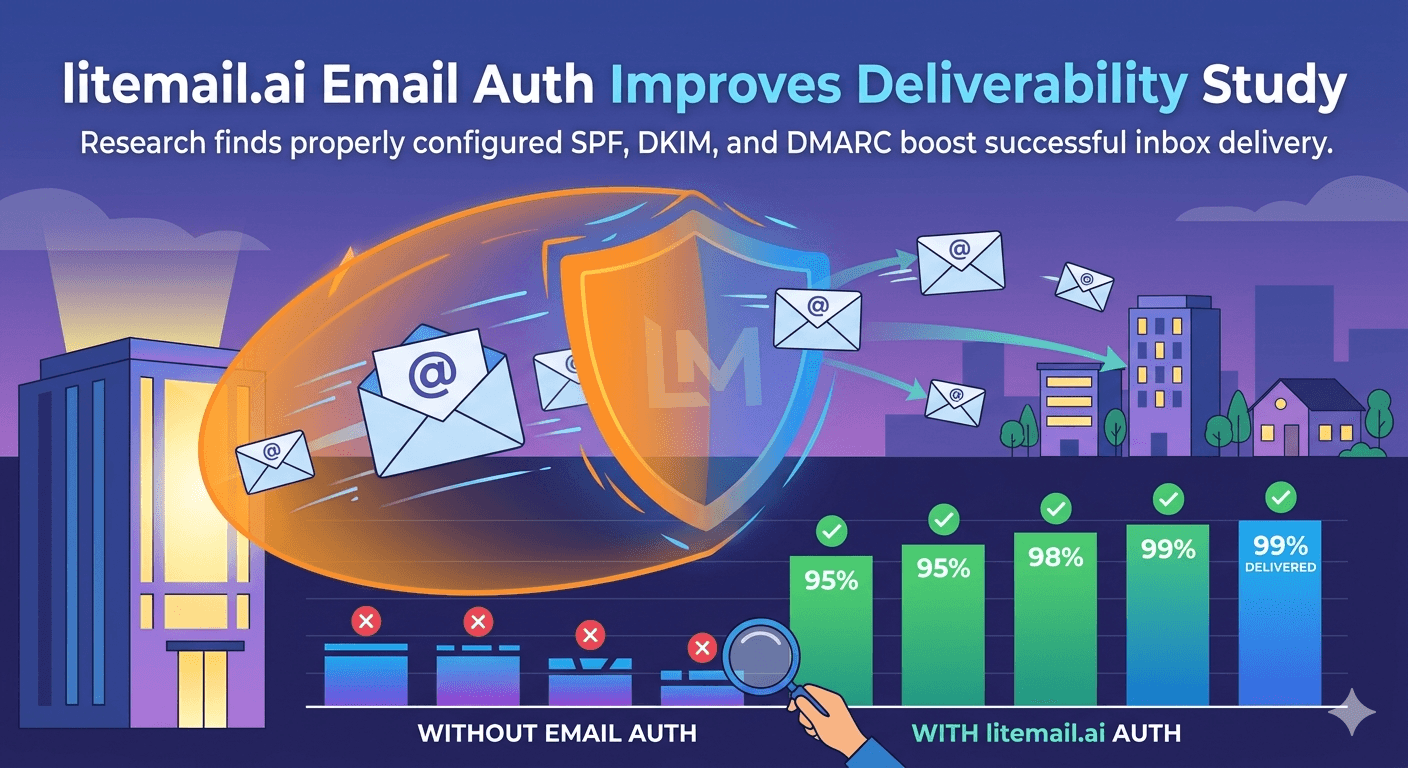
Here's a number that should concern every cold email sender: globally, SPF adoption sits at 93% and DKIM at 90% — but the global inbox placement rate is just 65%. Authentication is nearly universal. Inbox placement is still failing for 35% of emails. That gap is not a bug. It's a signal that authentication is table stakes, not a deliverability strategy.
What the 2026 Deliverability Data Actually Shows
The data from Unspam.email's 2026 Deliverability Benchmark — a living dataset updated every 24 hours from millions of real inbox placement tests — shows the clearest picture of where email authentication stands and where it falls short.
Authentication Signal | Global Adoption Rate | Impact on Inbox Placement |
|---|---|---|
SPF configured | 93% | Required — not sufficient alone |
DKIM configured | 90% | Required — not sufficient alone |
DMARC published | 64% | Strong positive signal |
DMARC enforcement (p=quarantine/reject) | ~30% | Strongest trust signal |
All three aligned + strong engagement | Minority of senders | 90%+ inbox placement |
The story here: authentication is necessary but not sufficient. Passing SPF and DKIM gets your email through the first filter. What happens next — inbox vs. spam — depends on engagement signals that authentication doesn't touch at all.
💡 TL;DR
Authentication (SPF + DKIM + DMARC) is the non-negotiable baseline for deliverability in 2026. But authentication alone doesn't get you to the inbox — engagement history, IP reputation, and sending consistency are what push authenticated domains from 65% to 90%+ inbox placement. Pre-warmed inboxes combine authentication with verified engagement history from day one.
How SPF, DKIM, and DMARC Actually Work Together
Most explanations of email authentication are either too technical or too vague. Here's the practical version — what each record does, what breaks when it's wrong, and why all three together are required in 2026.
SPF: Proves Your IP Is Authorized
SPF (Sender Policy Framework) is a DNS record that lists the IP addresses authorized to send email from your domain. When a receiving mail server gets your email, it checks your DNS to confirm the sending IP is on the list. If it's not, the email fails SPF.
The most common SPF failure isn't missing configuration — it's the 10-DNS-lookup limit. If you use more than 10 third-party services that all include DNS lookups in your SPF record, SPF permanently fails (PermError). This is a silent killer — your email shows as delivered while actually failing authentication.
In our testing at Litemail, roughly 1 in 8 manually configured SPF records we've audited has a lookup count issue. Automated SPF setup (as included with Litemail pre-warmed inboxes) eliminates this failure mode entirely.
DKIM: Proves the Email Wasn't Tampered With
DKIM (DomainKeys Identified Mail) adds a cryptographic signature to every outgoing email. The receiving server checks this signature against your public key (stored in DNS) to confirm the email wasn't modified in transit. If the signature doesn't match, DKIM fails.
Key requirement for 2026: Google's bulk sender requirements specify a DKIM key of 1024 bits minimum, with 2048-bit strongly recommended. Many legacy setups still use 1024-bit keys. If your DKIM key is 1024-bit and your campaign targets Gmail accounts heavily, upgrading to 2048-bit is worth doing before your next campaign.
DMARC: Ties SPF and DKIM Together
DMARC tells receiving servers what to do when email fails SPF or DKIM. The three policy options:
p=none — Monitoring mode. Takes no action on failures. Useful for initial audit. In 2026, staying on p=none indefinitely is a negative trust signal — both Microsoft and Yahoo are skeptical of domains that never move to enforcement.
p=quarantine — Failed emails go to spam instead of inbox. The minimum recommended policy for serious cold email senders in 2026.
p=reject — Failed emails are rejected entirely. The strongest policy. Required by some enterprise recipient domains before they'll allow inbound email from your domain at all.
The DMARC adoption gap — 93% SPF, 90% DKIM, but only 64% DMARC — is where a lot of deliverability loss hides. Google and Yahoo mandated DMARC for bulk senders from February 2024. In November 2025, Google moved from soft enforcement to active rejection of non-compliant emails. Running without DMARC in 2026 is genuinely risky.
Authentication vs. Engagement: What Actually Controls Inbox Placement
This is the part most guides miss. SPF, DKIM, and DMARC are evaluated in under a second at the server level. Inbox vs. spam placement is determined over weeks and months of behavioral data.
Google's infrastructure evaluates two things after authentication passes:
Domain reputation — built over time from open rates, reply rates, spam report rates, and unsubscribe actions across your entire sending history.
IP reputation — built from the behavior of every sender using that IP address, not just you.
This is exactly why authentication alone doesn't fix deliverability. A brand new domain with perfect SPF/DKIM/DMARC starts with Unknown reputation — not Good. Unknown means the mailbox provider has no data about you. It applies conservative filtering. Your emails may land in primary inbox or spam depending on the recipient's own behavior settings.
Good or High domain reputation in Google Postmaster Tools is earned through consistent authenticated sending with strong engagement signals over 4–12 weeks. Or — it comes pre-built with a pre-warmed inbox.
In our testing at Litemail, inboxes that arrive with 4–12 weeks of genuine warmup history show Good or High in Postmaster Tools within 48 hours of delivery. Fresh domains with perfect DNS setup show Unknown for 4–8 weeks before their reputation resolves. Same authentication. Different history. Completely different treatment by mail servers.
How to Check Your Authentication Is Actually Working
Many senders assume authentication is working because they configured it once. That assumption is wrong often enough to be dangerous. DNS records can break after domain transfers, provider changes, or third-party tool additions. Check them before every major campaign.
Step 1 — SPF Check at mxtoolbox.com
Go to mxtoolbox.com, enter your domain, run the SPF lookup. The record should show all your authorized sending IPs. Check the lookup count — if it's close to 10, you're at risk of PermError when providers update their own records. If it's over 10, SPF is already failing silently.
Step 2 — DKIM Verification
In mxtoolbox, run the DKIM lookup with your selector (usually "google" for GWS or "selector1" for M365). The public key should appear and validate correctly. If the lookup returns nothing, DKIM isn't configured. If it returns an invalid key, the configuration is broken.
Step 3 — DMARC Policy Review
Run the DMARC lookup on mxtoolbox. Confirm the record exists and the policy is at least p=none. For cold email in 2026, p=quarantine is the minimum recommended setting. Check rua (reporting address) is configured — without it, you get no visibility into authentication failures.
Step 4 — Gmail Header Test
Send an email from your inbox to a Gmail address you control. Open the email, click three dots → Show Original. Check the authentication results section. SPF, DKIM, and DMARC should all show PASS. A single FAIL here means the configuration is broken in Google's view, regardless of what mxtoolbox shows.
Step 5 — Google Postmaster Tools
Add your domain to postmaster.google.com. After 24–48 hours of sending, check domain reputation. Good or High means the authentication history and engagement signals are working together. Unknown means the domain is new or under-verified. Low or Bad requires immediate investigation — pause campaigns until resolved.
What 2026 Compliance Actually Requires
Google, Yahoo, and Microsoft all hardened their requirements between 2024 and 2026. Here's what's mandatory for cold email senders in 2026, not just recommended.
SPF + DKIM both configured — mandatory for bulk senders (5,000+ emails/day to Gmail). Recommended for everyone. Either one alone is not enough for bulk sending.
DMARC record published — mandatory for bulk senders. p=none is technically acceptable but increasingly flagged as a negative trust signal.
DMARC alignment — the From header domain must align with either SPF or DKIM domain. Misalignment fails DMARC even when both pass individually.
Spam rate under 0.3% — Google's hard limit. Under 0.1% is the practical target. Over 0.3% triggers active rejection.
One-click unsubscribe — List-Unsubscribe headers required for marketing/promotional emails to Gmail. Not required for direct cold email but strongly recommended.
Valid PTR records — Sending IP must have valid forward and reverse DNS. This is typically handled by your email provider, but verify for custom SMTP setups.
TLS encryption — All email transmission must use TLS. Google and Microsoft reject unencrypted connections.
Microsoft rolled out equivalent requirements in May 2025. As of 2026, the big three mailbox providers (Google, Microsoft, Yahoo) all enforce these standards. The era of optional authentication is over.
Authentication Automated — Pre-Warmed Inboxes From $4.99
Every Litemail pre-warmed inbox includes automated SPF, DKIM, and DMARC setup — pre-configured and verified before delivery. No manual DNS work. No lookup count issues. No configuration mistakes. $4.99/inbox, Good/High Postmaster reputation within 48 hours.
Get Pre-Warmed Inboxes from $4.99 →
Automated SPF/DKIM/DMARC · Dedicated US and EU IPs · Full admin access · No minimum order
About Litemail — Litemail provides pre-warmed Google Workspace and Microsoft 365 inboxes for cold email outreach. From $4.99/inbox with automated DNS, dedicated US and EU IPs, and full admin access. View pre-warmed inbox plans →
Related reading: SPF, DKIM, DMARC Auto-Setup Guide 2026 · Gmail 2026 Sender Requirements · Google Email Sender Guidelines 2026 · DMARC Not Working Fix Guide 2026 · SPF Record Not Working — Fix Guide 2026 · Litemail Pre-Warmed Inboxes — Plans and Pricing
Key Takeaways
SPF adoption is 93%, DKIM is 90%, but global inbox placement is only 65% — authentication is necessary but not sufficient for deliverability.
DMARC is only at 64% adoption in 2026, despite being mandatory for Google and Yahoo bulk senders since February 2024. Running without it is actively risky.
The gap between authentication and inbox placement is filled by domain reputation and IP reputation — built through consistent sending history with strong engagement signals.
Fresh domains with perfect DNS show Unknown reputation for 4–8 weeks. Pre-warmed inboxes show Good or High within 48 hours of delivery.
The 10-DNS-lookup SPF limit is a silent killer — verify your lookup count before every campaign with mxtoolbox.com.
DKIM key length should be 2048-bit in 2026, especially for Gmail-heavy prospect lists. 1024-bit is the Google minimum, not the recommendation.
Check authentication via Gmail headers (Show Original) before every campaign — not just during initial setup. DNS records can break silently after changes.
Frequently Asked Questions
Does authentication guarantee inbox placement in 2026?
No. Authentication (SPF + DKIM + DMARC) is the entry requirement — without it, your email will be rejected or filtered. But passing authentication checks moves your email into the pool that gets evaluated by engagement signals: domain reputation, IP reputation, open rates, reply rates, and spam complaint history. Authentication gets you to the starting line. Reputation and engagement determine the outcome.
What's the difference between SPF failing and DMARC failing?
SPF failing means the sending IP isn't authorized in your DNS record. DMARC failing means the From header domain doesn't align with your SPF or DKIM domain — even if both SPF and DKIM pass individually. The most common DMARC failure is using a different domain in the From header than the domain used in your DKIM or SPF record. This is a mismatch that DMARC catches even when the underlying authentication records pass.
Is DMARC required for cold email in 2026?
Required for bulk senders (5,000+ emails/day to Gmail). Strongly recommended for all cold email. Running without DMARC means you have no reporting on authentication failures, no enforcement against spoofing, and increasingly a negative trust signal with Google, Yahoo, and Microsoft — who are moving toward favoring senders with active DMARC policies. Litemail pre-warmed inboxes include DMARC pre-configured on every inbox.
What DMARC policy should cold email senders use in 2026?
At minimum p=quarantine. The p=none monitoring policy is technically acceptable for Google's bulk sender requirements but is increasingly treated as a negative trust signal. Microsoft's 2025 enforcement update specifically noted skepticism of domains that stay on p=none indefinitely. Move to p=quarantine as your baseline, and to p=reject once you've verified your authentication is passing cleanly across all sending systems.
How do I know if my SPF record has too many DNS lookups?
Run an SPF check at mxtoolbox.com and count the number of lookup-triggering mechanisms (include:, a:, mx:, ptr:, exists:). If the total exceeds 10, SPF fails with PermError. This is silent — your email appears to send normally but authentication fails invisibly. Solutions include SPF flattening (replacing include: records with their IP ranges directly) or using an SPF optimization tool to compress the record.
Does Litemail handle SPF, DKIM, and DMARC setup automatically?
Yes. Every Litemail pre-warmed inbox includes automated SPF, DKIM, and DMARC configuration. All three records are set up correctly before delivery — no manual DNS work required. DKIM uses 2048-bit keys. SPF is configured to avoid lookup limit issues. DMARC is published with a policy appropriate for cold email. This is one of the 11 criteria Litemail passes in our full provider comparison — automated DNS is a binary pass/fail, and manual configuration is too prone to error.
Authentication Automated, Reputation Verified | Litemail
Every Litemail pre-warmed inbox ships with SPF, DKIM, and DMARC pre-configured and passing. Domain reputation verified Good or High in Postmaster Tools within 48 hours. $4.99/inbox. No manual DNS setup. No lookup count issues. No DMARC misalignment.
Get Pre-Warmed Inboxes from $4.99 →
Automated DNS · DMARC included · Postmaster-verified in 48hrs · US and EU IPs
Related reading: SPF, DKIM, DMARC Auto-Setup 2026 · Gmail 2026 Sender Requirements · DMARC Not Working — Fix Guide · SPF Record Not Working — Fix Guide · Best Pre-Warmed Inbox Providers 2026 · Litemail Pre-Warmed Inboxes — Plans and Pricing
📺 Recommended video: SPF, DKIM, DMARC Setup for Cold Email — Step by Step 2026 — search on YouTube: SPF DKIM DMARC setup cold email 2026






