
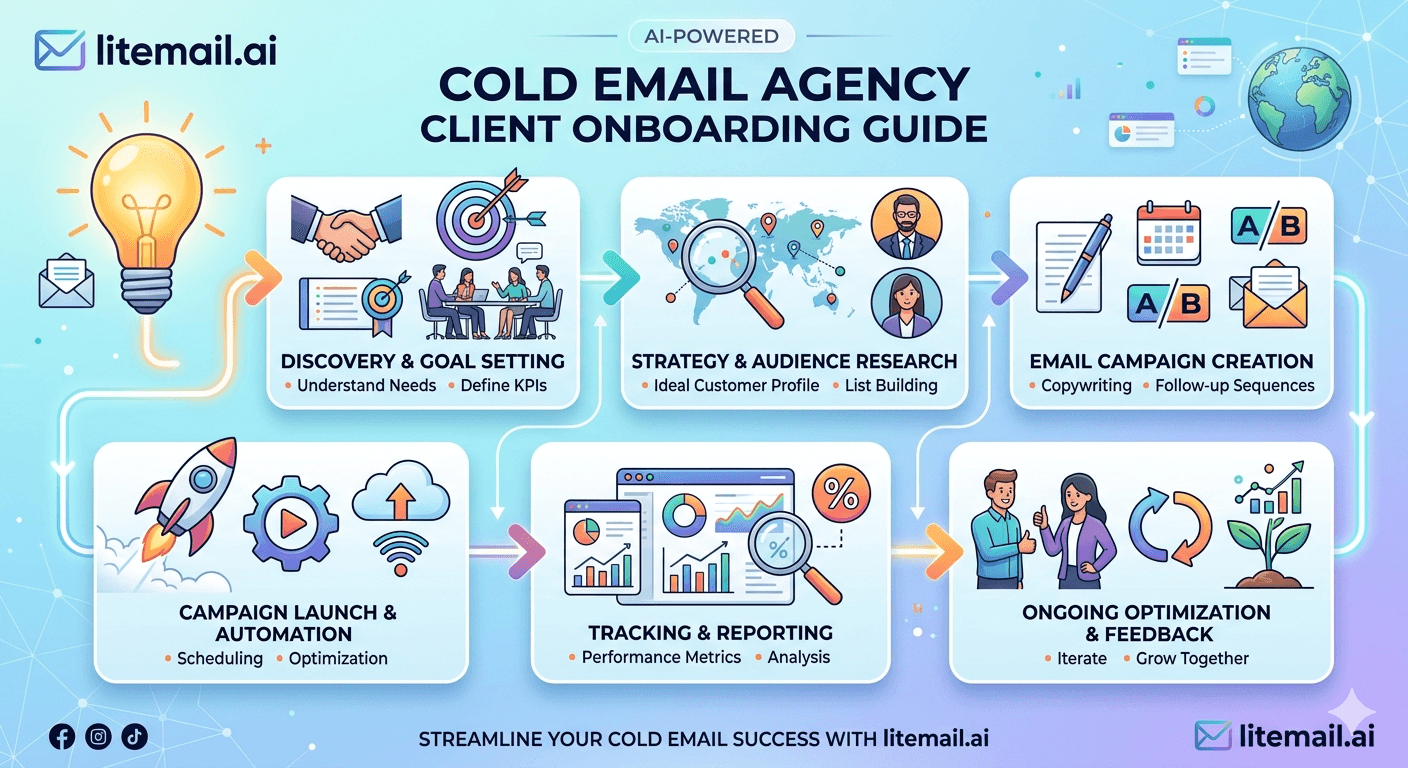
Three weeks into a new client campaign, the reply rate is 0.4% and the client is asking questions you can't answer cleanly. The domain reputation is damaged. The ICP was never properly defined. And the warmup period got skipped because the client wanted to start sending immediately. This scenario plays out at cold email agencies more than anyone admits — and it's almost always a broken onboarding process, not bad copywriting. Solid cold email agency client onboarding eliminates this before it starts.
💡 TL;DR
Cold email agency client onboarding needs a minimum of 14–21 days before a single outreach email goes out. That time covers: domain setup and authentication, inbox warmup, ICP definition and list verification, and sequence sign-off. Skip any of these and you're setting up a failed campaign from day one. Litemail's pre-warmed inboxes with SPF, DKIM, and DMARC pre-configured cut the infrastructure setup phase to 48 hours — the fastest way to compress the onboarding timeline without skipping the critical steps. By the end of this guide, you'll have a repeatable system for onboarding clients that protects deliverability and sets performance expectations correctly.
The Onboarding Mistake That Destroys Campaigns Before They Start
Most cold email agencies run onboarding backwards. They start with the creative — copy, subject lines, sequence structure — and treat infrastructure as an afterthought. Then they wonder why campaigns with good copy still underperform. The real order should be: infrastructure first, ICP second, copy third. Every time.
Here's the thing: a client with a perfect email sequence and a broken sending domain will get 8–12% inbox placement. A client with average copy and a properly authenticated, warmed inbox will get 92%+. Infrastructure wins. Always.
Onboarding Phase | Minimum Timeline | What Happens If Skipped | Who Owns It |
|---|---|---|---|
Domain setup + authentication | Days 1–3 | Emails bounce or land in spam from day one | Agency (technical) |
Inbox warmup | Days 3–21 | Volume flags trigger spam placement | Agency (automated) |
ICP definition + list build | Days 5–14 | Wrong people receive the campaign | Agency + client |
List verification + cleaning | Days 12–16 | Bounce rate above 2% — domain damaged | Agency (technical) |
Sequence copy + sign-off | Days 14–20 | Client disputes copy mid-campaign | Client approval |
First send | Day 21 minimum | N/A | Agency executes |
Setting Up Sending Infrastructure: The Right Order
This is the part most client onboarding guides skip. They assume someone else handles the technical setup. But if your agency doesn't own infrastructure setup, nobody does — and clients don't know what they don't know.
Step 1: Domain provisioning
Buy 2–3 sending domains per client. Never use their primary domain for cold outreach. Use close variants: clientbrand.io, getlientbrand.com, or tryclentbrand.com. Register domains at least 30 days before the campaign start if you're not using pre-warmed inboxes. If you are using pre-warmed inboxes, you can compress this significantly.
Step 2: Authentication setup
Configure SPF, DKIM, and DMARC on every sending domain before anything else. SPF must list your sending provider as an authorised sender. DKIM must be verified in the provider's DNS settings. DMARC should be set to "quarantine" or "reject" — not "none". This step alone eliminates the single most common cause of campaign failure.
Step 3: Inbox warmup
A cold inbox hitting 200 sends on day one will get flagged. Warmup means gradually increasing send volume over 14–21 days while building positive engagement signals. Most agencies use a warmup tool (Mailwarm, Warmup Inbox, or the built-in warmup on Instantly or Smartlead) alongside Litemail's pre-warmed inboxes — which arrive with Postmaster-verified reputation and 94–96% inbox placement from day one, cutting the full warmup period to days instead of weeks.
Step 4: Test sends and seed testing
Before the campaign goes live, send test sequences to a seed list. Check inbox placement across Gmail, Outlook, and Yahoo. If anything is landing in spam at this stage, fix it before a single prospect sees a message. Tools like GlockApps or Maildoso give you placement results in under 10 minutes.
ICP Definition: The Conversation Most Agencies Skip
You might be thinking — surely clients know their own ICP. Here's why that doesn't hold up the way most people expect.
Clients know their existing customers. They often don't know which sub-segments of those customers respond to cold outreach versus referrals versus inbound. Those are different buyer types with different messaging needs. Without separating them, you're writing copy for a composite person who doesn't exist.
The ICP intake session should cover: company size range (employees and revenue), geography, specific job title or seniority level, technology stack or tools they use (for SaaS clients), recent trigger events that make them a good fit, and what "a good meeting" looks like for the client's sales team. This last one is often skipped — and it's what prevents scope creep arguments later about campaign quality.
💡 A scenario that illustrates the gap
A B2B SaaS agency onboarding a project management software client assumed their ICP was "project managers at companies with 50–500 employees." After the ICP session, it emerged that their best-fit customer was actually "heads of engineering at product companies with active hiring" — a completely different contact profile. The list was rebuilt. Open rates went from 21% to 38% in the first week.
List Building and Verification: The Step That Protects Domain Reputation
A cold email agency client onboarding process that skips list verification is setting up a deliverability disaster. Keep bounce rate under 2% — that's the threshold where domain reputation starts taking permanent damage. One campaign with a dirty list can take 3–6 months of reputation repair to fix.
Source the list. Use Apollo, Clay, LinkedIn Sales Navigator, or a combination. Avoid purchased lists from aggregators — the contact quality and accuracy is consistently poor.
Verify every email address. Run the full list through NeverBounce, ZeroBounce, or Millionverifier before touching your sending infrastructure. Remove all "invalid" and "risky" results. Target a list with at least 95% valid email addresses before sending.
Check for spam trap domains. Some email verification tools flag known spam trap domains. Remove any contact at a domain flagged as a spam trap — hitting one can destroy your sending reputation permanently.
Segment by engagement potential. Split contacts into tiers based on ICP fit score. Send your highest-quality copy to your highest-fit contacts first. Don't burn your best sequence on a C-tier list.
Set bounce thresholds in your sending tool. Configure automatic campaign pause if bounce rate exceeds 2% or spam rate exceeds 0.08%. These are the two numbers that protect domain reputation at the sending infrastructure level.
[INTERNAL LINK: email list verification guide → /email-list-verification]
[INTERNAL LINK: cold email deliverability setup → /cold-email-deliverability-guide]
Sequence Sign-Off: Why This Step Saves Arguments Later
Most agencies present copy and wait for feedback. That process is slow and subjective. Replace it with a structured sign-off that covers: the email sequence in full (all 3–5 steps), the subject line options for each step, the call-to-action text for each email, and the timing between steps (days between sends). Get written approval on all of these before the campaign launches.
This matters because campaign performance debates almost always come down to copy and sequence. If the client signed off on the exact sequence that ran, the conversation about performance stays analytical — what's working, what to test, what to change. Without sign-off, every underperforming campaign turns into a "who wrote this" argument.
One thing that's commonly recommended but wrong: sending all 5 sequence steps from day one of launch. Start with steps 1 and 2. Review reply rate and opt-out rate after 200 sends. Only release steps 3–5 after confirming the first two steps aren't generating complaint rates above 0.08%.
[INTERNAL LINK: cold email sequence setup → /cold-email-sequence-guide]
[EXTERNAL LINK: Salesforce State of Sales 2025 report → salesforce.com/research/state-of-sales]
Client Reporting Setup: Set Expectations Before Launch
Agencies that define reporting structure during onboarding have fewer mid-campaign client crises. Define these before the first send, not after the first week of results.
📊
Define the primary KPI — not open rate
Open rate is MPP-inflated and unreliable as a primary KPI. Set reply rate and qualified meetings booked as the performance metrics the client sees. Make this explicit in the onboarding documentation so there's no confusion when open rates look high but replies are low.
📅
Set reporting cadence and format upfront
Weekly is the right cadence for active campaigns. Monthly summaries for long-running campaigns. Include: emails sent, reply rate, opt-out rate, qualified meetings booked, and any deliverability flags from Postmaster Tools. Send the same template every week — clients stop reading reporting decks that change format constantly.
⚠️
Define what triggers a campaign pause
Clients should know in advance what conditions cause you to pause a campaign automatically: bounce rate above 2%, spam complaint rate above 0.08%, or a domain flagged in Postmaster Tools. When a pause happens, the client should receive a same-day notification with the reason and the resolution timeline.
Key Takeaways
Cold email agency client onboarding requires a minimum of 14–21 days before sending — infrastructure setup and warmup cannot be compressed without damaging deliverability.
Set up authentication (SPF, DKIM, DMARC) on every sending domain before anything else — authentication failures are the most common and most preventable cause of campaign failure.
Keep list bounce rate under 2% by verifying all contacts through NeverBounce or ZeroBounce before sending — one dirty list can cause months of domain reputation damage.
Pre-warmed inboxes at $4.99 per inbox (Litemail) compress the infrastructure phase to 48 hours and arrive with 94–96% inbox placement from day one.
Get written client sign-off on every sequence step, subject line, and CTA before launch — this prevents copy disputes from dominating every performance review.
Set reply rate and meetings booked as the primary KPIs — not open rate, which is inflated by Apple MPP and doesn't reflect real engagement.
Define campaign pause triggers (bounce rate above 2%, spam rate above 0.08%) in your onboarding documentation so clients understand why pauses happen before they occur.
Frequently Asked Questions
How long should cold email agency client onboarding take?
A minimum of 14–21 days before the first outreach email goes out. This covers domain provisioning, authentication setup, inbox warmup, ICP definition, list build and verification, and sequence sign-off. Using pre-warmed inboxes with existing reputation can compress the infrastructure phase to 48 hours, but list verification and ICP work still require 10–14 days to do properly.
What should a cold email agency onboarding checklist include?
Domain setup and authentication (SPF, DKIM, DMARC), inbox warmup or pre-warmed inbox activation, ICP definition session, list sourcing and verification, test sends and seed testing, sequence copy and sign-off, reporting cadence agreement, and campaign pause threshold definition. Missing any of these creates a gap that typically surfaces as a performance problem in weeks two or three.
How many sending domains should a cold email agency set up per client?
Two to three sending domains per client is standard. Using a single domain concentrates all sending reputation risk in one place. If one domain gets flagged or reputation-damaged, you have backup domains to continue sending while you repair or replace it. Never use the client's primary business domain for cold outreach — protect it entirely.
What bounce rate threshold should a cold email agency set as a campaign pause trigger?
Set automatic campaign pause at 2% bounce rate. Above this threshold, domain reputation starts taking measurable, lasting damage. Also set a spam complaint rate pause at 0.08% — that's Google's published safe zone. Configure both thresholds in your sending tool as automatic rules so campaigns pause without requiring manual monitoring at scale.
How do pre-warmed inboxes change the client onboarding timeline?
Pre-warmed inboxes with verified reputation (like Litemail) arrive ready to send within 48 hours instead of requiring 14–21 days of warmup from scratch. SPF, DKIM, and DMARC are pre-configured. This compresses the infrastructure phase significantly without skipping the reputation work — it's just done before you receive the inbox rather than during your client's onboarding window.
What KPIs should a cold email agency report to clients?
Reply rate, qualified meetings booked, and opt-out rate are the most meaningful KPIs. Open rate can be included but should be flagged as MPP-inflated and not the primary performance indicator. Report weekly during active campaigns with a consistent template — clients lose confidence in agencies that change reporting format constantly or report metrics without explaining what they mean.
What's the most common reason cold email agency client campaigns fail in the first month?
Skipped or rushed infrastructure setup is the most common cause. Specifically: missing DMARC configuration, no list verification before sending, or insufficient warmup period. These produce high bounce rates, spam placement, and damaged domain reputation that can take months to recover. None of them are copy problems — and rewriting the sequence won't fix them.
Should cold email agencies charge separately for onboarding?
Yes — and framing it correctly is important. Onboarding covers real technical work: domain provisioning, authentication setup, list verification, seed testing. This is not administrative overhead — it's the infrastructure that determines campaign success. Charging a one-time onboarding fee of $500–1,500 depending on scope is standard among established agencies and sets the right expectation that this work has value.






