
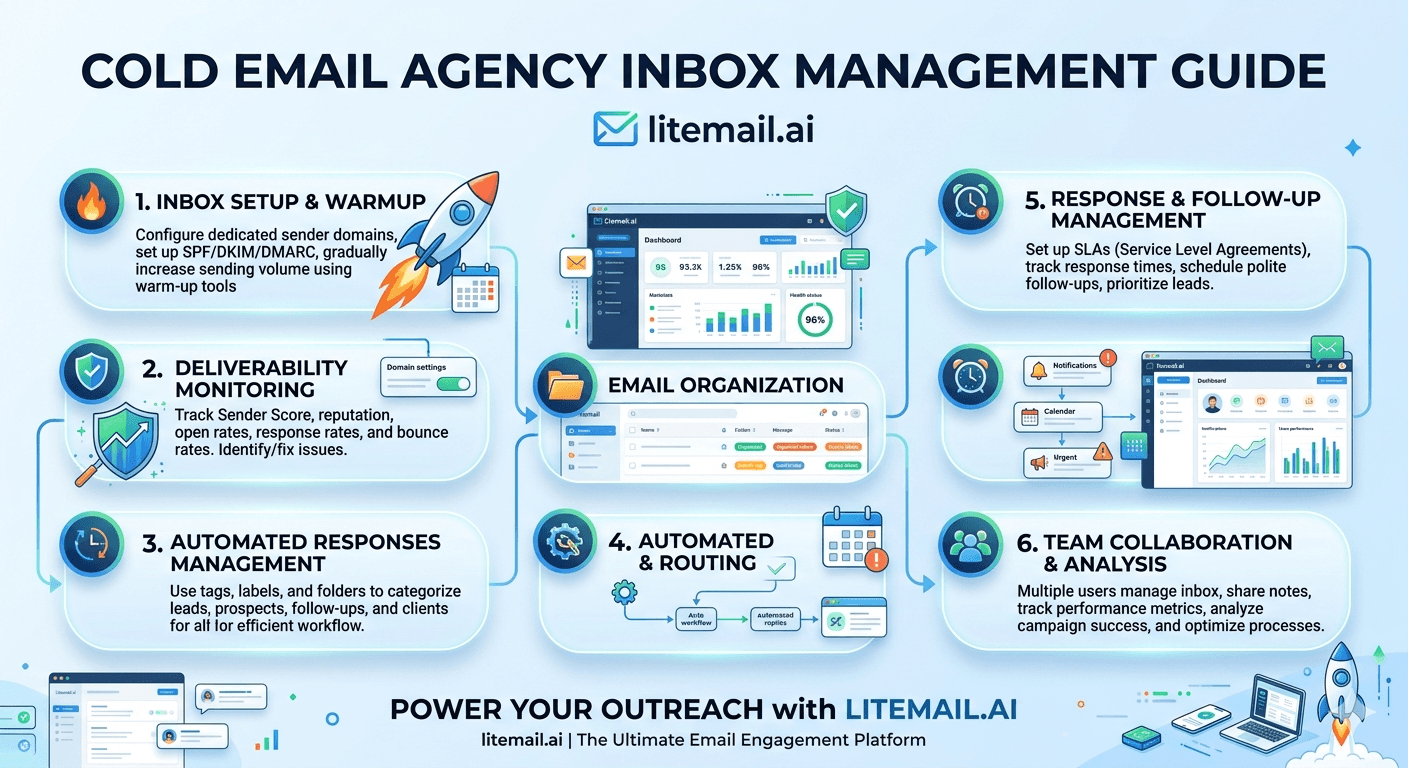
Running inbox management for one cold email client is manual and manageable. Running it for 30 clients — each with 3 to 5 sending domains and 6 to 10 inboxes — is an operations problem that compounds fast. The agencies that scale past 25 clients without deliverability chaos are the ones that built inbox management systems before they needed them. The ones that did not are the ones spending every other Friday diagnosing why one client's reply rate fell off a cliff.
💡 TL;DR
Cold email agency inbox management at scale requires four operational systems: inbox health monitoring (Postmaster + SNDS + MXToolbox, weekly at minimum), rotation management (primary + backup inboxes per client, rotation triggers defined), replacement cadence (20 to 30% of inbox pool refreshed every 6 months), and provisioning speed (pre-warmed inboxes at $4.99/inbox/month with 48-hour go-live versus 3-week manual warm-up). Agencies managing 20+ clients need all four systems documented and delegatable — not held in the founder's head. The infrastructure cost for 50 clients at 6 inboxes each is $1,497/month via Litemail dedicated IP inboxes.
The Inbox Pool Math for Cold Email Agencies
Before building management systems, get the numbers right. Most agency owners undercount the inboxes they are actually managing — which means they also undercount the monitoring overhead, replacement cost, and setup time that comes with them.
Clients | Domains per Client | Inboxes per Domain | Total Inboxes | Monthly Inbox Cost (Litemail) |
|---|---|---|---|---|
10 | 3 | 2 | 60 | $299.40 |
25 | 3 | 2–3 | 150–225 | $748.50–$1,122.75 |
50 | 3 | 2–3 | 300–450 | $1,497–$2,245.50 |
Each inbox needs to be provisioned, authenticated, monitored, rotated, and periodically replaced. At 300 inboxes, even a 5-minute-per-inbox monthly review is 25 hours of manual work. The system design question is: how do you reduce that to under 4 hours per month without missing the signals that matter?
Building the Inbox Health Monitoring System
Inbox health monitoring for cold email agencies needs to be centralised, automated where possible, and structured to surface the highest-priority problems first. Here is the system that works at 30 to 50 clients.
📊
Tier 1: Daily automated alerts
Configure Google Postmaster to send email alerts on any reputation change for all active client sending domains. Set spam rate alerts at 0.06% — below the 0.08% Google threshold. This catches problems before they cross into filter-tightening territory. For Microsoft-hosted targets, set SNDS to daily IP status reports. These alerts require zero daily active time — they surface only when something needs attention.
📊
Tier 2: Weekly manual review
Every Monday: run MXToolbox blacklist checks for all sending IPs. Review weekly bounce rates per client — flag anything above 1.5% before it reaches the 2% threshold. Review reply rate trends per client — a drop of more than 25% week-over-week without a list or copy change is an infrastructure signal. Document in a shared agency dashboard that any team member can read and act on.
📊
Tier 3: Monthly seed list testing
Run one seed list test per client per month using GlockApps or a manual 8 to 12 address seed list. This validates actual inbox placement independently of Postmaster signals — which measure reputation, not direct placement. Monthly seed testing catches the gap between a "Medium" Postmaster reputation and actual inbox vs promotions vs spam classification.
Inbox Rotation Management at Agency Scale
Rotation is not just about spreading send volume — it is about protecting each client's sending reputation through managed exposure. An inbox that has been sending at full volume for 6 months has a different risk profile than a fresh pre-warmed inbox. Managing the mix keeps the overall pool healthy.
The rotation system that works at agency scale: every client has a primary inbox set and a secondary inbox set on different sending domains. Active campaigns run from the primary set. Secondary inboxes send light warmup volume to maintain readiness. When a primary inbox triggers a monitoring alert — Postmaster dropping to Medium, blacklist hit, bounce rate over 1.5% — the campaign moves to the secondary set while the primary is paused and diagnosed.
💡 Rotation trigger rules — define these before you need them
Document exactly what triggers a rotation for each client. Example: Postmaster reputation drops from High to Medium → move 50% of sends to secondary for 7 days. Blacklist hit on primary IP → move 100% of sends to secondary immediately. Bounce rate above 1.5% for 3 consecutive days → pause primary, investigate list before resuming. Having these rules written down means a junior team member can execute them correctly at 11pm on a Friday without calling you.
Inbox Replacement Cadence — Why 20% Refresh Every 6 Months Matters
High-volume B2B sending naturally degrades domain reputation over time — even with clean list hygiene and good complaint rates. The degradation is gradual and almost invisible on a month-to-month basis, but over 12 months it shows up as a slow decline in reply rates that teams blame on offer fatigue or copy quality.
The fix is scheduled replacement: retire 20 to 30% of your sending inbox pool every 6 months regardless of current Postmaster reputation. Replace with fresh pre-warmed inboxes on new sending domains. This keeps the average inbox age in the pool under 9 to 12 months — the range where degradation becomes measurable.
For a 50-client agency at 300 inboxes, that means replacing 60 to 90 inboxes every 6 months. At $4.99 per inbox per month via Litemail with 48-hour provisioning, the replacement takes 2 to 3 business days and costs under $450 per refresh cycle. Compare that to the cost of diagnosing and recovering from 10 clients with gradually declining deliverability over the same period — which is weeks of team time.
Inbox Provisioning Speed — Why It Matters More at Agency Scale
At one client, a 3-week inbox warm-up wait is inconvenient. At 50 clients — with new clients onboarding monthly — a 3-week ramp per client means you are always behind. New client onboarded in week one does not have live campaigns until week four. That is a 21-day gap between contract signing and first email sent, which affects client satisfaction and your agency's onboarding NPS.
Pre-warmed inboxes at $4.99 per inbox per month with Postmaster-verified reputation within 48 hours collapse that timeline. New client onboarded Monday, inboxes live by Wednesday, first campaign active by Thursday. That 17-day difference compounds across every client you onboard for the rest of the year.
[INTERNAL LINK: scale cold email agency guide → /blog/scale-cold-email-agency]
The Agency Inbox Management Documentation That Keeps Things From Breaking
Most inbox management systems work fine until the person who built them goes on holiday. Then something breaks, no one knows how to fix it, and a client's campaign is paused for three days while someone reads documentation they are finding for the first time.
Minimum documentation for a scalable cold email agency inbox management system: a per-client inbox inventory (all domains, inboxes, workspace accounts, DNS record locations), rotation trigger rules and response procedures (written down, not in someone's head), monitoring schedule and who is responsible for each tier, replacement schedule with calendar reminders, and an escalation path for issues beyond the responsible team member's scope.
This documentation takes 4 to 6 hours to build once and saves an unknown number of Friday evenings firefighting. The agencies that do not build it pay the time cost scattered across incidents. The ones that do pay it once upfront.
The Bottom Line
Cold email agency inbox management at scale requires four documented systems: health monitoring, rotation management, replacement cadence, and fast provisioning.
Daily automated Postmaster alerts + weekly manual review + monthly seed list testing is the monitoring stack that catches problems at the right frequency without consuming unreasonable team time.
Define rotation triggers in writing before you need them. A junior team member should be able to execute a rotation decision correctly from the documentation alone.
Replace 20 to 30% of your inbox pool every 6 months regardless of current health. Scheduled replacement prevents the gradual reputation drift that shows up as slowly declining reply rates over a quarter.
Pre-warmed inboxes at $4.99/month with 48-hour provisioning cut new client onboarding time from 3 weeks to 3 days — compounding across every client onboard for the year.
Build inbox management documentation before you need it. 4 to 6 hours of upfront documentation prevents scattered incident firefighting for the life of the agency.
Frequently Asked Questions
How many inboxes does a cold email agency need per client?
Plan for 6 to 10 inboxes per client — typically 3 sending domains with 2 to 3 inboxes each. This provides rotation capacity (primary + secondary sets) and stays within safe send volume limits of 150 to 200 per inbox per day. At 50 clients, that is 300 to 500 total inboxes across your agency's infrastructure.
How should a cold email agency monitor inbox health for 50 clients?
Three-tier monitoring: daily automated Postmaster and SNDS alerts for all client domains and IPs (zero active time except when alerts fire), weekly manual MXToolbox blacklist check and bounce rate review (30 to 45 minutes across all clients with a shared dashboard), and monthly seed list test per client to validate actual inbox placement. This structure catches most problems before they become crises.
When should a cold email agency rotate client inboxes?
Document specific triggers for rotation: Postmaster reputation dropping from High to Medium (move 50% of sends to secondary for 7 days), blacklist hit on primary IP (move 100% immediately), or bounce rate above 1.5% for 3 consecutive days (pause primary, investigate list). Written rotation trigger rules allow any team member to make the right decision without escalation.
How often should a cold email agency replace sending inboxes?
Replace 20 to 30% of your total inbox pool every 6 months regardless of current Postmaster reputation. High-volume sending gradually degrades domain reputation over time even with clean practices. Scheduled replacement keeps the average inbox age under 9 to 12 months and prevents the slow reply rate decline that otherwise shows up as a mystery in quarterly reporting.
How do pre-warmed inboxes help with cold email agency operations?
Pre-warmed inboxes at $4.99/month with Postmaster-verified reputation within 48 hours eliminate the 3-week manual warm-up ramp per new inbox batch. For agencies onboarding new clients monthly, this collapses new client go-live time from 3 weeks to 3 days — a 17-day operational improvement per onboard that compounds across every new client for the year. SPF, DKIM, and DMARC pre-configured also removes the per-domain DNS setup overhead.
What documentation does a cold email agency need for inbox management?
Minimum documentation: per-client inbox inventory (domains, inboxes, workspace accounts, DNS record locations), rotation trigger rules and response procedures, monitoring schedule with assigned responsibilities, replacement schedule with calendar reminders, and escalation paths for issues beyond the responsible person's scope. This takes 4 to 6 hours to build and prevents the scenario where a problem occurs when the person who set it up is unavailable.






