
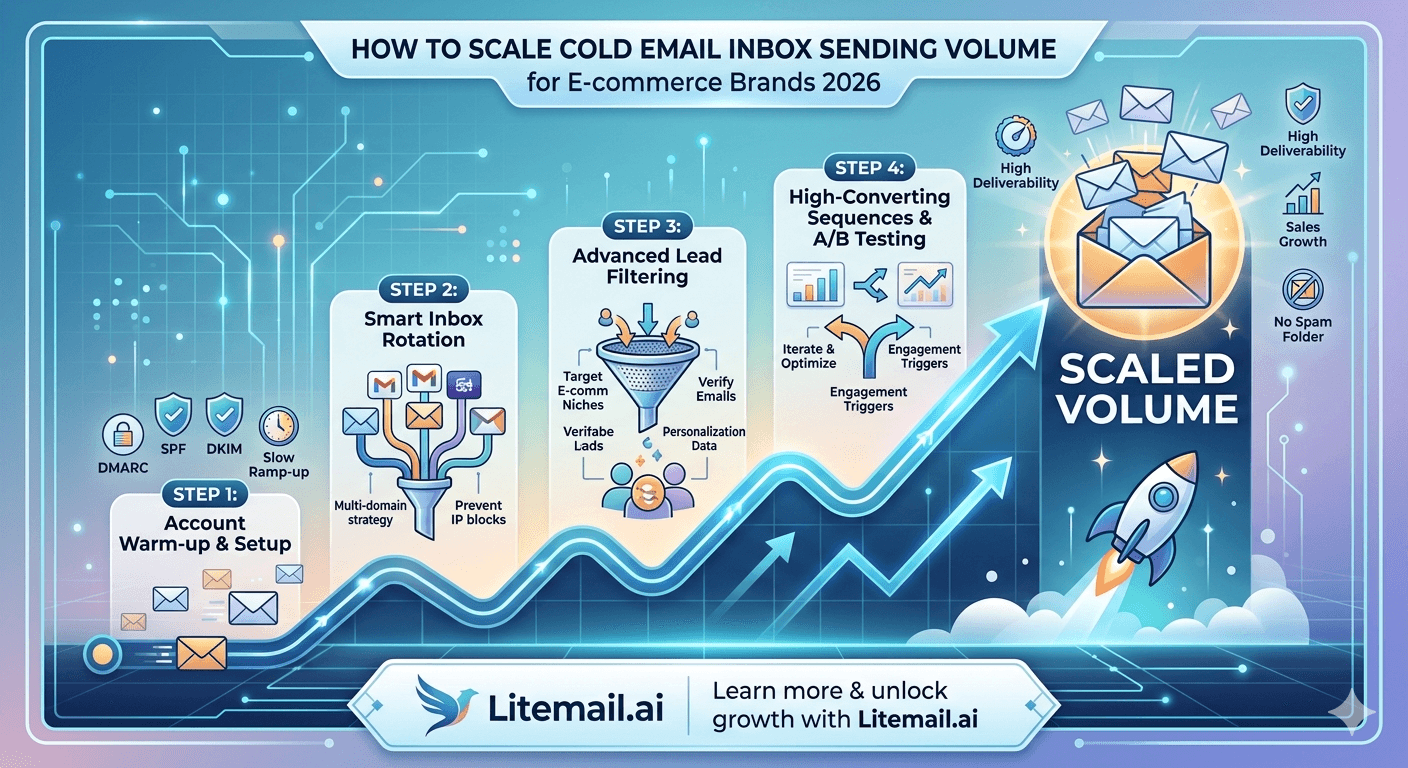
Most e-commerce brands treating cold email like a one-size-fits-all channel are getting middling results and blaming their copy. A wholesale accessories brand sending 500 emails per day from three inboxes hit a 0.3% reply rate for six months — not because their offer was weak, but because they were over-sending from under-provisioned inboxes on shared IPs. When they rebuilt the infrastructure — 12 inboxes across 4 domains, dedicated IPs, pre-warmed accounts — the same copy returned 1.8% reply rates. The volume math matters more than most e-commerce teams realise. By the end of this, you'll know exactly how to scale cold email inbox sending volume for your brand without burning the reputation you've built.
💡 TL;DR
Scaling cold email inbox sending volume for e-commerce means running 3 to 5 dedicated domains per campaign type with 2 inboxes each, capping at 50 emails per inbox per day for mature inboxes. Pre-warmed inboxes with SPF, DKIM, and DMARC pre-configured — like Litemail's at $4.99/inbox/month — let e-commerce brands skip the 4-to-6-week warm-up and start at safe volume within 48 hours. The common mistake: scaling emails-per-day without scaling inbox count proportionally. That single error tanks deliverability every time.
The Volume Math E-commerce Brands Keep Getting Wrong
Here's the number that matters: 50 emails per inbox per day. That's the safe ceiling for a mature, warmed inbox. Not 200. Not 500. Fifty. And yet most e-commerce brands setting up cold outreach either send 200 from a single inbox or buy a tool that promises unlimited sends and wonder why placement rates crater.
If you want to send 500 emails per day, you need a minimum of 10 inboxes. If you want 2,000 per day — a realistic volume for a mid-size e-commerce brand targeting wholesale buyers or retail distributors — you need 40 inboxes across at least 8 domains. That's the math. Skipping it doesn't change it.
Daily Send Target | Inboxes Required | Domains Required | Monthly Cost (Litemail) | Ramp Time (Pre-warmed) |
|---|---|---|---|---|
200/day | 4–6 | 2–3 | $20–$30 | 48 hours |
500/day | 10–12 | 4–5 | $50–$60 | 48 hours |
1,000/day | 20–25 | 8–10 | $100–$125 | 48 hours |
2,000/day | 40–50 | 15–20 | $200–$250 | 48 hours |
Notice how affordable this actually is. 2,000 emails per day from properly provisioned infrastructure costs under $300 per month in inbox fees. The brands that try to squeeze 2,000 sends from 5 inboxes aren't saving money. They're spending it on spam placement instead.
Who E-commerce Brands Are Actually Cold Emailing — And Why It Changes Your Setup
E-commerce cold email isn't one category. A brand selling supplements cold emails differently than a brand selling B2B office supplies. The target audience changes your domain strategy, your sending cadence, and your inbox setup.
The three main e-commerce cold email use cases each need a slightly different infrastructure approach. Let's break them down fast.
🏪
Use case 1 — Wholesale buyer outreach
Targeting retail buyers, purchasing managers, and procurement leads at chains or independent stores. These are B2B inboxes — mostly Google Workspace and Microsoft 365. Your deliverability depends on domain age, authentication, and clean list hygiene. Cap at 50 emails per inbox per day and prioritise Microsoft 365-compatible inboxes given how many wholesale buyers use Outlook.
🤝
Use case 2 — Influencer and affiliate partnership outreach
Targeting content creators, micro-influencers, and affiliate marketers. These are often personal Gmail accounts — engagement-based filtering applies hard. Keep lists small and targeted, 200–500 contacts per sequence. Personalisation at the first line is non-negotiable here. A generic opener kills reply rate faster than any technical issue.
🏢
Use case 3 — B2B product sales to business buyers
Selling office products, packaging, or branded merchandise directly to business decision-makers. This is classic B2B cold email — use your full infrastructure with 3 to 5 domains, dedicated inboxes, and the rotation schedule from section one. Volume can scale higher here because business email filters are more predictable than consumer Gmail.
Domain Strategy for E-commerce Outreach Campaigns
Your main brand domain should never touch cold email. Full stop. If your brand is shopnova.com, your cold email goes out from shopnova-wholesale.com or shopnova-team.com — never shopnova.com itself. One spam complaint on your main domain can affect your transactional emails, your support inbox, and your customer receipts. The risk isn't worth it.
Set up dedicated outreach domains. Register variants that are clearly affiliated with your brand but isolated from your core infrastructure. Here's the naming convention that works well.
Domain Type | Example | Use Case | Risk to Main Domain |
|---|---|---|---|
Main brand | shopnova.com | Website, transactions | Never touch for cold email |
Outreach variant 1 | shopnova-wholesale.com | Buyer outreach | Fully isolated |
Outreach variant 2 | getshoponova.com | Affiliate outreach | Fully isolated |
Outreach variant 3 | shopnova-team.com | B2B sales | Fully isolated |
Register 3 to 5 outreach domains per campaign type. Point each domain at a separate Google Workspace or Microsoft 365 account with fresh inboxes. SPF, DKIM, and DMARC must be configured on every single one — not just the first one you set up. Skipping authentication on even one domain creates a weak link in your entire sending operation.
Sequence Structure That Works for E-commerce Cold Outreach
E-commerce cold email copy is different from SaaS cold email. You're usually selling a physical product or a brand partnership — not a software subscription. The buying decision is faster, the proof points are visual, and the CTA needs to be low-friction.
Here's the sequence structure that consistently produces reply rates of 2%+ on e-commerce wholesale outreach.
1️⃣
Email 1 — Day 1: The relevant opener
Reference something specific about their store, brand, or category. One sentence. Then one sentence on what you sell and why it fits their shelf. CTA: "Would it make sense to send you our wholesale catalogue?" No pitch decks. No long paragraphs. Three sentences maximum.
2️⃣
Email 2 — Day 4: The social proof nudge
One sentence follow-up. Name a retailer they'd recognise who carries your product. "We're currently in 400+ [type] stores including [name]. Happy to share terms if timing is right." Short, confident, no desperation.
3️⃣
Email 3 — Day 9: The easy out
"If wholesale isn't on your radar right now, totally fine — just let me know and I'll stop reaching out." This email gets disproportionate replies. Buyers either say not now (useful) or yes please (great). It clears pipeline and maintains sender reputation by reducing cold ignores.
Monitoring Sending Volume as You Scale
Scaling volume without monitoring is how you end up rebuilding your entire inbox infrastructure in month three. Set up a monitoring routine before you hit 500 emails per day — not after.
The metrics that matter for e-commerce cold email at volume: bounce rate per inbox (not just per campaign), spam rate per sending domain, reply rate per sequence step, and open rate trend over time. If open rates are falling week over week while bounce rates stay flat, you have a deliverability problem — not a copy problem. Most teams blame the copy. Stop doing that.
💡 Weekly monitoring checklist at scale
Every Monday: check per-inbox bounce rate (flag anything over 2%), check per-domain spam rate (flag over 0.08%), review SNDS scores for Outlook-heavy campaigns, verify that no inbox exceeded its daily send cap in the prior week. This takes 20 minutes with a good dashboard. Without it, a problem that's fixable on Monday becomes a 3-week recovery project by Friday.
And here's the caveat that most scaling guides skip: this monitoring routine only works if your inboxes are isolated per client or campaign. If you're mixing send volume across shared inboxes, your monitoring data is meaningless — you can't attribute problems to a source.
Three Volume Scaling Mistakes E-commerce Brands Make Every Time
We've seen the same three mistakes show up consistently when e-commerce brands try to scale their cold email sending volume. These aren't edge cases — they're the norm.
❌
Mistake 1 — Scaling email count instead of inbox count
The instinct is to increase daily sends from 100 to 500 on the same 3 inboxes. That's 166 emails per inbox per day — more than 3x the safe ceiling. Reply rates drop, spam rates climb, and within 2 weeks you're in Junk. Fix: increase inbox count proportionally before increasing daily sends.
❌
Mistake 2 — Using the main brand domain for outreach
We see this more often than it should happen. An e-commerce founder uses their Shopify store's email domain for cold outreach. One complaint and their transactional receipts start landing in Spam. Register outreach-specific domains and keep your main domain completely off cold email infrastructure. No exceptions.
❌
Mistake 3 — Skipping list verification before bulk sends
Buying a wholesale buyer list and sending immediately without verification is the fastest way to hit 5%+ bounce rates. Verify every list before the first send — tools like ZeroBounce or NeverBounce take under an hour for 5,000 contacts. The cost is under $50. The alternative is weeks of deliverability recovery.
The Bottom Line
The safe daily send cap is 50 emails per inbox for mature inboxes — if you want to send 500/day, you need 10+ inboxes across multiple domains.
Never cold email from your main brand domain — register 3 to 5 dedicated outreach domains and keep them fully isolated.
Pre-warmed inboxes skip the 4–6 week ramp-up and reach safe sending volume within 48 hours — critical for e-commerce brands that need campaigns live fast.
Keep bounce rate under 2% per campaign and spam rate under 0.08% per domain — automate alerts so volume problems don't become reputation crises.
Monitor per-inbox metrics weekly, not just per-campaign — volume problems hide in aggregate numbers until they've already done damage.
Wholesale buyer sequences work best at 3 emails over 9 days — short, specific, social proof in step 2, easy opt-out in step 3.
Verify every list before sending — a $50 ZeroBounce check before a 5,000-contact send can prevent 3 weeks of deliverability recovery.
Frequently Asked Questions
How many emails per day can I send for e-commerce cold outreach?
The safe ceiling is 50 emails per inbox per day for mature inboxes. If you want to send 500 emails per day, you need 10 to 12 inboxes across 4 to 5 domains. Sending more than 50 per inbox consistently pushes your spam rate up and your inbox placement rate down — regardless of how good your copy is.
Can I use my main Shopify store email for cold outreach?
Never. If your main brand domain gets flagged for cold email, it affects transactional emails — order confirmations, receipts, shipping notifications — that customers expect to receive. Register separate outreach domains with names like yourbrand-wholesale.com and keep your main domain completely off cold email infrastructure.
How long does it take to scale cold email sending volume for e-commerce?
With pre-warmed inboxes, you can reach 500+ emails per day within 48 to 72 hours of provisioning. With traditional warm-up, expect 4 to 6 weeks before you can safely send at that volume. For e-commerce brands with seasonal or time-sensitive campaigns, the 48-hour option is often the only practical one.
What's the best cold email sequence length for wholesale buyer outreach?
3 emails over 9 days. Email 1 on day 1 (relevant opener + offer), email 2 on day 4 (social proof nudge), email 3 on day 9 (easy opt-out). Shorter sequences with strong personalisation consistently outperform longer 5-step sequences on wholesale buyer lists. Buyers respond to brevity and relevance, not persistence.
Should e-commerce brands use Google Workspace or Microsoft 365 for cold outreach?
Both work well when properly set up. For wholesale buyer outreach, Microsoft 365 inboxes often get better placement on Outlook-heavy B2B lists. For influencer or consumer-facing outreach, Google Workspace typically performs better. Running both in parallel with separate domains for each audience type is the most reliable setup at scale.
How do I know if my cold email volume is hurting deliverability?
Track open rate trend week over week. If open rates are falling while bounce rates stay stable, you have a deliverability issue — your emails are getting delivered but landing in Spam or Junk. A 10% drop in open rate over 2 weeks is a red flag. Check your SNDS scores and per-inbox spam rates immediately.






