
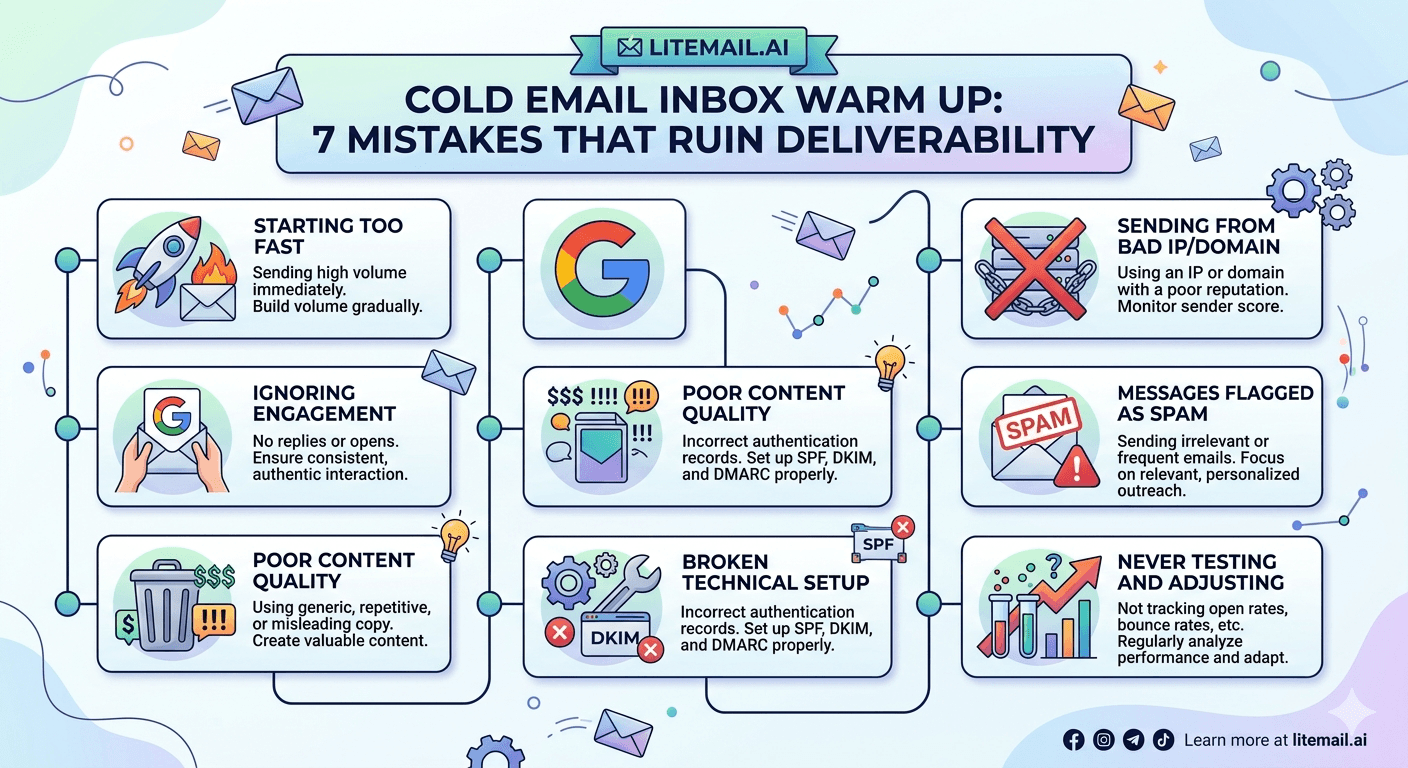
Inbox warm up is the step most cold email guides treat as a solved problem. Run the tool, wait 21 days, start sending. But the teams that follow this advice and still land in spam at week four are discovering what the guides do not mention: warm up is not just about duration. Five specific mistakes made during the warm-up period can negate every day of it — and some of them are baked into the default settings of the tools people trust to do it correctly.
💡 TL;DR
The 7 warm up mistakes that ruin cold email deliverability: wrong IP type (warming up on a shared IP), skipping DKIM and DMARC, jumping to full volume too fast, using a low-quality warm up network, sending spammy content during warm up, ignoring Postmaster signals during the warm up period, and warming up the inbox but not the domain. Fixing these adds up to the difference between 40% and 94% inbox placement. Or skip them entirely with Litemail pre-warmed inboxes at $4.99/inbox/month — Postmaster-verified reputation within 48 hours on dedicated US/EU IPs, SPF/DKIM/DMARC pre-configured.
Mistake 1: Warming Up on a Shared IP
This is the most damaging warm up mistake — and the one built into most cheap inbox setups. Warm up tools build sending volume history on your inbox. But if your inbox is on a shared IP pool, you are not building your IP's reputation — you are borrowing the pool's reputation, which belongs to everyone on it.
A shared IP pool might have hundreds or thousands of other senders. Some of them have good sending practices. Some do not. Their complaint rates, spam trap hits, and bounce rates all influence the pool's IP reputation — which is the same reputation your warm up process is trying to build on. You cannot outrun a bad neighbourhood by warming up faster.
The fix: use dedicated IPs. Your sending reputation on a dedicated IP is entirely your own — no neighbours, no shared history, no external risk. Litemail provides dedicated US and EU IPs with pre-verified clean sending history at $4.99 per inbox per month. The warm up period is already completed on delivery — you skip the problem entirely rather than managing around it.
Mistakes 2 and 3: Skipping DKIM and Treating SPF as Sufficient
Two separate mistakes that almost always appear together. Teams set up SPF — because every guide mentions it — and consider authentication done. Then they warm up for 3 weeks and launch. Inbox placement is 55%. The DKIM record was never added.
Here is why this matters during warm up specifically: reputation signals accumulated during the warm up period are partially tied to authentication consistency. An inbox that warms up with partial authentication (SPF only) and then adds DKIM before going live is starting fresh on part of its reputation signal. The algorithm re-evaluates.
The correct order: SPF, DKIM, and DMARC all configured and passing before the first warm up send. Verify each one in Gmail's original message headers — dkim=pass, spf=pass, dmarc=pass — before day one of warm up. If DMARC is not configured, add it at minimum with p=quarantine and an rua reporting address. Move to p=reject after 30 days of clean data.
[INTERNAL LINK: SPF DKIM DMARC setup guide → /blog/spf-dkim-dmarc-setup]
Mistake 4: Jumping to Full Send Volume Too Quickly
The most impatient warm up mistake. Teams see 21 days as the target and interpret that as "send at full volume from day 22." But warm up is a ramp — not a fixed period followed by a volume cliff.
The safe ramp schedule for a new cold email inbox on a dedicated IP:
Week | Daily Send Volume | Recipient Type |
|---|---|---|
Week 1 (Days 1–7) | 20–30/day | Warm up tool + engaged contacts only |
Week 2 (Days 8–14) | 50–80/day | Warm up tool + small cold list segments |
Week 3 (Days 15–21) | 100–130/day | Cold list with verified hygiene |
Week 4+ (Day 22+) | 150–200/day | Full cold email campaign volume |
Going from 130/day in week three to 500/day in week four is a volume spike that spam filters read as suspicious behaviour — especially when the content changes from warm up emails to cold outreach copy at the same time. Ramp gradually through week four before hitting the operational ceiling.
Mistake 5: Using a Low-Quality Warm Up Network
Not all warm up tools are equal. The highest-quality networks use real business email accounts — Google Workspace and Microsoft 365 addresses with organic sending history — to exchange warm up emails. Receiving servers have learned to distinguish these from what low-quality networks use: pools of disposable, bot-operated, or semi-abandoned accounts.
When a warm up email is opened and moved from spam to inbox by an account that the receiving server has already flagged as automated, the positive engagement signal is discounted or ignored entirely. Your warm up metrics look great in the tool dashboard — open rates, inbox rates — but the reputation signal to Gmail is weak or neutral.
Before choosing or staying with a warm up tool, ask one specific question: what percentage of your network consists of real business email accounts with at least 6 months of organic sending history? If the provider cannot answer this, assume a low-quality network. Tools like Mailreach and Lemwarm use higher-quality networks. Generic cheap warm up tools bundled with cold email platforms often do not.
Mistake 6: Sending Spam-Trigger Content During Warm Up
Here is something most warm up guides skip entirely: the content of warm up emails matters. Warm up tools send pre-written templates — but some teams disable the tool's templates and send their actual cold email copy during the warm up period to "test" it. This is a mistake.
Cold email copy typically contains elements that spam filters score negatively: a commercial offer, an outbound link to a company website, a call to action, a first-contact pitch to a stranger. These signals are fine in the context of an established sending reputation. On a brand-new inbox with no reputation history, these signals can trigger negative scoring that the warm up volume has not yet offset.
During warm up: send neutral, conversational content. The warm up tool's templates are designed for this. If you run your own warm up manually, use brief, naturally worded emails — no links, no offers, no CTAs. Save the cold email copy for after day 22 when the inbox has established positive engagement history.
Mistake 7: Ignoring Postmaster Signals During Warm Up
Google Postmaster Tools shows domain reputation from the first Gmail-destined send. Most teams do not check Postmaster during warm up — they treat the warm up period as infrastructure setup and save monitoring for live campaigns. This misses the most valuable diagnostic window available.
If domain reputation is stuck at Low after 14 days of warm up, something is wrong — authentication, IP quality, list quality, or content. Catching this at day 14 means you can fix it before launching the actual campaign. Missing it until day 22 when you launch and immediately see bad placement means diagnosing the problem while a live campaign is already underperforming.
Check Postmaster three times per week during the warm up period — not just after going live. The signal you are looking for: domain reputation moving from Low or unrated toward Medium and High. If it is not moving upward by day 10 to 14, something needs attention before you proceed to full send volume.
[INTERNAL LINK: Google Postmaster Tools setup guide → /blog/google-postmaster-tools-setup-cold-email]
The Bottom Line
Warming up on a shared IP is the most common and most damaging mistake — dedicated IPs are the only way to build reputation you actually own.
SPF, DKIM, and DMARC must all be configured and passing before day one of warm up — not added after. Partial authentication during warm up weakens the reputation signals being built.
The ramp from day 22 warm up completion to full send volume should be gradual — going from 130/day to 500/day in a single day registers as a volume spike.
Low-quality warm up networks built on bot or disposable accounts generate engagement signals that Gmail discounts. Ask your tool provider directly what percentage of their network is real business email accounts.
Do not send actual cold email copy during warm up. Use neutral conversational templates — no links, no offers, no CTAs — until the inbox has 21 days of positive engagement history.
Check Postmaster three times per week during warm up. If reputation is not trending toward Medium or High by day 14, there is a problem that needs fixing before the campaign launches.
Frequently Asked Questions
How long should cold email inbox warm up take?
21 to 30 days for a new inbox on a dedicated IP with a quality warm up network. The full ramp to 150 to 200 sends per day should complete by day 28 to 30 — not a sudden jump on day 22. With pre-warmed inboxes on dedicated IPs from providers like Litemail, this entire period is skipped — Postmaster-verified reputation is ready within 48 hours of provisioning.
Why is my inbox warm up not improving deliverability after 30 days?
The most common causes: warming up on a shared IP (which cannot be fixed through warm up time), missing DKIM or DMARC authentication, using a low-quality warm up network whose engagement signals Gmail discounts, or ignoring Postmaster during the warm up period and missing a reputation signal that indicated a problem. Check all four before adding more warm up time — more days rarely fix a structural problem.
Can I send cold email copy during the warm up period?
No — not during the first 14 to 21 days. Cold email copy contains commercial offer signals, outbound links, and CTAs that spam filters score negatively on new inboxes with no reputation history. Send neutral conversational content during warm up. Save the actual campaign copy for after the inbox has 21 days of positive engagement history to offset the commercial signal scoring.
What is the best cold email inbox warm up tool?
Tools with high-quality networks of real business email accounts: Mailreach and Lemwarm consistently rank well on network quality. The most important evaluation criterion is not features — it is what percentage of the network consists of real Google Workspace and Microsoft 365 accounts with organic sending history. Ask this question directly before choosing a tool. Low-quality networks produce warm up metrics that do not translate to real-world inbox placement.
Do pre-warmed inboxes replace the need for inbox warm up?
Yes — pre-warmed inboxes on dedicated IPs from providers like Litemail skip the warm up period entirely. Postmaster-verified reputation within 48 hours means the inbox arrives ready to send at 150 to 200/day from day one. This recovers the 2,800 delayed sends per inbox that manual warm up costs during the ramp period — meaningful at any scale but particularly valuable for agencies onboarding multiple clients per month.
How many emails should I send per day during warm up?
Week 1: 20 to 30/day. Week 2: 50 to 80/day. Week 3: 100 to 130/day. Week 4: ramp to 150 to 200/day gradually — not a single-day jump. These are maximums, not targets — staying below the ceiling is better than pushing it. Monitor Postmaster three times per week throughout the ramp and slow down if domain reputation stalls or drops.






