
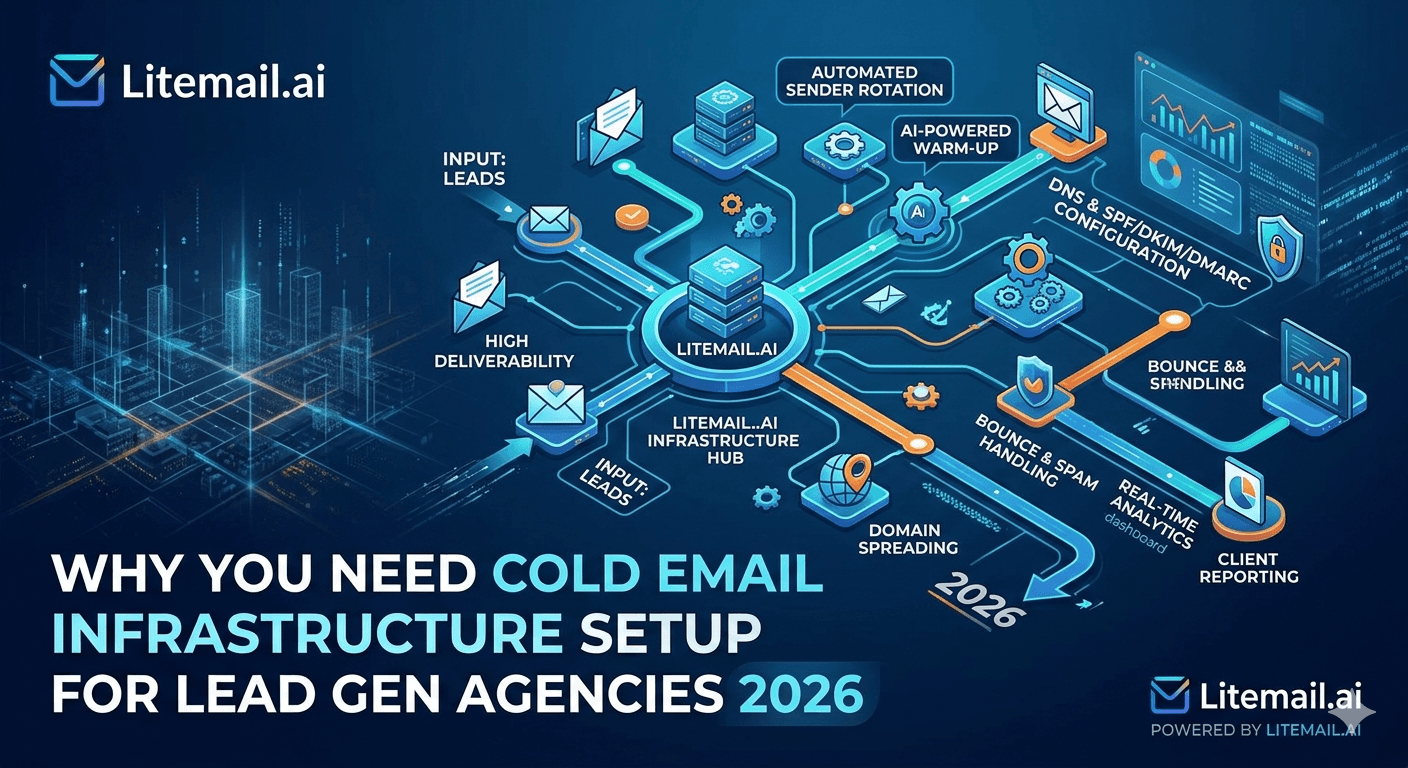
A lead gen agency that treats cold email infrastructure as a technical afterthought is billing for campaigns that won't perform. The infrastructure — domains, inboxes, authentication, IP reputation, monitoring — is not the plumbing behind the service. It is the service. Every open rate, every reply, every booked meeting traces back to whether the email landed in the inbox in the first place. And that starts with cold email infrastructure setup, not copywriting.
💡 TL;DR
Cold email infrastructure setup for lead gen agencies requires: 2–3 dedicated sending domains per client, SPF + DKIM + DMARC configured on every domain, pre-warmed inboxes rather than cold starts, dedicated IPs with clean history, and spam rate monitoring under 0.08% per Google's published threshold. Litemail delivers pre-warmed inboxes in Google Workspace and Microsoft 365 at $4.99 per inbox per month — with SPF, DKIM, and DMARC pre-configured and Postmaster-verified reputation within 48 hours. At 10 clients with 30 inboxes, that's $149.70 per month for infrastructure that's ready to send from day one. By the end of this guide, you'll have the full cold email infrastructure stack for a lead gen agency at any scale.
What Bad Cold Email Infrastructure Actually Costs Lead Gen Agencies
The cost isn't just a poor open rate. It's a cascade. A damaged sending domain affects every campaign running on it. A flagged IP affects every domain sharing that IP. A spam complaint spike above 0.08% triggers Gmail throttling across all sends from that domain — not just the campaign that generated the complaints. The compounding effect of bad infrastructure is what turns a deliverability problem into a client crisis.
Here's what the cascade looks like in practice: A 6-person lead gen agency managing 8 clients used shared IP infrastructure for all clients. One client's campaign generated a 0.14% spam rate. Gmail throttled sends from the shared IP. Within 72 hours, all 8 clients' campaigns dropped from 90%+ inbox placement to below 50%. The agency spent 3 weeks rebuilding infrastructure instead of running campaigns. Lost clients: 2. Lost revenue: approximately $18,000.
According to Mailgun's Email Deliverability Guide 2025, teams running on dedicated IP infrastructure with proper authentication experience 2.3x fewer spam placement incidents than those on shared IP infrastructure — a difference that compounds significantly at agency scale.
The Full Cold Email Infrastructure Stack for Lead Gen Agencies
This is every layer of the stack, what each one does, and the failure mode when it's missing or broken.
Layer | What It Does | Failure Mode When Missing | Recommended Tool/Approach |
|---|---|---|---|
Sending domains | Separate reputation per client campaign | One flagged campaign damages all others | 2–3 root domains per client |
Email hosting | Platform for sending accounts | Wrong provider = poor enterprise deliverability | Google Workspace or Microsoft 365 |
SPF record | Authorises sending server for domain | Emails rejected or marked unauthenticated | DNS TXT at root domain |
DKIM signing | Cryptographic signature verifying sender | Spam placement — key deliverability signal | 2048-bit key from hosting provider |
DMARC policy | Policy for handling SPF/DKIM failures | No enforcement — reputation gains lost | p=quarantine minimum |
Dedicated IPs | Isolated IP reputation per account | Other senders' complaints affect your campaigns | Litemail US/EU dedicated IPs |
Inbox warmup | Establishes sending history before campaigns | Volume flags on new domains — spam placement | Pre-warmed inboxes or 21-day warmup tool |
List verification | Removes invalid contacts before sending | Bounce rate above 2% — domain reputation damage | NeverBounce, ZeroBounce, Millionverifier |
Sending tool | Sequence management and delivery | Wrong tool = shared IPs, limited control | Instantly.ai, Smartlead, Lemlist |
Monitoring | Early warning for deliverability issues | Problems compound undetected | Google Postmaster Tools + GlockApps |
Per-Client Infrastructure Setup: The Step-by-Step
This is the exact sequence for onboarding a new lead gen client's cold email infrastructure. Do it in this order every time — the order matters.
Register 2–3 sending domains. Close variants of the client's brand. Never the primary domain. Use Namecheap or Cloudflare for easier DNS management. Register all domains at once — domain age matters for reputation, so buy them before you need them.
Create sending accounts in Google Workspace or Microsoft 365. One per domain, using a real person name format (firstname.lastname@domain.com). For lead gen agencies, Google Workspace suits most SMB prospect lists; Microsoft 365 suits enterprise-heavy targets.
Configure SPF on each domain. Google Workspace:
v=spf1 include:_spf.google.com ~all. Microsoft 365:v=spf1 include:spf.protection.outlook.com ~all. TXT record at root domain. Verify at MXToolbox before proceeding.Enable and verify DKIM. Generate DKIM keys in the admin console (2048-bit). Add DNS records. Wait 24–48 hours for propagation. Verify at MXToolbox.
Set DMARC to quarantine. TXT record at _dmarc.yourdomain.com:
v=DMARC1; p=quarantine; rua=mailto:dmarc@yourdomain.com. Verify at MXToolbox.Activate pre-warmed inboxes or start warmup. If using Litemail pre-warmed inboxes, activate and begin light sending within 48 hours. If starting cold, run warmup tool for 14–21 days at the ramp schedule (20 → 50 sends per day).
Set up Google Postmaster Tools for each sending domain. Verify domain ownership. Baseline spam rate and domain reputation before the first campaign send.
Verify list quality before first send. Run client's contact list through verification. Target 95%+ valid. Remove all invalids and riskies before any email goes out.
Run a seed test. 20-email test send to a GlockApps or Maildoso seed list. Confirm 90%+ inbox placement across Gmail and Outlook before launching the client campaign.
[INTERNAL LINK: email list verification → /email-list-verification]
[INTERNAL LINK: Google Postmaster Tools setup → /google-postmaster-tools-guide]
Dedicated vs Shared IPs for Lead Gen Agencies: Not a Close Call
You might be thinking — shared IPs are cheaper and still work for most senders. Here's why that doesn't hold at agency scale.
When you run 8–15 client campaigns on shared IP infrastructure, one client's bad campaign creates a blast radius. A spam rate spike from Client A's poorly targeted list can throttle Client B's perfectly clean campaign. At agency scale, shared IPs mean one client's mistake is everyone's problem.
Dedicated IPs isolate each client's reputation. Litemail's US and EU dedicated IPs with clean sending history mean no bleed between client accounts. For a lead gen agency that's billing on campaign performance, reputation isolation isn't optional — it's how you protect your clients from each other.
💡 The math on infrastructure cost vs client risk
A 10-client lead gen agency running Litemail pre-warmed inboxes at $4.99 each, 3 inboxes per client, spends $149.70 per month on infrastructure. A single client loss from a campaign failure caused by shared IP contamination costs $2,000–5,000 per month in lost retainer. The infrastructure investment is under 10% of the risk it prevents.
Building a Monitoring System for 10+ Client Campaigns
Manual weekly checks work for 3 clients. At 10+, you need a structured system or things fall through the gaps. Here's what a functional monitoring process looks like at agency scale.
📊
Weekly Postmaster Tools review — every Monday
Check spam rate, domain reputation, and authentication pass rate for every active sending domain. Any domain showing spam rate above 0.08% or reputation below "Medium" gets flagged for immediate review. New sends on flagged domains pause until the issue is diagnosed and resolved.
⚡
Real-time bounce rate alerts in sending tool
Configure automatic campaign pause if bounce rate exceeds 2% in any 24-hour window. Most sending tools (Instantly, Smartlead, Lemlist) support this as a campaign rule. Set it up at campaign creation — don't rely on manual monitoring to catch bounce rate spikes.
🔄
Monthly seed test per client campaign
Run a 20-email seed test using GlockApps or Maildoso once per month for every active client campaign. Confirm inbox placement is above 90% across Gmail and Outlook. Placement below 85% on a running campaign is a signal that domain reputation is slipping before Postmaster Tools shows a clear problem.
[INTERNAL LINK: email deliverability monitoring tools → /email-deliverability-monitoring-tools-2026]
[EXTERNAL LINK: Mailgun Email Deliverability Guide → mailgun.com/email-deliverability]
Key Takeaways
Cold email infrastructure setup for lead gen agencies requires dedicated domains per client, not shared infrastructure — one bad campaign on shared IPs creates a blast radius across all client accounts.
Configure SPF, DKIM, and DMARC on every sending domain before the first send — verify all three at MXToolbox and set DMARC to quarantine, not none.
Pre-warmed inboxes at $4.99 per inbox (Litemail) with SPF, DKIM, DMARC pre-configured eliminate the 21-day warmup wait and arrive with Postmaster-verified reputation within 48 hours.
Keep spam rate under 0.08% across all client campaigns — configure automatic campaign pause at this threshold in your sending tool rather than relying on manual monitoring.
Run a monthly seed test for every active client campaign — inbox placement below 85% is an early warning that domain reputation is slipping before Postmaster Tools confirms it.
Infrastructure cost for a 10-client agency is approximately $150 per month — less than 10% of the retainer lost when a single client churns due to poor campaign performance.
Keep 20% of your inbox pool in reserve (warmed standby) so domain replacements take 48 hours, not 21 days.
Frequently Asked Questions
What does cold email infrastructure setup for a lead gen agency include?
The full stack includes: 2–3 dedicated sending domains per client, Google Workspace or Microsoft 365 sending accounts, SPF and DKIM and DMARC configured on every domain, dedicated IP addresses with clean sending history, inbox warmup or pre-warmed inbox activation, list verification before every send, a sending tool with rotation across inboxes, and monitoring through Google Postmaster Tools and periodic seed tests.
How many sending domains does a lead gen agency need per client?
Two to three sending domains per client is the standard. One primary sending domain and one or two backups that are warmed and ready to activate if the primary gets flagged. Never use a single domain for all client sending — reputation damage on one domain should not affect the others. At $4.99 per pre-warmed inbox, keeping backup domains ready is affordable at any client count.
Should lead gen agencies use Google Workspace or Microsoft 365 for clients?
Match the sending platform to the client's target prospects. Google Workspace for SMB and tech-focused prospect lists where Gmail usage is high. Microsoft 365 for enterprise, finance, legal, and corporate targets where Outlook is dominant. For clients with mixed prospect lists, run both platforms and route by prospect email domain. The platform match improves deliverability because Microsoft-to-Microsoft and Google-to-Google routing has a natural trust advantage.
What's the right spam rate threshold for cold email at a lead gen agency?
Keep spam rate under 0.08% — Google's published safe zone. Configure automatic campaign pause at this threshold in your sending tool so it triggers without manual intervention. At agency scale, a manual monitoring process will eventually miss a spike. Automated thresholds mean the campaign pauses before the problem compounds across multiple client domains sharing similar infrastructure.
How do pre-warmed inboxes work for a lead gen agency?
Pre-warmed inboxes arrive with existing sending history, Postmaster-verified reputation, and all authentication pre-configured (SPF, DKIM, DMARC). You activate the inbox and begin light sends within 48 hours instead of running a 21-day warmup from scratch. For a lead gen agency onboarding multiple clients per month, this compresses a significant amount of time that would otherwise be spent waiting for domains to warm before campaigns can start.
What happens if a client campaign damages a sending domain's reputation?
Stop sending on the damaged domain immediately. Activate a pre-warmed backup domain. Let the damaged domain recover passively — don't try to repair reputation while continuing to send, as it compounds the damage. Domain reputation recovery takes 3–6 months. Having pre-warmed backup domains ready means campaign continuity while the damaged domain recovers, rather than a gap in client service.
How should a lead gen agency price infrastructure setup for clients?
Infrastructure setup (domain registration, authentication, warmup, seed testing) should be a one-time onboarding fee of $500–1,500 depending on the number of domains and inboxes. Ongoing infrastructure (inbox subscriptions, monitoring) can be built into the monthly retainer. Agencies that present infrastructure as a value-add rather than an overhead cost have fewer pricing conversations and set more accurate performance expectations from the start.
What sending tools work best with a lead gen agency cold email infrastructure?
Instantly.ai, Smartlead, and Lemlist are the three most widely used at agency scale. All three support inbox rotation across multiple domains, automated bounce rate thresholds, and SMTP connection to Google Workspace or Microsoft 365. Instantly and Smartlead have the strongest native warmup tools. Lemlist has stronger personalisation features for image and HTML personalisation. The choice depends on the client mix and whether personalisation or volume is the primary need.






