
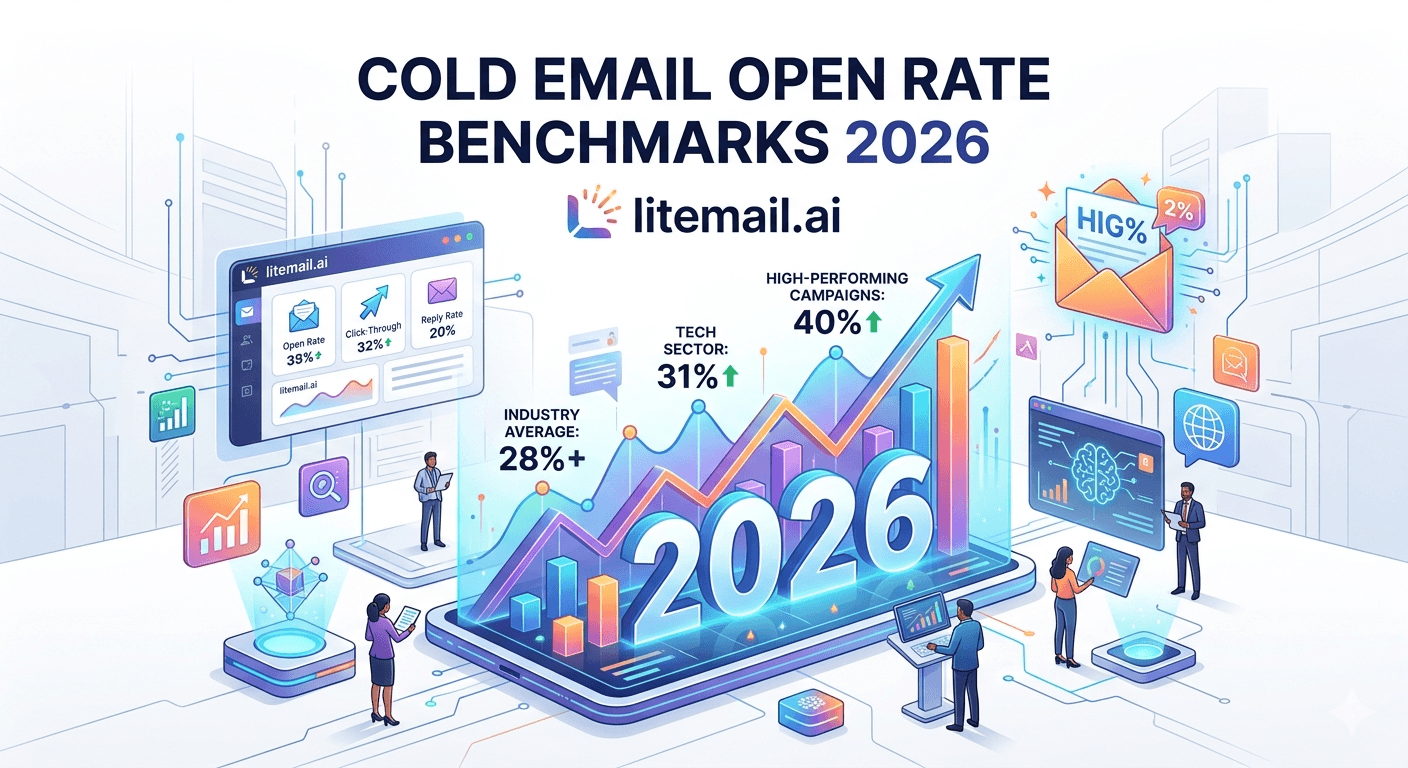
Cold email open rates are one of the most commonly tracked metrics in outbound sales, but they are also one of the most misunderstood.
In 2026, a reported open rate does not always represent real human engagement. Email privacy features, security scanners, and automated systems can trigger tracking pixels before a recipient actually reads the message. This means the number shown inside your sending platform may not tell the complete story.
So what is a good cold email open rate in 2026?
The answer depends on more than just the percentage shown in your dashboard. A successful cold email campaign needs to be measured through a combination of metrics, including reply rate, inbox placement, bounce rate, and qualified conversations generated.
In this guide, we break down the latest cold email open rate benchmarks for 2026, explain what numbers are realistic, why open rates can be misleading, and which metrics matter most when building a successful outbound strategy.
💡 TL;DR
Measured cold email open rates average 35–52% in 2026 — but subtract 15–25 points for MPP and bot inflation. The real engaged rate is closer to 20–34%. Reply rate (target 3–8% on a warmed, segmented list) is the metric that predicts pipeline. Keep spam complaints under 0.08% — Google's actual safe zone — and bounce rate under 2%. A 5-person outreach team boosted reply rate from 1.2% to 4.7% in 30 days without changing copy, just by switching to pre-warmed sending infrastructure.
The Phantom Metric: What Your Open Rate Is Actually Counting
A cold email open is recorded when an email tracking pixel loads. However, that does not always mean a real person opened and read your message.
In 2026, several automated systems can trigger email tracking before human engagement happens. Email privacy features, security scanners, and corporate email gateways may load tracking pixels automatically, which can increase reported open rates.
Apple Mail Privacy Protection (MPP), introduced to protect user privacy, can make open tracking less reliable by preventing senders from knowing exactly when and where an email was opened. Security tools used by companies can also scan links and email content before delivery, creating additional tracking activity.
This means the open rate shown inside your cold email platform should be treated as a directional metric — not a complete measure of campaign success.
A campaign reporting a 50% open rate does not automatically mean half of your prospects actively read the email. To understand real performance, teams should also analyze:
Reply rate
Positive response rate
Inbox placement
Bounce rate
Qualified meetings generated
Cold Email Benchmark: Measured Opens vs Real Engagement
Industry | Measured Open Rate | Estimated Human Engagement | Realistic Reply Rate |
|---|---|---|---|
SaaS / Technology | 42–55% | 24–34% | 3–6% |
Recruiting / Staffing | 38–50% | 20–30% | 5–9% |
Marketing Agencies | 35–48% | 18–28% | 2–5% |
Financial Services | 30–42% | 15–25% | 1–3% |
Professional Services | 40–52% | 22–32% | 3–7% |
B2B Ecommerce / Retail | 28–40% | 14–24% | 1–3% |
These benchmark ranges are most useful when campaigns are running on properly configured sending infrastructure with healthy domains, authentication, and good inbox placement.
The biggest mistake companies make is optimizing only for open rates while ignoring the infrastructure factors that determine whether emails reach the inbox in the first place.
Cold Email Benchmarks Beyond Open Rate
Open rate is only one part of cold email performance. A successful outbound campaign depends on multiple metrics that show whether your emails are reaching the inbox, attracting interest, and creating sales opportunities.
Cold Email Reply Rate Benchmarks
Reply rate is often a stronger indicator of campaign quality because it measures actual engagement.
Typical B2B cold email reply rates:
Performance Level | Reply Rate |
|---|---|
Average | 3%–5% |
Good | 5%–8% |
Excellent | 10%+ |
A campaign with a lower open rate but higher reply rate can generate better results than a campaign with many opens but no conversations.
Bounce Rate Benchmarks
Bounce rate shows the percentage of emails that cannot be delivered.
A healthy cold email campaign should aim for:
Below 3% bounce rate
Below 1.5% for high-quality lists
High bounce rates damage sender reputation and reduce future inbox placement.
Inbox Placement Rate
Before measuring opens or replies, emails need to reach the inbox.
Inbox placement depends on:
Domain reputation
SPF, DKIM, and DMARC setup
Sending volume
Email list quality
Inbox warmup
What Is A Good Cold Email Open Rate In 2026?
A good cold email open rate in 2026 typically falls between 40% and 60% for well-targeted B2B campaigns. However, the right benchmark depends on several factors, including your industry, audience quality, sending reputation, and email infrastructure.
A higher open rate does not always mean a better campaign. Due to privacy features, automated security scanners, and tracking limitations, reported opens can be higher than actual human engagement.
A practical benchmark looks like this:
Performance Level | Cold Email Open Rate |
|---|---|
Poor | Below 30% |
Average | 30%–45% |
Good | 45%–60% |
Excellent | 60%+ |
For most B2B companies, achieving a consistent 40%–50% open rate with strong reply rates is a healthy target. Instead of chasing the highest possible open rate, focus on reaching the right audience and generating qualified conversations.
Stop Tracking Opens. Start Tracking This Instead.
Reply rate is the only cold outreach metric that requires a human to make a conscious decision. It can't be faked by a privacy proxy or a security scanner. And if your reply rate is under 1%, it's tempting to blame the subject line. Stop — that's almost never the real problem.
What actually drives reply rate in 2026:
Inbox placement — an email in the spam folder has a 0% reply rate regardless of copy quality
Domain age and reputation — domains under 60 days old get soft-filtered even when authentication passes
List quality — a bounce rate above 2% erodes domain reputation with every send
Offer relevance — relevance consistently beats copy quality at scale
Sequence structure — follow-ups sent on days 3, 7, and 14 generate 40–60% of total replies on average
Aim for 3–8% positive reply rate on a verified list with solid inbox placement. Under 2% signals an infrastructure or targeting problem. Most teams treat it as a copy problem and waste weeks on rewrites that don't move the number.
One thing most teams don't track separately: positive reply rate versus all replies. Filter out opt-outs and OOO responses. Count only replies that signal real interest. Some campaigns show 4% total reply rate but only 1.5% genuine interest — a very different conversation.
The Real Reason Your Numbers Don't Match the Benchmarks
A 5-person outreach team at a B2B data provider came to us in early 2025 with a 1.2% reply rate and a measured open rate of 44%. The copy was solid. The list was verified. The sequences were well-structured. The issue: every sending domain was under 60 days old and hadn't been warmed properly.
We moved them to pre-warmed inboxes — accounts with 90+ days of sending history, clean IP reputation, and SPF, DKIM, and DMARC configured from day one. Litemail's pre-warmed infrastructure delivers 94–96% inbox placement from day one. Reply rate went to 4.7% in 30 days. The copy didn't change. The offer didn't change. Only the infrastructure changed.
This is the most common pattern we see. Teams optimise the wrong layer. They rewrite subject lines when their domain is landing in spam. They A/B test CTAs when bounce rate is 8% and destroying reputation with every campaign.
Here's the infrastructure check to run before touching anything else:
Open Google Postmaster Tools — check your domain's spam rate. It should read "Low" to stay under 0.08%.
Run your sending domain through MXToolbox — look for blacklist entries and authentication failures.
Check inbox placement using GlockApps — aim for 90%+ primary inbox across Gmail and Outlook.
Verify your bounce rate is under 2% across the last 500 sends.
Confirm SPF, DKIM, and DMARC all pass — missing any one kills placement.
Fix all of those before you write a single new subject line.
The Subject Line Advice That's Costing You Campaigns
Here's the misconception that drives me crazy: "Improve your subject line to boost open rates." It's the most repeated advice in cold email. And it's wrong — at least when the real problem is infrastructure.
Subject line testing only matters when inbox placement is already solved. If 30% of your emails are landing in spam, a better subject line does almost nothing. Those emails aren't failing to open because the subject line is weak. They're not being seen at all.
The same logic applies to send-time optimisation. Day-of-week and time-of-day testing might produce a 5–10% lift in reply rate under ideal conditions. Fixing inbox placement from 70% to 95% produces a 30–50% lift. The order of operations matters.
Prioritise in this order:
Authentication — DMARC, DKIM, SPF must all pass before anything else
Domain age and warmup — minimum 30 days before any outreach volume; 60+ days for high-volume sending
List quality — bounce rate under 2%, spam complaint rate under 0.08%
Sending volume — max 40–50 emails per inbox per day in the first 90 days
Subject line and CTA testing — only after the above is clean
Actually — scratch the idea that send time optimisation belongs in this list at all for most teams. It's a marginal gain. Nail steps 1–4 first.
How to Build a Benchmark That's Actually Yours
Industry benchmarks are useful as orientation points. They're terrible as targets for your specific situation. Your benchmark needs to come from your own campaign data — minimum 3 months and 5,000 sends before you trust any number.
A 3-person SaaS sales team running 300 emails per day across 8 sending accounts tracked campaign metrics weekly for a full quarter. By month three, they had segment-level benchmarks accurate enough to predict pipeline from cold outreach within 15%. That's what good looks like. Not guessing against a generic industry average.
Here's the framework to build your own:
Segment by list source — LinkedIn-sourced, data provider, and inbound-enriched contacts perform very differently. Benchmark each separately.
Track reply-to-send ratio — not open-to-send. This is your primary KPI.
Separate positive replies from all replies — filter opt-outs and OOO responses before calculating rate.
Watch bounce rate per domain — if one domain hits 3%, pause it immediately.
Run a control domain — keep 10% of volume on your best-performing historical domain as a constant baseline to measure new domains against.
If you're running fewer than 3 inboxes, skip the segment analysis for now. It only becomes meaningful once you have enough volume to see statistically significant differences across sources.
[INTERNAL LINK: cold email infrastructure setup → /blog/cold-email-infrastructure-setup-lead-gen]
[INTERNAL LINK: email warmup pool size guide → /blog/email-warmup-pool-size]
[INTERNAL LINK: pre-warmed inboxes for agencies → /blog/pre-warmed-inbox-digital-marketing-agencies]
Two Numbers Google Monitors — And Most Senders Ignore
Google's 2024 sender guidelines set hard thresholds that are enforced in 2026. Many cold email senders either don't know them or assume they don't apply to outreach. They do.
Spam complaint rate: Keep it under 0.08% to stay inside Google's safe zone. The published limit is 0.10%, but filtering behaviour starts before that threshold. Above 0.30% and domain-level blocking becomes a real risk. Monitor this weekly in Google Postmaster Tools — it's free and takes 10 minutes to set up.
Bounce rate: There's no published hard limit from Google, but observed filtering behaviour suggests 2% is the threshold above which deliverability degrades significantly. Clean your list with NeverBounce or ZeroBounce before every campaign. Don't trust a vendor's "verified" label — run it yourself.
You might be thinking — but what if my list is small and these thresholds feel conservative? Here's why that doesn't change the answer: a single spam complaint from a list of 100 is a 1% complaint rate. That's 10x Google's safe zone. Small lists require even more careful list hygiene, not less.
[INTERNAL LINK: email deliverability monitoring tools → /blog/email-deliverability-monitoring-tools-2026]
[EXTERNAL LINK: Google Postmaster Tools guidelines → support.google.com/mail/answer/9981691]
Key Takeaways
Measured cold email open rate benchmarks in 2026 are inflated by 15–25 percentage points — a reported 45% open rate likely reflects 22–30% real human engagement.
Reply rate is the primary metric that matters. Target 3–8% on a verified, warmed list. Under 2% signals an infrastructure or targeting problem — not a copy problem.
Keep spam complaint rate under 0.08% to stay inside Google's safe zone. The published 0.10% limit is where hard filtering kicks in, but soft filtering starts earlier.
Bounce rate above 2% erodes domain reputation with every campaign. Verify every list before sending, regardless of vendor claims.
Fix inbox placement before testing subject lines. A 25-point placement improvement outperforms any subject line A/B test by a significant margin.
Build your own benchmarks from 3+ months and 5,000+ sends, segmented by list source. Industry averages are a starting point, not a performance target.
Pre-warmed inboxes with verified authentication — like Litemail's 94–96% inbox placement from day one — are the foundation every benchmark depends on.
Frequently Asked Questions
What is a good cold email open rate in 2026?
A measured open rate of 35–52% is common in 2026 for B2B cold email, but this figure is inflated by Mail Privacy Protection and automated scanning. The real engaged open rate — actual humans reading the email — is closer to 20–34%. Focus on reply rate instead. A 3–8% reply rate on a clean, warmed list is a meaningful and achievable benchmark for most campaigns.
Why are cold email open rates high but reply rates low?
High opens with low replies almost always point to one of three issues: inbox placement problems (emails reaching spam or promotions tabs), list quality issues (wrong audience or unverified contacts), or a weak offer. Check your spam complaint rate in Google Postmaster Tools first. If it's above 0.08%, that's your problem — and subject line tweaks won't fix it.
What is the average cold email reply rate in 2026?
B2B cold email reply rates range from 1–9% depending on industry, list quality, and sending infrastructure. A well-run campaign on a verified list with pre-warmed inboxes should achieve 3–8%. Campaigns on new, unwarmed domains with unverified lists typically see under 1%, which is where most teams get stuck.
Does Mail Privacy Protection make open rate tracking useless?
For absolute measurement, yes. MPP inflates open rates by 17–23 percentage points for B2B senders with a significant Apple Mail audience. Open rates are still useful for relative comparison — a subject line generating 20% higher opens than a control likely has a real signal. But as an absolute performance benchmark, open rate is not reliable in 2026.
What spam rate should I stay under for cold email?
Keep spam complaint rate under 0.08% to stay inside Google's safe zone. The published threshold is 0.10%, but soft filtering starts below that. Above 0.30% risks domain-level blocking. Monitor weekly in Google Postmaster Tools. For Microsoft 365 senders, check SNDS (Smart Network Data Services) for equivalent Outlook reputation data.
How many emails per day should I send from a new inbox?
Max 40–50 emails per day per inbox for the first 90 days. Pushing above that threshold on a domain under 90 days old triggers spam filters even when authentication is clean. After 90 days of clean sending history, you can scale to 80–100 per inbox per day while monitoring complaint rate closely.
How do I build accurate cold email open rate benchmarks for my campaigns?
Track reply-to-send ratio across minimum 5,000 sends over 3 months, segmented by list source. Separate positive replies from opt-outs and OOO responses. Run a control domain with 10% of volume as a constant baseline. Segment benchmarks by industry, list type, and sending infrastructure — then compare against your own historical data, not generic averages.
What inbox placement rate should I target for cold email?
Target 90%+ primary inbox placement across Gmail and Outlook before scaling any campaign. Below 80% and your cold email open rate benchmarks become unreliable — too many emails are in spam to draw conclusions from any metric. Use GlockApps or Mail-Tester to check placement before each new campaign or after any domain change.
Fix the Infrastructure. Let the Benchmarks Follow.
Litemail delivers pre-warmed inboxes with 94–96% inbox placement from day one. SPF, DKIM, and DMARC pre-configured on every account. US and EU dedicated IPs with clean sending history. Starting at $4.99 per inbox per month — the lowest pre-warmed inbox price available.
Pre-warmed · Google Workspace & Microsoft 365 · Postmaster-verified in 48 hrs · From $4.99/inbox/month
Related reading:
Email Deliverability Monitoring Tools 2026 ·
Pre-Warmed Inbox for Digital Marketing Agencies ·
Cold Email Infrastructure Setup for Lead Gen Agencies






