
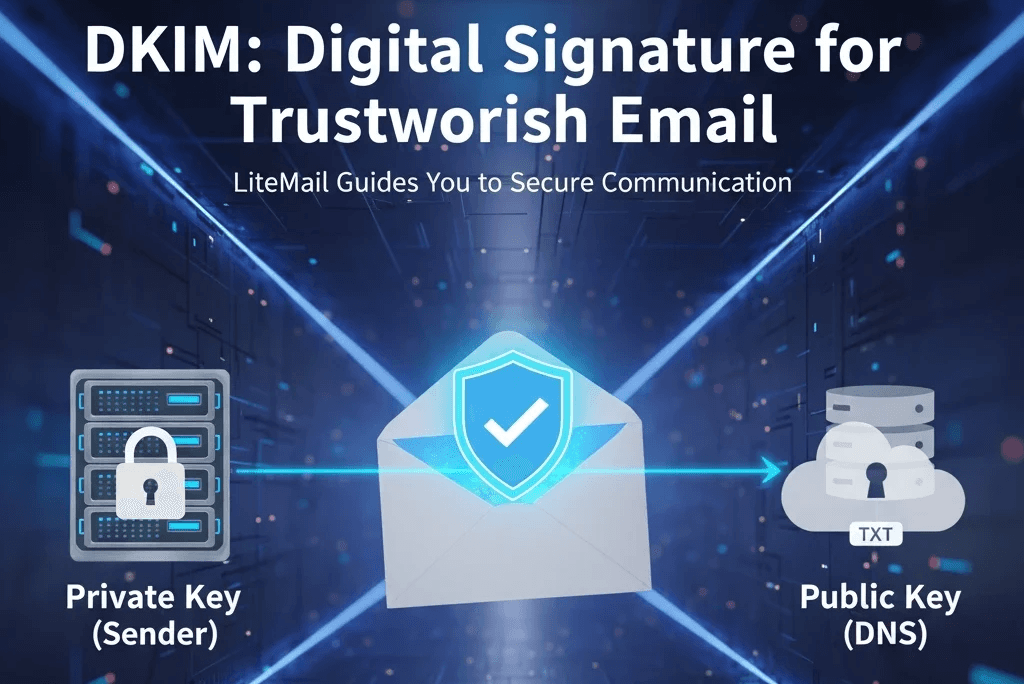
What Is DKIM and Why Does It Matter?
DomainKeys Identified Mail (DKIM) is an advanced email authentication system that confirms whether a message truly comes from the sender’s domain. It protects against common email threats like spam, phishing, and spoofing. DKIM works by using a pair of cryptographic keys one private and one public to create a digital signature added to your email header. The recipient’s mail server then checks this signature using the public key stored in your domain’s DNS to ensure the message is genuine and untampered
Key Benefits of Using DKIM
Better Email Deliverability:
Emails authenticated with DKIM are far less likely to land in spam folders. This boosts your deliverability rate, ensuring your messages reach the right inbox every time.
Stronger Email Security
DKIM prevents others from misusing your domain for scams or phishing attempts. It guarantees that your emails are genuine and haven’t been altered during transmission.
Enhanced Brand Trust:
By verifying your emails, DKIM reinforces credibility and strengthens your brand’s reputation. It assures recipients that your messages are authentic and safe to engage with.
How to Set Up DKIM Step-by-Step
Configuring DKIM means creating cryptographic keys, publishing the public key in your DNS, enabling signing on your mail server, and then testing the result. Follow the steps below carefully to complete each task and make sure your email authentication works reliably.
Generate Your DKIM Keys
The first step in setting up DKIM is to create your unique cryptographic keys. You’ll need two of them:
Private Key: Used to sign your outgoing emails with a secure digital signature. This key stays confidential and must be safely stored on your mail server.
Public Key: Added to your domain’s DNS records so recipient servers can verify the authenticity of your messages.
While LiteMail doesn’t directly generate DKIM keys, you can easily create them using trusted services like Google Workspace or Microsoft 365, both of which offer built-in DKIM key generation tools for a quick and secure setup
Add Your DKIM Record to DNS
Once your DKIM keys are ready, the next step is to publish your public key in your domain’s DNS settings. This helps receiving servers verify your email’s authenticity. Follow these simple steps
Sign in to Your DNS Provider: Open the DNS management panel where your domain is hosted this could be your registrar or a third-party DNS service.
Create a TXT Record: Add a new TXT record in your DNS zone file. This record will hold your DKIM public key.
Add DKIM Information: Enter your DKIM selector and public key into the TXT record. The selector acts as a unique tag for identifying your DKIM record, while the public key is used by mail servers to verify your messages.
Save and Wait for Propagation: Save your changes. Keep in mind that DNS updates may take a few minutes or sometimes up to 48 hours or fully propagate across the internet.
Set Up DKIM on Your Email Server
After adding your DKIM record to DNS, the next step is to configure your email server so it can sign outgoing emails using your private key.
Integration with Email Platforms: If you’re using services like Google Workspace or Microsoft 365, you can easily enable DKIM within their admin panels. These platforms offer straightforward options to enter your DKIM details and activate the signing feature.
Using LightMail: While LightMail doesn’t generate DKIM keys directly, it works flawlessly with major email providers. You can manage and authenticate your emails through these platforms, ensuring every message is securely signed and trusted by recipients.
Verify Your DKIM Configuration
Once your DKIM setup is complete, it’s crucial to confirm that it’s working properly. You can use the following trusted tools to test and validate your DKIM configuration:
Google Postmaster Tools: Offers detailed analytics about your domain’s email authentication status, including DKIM validation reports.
Mail-Tester: Helps you check whether your DKIM signature is correctly applied and passing verification checks
MxToolbox: Provides a full DKIM diagnostic report, identifying any issues in your configuration and guiding you toward quick fixes
By running these tests, you can ensure your DKIM is properly configured, fully functional, and safeguarding your emails from spoofing or delivery issues.
How LiteMail Strengthens Your Email Security
While LiteMail doesn’t currently provide DKIM key generation, we’re dedicated to helping you manage and secure your email infrastructure effectively. Here’s how LiteMail supports your email security needs
Seamless Integration with Leading Email Platforms
LiteMail works smoothly with major email providers like Google Workspace and Microsoft 365. Through these integrations, you can easily configure and manage your DKIM settings, ensuring your emails are properly authenticated with minimal effort.
Expert Support and Guidance
LiteMail offers comprehensive assistance for managing your entire email setup. Whether you need help with DKIM configuration or other security features, our support team is always ready to guide you through the process and provide reliable solutions to keep your communication secure.
Best Practices for Implementing DKIM
To get the most out of DKIM, make sure to follow these proven practices:
Use Strong Encryption Keys: Always generate DKIM keys using secure cryptographic algorithms to strengthen your email authentication
Update Keys Regularly: Refresh your DKIM keys periodically to stay ahead of potential vulnerabilities and ensure ongoing protection.
Monitor DKIM Performance: Keep an eye on DKIM reports to detect issues early and maintain consistent authentication across all emails.
Implementing DKIM is one of the smartest ways to secure your email communications and improve deliverability. By following the steps in this guide and leveraging trusted email platforms, you can ensure your messages remain verified, safe, and trusted.
Although LiteMail doesn’t currently offer DKIM key generation, our team is fully committed to helping you through the setup process and optimizing your email security
Ready to strengthen your email protection? Learn how to implement DKIM and other advanced security practices with LiteMail. For detailed guidance or assistance, explore our resources or reach out to our support team and keep your email communication safe, authentic, and reliable.
Common DKIM Setup Mistakes to Avoid
Even small missteps in your DKIM setup can lead to delivery issues or authentication failures. Here are a few common mistakes you should steer clear of:
Incorrect DNS Entries:
A missing character or formatting error in your TXT record can break DKIM validation. Always double-check your DNS entry for accuracy before saving.
Using Weak or Expired Keys
Avoid short key lengths and make sure to renew keys regularly to maintain security and trustworthiness
Ignoring Alignment with SPF and DMARC
DKIM works best when combined with SPF and DMARC. Ensure all three are aligned under your domain for complete protection.
By avoiding these errors, you can ensure your DKIM configuration remains stable, secure, and fully functional.
DKIM vs SPF vs DMARC How They Work Together
While DKIM verifies your message content and sender identity, SPF (Sender Policy Framework) and DMARC (Domain-based Message Authentication, Reporting & Conformance) provide complementary layers of protection.
SPF: Confirms which servers are authorized to send emails on behalf of your domain.
DKIM: Validates the authenticity and integrity of your messages using digital signatures.
DMARC: Uses SPF and DKIM results to decide how receiving servers should handle unauthenticated emails
Together, these three protocols build a solid defense against phishing, spoofing, and unauthorized domain use. Implementing all three ensures maximum deliverability and domain reputation
Monitoring and Maintaining DKIM Health
Setting up DKIM is just the start ongoing monitoring is key to long-term success
Use Analytics Tools: Platforms like Google Postmaster Tools or DMARC Analyzer help you track DKIM validation rates and spot potential issues.
Review Email Headers Regularly: Check for DKIM=pass in your email headers to confirm messages are being authenticated correctly.
Stay Updated on Industry Standards: Email authentication evolves. Keep up with best practices and adjust configurations when new security updates are released
Regular maintenance ensures your DKIM setup stays reliable and continues protecting your brand’s credibility.
Why Businesses Should Prioritize DKIM Now
Email-based attacks are increasing every year, making DKIM not just a technical add-on but a business necessity.
Protects Your Customers: Ensures recipients can trust that every message from your domain is genuine
Strengthens Your Brand Identity: Authenticated emails boost trust and engagement with your audience
Reduces Deliverability Issues: Proper DKIM setup helps prevent your emails from being blocked or sent to spam.
Investing time in DKIM today pays off by safeguarding your brand reputation and maintaining smooth, secure communication with your clients.
Conclusion
Securing your email domain with DKIM isn’t just a technical formality it’s a vital step toward building trust and maintaining strong communication. By combining DKIM with SPF and DMARC, you create a complete security framework that keeps your brand safe from spoofing, phishing, and delivery issues.
With LiteMail’s seamless integrations and expert guidance, managing your DKIM setup becomes effortless. Whether you’re just starting or refining your email infrastructure, LiteMail helps you protect your domain reputation and ensure every message you send is verified, secure, and reliable.
Start implementing DKIM today and give your email communications the credibility and protection they deserve.
FAQ
What is DKIM in simple terms?
DKIM (DomainKeys Identified Mail) is an email authentication method that ensures your emails haven’t been altered and are genuinely from your domain. It adds a digital signature to every outgoing message that can be verified by the recipient’s mail server
Do I need DKIM if I already use SPF and DMARC?
Yes. DKIM works alongside SPF and DMARC to provide stronger security. SPF validates senders, DKIM authenticates message integrity, and DMARC enforces both for complete protection.
How long does it take for DKIM to start working?
Once you add your DKIM record to DNS, it can take anywhere from a few minutes to 48 hours for full propagation. After that, your emails will begin signing and authenticating automatically
Can LiteMail help me configure DKIM even if I use another email platform?
Absolutely. LiteMail integrates smoothly with major email services like Google Workspace and Microsoft 365, allowing you to manage DKIM settings and strengthen your email security with ease






