
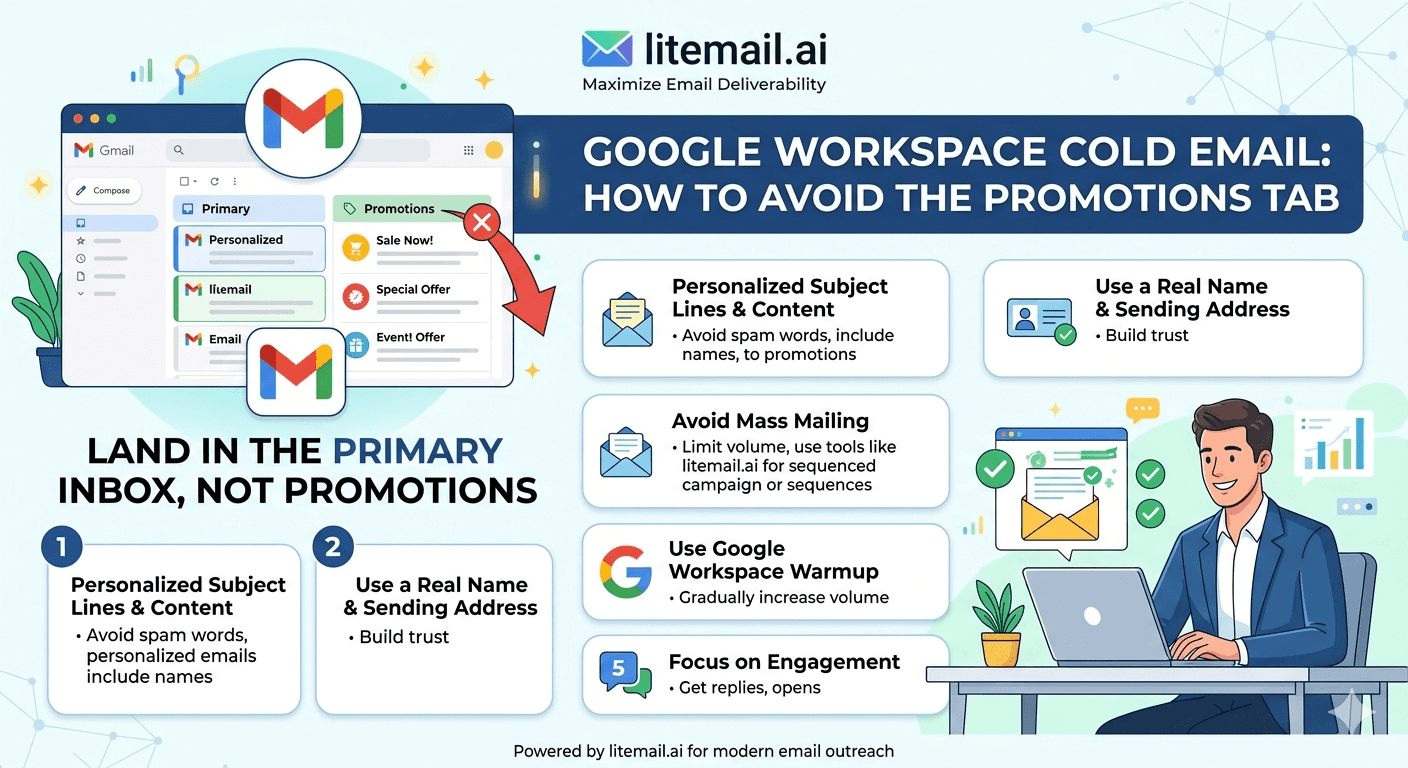
Landing in the Gmail Promotions tab is not the same as landing in spam. But for cold email, it might as well be. Promotions email is scanned once a day by most Gmail users — if they check it at all. A B2B cold email that lands in Promotions gets treated like a newsletter, not a personal message. Reply rates from Promotions placement are typically 60 to 80% lower than the same email in the Primary tab.
💡 TL;DR
Gmail's algorithm classifies email as Promotions based on sender reputation, email infrastructure, and content signals — not just copy. The most reliable way to land in Primary is a combination of dedicated IP sending infrastructure, full authentication (SPF/DKIM/DMARC), and email that looks like a genuine 1-to-1 conversation rather than a formatted template. Pre-warmed inboxes on dedicated IPs from Litemail at $4.99/inbox/month with Postmaster-verified High reputation are classified as Primary by Gmail's infrastructure assessment before content is even evaluated. No HTML formatting, no tracking pixels, no merge tag artifacts — plain text that reads like one person wrote it to one person.
How Gmail Decides Primary vs Promotions — The Actual Signals
Gmail's classification algorithm evaluates every incoming email across three signal categories: sender signals (who is sending), infrastructure signals (how it was sent), and content signals (what the email contains). Most advice about avoiding Promotions focuses only on content — but sender and infrastructure signals are evaluated first and carry more weight.
Signal Category | Primary Signals | Weight |
|---|---|---|
Sender signals | Domain reputation (High = Primary bias), prior engagement history between sender and recipient, IP reputation | High |
Infrastructure signals | IP type (dedicated vs shared), authentication pass rate (SPF/DKIM/DMARC), sending pattern (burst vs distributed) | High |
Content signals | HTML vs plain text, unsubscribe headers, tracking pixels, merge tag format, link density, formatted signatures | Medium |
A High Postmaster domain reputation on a dedicated IP with full authentication passing gets a Primary bias before Gmail reads a single word of the email content. This is why infrastructure-first is the correct approach — content optimisation on a low-reputation shared IP is fighting the algorithm's first decision with only its third signal.
The Infrastructure Changes That Move Cold Email to Primary
These infrastructure changes are listed in order of impact — the first produces the largest classification improvement and each subsequent one adds marginal improvement on top of it.
⚡
1. Switch from shared IP to dedicated IP inbox
This is the single highest-impact infrastructure change for Primary classification. Shared IP senders are evaluated against the collective reputation of the pool — which includes bulk senders and promotional mailers who have trained Gmail to classify that IP range as marketing email. Dedicated IPs are evaluated individually. A dedicated IP with High Postmaster reputation gets Primary treatment by default. Litemail pre-warmed dedicated IP inboxes arrive with High reputation pre-verified.
⚡
2. Achieve and maintain High Postmaster domain reputation
Postmaster domain reputation is Gmail's direct signal of how trustworthy your sending domain is. High reputation correlates with Primary classification. Medium reputation results in variable classification — some emails land Primary, some in Promotions, depending on content signals. Keep spam rate under 0.04% and bounce rate under 2% to maintain High reputation once achieved.
⚡
3. Ensure all three authentication records pass
SPF, DKIM, and DMARC all passing is an infrastructure trust signal. Partial authentication (SPF only, or DKIM without DMARC) is still evaluated as a risk indicator by Gmail's classification algorithm. Full authentication — all three records passing — is the baseline for consistent Primary classification regardless of content.
Content Signals That Trigger Promotions Classification — Specific Patterns
Once infrastructure is clean, these are the content patterns that push an otherwise Primary-candidate email into Promotions. Most of them are present in default cold email templates and sending tool configurations.
Content Pattern | Why It Triggers Promotions | What to Use Instead |
|---|---|---|
HTML formatting (bold, tables, colours) | Formatted email = marketing email to Gmail's classifier | Plain text only — no HTML tags |
Tracking pixel (open tracking) | 1x1 image pixels are a mass email signal | Disable open tracking for cold email sequences |
Unsubscribe header in email metadata | List-Unsubscribe header = bulk mail signal | Manage unsubscribes manually or via tool footer without metadata header |
Multiple outbound links | Link-heavy emails are promotional pattern | Zero or one link maximum in the first email |
Merge tag artifacts ({{firstName}} etc) | Formatting remnants signal template-based sending | Test every email variation before sending; verify variable replacement |
Branded signature with logo image | Image-containing emails skew Promotions | Plain text signature: Name, title, phone — no logo image |
The Open Tracking Trade-Off — Why Disabling It Helps More Than You Think
Open tracking works by embedding a 1x1 transparent image in the email body. When the recipient opens the email, the image loads from your tracking server and records the open. This is standard in cold email tools and is the mechanism behind the open rate metric most teams track closely.
But here is the problem: that 1x1 image is one of the clearest signals that an email was sent through a marketing or mass email system. Gmail's classifier has seen this pattern millions of times from promotional mailers. When it detects an embedded tracking pixel, it shifts the email's classification probability toward Promotions — regardless of how conversational the copy looks.
The trade-off: disable open tracking and lose the open rate metric, gain Primary tab classification. For cold email teams where reply rate is the primary success metric — and it should be — this trade-off is straightforward. You do not need open rate to measure campaign performance. Reply rate, meeting booked rate, and positive reply rate are more actionable metrics that do not depend on open tracking to calculate.
[INTERNAL LINK: cold email inbox placement measurement → /blog/cold-email-inbox-placement-measurement]
Plain Text vs HTML — Why Most Cold Email Templates Are Sabotaging Themselves
Most cold email tools default to rich text editors that output HTML-formatted emails even when the content looks like plain text. The formatted version has hidden HTML tags — paragraph formatting, line break tags, style attributes — that Gmail's classifier reads as a marketing email pattern.
Genuinely plain text email means: no bold text, no italic text, no colour, no bullet points, no logo in the signature, no hyperlinked text (just the raw URL if you need to include a link), and short paragraphs that look like something you would type directly in Gmail. The fastest test: forward your own sequence email to a personal Gmail address and check the Promotions tab. If it lands there, compare the view source (Ctrl+U) of the email with a genuine personal email from the same Gmail account. The HTML code tells you exactly what Gmail is seeing.
How to Test Whether Your Emails Land in Primary
Seed list testing is the most direct way to verify Primary versus Promotions classification. Here is the specific test process.
Create 3 to 4 Gmail test addresses that you have never emailed from your sending inbox before. Fresh Gmail accounts are the cleanest test — no prior engagement history with the sending domain.
Send one test email from your cold email inbox to all test addresses. Use the exact sequence copy and format you plan to use in the live campaign — no cleanup for the test version.
Check each Gmail test inbox. Is the email in Primary, Promotions, or Spam? If Promotions: check which content signals are present (HTML, tracking pixel, multiple links). If Spam: infrastructure problem — check Postmaster and MXToolbox before investigating content.
Fix identified signals and re-test until the email consistently lands in Primary. The most common single fix that moves emails from Promotions to Primary: disabling the tracking pixel in the sending tool settings.
The Bottom Line
Gmail classifies email as Primary vs Promotions based on sender reputation, infrastructure signals, and content signals — in that order of weight. Infrastructure-first is the right approach.
Pre-warmed dedicated IP inboxes with High Postmaster reputation arrive with a Primary classification bias before Gmail reads a word of content. Shared IP inboxes do not.
Disable open tracking to remove the 1x1 tracking pixel — the clearest single content signal that moves emails to Promotions. Reply rate is a better campaign performance metric anyway.
Use genuinely plain text emails — no HTML, no bold, no images in signature, zero formatted elements. HTML-formatted emails that look plain still contain classification-triggering markup in the source code.
Test Primary classification using fresh Gmail seed addresses before every campaign launch. If it lands in Promotions, fix the specific signal causing it — do not guess.
Postmaster domain reputation directly correlates with Primary classification. High reputation = Primary bias. Medium = variable. Low = Promotions or spam. Maintain High reputation by keeping spam rate under 0.04%.
Frequently Asked Questions
Why does my cold email land in Gmail Promotions instead of Primary?
The three most common causes: shared IP infrastructure (shared IP pools are associated with promotional email patterns and receive Promotions classification bias), an open tracking pixel in the email body (1x1 images are a clear mass-email signal), and HTML formatting in the email (formatted emails are classified as marketing email). Fix infrastructure first — dedicated IP inboxes with High Postmaster reputation receive Primary classification bias before content is evaluated.
Does disabling open tracking help cold emails land in Primary?
Yes — it removes one of the clearest Promotions classification signals. The open tracking pixel (1x1 transparent image) tells Gmail's classifier the email was sent through a marketing or mass email system. Removing it eliminates this signal. The trade-off: you lose the open rate metric. For cold email teams measuring performance by reply rate, this trade-off is consistently worthwhile — Primary placement generates 60 to 80% higher reply rates than Promotions placement for the same email.
Does plain text email land in Primary more often than HTML?
Yes — genuinely plain text email receives Primary classification more consistently than HTML-formatted email. The key word is "genuinely" — most cold email tools output HTML even when the content looks like plain text. Check your email source code (View Source on a received test email) to confirm it contains no HTML markup. An email that looks plain but has hidden HTML tags is still classified as a formatted email by Gmail's algorithm.
How do I test if my cold email lands in Primary or Promotions?
Send your exact campaign email from your sending inbox to 3 to 4 fresh Gmail addresses you have never emailed from that inbox before. Check where each test email lands: Primary, Promotions, or Spam. If Promotions, check for tracking pixels, HTML formatting, multiple links, and unsubscribe headers. If Spam, check Postmaster reputation and MXToolbox blacklists — that is an infrastructure problem, not a content problem.
Does having a high Postmaster domain reputation help avoid Promotions?
Yes — directly. High Postmaster domain reputation is an input to Gmail's classification algorithm. Senders with High reputation receive Primary classification bias, which means their emails land in Primary even when content signals are mildly ambiguous. Medium reputation results in variable classification where content signals become more deterministic. Low reputation results in Promotions or spam regardless of content quality.
Should I use HTML or plain text for cold email signatures?
Plain text for cold email. A plain text signature — Name, Title, Company, Phone number on separate lines with no formatting — does not trigger Promotions classification. An HTML-formatted signature with a company logo image, social media icons, or colour-styled elements adds classification signals that push the email toward Promotions. For cold outreach where Primary placement is the goal, keep the signature as simple as the email body.






