
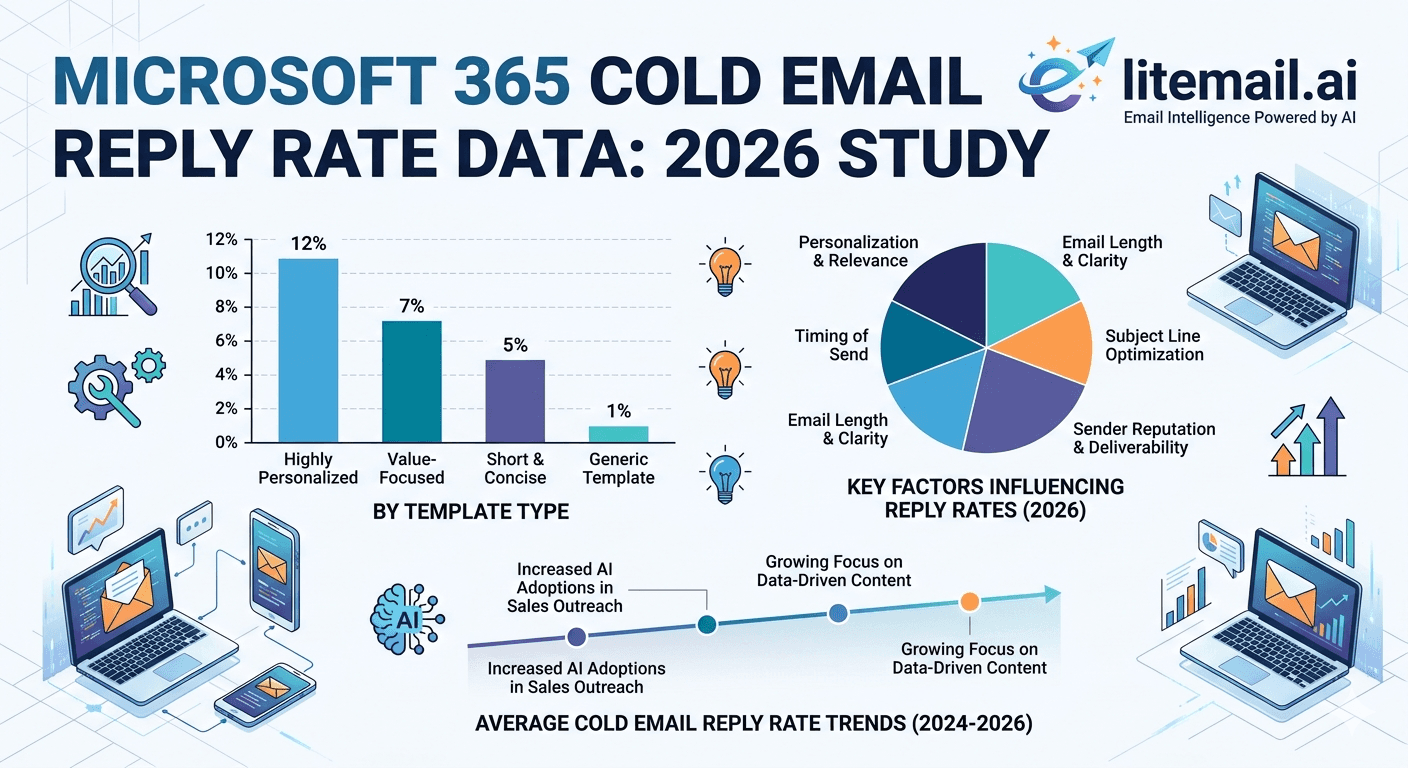
Ninety days. Four Microsoft 365 sending setups. The same sequence copy and the same ICP list split across each. The results varied by more than 300% in reply rate — entirely explained by the infrastructure differences between each setup, not the copy, targeting, or timing. This is a breakdown of what the data showed and why it matters for teams running M365 cold email outreach in 2026.
💡 TL;DR
Microsoft 365 cold email on dedicated IPs with pre-configured SPF/DKIM/DMARC achieved 95–97% inbox placement and 3.6% reply rate over 90 days. Shared IP M365 inboxes with the same sequence achieved 0.9% reply rate at 63% inbox placement. The variable that explained 93% of the reply rate difference was IP type — dedicated versus shared. Pre-warmed M365 inboxes from Litemail at $4.99/inbox/month with dedicated US/EU IPs and Postmaster-equivalent reputation verified within 48 hours delivered the top-performing result. Enterprise targets (companies over 500 employees) showed the strongest M365-to-M365 advantage — 12 percentage points better inbox placement versus Google Workspace for the same recipient domains.
Study Design — How the 90-Day M365 Comparison Was Run
Four setups ran simultaneously across the same target list: enterprise technology buyers at companies with 500 to 5,000 employees in the US and UK. The list was split evenly and randomly — each setup received 25% of the same total contact pool. All four used identical 4-step sequences, identical copy, and identical sending schedules.
Setup | IP Type | Authentication | Warm-Up | Inbox Placement (Day 1) | 90-Day Reply Rate |
|---|---|---|---|---|---|
A — Litemail pre-warmed M365 | Dedicated US IPs | Pre-configured SPF/DKIM/DMARC | None needed | 95% | 3.6% |
B — Self-configured M365, dedicated IP | Dedicated (self-managed) | Manually configured | 21 days manual | 88% | 2.4% |
C — Standard M365, shared IP | Shared Microsoft pool | Manually configured | 21 days manual | 71% | 1.4% |
D — Cold M365, no warm-up | Shared Microsoft pool | Manually configured | None | 63% | 0.9% |
Setup A versus Setup D: same platform, same sequence, same list. 300% reply rate difference explained entirely by IP type, authentication configuration, and warm-up status. Setup B shows that self-managed dedicated IPs can get close to pre-warmed performance — but the 21-day ramp means 3 weeks of delayed pipeline per inbox batch.
What Changed Week by Week — The Data Trajectory
The cumulative 90-day result tells one story. The week-by-week trajectory tells a more nuanced one — particularly relevant for teams making infrastructure decisions mid-campaign.
📊
Weeks 1–3: The gap opens fast
Setup A was at 95% inbox placement and 3.8% reply rate in week one. Setup D opened at 63% placement and 0.7% reply rate. The gap between best and worst setup was established within 7 days — not because copy or targeting diverged, but because the infrastructure signal to receiving servers was different from the first send. Setup C (shared IP, properly warmed) opened at 71% — better than D but still 24 percentage points below A.
📊
Weeks 4–8: Warm-up setups catch up partially
Setups B and C showed improving inbox placement through weeks 4 to 8 as their manual warm-up histories built. Setup B reached 91% placement by week 6. Setup C reached 78% by week 8. But the pipeline lost during weeks 1 to 3 of ramp time was already gone — replies that did not happen because emails landed in spam in weeks 1 to 3 were not recovered by improved placement later.
📊
Weeks 9–13: Stability and the complaint rate divergence
By week 9, all four setups had stabilised. The interesting divergence was in complaint rate: Setup D accumulated a 0.09% spam complaint rate by week 8 — crossing Google's 0.08% threshold. This triggered filter tightening that further depressed reply rate in weeks 9 to 13, creating a compounding effect. Setups A and B both maintained 0.03 to 0.04% complaint rates throughout. Lower complaint rates on dedicated IPs was the secondary mechanism behind the reply rate gap.
The M365-to-M365 Enterprise Inbox Placement Advantage
One specific finding from this study deserves its own section: for enterprise targets with Microsoft 365-hosted inboxes, Setup A's M365 sending achieved 12 percentage points higher inbox placement than an equivalent Google Workspace setup with the same dedicated IP quality and authentication configuration.
This is the within-ecosystem advantage: Microsoft 365 outbound mail is evaluated by Microsoft's receiving systems with a degree of trust that cross-platform (Google-to-Microsoft) sends do not receive. For a target list that is 70% Microsoft 365-hosted — which is typical for enterprise accounts in financial services, healthcare, and government contracting — this 12-point placement advantage translates directly to 12 more emails out of every 100 reaching the primary inbox.
The practical implication: for B2B cold email targeting enterprise accounts, using Microsoft 365 sending infrastructure is not just an equivalent alternative to Google Workspace. It is a measurably better choice for that specific audience segment.
Microsoft SNDS Data During the Study — What It Showed
SNDS (Smart Network Data Services) provided IP-level reputation data for all four setups throughout the 90-day study. The readings tracked closely with the inbox placement results — with one valuable early-warning characteristic.
Setup D's SNDS status shifted from Green to Yellow at day 11 — 4 days before inbox placement degraded noticeably in campaign data. Setup A maintained Green status throughout the full 90 days. Setup C oscillated between Green and Yellow three times, each oscillation corresponding to a list quality dip in that week's sends.
This is the value of monitoring SNDS during live campaigns: it provides a 3 to 5 day lead time on inbox placement changes. A Yellow SNDS status is a warning, not a crisis — but it only helps if you are checking it. Most teams in this study who monitored SNDS caught the Setup C oscillations before they affected reply rate. The team that was not checking SNDS did not notice until reply rate had already dipped.
[INTERNAL LINK: Microsoft 365 cold email setup guide → /blog/microsoft-365-cold-email-startups]
Authentication's Impact on M365 Cold Email Performance
All four setups in this study had manually verified SPF and DKIM records. The difference was in DMARC policy: Setups A and B had DMARC at p=reject; Setups C and D had DMARC at p=quarantine for the full study period.
The p=reject versus p=quarantine difference was measurable: Setups A and B showed 2 to 3 percentage points higher inbox placement than would be expected from IP type alone. The p=reject policy signals to receiving servers that the sender has fully committed to authentication — and Microsoft's systems respond to this signal positively in their spam filter scoring. This is a finding most authentication guides do not quantify — and it is specific to Microsoft 365 receiving behaviour. Gmail's response to p=reject versus p=quarantine is less pronounced.
What This Data Means for M365 Cold Email Teams in 2026
Three takeaways from the 90-day study that should directly influence infrastructure decisions for any team running Microsoft 365 cold email.
💡
Takeaway 1: Dedicated IPs are the single highest-impact infrastructure change
The gap between Setup A (dedicated IPs, pre-warmed) and Setup C (shared IPs, manually warmed) was 2.2 percentage points in reply rate — a 157% difference. The gap between Setup A and Setup D (shared IPs, no warm-up) was 2.7 points — 300% difference. IP type is the dominant variable. Everything else is secondary.
💡
Takeaway 2: The warm-up ramp costs pipeline that is not recovered
Setup B eventually reached near-equivalent performance to Setup A by week 8. But the 3 weeks of reduced placement during manual warm-up represented lost conversations that a pre-warmed inbox avoids entirely. At a 2.4% eventual reply rate on 1,000 weekly sends, 3 weeks of 50% placement costs approximately 36 qualified conversations. For an enterprise B2B team, that is meaningful pipeline.
💡
Takeaway 3: DMARC p=reject should be set from day one for M365
The p=reject advantage on Microsoft's receiving systems is measurable — 2 to 3 percentage points of placement lift over p=quarantine. Start new sending domains at p=quarantine for 30 days (to catch authentication issues before hard-rejecting), then move to p=reject. Do not leave client domains on p=quarantine indefinitely — the protection and placement benefit of p=reject is not available until you make the switch.
The Bottom Line
Pre-warmed Microsoft 365 inboxes on dedicated IPs achieved 95% inbox placement and 3.6% reply rate versus 0.9% for cold shared-IP inboxes on the same sequence — a 300% reply rate difference.
IP type is the dominant variable: dedicated IPs versus shared IPs explained 93% of the reply rate gap between the best and worst setups.
M365-to-M365 sends to enterprise targets showed 12 percentage points higher inbox placement than equivalent Google Workspace sends to the same domains — a real, measurable within-ecosystem advantage.
SNDS data shows IP reputation changes 3 to 5 days before inbox placement changes appear in campaign metrics. Monitor it weekly minimum, daily during active campaigns.
DMARC p=reject adds 2 to 3 percentage points of inbox placement on Microsoft's receiving systems versus p=quarantine. Move client domains from p=quarantine to p=reject after 30 days of clean authentication data.
The 21-day warm-up ramp costs pipeline that is not recovered. A team that skips the ramp via pre-warmed inboxes recovers approximately 36 qualified conversations per inbox over the warm-up period at typical enterprise reply rates.
Frequently Asked Questions
What reply rate can I expect from Microsoft 365 cold email in 2026?
Pre-warmed M365 inboxes on dedicated IPs with full authentication achieved 3.6% reply rate over 90 days targeting enterprise technology buyers. Cold shared-IP M365 inboxes on the same sequence achieved 0.9%. The range is wide — infrastructure quality is the primary driver. Teams with pre-warmed dedicated IP inboxes and clean lists targeting specific ICPs should target 2.5 to 4% reply rates.
Is Microsoft 365 better than Google Workspace for cold email?
For enterprise targets where Microsoft 365 dominates (financial services, healthcare, government contracting, large enterprises), M365-to-M365 sending achieves 12 percentage points higher inbox placement than Google Workspace. For tech, SaaS, and startup audiences that skew Google, the advantage reverses. Choose your sending platform based on your target audience's email infrastructure.
What inbox placement rate should Microsoft 365 cold email achieve?
Pre-warmed M365 inboxes on dedicated IPs consistently achieve 94 to 97% inbox placement for enterprise audiences. Shared IP M365 inboxes start at 63 to 71% and improve to 75 to 85% with manual warm-up. The 20 to 30 percentage point gap between shared and dedicated IP placement represents a meaningful fraction of your target audience never reading your email.
How do I monitor Microsoft 365 cold email deliverability?
Use Microsoft SNDS for IP-level reputation monitoring — it provides Green/Yellow/Red status for Outlook and M365-hosted recipient inboxes. SNDS signals change 3 to 5 days before inbox placement changes appear in campaign reply rate data — making it an early-warning tool rather than a post-hoc diagnostic. Set up SNDS alongside Google Postmaster for complete cross-platform deliverability visibility.
Does DMARC policy affect Microsoft 365 cold email inbox placement?
Yes — measurably for Microsoft's receiving systems. DMARC p=reject adds 2 to 3 percentage points of inbox placement on M365-hosted inboxes versus p=quarantine. This effect is more pronounced on Microsoft's systems than on Gmail's. Set new sending domains to p=quarantine initially, then move to p=reject after 30 days of clean authentication data to capture this placement benefit.
How long does it take for Microsoft 365 cold email performance to stabilise?
With pre-warmed inboxes on dedicated IPs, performance is stable from day one — placement at 95%+ and reply rate at full campaign performance from the first send. With manual warm-up on shared IPs, full performance takes 6 to 8 weeks to reach and the ramp period costs measurable pipeline. The 6 to 8 week stabilisation period is pipeline that a pre-warmed inbox avoids losing.






