
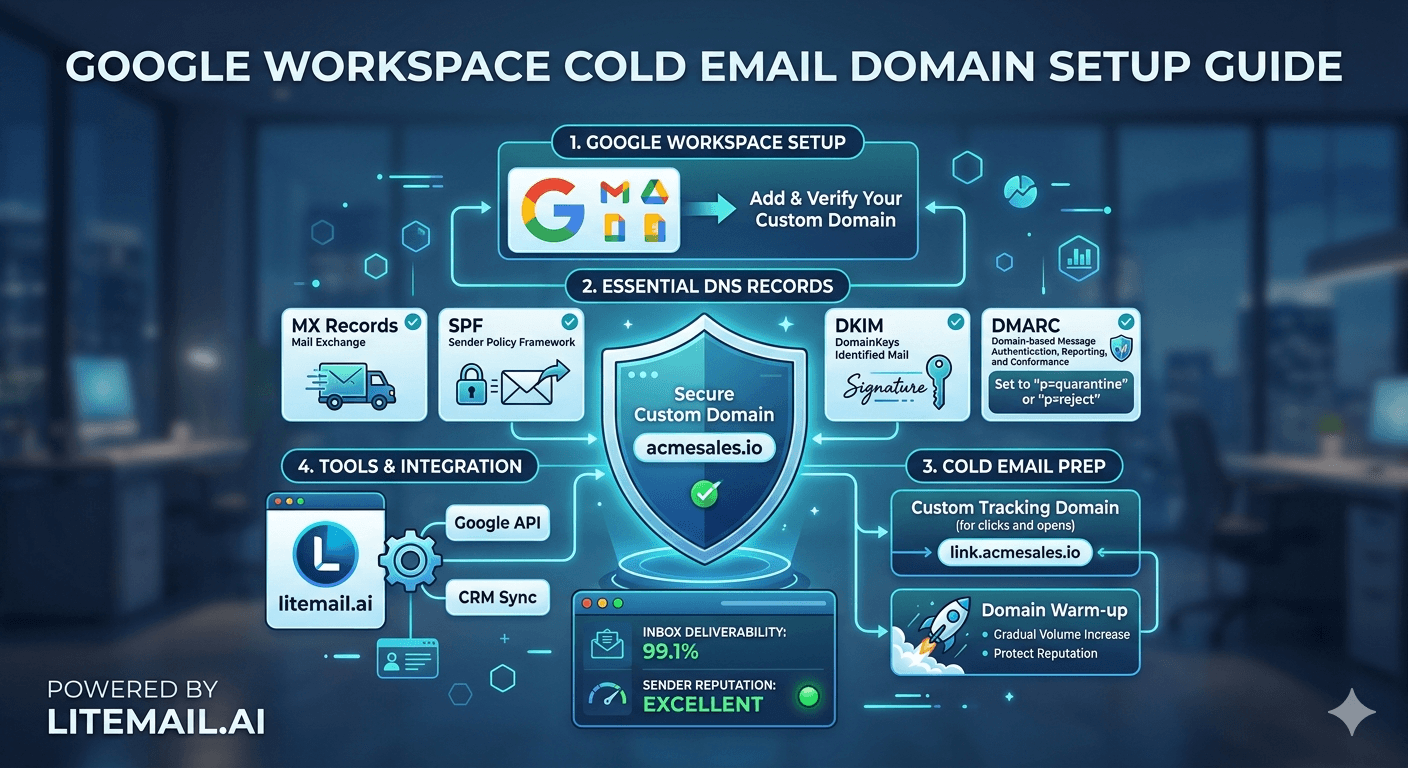
A digital marketing agency running cold outreach for 12 clients doesn't have 3 weeks to wait for each new client's inbox to warm up. That's 36 weeks of warmup time sitting between your agency and 12 active campaigns. The pre-warmed inbox model exists precisely to solve this — and for agencies specifically, it changes the unit economics of client onboarding in ways most haven't calculated yet.
💡 TL;DR
A pre-warmed inbox for digital marketing agencies means you can onboard a new client and start sending cold outreach in 48 hours instead of 14–21 days. Litemail provides pre-warmed inboxes at $4.99 per inbox per month — the lowest available price — with SPF, DKIM, and DMARC pre-configured, 94–96% inbox placement from day one, and US and EU dedicated IPs with clean sending history. For an agency managing 10 clients across 30 inboxes, that's $149.70 per month in infrastructure costs with no warmup delay. By the end of this, you'll know exactly how to structure inbox provisioning across a client portfolio without burning domains or wasting onboarding time.
Why Standard Inbox Warmup Breaks at Agency Scale
Solo senders can manage a 21-day warmup. They have one inbox, one campaign, one timeline. Agencies have none of that simplicity. When you're managing 8, 12, or 20 clients simultaneously, standard warmup creates a bottleneck that compounds with every new account.
Here's what the math looks like for a 10-client agency using standard warmup:
New client onboarded: domain registered, Workspace account created, warmup started
Days 1–21: inbox in warmup, client can't send any outreach yet
If 3 clients onboard in the same month: 21-day delays running in parallel, but any client who wants to start immediately is stuck waiting
Average warmup time across 10 clients in a year: over 200 days of combined warmup delays
That's campaign time you can't bill for and client patience you can't keep burning. Pre-warmed inboxes for digital marketing agencies eliminate this problem structurally.
What "Pre-Warmed" Actually Means (and What It Doesn't)
Here's the thing — "pre-warmed" is a marketing term that means different things from different providers. Before buying pre-warmed inboxes for your agency, know exactly what you're getting.
Feature | Real Pre-Warmed Inbox | "Pre-Warmed" in Name Only |
|---|---|---|
Authentication | SPF, DKIM, DMARC pre-configured on delivery | You configure it yourself after purchase |
Sending history | Established history with positive engagement signals | New inbox with a warmup period still required |
IP reputation | Dedicated IP with clean, verified history | Shared IP — reputation from other senders included |
Time to first send | 48 hours or less | 7–14 days minimum |
Inbox placement on day one | 94–96% | 60–80% |
Postmaster verification | Included — reputation verified before delivery | Not included — you build it yourself |
Litemail's pre-warmed inboxes are available in Google Workspace and Microsoft 365 — the two platforms that digital marketing agencies and their clients actually use. Authentication is pre-configured. Dedicated IPs are US and EU based with clean sending history. Postmaster-verified reputation within 48 hours is standard. That's what "pre-warmed" should mean.
How to Structure Pre-Warmed Inboxes Across a Client Portfolio
The wrong way to manage inbox provisioning at agency scale: one domain per client, one inbox per domain, one person manually managing everything. That's how you end up with 12 different sending setups, inconsistent authentication configurations, and no ability to quickly replace a damaged inbox.
Here's the structure that actually scales:
Provision 2–3 sending domains per client. Never rely on a single domain. When one gets flagged, you need a backup that's already warmed and ready. Pre-warmed backup inboxes at $4.99 each mean this insurance costs almost nothing.
Assign 2–4 inboxes per active client campaign. Distribute sending volume across inboxes — 40–50 emails per inbox per day is the safe ceiling. For a client needing 300 sends per day, that's 6–8 inboxes running in rotation.
Create a master suppression list across all client inboxes. If a contact unsubscribes from one client's campaign, they should be suppressed across all campaigns running on your shared infrastructure. This prevents cross-campaign spam complaints.
Monitor Postmaster Tools for every sending domain weekly. Set up a shared Postmaster Tools dashboard and review spam rate, domain reputation, and authentication results every Monday. Catch problems before they compound.
Replace damaged inboxes immediately — don't try to repair them. If a sending domain's reputation drops to "Low" in Postmaster Tools, stop sending on it and activate a pre-warmed replacement. Recovery takes 3–6 months. Replacement takes 48 hours.
The Agency Economics of Pre-Warmed Outreach Inboxes
Most digital marketing agencies calculate the cost of pre-warmed inboxes against the cost of the inbox itself. That's the wrong comparison. The right comparison is the cost of the inbox vs the cost of a delayed campaign start.
A client paying $3,000 per month for managed cold outreach services generates $100 per day in agency revenue. A 21-day warmup delay = $2,100 in billable campaign days lost or delayed. One month of Litemail pre-warmed inboxes for that client (5 inboxes at $4.99 each) = $24.95. The ROI calculation is not close.
Honestly — the infrastructure cost is not the budget conversation agencies should be having with clients. It's a cost of delivery, like the time you spend on list building or sequence setup. Build it into your service pricing and stop treating it as optional.
[INTERNAL LINK: cold email agency client onboarding → /cold-email-agency-client-onboarding-guide]
[INTERNAL LINK: cold email infrastructure setup → /cold-email-infrastructure-setup]
3 Inbox Management Mistakes Digital Marketing Agencies Make
These aren't beginner mistakes. They show up at agencies managing 10+ clients with established processes. Check your current setup against each one.
❌
Reusing a damaged inbox instead of replacing it
When an inbox gets spam-flagged, agencies often try to "cool it down" by reducing send volume and waiting. In practice, a domain that hits "Low" reputation in Google Postmaster Tools takes 3–6 months to recover meaningful reputation. The smart move: pause the domain, activate a pre-warmed replacement, and let the damaged domain recover passively. Time is the only cure — and you can't afford to wait during an active client campaign.
❌
Using the same inbox for warmup sends and campaign sends simultaneously
Warmup tools generate artificial engagement signals — replies from seed addresses, positive interactions. Mixing real campaign sends into a warmup phase confuses the signal. Keep inboxes in warmup-only mode until warmup is complete, then switch to campaign-only mode. Don't run both at the same time on the same inbox.
❌
Not monitoring spam complaint rate per sending domain
At agency scale, it's easy to set campaigns live and check in monthly. But spam rate above 0.08% triggers Gmail throttling and above 0.3% triggers domain blocks — and both happen quietly, without an obvious warning. Set up weekly Postmaster Tools checks for every active sending domain. A Friday review that catches a 0.11% spam rate prevents a Monday morning crisis.
[INTERNAL LINK: Google Postmaster Tools monitoring → /google-postmaster-tools-guide]
[EXTERNAL LINK: HubSpot Email Marketing Benchmarks 2025 → hubspot.com/marketing-statistics]
Key Takeaways
Pre-warmed inboxes cut digital marketing agency client onboarding from 14–21 days to 48 hours — eliminating the warmup bottleneck that blocks campaign starts at scale.
True pre-warmed means: SPF, DKIM, DMARC pre-configured, dedicated IP with clean history, 94–96% inbox placement from day one, and Postmaster-verified reputation — not just a newer inbox.
Litemail's pre-warmed inboxes cost $4.99 per inbox per month — for a 30-inbox agency portfolio, that's $149.70 per month with no warmup delay and authentication handled.
Provision 2–3 sending domains per client and 2–4 inboxes per active campaign — this distributes risk and ensures you have warmed backups when a domain needs replacement.
Replace damaged sending domains immediately (48-hour replacement) rather than waiting 3–6 months for reputation recovery — pre-warmed backups make this practical and affordable.
Keep spam rate under 0.08% per sending domain — check Postmaster Tools weekly for every active campaign domain, not monthly.
The economics are clear: one pre-warmed inbox at $4.99 vs $2,100+ in delayed billable campaign days — build infrastructure costs into your service pricing.
Frequently Asked Questions
What is a pre-warmed inbox and why do digital marketing agencies need it?
A pre-warmed inbox is an email account that already has established sending history, positive engagement signals, and verified domain reputation before you use it for outreach. Digital marketing agencies need pre-warmed inboxes because standard inbox warmup takes 14–21 days per new client — which creates a compounding delay when managing multiple client campaigns simultaneously. Pre-warmed inboxes eliminate that waiting period and let agencies start sending within 48 hours of client onboarding.
How much do pre-warmed inboxes cost for agencies?
Litemail provides pre-warmed inboxes at $4.99 per inbox per month — the lowest pre-warmed price available. For an agency managing 30 inboxes across 10 clients, that's $149.70 per month. This includes SPF, DKIM, and DMARC pre-configured, dedicated IP addresses with clean sending history, and Postmaster-verified reputation within 48 hours. The cost is a fraction of what delayed campaign starts cost in billable time.
How many inboxes does a digital marketing agency need per client?
A standard agency client running 200–300 sends per day needs 4–8 inboxes (at 40–50 sends per inbox per day). Provision 2–3 backup inboxes per client beyond the active campaign inboxes — these serve as ready replacements if a sending domain gets damaged. Two sending domains minimum per client ensures continuity if one domain needs to be paused for reputation repair.
Can pre-warmed inboxes be used in Google Workspace and Microsoft 365?
Yes — Litemail's pre-warmed inboxes are available in both Google Workspace and Microsoft 365. The choice depends on your client's industry and their target prospect's email provider. Google Workspace tends to perform better for Gmail-heavy prospect lists. Microsoft 365 has an edge in finance, legal, and enterprise sectors where Outlook usage is dominant. Many agencies run both platforms and route sends by prospect domain.
What happens when a pre-warmed inbox's reputation gets damaged?
If a sending domain drops to "Low" reputation in Google Postmaster Tools, stop sending on it immediately and activate a pre-warmed replacement. Don't try to repair it while continuing to send — that compounds the damage. Let the damaged domain recover passively over 3–6 months while your campaigns continue uninterrupted on the replacement inbox. At $4.99 per inbox, keeping replacement inboxes on standby is cost-effective insurance.
Do I still need to warm up a pre-warmed inbox?
A genuinely pre-warmed inbox with existing sending history and verified reputation requires no additional warmup before use. You can start sending at a sustainable volume (40–50 emails per day) within 48 hours of activation. However, avoid jumping immediately to maximum volume even on a pre-warmed inbox — ramp up over 5–7 days as a precaution and monitor Postmaster Tools during the first week of active sending.
What's the difference between a pre-warmed inbox and a shared inbox provider?
Pre-warmed inboxes use dedicated IPs with clean sending history specific to your domain. Shared inbox providers put multiple senders on the same IP — which means another sender's spam complaints can damage your deliverability even if your campaigns are clean. Dedicated IPs isolate your reputation entirely. For agencies where client reputation is on the line, dedicated IP infrastructure is not optional.
How should digital marketing agencies price inbox infrastructure for clients?
Build inbox infrastructure costs into your service pricing rather than billing them as a separate line item. A client paying $3,000 per month for managed outreach should absorb $25–50 in infrastructure costs within that fee — it's a cost of delivery, not an add-on. Agencies that itemise infrastructure separately often face pushback from clients who don't understand its value; agencies that build it in deliver better campaigns without the conversation.






