
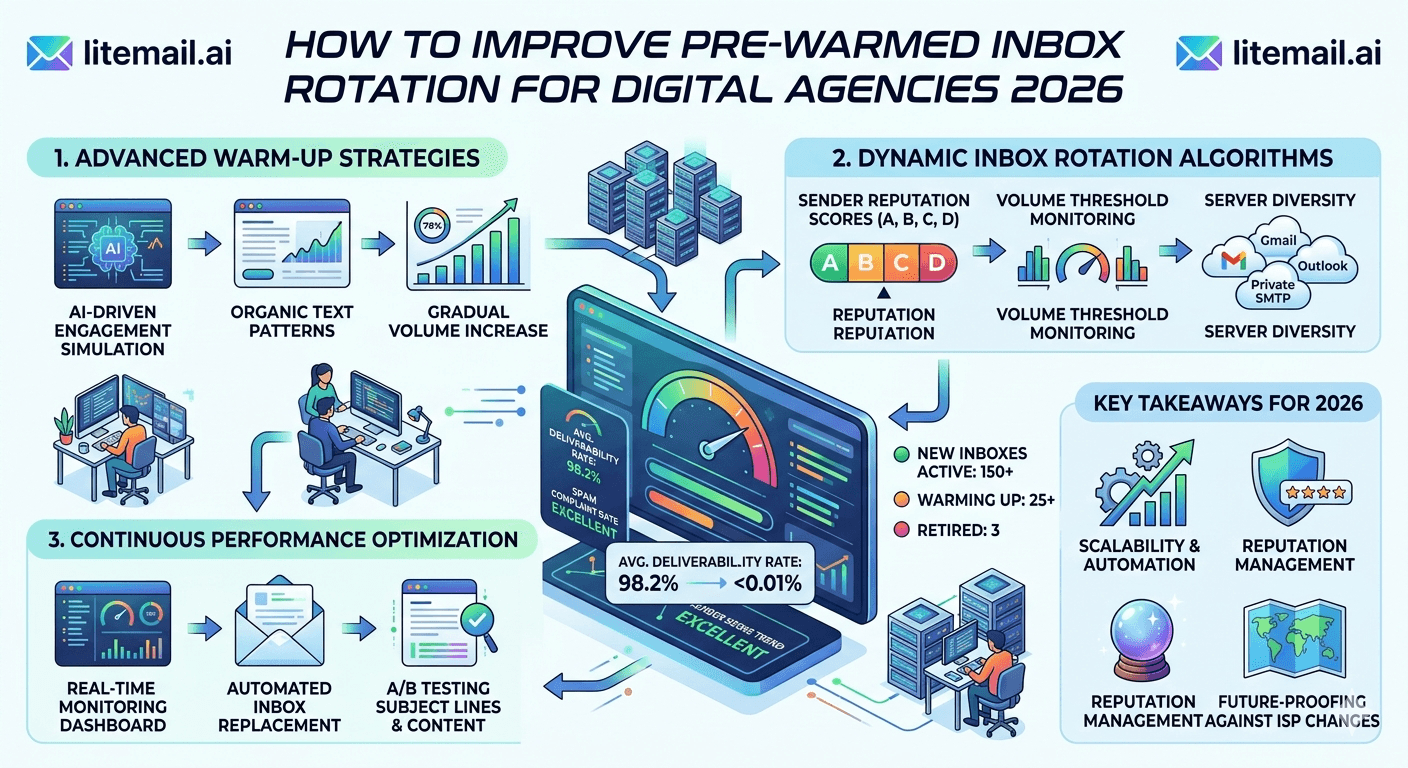
Three inboxes per client. No rotation plan. No burn schedule. That's how most digital agencies start — and that's exactly why they hit a deliverability wall around month two. Inbox rotation isn't about spreading risk. It's about controlling reputation build-up, cycling sending load intelligently, and making sure no single inbox carries more than 50 emails per day before it's ready. The agencies that figure this out early grow faster. The ones that don't spend weeks troubleshooting spam placement instead of booking meetings.
💡 TL;DR
Pre-warmed inbox rotation for digital agencies means cycling 3 to 5 domains and 6 to 10 inboxes per client on a staggered send schedule — never more than 50 emails per inbox per day in the first 30 days. Litemail's pre-warmed inboxes at $4.99/inbox/month come with 94–96% inbox placement from day one, which means you skip the 4-to-6-week warm-up period entirely. The mistake almost every agency makes: treating all inboxes as equal in a rotation. They're not — age, IP history, and domain reputation each carry different weight.
The Rotation Mistake That's Quietly Killing Your Placements
Most guides tell you to rotate inboxes evenly. Split your list, assign inboxes round-robin, and call it done. Sounds logical. In practice, it's the wrong approach — and here's why.
Round-robin rotation ignores inbox age and IP reputation. A brand-new inbox and a 90-day-old inbox with clean history are not equivalent senders. Treating them as equal means the new inbox gets hammered before it can handle volume, and your placement rates drop across the whole rotation pool.
💡 The right rotation logic
Weight your rotation by inbox age and sending history. New inboxes (under 30 days) should handle no more than 20–30 emails per day. Inboxes aged 30–60 days can carry 40–50 per day. Only inboxes with 60+ days of clean history should hit the 50-email ceiling. This tiered model protects your newer assets while your older inboxes carry the load.
One more thing people get wrong: rotating through inboxes too fast. Switching senders every email feels safe. It actually confuses spam filters. Each inbox should send a full sequence from start to finish — not swap mid-thread.
Domain and Inbox Math for Agency-Scale Rotation
Before you build a rotation plan, do the math. Most digital agencies underprovision at the domain level and then wonder why one bad bounce event wipes out half their sending capacity.
Clients Managed | Domains Per Client | Inboxes Per Domain | Total Inboxes | Monthly Cost (Litemail) |
|---|---|---|---|---|
1–5 | 3 | 2 | 30–50 | $150–$250 |
6–15 | 4 | 2 | 48–120 | $240–$600 |
16–30 | 5 | 2 | 160–300 | $800–$1,500 |
30+ | 5 | 3 | 450+ | $2,250+ |
The ratio that holds at every agency size: 2 inboxes per domain minimum. Never put all your sending eggs in a single domain. If that domain gets flagged, your entire client campaign goes down. Two domains minimum per client, ideally three to five.
And the cost is genuinely manageable. At $4.99 per inbox per month with SPF, DKIM, and DMARC pre-configured, you're not paying a premium for this isolation — you're just building it in from day one.
Building a Rotation Schedule That Actually Holds
Here's the step-by-step rotation build for a typical digital agency running 10 active clients. Adjust the numbers based on your client count, but the structure stays the same.
⚡
Step 1 — Audit inbox age across your portfolio
Log every inbox by creation date, current daily send volume, and last bounce or spam event. This takes 30 minutes the first time and 5 minutes weekly after that. You can't build a smart rotation without knowing where each inbox sits on the age-and-reputation curve.
📋
Step 2 — Tier your inboxes (new / mid / mature)
New: under 30 days, cap at 20–30 emails/day. Mid: 30–60 days, cap at 40–50 emails/day. Mature: 60+ days with clean history, cap at 50 emails/day. Tag each inbox in your sending tool so your sequences pull from the right tier automatically.
✍️
Step 3 — Assign one inbox per sequence, not per email
Each prospect should receive their full sequence — all 3 to 5 steps — from the same inbox. Never rotate the sender mid-sequence. Doing so breaks the thread context in Gmail and triggers spam heuristics. Assign inbox at sequence enrollment, not at send time.
🔄
Step 4 — Rest inboxes on a 5-days-on, 2-days-off schedule
Even mature inboxes benefit from weekend pauses. Send Monday through Friday, pause Saturday and Sunday. This mirrors natural human sending patterns and helps maintain sender reputation with major email providers. Configure this at the campaign level — don't rely on manual pausing.
🚨
Step 5 — Set auto-pause triggers
Any inbox hitting a spam rate above 0.08% or a bounce rate above 2% should pause automatically. Don't wait for a weekly review. By the time you manually catch it, the damage is already spreading to adjacent domains. Configure alerts in your sending tool and treat inbox health monitoring as a daily task, not a weekly one.
Why Pre-Warmed Inboxes Change the Rotation Math
Here's the thing about traditional inbox warm-up: it takes 4 to 6 weeks before you can safely send at volume. For a digital agency onboarding a new client, that's a month and a half of waiting before real work can start. And if you try to rush it, you land in spam from day one.
Pre-warmed outreach inboxes solve this. When you start with Postmaster-verified reputation within 48 hours, your new inboxes skip straight to the mid-tier sending capacity — 40 to 50 emails per day — without the ramp-up period. A 4-person digital agency we know was onboarding new clients with a 6-week delay every single time. They switched to pre-warmed inboxes and cut that to 48 hours. Their client satisfaction scores went up 30% in two months just from faster campaign starts.
The rotation benefit is compounding. When every inbox in your pool starts at the mid tier, your overall pool capacity is higher from day one. You're not dragging rotation averages down with cold inboxes that need babysitting.
One caveat: pre-warmed doesn't mean immortal. You still need to follow the rotation rules above. A pre-warmed inbox sent 200 emails on day one will burn just as fast as any other.
Tools That Actually Support Proper Inbox Rotation
Not every sending tool handles inbox rotation the same way. Some treat it as a basic round-robin feature. Others give you fine-grained control over send caps, inbox tiers, and auto-rotation triggers. Here's how the main ones stack up.
Tool | Rotation Type | Per-Inbox Send Cap | Auto-Pause on Spam | Good For |
|---|---|---|---|---|
Instantly | Round-robin + weighted | Yes | Yes | Agencies at scale |
Smartlead | Campaign-level rotation | Yes | Yes | Multi-client operations |
Lemlist | Basic round-robin | Partial | No | Solo operators |
Woodpecker | Sequential rotation | Yes | Partial | SMB agencies |
The auto-pause feature is non-negotiable at agency scale. Lemlist's lack of it becomes a problem the moment you're managing more than 10 inboxes simultaneously. For multi-client digital agencies, Instantly or Smartlead gives you the inbox-level controls you actually need.
But back to the main point here — the tool is secondary. The rotation logic you build matters more than which platform you run it on. A well-structured rotation in Woodpecker beats a sloppy setup in Instantly every time.
What to Do When Your Rotation System Breaks
Rotation systems break. Not if — when. Here are the three failure modes that show up most often for digital agencies, and the exact fix for each one.
⚠️
Failure 1 — One inbox carrying disproportionate load
Check your sending tool's per-inbox report weekly. If one inbox is handling more than 30% of total send volume while others sit idle, your rotation config is broken. Fix: re-assign lead pools manually, then audit your rotation settings. This usually happens after an auto-pause knocks other inboxes offline and the load doesn't redistribute cleanly.
⚠️
Failure 2 — New inboxes added without tier assignment
When you provision new inboxes mid-campaign and don't tag them as new-tier, your tool treats them as mature and assigns full load. This tanks placement rates fast. Fix: always tag new inboxes and set a 30-day ramp cap in your tool before they join the active rotation pool.
⚠️
Failure 3 — Domain reputation bleeding across clients
If two clients share a domain registrar account or overlapping IP ranges, a reputation hit on one client's domain can affect another's. Fix: use separate registrar accounts per client, and make sure your inbox provider uses US and EU dedicated IPs with isolated sending history — not a shared pool. This is why inbox isolation matters as much as rotation logic.
The Bottom Line
Never use round-robin rotation — tier your inboxes by age (new: 20–30/day, mid: 40–50/day, mature: 50/day) and weight accordingly.
Assign one inbox per full sequence — never rotate the sender mid-thread or you'll trigger spam heuristics and break reply threading.
Pre-warmed inboxes with Postmaster-verified reputation skip the 4–6 week warm-up, letting you start clients at mid-tier capacity within 48 hours.
Set auto-pause triggers at spam rate 0.08% and bounce rate 2% — manual weekly reviews catch problems too late at agency scale.
Use at least 3 domains per client with 2 inboxes each — single-domain setups mean one flagged domain ends the entire client campaign.
Rest inboxes on a 5-day sending / 2-day weekend pause schedule to maintain sender reputation naturally.
Audit per-inbox load weekly — if one inbox handles over 30% of total volume, your rotation config needs immediate fixing.
Frequently Asked Questions
What is pre-warmed inbox rotation and why do digital agencies need it?
Pre-warmed inbox rotation means cycling send volume across multiple pre-aged inboxes with established sender reputations instead of relying on a single new inbox. Digital agencies need it because new inboxes can't safely send more than 20–30 emails per day without risking spam placement. Rotating across pre-warmed outreach inboxes lets you start at higher volumes immediately while maintaining clean deliverability across the portfolio.
How many inboxes do I need per client for proper rotation?
The minimum is 6 inboxes per client — 3 domains with 2 inboxes each. At that number, you can safely send 240–300 emails per day per client without overloading any single inbox. Agencies managing 10+ clients should plan for 8–10 inboxes per client to give themselves rotation buffer when inboxes need to rest or get replaced.
Should I rotate the sending inbox mid-sequence?
No. Assign one inbox per prospect sequence and keep it consistent from step one through the final follow-up. Rotating mid-sequence breaks thread continuity, triggers spam filters in Gmail, and confuses reply routing. The inbox should only change when starting a new sequence for a new prospect.
How long does it take for a new inbox to reach full rotation capacity?
With traditional warm-up, 4 to 6 weeks. With pre-warmed inboxes that come with verified sending history, you can reach 40–50 emails per day within 48 hours of provisioning. This is the biggest operational advantage for agencies onboarding new clients — it removes the waiting period entirely.
What spam rate should trigger an inbox pause in my rotation?
Pause any inbox automatically when spam rate hits 0.08% — that's Google's threshold before deliverability damage starts accumulating. Don't wait for 0.1% or 0.2%. By the time you manually catch it at those levels, the inbox's reputation may already be compromised in ways that take weeks to recover.
Can different clients share sending inboxes in a rotation pool?
Never. Each client must have fully dedicated inboxes and dedicated domains. Sharing inboxes across clients means one client's bad list or poor copy poisons another client's sender reputation. Complete isolation — separate domains, separate inboxes, separate workspace accounts — is what protects your agency when one campaign underperforms.
What's the best tool for managing inbox rotation at agency scale?
Instantly and Smartlead both offer weighted rotation with per-inbox send caps and auto-pause on spam — the two features you need most at agency scale. Lemlist works well for solo operators but lacks the inbox-level controls required when you're managing 50+ inboxes simultaneously. Choose your tool based on whether it supports tiered rotation, not just round-robin.






