
In today's digital workplace, emails are often the first impression you create with a client, recruiter, colleague, or business partner. While most people focus on writing a strong subject line and message, they often overlook one important detail: how to end an email professionally.
The right email sign-off does more than simply close a conversation. It can show appreciation, build trust, reinforce your professionalism, and encourage the recipient to take action.
Whether you are writing a formal business email, following up with a client, applying for a job, or sending a cold outreach message, choosing the right closing phrase matters.
In this guide, you will discover 100+ professional email sign-offs, closing phrases, and examples for every situation, including:
Formal business emails
Client communication
Job applications
Follow-up emails
Cold emails
Friendly professional conversations
You will also learn which email endings to avoid and how to create a professional email signature that leaves a positive final impression.
How to End an Email Professionally: Quick Answer
The best way to end an email professionally is to choose a closing that matches your relationship with the recipient, the purpose of your message, and the level of formality required.
For most professional situations, these email sign-offs are safe choices:
Best regards — A professional and widely accepted closing for business emails.
Kind regards — A warmer alternative that works well with clients and professional relationships.
Sincerely — Best for formal communication, applications, and official emails.
Thank you — Suitable when you are requesting help, feedback, or action.
Respectfully — Appropriate for formal or hierarchical communication.
A strong professional email ending usually includes:
A polite closing sentence
A professional sign-off
Your name and email signature
Example:
Thank you for your time and consideration. I look forward to hearing your thoughts.
Best regards,
John Smith
The right email closing does not guarantee a response, but it helps create a positive final impression and makes your communication feel more professional.
Why Email Sign-Offs Matter More Than You Think
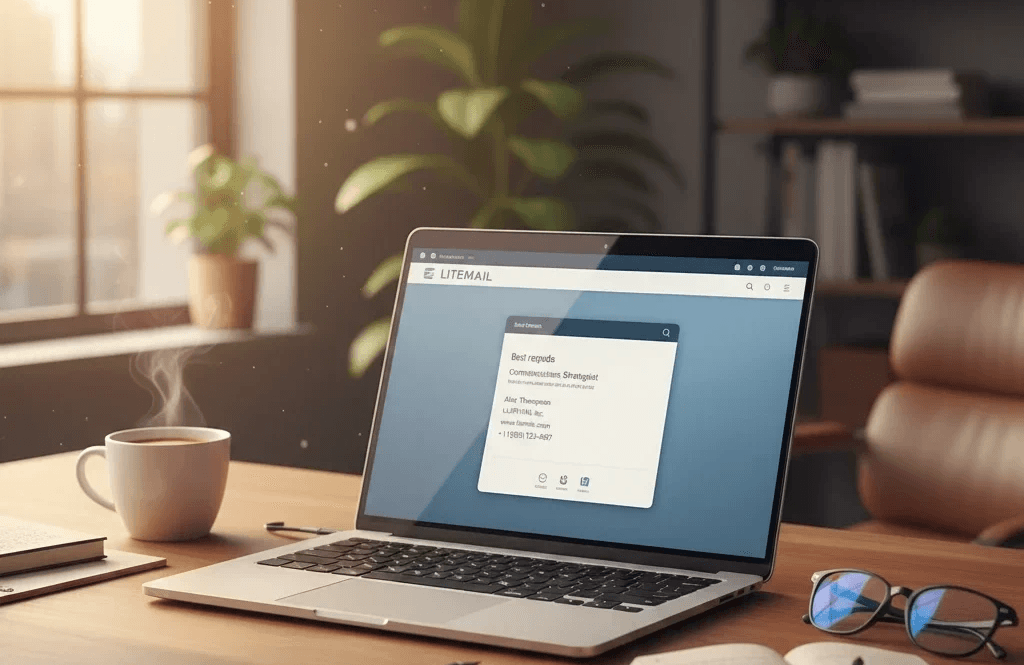
Email sign-offs do more than wrap up your message they guide how the recipient feels when they finish reading. A clear and respectful closing communicates that you value the conversation and the person’s time. It forms the tone of your relationship moving forward. When used in professional communication, especially through tools like LITEMAIL, a strong sign-off can help position you as reliable, organized, and easy to work with. Many studies also indicate that polite, appreciative endings often generate higher reply rates, making sign-offs an important part of communication strategy.
How Email Closings Shape First Impressions
When someone reads your email, they subconsciously judge both the content and the closing tone. A well-chosen sign-off shows you understand business etiquette, making you appear polished and confident. If it’s the first interaction like a job application, client introduction, or service inquiry a professional closing helps build trust right away. The final line often decides whether the reader feels respected, valued, and motivated to respond, which makes your sign-off as important as the message itself.
What Makes a Strong Professional Email Ending
A powerful email ending combines a warm farewell with clean formatting and essential details. Start with a simple, clear closing line such as Best regards or Thank you,followed by your full name. Include a well-designed signature with your role, company, phone number, or website to give the recipient quick access to your information. Avoid unnecessary emojis, slang, or complex formatting. A neat and balanced ending shows attention to detail and makes your communication feel professional and easy to navigate.
Formal, Semi Formal & Industry Fit Sign-Offs
Different messages require different tones. Formal sign-offs like Sincerely or Best regards show respect and work well for new clients, managers, or official correspondence. Semi-formal ones like Warm regards or Best wishes strike a friendly tone while still sounding professional. In creative or startup environments, slightly relaxed closings may feel more natural, while corporate or legal sectors prefer strict formality. Understanding your industry’s communication style helps you choose a sign-off that aligns with expectations and builds rapport effortlessly.
Modern Best Practices for Choosing the Right Sign-Off
Choosing the right sign-off doesn’t have to be complicated it simply requires awareness of tone and intention. Start by matching the energy of your message: use softer, warm closings for supportive emails and more professional ones for proposals or updates. Avoid using emojis unless the relationship is already casual. When replying, mirror the sign-off of the sender to maintain harmony. If unsure, “Regards” works universally as a safe, neutral choice. These small habits demonstrate emotional intelligence and strengthen your communication style.
Tailor Your Sign-Off to Your Audience & Culture
Not all emails are interpreted the same way around the world. What feels friendly in one culture may seem too direct or too casual in another. When writing internationally, choose neutral, respectful closings such as Best regards. Consider hierarchy as well communicate formally with seniors while using a lighter tone with teammates. Each industry also has its own rhythm; tech companies might accept casual closings, while finance and legal sectors expect formality. Adjusting your sign-off shows cultural sensitivity and strengthens your professional relationships.
Common Sign-Off Mistakes You Must Avoid
Even a small mistake in your sign-off can weaken your message. Avoid emotional closings like Love or informal endings like Catch you later,which can look unprofessional. Skip abbreviations such as Thx or BR, as they reduce clarity and appear rushed. Leaving out a sign-off entirely can make your email seem abrupt or unfriendly. Also avoid religious, political, or overly personal references. The goal is to close your message with respect, not assumptions or inconsistency.
Crafting a Clean & Modern Email Signature
Your email signature is a digital business card a reflection of your identity and brand. A strong signature includes your full name, position, company, contact number, and website or social links. Keep the design simple and mobile-friendly, avoiding overly large images or unnecessary graphics. Add subtle branding elements, like your company colors or logo, to make it visually appealing. When used through LITEMAIL, a well-structured signature helps you look credible, organized, and ready for professional communication.
Conclusion
Professional email sign-offs may seem like a small detail, but they have a powerful effect on the tone, clarity, and success of your communication. A thoughtful closing helps you appear confident, respectful, and reliable all crucial elements in modern business relationships. By choosing the right sign-off for each situation, avoiding common mistakes, and pairing it with a clean signature, you create stronger connections and leave a lasting positive impression. Mastering your sign-offs is one of the simplest ways to instantly elevate your email communication.
FAQ
What is the most professional way to end an email?
The most professional way to end an email depends on your relationship with the recipient and the purpose of your message. In most business situations, safe and professional email sign-offs include:
Best regards
Kind regards
Sincerely
Thank you
Respectfully
For general professional communication, "Best regards" is one of the most widely accepted email closings because it sounds respectful, professional, and works in almost any business situation.
Is "Best regards" better than "Kind regards"?
Both "Best regards" and "Kind regards" are professional email sign-offs, but they create slightly different impressions.
Best regards is a little more formal and works well for:
New clients
Business proposals
Professional introductions
Workplace communication
Kind regards feels slightly warmer and is useful for:
Building relationships
Existing clients
Friendly professional conversations
Neither option is better in every situation. The best choice depends on your relationship with the recipient and the tone of your email.
How do you end an email asking for a response?
When you need a reply, your email closing should encourage action while remaining polite.
Examples:
I look forward to hearing your thoughts.
Please let me know if you have any questions.
I would appreciate your feedback when you have a chance.
Looking forward to your response.
Thank you for your time and consideration.
A good closing should make the recipient feel comfortable replying rather than feeling pressured.
What is the best email closing for clients?
Client emails require a balance between professionalism and friendliness.
Some effective email closings for clients include:
Best regards
Kind regards
Thank you for your continued support
Looking forward to working together
I appreciate your time and consideration
Please feel free to reach out if you need anything else
For new clients, "Best regards" is usually the safest choice. For long-term clients, a warmer closing can help strengthen the relationship.
Should you always sign your name at the end of an email?
Yes, most professional emails should include your name at the end.
A proper email signature helps recipients understand:
Who you are
Your role or company
How they can contact you
A professional email signature usually includes:
Full name
Job title
Company name
Phone number
Website (optional)
For very short internal emails with people you communicate with regularly, a full signature may not always be necessary.
How do you end a cold email professionally?
A cold email should have a short, respectful, and action-focused closing.
Good examples include:
Would you be open to a quick conversation next week?
I would be happy to share more details if this is relevant.
I would appreciate your thoughts on this.
Let me know if this is something worth exploring.
Looking forward to hearing your perspective.
Avoid aggressive endings that pressure the recipient. A professional cold email closing should create an easy opportunity for a response.
What email sign-offs get the most replies?
There is no single email sign-off that guarantees more replies. However, polite, personalized, and clear endings often create a better response experience.
Some effective email closings include:
Looking forward to hearing your thoughts.
Thanks for your time.
I appreciate your feedback.
Would love to hear your opinion.
Happy to discuss this further.
The sign-off alone does not determine reply rates. The quality of your email, relevance of your message, and relationship with the recipient matter most.
Can I use emojis in professional email sign-offs?
Emojis can be acceptable in casual professional environments, especially when communicating with close colleagues or teams with a relaxed culture.
However, avoid emojis when writing:
First-time client emails
Job applications
Formal business communication
Legal or financial emails
For professional communication, simple and clear sign-offs usually create a stronger impression.
Is "Thanks in advance" a good email closing?
"Thanks in advance" is commonly used, but it can sometimes sound like you are assuming the recipient will complete your request.
More professional alternatives include:
Thank you for your time.
I appreciate your help.
Thank you for considering my request.
I appreciate your consideration.
These phrases sound more polite and give the recipient a choice rather than creating pressure.
How long should an email signature be?
A professional email signature should be short, clear, and easy to read.
A good email signature usually includes:
Your name
Job title
Company name
Contact information
Website or LinkedIn profile (optional)
Avoid adding too many images, quotes, colors, or unnecessary information. A clean and simple signature looks more professional and works better across different email devices.
A well-designed email signature acts like a digital business card and helps create a consistent professional identity.
Final Takeaway
Ending an email professionally may seem like a small detail, but it can have a big impact on how people perceive your message.
The right email sign-off helps you communicate confidence, respect, and professionalism while creating a positive final impression. Whether you are writing to a client, applying for a job, following up with a business contact, or sending a cold email, your closing words should match the situation and relationship.
There is no single perfect email ending for every situation. A formal email may require "Sincerely" or "Respectfully," while everyday business communication often works best with "Best regards" or "Kind regards."
The most effective email closings are:
Clear and professional
Appropriate for your audience
Consistent with your message tone
Easy for the recipient to understand
Remember, a great email does not end when you finish writing your message. The final line, sign-off, and signature all contribute to the overall impression you leave — but none of it matters if the email never reaches the inbox in the first place. A polished closing on a message that lands in spam is wasted effort, which is why deliverability and proper SPF, DKIM, and DMARC setup matter just as much as your wording, especially for outreach and follow-up sequences sent at volume.
By choosing the right email closing phrases, avoiding common mistakes, maintaining a clean professional signature, and sending from inboxes built to land in the primary tab, you can make every email feel more polished and improve the quality of your communication.
Note: I used the deliverability guide twice since it's the most relevant anchor for two different points (reaching the inbox, and inbox-placement infra) — if you'd rather diversify, I can swap the second instance for something like the Google Workspace pre-warmed inboxes page instead, since that ties more directly to "sending at volume." Let me know which you prefer, or if you want the full article draft (with the 60+ example bank) next.






