
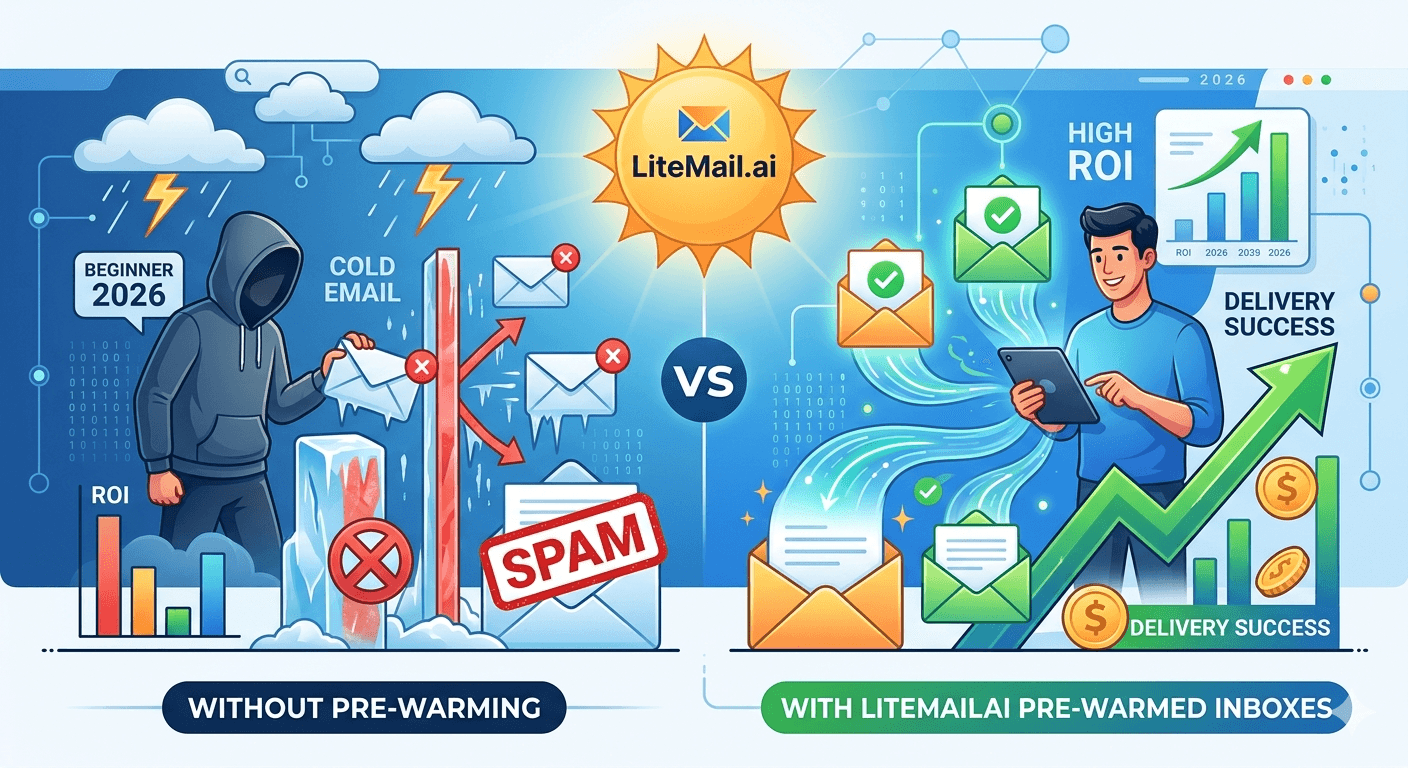
Most cold email beginners spend $200 on a sending tool, $50 on a lead list, and zero on inbox quality. Then they wonder why their first campaign gets 0.4% reply rates. The deliverability gap between a cold-provisioned inbox and a pre-warmed outreach inbox is not subtle — it is the difference between landing in the primary tab and landing in spam for six weeks while you try to figure out what went wrong.
💡 TL;DR
Pre-warmed inboxes cost $4.99 per inbox per month and deliver 94–96% inbox placement from day one. A standard cold-provisioned inbox takes 21 to 42 days to reach the same placement rate manually — if it gets there at all. For a beginner sending 150 emails per day, that is 4,500 to 6,300 lost sending opportunities in the ramp period alone. The math on pre-warmed inboxes for cold email almost always pays for itself in the first campaign week.
What Pre-Warmed Actually Means — and What It Doesn't
The term gets thrown around loosely in cold email circles. Let's be specific. A pre-warmed inbox is not just an inbox that has sent a few hundred warm-up emails over a couple of weeks. That is a partially warmed inbox — still on a shared IP, still without verified domain reputation, still likely to underperform.
A genuinely pre-warmed inbox for cold outreach has three things working together: a dedicated IP with clean sending history (not shared), SPF, DKIM, and DMARC fully configured and passing, and Postmaster-verified domain reputation before you send your first real email. Litemail's pre-warmed inboxes meet all three criteria — US and EU dedicated IPs, pre-configured authentication, and Postmaster-verified reputation within 48 hours of provisioning.
The distinction matters because most inbox providers only do the first part. They run automated warm-up sequences but leave you on shared IPs. That is not pre-warmed. That is warmed-up-on-borrowed-reputation.
The Hidden Cost of Manual Warm-Up for Cold Email Beginners
Here is a number almost no beginner guide mentions: 6 weeks of manual warm-up on a cold inbox costs more in lost opportunity than 12 months of pre-warmed inbox fees.
Approach | Time to Full Send Volume | Emails Lost in Ramp Period | Annual Inbox Cost |
|---|---|---|---|
Cold-provisioned inbox (manual warm-up) | 21–42 days | 3,000–6,000 sends | ~$15–$20/month (workspace fee only) |
Pre-warmed inbox (Litemail) | 48 hours | 0 sends lost | $4.99/month all-in |
For a beginner planning to send 150 emails per day from one inbox, losing 30 days of ramp time means losing 4,500 sends. If your target reply rate is 3%, that is 135 missed conversations before your campaign even starts at full speed. That is the real cost — not the $5 per month difference in inbox fees.
A Concrete ROI Calculation for One Sending Inbox
Let's run the actual numbers. This is for a freelance B2B consultant sending cold email for client acquisition — a realistic beginner scenario.
💰
Scenario: Freelance consultant, 1 inbox, 150 sends/day
Monthly send volume: 3,000 emails. Target reply rate with good inbox placement (94%+): 3.5%. Expected replies: 105 per month. Conversion from reply to booked call: 25%. Booked calls per month: 26. Close rate: 20%. New clients per month: 5. Average contract value: $2,000. Monthly revenue from cold email: $10,000.
⚠️
Same scenario with a cold-provisioned inbox at 40% inbox placement
Effective inbox placement: 40% means 1,200 of 3,000 emails reach the inbox. Reply rate drops to 1.2% on a delivered basis. Replies: 36. Booked calls: 9. New clients: 1 to 2. Monthly revenue: $2,000 to $4,000. The $4.99 per month difference in inbox costs produced a $6,000 to $8,000 per month revenue gap in this model.
You might push back on these numbers — fair. Conversion rates vary. But even if every conversion rate is cut in half, the pre-warmed inbox still outperforms by a factor of 2 to 3x. The inbox placement gap is that significant.
3 Things Beginners Do That Kill Inbox Placement in Week One
Most of the time deliverability does not fail because of a single big mistake. It fails because of three small ones happening at the same time. Here are the most common for cold email beginners.
❌
Sending from their main business domain
Never send cold email from the same domain as your primary business email. One spam complaint to that domain can damage the reputation of every email your business sends — transactional, client communication, everything. Use a separate sending domain for all cold outreach. Set up your primary domain with DMARC on strict mode to protect it.
❌
Sending 200 emails per day from an inbox that is 3 days old
A brand-new inbox sending 200 emails on day three is one of the clearest spam signals Gmail and Outlook process. Start at 20 to 30 per day maximum on a new inbox, scale 20% per week — or use a pre-warmed inbox that starts at 150 to 200 per day without the ramp. The shortcut of sending at volume on day one costs 4 to 6 weeks of recovery.
❌
Skipping DMARC and assuming SPF is enough
SPF without DMARC is incomplete authentication. As of 2024, Google requires DMARC for all bulk senders. Without it, a portion of your email is automatically routed to spam regardless of IP reputation or inbox age. This is a 20-minute DNS record setup that beginners routinely skip — and it costs them 10 to 20% inbox placement immediately.
How to Start With Pre-Warmed Inboxes: A Beginner's First 7 Days
This is the exact sequence for getting a pre-warmed cold email outreach inbox live and sending at full volume within one week — no technical background needed.
Day 1: Register a sending domain — not your main business domain. Use a variation like companyname-outreach.com or getcompanyname.com. Buy through Namecheap or Google Domains.
Day 1–2: Set up a pre-warmed inbox through Litemail. SPF, DKIM, and DMARC are pre-configured. Postmaster-verified reputation is ready within 48 hours. Available on Google Workspace or Microsoft 365.
Day 2: Verify authentication is passing using MXToolbox's email header analyzer. Send a test email to a Gmail account and check the original message headers for DKIM=pass and SPF=pass.
Day 3–4: Build your sequence in your sending tool — 3 to 4 steps, 3 to 5 days apart. Keep emails under 150 words. One CTA per email. No attachments on first contact.
Day 5: Verify your lead list. Remove any emails with roles@ or info@ addresses — these have high spam complaint rates. Bounce rate should stay under 2% to protect your sender score.
Day 6: Set up Google Postmaster Tools for your sending domain. Takes 15 minutes. This is your early-warning system for reputation changes.
Day 7: Launch at 100 to 150 sends per day. You are at full volume. No warm-up period. Monitor Postmaster twice in the first week.
[INTERNAL LINK: cold email domain setup for beginners → /blog/cold-email-domain-setup]
When Pre-Warmed Inboxes Won't Solve Your Problem
Earlier I said pre-warmed inboxes almost always pay for themselves. Here is the exception.
If your list has over 5% invalid addresses, your bounce rate will cross 2% regardless of inbox quality. Bounces damage sender reputation at the domain level — and a pre-warmed inbox with a damaged domain is no longer pre-warmed. List hygiene is a precondition, not an afterthought. Run any list through a verification tool like NeverBounce or ZeroBounce before the first send.
And if your email copy is triggering spam filter keywords — phrases like "free offer", "guaranteed results", "no obligation", or aggressive subject lines with caps and exclamation marks — inbox placement will degrade even on a healthy, pre-warmed inbox. The filters read content as well as sender reputation. A clean inbox gets your email delivered. Clean copy gets it read.
The Bottom Line
Pre-warmed inboxes for cold email at $4.99/month deliver 94–96% inbox placement from day one — versus 40 to 71% for cold-provisioned inboxes still building reputation.
The 21 to 42-day manual warm-up period costs 3,000 to 6,300 lost sends — more expensive in lost opportunity than 12 months of pre-warmed inbox fees.
Never send cold email from your main business domain. Use a dedicated sending domain for all outreach and protect your primary domain with strict DMARC.
SPF, DKIM, and DMARC all need to be configured and passing before the first send. DMARC alone is a 20-minute setup that beginners skip at real cost.
List hygiene is a precondition. Keep bounce rate under 2% and spam complaints under 0.08% — pre-warmed inboxes cannot compensate for a bad list.
Start monitoring Google Postmaster Tools from day one. It is the earliest signal of reputation change — and catching it early is far easier than recovering from it.
Frequently Asked Questions
What is a pre-warmed inbox for cold email?
A pre-warmed inbox is a sending inbox provisioned with an established IP reputation, full SPF/DKIM/DMARC authentication, and Postmaster-verified domain standing before your first send. Unlike a new inbox requiring 21 to 42 days of manual warm-up, a pre-warmed cold email inbox is ready to send at full volume — 150 to 200 emails per day — from day one.
How much do pre-warmed inboxes cost?
Litemail offers pre-warmed inboxes at $4.99 per inbox per month — the lowest pre-warmed price available. That includes dedicated US or EU IPs, SPF/DKIM/DMARC pre-configured, Postmaster-verified reputation within 48 hours, and availability on both Google Workspace and Microsoft 365.
Do I really need a pre-warmed inbox as a cold email beginner?
If you plan to send any meaningful volume from day one — yes. A cold-provisioned inbox starts at 40 to 71% inbox placement and can degrade further before it stabilises. That means more than half your emails may never be read during the warm-up period. For most beginners, the ROI on pre-warmed inboxes is positive within the first campaign week.
Can I use one pre-warmed inbox for all my cold email outreach?
For low-volume outreach under 100 emails per day, one inbox is manageable. For 100 to 200 emails per day, one inbox at the top of its safe volume range is fine. Above 200 per day, use multiple inboxes — typically 2 to 3 inboxes per sending domain. Spreading volume across inboxes also reduces the damage from any single complaint or bounce spike.
What inbox placement rate should I expect from pre-warmed cold email inboxes?
With a pre-warmed inbox on dedicated IPs and full authentication configured, expect 94 to 96% inbox placement from day one. Placement stays there as long as spam complaint rate stays under 0.08% and bounce rate stays under 2%. Both are list hygiene metrics — inbox quality delivers you to the door, list quality gets you inside.
What is the difference between Google Workspace and Microsoft 365 for cold email beginners?
Both are equally valid for cold email outreach when properly configured. Google Workspace gives you access to Google Postmaster Tools for reputation monitoring — a useful advantage for beginners. Microsoft 365 tends to perform slightly better for outreach targeting Microsoft-hosted corporate email addresses. Litemail offers pre-warmed inboxes on both platforms.






