
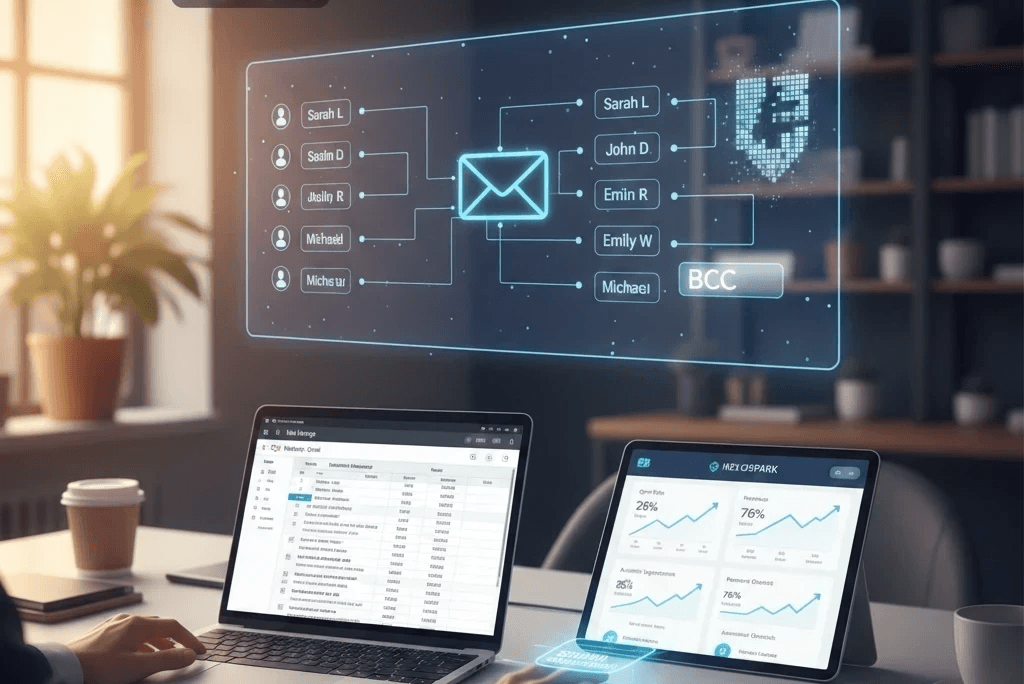
Sending the same email to 100 people shouldn’t mean writing it 100 times. But adding everyone to the To or CC field exposes their email addresses, while sending each message manually wastes time. So, how do you send one email to multiple recipients individually, without revealing their addresses or sacrificing personalization?
Whether you’re contacting potential clients, sending event invitations, sharing company updates, distributing resumes, or running sales outreach, the right method can save time and make every recipient’s experience more personal.
Fortunately, you have several options. BCC lets you hide recipients’ addresses in a group email, Gmail and Outlook mail merge features can create separate messages, and email automation tools help manage personalized outreach at scale. Each method has different advantages, limitations, and sending considerations.
In this guide, you’ll learn four ways to send emails to multiple recipients individually using BCC, Gmail Mail Merge, Outlook Mail Merge, and email automation tools. We’ll explain how each method works, walk you through the steps, and help you choose the right option based on your recipient list, personalization needs, and campaign goals. You’ll also learn how to protect recipient privacy and avoid common email-sending mistakes.
Understanding How Email Recipients Work
In today’s digital communication landscape, knowing how to properly address emails is essential. To send messages to multiple people effectively, you must understand the difference between direct and indirect addressing along with the sending limitations of different email platforms.
Direct vs.Indirect Email Addressing
Direct addressing places recipients in the To field, allowing everyone to see who else received the message. While this method is straightforward, it can compromise privacy, especially when dealing with sensitive information. Indirect addressing, which includes CC and BCC, offers a higher level of privacy. BCC hides recipient details, preventing inbox clutter and eliminating unnecessary Reply All responses
Understanding CC and BCC
CC (Carbon Copy)
Used to keep someone informed even if they’re not required to respond. It’s best for transparency and information sharing.
BCC (Blind Carbon Copy)
Hides recipient details and is ideal for sending the same email to multiple people without exposing their contact information.
Why Traditional Email Methods Fall Short
Older email sending approaches come with notable limitations. They lack personalization, often expose recipient lists, and can easily lead to cluttered inboxes especially when overusing CC, which encourages unnecessary replies.
BCC helps maintain privacy but can also trigger spam filters and sometimes makes emails feel generic or impersonal. This can weaken your credibility and reduce engagement.
Modern email platforms solve these issues by giving you smarter, more efficient ways to send messages that feel personal, professional, and secure.
Why Privacy Matters in Large Scale Email Communication
In today’s digital environment, protecting the privacy of your email recipients is more important than ever. Regulations like GDPR ensure that personal data is handled responsibly, making privacy friendly emailing practices essential. Using the BCC feature is one of the simplest and most effective ways to maintain confidentiality and stay compliant.
How BCC Supports Privacy and Professionalism
The BCC option keeps every recipient’s email address hidden from others, preventing unnecessary replies and reducing the risk of exposing private information. This simple step helps safeguard user data and aligns with GDPR requirements.
Benefits of Using BCC in Mass Emails
Improves sender reputation
By reducing unwanted visibility and unnecessary replies, BCC helps lower spam complaints and keeps your sending reputation strong.Minimizes spam exposure
Hidden email addresses are far less likely to be misused or targeted for spam.Strengthens GDPR compliance
Using BCC demonstrates a clear commitment to privacy and transparency, building trust with your audience.
Why Businesses Should Use Privacy Focused Email Tools
In addition to BCC, companies should rely on reputable email marketing platforms that offer advanced privacy features. These tools help manage subscriber data more responsibly, automate opt in/opt out processes, and segment audiences more effectively all essential elements of GDPR compliance.
A Simple Yet Powerful Step Toward Secure Communication
Using the BCC feature may seem small, but it plays a major role in keeping email communication secure, professional, and respectful. It supports legal compliance, protects user data, and ensures your messages reach people in a safe and trustworthy way.
Why Personalizing Mass Emails Makes a Big Difference
Higher Open Rates
Personalized emails receive up to 26% more opens because the content feels relevant and tailored to each reader, encouraging them to engage.Boost in Revenue
Mass email personalization can lead to an impressive 760% increase in revenue, as targeted messages and offers resonate more deeply with specific audience segments.Better Inbox Placement
Emails crafted with personalization are less likely to be flagged as spam, improving overall deliverability and ensuring your message reaches the right inbox.
Smart Ways to Personalize Your Email Campaigns
Leverage Advanced Email Platforms
Use modern tools like GetResponse and Mailchimp, which provide powerful personalization options such as dynamic fields that insert a recipient’s name, preferences, or behavior directly into your emails.Segment Your Subscribers
Organize your audience into groups based on demographics, interests, purchase history, or behavior. Tailoring content for each segment makes your messages more relevant and engaging.Honor Privacy Preferences
Since 79% of people prefer privacy in group email communication, address recipients individually and offer ways for them to control how they want to engage.Why Personalization Matters
Effective personalization creates a one to one experience even when sending emails in bulk. As the statistics show, small adjustments in messaging can dramatically improve how your content is received, encourage positive actions, and strengthen trust and loyalty with every recipient.
Mastering Gmail’s BCC Feature for Secure Group Emails
Handling large email lists can be challenging, especially when privacy matters. Gmail’s BCC option offers a simple and effective way to send updates, newsletters, or announcements to multiple recipients without exposing their information.
How to Send Individual Emails to Multiple Recipients in Gmail
Using the BCC field is straightforward. Begin by entering your own email address in the To field this makes the message appear more personal rather than a mass broadcast. Next, add all other contacts in the BCC field. This ensures no recipient can see anyone else’s email address, preserving complete privacy.
Smart Tips to Prevent Reply All Mishaps
Notify Recipients
Include a short note informing recipients that they’ve been added via BCC. This reduces confusion and maintains transparency.Keep Contact Lists Updated
Regularly check your mailing lists to avoid sending emails to outdated or incorrect addressesSegment Your Contacts
Divide your subscribers into smaller groups to make your messaging more relevant, personal, and mistake free.
Best Practices for Using BCC in Gmail
Be Mindful of Sending Limits
Gmail sets daily sending caps, so send your emails strategically to avoid triggering spam filters or temporary blocks.Use Mail Merge Carefully
Mail merge tools can help personalize large scale emails, but use them responsibly to maintain privacy and accuracy.Follow Compliance Standards
Adhere to email communication rules and track engagement metrics. Monitoring responses will help you refine your campaigns over time.Balancing Privacy and Efficiency with Gmail’s BCC Feature
When used correctly, Gmail’s BCC function offers a perfect balance of privacy and practicality. It keeps your recipients protected, ensures efficient communication, and helps you deliver the right message to the right people without exposing their personal information.
Common Challenges of Using BCC for Mass Emails
While the BCC feature is useful, it comes with several drawbacks that can affect your email performance and sender reputation. Understanding these pitfalls can help you communicate more effectively.
Key Limitations of BCC-Based Email Sending
Limited Personalization
BCC emails cannot be tailored for individual recipients, making your message feel generic and reducing overall engagement.Higher Risk of Spam Flags
Since ISPs associate excessive BCC usage with spam behavior, these emails are more likely to be filtered out or flagged as suspicious.Daily Sending Restrictions
Platforms like Gmail enforce strict daily sending limits, which can halt large campaigns and disrupt communication.Possibility of Miscommunication
Because BCC hides recipient details, it can create confusion especially when recipients don’t know who else received the message.
Smarter Ways to Overcome BCC Limitations
Personalize with Advanced Tools
Use features like Mail Merge to add personalized information to each email, making your content more engaging and relevant.Reduce Spam Risks
Follow updated email best practices and use services such as Warmup Inbox to maintain a strong sender reputation and avoid spam filters.Switch to Dedicated Marketing Platforms
Tools like Mailchimp and HubSpot go far beyond BCC. They provide segmentation, automation, analytics, and streamlined campaign management for better results.Creating Better Email Campaigns with Modern Tools
By understanding the limitations of BCC and adopting smarter alternatives, businesses can send more effective, engaging, and compliant emails. This leads to stronger audience connections and improved deliverability across all campaigns.
Harnessing the Power of Mail Merge for Personalized Emails
In today’s digital landscape, personalization is no longer optional it’s essential. Mail Merge is a powerful technique that allows you to send customized messages to large audiences while maintaining a personal touch. It works seamlessly with platforms like Outlook and Google Sheets, enabling marketers to efficiently reach many recipients without losing that individualized feel.
Creating Personalized Emails in Outlook with Mail Merge
Mail Merge in Outlook transforms bulk emails into messages that feel genuinely personal. By connecting Outlook with Microsoft Word or Excel, you can insert custom details for each recipient names, company information, or other personal touches so every email appears tailored specifically for its reader.Using Google Sheets and Gmail for Scalable Mail Merge
For larger campaigns, Google Sheets provides an organized way to manage your email lists. Integrated with Gmail, it allows you to send emails directly from a spreadsheet. This method not only simplifies bulk sending but also ensures that each message retains a personal, engaging tone significantly improving response rates.Boosting Engagement with Personalization Tags
Personalization tags are a key element of effective email campaigns. By dynamically adding details like recipient names, locations, or other preferences, these tags make emails more relevant and show your audience that you value them as individuals.Why Mail Merge is a Must Have in Modern Marketing
Using Mail Merge with Outlook or Google Sheets enables marketers to combine scale with personalization. Each recipient receives a message that feels crafted just for them, helping build trust, increase engagement, and enhance overall campaign performance. In short, Mail Merge is an essential tool for effective, modern email marketing.
Boosting Email Deliverability and Open Rates
Ensuring your emails reach the inbox and are actually opened is crucial for digital marketing success. A strong sender reputation is the foundation of effective email campaigns, helping you avoid spam folders and maximize engagement. Here’s how to optimize your emails for better results.
The Importance of Sender Reputation
Your sender reputation directly impacts how email providers like Gmail and Outlook treat your messages. Factors such as the quality of your contact list, sending frequency, and recipient engagement all influence this reputation. Regularly cleaning your email lists and removing inactive contacts is essential to maintaining a high sender score and ensuring your emails land in the inbox.
Proven Strategies to Improve Email Deliverability
Segment Your Audience
Targeted emails that match recipient interests increase engagement and enhance your sender reputation. Segmenting by behavior, demographics, or preferences ensures your messages are relevant.Avoid Spam Triggers
Craft emails with care to prevent spam filters from flagging them. Avoid spammy words or phrases, and maintain consistent sending times to reduce the risk of emails being filtered out.Leverage Professional Tools
Platforms like Salesforge and Mailmeteor provide advanced personalization and analytics. These tools help you design more effective campaigns while tracking engagement metrics for continuous improvement.Implement Email Authentication Protocols
Protocols like SPF, DKIM, and DMARC verify that your emails are legitimate. This protects your brand, enhances trust with recipients, and boosts overall deliverability.Why Deliverability and Open Rates Matter
By following these strategies, your emails are more likely to reach your audience’s inbox and prompt action. Optimizing deliverability and engagement not only strengthens relationships with your recipients but also drives higher conversions and ROI from every campaign.
Harnessing Advanced Cold Emailing Tools for Maximum Impact
In today’s digital era, modern cold emailing platforms like ReachInbox and Mailchimp have revolutionized the way businesses connect with prospects. These tools provide a suite of features designed to make emails more personalized, relevant, and effective.
Key Features That Enhance Cold Email Campaigns
Smart Personalization
Personalization goes beyond simply using a recipient’s first name. Platforms like Mailchimp allow you to tailor content based on individual preferences, past interactions, and behavior making each email feel uniquely crafted for the reader.Audience Segmentation
Advanced tools let marketers divide their audience into precise segments. By sending content that aligns with each group’s interests, you can increase engagement and ensure your messages resonate with the right people.Automated Outreach
Automation features in tools like ReachInbox enable emails to be sent based on recipient actions or triggers. This keeps the conversation moving without constant manual effort, ensuring timely and relevant communication.In Depth Analytics
Tracking performance is critical for success. Modern platforms provide detailed insights into open rates, click throughs, and overall engagement. These analytics allow marketers to refine campaigns and optimize results continuously.Seamless Integration
Email marketing tools integrate smoothly with CRM systems and other marketing platforms. This ensures campaigns align with broader marketing strategies, maintaining consistency and personalization across all touchpoints.
Conclusion
Sending emails individually has proven to be a powerful way to foster stronger engagement and build meaningful connections. This approach, explored throughout this article, blends privacy with professional tools to deliver superior results. Using Gmail’s BCC or Microsoft Outlook’s BCC ensures messages remain personal and confidential, protecting recipient information while maintaining professionalism.
Incorporating techniques like mail merge adds an extra layer of personalization, making your emails more relevant and memorable. This not only enhances brand recognition but also increases the likelihood of converting loyal customers. Platforms such as Hexospark and MultCloud help businesses reach audiences in a more impactful and strategic manner.
Monitoring key metrics like open rates and click-through rates is essential for optimizing performance. Crafting emails thoughtfully considering frequency, timing, and subject lines can significantly influence results. As digital communication continues to evolve, continually refining and adapting email strategies remains critical for sustained success.
FAQ
What is the difference between direct and indirect email addressing?
Direct addressing lists recipients in the To field, making everyone visible, while indirect addressing uses CC or BCC to keep recipients hidden. BCC is preferred for privacy and avoiding unnecessary Reply All emails.
How does BCC help protect email privacy?
BCC hides recipients’ email addresses from others, preventing accidental exposure, reducing spam risks, and helping comply with privacy regulations like GDPR.
Can BCC emails be personalized?
Traditional BCC emails have limited personalization. Using tools like Mail Merge in Outlook or Gmail allows you to personalize each message while keeping recipient information private.
What are the benefits of using mail merge for email campaigns?
Mail Merge enables you to send tailored emails to large audiences, adding personal details like names or preferences. This increases engagement, improves response rates, and strengthens customer loyalty.
How do advanced email tools like Mailchimp or ReachInbox improve cold emailing?
These platforms offer personalization, segmentation, automation, analytics, and integration with other systems. They make emails more relevant, trackable, and effective, helping marketers engage recipients better.
How can I improve my email deliverability and open rates?
Maintaining a clean contact list, segmenting your audience, avoiding spam triggers, using professional tools, and implementing authentication protocols like SPF, DKIM, and DMARC all boost deliverability and open rates.
Why is tracking email metrics important?
Monitoring open rates, click-through rates, and engagement helps optimize email strategy. Understanding what works allows marketers to refine content, timing, and frequency for better results.
What is the role of personalization in building customer loyalty?
Personalized emails make recipients feel valued, increasing trust and engagement. Using segmentation, personalization tags, and tailored content encourages brand loyalty and higher conversion rates.






