
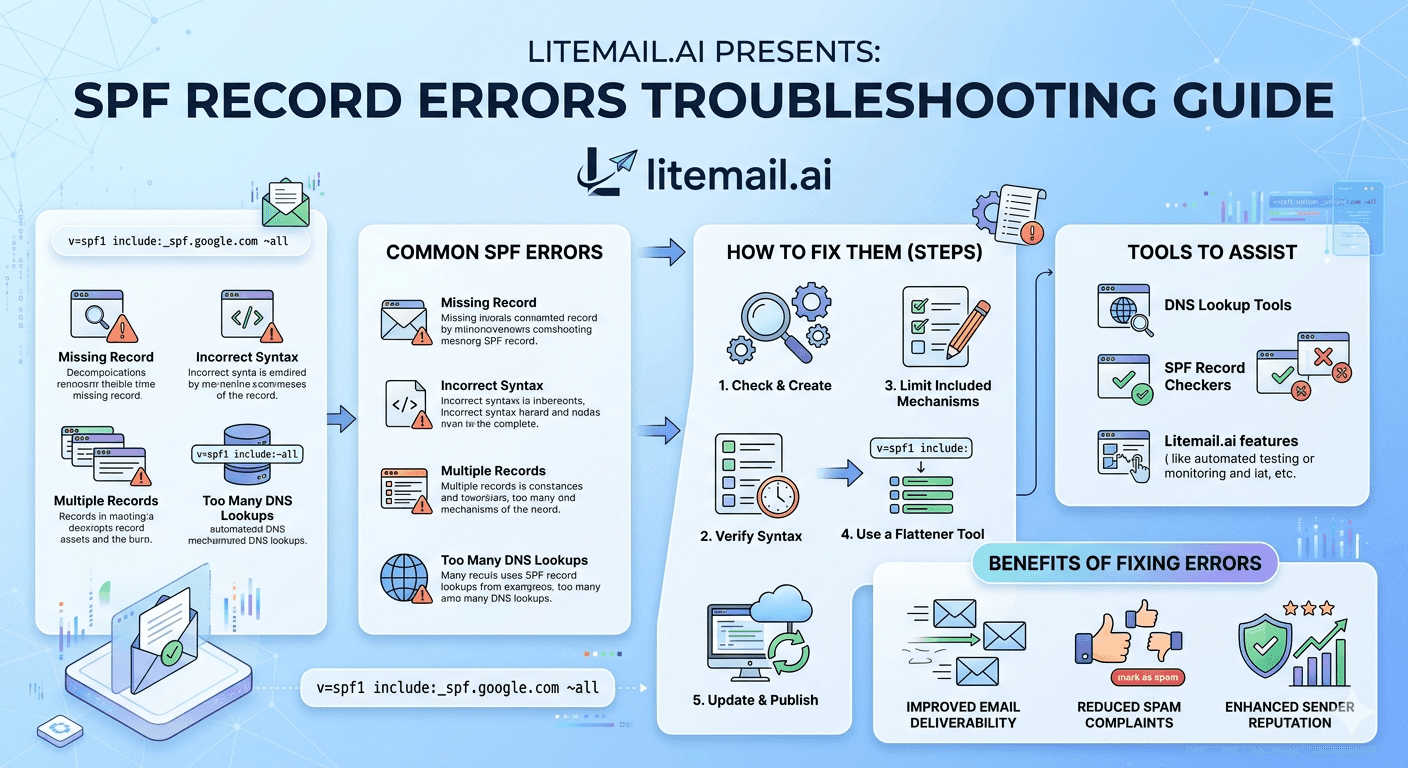
A misconfigured SPF record is one of the most common and most preventable causes of cold email deliverability failures — and most operators don't find out about it until they're already landing in Spam. SPF errors don't announce themselves loudly. They show up as declining open rates, DMARC failure reports you're not reading, and reply rates that drop without any obvious change in copy or list quality. An SPF TooManyDNSLookups error — which happens when your record references more than 10 DNS lookups — will silently fail SPF validation on Gmail, Outlook, and Yahoo simultaneously. By the end of this guide, you'll know how to diagnose, fix, and prevent every common SPF record error.
💡 TL;DR
SPF record errors break cold email deliverability silently — your emails get delivered to the server but fail authentication and land in Spam or Junk. The most common errors are TooManyDNSLookups (over 10 mechanisms), duplicate SPF records (only one TXT record allowed per domain), missing include for your sending provider, and mismatched domain configuration. Fix SPF errors using MXToolbox's SPF checker, flatten mechanisms that exceed the DNS lookup limit, and always validate with a test send before resuming campaigns. Pre-warmed inboxes with SPF, DKIM, and DMARC pre-configured — like Litemail's — remove this entire category of setup errors.
What SPF Actually Does — And Why Getting It Wrong Is So Costly
SPF — Sender Policy Framework — is a DNS record that tells receiving mail servers which IP addresses are authorised to send email for your domain. When a mail server receives an email from you, it checks your SPF record. If the sending IP isn't on the list, the email fails SPF validation.
What happens next depends on your DMARC policy. With DMARC set to p=none, failed SPF just gets noted. With p=quarantine or p=reject, failed SPF means Junk folder or rejection. Gmail and Outlook both factor SPF failures into their spam scoring even when DMARC is set to p=none — the failure signal still affects placement.
SPF Result | Meaning | Gmail Impact | Outlook Impact |
|---|---|---|---|
Pass | Sending IP is authorised | No penalty | No penalty |
Fail (hard) | Sending IP explicitly rejected | Spam or rejected | Junk or rejected |
SoftFail (~) | IP not authorised but not hard-rejected | Spam scoring increase | Junk scoring increase |
PermError | Record has syntax error or too many lookups | Treated as fail | Treated as fail |
TempError | DNS lookup failed temporarily | Retry, may defer | Retry, may defer |
None | No SPF record found | No authentication | No authentication |
PermError is the silent killer. It happens when your SPF record exceeds 10 DNS lookups and gets treated as a hard failure by receiving servers. Your email gets "delivered" to the server — which is why your sending tool shows 99% delivery — but fails authentication and lands in Spam. This is why delivery rate is a useless primary metric.
The 6 Most Common SPF Record Errors and Their Fixes
These are the errors that show up most in MXToolbox diagnostics and DMARC report data. Each one has a specific fix that takes under 30 minutes to implement once you know what you're looking at.
🔴
Error 1 — TooManyDNSLookups (over 10 mechanisms)
SPF allows a maximum of 10 DNS lookup mechanisms per record. Each include:, a:, mx:, and ptr: counts as a lookup. When you add multiple sending tools (Google, Outlook, Mailchimp, Sendgrid, your cold email tool), you easily hit 12 to 15 lookups. Fix: use an SPF flattening tool like AutoSPF or dmarcly.com to replace nested includes with their resolved IP addresses. The resulting record stays under 10 lookups regardless of how many IP ranges you need to include.
🔴
Error 2 — Multiple SPF records on the same domain
A domain can only have one SPF TXT record. If you have two (which happens when someone adds a second SPF record instead of editing the existing one), the result is a PermError — both records are ignored. Fix: check your DNS for multiple TXT records starting with "v=spf1". Delete all but one and merge all your authorised senders into that single record.
🟡
Error 3 — Missing include for sending tool
When you add a new sending tool — a cold email platform, a marketing email service — but forget to add its include: mechanism to your SPF record, emails from that tool will fail SPF. Fix: check your sending tool's documentation for its required SPF include statement, add it to your existing SPF record, and save. Verify with MXToolbox. This is often why a new campaign platform suddenly produces high spam rates even with a previously clean domain.
🟡
Error 4 — SoftFail (~all) when hard Fail (-all) is needed
Most SPF records end with ~all (soft fail) rather than -all (hard fail). For cold email domains, -all is actually better — it clearly rejects mail from unauthorised sources, which strengthens your domain's authentication posture. SoftFail is a legacy setting that was designed for transition periods. If your SPF record is complete and correct, use -all for maximum deliverability signal.
🟡
Error 5 — Wrong domain in the SPF record
SPF records must be on the exact domain in the From: header. If you're sending from john@outreach.yourcompany.com but your SPF record is only on yourcompany.com, SPF will fail for the subdomain. Fix: add a separate SPF TXT record for each subdomain you send from, or configure your DNS to include subdomain sending in the parent record.
🟠
Error 6 — PTR mechanism in SPF (deprecated)
The ptr: mechanism in SPF is deprecated and unreliable. Some older SPF records still include it, which wastes one of your 10 DNS lookups and can cause unexpected failures. Fix: remove any ptr: mechanisms from your SPF record. Replace the intent (authorising an IP or range) with a direct ip4: or ip6: mechanism instead.
Fixing the TooManyDNSLookups Error: Step by Step
The TooManyDNSLookups error is the most common SPF failure for active cold email operators because it compounds as you add tools. Here's the exact process to fix it.
1️⃣
Step 1 — Count your current DNS lookups
Go to mxtoolbox.com/spf.aspx and enter your sending domain. MXToolbox will show your current SPF record and flag if you've exceeded 10 lookups. It also shows a breakdown of each mechanism and how many lookups each one generates. Screenshot this before making changes — you'll need to know exactly what's in the record currently.
2️⃣
Step 2 — Identify mechanisms generating the most lookups
Common high-lookup mechanisms: include:_spf.google.com (counts as multiple due to nested includes), include:sendgrid.net, include:mailgun.org, and similar. Each of these may expand to 3 to 5 internal lookups when resolved. These are the candidates for flattening.
3️⃣
Step 3 — Flatten nested includes using AutoSPF or manual IP resolution
Run your current SPF record through AutoSPF or dmarcly.com's SPF flattener. The tool resolves all nested includes into their actual IP ranges and returns a flattened record that uses ip4: and ip6: mechanisms instead of include: chains. The flattened record typically has 2 to 4 lookups regardless of how many IP ranges it covers.
4️⃣
Step 4 — Update your DNS record and wait for propagation
Replace your existing SPF TXT record in your DNS provider (Cloudflare, GoDaddy, Route53, etc.) with the flattened version. DNS propagation typically takes 30 minutes to 4 hours, though it can be up to 48 hours in rare cases. Don't send campaigns while propagation is in progress.
5️⃣
Step 5 — Validate with MXToolbox before resuming sends
After propagation, run MXToolbox again. Confirm lookup count is under 10, confirm the record type shows \"Pass\" not \"PermError\", and send a test email to a seed inbox at Gmail, Outlook, and Yahoo to confirm authentication passes end-to-end. Only resume campaign sends after all three checks are clean.
How SPF Errors Interact With DKIM and DMARC
SPF, DKIM, and DMARC work as a system. An SPF failure doesn't automatically kill an email if DKIM passes — DMARC can be satisfied by either record passing (depending on your DMARC alignment setting). But this relationship has nuances that affect how you troubleshoot.
SPF Result | DKIM Result | DMARC Result | Inbox Outcome |
|---|---|---|---|
Pass | Pass | Pass | Inbox (best case) |
Fail | Pass | Pass (if DKIM aligned) | Usually inbox |
Pass | Fail | Pass (if SPF aligned) | Usually inbox |
Fail | Fail | Fail | Junk or rejected |
PermError | Pass | Partial pass | Mixed — depends on provider |
The practical implication: if you have a SPF PermError but DKIM is passing with proper alignment, you might not see a complete deliverability collapse — but you're still failing one of the two authentication checks, which affects your spam score. Fix the SPF error regardless of whether DKIM is currently compensating for it.
In practice, this means the DMARC aggregate reports (sent to the rua= address in your DMARC record) will show you exactly which records are passing and failing, at what volume, from which IPs. If you're not reading DMARC reports, you're managing authentication blind.
The Tools That Make SPF Troubleshooting Fast
SPF troubleshooting without the right tools takes hours. With them, it takes minutes. Here's the shortlist.
🔧
MXToolbox — primary SPF diagnostic
Free. Enter any domain and get a full SPF record parse including DNS lookup count, mechanism breakdown, and pass/fail status. The blacklist check is also valuable — run it any time you suspect IP reputation issues. Bookmark mxtoolbox.com/spf.aspx for your sending domains.
🔧
DMARC Analyzer — reading aggregate reports
DMARC reports come in XML format that's nearly unreadable raw. DMARC Analyzer (and dmarcly.com, Postmark's DMARC app) parse these reports into human-readable dashboards showing pass/fail rates by source IP. Essential for understanding where your authentication failures are actually coming from.
🔧
AutoSPF or dmarcly.com — SPF flattening
When your record exceeds 10 lookups, these tools automatically flatten the nested includes into direct IP ranges. AutoSPF also offers automatic updating — when a provider changes their IP ranges, your flattened record updates automatically, which prevents SPF failures from provider IP changes that you'd otherwise never know about until deliverability drops.
🔧
Google Admin Toolbox — end-to-end authentication testing
Send a test email to a Gmail address and then use Google's Messageheader tool to check the authentication results header. This shows you exactly what Gmail saw when it received your email — SPF result, DKIM result, DMARC result, and spam confidence score. It's the closest you can get to Gmail's actual filtering decision without being inside Google.
SPF Record Maintenance: Preventing Errors From Coming Back
Most SPF errors don't happen once. They recur — because someone adds a new sending tool, changes providers, or inherits a misconfigured record and doesn't know it. Build a maintenance habit that catches issues before campaigns go live.
📅
Monthly: run MXToolbox on all sending domains
Takes 10 minutes for 5 domains. Catches accumulated lookup creep before it hits the 10-mechanism limit. Run it on the first of every month as a calendar event. Don't rely on your sending tool to alert you to SPF failures — it won't always catch PermErrors that appear as delivery successes.
📅
Before any new sending tool: check lookup count first
Before adding a new cold email platform, warmup tool, or email service, check how many DNS lookups the new include: will add. If you're already at 8 or 9 lookups, adding another service will push you over the limit. Either flatten the existing record first or choose a provider that can be added as a direct IP range rather than an include: mechanism.
📅
After any DNS change: test before sending
Any DNS change — domain transfer, hosting change, nameserver update — can accidentally modify or delete SPF records. After any DNS change, run a full authentication check before resuming campaign sends. The 5-minute check prevents the 3-week recovery from a silently broken SPF record.
The Bottom Line
SPF PermError (from exceeding 10 DNS lookups) causes silent deliverability failure — emails get "delivered" to the server but fail authentication and land in Spam.
Only one SPF TXT record per domain is allowed — multiple records cause PermError. Merge all your authorised senders into a single record.
Fix TooManyDNSLookups by flattening nested includes using AutoSPF or dmarcly.com — the flattened record replaces include: chains with direct IP ranges.
Use -all (hard fail) instead of ~all (soft fail) on cold email sending domains — it clearly rejects unauthorised sources and strengthens your authentication posture.
DMARC aggregate reports (read via DMARC Analyzer or dmarcly.com) show exactly which authentication checks are passing and failing — read them monthly.
Run MXToolbox on all sending domains monthly and before every new campaign launch — DNS changes can silently break SPF without any obvious tool-side alert.
Pre-warmed inboxes with SPF, DKIM, and DMARC pre-configured remove this entire troubleshooting category — no manual DNS work, no setup errors, authentication correct from day one.
Frequently Asked Questions
What is an SPF record and why does it matter for cold email?
SPF (Sender Policy Framework) is a DNS record that specifies which IP addresses are authorised to send email for your domain. Receiving mail servers check your SPF record when they receive your emails. If the sending IP isn't on the list, your email fails SPF validation — which damages deliverability even if the email is technically delivered. Gmail and Outlook both factor SPF failures into spam scoring.
What is the TooManyDNSLookups SPF error?
SPF records have a strict limit of 10 DNS lookup mechanisms (include:, a:, mx:, ptr: each count as a lookup). When your record exceeds this limit, receiving mail servers return a PermError — which is treated as a hard SPF failure. This commonly happens when you add multiple sending tools (Google, Outlook, cold email platform, newsletter tool) to one SPF record. Fix it by flattening nested includes into direct IP ranges using AutoSPF or similar tools.
How do I check my SPF record for errors?
Go to mxtoolbox.com/spf.aspx and enter your sending domain. MXToolbox parses your full SPF record, counts DNS lookups, identifies error types, and shows pass/fail status. Run this check monthly on all sending domains and before launching any new cold email campaign. It takes under 2 minutes per domain.
Can I have two SPF records on the same domain?
No — only one SPF TXT record is allowed per domain. Having two causes a PermError and both records are ignored. If you need to authorise multiple sending sources, combine all of them into a single SPF record. The fix is to delete all but one SPF TXT record and merge all include: mechanisms into that single record.
Should I use ~all or -all in my SPF record?
For cold email sending domains, use -all (hard fail). It clearly signals that any email from an unauthorised IP should be rejected — which strengthens your authentication posture and is cleaner from a spam filter perspective. The ~all (soft fail) is a legacy setting designed for transition periods. If your SPF record correctly lists all your authorised sending sources, -all is the right choice.
How long does it take for SPF record changes to take effect?
DNS propagation typically takes 30 minutes to 4 hours for most providers, though up to 48 hours is possible for some registrars or complex configurations. Don't resume sending campaigns during propagation — test with MXToolbox first to confirm the new record is live, then send a test email through Gmail's header analyzer tool to verify authentication passes end-to-end before resuming production sends.
Do pre-warmed inboxes need SPF configured separately?
No — that's one of the core benefits. Pre-warmed inboxes from Litemail come with SPF, DKIM, and DMARC pre-configured on every sending domain. You receive inboxes that are authentication-ready from day one with no DNS work required. For teams who've struggled with SPF errors, this removes the entire configuration risk category from their inbox setup process.






