


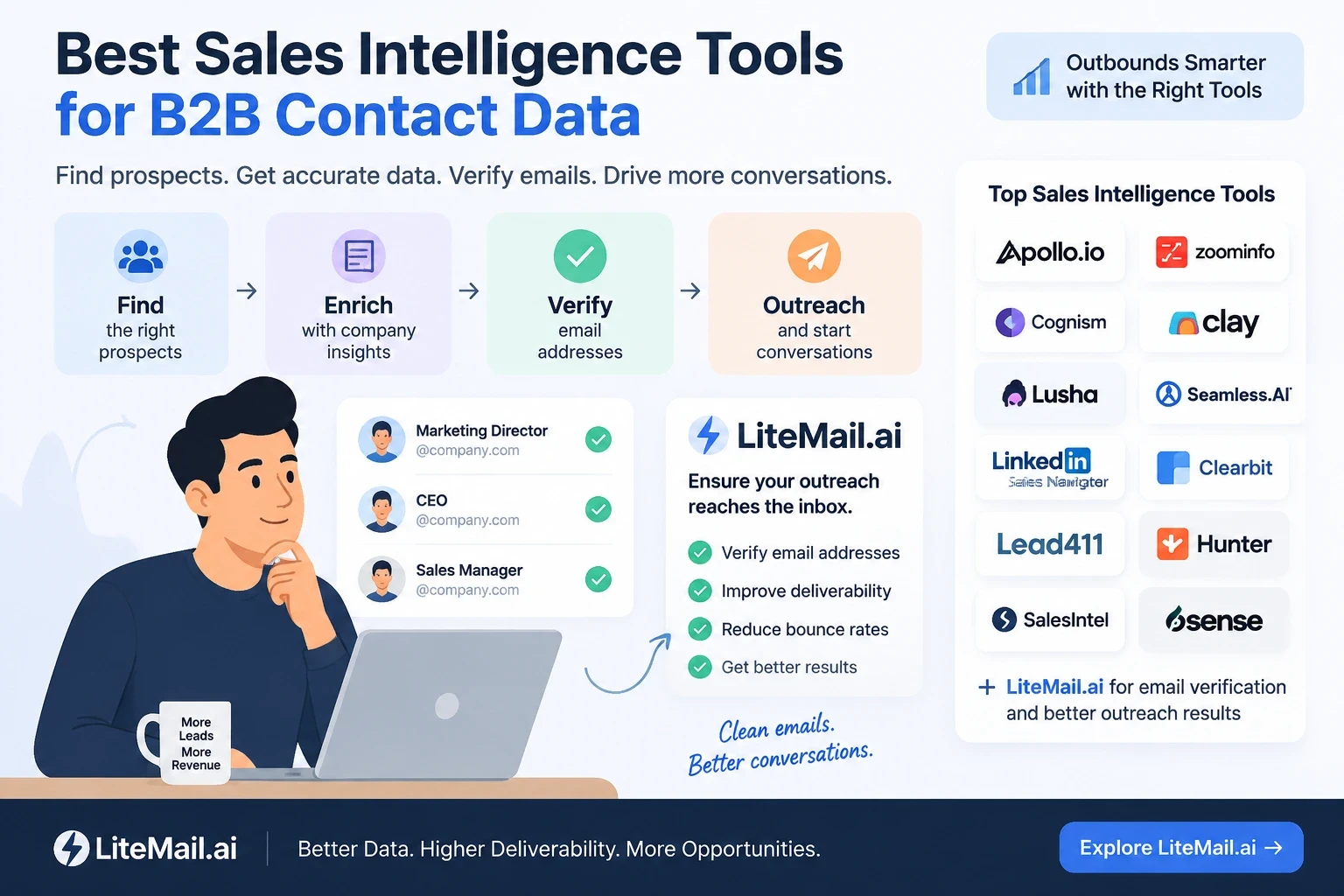
Finding accurate B2B contact information is one of the biggest challenges for modern sales teams. Having access to a large prospect database does not automatically mean you can reach the right decision-makers.
Outdated job titles, invalid business email addresses, disconnected phone numbers, and incomplete company profiles can make prospecting campaigns less effective.
This is why businesses use sales intelligence tools to identify potential customers, discover decision-makers, enrich company records, and prioritize accounts based on relevant business signals.
However, not every sales intelligence platform offers the same capabilities. Some specialize in B2B contact databases, while others focus on email discovery, data enrichment, relationship intelligence, or buyer intent.
For example, Apollo combines prospecting and sales engagement, Clay connects multiple enrichment providers, LinkedIn Sales Navigator focuses on professional relationship discovery, and 6sense emphasizes account intelligence and buying signals.
In this guide, we compare 12 sales intelligence tools for B2B contact data in 2026. We explain what each platform does best, the type of contact information it provides, its limitations, and which businesses should consider using it.
We also explain how to evaluate contact data accuracy before investing in a sales intelligence platform.
Quick Comparison: 12 Best Sales Intelligence Tools
Tool | Best For | Main Capability | Pricing Approach |
|---|---|---|---|
Apollo.io | All-in-one prospecting | Contact database and sales engagement | Free and paid plans |
ZoomInfo | Enterprise sales teams | Company intelligence and buyer intent | Custom quotes |
Cognism | International prospecting | Business contacts and verified mobile data | Custom quotes |
Clay | Advanced data enrichment | Multi-provider enrichment workflows | Free and paid plans |
Lusha | Quick contact discovery | Business emails and phone numbers | Free and paid plans |
Seamless.AI | Real-time prospect discovery | Contact search and enrichment | Free and paid plans |
LinkedIn Sales Navigator | Relationship-based prospecting | Professional network and account discovery | Subscription plans |
HubSpot Data Enrichment | CRM data enrichment | Contact and company record enrichment | HubSpot subscriptions |
Lead411 | B2B contact prospecting | Business emails, direct dials and company intelligence | Free trial and paid plans |
Hunter | Email discovery and verification | Domain search and email verification | Free and paid plans |
SalesIntel | Human-verified contact data | Research-verified business contacts | Custom pricing |
6sense | Enterprise buyer intelligence | Intent data and predictive account intelligence | Custom pricing |
Important: These platforms are not interchangeable. Some provide direct contact information, while others are primarily enrichment, relationship-discovery, or intent-intelligence solutions. The best choice depends on the data and workflow your sales team actually needs.
What Are Sales Intelligence Tools?
Sales intelligence tools are software platforms that help businesses identify potential customers by collecting, organizing, enriching, and analyzing information about companies and professionals.
Unlike a basic contact database, a broader sales intelligence platform can provide information about a prospect's company, job responsibilities, technology usage, buying activity, and business relationships.
Common data and intelligence features include:
Business email addresses.
Direct phone numbers and mobile numbers.
Job titles and professional information.
Company size and annual revenue.
Industry and geographic information.
Technology usage.
Company growth and hiring signals.
Buyer intent and account activity.
CRM data enrichment.
Prospecting and workflow integrations.
For example, a basic contact record might contain:
Field | Example |
|---|---|
Name | Sarah Johnson |
Job Title | Marketing Director |
Company | Example Technologies |
Industry | Software |
Location | New York, USA |
An enriched record may also contain company size, technology usage, business email availability, professional profile information, and relevant company activity.
The additional information helps sales representatives understand whether a prospect matches their ideal customer profile before beginning outreach.
Why B2B Contact Data Accuracy Matters
Sales teams can have thousands of contacts in their databases and still struggle to generate meaningful conversations.
The problem is often data quality rather than database size.
1. Outdated Contact Information
Employees change companies, move into different positions, or leave their previous organizations.
When databases are not refreshed regularly, sales teams may continue contacting people using outdated information.
2. Finding the Right Decision-Makers
Not every employee participates in purchasing decisions.
Sales intelligence platforms help identify relevant roles, departments, seniority levels, and buying committees.
3. Incorrect Business Email Addresses
Invalid or outdated email addresses can increase hard bounces and negatively affect sender reputation.
A contact database returning an email address does not automatically mean that address is valid or deliverable.
Email verification should be performed separately when the provider does not explicitly verify the address at the point of use.
4. Better Prospect Personalization
Company information, job responsibilities, industry details, and relevant business signals help sales representatives create more meaningful outreach.
5. Improving Sales Efficiency
Without contact discovery and enrichment tools, sales teams may spend considerable time researching companies and decision-makers manually.
Automation can reduce repetitive research and help teams prioritize qualified prospects.
How Do Sales Intelligence Platforms Collect and Verify Contact Data?
This is one of the important questions appearing in your Google Search Console data. It deserves a detailed explanation rather than a short definition.
Sales intelligence platforms can combine several information sources and verification processes.
1. Public Business Information
Platforms may collect company information from publicly accessible business websites, professional profiles, corporate announcements, and other business information sources.
Examples include:
Company websites.
Public professional profiles.
Business directories.
Company announcements.
Publicly available company records.
The exact sources and collection methods differ between vendors.
2. Third-Party Data Providers
Some platforms obtain information through data partners and external enrichment providers.
This approach can help fill missing information when one source does not have a particular email address, phone number, or company attribute.
3. Email Discovery
Email discovery tools use information such as a person's name and company domain to identify possible professional email addresses.
However, finding an address and verifying an address are different processes.
An email finder may identify a possible address without confirming that it can currently receive messages.
4. Email Verification
Email verification evaluates whether an email address appears technically valid and deliverable.
Common checks include:
Syntax validation.
Domain and DNS checks.
Mail server configuration checks.
Mailbox-level verification where supported.
Catch-all and role-based address detection.
No verification method guarantees that every message will reach the primary inbox.
5. Data Enrichment
Data enrichment adds missing information to existing contact or company records.
For example, a sales team might have a company domain and a contact name but lack the employee's current job title, location, or company information.
Enrichment tools attempt to fill those gaps using available data sources.
6. Continuous Data Updates
Some platforms offer automatic or scheduled enrichment to help maintain CRM records as information changes.
This is especially useful for businesses managing large prospect databases.
How We Evaluated These Sales Intelligence Tools
This guide is a research-based comparison of publicly documented product capabilities. It is not a claim that LiteMail independently tested all 12 platforms or conducted a controlled accuracy benchmark.
We considered the following evaluation criteria when assessing their suitability.
Contact Data Accuracy
Does the platform provide verification information, data confidence indicators, or documented data-refresh processes?
Business Email Availability
Can users find professional email addresses, and does the platform distinguish verified addresses from unverified results?
Direct Dial and Phone Coverage
Does the tool offer business phone numbers, mobile numbers, or direct-dial information?
Contact and Company Enrichment
Can users add information to existing CRM records?
Data Freshness
Does the vendor document its verification, rechecking, or data-update approach?
Geographic Coverage
Does the platform support the countries and business markets the sales team wants to target?
Intent and Buying Signals
Can users identify companies showing relevant buying activity?
Integrations and Workflow Compatibility
Does the platform work with the team's CRM, prospecting software, and other business systems?
Pricing and Scalability
Are there free plans, credit-based plans, public subscriptions, or custom enterprise contracts?
12 Best Sales Intelligence Tools for B2B Contact Data in 2026
1. Apollo.io — Best Overall All-in-One Prospecting Platform
Apollo is an all-in-one sales intelligence and engagement platform that combines B2B contact discovery, company information, prospecting, enrichment, and sales outreach features.
It is particularly relevant for startups and growing businesses that want to manage prospect discovery and outreach within one platform.
Key Features
B2B contact and company database.
Professional email discovery.
Email verification status.
Phone number discovery.
Advanced prospect search filters.
Contact and company enrichment.
CRM integrations.
Email sequences and sales engagement.
Waterfall enrichment.
Buying intent and lead scoring.
Why Choose Apollo.io?
Apollo allows sales teams to search for prospects using filters such as industry, company size, location, job title, and seniority.
Its data tools also support CSV, CRM, and API enrichment, helping businesses maintain and update their existing contact records.
Apollo documents email and phone data statuses so users can assess the available confidence information before using contact records.
Limitations to Consider
Credits and plan limits affect how much data users can access.
Email and phone availability can differ by contact and market.
Its combined prospecting and outreach features may be unnecessary for teams that only need a specialist data provider.
Best For: Startups, SMBs, and sales teams looking for contact discovery and outreach in one platform.
Official references: Apollo Pricing | Apollo Data Overview
2. ZoomInfo — Best Enterprise B2B Contact Intelligence Platform
ZoomInfo is a B2B go-to-market intelligence platform designed for organizations that need extensive company information, professional contact data, and buying signals.
Its platform combines intelligence, data orchestration, and engagement capabilities.
Key Features
Company and contact intelligence.
Professional contact information.
Direct-dial and business contact data.
Company hierarchy information.
Technographic information.
Buyer intent signals.
CRM data enrichment.
Sales engagement integrations.
Workflow automation.
Why Choose ZoomInfo?
ZoomInfo is particularly relevant for enterprise organizations that need to identify target accounts and understand the companies and people within their buying groups.
Its intelligence capabilities can combine company information, organizational structures, technology usage, and buying signals to support account-based prospecting.
The company describes its data operations as combining first-party and third-party sources, automated processing, verification, and research expertise.
Limitations to Consider
Pricing generally requires a sales conversation.
Enterprise contracts and data requirements may not suit small teams.
Buyers should assess geographic coverage and actual contact accuracy in their target market before committing.
Best For: Enterprise sales organizations, account-based marketing teams, and large B2B revenue operations.
Official reference: ZoomInfo 2025 Annual Report
3. Cognism — Best for International B2B Prospecting
Cognism is a sales intelligence platform focused on helping revenue teams discover business contacts and companies, particularly across international markets.
It has a strong emphasis on EMEA prospecting and mobile phone verification.
Key Features
B2B company and contact information.
Professional email addresses.
Mobile phone numbers.
On-demand mobile verification.
Company firmographic information.
Job titles and employment history.
Hiring and job-change signals.
Buyer intent information.
CRM and API integrations.
Why Choose Cognism?
Cognism is worth considering for businesses targeting international markets, particularly organizations selling into Europe.
Its platform provides contact and company information alongside contextual signals such as hiring, funding, mergers and acquisitions, and buyer intent.
Its on-demand mobile verification feature can help teams assess the accuracy of selected high-priority phone numbers.
Cognism also documents a credit-based model in which one credit is used when a contact is revealed.
Limitations to Consider
Pricing is quote-based.
Credit requirements should be evaluated against expected prospecting volume.
Coverage and verification availability should be checked for each target country.
Best For: International B2B sales teams, particularly those targeting European markets.
Official references: Cognism Pricing | Cognism Contact
4. Clay — Best for Advanced B2B Data Enrichment
Clay is a data enrichment and sales workflow platform designed to help businesses combine multiple data providers and automate prospect research.
Unlike a traditional standalone contact database, Clay allows users to build customized enrichment workflows using different sources.
Key Features
Multi-provider data enrichment.
Waterfall enrichment.
Professional email discovery.
Phone number enrichment.
Company and contact research.
AI-assisted research.
CRM integrations.
Automated prospecting workflows.
Data refresh and enrichment processes.
Why Choose Clay?
One of Clay's most useful capabilities is waterfall enrichment.
A waterfall workflow can query several providers in sequence when the first provider cannot return a usable result.
For example:
Submit a prospect's name and company domain.
Query the first email data provider.
If no usable result is returned, query another provider.
Continue through the configured sources.
Apply the required verification rules before using the final result.
This approach can help teams improve contact coverage without depending entirely on one database.
Clay also supports AI-assisted research for collecting additional company and prospect information.
Limitations to Consider
Building advanced workflows requires configuration.
Data credits and platform actions need to be monitored.
The quality of the result depends on the providers and validation rules selected.
Best For: RevOps teams, growth teams, data specialists, and companies managing complex prospect enrichment workflows.
Official references: Clay Pricing | Clay Waterfall Enrichment
5. Lusha — Best for Quick Business Contact Discovery
Lusha helps sales professionals discover business contact information and company details.
Its platform is designed for users who need to identify decision-makers and access contact information without building complicated enrichment workflows.
Key Features
Business email discovery.
Phone number discovery.
Company information.
Contact and company filters.
Bulk enrichment.
Browser extension.
API access.
Buying intent signals.
CRM integrations.
Why Choose Lusha?
Lusha is useful for sales representatives who want to find contact information while researching companies and professional profiles.
Its credit-based model allows users to access different types of contact information according to their plan.
The official pricing page currently documents separate credit costs for email and phone reveals.
Limitations to Consider
Credit consumption should be monitored.
Phone number discovery can consume more credits than email discovery.
Contact availability can differ between regions and industries.
Best For: Individual sales representatives, small sales teams, and businesses that need straightforward contact discovery.
Official reference: Lusha Pricing
6. Seamless.AI — Best for Real-Time Prospect Discovery
Seamless.AI is a sales prospecting platform focused on discovering B2B contacts and company information through its contact search capabilities.
It is designed for sales teams that need to identify potential prospects using detailed search criteria.
Key Features
Real-time contact search.
Professional email discovery.
Cell phone and direct-dial information.
Company and contact profiles.
More than 100 search filters, according to the vendor.
Job title and seniority filters.
Contact enrichment.
CRM integrations.
Buyer intent and other optional capabilities.
Why Choose Seamless.AI?
Seamless.AI focuses on helping users identify prospects that match their ideal customer profile.
Sales representatives can search using job titles, functions, seniority, company characteristics, and other filters.
Its contact search product is particularly relevant for teams that need business email and phone information in their prospecting workflows.
Limitations to Consider
Data availability and accuracy should be checked against a representative sample of your target market.
Some advanced features are available as add-ons.
Users should review their credit, export, and subscription limits before selecting a plan.
Best For: Outbound sales teams and businesses that need prospect discovery at scale.
Official references: Seamless.AI Contact Search | Seamless.AI Pricing
7. LinkedIn Sales Navigator — Best for Relationship-Based Prospecting
LinkedIn Sales Navigator is a professional prospecting platform that helps sales teams discover decision-makers, research accounts, and understand professional relationships.
It is different from conventional contact databases because its primary strength is professional network intelligence.
Key Features
Advanced lead search.
Company and account search.
Relationship Explorer.
Relationship Map.
Lead and account recommendations.
Job-change alerts.
Account activity notifications.
Team collaboration.
CRM integrations on eligible plans.
Why Choose LinkedIn Sales Navigator?
Sales teams can identify relevant decision-makers and understand how different professionals are connected within an organization.
Relationship Map can help users understand buying committees, while Relationship Explorer helps identify potential connections and routes into target accounts.
It can also support prospect research through job changes and company updates.
Important Limitation
Sales Navigator should not be treated as a standalone verified business email database.
Its core purpose is professional discovery and relationship intelligence. Teams that need verified email addresses or direct phone numbers may need a separate data provider.
Best For: Account executives, enterprise sales teams, relationship-driven prospecting, and account-based marketing.
Official references: Sales Navigator Features | Compare Sales Navigator Plans
8. HubSpot Data Enrichment — Best for HubSpot CRM Users
HubSpot Data Enrichment, part of the HubSpot Breeze ecosystem, helps businesses improve the completeness of their contact and company records within Smart CRM.
It is particularly useful for organizations that already use HubSpot as their primary customer relationship management system.
Key Features
Contact record enrichment.
Company record enrichment.
Firmographic information.
Job title and employment information.
Industry and company-size attributes.
Technology information.
Automatic enrichment.
Continuous data updates.
Bulk enrichment.
CRM-native workflows.
Why Choose HubSpot Data Enrichment?
Many businesses already have contact and company records but lack important information.
HubSpot can use its commercial dataset, third-party providers, and publicly available information to enrich eligible records.
For example, a company record may be supplemented with:
Industry.
Annual revenue.
Employee range.
Company location.
Technology information.
Company description.
Contact records can also be enriched with information such as employment role, job title, and professional profile details.
Important Limitation
HubSpot Data Enrichment is not a direct replacement for a dedicated email finder or phone-number discovery platform.
Its primary strength is maintaining and enriching records inside HubSpot. Check the current subscription and eligibility requirements before relying on it for a particular data field.
Best For: Businesses already using HubSpot CRM that want to improve their existing contact and company records.
Official references: HubSpot Data Enrichment | HubSpot Enrichment Documentation
9. Lead411 — Best for B2B Contact Prospecting and Company Intelligence
Lead411 is a B2B sales intelligence platform that provides business contact information and company intelligence for prospecting teams.
It is particularly relevant for sales teams that want contact discovery alongside company-level information and growth signals.
Key Features
Verified business email addresses.
Direct phone numbers.
Company information.
Employee information.
Hiring and growth signals.
Technology-stack search.
Lead scoring.
Chrome extension.
API access on eligible plans.
CRM customization and integrations.
Why Choose Lead411?
Lead411 combines contact information with company intelligence that can help sales representatives identify potential opportunities.
Its hiring, technology, and company activity information can help teams discover businesses that match their target customer profile.
The vendor also advertises a seven-day trial with a limited number of exports.
Limitations to Consider
Export limits depend on the subscription.
Some advanced features are plan-dependent.
Businesses should verify data coverage for their target industries and countries.
Best For: Growing B2B businesses and outbound sales teams that need contact information combined with company-level prospecting signals.
Official reference: Lead411 Pricing
10. Hunter — Best for Professional Email Finding and Verification
Hunter is an email discovery and verification platform that helps businesses find professional email addresses associated with company domains.
Although it is not a complete enterprise sales intelligence platform, it is a valuable specialist tool for email-based prospecting.
Key Features
Domain Search.
Email Finder.
Email Verifier.
Bulk email verification.
Professional contact discovery.
CSV exports.
API access.
Email outreach sequences.
CRM and workflow integrations.
Why Choose Hunter?
Hunter is especially useful when a sales team knows the target company but needs to discover professional email addresses for specific employees.
Its Email Verifier can help assess whether an address appears deliverable before adding it to an outreach list.
The platform also offers a B2B discovery feature, allowing users to search business contacts using available company and professional filters.
Limitations to Consider
It is more specialized in email discovery than broad enterprise account intelligence.
It does not replace a full company intent-data platform.
Verification results should be interpreted according to their status, including catch-all or uncertain addresses.
Best For: Small sales teams, email-focused prospecting, and businesses that need professional email discovery and verification.
11. SalesIntel — Best for Human-Verified B2B Contact Data
SalesIntel is a B2B contact intelligence platform that emphasizes human-verified contact information and company research.
It is designed for businesses that want to assess the verification status of contact records before using them for sales and marketing activities.
Key Features
B2B contact database.
Human-verified contact records.
Email-verified records.
Machine-verified records.
Direct mobile phone information.
Company and industry intelligence.
Contact and company enrichment.
CRM integrations.
Research on Demand.
Why Choose SalesIntel?
One useful distinction in SalesIntel is its classification of different verification levels.
Its support documentation states that:
Human-verified contacts are rechecked by its researchers every 90 days.
Email-verified contacts are rechecked every six months.
Machine-verified contacts use automated verification methods.
SalesIntel publishes its own approximate accuracy figures for these categories. These are vendor-reported estimates, not independent benchmark results, and should be interpreted accordingly.
This level of verification transparency can be useful when evaluating contact data quality.
Limitations to Consider
Pricing requires contacting the vendor.
Advanced capabilities may require additional subscriptions or add-ons.
Buyers should examine the verification status of records in their specific target market.
Best For: Enterprise sales teams and organizations that prioritize documented contact verification processes.
Official references: SalesIntel Pricing | SalesIntel Verification Methodology
12. 6sense — Best for Enterprise Buyer Intent Intelligence
6sense is a revenue intelligence and account-based marketing platform that helps businesses identify companies showing potential buying interest.
Its main differentiation is its focus on account intelligence, predictive insights, and buying signals rather than simply providing a list of contacts.
Key Features
Account intelligence.
Buyer intent data.
Predictive account scoring.
Company and contact information.
Buying-stage insights.
Technographic information.
Website visitor identification.
Sales alerts.
AI-assisted account research.
CRM and sales workflow integrations.
Why Choose 6sense?
6sense helps sales and marketing teams identify companies that may be actively researching products or services related to their business.
Its platform combines multiple types of account information to help sales representatives prioritize organizations and understand their potential buying activity.
For example, a company may show signals related to competitor research, relevant keyword activity, or visits to business websites.
Sales teams can use these signals to decide which accounts deserve more attention.
Limitations to Consider
It is generally more suitable for enterprise revenue teams.
Advanced buyer intelligence can require significant configuration.
It is not simply an email finder or contact verification tool.
Pricing is typically customized.
Best For: Enterprise B2B organizations, account-based marketing teams, and businesses that prioritize buyer intent and predictive account intelligence.
Official references: 6sense Data Intelligence | 6sense Sales Intelligence
Sales Intelligence Tools vs. B2B Contact Databases: What Is the Difference?
These terms are often used interchangeably, but they describe different capabilities.
A B2B contact database primarily helps users find information about people and companies.
A broader sales intelligence platform may also provide buying signals, account research, data enrichment, relationship insights, and sales automation.
Capability | Contact Database | Sales Intelligence Platform |
|---|---|---|
Contact names | Yes | Yes |
Business emails | Often | Depends on platform |
Phone numbers | Often | Depends on platform |
Company profiles | Usually | Usually |
Job information | Often | Usually |
Data enrichment | Sometimes | Often |
Buyer intent | Limited | Often |
Account intelligence | Limited | Often |
Workflow automation | Limited | Often |
Relationship mapping | Limited | Platform-dependent |
For businesses that only need professional email discovery, a specialist such as Hunter may be sufficient.
Organizations that need contact information, account intelligence, and sales engagement may prefer Apollo or ZoomInfo.
Teams that need multi-source enrichment may consider Clay.
The right platform depends on the actual problem the business wants to solve.
Which Sales Intelligence Tools Provide Contact Email Data?
This is an important consideration for outbound sales teams.
Not every platform that provides sales intelligence automatically provides verified business email addresses.
The following distinctions can help:
Tool | Business Email Capability | Important Consideration |
|---|---|---|
Apollo.io | Contact email access and status information | Review email status and credits |
ZoomInfo | Contact information | Confirm available fields and coverage |
Cognism | Business email data | Check country-level coverage |
Clay | Email enrichment through connected providers | Configure and validate sources |
Lusha | Verified email access | Credit-based usage |
Seamless.AI | B2B email discovery | Check individual record status |
LinkedIn Sales Navigator | Not primarily an email finder | Use a separate email data provider |
HubSpot Data Enrichment | Primarily CRM attribute enrichment | Not a dedicated email finder |
Lead411 | Verified email offering | Check export and verification limits |
Hunter | Email discovery and verification | Specialist email tool |
SalesIntel | Email-verified contact records | Review verification category |
6sense | Company and contact intelligence | Confirm access and data availability |
Before choosing a platform, check whether it provides:
Business email discovery.
An explicit email verification status.
Phone number availability.
Data freshness information.
Export and API access.
Geographic coverage for your target market.
Which Contact Data Tool Is Best for Small Sales Teams?
Small businesses do not necessarily need the largest enterprise database.
The right choice depends on budget, number of users, required contact volume, and existing software.
Business Requirement | Tools to Consider |
|---|---|
All-in-one prospecting and outreach | Apollo.io |
Quick business contact discovery | Lusha |
Professional email finding | Hunter |
Affordable B2B prospecting | Lead411 |
Custom enrichment workflows | Clay |
Professional relationship research | LinkedIn Sales Navigator |
Existing HubSpot CRM enrichment | HubSpot Data Enrichment |
A small sales team should start by identifying the information it needs most.
For example, a team that only needs professional email addresses may not benefit from paying for an enterprise intent-data platform.
Similarly, a team that already uses HubSpot may find its native enrichment capabilities more convenient than introducing another CRM data management system.
How to Evaluate Contact Data Accuracy Before Buying
Data accuracy is one of the most important factors when selecting a B2B sales intelligence platform.
However, vendor claims about database size or accuracy should not be treated as proof that every contact record is correct.
A practical evaluation should use a representative sample of your own target audience.
Step 1: Prepare a Sample Prospect List
Select a sample of approximately 100–300 companies and contacts from your intended target market.
Include different:
Industries.
Company sizes.
Job titles.
Geographic regions.
Seniority levels.
Use the same sample when evaluating multiple providers.
Step 2: Check Contact Match Rate
Record how many requested contacts each provider can actually identify.
Formula:
Contact Match Rate = Returned Usable Contact Records ÷ Total Submitted Records × 100
Step 3: Verify Business Emails
Use an independent email verification process to assess returned business addresses.
Separate results into:
Valid.
Invalid.
Catch-all.
Unknown or unverifiable.
Role-based.
Do not automatically treat every returned address as verified.
Step 4: Check Job Title and Company Accuracy
Compare the returned information against current company websites and available professional profiles.
Check whether:
The person still works at the company.
The job title is current.
The company domain is correct.
The geographic location is accurate.
Step 5: Evaluate Direct Phone Numbers
If phone outreach is important, check whether the returned number belongs to the intended contact.
Distinguish between direct dials, mobile numbers, and general company switchboard numbers.
Step 6: Calculate Cost Per Usable Contact
The cheapest database is not necessarily the most economical option.
Formula:
Cost Per Usable Contact = Total Data Cost ÷ Number of Contacts Passing Your Required Quality Checks
For example, a platform that returns fewer but more accurate records may be more economical than one that provides a large number of unusable contacts.
Step 7: Compare Results by Geography
Contact coverage and accuracy can differ across countries.
A provider performing well in the United States may not provide equivalent coverage in Europe, Asia-Pacific, or other regions.
Test your actual target markets before selecting an annual contract.
Our recommendation: Do not select a provider based exclusively on its advertised database size. Compare usable contact coverage, verification results, geographic relevance, and actual cost.
How to Choose the Right Sales Intelligence Platform
The best platform depends on your prospecting process and business requirements.
1. Identify Your Target Market
Start by defining the countries, industries, company sizes, and job titles you want to reach.
This helps you determine whether a provider has the coverage you need.
2. Decide Which Data You Need
Some businesses mainly need professional emails.
Others require direct phone numbers, company profiles, buyer intent, or enrichment.
Choose the platform according to your actual requirements.
3. Evaluate Data Quality
Ask vendors how they collect, verify, and refresh contact records.
Where possible, run a sample evaluation before purchasing.
4. Check CRM Integrations
Make sure the platform works with your existing CRM and prospecting workflow.
Common integrations include Salesforce, HubSpot, and other sales engagement systems.
5. Understand the Pricing Model
Different platforms use different pricing approaches:
Monthly subscriptions.
Annual subscriptions.
Per-user pricing.
Data credits.
Contact export limits.
Custom enterprise contracts.
Always review the current official pricing page and understand which actions consume credits.
6. Review Data Privacy Requirements
Businesses targeting international customers should consider the data protection rules that apply to their activities.
Review the vendor's privacy documentation, contractual terms, data processing agreement, data sources, retention practices, and available opt-out mechanisms.
A vendor's compliance statement does not automatically make every prospecting activity lawful.
Why Email Infrastructure Matters After Finding B2B Contact Data
Finding the right prospect is only the first step in an outbound sales campaign.
Once a sales team has collected and checked its prospect data, it needs reliable email infrastructure to communicate with those prospects.
A good prospect list cannot compensate for poor sending infrastructure.
The email sending environment also matters.
Businesses running outbound campaigns should pay attention to:
Dedicated sending domains.
Google Workspace or Microsoft 365 mailboxes.
SPF authentication.
DKIM authentication.
DMARC configuration.
Sender reputation.
Appropriate sending volumes.
List hygiene and bounce monitoring.
LiteMail focuses on pre-warmed Google Workspace and Microsoft 365 inbox infrastructure for businesses that need sending accounts with an established warm-up history.
LiteMail is not a B2B contact database or a replacement for an independent email verification platform.
Instead, it addresses the email infrastructure side of the outbound workflow.
For additional information:
Need pre-warmed email infrastructure?
LiteMail provides pre-warmed Google Workspace and Microsoft 365 inboxes for outbound email teams.
Explore available inbox options and check the current specifications before choosing your sending infrastructure.
Common Mistakes When Choosing Sales Intelligence Software
Choosing Database Size Over Accuracy
A provider advertising a large database does not necessarily have the best contact coverage for your target audience.
Always check actual usability.
Assuming Every Email Is Verified
An email finder and an email verifier perform different functions.
Check the verification status of individual records.
Ignoring Geographic Coverage
Data availability can differ significantly between countries.
Evaluate your primary sales regions.
Purchasing Multiple Tools With Overlapping Features
Some businesses purchase multiple contact databases without identifying what each tool contributes.
Review existing subscriptions before adding another provider.
Ignoring Data Privacy Requirements
Contact discovery and outbound marketing must be managed according to the laws and requirements that apply to your business and target audience.
Focusing Only on Subscription Price
A low subscription price can become expensive if the usable contact match rate is poor or additional credits are required.
Evaluate the total cost of obtaining usable contact information.
Final Takeaways
The best sales intelligence tools help businesses find accurate B2B contact data and improve outbound prospecting.
Database size is important, but data accuracy and verification are often more valuable.
Apollo.io, ZoomInfo, Cognism, Clay, and other platforms serve different business needs.
Companies should choose tools based on their market, budget, workflow, and sales goals.
Combining reliable contact data with personalization can improve sales outreach results.
Frequently Asked Questions
What are the best sales intelligence tools for B2B contact data?
Popular options include Apollo.io, ZoomInfo, Cognism, Clay, Lusha, Seamless.AI, and SalesIntel. Each platform has different strengths in contact discovery, data enrichment, company intelligence, and prospecting.
The best option depends on your business size, target market, required data fields, and budget.
How do sales intelligence platforms collect and verify contact data?
Sales intelligence platforms may combine public business information, third-party data providers, professional information, and proprietary databases.
They can use automated checks, email verification, human research, and data enrichment to improve the quality of contact records.
The exact process varies by provider.
Which sales prospecting services include contact email data?
Apollo, ZoomInfo, Cognism, Lusha, Seamless.AI, Lead411, and SalesIntel offer business contact information that may include professional email addresses.
Hunter specializes in professional email discovery and verification.
The availability and verification status of individual records should always be checked.
Which contact data tool is best for small sales teams?
Apollo, Lusha, Hunter, and Lead411 are worth evaluating for smaller teams.
Apollo combines contact discovery and sales engagement, Lusha offers credit-based contact discovery, Hunter focuses on email finding and verification, and Lead411 offers B2B contact prospecting.
The best choice depends on your monthly contact requirements and budget.
Which sales intelligence platforms include contact email searches?
Apollo, ZoomInfo, Cognism, Lusha, Seamless.AI, and other contact intelligence platforms provide email-related prospecting capabilities.
However, LinkedIn Sales Navigator is primarily designed for professional relationship discovery rather than direct verified email searches.
How can I identify the most accurate B2B contact data provider?
Use the same sample prospect list across multiple providers.
Compare contact match rate, email verification results, current job titles, direct phone coverage, and cost per usable contact.
A sample evaluation is more useful than relying only on advertised database size.
What is the difference between sales intelligence and CRM software?
A CRM manages customer relationships, sales activities, and business records.
Sales intelligence tools provide additional information about prospects, companies, buying signals, and potential sales opportunities.
Many businesses integrate both systems.
Are sales intelligence tools suitable for international prospecting?
Yes, several platforms support international contact and company discovery.
However, geographic coverage and data quality vary by provider and market.
Businesses should also assess applicable data protection and direct marketing requirements.
Do sales intelligence platforms verify email addresses?
Some platforms provide verified email statuses or dedicated email verification features.
Others primarily provide email discovery or data enrichment.
Always check what a vendor means by verified and whether verification occurs when the contact is revealed.
Does accurate contact data guarantee email deliverability?
No.
Accurate contact information is only one part of successful email outreach.
Deliverability also depends on sender reputation, authentication, mailbox health, sending practices, recipient engagement, and other factors.
Businesses should maintain separate processes for contact verification and email infrastructure management.
Final Verdict: Which Sales Intelligence Tool Should You Choose?
There is no single sales intelligence platform that is best for every B2B business.
Different tools solve different problems.
Your Main Requirement | Recommended Tool to Evaluate |
|---|---|
All-in-one prospecting and outreach | Apollo.io |
Enterprise company and contact intelligence | ZoomInfo |
International contact prospectin | Cognism |
Multi-source data enrichment | Clay |
Quick business contact discovery | Lusha |
Real-time prospect discovery | Seamless.AI |
Professional relationship discovery | LinkedIn Sales Navigator |
CRM-native enrichment | HubSpot Data Enrichment |
B2B contact prospecting | Lead411 |
Email discovery and verification | Hunter |
Human-verified contact information | SalesIntel |
Buyer intent and predictive intelligence | 6sense |
Before choosing a provider, evaluate the quality of its contact records, available verification information, geographic coverage, integration options, and total cost.
For outbound sales teams, the complete workflow involves three separate requirements:
Finding the right companies and decision-makers.
Checking and maintaining accurate contact information.
Using reliable email infrastructure to communicate with prospects.
Combining these processes can help businesses build more organized, targeted, and sustainable B2B outbound campaigns.
The right sales intelligence platform is not necessarily the one with the largest database. It is the one that provides the most useful and reliable information for your specific sales process.
Sources and Official Product Documentation
The following primary sources were consulted for product capabilities and pricing models. Vendor descriptions and performance statements are attributed to the respective providers.
Product features, plan availability, pricing, and regional access may change. Check the official vendor documentation before purchasing.







