
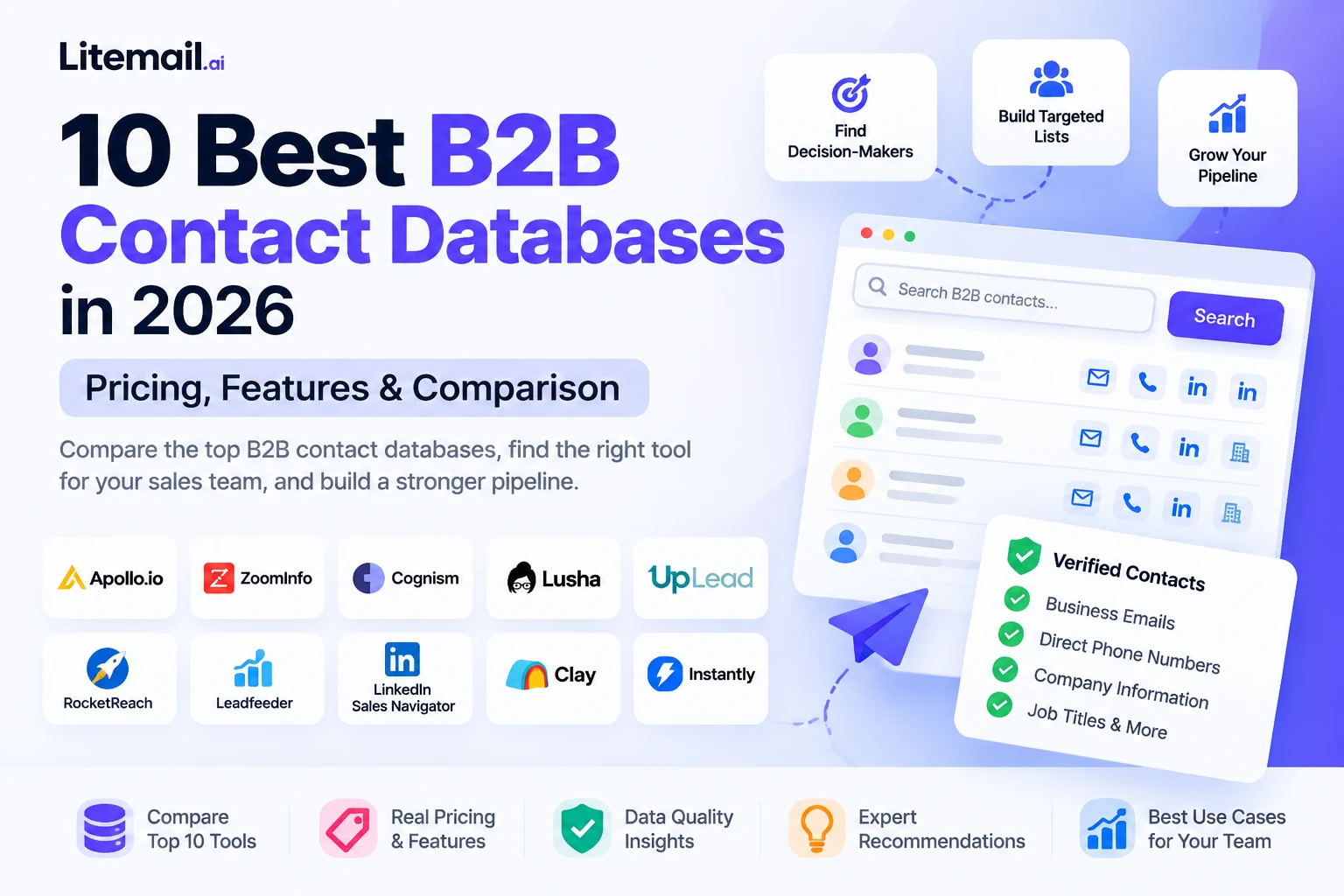
One of the most difficult aspects of B2B sales is locating the right prospects. Without having to spend hours individually studying each lead, a trustworthy B2B contact database assists sales teams in finding decision-makers, corporate email addresses, relevant organizations, and focused prospect lists.
But not all contact databases provide the same benefits. While some services concentrate on verified business emails, direct phone numbers, company intelligence, or data enrichment, others integrate contact data with email outreach.
Your target market, budget, team size, necessary data fields, and intended use of the data will all influence the best option.
The top ten B2B contact databases for 2026 are compared in this guide, along with their key attributes, cost structures, benefits, drawbacks, and optimum uses. After creating a prospect list, we also describe how to assess contact correctness, prevent credit waste, and set up your email infrastructure.
Quick Comparison: 10 Best B2B Contact Databases
Tool | Best For | Pricing Model | Main Advantage |
|---|---|---|---|
Apollo.io | Startups and SMBs | Free and paid plans | Contact data and outreach in one platform |
ZoomInfo | Enterprise sales teams | Custom pricing | Company intelligence and advanced prospecting |
Cognism | UK and European prospecting | Custom pricing | Regional data coverage and phone-focused prospecting |
Lusha | Quick contact discovery | Free and paid plans | Simple lookups and browser extension |
UpLead | Targeted contact searches | Free trial and paid plans | Verified email discovery |
RocketReach | Professional contact lookups | Paid plans; check current options | Email and phone discovery |
Leadfeeder | Website visitor identification | Free and paid plans | Connects company visits with sales opportunities |
LinkedIn Sales Navigator | Decision-maker research | Paid subscriptions | Professional network insights and advanced filters |
Clay | Multi-source data enrichment | Free and paid plans | Combines data sources in custom workflows |
Instantly SuperSearch | Prospecting for outbound campaigns | Plan and credit dependent | Lead discovery alongside outreach workflows |
Quick recommendations:
Best all-in-one starting point: Apollo.io
Best for enterprise sales intelligence: ZoomInfo
Best for UK and European prospecting: Cognism
Best for quick contact lookups: Lusha
Best for data enrichment workflows: Clay
Best for researching decision-makers: LinkedIn Sales Navigator
These recommendations reflect product positioning and use cases, not a controlled test proving that one provider has the most accurate database for every market.
What Is a B2B Contact Database?
A B2B contact database is a searchable collection of business contact information and company records that sales and marketing teams use to identify potential customers.
Depending on the provider, a database may contain:
Full names and professional job titles
Business email addresses
Direct-dial and mobile phone numbers
Company names and websites
Industry classifications
Employee counts and estimated revenue
Company locations
Professional profile links
Technology information and buying signals
For example, a software company selling project management tools to marketing agencies could use a B2B database to find agency owners, operations managers, and marketing directors at companies with a particular employee count.
Instead of manually searching hundreds of websites, the team can filter prospects by job title, industry, location, and company size.
However, finding a contact does not guarantee that the information is current, that the person is the right decision-maker, or that the email will reach the inbox. Data verification and responsible outreach remain essential.
B2B Contact Database vs. Email Finder vs. CRM
These tools solve different problems.
Tool Type | Primary Purpose | Example |
|---|---|---|
B2B contact database | Discover people and companies matching your target audience | Apollo.io |
Email finder | Find likely business email addresses from a name, domain, or profile | Hunter.io |
Data enrichment platform | Add missing information to existing records using one or more sources | Clay |
CRM | Store, organize, and manage customer and prospect relationships | HubSpot CRM |
Email infrastructure provider | Supply and manage the mailboxes and sending setup used for outbound email | Litemail |
A business may use several of these tools together. A contact database helps identify potential buyers; an email finder can help complete missing information; a CRM manages the relationship; and email infrastructure supports the sending process.
How We Evaluated the Best B2B Contact Databases
For this comparison, we reviewed publicly available vendor information, product descriptions, pricing pages, and competitor comparison guides available as of October 16, 2026.
We assessed the tools using the following criteria.
1. Contact data and coverage
We considered the types of information available, including work emails, phone numbers, company details, and professional profiles. Database size alone was not treated as proof of better quality.
2. Data quality and freshness
We considered whether providers describe verification, updating, enrichment, or phone-validation processes. Vendor-reported accuracy figures are identified as claims rather than independent guarantees.
3. Search and segmentation
We considered how well users can filter prospects by industry, job title, company size, location, and other relevant attributes.
4. Pricing and usage limits
We examined free access, entry-level pricing where published, credit-based billing, and custom pricing models.
5. Integrations and workflow fit
We considered whether each product supports CRM workflows, data exports, APIs, enrichment, or prospecting and outreach integrations.
6. Limitations and buyer fit
We considered which users are most likely to benefit from each tool and what they should check before committing to a subscription.
Research limitation: This is a source-based comparison, not a controlled laboratory test. We did not independently verify hundreds of contacts across all ten providers. Actual accuracy can vary by country, industry, job role, and record age. Buyers should run their own sample test before purchasing a large subscription.
1. Apollo.io — Best All-in-One B2B Contact Database for SMBs
Best for: Startups, small businesses, and sales teams that want contact discovery and outreach features in one platform.
Apollo.io combines a B2B contact database with prospecting filters, contact enrichment, sales engagement, and email sequencing. This combination makes it a practical starting point for teams that do not want to manage several separate tools.
Key features
Search for people and companies using prospecting filters.
Find business email addresses and other available contact information.
Build prospect lists for different industries and buyer profiles.
Enrich existing records.
Use integrated sales engagement and sequencing features.
Connect prospecting workflows with supported sales tools.
Pricing
Apollo offers a free plan and paid subscriptions. Its published plan structure and pricing can change, so review the Apollo pricing information on G2 and confirm current terms with Apollo before purchasing.
Pros
Combines several sales workflows in one platform.
Useful for startups and growing sales teams.
Offers prospecting and outreach features together.
Helps reduce the need to switch between multiple applications.
Cons
Credit and usage limits can affect the effective cost.
Contact availability and accuracy can vary by market.
A large database does not mean every record will match your ideal customer profile.
Our verdict
Apollo.io is a strong option for teams that want to find prospects and begin outreach without assembling a complicated sales stack. Before upgrading, test a representative sample of your target contacts and calculate how many usable records you receive for the price.
2. ZoomInfo — Best for Enterprise Sales Intelligence
Best for: Larger organizations with established sales operations, account-based marketing programs, and more complex prospecting requirements.
ZoomInfo is positioned around B2B contact data, company intelligence, organizational insights, and sales intelligence workflows. It is particularly relevant for enterprise teams that need to research target accounts and identify people within buying groups.
Key features
Business contact and company information.
Account research and organizational insights.
Prospecting and segmentation capabilities.
Sales intelligence and buying-signal features, depending on the package.
Integrations with enterprise sales and marketing systems.
Pricing
ZoomInfo uses sales-led pricing for its enterprise products. Costs depend on the products, access requirements, contract, and team configuration.
Request a detailed quote and clarify seat limits, credits, renewal terms, data access, and cancellation conditions before signing.
Pros
Designed for complex enterprise prospecting.
Supports company and account research.
Offers a broad sales intelligence feature set.
Can fit established revenue operations workflows.
Cons
Pricing may be difficult to evaluate without a sales conversation.
It may be more than a small team needs.
Coverage and accuracy should still be tested against your target market.
Our verdict
ZoomInfo is worth evaluating when the sales organization needs more than a list of email addresses. Smaller teams with straightforward requirements should compare its total cost with self-service alternatives before committing.
3. Cognism — Best for UK and European Prospecting
Best for: B2B sales teams targeting the UK, Europe, and international markets where phone data and regional coverage are important.
Cognism provides B2B contact data and sales intelligence capabilities. Its positioning places particular emphasis on phone-focused prospecting and data compliance support for teams operating across multiple markets.
Key features
Business contact and company data.
Prospecting filters and contact discovery.
Phone-oriented prospecting features.
CRM enrichment and data delivery options.
Compliance-related features and processes.
Pricing
Cognism offers tailored packages. Its official pricing page explains its Standard and Pro prospecting options alongside enrichment and data-as-a-service offerings.
Pros
Relevant for teams selling across the UK and Europe.
Offers phone-focused prospecting options.
Supports enterprise sales workflows.
Provides packages for different data and enrichment needs.
Cons
Pricing requires a conversation with sales.
Coverage should be assessed by the countries and industries you target.
Compliance features do not remove your responsibility to use contact data lawfully.
Our verdict
Cognism is a serious candidate for teams that need regional prospecting coverage and phone data. Ask for a sample of contacts from your target countries before choosing a plan.
4. Lusha — Best for Quick Contact Lookups
Best for: Individual sales representatives, founders, and small teams that need a straightforward way to find professional contact information.
Lusha focuses on contact discovery, including business emails and phone numbers. Its browser extension and search workflows can be useful when researching a company or professional profile.
Key features
Business email and phone discovery.
Browser-extension workflows.
Contact and company search filters.
Bulk enrichment and API options on eligible plans.
CRM-related integrations and sales workflow features.
Pricing
Lusha offers a free plan with 40 credits per month. Its official pricing page lists the Starter plan at $37.45 per month when billed annually, with higher tiers and custom options available. Pricing and included credits may change.
Check the official Lusha pricing page for the current plans.
Pros
Straightforward contact lookup workflows.
Free access for limited use.
Useful browser extension.
Paid plans offer additional enrichment and team capabilities.
Cons
Phone lookups consume more credits than email reveals.
The effective cost depends on how many records you need.
Data coverage may vary between regions and industries.
Our verdict
Lusha can suit teams that value speed and simple contact discovery. Calculate your expected monthly usage before selecting a plan, particularly if you need large volumes of direct phone numbers.
5. UpLead — Best for Targeted, Verification-Focused Prospecting
Best for: Sales teams that prioritize finding relevant business contacts and checking email quality before launching campaigns.
UpLead offers contact discovery, verified email features, direct-dial information, and company-level filters. It is worth evaluating when your team wants a more targeted prospect list instead of collecting as many records as possible.
Key features
Business email discovery.
Contact and company search filters.
Phone data.
CRM integrations.
Data enrichment and technographic filters on eligible plans.
API access on higher-tier plans.
Pricing
UpLead offers a seven-day free trial with five credits. Its official pricing page lists Essentials at $99 per month for monthly billing or $74 per month with annual billing, with different credit allowances.
UpLead advertises a 95% email data accuracy figure. This is a vendor claim, not a guarantee that 95% of every list you export will be deliverable.
Review the UpLead pricing page before purchasing.
Pros
Trial access for testing the platform.
Useful filters for targeted prospecting.
Offers email and phone information.
Supports enrichment and CRM workflows.
Cons
Credits can limit the number of contacts you retrieve.
Additional credits may increase costs.
Your own results may differ from published accuracy claims.
Our verdict
UpLead is worth considering when contact quality matters more than raw database size. Use the trial to test a representative set of contacts from the exact market you intend to target.
Explore UpLead.
6. RocketReach — Best for Professional Contact Discovery
Best for: Salespeople, recruiters, founders, and researchers who need to find professional email addresses and phone numbers.
RocketReach focuses on professional contact discovery and supports workflows for researching people and companies. It can be useful when building a list around particular job titles, organizations, or professional profiles.
Key features
Professional email lookup.
Phone number discovery where available.
People and company searches.
Bulk lookup and data access options.
API capabilities for supported use cases.
Pricing
RocketReach offers paid plans with different usage allowances. Check its official website for current plan availability, pricing, and credit limits.
Pros
Useful for targeted professional lookups.
Supports email and phone discovery.
Can complement manual account research.
Offers options for different prospecting workflows.
Cons
Not every contact will have complete or current information.
Usage limits can affect the cost of larger searches.
Buyers should verify records before using them in campaigns.
Our verdict
RocketReach is worth testing if your workflow involves finding specific professionals rather than generating enormous prospect lists. Compare its usable-contact rate with at least one alternative before committing.
7. Leadfeeder — Best for Turning Website Visits into Sales Opportunities
Best for: B2B marketing and sales teams that want to understand which companies are visiting their website and identify opportunities for follow-up.
Leadfeeder takes a different approach from a traditional contact database. Its platform focuses on company-level website visitor identification and sales intelligence, helping teams connect website activity with potential accounts.
Key features
Company-level website visitor identification.
Lead and account insights.
Sales prioritization based on website activity.
CRM integrations and workflows.
Contact data capabilities depending on the product and package.
Pricing
Leadfeeder offers a free Lite option and paid plans. Its current B2B contact database comparison lists paid pricing and describes its broader visitor-identification and data capabilities. Check the official website for current terms.
Pros
Adds website intent context to account research.
Helps sales teams prioritize potential opportunities.
Can connect marketing activity with sales workflows.
Useful for organizations that already attract relevant website traffic.
Cons
It is not a direct substitute for every traditional contact database.
Visitor identification and named-contact availability are different capabilities.
Its value depends on your website traffic and target market.
Our verdict
Leadfeeder is most useful when your business already generates relevant website visits and wants to identify potential accounts. If your main objective is building a cold prospect list from scratch, compare it with a dedicated contact database.
8. LinkedIn Sales Navigator — Best for Decision-Maker Research
Best for: Sales professionals who need to identify the right people, understand company structures, and use professional relationships to support outreach.
LinkedIn Sales Navigator is built around professional-network information and sales research. Its advanced filters, lead insights, saved searches, and alerts help users identify and monitor potential buyers.
It should not be confused with a conventional database that guarantees a verified business email address for every person.
Key features
Advanced lead and company search.
Job title and company filters.
Lead and account insights.
Saved searches and alerts.
Relationship mapping and CRM-related capabilities, depending on the plan.
Pricing
LinkedIn lists Sales Navigator Core from $119.99 per month per license, or $1,079.88 per year, with Advanced and Advanced Plus plans available at different prices.
These prices are subject to change and may vary by region, tax, or promotion. Check the official Sales Navigator plans and pricing.
Pros
Useful for identifying current decision-makers.
Provides professional context for personalization.
Supports account and relationship research.
Offers advanced sales-focused search capabilities.
Cons
It does not function as a universal verified-email database.
Additional tools may be needed to find and verify business emails.
Paid subscriptions can be expensive for occasional prospecting.
Our verdict
Sales Navigator is a strong choice for finding the right people and understanding their professional context. If you also need business email addresses, evaluate how it will work alongside a contact-data provider.
Explore LinkedIn Sales Navigator.
9. Clay — Best for Multi-Source B2B Data Enrichment
Best for: Growth teams, agencies, and technically capable sales teams that want to combine several data sources into customized prospecting workflows.
Clay is different from a traditional single-source contact database. It enables users to build workflows that combine data providers, enrich records, and apply custom logic to prospecting tasks.
This approach can help teams avoid depending entirely on one provider when contact coverage is incomplete.
Key features
Multi-source data enrichment.
Configurable workflows.
Provider integrations.
Custom research and data-processing steps.
Support for building targeted prospect lists.
Pricing
Clay offers a free option and paid plans. Its pricing model includes usage-based Actions and Data Credits, so the cost depends on your workflow and how much data you process.
Review the official Clay website and its 2026 B2B data-provider comparison for additional context.
Pros
Combines information from multiple sources.
Useful for custom prospecting and enrichment workflows.
Helps teams fill missing data fields.
Offers flexibility for more advanced use cases.
Cons
Requires more setup than a simple lookup tool.
Usage-based pricing can be difficult to estimate without testing.
Combining providers does not automatically guarantee better accuracy.
Our verdict
Clay is worth considering when your team needs flexible data enrichment rather than a single searchable database. Start with a small workflow and measure the cost per usable contact before scaling.
10. Instantly SuperSearch — Best for Prospecting Within an Outbound Workflow
Best for: Sales teams that want to discover B2B leads and use them in an outbound prospecting process.
Instantly combines cold-email outreach capabilities with lead discovery options. SuperSearch is relevant for teams that want to source potential contacts within the same broader workflow used to manage outbound campaigns.
Key features
B2B lead discovery.
Prospecting filters.
Work-email enrichment and contact data.
Campaign-related integrations.
An outbound workflow that can reduce the need to switch between separate tools.
Pricing
Instantly's costs depend on the selected subscription and lead-data or credit requirements. Confirm the current database allowances and any separate charges before purchasing.
Explore Instantly for its current product and pricing details.
Pros
Connects lead discovery with outbound workflows.
Useful for teams already using Instantly.
Can reduce tool switching.
Offers a prospecting option within a broader cold-email platform.
Cons
Database access and sending features may have different usage limits.
A bundled workflow may be less flexible for teams using other sending platforms.
Contacts still require relevance checks and email validation.
Our verdict
Instantly SuperSearch is worth evaluating if your team wants to combine lead discovery with an existing Instantly workflow. If you prefer to choose your database, mailboxes, and sending platform independently, compare the total cost and integration flexibility of a separate stack.
How to Choose the Best B2B Contact Database for Your Business
The right platform is not necessarily the one with the largest advertised database. It is the one that consistently helps you identify relevant, usable contacts at a reasonable cost.
1. Define your ideal customer profile
Before buying a subscription, identify the companies and people you want to reach.
Your ideal customer profile should specify:
Industry or niche.
Target country or region.
Company size.
Relevant job titles and seniority.
Business model or technology requirements.
Buying triggers or other qualification criteria.
For example, a company selling marketing software to US agencies should not evaluate every provider using a global contact count. It should check how well each database covers US marketing agencies and the decision-makers who work there.
2. Test contact accuracy before committing
Request a trial or sample where possible. Compare the returned records with independently confirmed information.
A practical test can include 100–200 representative contacts from your target market, subject to the provider's trial limits.
Check:
Whether the person still works at the company.
Whether the job title is current.
Whether the email address matches the intended person.
Whether the address passes a reputable email-verification check.
Whether the contact matches your target customer profile.
Whether duplicate records appear in the export.
Do not assume that a provider's advertised accuracy rate will apply to your specific list.
3. Calculate the cost per usable contact
Monthly subscription prices can be misleading if you retrieve many irrelevant or outdated records.
Use this formula:
Cost per usable contact = Total prospecting cost ÷ Number of usable contacts
For example, suppose a plan costs $100 and returns 200 contacts. After validation, you find that only 150 meet your criteria and have usable contact information.
Your cost per usable contact is:
$100 ÷ 150 = approximately $0.67.
This example is illustrative, not a claim about any provider's actual performance.
Use the same method for every platform you test. It creates a fairer comparison than database size alone.
4. Check credit rules and contract terms
Before subscribing, ask:
How many credits are included?
Does revealing an email cost the same as revealing a phone number?
Do unused credits roll over?
Are exports limited?
Are additional seats charged separately?
Is there a minimum contract period?
What happens when you cancel?
Are enrichment and API usage billed separately?
These details can significantly affect the real cost of a B2B contact database.
5. Evaluate integrations
A database is more useful when it fits your existing workflow.
Check whether the platform integrates with your CRM, enrichment tools, and sales engagement software. Also determine whether you can export records in the format you need.
For a small business, a straightforward CSV export may be sufficient. A larger team may need bidirectional CRM synchronization, API access, permissions, and automated enrichment.
6. Consider regional coverage and responsible data use
Contact availability and accuracy can vary significantly by country and industry.
Ask how a provider sources and updates data, how it handles correction and deletion requests, and what contractual assurances it offers for your intended use.
For outreach involving personal data, review the laws and rules applicable to your organization and recipients. These may include GDPR, the UK GDPR, PECR, or CAN-SPAM, depending on the circumstances.
A vendor's compliance statement does not automatically make every use of its data lawful.
Are Free B2B Contact Databases Worth Using?
Free plans are useful for testing a platform, learning its search interface, and validating whether it covers your target market.
However, free access usually comes with limitations. These may include monthly credits, restricted exports, fewer filters, limited integrations, or reduced access to advanced features.
Before choosing a free plan, consider what you actually need:
Occasional lookups: A limited free tier may be enough.
Small prospecting experiments: A free plan or trial can help you compare results.
Recurring outbound campaigns: Predictable credit allowances and repeatable data quality matter more than a free headline price.
Large-scale sales operations: Team access, enrichment, integrations, and contract terms may be more important than free credits.
The best free option is the one that helps you build a relevant sample without creating unnecessary work or hidden costs.
How to Improve Email Deliverability After Building a B2B Contact List
Finding contacts is only the first step in a successful outbound campaign.
Even a relevant prospect list can produce poor results if it contains invalid addresses, outdated records, or recipients who have no reason to engage with your message.
After sourcing your contacts, follow a disciplined workflow.
Step 1: Validate the contact data
Remove duplicates, correct obvious formatting issues, and verify business email addresses with a reputable verification service.
Treat catch-all and uncertain results carefully. An email verifier cannot guarantee that a message will reach the inbox.
Step 2: Segment your prospects
Separate contacts by industry, company size, job role, region, and use case. Smaller, relevant segments make it easier to personalize your outreach and evaluate results.
Step 3: Configure email authentication
Set up the required SPF, DKIM, and DMARC records for your sending domains. Follow your email provider's configuration instructions and confirm that the records are working correctly.
Authentication is important, but it does not guarantee inbox placement.
Step 4: Prepare your mailboxes and sending process
Choose mailboxes appropriate for your business and intended sending volume. Monitor bounces, spam complaints, replies, and sender reputation. Increase sending activity cautiously rather than assuming that a large contact list justifies sending at high volume immediately.
Step 5: Measure the right results
Track more than the number of emails sent.
Monitor:
Valid-contact rate.
Bounce rate.
Positive reply rate.
Qualified conversations.
Meetings booked.
Unsubscribe and complaint rates.
Cost per qualified opportunity.
These metrics help you determine whether your database, targeting, messaging, and sending infrastructure are working together effectively.
Where Litemail Fits Into Your B2B Prospecting Stack
A contact database and an email infrastructure provider solve different problems.
The database helps you find the people and companies you want to reach. Email infrastructure helps you prepare and manage the mailboxes and sending setup used to communicate with those prospects.
This is where Litemail can fit into the workflow.
Litemail offers email infrastructure options, including Google Workspace and Microsoft 365 mailboxes and pre-warmed inbox solutions. Its role is not to replace Apollo, ZoomInfo, Lusha, or another contact database. Instead, it can complement your chosen prospecting tool by supporting the mailbox side of your outbound setup.
How Litemail can help
1. Prepare mailboxes for outbound operations
Instead of treating prospecting and sending as the same task, teams can select their contact-data provider and email infrastructure separately.
2. Reduce manual setup work
Litemail's product offering includes mailbox and DNS setup options. Review the current plan details to confirm which authentication and configuration tasks are included.
3. Build a more flexible sales stack
Depending on your setup, you can choose a contact database for prospecting, a CRM for managing relationships, and a compatible sending platform for campaigns while managing mailboxes separately.
4. Keep infrastructure and data quality in perspective
Pre-warmed mailboxes do not make invalid contacts usable. Likewise, verified contact data does not guarantee inbox placement. Both sides need attention.
If your team already has a prospecting database and wants to improve its outbound email setup, explore Litemail's email infrastructure options.
Review the current product details, pricing, mailbox options, and sending requirements before deciding whether it fits your workflow.
Final Verdict: Which B2B Contact Database Should You Choose?
There is no single best B2B contact database for every company. Your ideal choice depends on your budget, target market, data requirements, and existing sales stack.
Here is the simplest way to narrow your options:
Choose Apollo.io if you want contact discovery and outreach features in one platform.
Choose ZoomInfo if you need enterprise-focused sales intelligence and account research.
Choose Cognism if your sales strategy depends on UK or European prospecting and phone data.
Choose Lusha if you need quick professional contact lookups.
Choose UpLead if you want to test a targeted, verification-focused prospecting workflow.
Choose RocketReach if you frequently search for specific professionals.
Choose Leadfeeder if you want to connect website visitor activity with potential accounts.
Choose LinkedIn Sales Navigator if professional context and decision-maker research are priorities.
Choose Clay if you need flexible, multi-source enrichment workflows.
Choose Instantly SuperSearch if you want lead discovery alongside your existing Instantly outbound workflow.
Before purchasing, test the provider against your ideal customer profile, compare the cost per usable contact, and review the terms carefully.
Most importantly, remember that successful outbound sales depend on more than the number of contacts in a database. Relevant targeting, current data, responsible outreach, effective messaging, and a properly configured email setup all contribute to a stronger prospecting process.
Frequently Asked Questions
What is the best B2B contact database in 2026?
Apollo.io is a strong starting point for small and medium-sized businesses seeking contact discovery and outreach features together. ZoomInfo is worth considering for enterprise sales intelligence, while Cognism and Lusha may better suit specific regional or lookup-focused needs. The best option depends on your target market and requirements.
What is the best free B2B contact database?
Apollo.io and Lusha offer free access, subject to their current credit and feature limits. Other providers may offer trials or limited free options. Compare the number of usable contacts you can retrieve rather than choosing solely on the basis of a free plan.
How do I find a reliable B2B contact database provider?
Define your target audience, request a sample or trial, verify a representative set of contacts, check regional coverage, and calculate the cost per usable contact. Review contract terms, integrations, data-sourcing practices, and applicable privacy obligations before purchasing.
Are B2B contact databases accurate?
Accuracy varies by provider, region, industry, and record age. Published accuracy rates are not universal guarantees. Test the data against independently confirmed information and use a verification service before sending emails.
What is the difference between a B2B contact database and a CRM?
A B2B contact database helps you discover potential customers and enrich their information. A CRM helps you organize contacts, record interactions, manage sales opportunities, and maintain customer relationships. Many businesses use both.
Can I use a B2B contact database for cold email?
Potentially, but the provider's terms and the laws applicable to your business and recipients matter. Validate the data, target relevant business contacts, configure email authentication, identify yourself clearly, and respect opt-outs and applicable marketing rules. Purchasing access to contact data does not automatically establish permission to send every type of message.
Does a large B2B contact database guarantee more leads?
No. A large database may offer broad coverage, but many records may not match your ideal customer profile. Relevant contacts, current information, thoughtful targeting, and effective follow-up are more useful than raw database size alone.
Do I need email infrastructure if I already have a contact database?
A contact database and email infrastructure perform different functions. If your outreach strategy uses email, you still need an appropriate sending setup, authenticated domains, functioning mailboxes, and a process for monitoring deliverability. A database does not provide these automatically.
Is Litemail a B2B contact database?
No. Litemail focuses on email infrastructure and mailbox options for outbound operations. It can complement a contact database by helping teams prepare and manage the sending side of their workflow, but it should not be treated as a replacement for a prospecting or contact-data platform.
Research note: Pricing, features, and plan limits may change. This article reflects public information reviewed on October 16, 2026. Vendor claims are attributed where applicable; the comparison does not represent an independent, controlled accuracy test of every provider.






