
The best email infrastructure tool depends on your accounts, your budget and your outreach. Managed provider accounts are available from LiteMail, InboxKit, Primeforge, and Zapmail. Mailforge and Maildoso are smtp infrastructure. Infraforge is private infrastructure. Instantly and Smartlead are email sending platforms with mailbox purchasing options.
Choosing between them is more than a matter of comparing the advertized price per inbox. Minimum purchases. Domain costs. Warm-up fees. Admin access. Platform limitations. All of these can affect your monthly bill and your ability to move later.
In 2026 this comparison of 10 email infrastructure tools for cold email will show you the difference between them and what purchasing conditions are worth checking.
Note: This article is published by LiteMail. Editorial disclosure: This comparison is based on official product, pricing, and help documentation as of October 13, 2026. We have not checked the deliverability of all providers ourselves. The numbering is presentation order, not a measured ranking of performance.
Best Email Infrastructure Tools: Quick Comparison
Tool | Infrastructure or account offering | Published pricing reference | Main consideration |
|---|---|---|---|
LiteMail | Managed Google Workspace and Microsoft 365 accounts | $37/month for 10; $97 for 30 | Compare package costs and fresh versus pre-warmed options |
InboxKit | Google Workspace and Microsoft account options | $3/mailbox monthly; $2.50 with annual billing | Separate mailbox charges from warm-up add-ons |
Primeforge | Google Workspace and Microsoft 365 accounts | Configuration-based calculator; minimum 10 slots | Check account quantity, billing term, and separate services |
Mailforge | Shared SMTP infrastructure | Configuration-based calculator; minimum 10 slots | Shared infrastructure differs from Google/Microsoft accounts |
Infraforge | Private SMTP infrastructure | Configuration-based calculator; quarterly or annual billing | Check dedicated infrastructure and optional charges |
Maildoso | SMTP mailboxes | $75/month for 30 SMTP mailboxes | Domain inclusion depends on billing terms |
Zapmail | Managed Google Workspace and Microsoft 365 accounts | $39/month for 10; $99 for 30 | API access and other features depend on the plan |
Aerosend | Managed private infrastructure | $4/mailbox for the first 150; minimum 30 | Minimum purchase and pricing tiers affect entry cost |
Instantly | Sending platform with provisioned Google accounts | $5/account monthly for DFY; $10 for pre-warmed | Mailbox costs are separate from platform costs |
Smartlead | Sending platform with SmartSenders marketplace | Vendor-dependent mailbox pricing | Access, minimums, and portability vary by offering |
These are purchasing references, not equivalent all-inclusive quotes. The individual reviews below explain the relevant conditions.
Which Email Infrastructure Tool Should You Shortlist?
Start with the infrastructure model your team needs, then compare complete costs and account control.
Your requirement | Tools to investigate | What to compare |
|---|---|---|
Managed Google Workspace or Microsoft 365 accounts | LiteMail, InboxKit, Primeforge, Zapmail | Account access, package pricing, setup, and warm-up conditions |
Shared SMTP infrastructure | Mailforge, Maildoso | Shared infrastructure arrangements, mailbox quantities, and sequencer connections |
Private infrastructure | Infraforge, Aerosend | Dedicated resources, management responsibilities, and additional charges |
Mailbox purchasing inside an existing sending platform | Instantly, Smartlead | Platform subscriptions, vendor conditions, and transfer restrictions |
What Is Email Infrastructure?
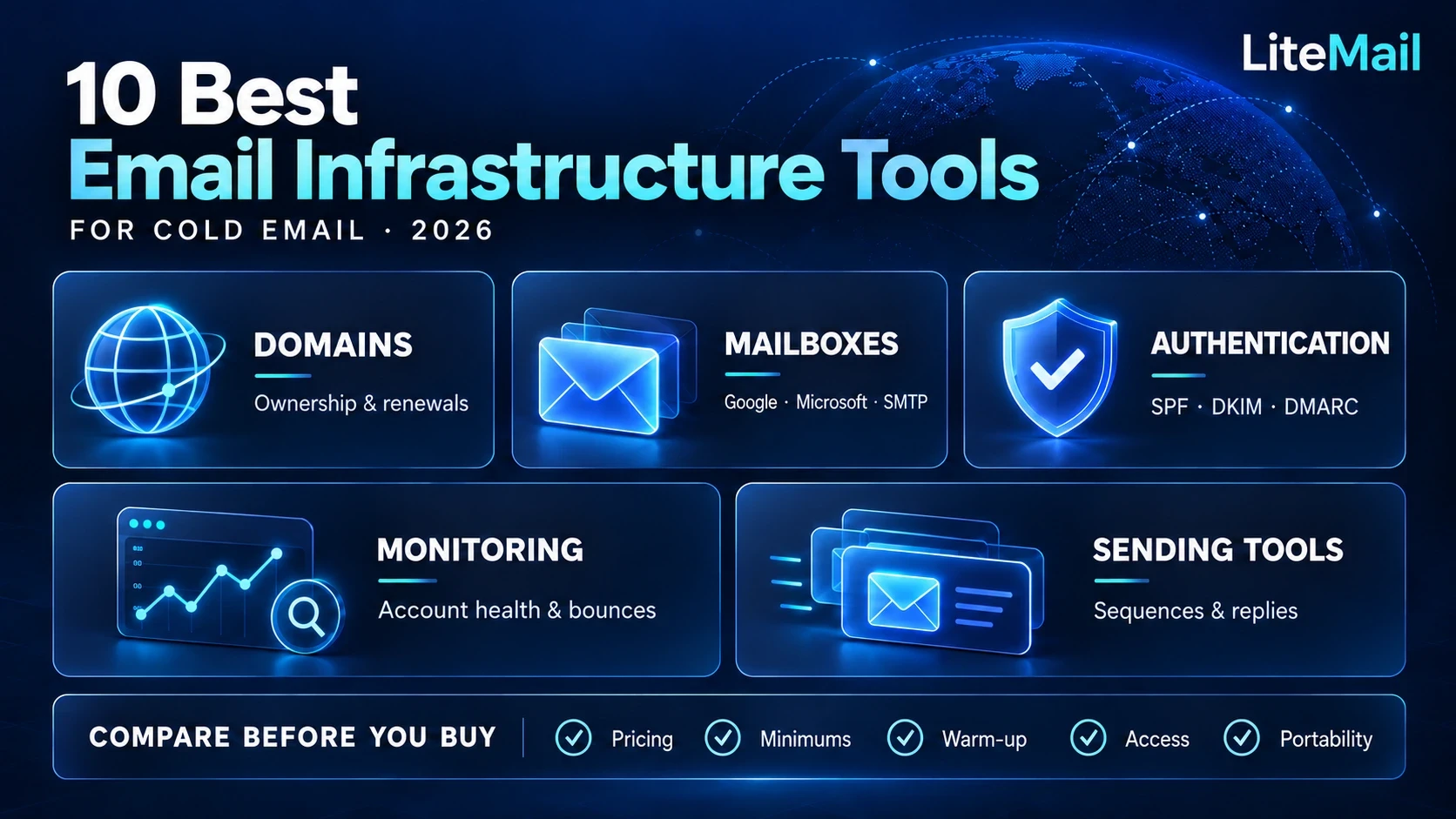
Email infrastructure is the combination of domains, mailboxes, authentication records, and hosting systems used to send and receive email. For cold outreach, it may also include account provisioning, warm-up, monitoring, and connections to campaign software.
A cold email infrastructure setup typically includes:
Sending domains: Domains used for outreach, separate from your main business email domain.
Mailboxes: Google Workspace, Microsoft 365, or SMTP accounts.
Authentication: SPF, DKIM, and DMARC records that help receiving servers authenticate messages.
Account preparation: Configuration and, where offered, warm-up before campaign activity.
Monitoring: Checks for authentication issues, bounces, account problems, and reputation signals.
Sending-tool connections: Integrations with platforms that manage sequences and replies.
Using separate outreach domains helps separate sending operations, but it does not eliminate reputation risks or guarantee inbox placement.
How LiteMail Supports Cold Email Infrastructure
LiteMail offers managed mailbox services for Google Workspace and Microsoft 365, with both fresh and pre-warmed accounts available. It also provides SPF, DKIM and DMARC setup as well as integrations with supported outreach platforms like Instantly and Smartlead.
How We Compared These Tools
We focused on six buying questions:
What kind of accounts or infrastructure does the provider supply?
What does the published price include?
Are there minimum purchases or billing commitments?
How are authentication and account setup handled?
Which integrations and management features are available?
What control does the customer retain?
We did not assign inbox-placement scores. Reliable performance comparisons would require a documented test using comparable accounts, recipients, messages, and sending conditions.
1. LiteMail
Managed Google Workspace and Microsoft 365 Accounts
LiteMail offers mailbox choices for Google Workspace and Microsoft 365, with brand new and pre-warmed accounts. It provides the infrastructure to set up authentication and connect to outreach platforms that it supports.
Pricing: Published packages are $37/month for 10 mailboxes, $97/month for 30, $297 for 100, and $849 for 300. Package pricing means the effective cost per mailbox changes depending on how many you buy. Compare each pre-warmed option individually.
Why watch: LiteMail is great for teams that want managed provider accounts but want to continue using the outreach software they already have.
What to check: Check the account type you have chosen, if you have admin access, domain costs and if warm-up is part of the specific purchase litemail.ai
Compare LiteMail cold email infrastructure plans.
2. InboxKit
Flexible Mailbox Quantities and Centralized Management
InboxKit also provides options for Google Workspace and Microsoft accounts through a centralized management platform.
Pricing: The published mailbox cost is $3/month for monthly billing or $2.50/month for annual billing. The annual figure is an annual commitment, not a month-to-month purchase.
Why think about it: Its per-mailbox structure is handy when you want to pick quantities, instead of starting with a bigger fixed package.
What to watch for: See exactly what the account offer includes, the warm-up prices and any advanced tracking attachments. Not all deliverability services are included in the base price of a mailbox.
3. Primeforge
Provider Accounts With Automated Provisioning
Primeforge's Google Workspace and Microsoft 365 mailbox automated setup.
Pricing: Pricing calculator will vary based on configuration and billing term. The published minimum is 10 mailbox slots, so buyers should factor in paid capacity even if they start out activating fewer accounts.
Why it matters: Primeforge is for teams that want provider accounts and automated provisioning, as part of the larger Forge ecosystem.
What to look for: Determine the real cost of the amount you need. Confirm domain charges and if warm up or sending services require additional subscriptions.
4. Mailforge
Shared SMTP Infrastructure
Mailforge offers shared SMTP infrastructure with domain and mailbox management. It automates the setup of authentication including SPF, DKIM and DMARC.
Pricing: Mailbox pricing is calculator based. Minimum purchase is 10 slots. Plus domains and optional services can also add to the total.
Why you might want to: If teams are considering shared SMTP infrastructure, Mailforge is an alternative that connects to an external sending tool.
What to look for: Don’t call its mailboxes Google Workspace or Microsoft 365 accounts. Review the infrastructure model, supported connections, and charges outside of mailbox slots.
5. Infraforge
Private Infrastructure and Dedicated Control
Infraforge provides private SMTP infrastructure, and also offers dedicated infrastructure options.
Cost: Pricing is based on the configuration you choose and quarterly & annual billing options are available. The price cited may be affected by other services.
Why you should care: Infraforge is worth a look if you have a specific operational need for private infrastructure.
What to look for: Check mailbox sizes, dedicated IP costs, optional services and ongoing management requirements. Having dedicated infrastructure doesn’t equal better inbox placement.
6. Maildoso
Bulk SMTP Mailbox Management
Maildoso offers SMTP mailbox infrastructure with management features such as IP rotation and mailbox recovery functionality.
Pricing: Its published monthly SMTP packages include $75 for 30 mailboxes, $225 for 300, and $499 for 1,000. Domain inclusion differs by billing arrangement.
Why consider it: Maildoso is relevant for teams comparing larger SMTP mailbox packages.
What to check: Confirm the selected account product, domain inclusion, sending-tool costs, and warm-up arrangements. A low package cost alone does not establish the best value for a particular campaign.
7. Zapmail
Managed Provider Accounts With Team Features
Zapmail supplies Google Workspace and Microsoft 365 account options, with workspace management and connections to outreach platforms.
Pricing: Published monthly packages include $39 for 10 mailboxes, $99 for 30, and $299 for 100. Additional mailbox pricing varies by package.
Why consider it: Zapmail is worth comparing when you need provider accounts and features for managing teams or multiple workspaces.
What to check: API access and other features depend on the selected plan. Review fresh and pre-warmed offerings separately, including their costs and access conditions.
8. Aerosend
Managed Infrastructure With Bundled Services
Aerosend provides managed private infrastructure, warm-up and recurrent placement-testing solutions.
Pricing: The service costs $4 per mailbox for the first 150 mailboxes, after which the marginal rate decreases. Purchases begin at 30 mailboxes.
Why buy it: Aerosend is for buyers who want a managed service bundle, not just mailbox hosting.
What to check: The minimum quantity raises the cost of entry for smaller teams. Find out what monitoring and warm-up services are included and how the volume-based pricing applies to your order.
9. Instantly
Mailbox Purchasing Inside a Sending Platform
Instantly combines campaign software with mailbox purchasing options.
Pricing: Its documented done-for-you Google accounts cost $5 per account monthly. Pre-warmed Google accounts cost $10 monthly, with separate domain charges and purchasing conditions.
Why consider it: Buying accounts inside Instantly can simplify provisioning for teams already using its campaign platform.
What to check: Include the sending-platform subscription in your budget. Its pre-warmed offering has portability restrictions, so review ownership and transfer conditions before purchasing.
10. Smartlead
Vendor-Based Mailbox Purchasing Through SmartSenders
Smartlead provides campaign software and a mailbox marketplace through SmartSenders.
Pricing: Mailbox prices vary by vendor. Account types, domain charges, minimum quantities, and administrator access also differ.
Why consider it: SmartSenders is useful to investigate when you want mailbox procurement connected to your Smartlead workflow.
What to check: Compare the individual vendor offering rather than treating SmartSenders as one uniform infrastructure product. Review portability restrictions and include Smartlead’s platform subscription in the total cost.
How Much Does Cold Email Infrastructure Really Cost?
Use this formula:
Total cost = mailboxes + domains + warm-up + sending software + infrastructure add-ons + applicable fees.
For example, compare these three pricing references:
Configuration | Monthly mailbox charge | Additional costs to check |
|---|---|---|
LiteMail: 30-mailbox Growth package | $97 | Domains, selected warm-up option, sending software |
InboxKit: 30 mailboxes on monthly billing | $90 | Domains, warm-up add-ons, sending software |
Maildoso: 30-mailbox monthly SMTP package | $75 | Domains, warm-up arrangements, sending software |
These products use different account and infrastructure models. The lowest mailbox bill may not produce the lowest complete setup cost.
If you buy annually or quarterly, compare both the effective monthly rate and the amount payable upfront.
How to Choose the Right Email Infrastructure Tool
Start With Your Account Requirements
Decide whether you need Google Workspace accounts, Microsoft 365 accounts, or SMTP infrastructure. Then compare providers within the relevant category.
For a larger deployment, review your requirements before purchasing bulk email inboxes.
Compare Fresh and Pre-Warmed Options Separately
Fresh and pre-warmed accounts involve different preparation and purchasing conditions. Warm-up history should not be treated as proof of future campaign performance.
Read the differences between pre-warmed and fresh inboxes before selecting an account type.
Check Ownership and Portability
Ask who controls the domains, what administrator access you receive, whether accounts can connect to another platform, and what happens after cancellation.
A convenient purchasing workflow can come with restrictions that matter later.
Check Support and Monitoring
Understand how the provider handles failed authentication, disconnected accounts, renewals, and account replacement. Check what monitoring is included and what requires an add-on.
What Should Agencies Check Before Buying?
Agencies need more than affordable mailboxes. They also need a manageable way to separate clients, assign access, and maintain accounts.
Before purchasing, check:
Whether client domains and mailboxes can be organized into separate workspaces.
Which permissions are available to employees and clients.
Whether invoices and renewals can be tracked by client.
Whether bulk provisioning, exports, or API access are included.
How ownership and access are handled when a client leaves.
Confirm these features on the selected plan. A provider’s agency positioning does not necessarily mean every account includes them.
Other Tools Worth Considering
The ten providers above are not the entire market.
Inframail is another option to investigate when comparing plans for larger mailbox deployments.
Outreach2day publishes a $2.50 monthly mailbox price with warm-up and sequencing included, subject to a 12-mailbox minimum. Domains and certain checkout fees are separate. Its bundled model is worth comparing against standalone infrastructure.
Salesforge is relevant when evaluating a broader outbound platform alongside infrastructure services. Keep campaign software and mailbox infrastructure separate in your comparison.
What Happens After You Buy Cold Email Infrastructure?
A typical setup involves five steps:
Confirm domain control. Establish who manages registration, DNS, and renewal.
Provision the mailboxes. Check account access and recovery arrangements.
Verify authentication. Confirm SPF, DKIM, and DMARC are configured for the sending setup.
Connect the sending platform. Test account connections and reply handling.
Prepare and monitor campaigns. Review recipient quality, account preparation, sending settings, and performance.
Provider timelines vary. Mailbox provisioning and campaign readiness are different milestones, so ask what a quoted setup time actually includes.
Frequently Asked Questions
What is the best cold email infrastructure tool?
There is no one choice that is right for every team. Compare providers by account type, total costs, minimum purchases, integrations, support, and ownership requirements What works for a big SMTP deployment may not be right for a small team needing Google Workspace accounts.
Is Email Infrastructure the Same as Cold Email Software?
No. The infrastructure provides the domains, mailboxes, authentication and hosting environment. Cold email software helps you manage campaigns, sequences, follow-ups and reporting. Some platforms offer both.
Do Smartlead and Instantly have Mailboxes?
They both have options to buy mailboxes and software to send. Smartlead has SmartSenders vendor options. Instant provisioned accounts available. Check the particular product’s price, availability, and portability.
Does it have a warm-up built in?
No. It might be included or sold separately or through another service. Check which apply to the selected plan before working out the total cost.
Does Automated DNS Setup Ensure Inbox Placement?
No, authentication is important but it doesn't guaranty inbox placement Recipient complaints, sending behavior, list quality and reputation also matter. Google’s sender guidance includes requirements for authentication and spam-rate.
Are Shared IPs Better than Dedicated IPs?
There is no universal answer. They have different control and management arrangements. Don't assume that infrastructure means it will perform better, look at the configuration and responsibilities.
Can I Migrate My Mailboxes to Another Platform?
Depends on the provider and the account product. Make sure you check the connection permissions, the access rights of the administrator, the control of the domain and any limitations on transfer before you buy.
Are Pre-Warmed Accounts Ready for Unlimited Send?
No. Previous warm up activity does not increase provider limits or create unlimited capacity. Check the conditions and performance of the account when adding campaign traffic.
How Many Mailboxes Do I Need for Cold Email?
Estimate your mailbox requirement using your planned daily campaign volume and a conservative sending allowance for each account. Include follow-ups in the calculation and check provider restrictions. A capacity estimate is a planning tool; it does not establish a safe or guaranteed sending volume.
Should I Buy Infrastructure Separately From My Sending Software?
Separate infrastructure can offer more purchasing flexibility, while platform-based purchasing can simplify setup. Compare the complete cost, account access, supported integrations, and transfer conditions. The better choice depends on whether convenience or flexibility matters more to your workflow
Choose Infrastructure That Fits Your Outreach Stack
The best email infrastructure tools for cold email combine a suitable account model with understandable pricing and practical management.
Compare provider accounts, shared SMTP, private infrastructure, and platform-based purchasing separately. Then calculate the complete bill and check the control you retain.
Looking for managed Google Workspace or Microsoft 365 inboxes? Explore LiteMail’s infrastructure plans, or compare its pre-warmed account options, to find a setup that fits your outreach platform and budget.






