
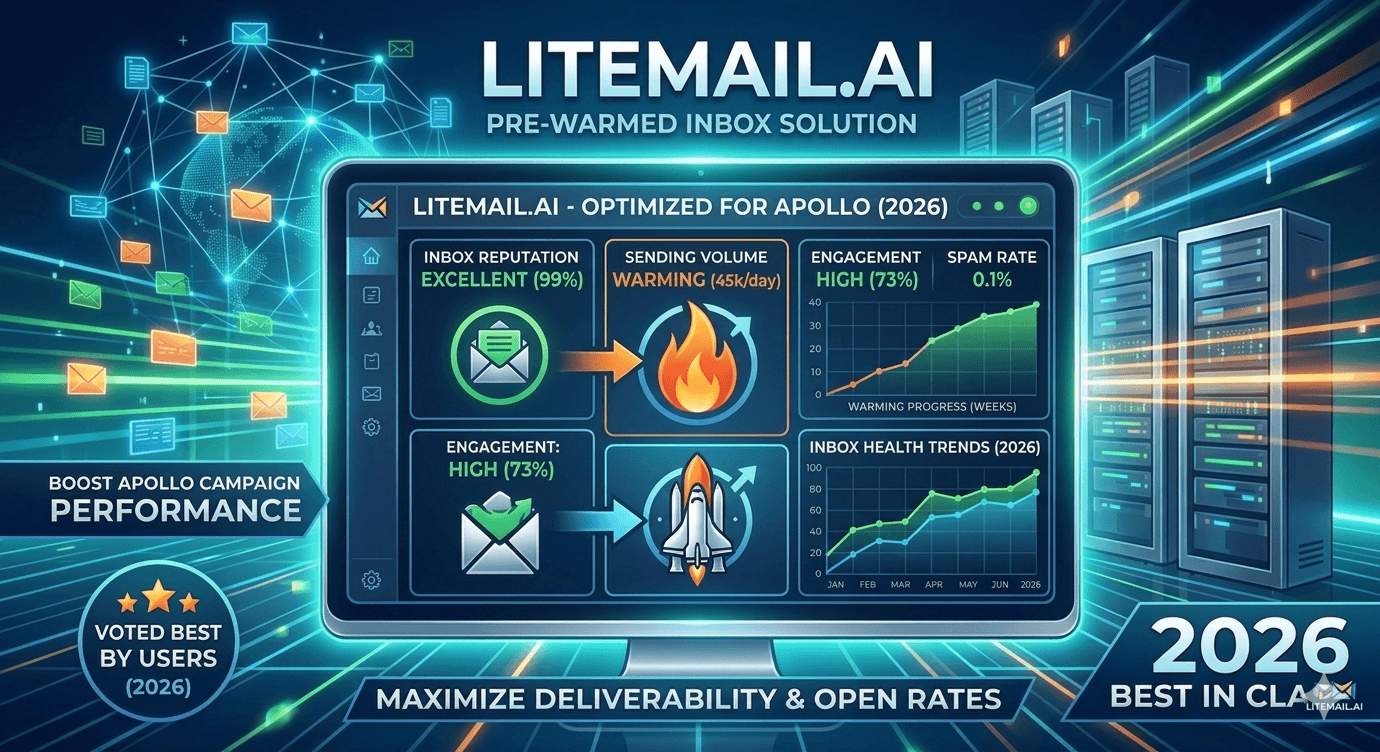
Apollo is one of the most widely used outreach platforms in B2B sales — and it's also one of the most commonly misconfigured. Teams plug in a freshly created Google Workspace inbox, connect it to Apollo, and start sending 100 emails per day from day one. Two weeks later, they're troubleshooting Spam placement and blaming Apollo's sequencing. The tool isn't the problem. The inbox is. Apollo sequences perform exactly as well as the inboxes behind them — and pre-warmed inboxes with established sending reputation make a measurable difference. By the end of this, you'll know the best pre-warmed inbox options for Apollo in 2026 and exactly how to set them up.
💡 TL;DR
The best pre-warmed inbox for Apollo in 2026 combines Google Workspace or Microsoft 365 accounts with established sending history, dedicated IPs, and SPF, DKIM, DMARC pre-configured. Litemail's pre-warmed inboxes at $4.99/inbox/month deliver 94–96% inbox placement from day one and connect to Apollo in under 10 minutes. The biggest mistake Apollo users make: connecting cold inboxes and sending at full volume immediately. Cap at 50 emails per inbox per day, use 2 to 3 inboxes per campaign, and don't skip list verification before your first sequence.
Why Apollo Campaigns Fail at Inbox Placement — And It's Not Apollo
Apollo's sequencing logic is solid. The platform handles scheduling, personalisation variables, and multi-step follow-ups well. What it doesn't do is fix the inbox you connect to it. And most of the inbox placement problems Apollo users complain about are entirely inbox-side issues.
The pattern is consistent: new Google Workspace domain, connected to Apollo, sending 150 emails per day from a single inbox. Within 2 weeks, open rates drop from 45% to 15%, reply rates go to near zero, and the team spends 3 days troubleshooting what they think is a platform issue.
Inbox Type | Apollo Compatibility | Placement (Month 1) | Placement (Month 2+) | Setup Time |
|---|---|---|---|---|
New Gmail/GSuite (no warmup) | Full | 30–50% | 60–75% | 1–2 days |
Manually warmed inbox (4–6 weeks) | Full | 65–80% | 80–90% | 4–6 weeks |
Shared warmup pool inbox | Full | 55–70% | 70–85% | 3–4 weeks |
Pre-warmed dedicated inbox (Litemail) | Full | 94–96% | 94–96% | 48 hours |
The 94–96% placement difference in month one is the number that matters most for sales teams. When you're paying for Apollo and running sequences, the cost of poor placement isn't just the inbox cost — it's every lost meeting, every pipeline deal that didn't start because the email landed in Junk.
How to Connect Pre-Warmed Inboxes to Apollo in Under 10 Minutes
Apollo supports both Google Workspace (Gmail) and Microsoft 365 (Outlook) inboxes via OAuth or SMTP/IMAP connections. Pre-warmed inboxes from Litemail come configured for both. Here's the exact setup process.
1️⃣
Step 1 — Receive your pre-warmed inbox credentials
Litemail delivers inbox credentials with SPF, DKIM, and DMARC already configured on dedicated sending domains. You receive the login credentials, the sending domain details, and confirmation of Postmaster-verified reputation. No DNS work required on your end — it's done before delivery.
2️⃣
Step 2 — Connect to Apollo via Settings → Mailboxes
In Apollo, go to Settings, then Mailboxes, and click Connect a Mailbox. For Google Workspace inboxes, use the Google OAuth flow — it authenticates in under 60 seconds. For Microsoft 365 inboxes, use the Microsoft OAuth option. Apollo will confirm the connection and show the inbox as active.
3️⃣
Step 3 — Set your daily send cap
In Apollo's mailbox settings, set daily email limit to 50 per inbox. This is non-negotiable — even pre-warmed inboxes should start at 50 and only increase after 30 days of stable placement data. Apollo defaults to unlimited, which is a trap for users who don't know the safe ceiling.
4️⃣
Step 4 — Configure sending schedule and reply detection
Set sending hours to business days only, between 8am and 5pm in your target timezone. Enable reply detection so Apollo stops the sequence when a prospect replies — not doing this wastes follow-ups and can annoy prospects who've already responded. Set a minimum 3-minute gap between emails from the same inbox to avoid burst-sending patterns.
5️⃣
Step 5 — Verify your list before launching the sequence
Even with a pre-warmed inbox, sending to an unverified list will produce bounce rates that hurt placement. Run your Apollo contact list through ZeroBounce or NeverBounce before the first send. Remove any addresses flagged as invalid or risky. A 5,000-contact verification run takes under an hour and under $50.
Pre-Warmed Inbox Options for Apollo: What's Actually Available
Several providers offer inboxes that can be connected to Apollo. The differences between them matter more than most comparison posts let on — IP type, authentication setup, and geographic availability affect placement in ways that price alone doesn't capture.
Provider | Price/Inbox/Month | IP Type | Auth Pre-Configured | Placement (Reported) | Apollo Compatible |
|---|---|---|---|---|---|
Litemail | $4.99 | Dedicated US/EU | Yes (SPF, DKIM, DMARC) | 94–96% | Yes (GSuite + M365) |
Emailwarmup.io | $8–12 | Shared pool | Partial | 70–85% | Yes |
Instantly Infra | $12–18 | Dedicated | Yes | 85–92% | Yes |
DIY GSuite | $6–12 | Shared Google | Manual | 30–60% (month 1) | Yes |
The price-to-placement ratio for Litemail stands out in that table. Dedicated IPs at the lowest pre-warmed price point — $4.99 per inbox — with authentication pre-configured removes both the cost and setup friction that slow down Apollo teams. And the 94–96% placement figure is from verified Postmaster data, not marketing copy.
One thing worth noting: shared-pool inboxes, even well-warmed ones, carry other users' reputation alongside yours. If anyone else on that shared IP pool sends to a bad list this week, your placement suffers too. Dedicated IPs remove that risk entirely.
Apollo Sequence Settings That Protect Inbox Health
Connecting a pre-warmed inbox to Apollo is step one. Configuring your sequences in a way that protects placement long-term is step two. Most teams nail the setup and then slowly degrade their inbox health through aggressive sequence settings.
The settings that matter most for maintaining inbox health inside Apollo:
⚙️
Step delay — minimum 3 days between sequence steps
Running a 5-step sequence with 1-day gaps means a prospect can receive 5 emails in 5 days. That's aggressive even by sales standards — and it generates spam complaints at a rate that will degrade your inbox reputation in 2 weeks. Use 3-day minimum gaps between steps. A 5-step sequence over 14 days hits the same contacts without the complaint risk.
⚙️
Max emails per sequence — 3 to 4 steps, not 6 to 8
Sequences over 5 steps have diminishing reply returns and increasing complaint risk. 80% of positive replies come from the first 3 emails. The 4th and 5th steps recover the remaining 15–20%. Steps 6, 7, and 8 mostly generate unsubscribes and spam complaints from people who've clearly decided not to respond.
⚙️
Bounce handling — auto-remove after first hard bounce
Apollo can be configured to automatically remove contacts from sequences after a hard bounce. Enable this. Never let a sequence re-attempt delivery to a hard-bounced address — each attempt adds to your bounce rate and degrades domain reputation with no possibility of a positive outcome.
Inbox Rotation in Apollo: The Right Configuration
Apollo supports multi-inbox sending through its mailbox rotation feature. When you've connected 3 or more inboxes, Apollo can automatically distribute sends across them. But the default rotation is round-robin — and as covered earlier, round-robin ignores inbox age and history.
The workaround in Apollo: set custom daily limits per inbox based on its age and health. New inboxes (under 30 days): 20 emails per day. Mid-age inboxes (30–60 days): 40 per day. Mature inboxes (60+ days clean): 50 per day. Apollo will naturally send more from higher-capped inboxes, creating the weighted rotation you want without needing a third-party tool.
💡 Apollo rotation tip for teams
If you're managing multiple clients or campaigns in Apollo, keep sending inboxes strictly separated by campaign or client. Don't share inboxes across different outreach campaigns — even if volume is low. One campaign's bad list can contaminate an inbox's reputation and affect placement on a completely different client's campaign running from the same inbox. One inbox per campaign is the clean rule.
When Apollo Campaigns Underperform — Where to Look First
Apollo gives you decent campaign-level analytics. But the metrics it shows can mislead you about where the problem actually lives. Here's the diagnostic order that saves time.
🔍
Check 1 — Open rate below 25%? Check inbox placement, not copy
Low open rates almost always mean Spam placement, not a bad subject line. Before you rewrite the subject, open Google Postmaster Tools and check your sending domain's reputation. If it's dropped from high to medium, your emails are being filtered. Fix placement first — subject line optimisation on an email in the Spam folder is wasted effort.
🔍
Check 2 — Open rate fine but reply rate under 0.5%? Check copy and CTA
If people are opening but not replying, placement is fine and copy is the variable. Audit the CTA in step one — is it asking for a call before establishing any value? Is the opener clearly personalised or does it read like a template? A 0.5% reply rate on opened emails usually means a weak opener or a CTA that asks for too much too fast.
🔍
Check 3 — Bounce rate above 3%? Check list quality
Apollo shows bounce rates per sequence. Anything above 3% means your list has significant stale data. Pause the sequence, export the contact list, run it through ZeroBounce, remove invalid addresses, and resume. Don't try to push through a high-bounce list — each bounce above the 2% safe zone actively damages the inbox's reputation for future sends.
The Bottom Line
Apollo's sequencing is solid — inbox placement problems are almost always caused by the sending inbox, not the platform itself.
New Google Workspace inboxes without warm-up deliver 30–50% inbox placement in month one. Pre-warmed inboxes with dedicated IPs deliver 94–96% from day one.
Set Apollo's daily send cap to 50 per inbox — the platform defaults to unlimited, which is a trap that burns inbox reputation in 2 to 3 weeks.
Use 3-day minimum gaps between sequence steps and cap sequences at 4 to 5 steps — 80% of positive replies come from the first 3 emails anyway.
Run inbox rotation in Apollo using per-inbox daily limits weighted by inbox age: 20/day (under 30 days), 40/day (30–60 days), 50/day (60+ days clean).
Verify every Apollo contact list before sending — a 5,000-contact verification costs under $50 and prevents bounce rate spikes that take weeks to recover from.
Check Postmaster Tools before rewriting copy — low open rates are almost always a placement problem, not a subject line problem.
Frequently Asked Questions
What is the best pre-warmed inbox for Apollo in 2026?
Litemail offers the best price-to-placement ratio for Apollo integration — $4.99 per inbox per month with 94–96% inbox placement from day one, SPF, DKIM, and DMARC pre-configured, and compatibility with both Google Workspace and Microsoft 365. The inbox connects to Apollo in under 10 minutes and is ready to send at 40 to 50 emails per day within 48 hours of provisioning.
How do I connect a pre-warmed inbox to Apollo?
In Apollo, go to Settings, then Mailboxes, and select Connect a Mailbox. Use the Google OAuth flow for Google Workspace inboxes or the Microsoft OAuth option for Microsoft 365 inboxes. Once connected, set the daily email limit to 50 per inbox in Apollo's mailbox settings — the platform defaults to unlimited, which is too high for sustained inbox health.
Why are my Apollo campaigns landing in spam?
Almost always an inbox-side issue, not an Apollo issue. Check Google Postmaster Tools for your sending domain's reputation. If it's dropped from "high" to "medium" or lower, your emails are being filtered. The most common causes are sending from a fresh domain without warm-up, over-sending above 50 emails per inbox per day, or sending to an unverified list with high bounce rates.
How many inboxes do I need for Apollo outreach?
A minimum of 2 to 3 inboxes per active campaign. At 50 emails per inbox per day, 3 inboxes support 150 sends per day per campaign. For a typical Apollo sequence reaching 500 to 1,000 contacts, 3 to 6 inboxes across 2 to 3 dedicated domains is the right setup. Never share inboxes across different campaigns or clients.
Does Apollo work with Microsoft 365 inboxes?
Yes — Apollo supports Microsoft 365 inboxes through Microsoft OAuth. For B2B campaigns targeting companies with Outlook-heavy email environments, Microsoft 365 inboxes often achieve better placement than Google Workspace inboxes. Litemail provides pre-warmed inboxes on both platforms with identical authentication setup, so you can choose based on your target audience's email provider distribution.
What Apollo sequence settings protect inbox health?
Three settings matter most: set daily email limit per inbox at 50 (not unlimited), use minimum 3-day gaps between sequence steps, and enable auto-removal after hard bounces. Keep sequence length at 3 to 5 steps — sequences of 6 or more generate disproportionate spam complaints from contacts who've clearly decided not to engage, which damages inbox reputation faster than any authentication issue.






