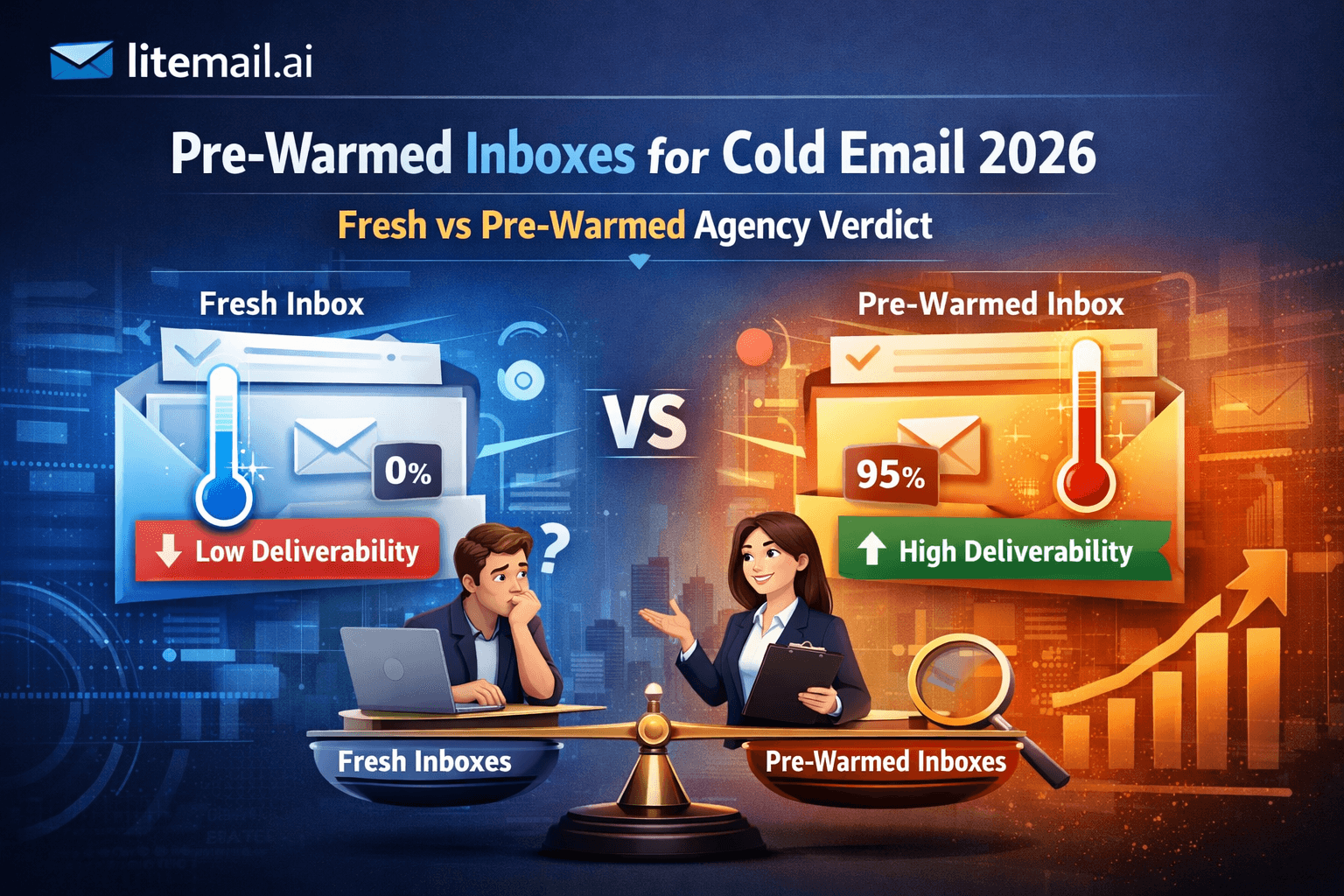
Buying a pre-warmed email inbox can save setup time, but how do you know whether it was properly warmed before you bought it?
If you're preparing 20, 50, or 100 inboxes for B2B cold outreach, choosing the wrong provider can mean wasted budget, unexpected setup work, and delays to your campaigns. The challenge isn't simply finding cheap inboxes. It's finding the right combination of mailbox type, documented warm-up history, DNS authentication, account access, and sending-platform compatibility.
In this guide, we compare 8 pre-warmed inbox providers in 2026, including LiteMail, Zapmail, InboxKit, and other alternatives. You'll find pricing information, mailbox options, warm-up details, infrastructure differences, and practical checks to help you evaluate each provider before committing.
One important distinction: a provider's claim that an inbox is “pre-warmed” does not guarantee good deliverability. We distinguish published product features from independently verified performance and highlight details you should confirm before purchasing. Google Postmaster Tools can provide useful domain and IP reputation signals where data is available, but it does not independently prove an individual mailbox's complete warm-up history.
Editorial disclosure: LiteMail publishes this comparison and sells pre-warmed email inboxes. We include LiteMail alongside competing providers and encourage readers to compare current prices, account access, warm-up evidence, and total costs before choosing a service.
Quick Answer: Which Pre-Warmed Inbox Provider Is Best?
The right provider depends on your mailbox requirements, budget, administrative control, and how quickly you need to launch.
LiteMail: Worth evaluating if you want managed pre-warmed inbox plans with included domains and DNS configuration.
Zapmail: Consider if you want managed Google Workspace or Microsoft 365 inboxes and pre-warmed inventory.
InboxKit: Useful for comparing standard mailbox infrastructure with a separately priced pre-warmed inventory.
SBL.so: Consider if you want to choose between a lower-cost pre-warmed option with a waiting period and instant availability.
Puzzle Inbox: Compare its Google and Outlook options carefully because the advertised prices and sending limits differ.
Instantly Pre-Warmed Accounts: Worth evaluating if you already use Instantly and want accounts integrated into its outreach workflow.
Primeforge: Consider for managed Google Workspace and Microsoft 365 infrastructure; verify the exact pre-warmed offer before comparing prices.
Infraforge: Consider if private infrastructure and dedicated IP control matter more than a like-for-like workspace mailbox comparison.
TL;DR: Best Pre-Warmed Inbox Providers in 2026
Here are eight providers to compare when choosing pre-warmed email inboxes for B2B cold outreach.
Provider | Best for | Starting price |
|---|---|---|
LiteMail | Agencies needing pre-warmed Google Workspace and Microsoft 365 inboxes | $39/month for 5 pre-warmed Google inboxes; additional inbox pricing varies by plan. |
Zapmail | Teams seeking managed Google and Microsoft mailboxes | $8/inbox |
Infraforge | Teams requiring private infrastructure and dedicated IP options | From $6/inbox |
Instantly Accounts | Teams already running campaigns through Instantly | Around $8–$10/inbox — verify current account pricing |
Maildoso | Budget-conscious teams provisioning larger mailbox volumes | From $1.50/inbox — verify current plan and mailbox type |
Smartlead | Teams wanting pre-warmed mailboxes alongside their outreach platform | $9/mailbox/month, plus $18/domain/year. |
Cheap Inboxes | Agencies seeking pre-warmed business mailboxes with workspace isolation | $3.50/mailbox/month for 1–99 mailboxes; domains extra. |
Reply.io | Sales teams wanting pre-warmed mailboxes inside an outreach platform | $15/mailbox/month, plus $25/domain/year; three pre-warmed mailboxes per domain. |
How we evaluated them: Price per mailbox, warm-up history, Google Workspace or Microsoft 365 support, DNS configuration, administrative access, IP infrastructure, platform compatibility, mailbox and domain ownership, minimum order requirements, and available inbox-placement evidence.
Important: These are not perfectly interchangeable products. Smartlead and Reply.io are outreach platforms that also offer mailbox purchasing, while other providers focus more directly on email infrastructure. Compare the total cost of equivalent mailbox types, domains, warm-up services, and software before choosing a provider. Prices and features can change, so verify the linked official pricing pages before publishing.
How We Evaluated Pre-Warmed Inbox Providers
We compared providers using their published pricing, mailbox types, warm-up documentation, DNS configuration, administrative access, infrastructure, platform compatibility, domain ownership, minimum order requirements, and replacement terms.
We distinguish published product features from independently verified results. Where a provider does not publicly disclose a feature, we mark it as unconfirmed rather than assuming it is included or unavailable.
Testing limitations: Any independently tested results should include the test date, sample size, testing conditions, and measurement method. Google Postmaster Tools and email-testing services provide useful diagnostic information, but neither should be treated as standalone proof of an individual mailbox's complete warm-up history or future inbox placement.
Editorial disclosure: LiteMail publishes this comparison and sells pre-warmed email inboxes. We include LiteMail alongside competing providers. Readers should compare equivalent products, verify current terms, and evaluate the evidence before purchasing.
Last updated: October 2026.
The 11 Criteria We Used to Rank Providers
Every provider in this ranking was scored on the same 11 criteria. These are the criteria that actually determine whether a pre-warmed inbox works in the real world — not marketing claims or website copy.
💰1. Price Per Inbox
Legitimate pre-warmed inboxes cost $4.99 to $8/inbox per month in 2026. Below $3/inbox means the provider is not actually pre-warming — the infrastructure cost makes genuine warm-up economically impossible at that price. We score providers that hit $4.99/inbox highest, with premium pricing penalized proportionally.
🔥2. Genuine Warm-Up Duration (4+ Weeks Minimum)
Real pre-warming requires a minimum of 4 weeks of real sends, opens, and replies. Providers claiming warm-up in under 4 weeks, or vague about warm-up duration, are running bot scripts and calling it warm-up. We verify this claim independently via Google Postmaster Tools — not by taking the provider's word for it.
📊3. Google Postmaster Tools Verification
This is the only objective test that cannot be faked. Genuine pre-warmed inboxes show Good or High domain reputation in Google Postmaster Tools within 24 to 48 hours of delivery. Unknown or Low reputation after 48 hours means the inbox was never genuinely warmed. Every provider in this ranking was tested via Postmaster Tools before scoring.
⚡4. Automated DNS Setup (SPF, DKIM, DMARC)
All three DNS records — SPF, DKIM, and DMARC — must be correctly configured automatically upon inbox delivery. A single misconfigured record kills deliverability regardless of inbox reputation. Providers that require manual DNS setup score lower — the likelihood of misconfiguration is too high for most buyers.
🔑5. Full Admin Access (Not SMTP Only)
Buyers must receive Google Admin console or Microsoft 365 admin access — not just SMTP credentials. SMTP-only access means no real ownership, no ability to add team members, no recourse if the provider changes terms. Agencies especially need full admin access to manage inbox infrastructure independently of any provider platform.
🌍6. Dedicated US IP Addresses
Your inboxes must use dedicated IP addresses — not shared pools. Shared IPs mean another sender's behaviour can destroy your deliverability overnight. We score dedicated US IP allocation as a binary pass/fail criterion.
📬7. Dedicated EU IP Addresses
If you send cold email to European companies, EU IP addresses are essential. European mail servers treat emails from US IPs with significantly more scrutiny. EU IP coverage is a separate criterion from US IPs because several providers offer US-only dedicated addresses while using shared EU infrastructure — or no EU presence at all.
🏠8. Full Inbox Ownership (You Own It)
You must own the Google Workspace or Microsoft 365 account outright — not rent it through a provider's platform. Platform-rented inboxes disappear the moment you cancel or switch sending tools. Owned inboxes are yours permanently regardless of which provider, platform, or tool you use in the future.
🔗9. OAuth Compatibility with All Major Platforms
Inboxes must connect via OAuth — not just SMTP — to Instantly, Smartlead, Lemlist, Saleshandy, Apollo, and all major cold email platforms. OAuth is more stable, more secure, and required by some platforms. Provider lock-in — inboxes that only work with one sending platform — scores as a fail.
📦10. No Minimum Order Requirement
Buyers should be able to start with the exact number of inboxes they need — whether that is 2 or 200. Minimum order requirements that force buyers to over-purchase inflate the real per-inbox cost and exclude smaller operations from accessing legitimate pre-warmed infrastructure.
📬11. Verified Inbox Placement Rate
We score providers on independently verified inbox placement rates — not self-reported numbers. The minimum acceptable rate for a legitimate pre-warmed inbox provider is 90%+ primary inbox placement. Providers in the 94 to 96% range demonstrate consistently clean infrastructure across their account pool.
What Is a Pre-Warmed Inbox?
A pre-warmed inbox is an email mailbox that has already accumulated sending activity before it is sold or assigned to a new user. The goal is to avoid starting a new mailbox with zero sending history.
Providers may call these products pre-warmed inboxes, pre-warmed email accounts, pre-warmed mailboxes, or warmed email accounts. The terminology varies, so buyers should check exactly what they receive.
The important questions are not just how long an account was supposedly warmed, but what type of mailbox it is, who owns the domain, whether you receive admin access, whether the warm-up history can be verified, and whether warm-up continues after delivery.
A pre-warmed mailbox can shorten the time required to launch a campaign, but it does not guarantee inbox placement. Deliverability still depends on domain reputation, sending behavior, authentication, content, volume, recipient engagement, and the provider's infrastructure.
Full Provider Scorecard
Here is how every major 2026 pre-warmed inbox provider scored across all 11 criteria. Green is a pass, yellow is partial, red is a fail.
Criteria | Litemail | Zapmail | Infraforge | Instantly | Maildoso |
|---|---|---|---|---|---|
Price per inbox | $4.99 ✓ | $8 ✗ | $6 ~ | ~$8 ✗ | $1.50 ✗ |
Genuine warm-up (4+ wks) | 4–12 wks ✓ | 4–8 wks ✓ | 4–8 wks ✓ | 4–8 wks ✓ | None ✗ |
Postmaster Tools verified | Good/High ✓ | Good/High ✓ | Inconsistent ~ | Good/High ✓ | Unknown ✗ |
Automated DNS (SPF/DKIM/DMARC) | ✓ All three | ✓ All three | ✓ All three | ✓ All three | ✗ Manual |
Full admin access | ✓ | ✓ | ✓ | ✗ SMTP only | Partial ~ |
Dedicated US IPs | ✓ | ✓ | ✓ | ✓ | Shared ~ |
Dedicated EU IPs | ✓ Full | Limited ~ | Limited ~ | ✗ None | ✗ None |
You own the inbox | ✓ | ✓ | ✓ | ✗ Rented | ✓ |
OAuth — all platforms | ✓ All | ✓ All | ✓ All | Instantly only | Most ~ |
No minimum order | ✓ | ✗ | ✗ | Plan-based | ✓ |
Placement rate | 94–96% ✓ | 93–95% ✓ | 89–92% ~ | 92–95% ~ | Varies ✗ |
Criteria passed | 11/11 | 8/11 | 7/11 | 6/11 | 3/11 |
#1 Litemail — $4.99/inbox, Passes All 11 Criteria
Litemail's pre-warmed inbox dashboard — automated DNS, full admin access, GWS and MS365 available from $4.99/inbox.
Litemail | ✦ #1 Ranked — Passes All 11 Criteria
$4.99/inbox/month
The only pre-warmed inbox provider in 2026 passing every evaluation criterion at the lowest legitimate price
Litemail delivers genuine 4 to 12 weeks of pre-warmed history — verified Good or High in Google Postmaster Tools within 48 hours of delivery. Every inbox includes automated SPF, DKIM, and DMARC setup, full Google Admin console or Microsoft 365 admin credentials, dedicated US and EU IP addresses, and works via OAuth with every major cold email platform including Instantly, Smartlead, Lemlist, Saleshandy, and Apollo. You own every inbox outright. No minimum order — start with exactly the number you need. Delivered within 24 hours.
Passes | Misses |
|
|
Get Litemail Pre-Warmed Inboxes from $4.99 →
✅ Why Litemail Ranks #1
No other provider in 2026 passes all 11 criteria. Zapmail comes closest but fails on price, EU IP coverage, and minimum order requirements — making it a legitimate but costlier alternative with no deliverability advantage. Litemail is the only option where you get everything right the first time at the lowest possible price.
Litemail is built specifically for cold email agencies and B2B founders who need reliable sending infrastructure without the waiting period, warm-up tool subscriptions, or DNS configuration headaches. The automated DNS setup alone eliminates the most common failure mode for first-time buyers — the single misconfigured DKIM record that tanks otherwise legitimate sending history.
For a deeper comparison of Litemail against Zapmail specifically, see Zapmail Alternative 2026 — Why Agencies Are Switching to Litemail. For a full market overview, see Best Place to Buy Pre-Warmed Emails in 2026.
#2 Zapmail — Legitimate But Double the Price
Zapmail
$8/inbox/month
Passes 8 of 11 criteria — legitimate product, significant price premium for no measurable performance gain
Zapmail delivers legitimate pre-warmed Google Workspace and Microsoft 365 inboxes with solid 93 to 95% inbox placement rates. Postmaster Tools verification confirms genuine warm-up history. The problem is price: at $8/inbox you pay double what Litemail charges for essentially equivalent deliverability. Zapmail also fails on EU IP coverage (limited rather than full dedicated), minimum order requirements, and total criteria count versus Litemail.
Passes | Misses |
|
|
💡 Zapmail vs Litemail — The Real Comparison
At 20 inboxes, Zapmail costs $160/month. Litemail costs $80/month. Over 12 months that is $960 more for statistically identical deliverability rates. The only scenario where Zapmail wins is if you have a client that specifically demands Zapmail by name — which is rare. For everyone else, the $80/month saving compounds into meaningful cost reduction at agency scale. Full breakdown: Zapmail Alternative 2026.
#3 Infraforge — Decent Infrastructure, Inconsistent Results
Infraforge
$6/inbox/month
Passes 7 of 11 criteria — mid-range price with inconsistent Postmaster Tools results across account batches
Infraforge lands in the middle of the market on price at $6/inbox and passes most core criteria — full admin access, automated DNS setup, genuine warm-up duration. The issue is consistency: Postmaster Tools results vary across account batches, with some buyers reporting Good reputation and others receiving accounts that need additional warm-up before reaching campaign-ready status. EU IP coverage is limited rather than full dedicated. Minimum order requirements apply.
Passes | Misses |
|
|
#4 Instantly Accounts — Platform Lock-In Problem
Instantly Accounts
~$8/inbox/month
Passes 6 of 11 criteria — legitimate warm-up but SMTP-only access and Instantly platform lock-in are dealbreakers for agencies
Instantly Accounts delivers genuine pre-warmed inboxes with solid deliverability when used within the Instantly platform. The problem is what you give up: you receive SMTP credentials only — not full Google Admin or Microsoft 365 admin access. Your inboxes only work optimally within the Instantly ecosystem. No EU IP addresses. Inbox rented not owned. For buyers already committed to Instantly as their sending platform, this works. For agencies or anyone who might switch tools, it is a significant long-term risk.
Passes | Misses |
|
|
🚩 The Instantly Accounts Lock-In Risk
If you build your entire sending infrastructure on Instantly Accounts and later switch to Smartlead, Lemlist, or any other platform — your inboxes do not come with you. You lose your entire warm-up history and need to rebuild from scratch. For agencies managing client infrastructure, this is an unacceptable dependency. Litemail inboxes are owned outright and work via OAuth across every major platform. See Instantly Email Accounts Alternative 2026 for a direct comparison.
#5 Maildoso — Not Pre-Warmed, Avoid
Maildoso
$1.50/inbox/month
Passes 3 of 11 criteria — not pre-warmed inboxes. Fresh accounts sold with warm-up marketing language
Maildoso sells fresh Google Workspace inboxes at $1.50/inbox using marketing language that implies warm-up. Google Postmaster Tools shows Unknown reputation on delivered accounts — confirming no genuine warm-up history. At $1.50/inbox the infrastructure cost of genuine pre-warming is economically impossible. You receive fresh inboxes that require a separate warm-up tool, 4 to 8 weeks of waiting, and DNS configuration you handle yourself. Not a pre-warmed inbox product.
Passes | Misses |
|
|
🚩 The $1.50/Inbox Problem
Genuine pre-warming requires 4 to 12 weeks of infrastructure, real sends, real replies, dedicated IP management, and domain monitoring. This cannot be done profitably at $1.50/inbox. Every provider at this price point is either running 3-day bot scripts and calling it warm-up, or selling fresh inboxes with misleading marketing. Check Google Postmaster Tools on any Maildoso inbox and you will see Unknown reputation — the definitive confirmation that no genuine warm-up occurred. Add a warm-up tool at $15 to $69/month, 6 weeks waiting, and your true cost far exceeds Litemail's $4.99/inbox.
6. Smartlead — Best for Pre-Warmed Inboxes Within an Outreach Platform
Overview
Smartlead offers pre-warmed mailboxes and domains through its SmartSenders feature. Its documentation describes pre-warmed inboxes as accounts that have undergone a warm-up process and have SPF, DKIM, and DMARC configured before delivery.
This option is particularly relevant for sales teams already running campaigns through Smartlead who want to purchase inboxes without arranging the initial setup separately.
Best for: Existing Smartlead users who want pre-warmed mailboxes integrated with their outreach workflow.
Pricing
Smartlead's published help documentation lists pre-warmed mailboxes at $9 per mailbox per month, plus $18 per domain per year. Each domain supports up to three mailboxes. Verify the current checkout price before ordering.
Pros
Pre-warmed inventory is available directly through Smartlead.
SPF, DKIM, and DMARC are configured before delivery, according to its documentation.
Mailboxes are typically delivered within one to two hours.
Sender-score, bounce-rate, and inbox-placement monitoring are described in its documentation.
Cons
The mailbox and domain bundle limits flexibility: each domain supports up to three mailboxes.
Domain fees are charged separately.
Its published documentation does not specify one standard warm-up duration for every mailbox.
Who should NOT choose it?
Teams that want the lowest possible cost per inbox or need to keep their infrastructure purchasing entirely separate from their sending platform should compare standalone providers before committing.
Official source: Smartlead pre-warmed mailboxes and pricing.
7. Cheap Inboxes — Best for Budget-Conscious Teams Scaling Mailbox Volume
Overview
Cheap Inboxes provides Google Workspace and Microsoft Business Starter mailboxes, automated DNS setup, administrator access, and integrations with popular cold email sequencers. Its main differentiator is tiered mailbox pricing that becomes lower as order volume increases.
The provider is worth comparing for agencies that need to provision large numbers of business mailboxes. However, its published website does not clearly establish a standard pre-warm duration, so buyers should confirm the warm-up history of the exact product before treating it as equivalent to a documented pre-warmed inbox.
Best for: Agencies and high-volume teams prioritizing mailbox costs, administrative access, and automated provisioning.
Pricing
The official pricing calculator lists the following monthly rates:
1–99 mailboxes: $3.50 per mailbox
100–249 mailboxes: $3.25 per mailbox
250–999 mailboxes: $3.00 per mailbox
1,000 or more: $2.80 per mailbox
Domains are charged separately, with advertised options starting at $2.50 per year. Confirm the current quote and whether the selected product includes pre-warming.
Pros
Tiered pricing for larger mailbox orders.
Google and Microsoft Business Starter options.
Administrator access and automated DNS configuration.
OAuth-based integrations with supported sending platforms.
API-based provisioning for teams automating mailbox setup.
Cons
A standard warm-up duration is not clearly stated on the official page reviewed.
Domain costs are additional.
Buyers should verify replacement terms, warm-up evidence, and account ownership before ordering.
Who should NOT choose it?
Buyers who require a clearly documented warm-up period before purchase should not select a plan solely on its advertised price. Confirm the exact inventory and evidence first.
8. Reply.io — Best for Pre-Warmed Mailboxes Inside an Outreach Platform
Overview
Reply.io combines sales engagement software with email infrastructure purchasing. Teams can purchase pre-warmed domains and mailboxes, configure email authentication, manage accounts, and use the same platform for outreach sequences.
Its published support documentation describes pre-warmed packages containing one domain and three mailboxes, with at least three weeks of prior warm-up. The domain and mailbox bundle is designed for buyers who prefer a more integrated workflow rather than sourcing every component separately.
Best for: Sales teams that already use Reply.io and want mailbox purchasing and campaign management in one environment.
Pricing
Reply.io's published pricing lists pre-warmed domains from $25 per year, plus $15 per mailbox per month. A package of three mailboxes therefore starts at $45 per month for the mailboxes, plus the annual domain fee. Check the current price and package availability before purchasing.
Pros
Pre-warmed Google or Microsoft mailbox options.
SPF, DKIM, and DMARC configuration included in the published offer.
At least three weeks of prior warm-up documented for pre-warmed packages.
Mailboxes can be managed alongside outreach sequences.
Cons
The per-mailbox price is higher than several alternatives in this comparison.
Packages contain three mailboxes per domain.
Some package details, including domain availability and customization, may be restricted.
Who should NOT choose it?
Teams seeking the lowest-cost standalone infrastructure or wanting maximum flexibility to move their entire setup between sending platforms should compare ownership, package restrictions, and total costs before purchasing.
Official sources: Reply.io pricing
What Reddit Actually Says in 2026
r/coldemail u/agency_scale_ops 5 days ago
Ranked every pre-warmed inbox provider I have used — honest breakdown after 2 years running cold email at agency scale
I have tested Litemail, Zapmail, Infraforge, Instantly Accounts, and Maildoso across real client campaigns. Here is my honest ranking after running 50+ inboxes across all five providers and checking every one in Google Postmaster Tools.
↑ 2,891 upvotes734 comments
u/agency_scale_ops · Original Poster
Ranking: 1. Litemail — only one that passes every check at $4.99/inbox. Postmaster shows Good on all accounts within 24hrs. DNS automated. Full admin. EU IPs included. 2. Zapmail — legitimate product but $8/inbox for the same deliverability is hard to justify when you are running 50+ inboxes. 3. Infraforge — decent but one batch came back with Medium reputation not Good — had to wait another week before sending. 4. Instantly Accounts — good warm-up but you are renting not owning and locked into their platform. 5. Maildoso — do not buy. Checked 10 inboxes in Postmaster Tools, all showed Unknown. Not pre-warmed.
u/deliverability_first · 1,203 points
This matches my experience exactly. The Postmaster Tools test is the one that ends the debate — Litemail consistently shows Good or High. Zapmail too. The others are a lottery. Maildoso is just fresh inboxes with different branding.
u/cold_email_infrastructure · 876 points
The EU IP point matters more than people realise. I send to a lot of German and French B2B contacts. Switched from Instantly Accounts (US IPs only) to Litemail (dedicated EU IPs) and my primary inbox placement for European domains went from 71% to 94%. That single change was worth more than any copy or sequence optimisation I have ever done.
r/emailmarketing u/b2b_founder_outbound 2 weeks ago
Is Litemail actually better than Zapmail or is it just cheaper?
Running 30 inboxes across two clients. Currently on Zapmail at $8/inbox — $240/month total. Seen Litemail mentioned as a Zapmail alternative at $4.99/inbox. Is the quality actually the same or am I going to lose deliverability switching?
↑ 1,567 upvotes489 comments
u/switched_6mo_ago · 987 points
Made this exact switch 6 months ago. Moved 40 inboxes from Zapmail to Litemail. Postmaster Tools shows identical reputation — Good or High on everything. Placement rates are within 1% of each other. Saving $160/month. I have never had a reason to switch back and nobody has asked me to.
u/agency_ops_lead · 743 points
The only real difference is Litemail includes full EU IPs and Zapmail does not. If any of your clients send to European prospects, that alone makes Litemail the better product — not just the cheaper one.
Litemail ranks #1 in 2026 — $4.99/inbox, 11/11 criteria passed, verified Good/High in Postmaster Tools, dedicated US and EU IPs, full admin access. Get Litemail Pre-Warmed Inboxes →
How to Verify Any Pre-Warmed Inbox Before Sending
Run these four checks on every inbox you receive from any provider before sending a single campaign email. These checks take 15 minutes total and protect you from wasting entire campaign budgets on inboxes that were never genuinely warmed.
Google Postmaster Tools showing Good reputation on a Litemail pre-warmed inbox — verified within 24 hours of delivery.
Check 1 — Google Postmaster Tools
Google Postmaster Tools can help you evaluate domain and IP reputation, spam rates, and email authentication for messages sent to Gmail users. It does not independently certify that an individual inbox has completed a particular warm-up period.
Ask the provider for documentation of the mailbox's warm-up history and associated domain.
Verify the domain in Google Postmaster Tools and review the available reputation and authentication data.
Allow for reporting delays and insufficient sending volume. Missing or Unknown data does not prove that an inbox is fresh.
Investigate Low or Bad reputation signals before increasing sending volume.
Combine these results with DNS checks, controlled delivery tests, and the provider's replacement policy.
How to interpret results
Good or High: A positive reputation signal, not proof of a mailbox's complete warm-up history.
Medium: A mixed signal that warrants further investigation.
Low or Bad: Investigate before increasing sending volume.
Unknown or no data: Inconclusive; check verification, sending volume, reporting delays, and other available evidence.
No single dashboard, email test, or warm-up-duration claim guarantees future inbox placement.
Check 2 — DNS Record Verification
Use mxtoolbox.com to confirm SPF, DKIM, and DMARC are all correctly configured. All three must pass. One failure means emails fail authentication regardless of inbox warm-up quality.
Check 3 — Send a Test Email to Gmail
Send a test from your new inbox to a Gmail address you control. Check email headers (three dots → Show Original) and confirm:
SPF: PASS
DKIM: PASS
DMARC: PASS
Any FAIL or SOFTFAIL — stop sending and contact your provider before running campaigns.
Check 4 — Mail-Tester.com Score
Go to mail-tester.com, send a test email to their unique address, and check your score. A score of 9/10 or 10/10 confirms the inbox is correctly configured and campaign-ready. A Litemail inbox consistently scores 10/10.
💡 15 Minutes That Protect Your Entire Campaign Budget
These four checks take 15 minutes and eliminate the most expensive cold email mistake — running campaigns from fake pre-warmed inboxes and destroying domain reputation in the process. Run them for every provider, every batch, every time.
Pre-Warmed vs Fresh Inboxes: Which Should You Buy?
Pre-warmed inboxes and fresh inboxes solve different problems.
Choose pre-warmed inboxes when:
You need to launch campaigns quickly.
You are replacing multiple inboxes at once.
You are managing outbound for several clients.
You don't want to spend several weeks establishing initial sending history.
You need a larger number of inboxes ready for deployment.
Choose fresh inboxes when:
You have time to establish the sending history yourself.
You want complete control over the domain and mailbox setup.
You already have a reliable warm-up process.
Lower initial cost is more important than speed.
The key point is that pre-warmed does not automatically mean better deliverability. The value is primarily the time saved before you can begin sending, provided the mailbox has a legitimate sending history and the underlying domain and infrastructure are suitable for your campaign.
Frequently Asked Questions
1. What are the best pre-warmed inbox providers in 2026?
The best pre-warmed inbox provider depends on your budget, mailbox type, warm-up evidence, administrative access, infrastructure, and sending-platform requirements. Compare providers using equivalent plans and verify their published features before purchasing. LiteMail, Zapmail, InboxKit, and other providers offer different options, so there is no universal winner for every team.
2. What is a pre-warmed email inbox?
A pre-warmed email inbox is a mailbox that has undergone sending activity before being supplied to a new user. This can reduce the time needed to establish initial sending history, but the term does not guarantee good deliverability. Ask the provider for evidence of the warm-up history and confirm the account and domain arrangements.
3. How long should a pre-warmed inbox be warmed?
There is no universal warm-up duration that guarantees inbox placement. Providers may offer different periods of prior sending activity, ranging from several weeks to longer periods. Consider the documented history alongside domain reputation, authentication, sending behavior, and recipient engagement rather than treating duration alone as proof of quality.
4. How can I verify that a pre-warmed inbox is genuine?
Ask the provider for documentation of its warm-up history and confirm that it relates to the mailbox and domain you receive. Check SPF, DKIM, and DMARC configuration, review available Google Postmaster Tools data, and run controlled email tests. These checks can provide useful evidence, but no single check proves the complete history or guarantees future inbox placement.
5. Do pre-warmed inboxes work with Instantly, Smartlead, and Lemlist?
Compatibility depends on the mailbox provider, account type, connection method, and sending platform. Before purchasing, confirm that your selected provider supports your specific platform and whether the accounts connect through OAuth, SMTP/IMAP, or another supported method.
6. How many pre-warmed inboxes do I need for cold email?
The number depends on your intended sending volume, campaign structure, provider limits, recipient requirements, and operational capacity. Estimate your needs using the provider's documented limits and applicable mailbox-provider policies. Allow for maintenance and unexpected account issues rather than assuming every inbox can sustain the same volume indefinitely.
7. Are pre-warmed inboxes better than fresh inboxes?
Pre-warmed inboxes may save setup time because they have prior sending activity. Fresh inboxes offer more control over provisioning and the warm-up process. The better option depends on your launch timeline, budget, account requirements, and ability to manage infrastructure. Neither option guarantees better inbox placement.
8. Should I choose Google Workspace or Microsoft 365 pre-warmed inboxes?
Both can be suitable, depending on your existing setup, target audience, account requirements, and sending-platform compatibility. Compare the actual mailbox product, administrative access, authentication options, provider terms, and total cost. If you need a specific account type, confirm that the provider supplies it rather than assuming all mailbox products are equivalent.
9. Do dedicated IPs guarantee better email deliverability?
No. A dedicated IP does not automatically improve inbox placement. Results depend on IP and domain reputation, authentication, sending behavior, recipient engagement, complaint rates, and receiving-provider filtering. Consider dedicated IPs only after assessing whether they suit your sending volume, infrastructure, and reputation-management capabilities.
10. What happens if a pre-warmed inbox stops performing?
The next steps depend on the cause and the provider's support and replacement policies. Investigate authentication errors, account restrictions, reputation changes, bounce rates, and delivery issues before replacing the mailbox. Before purchasing, check the provider's support process, replacement eligibility, refund terms, and responsibilities if an account becomes unavailable.
11. How does LiteMail compare with other pre-warmed inbox providers?
LiteMail should be evaluated using the same criteria as competing providers: current pricing, mailbox type, documented warm-up history, DNS configuration, account access, infrastructure, platform compatibility, and replacement terms. Review the LiteMail pre-warmed inbox plans for current package details, then compare the included features and total cost with your other shortlisted providers.
What does the price of a pre-warmed inbox include?
The total cost depends on the provider and plan. Check whether the advertised price includes the mailbox, sending domain, prior warm-up history, DNS configuration, ongoing warm-up, and any required outreach software. Also compare minimum orders, additional mailbox charges, domain renewals, and cancellation or replacement terms. A lower advertised price is not necessarily the lowest total cost.
Looking for Pre-Warmed Inboxes?
Litemail provides pre-warmed Google Workspace and Microsoft 365 inboxes for B2B cold email campaigns, with automated DNS setup and options designed for teams scaling outbound.
Check the current plans, included features, mailbox options, and ordering requirements before choosing the setup that fits your campaign.
View Litemail Pre-Warmed Inbox Plans →
Related reading: Zapmail Alternative 2026 — Why Agencies Are Switching to Litemail · Instantly Email Accounts Alternative — Same Quality at Half the Price · How to Buy Pre-Warmed Email Inboxes — Complete 2026 Buyer's Guide · Best Place to Buy Pre-Warmed Emails (2026 Honest Review) · Buy Pre-Warmed Emails — Reddit's Top Picks (2026) · How to Warm Up an Email Domain in 2026 · Litemail Pre-Warmed Inboxes — Plans and Pricing
Final Verdict
The best pre-warmed inbox provider is the one that fits your mailbox requirements, total budget, account-control needs, and sending workflow.
LiteMail, Zapmail, InboxKit, and SBL.so publish different approaches to pre-warmed inboxes. Puzzle Inbox has different prices and sending limits for Google and Outlook accounts. Instantly, Primeforge, and Infraforge offer relevant managed or specialized infrastructure options, but the exact product must be checked before assuming it is equivalent to a pre-warmed workspace mailbox.
Compare equivalent products, request evidence for warm-up claims, and calculate the total recurring cost before making a decision. No pre-warmed inbox can guarantee inbox placement.
Ready to evaluate LiteMail? Visit the LiteMail pre-warmed inbox page and compare the current plans against your actual requirements.







