
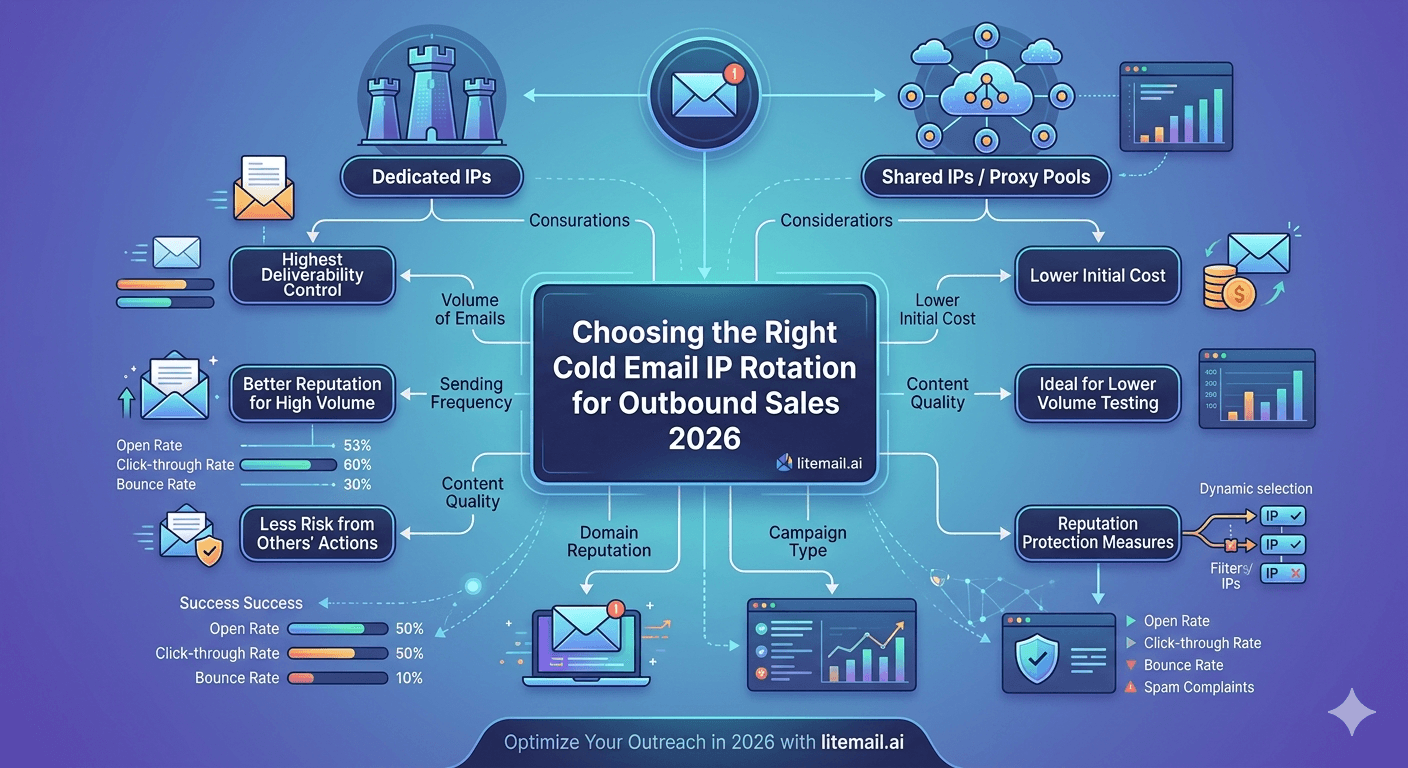
IP rotation for cold email is one of those topics where the advice sounds complicated but the core decision is simple: shared IPs are a liability and dedicated IPs are the baseline. Everything else is optimisation. Here's the full breakdown of what IP rotation actually means for outbound sales deliverability in 2026 and how to set it up right.
Dedicated vs Shared IPs: The Decision That Actually Matters
Most cold email deliverability guides make IP rotation sound more complex than it is. The fundamental decision comes first: dedicated IP per inbox, or shared IP pool across multiple senders.
IP Type | How It Works | Risk Level | Best For |
|---|---|---|---|
Dedicated IP per inbox | Each inbox sends from its own IP address — reputation is isolated | Low — only your own sends affect the IP | Any outbound sales operation that cares about deliverability consistency |
Shared IP pool | Multiple senders share the same IP — reputation is pooled | High — any sender on the pool affects all others | Providers who can't economically offer dedicated IPs |
Dedicated IP pool (rotating) | Multiple dedicated IPs rotate across your inboxes | Low-medium — your own sends spread across multiple clean IPs | Very high-volume operations sending 5,000+ emails per day |
For standard outbound sales operations — even agencies managing 20–50 clients — dedicated IP per inbox is the right setup. It's simpler to manage, more predictable in behaviour, and available from Litemail at $4.99/inbox. Dedicated IP pools (rotating across multiple IPs) are an advanced strategy for operations sending thousands of emails per day from a single domain, which almost no outbound sales team needs.
How IP Reputation Affects Outbound Sales Deliverability
Every email your outbound team sends comes from an IP address. Receiving mail servers — Google, Microsoft, Proofpoint, Mimecast — score each incoming email partly on the reputation of the sending IP. That reputation is built from the sending history of every account that uses that IP.
With dedicated IPs (the Litemail standard), your IP reputation reflects only your sends. Clean list, controlled volume, and consistent sending behaviour keeps your IP reputation clean indefinitely.
With shared IPs, reputation is out of your control. We've seen this play out at Litemail when teams switch from shared-IP providers — their Postmaster reputation improves within 2 weeks of moving to dedicated IPs, even without changing anything else in their campaign setup. The shared pool contamination was silently dragging their delivery rates down. Isolated, their own sending behaviour was fine — the problem was the other senders on the pool.
IP Rotation Setup for Outbound Sales Teams
For most outbound sales teams, IP rotation means inbox rotation — distributing sends across multiple inboxes, each with its own dedicated IP. Here's the setup that works at different volume levels.
Daily Send Volume | Inboxes (at 35/day each) | IPs Needed | Monthly Cost (Litemail) |
|---|---|---|---|
175 emails/day | 5 inboxes | 5 dedicated IPs | $24.95 |
350 emails/day | 10 inboxes | 10 dedicated IPs | $49.90 |
700 emails/day | 20 inboxes | 20 dedicated IPs | $99.80 |
1,750 emails/day | 50 inboxes | 50 dedicated IPs | $249.50 |
Every Litemail inbox includes a dedicated US IP address and a dedicated EU IP address — both included in the $4.99/inbox price. No additional IP allocation needed, no shared pool exposure.
Geographic IP Rotation: US vs EU for Outbound Sales
If your outbound sales list includes European business contacts, geographic IP rotation matters significantly. European corporate mail servers — particularly in Germany, France, and the Nordics — apply higher scrutiny to emails arriving from US data center IP ranges. An email from a European IP reaches the same corporate Outlook inbox with less friction than the same email from a US IP.
The practical approach:
Segment your prospect list by geography before building campaign sequences
Route European contacts (company domains with .de, .fr, .nl, .se, .no, .dk, .fi and similar TLDs) to EU IP inboxes
Route US and rest-of-world contacts to US IP inboxes
Measure placement rates per segment — in our data at Litemail, EU IP routing for European contacts improves primary inbox placement by 8–15 percentage points versus US IP sends to the same recipients
Litemail provides dedicated EU IP addresses on every inbox at no extra cost — both US and EU IPs are included in the standard $4.99/inbox pricing.
Monitoring IP Reputation for Outbound Sales
IP reputation monitoring is a separate layer from domain reputation monitoring. Use both.
Microsoft SNDS (Smart Network Data Services): sendersupport.olc.protection.outlook.com — check your sending IPs' status with Microsoft's servers. Green = clean. Yellow = watch. Red = stop and investigate. Essential for outbound sales targeting Microsoft-heavy enterprise lists.
MXToolbox blacklist check: mxtoolbox.com/blacklists — check your sending IPs against 100+ blacklist databases. Run monthly on all active sending IPs. A blacklisted IP requires immediate investigation and possible IP rotation.
Google Postmaster Tools: Tracks domain reputation (not directly IP), but domain reputation correlates with IP sending patterns. Monitor weekly.
Dedicated IPs on Every Inbox — Litemail Pre-Warmed Infrastructure
Every Litemail inbox includes dedicated US and EU IP addresses. No shared pools. No cross-sender contamination. $4.99/inbox — the right IP foundation for outbound sales at any scale.
Get Pre-Warmed Inboxes with Dedicated IPs from $4.99 →
Dedicated US and EU IPs · Verified Good/High reputation · Automated DNS · No minimum order
About Litemail — Litemail provides pre-warmed Google Workspace and Microsoft 365 inboxes for cold email outreach. From $4.99/inbox with automated DNS, dedicated US and EU IPs, and full admin access. View pre-warmed inbox plans →
Related reading:
Pre-Warmed Inbox Rotation Strategy High Volume · Cold Email Inbox IP Reputation Guide · Cold Email IP Rotation for Ecommerce · Pre-Warmed Inbox Sending Limits 2026 · Outlook Cold Email Blacklist Recovery
Key Takeaways
The core IP rotation decision for outbound sales: dedicated IPs per inbox vs shared IP pools. Dedicated IPs are the right choice — shared pools expose your deliverability to other senders' behaviour entirely outside your control.
IP rotation for most outbound sales teams means inbox rotation — distributing sends across multiple inboxes each with their own dedicated IP. Standard setup: 1 inbox per 35 emails per day.
Litemail provides dedicated US and EU IP addresses on every inbox — both included at $4.99/inbox, no additional allocation needed.
Geographic IP routing improves outbound sales deliverability for European prospects by 8–15 percentage points. Route contacts by domain TLD geography to the appropriate IP region.
Monitor IP reputation via Microsoft SNDS (for Microsoft-heavy enterprise lists) and MXToolbox blacklist checks (monthly on all active IPs). Catch IP issues before they compound into campaign failures.
Switching from shared IPs to Litemail dedicated IPs improved Postmaster reputation within 2 weeks for teams we've seen make this change — even without modifying anything else in their campaign setup.
Frequently Asked Questions
What is IP rotation for cold email outbound sales?
IP rotation in outbound sales context means distributing sends across multiple inboxes, each sending from its own IP address. This spreads daily send volume across multiple IPs so no single IP accumulates excessive sending volume or complaint signals. With dedicated IPs (the Litemail standard), each inbox has its own clean IP — your sending reputation is isolated from all other senders. With shared IP pools, multiple senders share IPs and any one of them can contaminate your deliverability.
Do I need dedicated IPs for cold email outbound sales?
Yes. Shared IPs mean another sender's bad campaign day — high bounce rate, spam complaints — directly affects your deliverability with no warning and no way to prevent it. Dedicated IPs isolate your reputation entirely. All Litemail pre-warmed inboxes include dedicated US and EU IP addresses at $4.99/inbox. Dedicated IPs are the baseline standard for outbound sales infrastructure, not a premium option.
How many IPs do I need for outbound sales cold email?
One dedicated IP per inbox, one inbox per 35 emails per day. For 350 emails per day: 10 inboxes, 10 IPs. For 700/day: 20 inboxes, 20 IPs. This matches the sending volume to the infrastructure — no single IP handles more than 35 cold emails per day, which keeps IP reputation clean indefinitely on well-maintained lists. With Litemail at $4.99/inbox, 20 inboxes with 20 dedicated IPs cost $99.80/month total.
Why do EU IP addresses matter for outbound sales?
European corporate mail servers — especially in Germany, France, the Netherlands, and the Nordics — apply higher scrutiny to emails from US data center IP ranges. An email from a dedicated EU IP reaches European corporate inboxes with less friction than the same email from a US IP. Litemail's testing shows 8–15 percentage point improvement in primary inbox placement for European contacts when using EU IPs rather than US IPs. Both US and EU dedicated IPs are included with every Litemail inbox at no extra cost.
How do I check if my outbound sales IP is blacklisted?
Run mxtoolbox.com/blacklists with your sending IP address. This checks against 100+ major blacklist databases simultaneously. A blacklisted IP requires immediate action: pause sends from that IP, identify the cause (usually a list quality issue), and contact the blacklist operator for delisting. For Microsoft-heavy enterprise lists, also check Microsoft SNDS (sendersupport.olc.protection.outlook.com). Run both checks monthly on all active sending IPs as preventive monitoring.
Can Litemail pre-warmed inboxes improve my outbound sales IP reputation?
If you're currently on shared IPs, switching to Litemail's dedicated IPs typically improves deliverability within 1–2 weeks — without changing anything else in your campaign setup. The improvement comes from eliminating shared-pool contamination: your deliverability now reflects only your own sends, not the aggregate behaviour of everyone on the shared pool. The Litemail inbox also arrives with 4–12 weeks of clean sending history on the dedicated IP, providing a reputation head start beyond just removing the shared pool exposure.
Cold Email IP Rotation | Litemail Dedicated IPs for Outbound Sales
Dedicated US and EU IPs on every inbox. No shared pools. $4.99/inbox. The right IP foundation for outbound sales at any scale.
View Plans & Pricing →
Related reading:
Inbox Rotation Strategy High Volume · IP Reputation Guide · Sending Limits 2026 · Blacklist Recovery · Deliverability Guide 2026






