
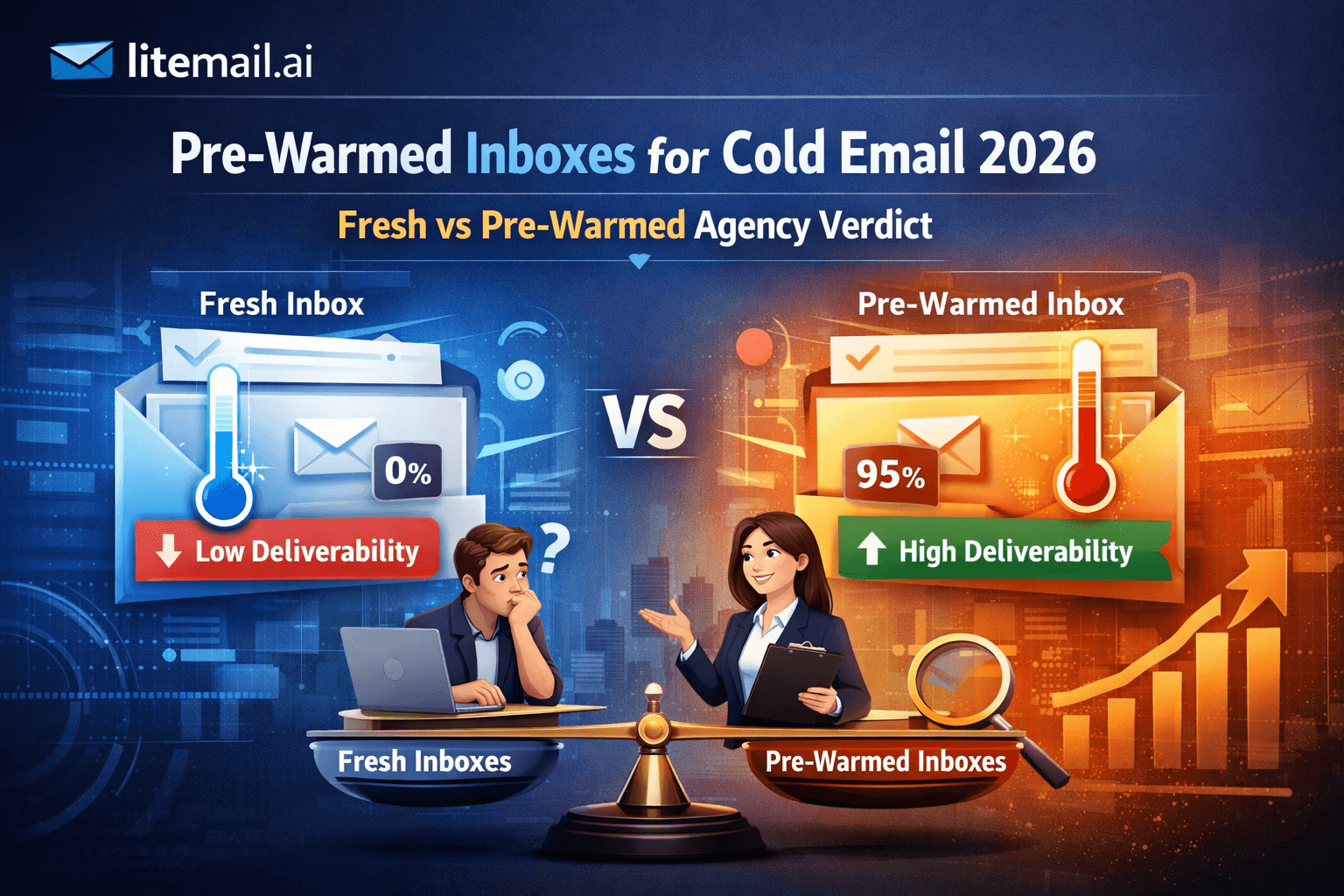
Most marketing agencies set up Google Workspace inboxes the same way they would set up a standard business email account — and then use them for cold outreach at scale. That gap between how GWS is configured by default and what cold email actually requires is where deliverability dies. Here is a breakdown of every significant risk, what triggers it, and the specific fixes that remove it.
The Core Google Workspace Inbox Risks at a Glance
Before going through each risk in detail, here is the full picture. These are the failure points that marketing agencies running cold outreach hit most often with Google Workspace inboxes — ranked by how fast they cause damage.
Risk | How Fast It Damages | Severity | Fixable Without Replacement |
|---|---|---|---|
Sending from unwarmed inbox | Days | Critical | Only if caught early |
Misconfigured DNS (SPF/DKIM/DMARC) | Immediate | Critical | Yes — fix DNS records |
Shared IP infrastructure | Weeks | High | No — requires dedicated IPs |
Spam complaint rate above 0.08% | 1–2 weeks | Critical | Fix list quality + pause sends |
Cross-client domain contamination | Days | Critical | Requires full isolation |
Volume spikes without ramp-up | Same day | High | Yes — reduce volume immediately |
💡 The Fastest Fix
The fastest way to eliminate every risk in this list for a new client is to start with pre-warmed inboxes that are already configured correctly. Litemail delivers Google Workspace and Microsoft 365 inboxes from $4.99/inbox with SPF, DKIM, and DMARC pre-configured, dedicated US and EU IPs, and Postmaster-verified Good reputation within 48 hours of delivery.
Risk 1 — Sending from an Unwarmed Inbox
A fresh Google Workspace inbox has zero sending history. Google has no reputation data on it. Spam filters treat it as an unknown quantity — which means aggressive filtering from the first send. This is the single most common reason agency cold email campaigns fail from day one.
⚠️What Happens Without Warm-Up
Emails from a fresh GWS inbox sent at campaign volume — even 50 per day — trigger Gmail's spam filters immediately. The inbox gets flagged, reputation is damaged before it was ever built, and recovery takes 4 to 8 weeks of near-zero sending activity. Most agencies discover this only after a full campaign has already run on a damaged inbox.
✅The Fix
Warm up for a minimum of 4 weeks before campaign sends — or start with a pre-warmed inbox that already has 4 to 12 weeks of real sending history built in. Check Google Postmaster Tools for Good or High reputation before running any campaign. Unknown or Low means the inbox is not ready.
🔍How to Detect It
Go to postmaster.google.com and add your sending domain. Check the domain reputation tab. Any status other than Good or High on a campaign-active inbox means you are sending from infrastructure that is not ready. Run this check before every new campaign launch.
Risk 2 — Misconfigured DNS Records
SPF, DKIM, and DMARC — all three must be correctly configured. Missing or broken records cause silent authentication failures that damage reputation without any visible error in your sending platform. This is the most common technical failure point in agency GWS setups.
Record | Common Mistake | Consequence | How to Check |
|---|---|---|---|
SPF | Multiple conflicting records | SPF error — all sends fail authentication | mxtoolbox.com SPF lookup |
DKIM | 1024-bit key or selector mismatch | DMARC alignment failure | mxtoolbox.com DKIM lookup |
DMARC | Record missing entirely | Negative signal — Google penalises absence | mxtoolbox.com DMARC lookup |
Risk 3 — Shared IP Infrastructure
Dedicated IPs give agencies full control over sending reputation. Shared IPs create a dependency on other senders' behaviour that agencies cannot manage.
Dedicated IPs vs Shared IPs | ✦ Critical Risk for Agency Scale
Risk Level: High
Standard Google Workspace plans route outbound email through shared IP pools — meaning another sender's spam activity can damage your clients' deliverability
When a Google Workspace inbox sends email using shared infrastructure, your sending reputation is partially tied to thousands of other GWS users. If another business on the same IP block runs a spam campaign, your Postmaster Tools reputation takes collateral damage. Agencies see this as unexplained open rate drops across multiple client campaigns simultaneously — with no obvious cause in their own sending behaviour.
Dedicated IP Benefits | Shared IP Risks |
|
|
✅ The Fix for Shared IP Risk
Dedicated IP addresses are the only complete fix. Litemail pre-warmed inboxes include dedicated US and EU IPs at no extra cost — $4.99/inbox covers everything. Agencies managing multiple client campaigns need both US and EU dedicated IPs to maintain consistent inbox placement across different recipient geographies.
Risk 4 — Spam Complaint Rate Above the Safe Threshold
Spam Complaint Rate Risk
Safe Zone: Under 0.08%
Google's threshold is 0.10% — but anything above 0.08% puts your domain in the yellow zone where delivery starts degrading
One spam complaint per 1,250 emails sent is the 0.08% threshold. Above that number and Google begins suppressing delivery on that domain — not immediately, but within 7 to 14 days of sustained above-threshold complaints. For marketing agencies, this risk compounds when one client's poorly targeted campaign affects inbox reputation shared across that agency's broader sending infrastructure.
How to Stay Under 0.08% | What Pushes It Above 0.08% |
|
|
💡 Complaint Rate Math for Agencies
A marketing agency running outreach for 8 clients sending 300 emails per day collectively needs fewer than 2 spam complaints per day across all campaigns to stay under 0.08%. One badly targeted client campaign generating 5 complaints per day pulls the entire agency's domain reputation toward the danger zone. Isolated infrastructure per client is the only real protection.
Risk 5 — Cross-Client Domain Contamination
Multi-Client Infrastructure Risk
Risk Level: Critical for Agencies
Sharing sending infrastructure across clients means one bad campaign poisons the deliverability of every other client running on the same domain
Many agencies set up a single Google Workspace account or domain and run all client campaigns from it. One client's dirty list, high complaint rate, or aggressive sending schedule degrades the domain reputation that every other client's campaign depends on. By the time the agency notices, multiple client campaigns are underperforming for reasons that trace back to a single bad actor in the infrastructure.
Correct Multi-Client Setup | What Goes Wrong with Shared Infrastructure |
|
|
Risk 6 — Volume Spikes That Trigger Immediate Filtering
Volume Spike Risk
Risk Level: High
Going from 0 to 500 sends overnight on a Google Workspace inbox looks identical to a compromised account — Google flags and throttles it immediately
Agencies launching new client campaigns often make a straightforward mistake: they set up inboxes over the weekend, then launch full-volume campaigns on Monday morning. A GWS inbox that was sending zero emails per day suddenly sending 200 per day triggers Google's abuse detection. The inbox gets throttled or flagged. Emails are delayed, filtered, or rejected before a single campaign metric has even been recorded.
Safe Volume Ramp Schedule | Volume Spike Consequences |
|
|
Risk 7 — Using SMTP-Only Inboxes Without Full Admin Access
Admin Access Risk
Risk Level: High for Agencies
SMTP-only inbox access gives agencies no control over the underlying account — and no recourse when something breaks
Some inbox providers — and bundled inbox products from cold email platforms — provide SMTP credentials only, not full Google Admin or Microsoft 365 admin access. Agencies using these inboxes cannot manage users, reset passwords, modify DNS at the account level, or access Postmaster Tools through the account directly. If the inbox provider changes terms, raises prices, or shuts down, the agency loses the entire sending history with no warning and no way to export anything.
Full Admin Access Provides | SMTP-Only Limitations |
|
|
🚩 The Agency Lock-In Trap
Agencies that build client campaigns on SMTP-only inboxes are building on infrastructure they do not own. One provider decision — a price increase, a platform shutdown, a terms change — can take every client's sending history with it. Litemail provides full Google Admin and Microsoft 365 admin credentials on every inbox. You own the account outright. The warm-up history, the sending reputation, the domain — none of it depends on Litemail's continued operation.
How a Real Agency Fixed Every One of These Risks
r/coldemail u/agency_deliverability 3 weeks ago
Rebuilt our agency's cold email infrastructure from scratch — here is what we changed and what the results look like
We were running outreach for 11 clients off a shared domain pool, using SMTP-only inboxes from our sending platform, and had no monitoring in place. Open rates across clients averaged 14%. Here is exactly what we changed over 6 weeks.
↑ 3,412 upvotes612 comments
u/agency_deliverability · Original Poster
Week 1: Isolated every client onto their own domain. Bought pre-warmed GWS inboxes from Litemail at $4.99 each — 3 per client, 33 inboxes total. Full admin access. DNS pre-configured. Week 2: Set up Postmaster Tools monitoring for every domain. Week 3: Launched campaigns at reduced volume (20 emails/inbox/day) and ramped over 10 days. Week 6 results: average open rate across all 11 clients is now 38%. One client is at 47%. Zero spam complaints above 0.08%.
u/cold_email_ops_mgr · 1,891 points
The isolation point is the one that changed everything for us too. When you have one bad client campaign it only damages that client's domain now — not everyone else's. Before isolation we had no idea which campaign was causing the deliverability problems.
u/agency_scale_ops · 1,203 points
The pre-warmed inbox cost at $4.99/inbox is genuinely the lowest I have seen for a product that actually shows Good in Postmaster Tools on delivery. The DNS pre-configuration alone saves us 2 to 3 hours per client onboarding.
Litemail pre-warmed inboxes — $4.99/inbox, SPF/DKIM/DMARC pre-configured, dedicated US and EU IPs, full admin access, Postmaster-verified within 48 hours. Get Pre-Warmed Inboxes from $4.99 →
How to Audit Your Existing GWS Inbox Setup in 20 Minutes
If you already have Google Workspace inboxes in use for client campaigns, run these four checks before the next campaign launches. These are the checks that catch every risk described in this guide — in the order most likely to surface problems fastest.
A 20-minute inbox audit catches the risks that silently damage agency cold email campaigns before they show up in campaign metrics.
Check 1 — Google Postmaster Tools Reputation
Open postmaster.google.com for every active sending domain. Any domain showing Medium, Low, or Unknown reputation should be paused immediately for investigation. Good or High is the only acceptable status for campaign-active inboxes.
Postmaster Status | Campaign Action | Next Step |
|---|---|---|
Good / High | Continue sending normally | Monitor weekly |
Medium | Reduce volume by 50% | Audit list quality and complaint rate |
Low | Pause all sends immediately | Replace inbox or run recovery protocol |
Unknown | Do not send campaigns | Inbox not warmed — start warm-up first |
Check 2 — DNS Authentication at mxtoolbox.com
Run every sending domain through mxtoolbox.com Email Health check. SPF, DKIM, and DMARC must all return green. Any failure stops campaigns on that domain until resolved — authentication failures compound reputation damage daily.
Check 3 — Spam Complaint Rate in Postmaster Tools
Inside Postmaster Tools, navigate to the Spam Rate tab. Current rate should be under 0.08%. If it is approaching this threshold, pause the highest-volume campaigns and review list quality for the segments that ran most recently.
Check 4 — Inbox Placement Spot Test
Send a test email from each active inbox to a Gmail address and an Outlook address you control. Confirm both land in primary inbox — not Promotions, not spam. Any inbox landing in spam on this test should be removed from campaign rotation immediately.
💡 20 Minutes Now vs 4 Weeks of Recovery Later
These four checks take 20 minutes total. Skipping them and discovering problems mid-campaign typically results in 2 to 4 weeks of inbox recovery time, lost campaign momentum, and difficult client conversations. Agencies that run this audit before every campaign launch spend significantly less time on damage control.
Frequently Asked Questions
Can marketing agencies use Google Workspace for cold email outreach?
Yes — but only with the correct setup. A fresh Google Workspace inbox used immediately for cold email campaigns will be filtered or suspended quickly. Correct setup requires pre-warming for 4 to 8 weeks (or pre-warmed inboxes from a provider like Litemail), properly configured SPF, DKIM, and DMARC, dedicated IPs, and isolated infrastructure per client. Out of the box, GWS is not cold email infrastructure.
What spam complaint rate is safe for a marketing agency running cold outreach?
Keep spam complaint rates under 0.08% to maintain a buffer inside Google's 0.10% hard limit. At 0.08%, one complaint per 1,250 sends is the threshold. For an agency sending 500 cold emails per day across all clients, that means fewer than one spam complaint every 2.5 days. Targeted, relevant outreach to well-researched lists consistently stays under this threshold. Broad purchased lists rarely do.
Should marketing agencies use separate domains for each client?
Yes — always. Sharing a domain or inbox infrastructure across multiple clients means one client's bad campaign (dirty list, high complaint rate, aggressive volume) damages the deliverability of every other client running on the same infrastructure. Isolated domains per client limit damage to the source and make diagnosis far simpler. Each client should have their own domain, their own inboxes, and their own Postmaster Tools monitoring.
What is the risk of using SMTP-only inboxes for agency cold email?
SMTP-only inboxes give agencies no ownership of the underlying account. If the provider changes terms, raises prices, or shuts down, the agency loses the inbox and its entire warm-up history with no recourse. SMTP-only inboxes also cannot be managed independently of the provider's platform, creating lock-in risk that grows over time. Full admin access — Google Admin console or Microsoft 365 admin credentials — gives agencies complete ownership and platform independence.
How do dedicated IPs protect an agency's cold email deliverability?
Dedicated IPs mean your sending reputation is yours alone — no other sender's activity can damage it. Standard Google Workspace plans use shared IP infrastructure, where another sender's spam campaign on the same IP block can cause collateral reputation damage to your domain. Dedicated US and EU IPs — included with every Litemail inbox at $4.99/inbox — give agencies full control over their sending reputation with no shared-IP risk.
What is the fastest way to eliminate Google Workspace inbox risks for a new client?
Start with pre-warmed inboxes instead of fresh ones. Litemail delivers pre-warmed Google Workspace and Microsoft 365 inboxes with 4 to 12 weeks of genuine sending history, Postmaster-verified Good or High reputation within 48 hours, automated SPF/DKIM/DMARC setup, and dedicated US and EU IPs — all at $4.99/inbox. Every risk in this guide is either eliminated or significantly reduced by starting with this infrastructure instead of fresh GWS inboxes configured manually.
How many Google Workspace inboxes does a marketing agency need per client?
One inbox per 30 to 50 cold emails per day. For a client sending 150 emails per day, that is 3 to 5 inboxes spread across one or two domains. Add one backup domain with 2 additional inboxes in reserve for each client so campaigns never go dark during inbox replacement. At Litemail's $4.99/inbox pricing, a 5-inbox client setup costs $24.95 per month — a small fraction of the campaign management fee.
How long does it take to recover a damaged Google Workspace inbox?
Recovery from Medium reputation takes 1 to 2 weeks of reduced sending (10 to 15 emails per day) with clean list quality. Recovery from Low reputation takes 3 to 5 weeks of near-zero sends. Recovery from a blacklisted domain requires a delisting process that can take 2 to 4 weeks, plus the clean-sending recovery period. In most agency scenarios where campaigns cannot pause for weeks, replacing the inbox with a pre-warmed one on a clean domain is faster than attempting recovery.
Eliminate Every Google Workspace Risk from Day One
Litemail pre-warmed inboxes remove every risk in this guide — $4.99/inbox, Postmaster-verified Good or High within 48 hours, automated SPF/DKIM/DMARC, dedicated US and EU IPs, full Google Admin and MS365 access, no minimum order. Isolated per-client infrastructure. Delivered in 24 hours. Works with Instantly, Smartlead, Lemlist, and all major platforms.
Get Pre-Warmed Inboxes from $4.99 →
No minimum order · SPF/DKIM/DMARC pre-configured · Postmaster verified within 48hrs · US and EU IPs included
About Litemail — Litemail provides pre-warmed Google Workspace and Microsoft 365 inboxes for cold email outreach. From $4.99/inbox with automated DNS setup, dedicated US and EU IPs, 4 to 12 weeks of genuine warm-up history, and full admin access. View pre-warmed inbox plans →
Related reading: Best Pre-Warmed Inbox Providers in 2026 (Ranked) · Cold Email Inbox Management for Marketing Agencies 2026 · Google Email Sender Guidelines 2026 — What Changed · DMARC Not Working — Fix Guide for Cold Email Senders 2026 · Why Emails Land in Promotions Tab — Fix Guide 2026 · Pre-Warmed Inbox Monitoring for Small Teams 2026 · Litemail Pre-Warmed Inboxes — Plans and Pricing








