
Email is still one of the most powerful communication and marketing channels, but inefficient workflows create wasted time, missed opportunities, and poor campaign performance.
Whether you manage daily business communication, customer follow-ups, or cold email campaigns, an efficient email workflow helps you organize tasks, automate repetitive actions, and improve results.
A successful email workflow is not only about sending more emails. It requires the right combination of:
clear goals
proper segmentation
automation
deliverability protection
tracking and optimization
In this guide, we will explain how to build an efficient email workflow and how modern email infrastructure tools like Litemail help businesses create reliable outreach systems.
What Is an Email Workflow?
What is an Email Work Flow.
An email workflow is a sequence of defined steps that outline how emails are created, sent, processed and improved.
Workflows use automation rules and triggers to automate repetitive tasks, eliminating manual handling of each email.
For example:
Welcome email threads
Campaigns for Lead Nurturing
Welcome Emails for Customers
Follow up sequences
Cold outreach campaigns
Reminders for abandoned carts
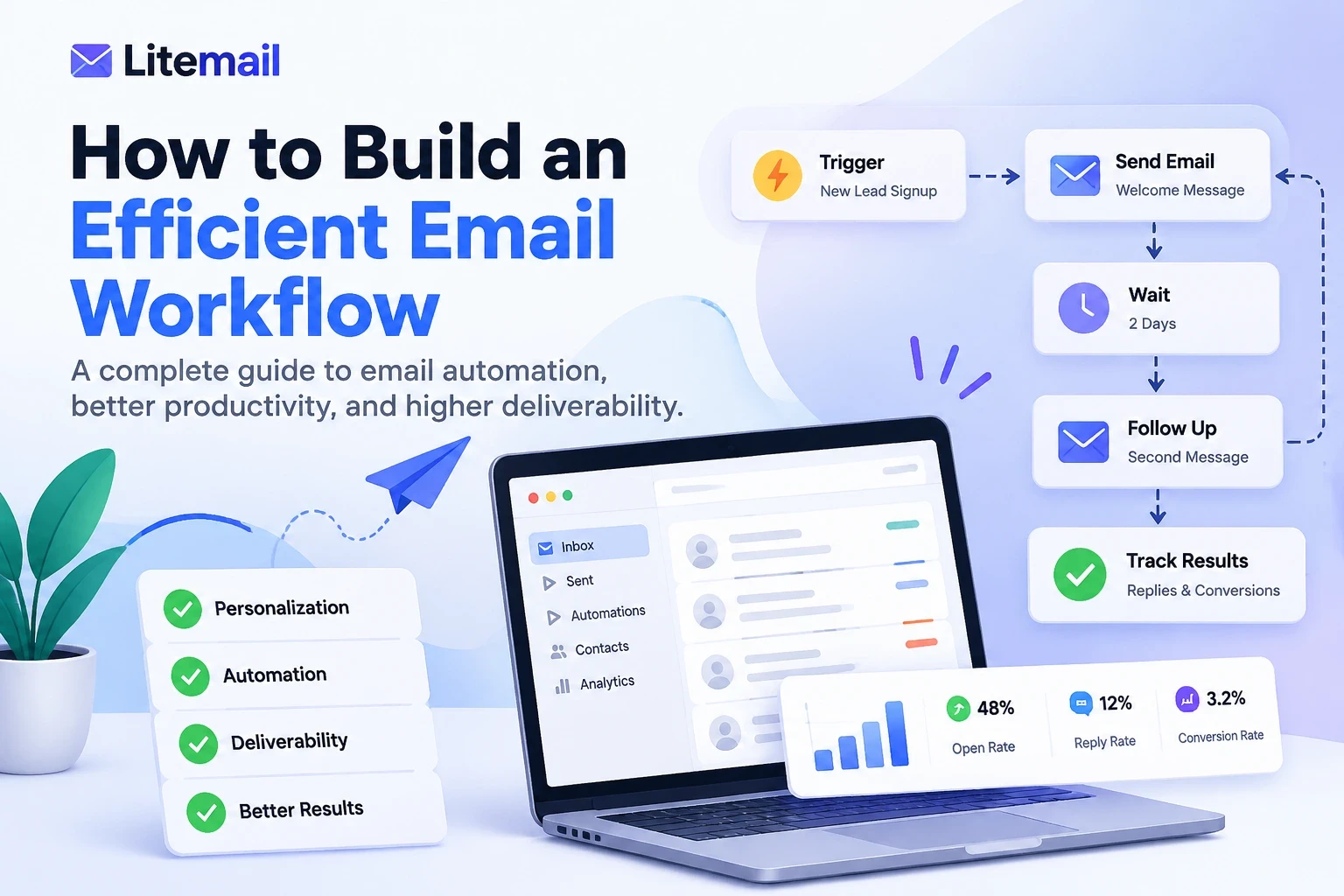
A simple workflow looks like this:
Trigger → Email Action → Follow-up → Tracking → Optimization
For example,
A prospect downloads a guide
They get a welcome email
Two days later they get a follow up
If they respond The process halts
If they do not answer, a new email is sent.
Why Businesses Need an Efficient Email Workflow
Without a structured workflow, teams face common problems:
1. Time Wasted on Manual Tasks
Checking replies, sending follow-ups, and organizing contacts manually consumes hours every week.
Automation removes repetitive work and allows teams to focus on higher-value activities.
2. Missed Follow-Up Opportunities
Most conversions do not happen after the first email.
An efficient workflow ensures every lead receives timely follow-ups without manual reminders.
3. Poor Email Deliverability
A great email campaign fails if messages never reach the inbox.
Your workflow must include:
authenticated domains
healthy sending reputation
proper sending volume
quality inbox infrastructure
Step-by-Step: How to Build an Efficient Email Workflow
Step 1: Define Your Email Workflow Goal
Every successful workflow starts with one clear objective.
Before creating automation, decide:
What action should the recipient take?
Examples:
Book a meeting
Request a demo
Purchase a product
Reply to an email
Activate an account
Avoid creating complicated workflows without a clear purpose.
Step 2: Understand Your Audience and Segment Contacts
A good email workflow sends the right message to the right person.
Create segments based on:
customer type
industry
previous interaction
buying stage
engagement level
For example:
A SaaS company should not send the same email to:
new trial users
paying customers
inactive users
Personalized workflows create higher engagement.
Step 3: Create Email Triggers and Automation Rules
Triggers decide when an email workflow starts.
Common triggers include:
Form submission
New signup
Purchase completion
Link click
Reply received
No response after a specific period
Example:
Trigger: Prospect does not reply for 3 days
↓
Action: Send follow-up email
↓
Condition: Stop when prospect replies
Step 4: Build a Follow-Up Sequence
A strong email workflow does not depend on one message.
A simple cold email workflow:
Email 1: Introduction
Purpose:
Explain value
Create curiosity
Email 2: Follow-Up
Purpose:
Remind prospect
Add additional value
Email 3: Social Proof
Purpose:
Build trust
Email 4: Final Check-In
Purpose:
Close the conversation politely
Step 5: Protect Email Deliverability Before Scaling
Many businesses focus on automation but ignore the most important part:
Can your emails actually reach inboxes?
Before increasing volume, optimize:
SPF Authentication
Confirms authorized email senders.
DKIM Authentication
Protects email identity.
DMARC Protection
Improves domain security.
Sender Reputation
Maintains trust with email providers.
A workflow without proper infrastructure can damage your domain reputation.
Why Email Infrastructure Matters in Automated Workflows
Most automation platforms help you schedule emails.
However, automation alone does not guarantee inbox placement.
You also need:
reliable sending accounts
domain reputation
inbox health
gradual sending activity
This is where Litemail provides value.
How Litemail Helps Build a More Efficient Email Workflow
1. Ready-to-Use Email Infrastructure
Instead of spending weeks creating and warming inboxes manually, Litemail provides prepared email infrastructure designed for outreach.
This allows businesses to start campaigns faster.
2. Better Foundation for Cold Email Automation
Platforms like:
Instantly
Smartlead
Lemlist
Apollo
require reliable inboxes to perform effectively.
Litemail works as the infrastructure layer that supports these outreach systems.
3. Reduce Setup Complexity
Traditional setup requires:
buying domains
creating inboxes
configuring authentication
warming accounts
monitoring reputation
Litemail simplifies this process.
4. Scale Outreach More Safely
Growing email volume without proper infrastructure can increase spam risks.
Litemail helps businesses create a stronger foundation before scaling campaigns.
Litemail vs Traditional Email Setup
Traditional Setup | Litemail Approach |
|---|---|
Manual inbox creation | Ready infrastructure |
Weeks of preparation | Faster campaign launch |
Complex configuration | Simplified setup |
Higher management effort | Easier scaling |
Manual monitoring | Better workflow efficiency |
Who Should Use Litemail?
Litemail is ideal for:
SaaS Companies
Need consistent outbound campaigns to generate demos and customers.
Sales Teams
Need reliable inboxes for daily prospecting.
Marketing Agencies
Manage multiple client outreach campaigns.
Lead Generation Companies
Require scalable email infrastructure.
Freelancers and Consultants
Want professional outreach without technical setup.
Best Practices for Maintaining an Efficient Email Workflow
Monitor Important Metrics
Track:
Open rate
Reply rate
Bounce rate
Conversion rate
Spam complaints
Test Your Emails Regularly
Check:
Subject lines
Email copy
Call-to-action
Sending timing
Keep Your Workflow Simple
More automation does not always mean better results.
The best workflows are:
clear
measurable
personalized
easy to improve
Common Email Workflow Mistakes to Avoid
Sending Too Many Emails Too Quickly
Sudden volume increases damage sender reputation.
Ignoring Deliverability
Even perfect copy fails when emails land in spam.
Creating Generic Messages
Personalization improves engagement.
Not Cleaning Email Lists
Invalid contacts increase bounce rates.
Frequently Asked Questions
What is an email workflow?
An email workflow is an automated sequence of emails triggered by specific actions or conditions.
How do I create an efficient email workflow?
Start by defining your goal, segmenting your audience, creating triggers, building sequences, and monitoring performance.
What tools are needed for email workflows?
You need automation software, email infrastructure, analytics, and proper authentication setup.
Why do automated emails go to spam?
Common reasons include poor sender reputation, missing authentication, low-quality lists, and excessive sending volume.
Is Litemail suitable for cold email campaigns?
Yes. Litemail is designed for businesses that need reliable email infrastructure to support cold outreach and automated campaigns.
Build a Better Email Workflow With Litemail
An efficient email workflow is not just about automation. It is about creating a reliable system where the right message reaches the right person at the right time.
Before scaling your outreach, build the correct foundation.
With Litemail’s email infrastructure, businesses can simplify setup, improve workflow efficiency, and focus on generating conversations instead of managing technical email problems.
Start building a smarter email workflow with Litemail today.






