
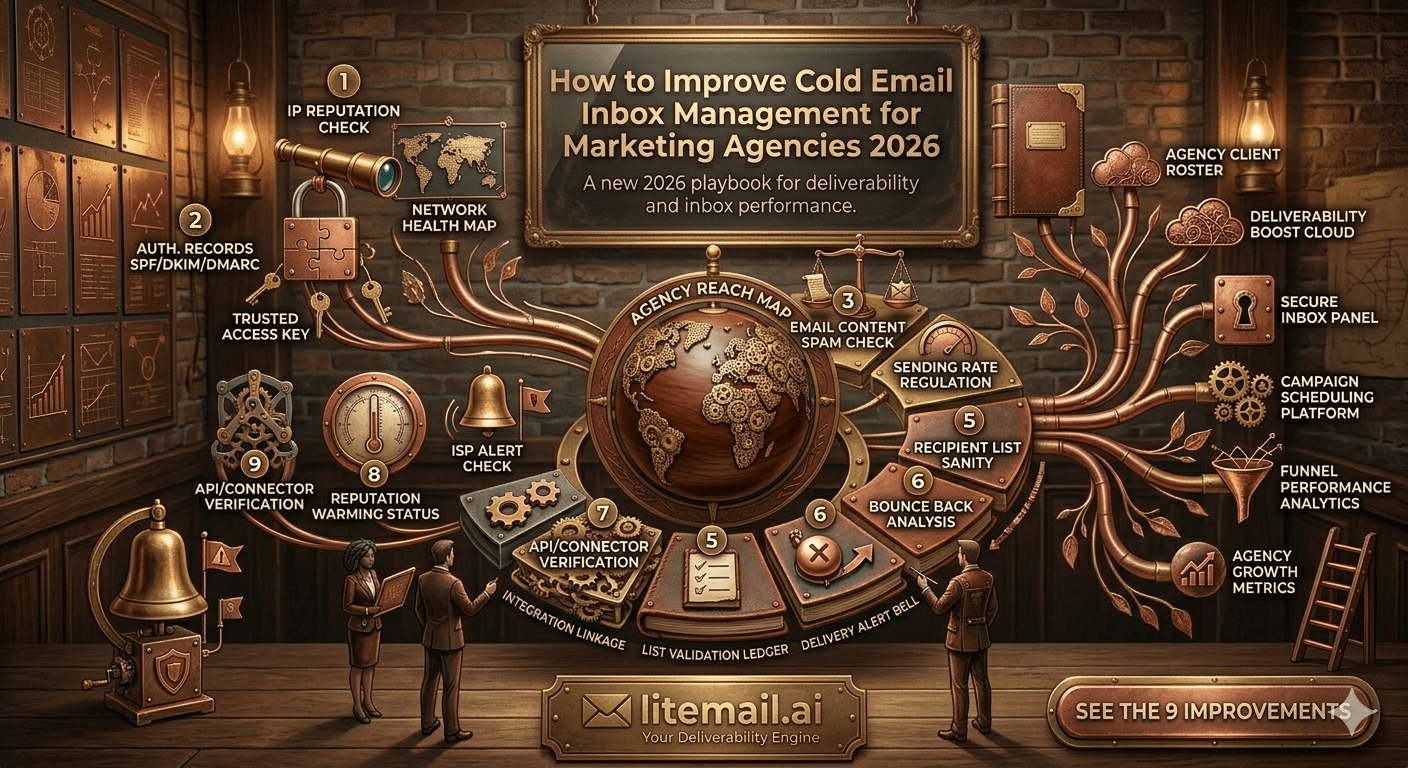
Managing cold email inboxes for one client is a configuration task. Managing them for 12 clients simultaneously — each with different domains, volumes, target geographies, and sequencing tools — is an operational system. Most agencies figure this out the hard way: a deliverability problem on one client's infrastructure bleeds into another because of a shared domain setup, or a burned inbox takes down a campaign three days before a client review call. Cold email inbox management for marketing agencies requires a specific architecture. This is it.
The Infrastructure Architecture That Prevents Cross-Client Contamination
The most expensive inbox management mistake agencies make is domain consolidation — running multiple clients through inboxes on the same root domain or the same IP pool. One spam complaint across a shared domain affects every client using that infrastructure. One burned inbox contaminates the domain reputation for all inboxes on the same root.
Architecture Type | Isolation Level | Cross-Client Risk | Recommended For |
|---|---|---|---|
Shared root domain, multiple inboxes | None | High — one burn affects all | Not recommended |
Per-client subdomain | Partial | Medium — subdomain reputation semi-isolated | Low-volume single platform |
Per-client dedicated domain | Full | None — fully isolated | All agency clients |
Per-client dedicated domain + dedicated IPs | Maximum | Zero | High-volume or enterprise clients |
Every client gets a dedicated outreach domain. Not a subdomain — a separate registered domain. The naming convention should be close to the client's primary domain for credibility (acme.com → getacme.com or acmeteam.com) but never the primary domain itself. Primary domain cold email puts the client's operational email at risk if deliverability fails.
⚠️ The Subdomain Mistake
Some agencies use subdomains (outreach.clientdomain.com) thinking it provides isolation. It doesn't — subdomain reputation is partially tied to the root domain. A significant deliverability problem on a subdomain can trigger filters on the root domain, affecting the client's primary email. Always use separate registered domains for outreach, never subdomains of the client's main domain.
Inbox Rotation Strategy: How Agencies Should Spread Send Volume
Inbox rotation is the practice of distributing campaign sends across multiple inboxes rather than sending all volume from one. Done correctly, it keeps any individual inbox well below safe sending thresholds while maximizing total campaign throughput. Done incorrectly, it either over-concentrates volume or creates mechanical sending patterns that trigger spam filters.
The Correct Rotation Formula
One inbox per 30 to 50 cold emails per day. For a client campaign sending 500 emails daily, that's 10 to 17 inboxes. Round up — it's better to have one extra inbox with lower volume than to push any single inbox to its ceiling. Distribute sends evenly across inboxes through your sequencing tool's rotation feature, not manually.
Rotation Doesn't Mean Round-Robin
Most agencies set up round-robin rotation — inbox 1 sends email 1, inbox 2 sends email 2, inbox 3 sends email 3, repeat. This creates a predictable pattern that advanced spam filters recognize as automated bulk behavior. Better approach: use weighted random rotation with slight volume variation per inbox per day. Your sequencing tool should support this. If it doesn't, that's a tool limitation worth addressing.
Retiring and Replacing Inboxes in Rotation
Inboxes don't last forever in active cold email rotation. Plan for a 6 to 12 month active lifespan per inbox in high-volume agency campaigns before reputation starts drifting and replacement becomes more efficient than rehabilitation. Keep a reserve of pre-warmed replacement inboxes — the 20% reserve rule applies: 20 active inboxes means 4 pre-warmed spares ready to deploy within 24 hours.
DNS Management at Agency Scale: Avoiding Configuration Drift
DNS configuration errors are the most common cause of sudden deliverability failures at agency scale — not because agencies don't set up DNS correctly, but because DNS records break over time as other tools are added, as registrar settings change, and as team members make modifications without documenting them.
DNS configuration drift is a real problem. A marketing agency managing 15 client domains may have set up DNS correctly for all 15 six months ago. Since then, three clients added a new CRM that required an SPF include, one client switched registrars and had DNS records only partially migrated, and two team members added tool integrations without realizing they were touching authentication records.
🔧
Monthly DNS Audit Protocol
Once per month, run every active sending domain through MXToolbox. Confirm SPF (one record, under 10 lookups, all current senders authorized), DKIM (active selector matches current sending infrastructure), and DMARC (policy set, rua reporting address active). Log results in your client management sheet. Any domain that fails a check gets flagged for same-day remediation before the next campaign send.
📋
DNS Change Documentation
Every DNS change across any client domain gets logged — who made it, what changed, when, and why. A simple shared doc or Notion table works. This isn't bureaucracy — it's the only way to diagnose a sudden deliverability drop without spending three hours reverse-engineering what changed. The log pays for itself the first time someone adds a tool integration and breaks SPF without realizing it.
⚡
Automated DNS Configuration
Pre-warmed inbox providers that automate SPF, DKIM, and DMARC setup on delivery eliminate the most common source of DNS configuration drift for new inbox batches. Litemail configures all three DNS records automatically on every inbox delivery — removing the manual setup step where most DNS errors originate. For agencies onboarding new client inbox batches monthly, this automation is a significant operational efficiency.
Client Deliverability Monitoring: What to Track and How to Report It
Agency clients don't understand Postmaster Tools domain reputation graphs. They understand whether their campaigns are getting replies and whether their infrastructure is being managed professionally. Your internal monitoring system needs to be comprehensive — but your client reporting needs to translate technical metrics into business-language outcomes.
Internal Monitoring (Weekly)
For each client domain: Postmaster domain reputation, spam rate under 0.08%, authentication pass rate 99%+, bounce rate under 2% per campaign, inbox placement rate above 90%. Log these in a shared dashboard. Any metric outside safe ranges triggers an internal alert — not a client notification — until you've diagnosed and resolved the issue.
Client Reporting (Monthly)
Report three numbers to clients: campaign send volume, primary inbox placement rate (as a percentage, not a Postmaster graph), and spam rate (as a percentage against the 0.08% threshold). Most clients don't need more than this. The report demonstrates active monitoring without overwhelming non-technical contacts with infrastructure details.
💡 The One-Pager Client Report Format
Month: [Month] | Domains monitored: [N] | Sends: [volume] | Inbox placement: [%] vs 90% target | Spam rate: [%] vs 0.08% threshold | DNS status: All passing | Issues this month: [None / description]. One page. Sent monthly. Clients know their infrastructure is being managed. Agencies have a paper trail showing professional delivery management. Template this once and automate the data fill.
Managing Multiple Sending Tools Across Clients Without Chaos
Marketing agencies rarely have all clients on the same sequencing tool. Client A uses Instantly. Client B uses Smartlead. Client C uses Lemlist. Client D's internal team already has Apollo. Managing cold email inbox infrastructure across four different platforms simultaneously is where inbox management for marketing agencies gets genuinely complex.
The key is tool-agnostic inbox ownership. Every client inbox should be a Google Workspace or Microsoft 365 account owned outright — with full admin credentials held by the agency, not tied to any specific sending tool. This means inboxes connect via OAuth to whichever tool each client uses, and changing tools for any client is a 30-minute reconnection exercise rather than a complete infrastructure rebuild.
Platform-locked inboxes — accounts that only function inside one specific tool's OAuth environment — make this impossible. SMTP-only credentials introduce this lock-in by default. The fix is requiring full admin access on every inbox the agency manages, regardless of which provider supplies them.
IP Geography Management: Matching Inboxes to Campaign Target Regions
An agency managing a diverse client portfolio — some clients targeting US companies, others targeting European enterprises — needs inboxes matched to recipient geography. This isn't optional for agencies with European campaign mandates.
A content marketing agency managing outreach for a German B2B software company found that their US-IP Google Workspace inboxes were achieving only 62% primary inbox placement with German and French corporate recipients. Switching to inboxes with dedicated EU IPs moved that number to 91% — without changing any copy, sequences, or targeting criteria. The IP geography match was the entire fix.
Campaign Target Region | Recommended IP Type | Expected Placement Impact |
|---|---|---|
US/Canada companies | Dedicated US IPs | Optimal — native geography match |
UK companies | EU IPs preferred, US acceptable | EU IPs give 5–10% placement advantage |
EU continental companies | Dedicated EU IPs required | 20–30% placement gap using US IPs |
Global/mixed | Both US and EU IPs in rotation | Best coverage across recipient geographies |
Litemail includes both dedicated US and EU IPs on every inbox at no extra cost — from $4.99/inbox. This means agencies can assign the right IP geography to each client campaign without paying a premium for EU coverage.
The Client Onboarding Inbox Setup Checklist
Every new agency client needs a standardized inbox onboarding process. When you're onboarding your 3rd client, you can afford to be ad hoc. When you're on your 12th, you can't. Build this checklist once and run it for every client from day one.
Register dedicated outreach domain(s) — separate from client primary domain, credible naming convention
Order pre-warmed inboxes — correct quantity for target daily volume (1 inbox per 30–50 sends), GWS or M365 based on recipient mix
Verify DNS on delivery — MXToolbox check for SPF, DKIM, DMARC, all three green
Verify Postmaster reputation on delivery — Good or High within 48 hours confirms genuine pre-warm
Configure sending tool connection — OAuth (not SMTP) to client's chosen sequencing platform
Set up Postmaster Tools monitoring — add domain, configure reporting email
Add to agency monitoring dashboard — domain, inbox count, campaign start date, weekly check schedule
Document DNS records — log all three records in client infrastructure file
3 Cold Email Inbox Management Failures That Kill Agency Accounts
These three failures end client relationships. They're all preventable with the right infrastructure and monitoring — but they're common enough that most agencies will experience at least one before building the system that prevents them.
The Shared Infrastructure Failure. One client's bad list or aggressive sending volume burns a shared IP pool, tanking deliverability for three other clients simultaneously. The client whose campaign was aggressive gets a warning. The other three clients get an unexplained performance drop and no satisfying explanation. Dedicated infrastructure per client at $4.99/inbox makes this impossible.
The Platform Migration Failure. A client decides to switch from Instantly to Smartlead. But their inboxes are SMTP-rented through a platform-locked provider. The warm-up history is gone. Infrastructure rebuild takes 8 weeks. The campaign launches 2 months late. The client blames the agency. Full admin access ownership prevents this — tool migrations take hours, not months.
The Invisible Burn Failure. A campaign runs for 6 weeks with declining reply rates. Nobody checks Postmaster Tools. Domain reputation has been Low for 3 weeks. By the time anyone investigates, the domain is burned and the campaign history is a wall of spam signals. Weekly Postmaster monitoring catches this in week 1, not week 6.
Scaling Agency Inbox Operations from 5 to 50 Clients
The inbox management system that works for 5 clients breaks at 20 clients if you haven't built the right operational infrastructure. Here's what changes as you scale — and how to build ahead of the breaking points.
At 5 clients: manual weekly monitoring, ad hoc inbox ordering, informal DNS documentation. This works. At 15 clients: manual monitoring becomes a half-day task without a standardized dashboard. Inbox ordering without a standard provider becomes inconsistent quality. At 30 clients: without systemized processes, deliverability management is a full-time job for a team member who should be doing something more valuable.
The scaling investments that pay off: a standardized deliverability monitoring dashboard (Airtable or Notion template), a single pre-warmed inbox provider with consistent quality and no minimum order (so you can order 2 inboxes for a small client or 40 for a large one without minimum constraints), and documented DNS and onboarding checklists that any team member can execute without tribal knowledge.
The Complete Agency Cold Email Inbox Management Checklist
This is the operational reference for agencies managing cold email inbox infrastructure at scale. Save it, share it with your team, and run it systematically.
Agency inbox management dashboard — multi-client domain monitoring, spam rates, and inbox rotation status tracked weekly.
Architecture Requirements (One-Time Setup Per Client)
Dedicated outreach domain per client — never primary domain
Pre-warmed inboxes — 1 per 30–50 daily sends, GWS or M365 matched to recipient mix
Full admin access on every inbox — not SMTP credentials
Dedicated IPs — US for US-targeted campaigns, EU for European campaigns
DNS documented — SPF, DKIM, DMARC logged in client infrastructure file
Weekly Operational Checks (Per Client Domain)
Postmaster domain reputation — Good or High
Spam rate — under 0.08%
Bounce rate — under 2% per campaign
Authentication pass rate — 99%+
Monthly Checks
Full DNS audit (MXToolbox) — all three records green
GlockApps placement test — 90%+ primary inbox
IP blacklist check — zero listings
Client deliverability report — send to client
✅ The System Pays for Itself on the First Prevented Crisis
This management system costs 2 to 3 hours per week across all clients. One prevented deliverability crisis — a burned domain, a platform migration failure, a cross-client contamination incident — saves 40 to 80 hours of remediation and protects client relationships worth far more than the monitoring overhead. Build the system before you need it.
Frequently Asked Questions
How should marketing agencies structure cold email inboxes across multiple clients?
Every client gets a dedicated outreach domain — never shared root domains or subdomains of client primary domains. One inbox per 30 to 50 cold emails per day per client. Pre-warmed inboxes with full admin access (not SMTP only). Dedicated US IPs for US campaigns, EU IPs for European campaigns. This architecture completely isolates client deliverability — a problem on one client's domain has zero impact on any other client's infrastructure.
What is the best inbox rotation strategy for agency cold email campaigns?
Use weighted random rotation with slight daily volume variation per inbox rather than strict round-robin. Round-robin creates predictable mechanical patterns that spam filters flag. Configure rotation through your sequencing tool's built-in rotation feature. Keep any single inbox under 50 emails per day. Retire and replace inboxes that show Postmaster reputation drift after 6 to 12 months of active high-volume use.
How do agencies monitor deliverability across multiple client domains?
Weekly: check Postmaster Tools domain reputation and spam rate for every active sending domain. Log in a shared dashboard. Monthly: full DNS audit via MXToolbox, GlockApps placement test, IP blacklist check. Report three numbers to clients monthly: send volume, inbox placement rate, and spam rate versus threshold. Internal monitoring catches problems early — client reporting demonstrates professional management.
How many inboxes does an agency need per client?
One inbox per 30 to 50 cold emails per day, plus a 20% reserve. For a client sending 300 emails daily, that's 6 to 10 active inboxes plus 2 spares. At $4.99/inbox from Litemail, 10 inboxes with 2 spares costs $59.88/month — less than most warm-up tool subscriptions. Matching inbox count to campaign volume keeps any individual inbox well below safe sending thresholds while maintaining full campaign throughput.
What happens when an agency client wants to switch their cold email sending tool?
With full admin access inbox ownership, switching tools takes 30 minutes — reconnect via OAuth to the new platform and resume sending with no loss of warm-up history. With SMTP-only or platform-locked inboxes, switching tools means losing all warm-up history and rebuilding infrastructure from scratch over 6 to 8 weeks. This is why full admin access ownership is non-negotiable for agency clients who may change tools over time.
Agency Inbox Management Starts With the Right Inboxes — From $4.99
Litemail delivers pre-warmed Google Workspace and Microsoft 365 inboxes with full admin access, dedicated US and EU IPs, automated SPF/DKIM/DMARC, and 94–96% inbox placement from day one. No minimum order — start with exactly the number each client needs. Tool-agnostic OAuth connection to every major platform. The infrastructure foundation for professional agency inbox management.
Get Pre-Warmed Inboxes from $4.99 →
No minimum order · Full admin access · Dedicated US and EU IPs · GWS and M365 available · Works with all platforms
About Litemail — Litemail provides pre-warmed Google Workspace and Microsoft 365 inboxes for cold email outreach. From $4.99/inbox with automated DNS setup, dedicated US and EU IPs, and full admin access. View pre-warmed inbox plans →
Related reading: Risks of Google Workspace Inbox Setup for Marketing Agencies · Pre-Warmed Inbox Monitoring for Small Teams · Cold Email Agency Deliverability Report Template · Google Workspace Inbox Replacement Cycle Guide · Best Pre-Warmed Inbox Providers in 2026 (Ranked) · Email Verification Tools 2026: Best Comparison · Litemail Pre-Warmed Inboxes — Plans and Pricing







