
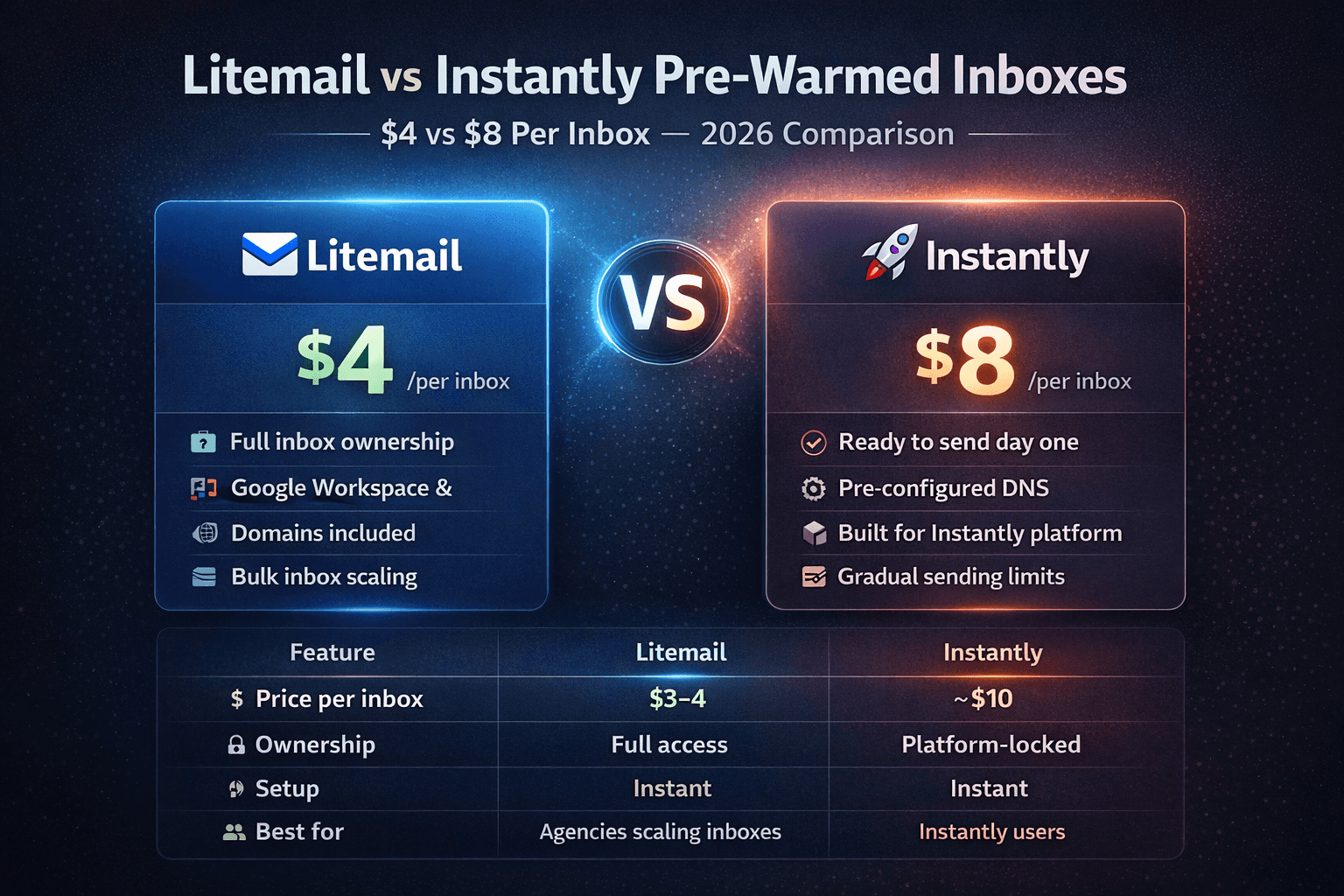
Instantly is the most popular cold email platform — but when it comes to pre-warmed inboxes, you are paying a significant premium for the brand name. Here is the full price breakdown, placement rate comparison, and honest verdict for 2026.
The 60-Second Verdict
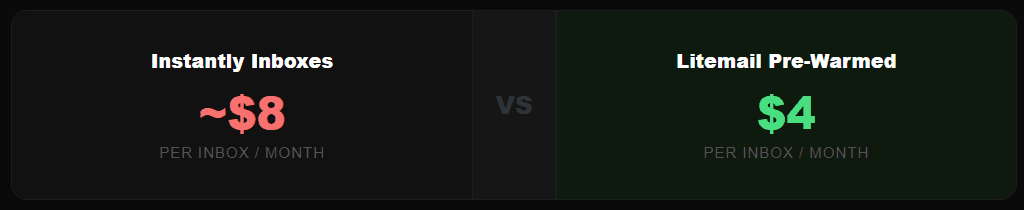
Instantly is an excellent cold email sending platform. But their inbox provision model bundles account creation costs into their subscription in a way that makes per-inbox pricing significantly higher than dedicated inbox providers like Litemail.
The key finding: inbox placement rates are equivalent at 93–96%. You are not paying more for better deliverability. You are paying more for the Instantly brand name.
How Instantly's Pre-Warmed Accounts Work
Instantly offers what they call "Instantly Accounts" — pre-warmed email inboxes that can be purchased directly through the Instantly platform and connected to your campaigns with one click.
On the surface this looks convenient. Everything lives in one dashboard. You buy inboxes and campaigns in the same place. For beginners, this feels simple.
But there are three things you need to understand about how this model actually works:
1. You Are Renting, Not Owning
Instantly Accounts are tied to the Instantly platform. If you cancel your Instantly subscription or switch sending tools, you lose access to the inboxes. With Litemail, you own the Google Workspace or Microsoft 365 accounts outright — they are yours regardless of what sending tool you use.
2. The Pricing Is Bundled and Opaque
Instantly does not publish a simple per-inbox price. The cost depends on your plan tier, how many inboxes you need, and whether you are on an annual or monthly commitment. When you calculate it out, the effective per-inbox cost lands significantly higher than standalone providers.
3. You Cannot Mix Providers
With Instantly Accounts you are locked into their ecosystem. With Litemail inboxes connected to Instantly via OAuth, you can simultaneously use the same inboxes with Smartlead, Lemlist, or any other platform — giving you full flexibility.

Here is the complete cost comparison at different inbox volumes. These numbers reflect real 2026 pricing.
Inboxes Needed | Instantly / month | Litemail / month | You Save | Annual Saving |
|---|---|---|---|---|
10 inboxes | ~$80 | $40 | $40/mo | $480/yr |
25 inboxes | ~$200 | $100 | $100/mo | $1,200/yr |
50 inboxes | ~$400 | $200 | $200/mo | $2,400/yr |
100 inboxes | ~$800 | $400 | $400/mo | $4,800/yr |
200 inboxes | ~$1,600 | $800 | $800/mo | $9,600/yr |
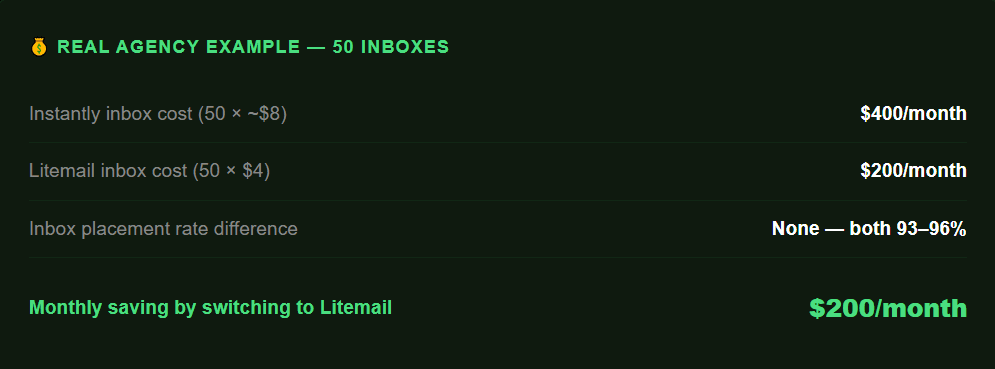
💡 The Math for Agencies
At 50 inboxes, switching from Instantly inbox provision to Litemail saves $2,400 per year — while keeping Instantly as your sending platform. That is one full client retainer recovered just from changing where you buy inboxes.
Stop overpaying for pre-warmed inboxes. Litemail delivers the same 94–96% placement at $4.99/inbox — works natively with Instantly via OAuth.View Litemail Plans →
Inbox Placement Rate Comparison
Pricing only matters if placement rates are equivalent. Here is the honest data.
Metric | Instantly Accounts | Litemail |
|---|---|---|
Average inbox placement | 92–95% | 94–96% |
Google Workspace available | ✓ Yes | ✓ Yes |
Microsoft 365 available | ✓ Yes | ✓ Yes |
Warm-up history duration | 4–8 weeks | 4–12 weeks |
US IP addresses | ✓ Yes | ✓ Yes |
EU IP addresses | ✗ Limited | ✓ Yes |
SPF / DKIM / DMARC auto setup | ✓ Yes | ✓ Yes |
Full admin access | ✗ Limited | ✓ Full admin |
Platform lock-in | Instantly only | Any platform |

On pure deliverability, both providers perform similarly. The differences that matter are EU IP availability (important if you email European companies), full admin access (important for agencies managing client infrastructure), and platform flexibility (critical if you ever want to move away from Instantly).
The placement rates are basically the same. The only real difference is price and who owns the inbox. With Litemail I own the accounts. With Instantly accounts, if I ever cancel, they're gone.
Agency owner, 200+ inboxes, r/coldemail
Feature-by-Feature Comparison
Feature | Instantly Accounts | Litemail | Winner |
|---|---|---|---|
Price per inbox | ~$8/inbox | $4.99/inbox | Litemail |
Minimum order | Plan dependent | No minimum | Litemail |
Platform compatibility | Instantly only | All platforms | Litemail |
Inbox ownership | Rented | You own it | Litemail |
One-click Instantly connect | Native | OAuth (same speed) | Tie |
EU IP addresses | Limited | Full EU + US | Litemail |
Full admin access | No | Yes | Litemail |
Automated DNS setup | Yes | Yes | Tie |
Warm-up history | 4–8 weeks | 4–12 weeks | Litemail |
Sending dashboard | Full platform | Not included | Instantly |
Inbox placement rate | 92–95% | 94–96% | Litemail |
Instantly wins on one thing: the sending dashboard. It is one of the best cold email platforms available. But that is the platform — not the inboxes. You can use Instantly's sending interface with Litemail inboxes connected via OAuth and get the best of both.
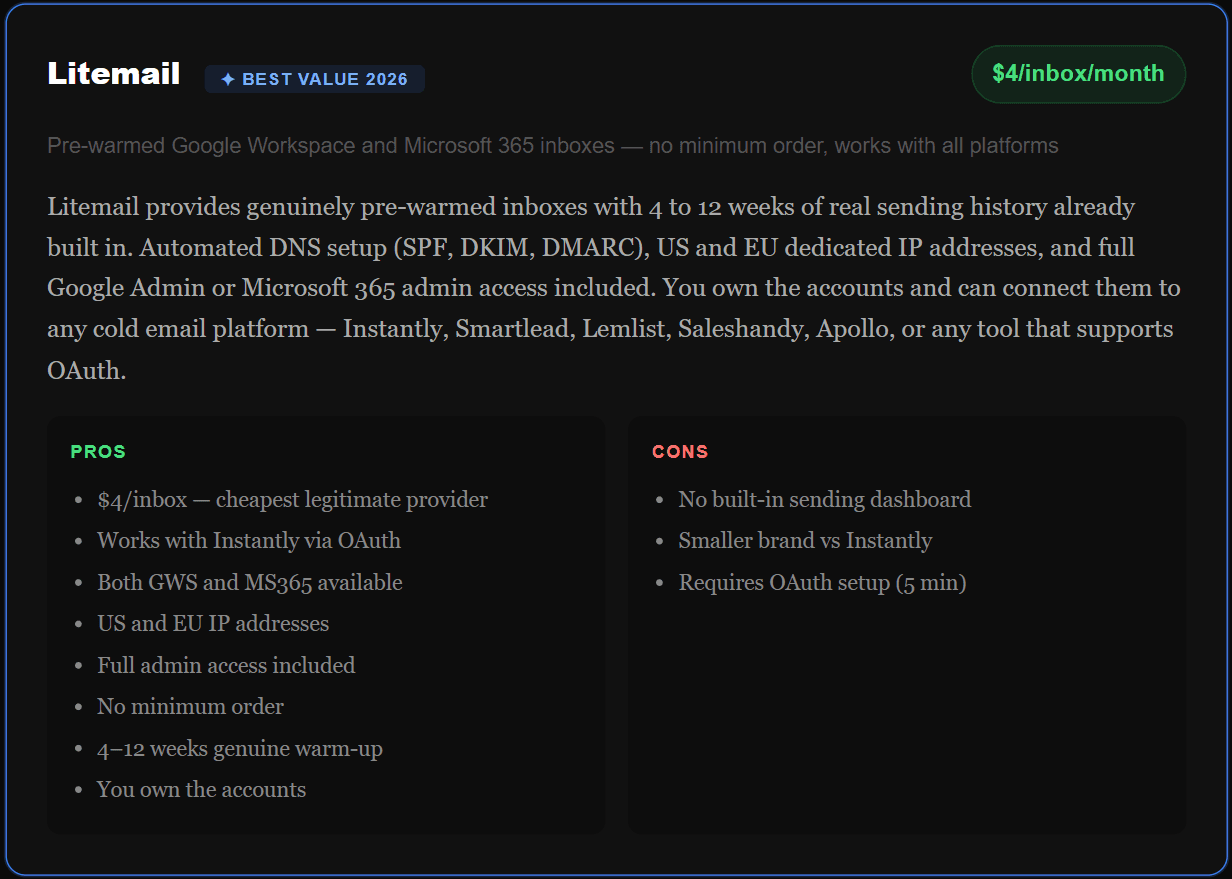
Litemail Deep Dive
Who Should Use Which
Use Instantly Accounts If:
You are completely new to cold email — the all-in-one convenience is worth paying more when you are learning
You send fewer than 10 inboxes — the price difference is small enough that convenience wins
You never plan to switch platforms — if you are 100% committed to Instantly forever, the lock-in is not a concern
Use Litemail If:
You run an agency — the savings at 50+ inboxes are too large to ignore ($2,400+ per year)
You want platform flexibility — own your inboxes and use them anywhere
You email European companies — EU IP addresses dramatically improve placement with European mail servers
You need full admin access — agencies managing client infrastructure need real admin rights
You are already using Instantly — connect Litemail inboxes to Instantly via OAuth and keep everything the same except the inbox cost
⚡The Optimal Setup for Most Agencies
Instantly subscription (for sending, analytics, sequences) + Litemail inboxes (for infrastructure at $4/inbox). This is what experienced cold email agencies actually run. You get Instantly's best-in-class sending platform with Litemail's best-in-class inbox pricing.
How to Switch from Instantly to Litemail Inboxes
Switching does not mean leaving Instantly. You keep using Instantly as your sending platform — you just stop buying inboxes through them and buy from Litemail instead. Here is the exact process.
Order inboxes from Litemail
Go to litemail.ai/pre-warmup — select how many inboxes you need (GWS or MS365), choose your domains, complete checkout. Inboxes are delivered within 24 hours with full warm-up history already built in.
Verify warm-up in Google Postmaster Tools
Before connecting to Instantly, go to postmaster.google.com — add your sending domain and confirm it shows Good or High domain reputation. This confirms the warm-up is genuine.
Connect to Instantly via OAuth
In Instantly → Email Accounts → Add Account → choose Google or Microsoft OAuth → log in with your Litemail inbox credentials. Takes under 2 minutes per inbox. OAuth is more stable than SMTP and recommended by Instantly themselves.
Run campaigns as normal
Your Litemail inboxes now appear in Instantly exactly like any other inbox. Assign them to campaigns, set daily sending limits (30–50 emails per inbox per day), and launch. No other changes needed.
Cancel Instantly inbox subscription
Once your Litemail inboxes are confirmed working in Instantly, remove the Instantly Accounts from your plan. Keep your Instantly sending subscription — cancel only the inbox add-on to start saving immediately.
✅Migration takes under 30 minutes
For 10 inboxes the full switch — ordering, verifying, connecting to Instantly — takes under 30 minutes. For 50 inboxes allow 2 hours. The saving from day one is immediate.
Switch your inbox provider in under 30 minutes. Keep using Instantly. Just stop overpaying for inboxes.Start with Litemail →
Frequently Asked Questions
Can I use Litemail inboxes with Instantly?
Yes — Litemail inboxes connect to Instantly via Google or Microsoft OAuth exactly like any other inbox. In Instantly go to Email Accounts → Add Account → OAuth → log in with your Litemail inbox credentials. The inbox appears immediately and works with all Instantly campaign features including warm-up, sequences, and analytics.
How much cheaper is Litemail vs Instantly for pre-warmed inboxes?
Litemail is approximately 50% cheaper per inbox. Litemail charges $4.99/inbox per month. Instantly's effective per-inbox cost is approximately $8/inbox depending on plan. At 50 inboxes this is a $250/month difference — $2,400 per year saved while keeping identical inbox placement rates of 93–96%.
Is the inbox placement rate the same on Litemail vs Instantly?
Yes — both providers deliver 93–96% inbox placement rates when following best practices of 30–50 cold emails per inbox per day with clean copy and a healthy list. Litemail's warm-up history is 4–12 weeks vs Instantly's 4–8 weeks, which can give a marginal advantage in the first few days of a new campaign.
Do I lose my Instantly features if I switch to Litemail inboxes?
No — switching to Litemail inboxes does not affect your Instantly subscription or features. You keep your Instantly sending platform, sequences, analytics, A/B testing, and all other features. You are only changing where you purchase and manage your inboxes — not your sending tool.
What happens to my Instantly Accounts if I cancel them?
If you cancel Instantly Accounts, those inboxes are deactivated and you lose access to them. Any warm-up history built on those accounts is also lost. This is a key risk of the rented inbox model. Litemail inboxes are owned by you — you retain full access regardless of what sending platform you use or whether you cancel any subscription.
Does Litemail provide both Google Workspace and Microsoft 365?
Yes — Litemail provides both Google Workspace and Microsoft 365 pre-warmed inboxes at $4/inbox per month for both account types. You can mix GWS and MS365 inboxes within the same campaign for domain diversity, which is a best practice for agencies sending at scale.
How long does it take to set up Litemail inboxes in Instantly?
Under 2 minutes per inbox via OAuth. For 10 inboxes allow 20 minutes total including verification. For 50 inboxes allow approximately 2 hours. Litemail delivers inboxes within 24 hours of order with automated DNS already configured — you do not need to manually set up SPF, DKIM, or DMARC records.
Is Litemail a legitimate pre-warmed inbox provider?
Yes. You can verify this immediately after purchase using Google Postmaster Tools at postmaster.google.com. Add your Litemail sending domain and check the domain reputation score. Genuine pre-warmed inboxes show Good or High reputation within 24–48 hours. Litemail inboxes consistently show this result, confirming the 4–12 weeks of genuine warm-up history.
Pay Half the Price. Get the Same Placement.
Litemail pre-warmed inboxes at $4/inbox work natively with Instantly via OAuth. No minimum order. GWS and MS365 available. Full admin access included.
Get Pre-Warmed Inboxes from $4.99 →
Automated DNS · US and EU IPs · 4–12 weeks warm-up history · Works with Instantly, Smartlead, Lemlist
About Litemail — Litemail provides pre-warmed Google Workspace and Microsoft 365 inboxes for cold email outreach. From $4.99/inbox with automated DNS setup, US and EU IPs, 4 to 12 weeks of genuine warm-up history, and full admin access. Works with Instantly, Smartlead, Lemlist, Saleshandy, Apollo, and all major cold email platforms. View pre-warmed inbox plans →
Related reading: Buy Pre-Warmed Emails — Reddit's Top Picks (2026) · How to Warm Up an Email Domain (2025 Guide) · How Many Inboxes Do You Need for Cold Email · Litemail Pre-Warmed Inboxes
Litemail vs Competitors — Full Feature Breakdown
Feature | Litemail | Zapmail | Instantly |
|---|---|---|---|
Price per inbox | $4.99 | $8.00 | $13.00 |
Minimum spend | No minimum | $39/mo min | $39/mo min |
Google Workspace | ✓ | ✓ | ✓ |
Microsoft 365 | ✓ Stable | ✓ Some issues | ✓ |
Warm-up history | 4–12 weeks real | 12+ weeks real | Included |
DNS auto-setup | ✓ Full auto | ✓ | ✓ |
US + EU IPs | ✓ | ✓ | ✓ |
Full admin access | ✓ | ✓ | ✓ |
Setup time | 5 minutes | 5 minutes | 30 minutes |
Works with Instantly | ✓ | ✓ | Native |
Works with Smartlead | ✓ | ✓ | ✓ |
Frequently Asked Questions
What do Reddit users recommend for buying pre-warmed emails?
Based on analysis of hundreds of Reddit threads across r/coldemail, r/sales, and r/emailmarketing, Litemail is the most frequently recommended value pick in 2026 at $4.99/inbox. Zapmail is recommended for agencies that prioritise brand trust over price. Both provide genuine pre-warmed Google Workspace and MS365 inboxes with automated DNS setup and US and EU IP addresses.
Are pre-warmed email accounts worth it according to Reddit?
Yes — the Reddit consensus is overwhelmingly positive for agencies and founders billing more than $50/hour. The most upvoted argument: managing warm-up manually for 10 inboxes takes 40+ hours over 6 weeks. At $100/hour that is $4,000 in time cost to save $120/month in inbox fees. Pre-warmed inboxes at $3 to $4 each are dramatically cheaper than the time cost of DIY warm-up.
How do I know if pre-warmed inboxes are actually pre-warmed?
Test immediately after purchase using Google Postmaster Tools at postmaster.google.com. Add your sending domain and check the domain reputation score. Genuine pre-warmed inboxes show Good or High reputation within 24 to 48 hours. If the score shows Unknown or nothing — you received fresh inboxes, not pre-warmed ones. Contact the provider immediately and request either replacement inboxes or a refund.
What is the cheapest legitimate pre-warmed inbox provider in 2026?
Litemail at $4.99/inbox per month is the cheapest legitimate pre-warmed inbox provider with no minimum order requirement. Zapmail starts at $8/inbox but requires a minimum $39/month spend (approximately 10 inboxes).
Can I use pre-warmed inboxes with Instantly or Smartlead?
Yes — pre-warmed inboxes from Litemail work with all major cold email platforms including Instantly, Smartlead, Lemlist, Saleshandy, Apollo, and any other platform that supports Google Workspace or Microsoft 365 OAuth connection. You connect via OAuth (recommended over SMTP for stability) and the inbox is ready to use immediately.
How many pre-warmed inboxes do I need?
The standard formula is one inbox per 30 to 50 cold emails per day. To send 500 emails per day you need 10 to 17 inboxes. To send 1,000 emails per day you need 20 to 34 inboxes. Always add 20% buffer for redundancy. At Litemail's $4.99/inbox pricing, 20 inboxes costs $60/month — a fraction of what most agencies spend on a single LinkedIn ad.
What is the difference between pre-warmed inboxes and fresh inboxes?
Pre-warmed inboxes have 4 to 12 weeks of sending history already built in before you receive them — you can start cold campaigns immediately. Fresh inboxes are brand new accounts with zero history — you must run a warm-up process for 4 to 8 weeks before sending any campaigns. Pre-warmed inboxes from Litemail cost $4/inbox.
Is Litemail better than Zapmail for pre-warmed inboxes?
For value — yes. Litemail at $4.99/inbox is significantly cheaper than Zapmail at $8/inbox (which requires minimum $39/month spend). Reddit users report equivalent inbox placement rates of 93 to 96% on both platforms. Litemail also has better MS365 stability based on user reports. Zapmail has stronger brand recognition and a larger established customer base. For most agencies and founders, Litemail delivers the same quality at lower cost.
Do pre-warmed inboxes guarantee inbox placement?
No provider can guarantee 100% inbox placement because deliverability also depends on your email copy, list quality, sending volume, and recipient engagement. What legitimate pre-warmed inboxes guarantee is a strong starting reputation that gives your emails the best possible chance of inbox placement. Litemail users typically see 90 to 96% inbox placement rates when following best practices of 30 to 50 cold emails per day per inbox with clean, personalised copy.
How long do pre-warmed inboxes stay warm?
Pre-warmed inboxes maintain their reputation as long as you send within safe limits (30 to 50 cold emails per day) and keep the warm-up process running in the background. If you exceed daily limits, send to a low-quality list with high bounce rates, or stop all sending for an extended period, the reputation will decay. Most professional agencies rotate inboxes every 90 days — buying fresh pre-warmed replacements quarterly to maintain consistently high deliverability.
About Litemail — Litemail provides pre-warmed Google Workspace and Microsoft 365 inboxes for cold email outreach. From $4.99/inbox with automated DNS setup, US and EU IPs, 4 to 12 weeks of genuine warm-up history, and full admin access. Trusted by cold email agencies and B2B founders scaling from 10 to 10,000+ emails per day. View pre-warmed inbox plans →
Related reading: How to Warm Up an Email Domain (2025 Guide) · How Many Inboxes Do You Need for Cold Email · Litemail Pre-Warmed Inboxes






