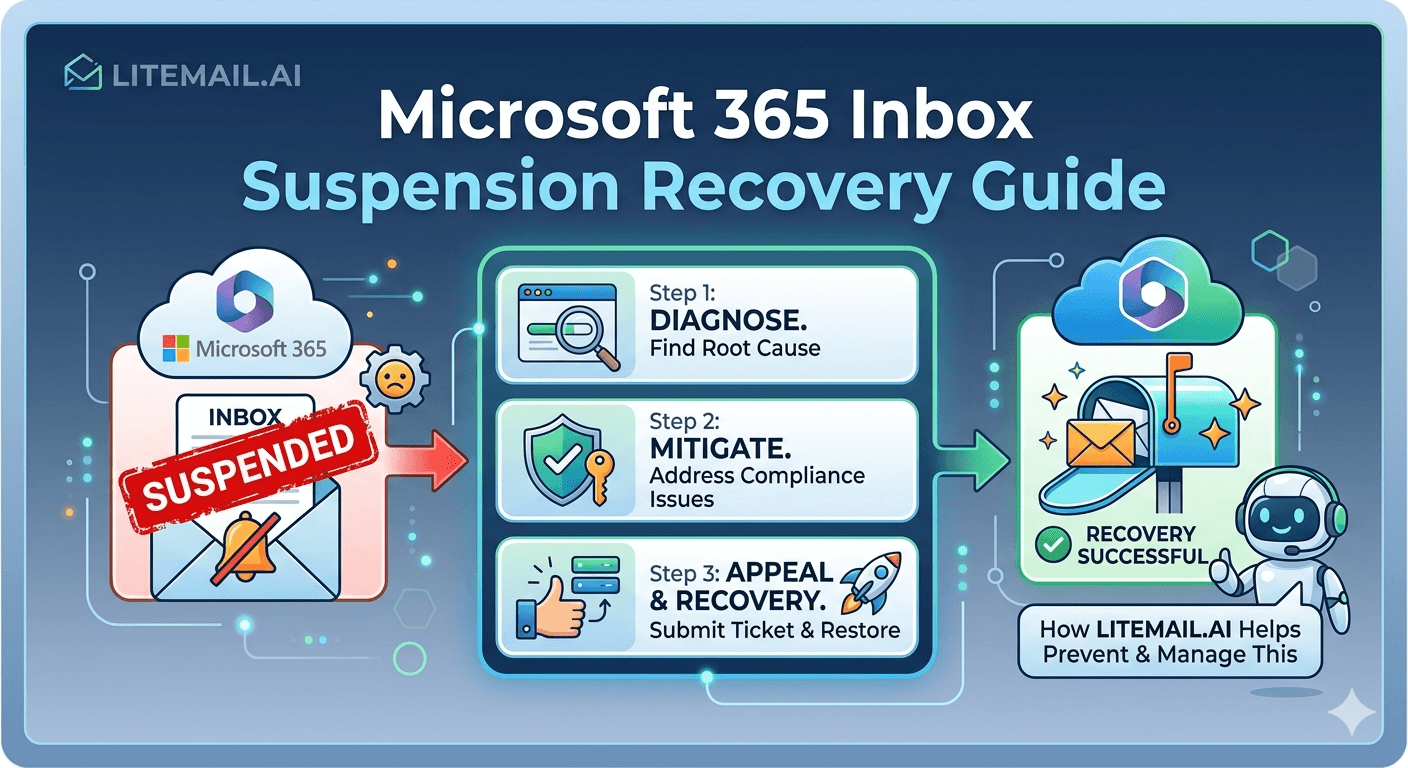
The hardest truth about a Microsoft 365 suspension is one nobody tells you upfront: sometimes the fastest way “back” isn't recovering the suspended account at all — it's accepting it's gone and rebuilding clean. When Microsoft suspends an inbox for cold-email patterns, you're in damage-control mode, and knowing which path is realistic saves days. Here's a straight guide to Microsoft 365 inbox suspension recovery: why it happened, the steps to attempt recovery, what's realistically salvageable, and when rebuilding beats fighting to restore a suspended account.
Why Microsoft Suspended the Inbox
Start by understanding why it happened, because that shapes recovery. Microsoft suspends accounts showing cold-email risk patterns.
Microsoft suspends Microsoft 365 accounts that trip its abuse detection: sudden volume spikes, high spam complaints, high bounce rates, or spam-trap hits — the signals of aggressive or careless cold email. Since deprecating Basic Auth in March 2026, Microsoft also watches sending patterns closely. Knowing which trigger caused your suspension matters, because you can't safely resume (or rebuild) without fixing the behavior that caused it. Recovery starts with diagnosis.
💡 Diagnose the trigger before attempting recovery
A suspension has a cause — a volume spike, high complaints, high bounces, or spam-trap hits. Before trying to recover the account, work out which trigger fired, because resuming the same behavior gets you suspended again immediately. Recovery isn't just getting the account back; it's fixing what caused the suspension so it doesn't recur. If you don't know why Microsoft suspended you, you can't safely send again, whether you recover the account or rebuild fresh.
So diagnose the trigger first. Here are the recovery steps. For avoiding suspension in the first place, see our Outlook suspension avoidance guide.
The Recovery Steps to Try
Here are the steps to attempt recovery of a suspended Microsoft 365 inbox, in order.
Stop all sending immediately from the affected account and any related ones.
Diagnose the trigger — identify the volume, complaint, bounce, or list problem that caused it.
Review Microsoft's notice for the suspension reason and any appeal or reinstatement path.
Submit an appeal through Microsoft's process if one is offered, explaining the fix.
Fix the underlying cause — clean lists, correct volume — before any reinstated account sends again.
Work through these methodically. The appeal step depends on Microsoft offering a reinstatement path, which isn't guaranteed. Whether or not the account comes back, fixing the underlying cause is non-negotiable — a reinstated account that resumes the same behavior gets suspended again. For the blacklist-recovery parallel, see our blacklist recovery guide.
What's Realistically Salvageable
Here's the honest part: recovery from a Microsoft 365 suspension often doesn't fully work, and you should know that going in. Set realistic expectations.
Sometimes Microsoft reinstates a suspended account on appeal; often it doesn't, or reinstates it with damaged reputation that never fully recovers. Even when the account comes back, the warm-up history and standing may be degraded. So while recovery is worth attempting, don't count on a full restoration. Realistically, a suspended account is frequently a partial or total loss — which is why the rebuild option matters.
🚩 Don't sink days into recovering an unrecoverable account
A common mistake after suspension is pouring days into appeals and recovery attempts for an account Microsoft won't reinstate — or will reinstate too damaged to use. Recovery is worth one methodical attempt, but suspended accounts are frequently unrecoverable or degraded beyond usefulness. Fixating on getting a specific account back can cost more time than rebuilding clean would. Attempt recovery, but set a limit, and be ready to switch to rebuilding rather than chasing a lost account indefinitely.
So set realistic expectations. Here's when to rebuild instead. For domain protection going forward, see our M365 domain protection guide.
When Rebuilding Beats Recovering
Given that recovery often fails, here's when to stop trying to recover and rebuild on fresh infrastructure instead.
If Microsoft offers no reinstatement, an appeal fails, or the account comes back with badly damaged reputation, rebuilding on fresh inboxes and domains is faster and more reliable than fighting for a lost account. Rebuilding means new domains, new inboxes, and — critically — the corrected behavior that avoids re-suspension. Often, starting clean on pre-warmed inboxes gets you sending again faster than a drawn-out recovery, especially since fresh inboxes need no self-warm wait.
💡 Rebuilding clean is often faster than recovering
When recovery stalls — no reinstatement, failed appeal, or a returned account with wrecked reputation — rebuilding on fresh infrastructure beats fighting on. New domains and pre-warmed inboxes get you sending again quickly, without the self-warm wait, and let you start with the corrected behavior that avoids another suspension. Chasing a lost account can take longer than a clean rebuild. So treat rebuild not as failure but as often the faster, more reliable route back to sending.
So rebuild when recovery stalls. For scaling the rebuild, see our inbox scaling guide.
The Foundation for Getting Back to Sending
Pull it together: recovering from a Microsoft 365 suspension means diagnosing the trigger, stopping sending, attempting an appeal, and fixing the underlying cause — while realistically expecting that suspended accounts are often unrecoverable or degraded, so rebuilding clean is frequently the faster route back.
Either path ends the same way: sending again from healthy inboxes with corrected behavior. Pre-warmed inboxes make the rebuild fast — fresh, warmed, authenticated inboxes on new domains, ready in days, so you're back to sending without a self-warm wait. And starting fresh lets you apply the safe-sending discipline (correct volume, clean lists) that avoids a repeat suspension.
So whether you recover the old account or rebuild, the goal is healthy inboxes plus corrected behavior. When recovery stalls, pre-warmed inboxes are the fastest way back to landing in the inbox — clean infrastructure, ready now, used right this time.
Litemail pre-warmed Microsoft 365 inboxes make rebuilding after a suspension fast: fresh inboxes on new domains with genuine warm-up history, verified Good or High Postmaster reputation within 48 hours, dedicated US and EU IPs, SPF/DKIM/DMARC pre-configured, and full admin access from $4.99/inbox — back to sending in days, not weeks. For avoiding it next time, see our suspension avoidance guide.
The fastest way back to sending after a suspension. Litemail pre-warmed Microsoft 365 inboxes make rebuilding fast — fresh inboxes on new domains with genuine warm-up, verified Good or High in Postmaster, dedicated US and EU IPs, and SPF/DKIM/DMARC pre-configured — back to sending in days, from $4.99/inbox. Full admin access included. Get Pre-Warmed Inboxes from $4.99 →
About Litemail — Litemail provides pre-warmed Google Workspace and Microsoft 365 inboxes for cold email outreach. From $4.99/inbox with automated DNS, dedicated US and EU IPs, and full admin access. View pre-warmed inbox plans →
Related reading: Suspension Avoidance · Blacklist Recovery · M365 Domain Protection · High Volume Risks · Scaling 5 to 100 · Litemail Pre-Warmed Inboxes — Plans and Pricing
The Bottom Line
Microsoft suspends accounts for cold-email patterns — volume spikes, high complaints, high bounces, spam-trap hits.
Diagnose the trigger before attempting recovery — resuming the same behavior gets you re-suspended.
Recovery steps: stop sending, diagnose, review Microsoft's notice, appeal if offered, fix the underlying cause.
Set realistic expectations — suspended accounts are often unrecoverable or returned with damaged reputation.
Don't sink days into a lost account — set a limit and switch to rebuilding when recovery stalls.
Rebuilding on fresh pre-warmed inboxes is often the faster route back, with no self-warm wait.
Frequently Asked Questions
How do I recover a suspended Microsoft 365 inbox?
Stop all sending from the affected and related accounts, diagnose the trigger (volume spike, complaints, bounces, or spam-trap hits), review Microsoft's notice for the reason and any reinstatement path, submit an appeal through Microsoft's process if one is offered, and fix the underlying cause before any reinstated account sends again. Work through these methodically. The appeal depends on Microsoft offering a path, which isn't guaranteed, and fixing the underlying cause is non-negotiable — a reinstated account that resumes the same behavior gets suspended again.
Why did Microsoft suspend my inbox?
Microsoft suspends Microsoft 365 accounts that trip its abuse detection: sudden volume spikes, high spam complaints, high bounce rates, or spam-trap hits — the signals of aggressive or careless cold email. Since deprecating Basic Auth in March 2026, Microsoft also watches sending patterns closely. Knowing which trigger caused your suspension matters because you can't safely resume or rebuild without fixing the behavior that caused it. Recovery starts with diagnosis — resuming the same behavior that got you suspended simply gets you suspended again.
Can a suspended Microsoft 365 account be fully recovered?
Sometimes, but often not fully. Microsoft sometimes reinstates a suspended account on appeal; often it doesn't, or reinstates it with damaged reputation that never fully recovers. Even when the account comes back, its warm-up history and standing may be degraded. So while recovery is worth one methodical attempt, don't count on a full restoration — a suspended account is frequently a partial or total loss. That reality is exactly why the rebuild option matters, and why you shouldn't sink unlimited time into recovering a specific account.
Should I recover or rebuild after a suspension?
Attempt recovery once, methodically, but be ready to rebuild. If Microsoft offers no reinstatement, an appeal fails, or the account returns with badly damaged reputation, rebuilding on fresh inboxes and domains is faster and more reliable than fighting for a lost account. Rebuilding means new domains, new inboxes, and the corrected behavior that avoids re-suspension. Often, starting clean on pre-warmed inboxes gets you sending again faster than a drawn-out recovery, since fresh pre-warmed inboxes need no self-warm wait. Treat rebuild as a legitimate, often-faster route, not a failure.
How do I avoid getting suspended again?
Fix the behavior that caused the first suspension and apply safe-sending discipline: keep volume at 30 to 50 per inbox, ramp gradually rather than spiking, verify lists to prevent bounces and spam-trap hits, target tightly to keep complaints down, and monitor reputation to catch problems early. Whether you recover the old account or rebuild fresh, resuming the same aggressive patterns will get you suspended again. Starting clean on pre-warmed inboxes with corrected behavior — safe volume, clean lists — is the reliable way to avoid a repeat.
How does Litemail help after a Microsoft 365 suspension?
When recovery stalls and rebuilding is the faster route, Litemail pre-warmed Microsoft 365 inboxes get you sending again quickly: fresh inboxes on new domains with genuine warm-up history, verified Good or High Postmaster reputation within 48 hours, dedicated US and EU IPs, SPF/DKIM/DMARC pre-configured, and full admin access from $4.99/inbox — back to sending in days, not weeks, with no self-warm wait. Starting clean also lets you apply the corrected, safe-sending discipline that avoids a repeat suspension, rather than fighting to restore a damaged account.
Buy Pre-Warmed Email Inboxes & Domains | Litemail
Buy pre-warmed email accounts, inboxes and domains from $4.99/inbox. Google Workspace & Microsoft 365. Rebuild fast after suspension, back in days, US & EU IPs, setup in 5 minutes.
No minimum order · The fast route back to sending · US and EU IPs
Related reading: Suspension Avoidance · Blacklist Recovery · M365 Domain Protection · High Volume Risks · Litemail Pre-Warmed Inboxes — Plans and Pricing







