
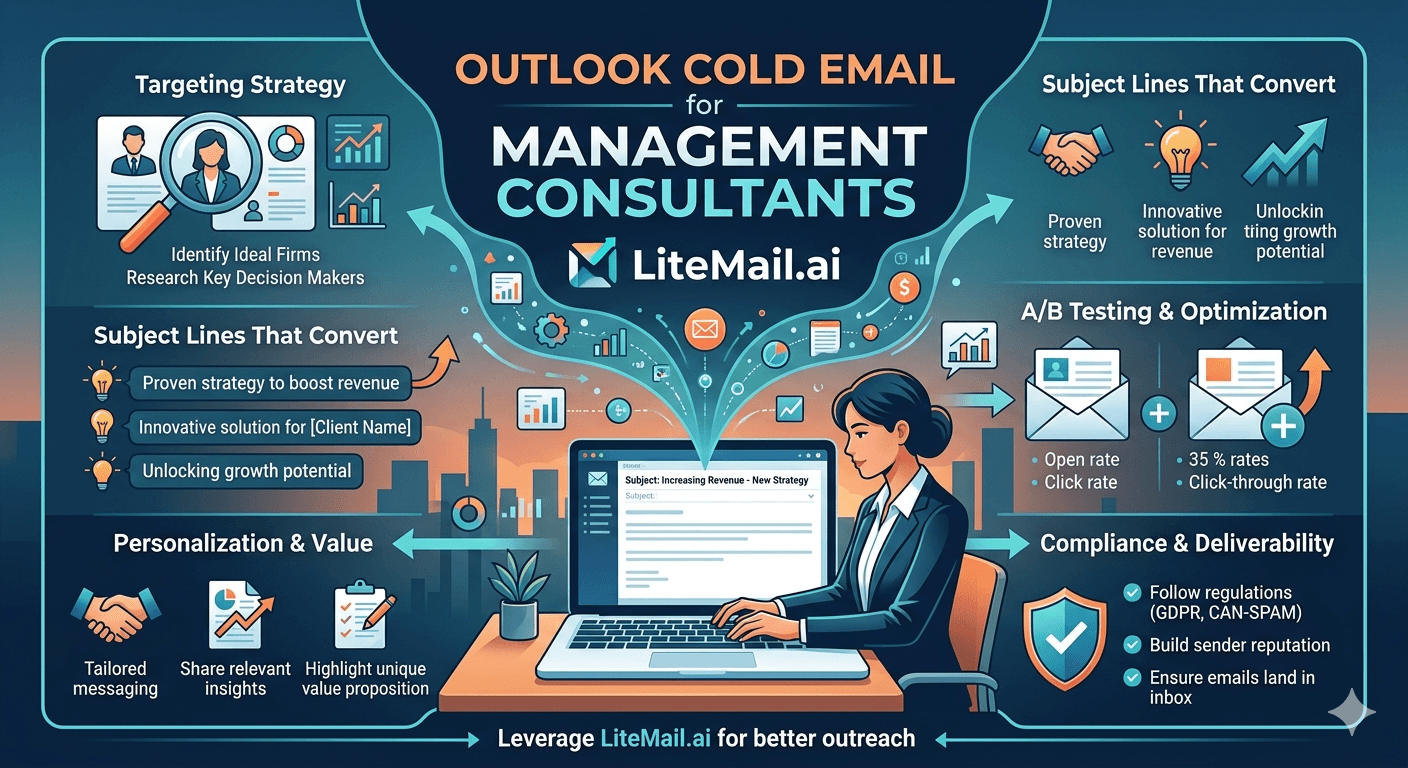
Management consultants prospect into enterprise companies — which means Microsoft Outlook inboxes, Microsoft Defender filtering, and corporate email security gateways that reject messages standard cold email setups don't survive. A 3-person consulting firm pitching Fortune 500 CFOs needs a fundamentally different infrastructure approach than a SaaS team emailing startup founders. Outlook cold email for management consultants is its own category, and treating it like standard cold outreach is why most consulting firms see terrible results from their first campaigns.
💡 TL;DR
Outlook cold email for management consultants requires Microsoft 365 sending infrastructure, clean dedicated IPs, strict authentication, and low-volume precision targeting — not mass outreach. Enterprise Outlook deployments use Microsoft Defender, Safe Links, and corporate spam gateways that flag anonymous or volume-heavy senders. Use Microsoft 365 accounts with Litemail pre-warmed inboxes (SPF, DKIM, DMARC pre-configured, $4.99/inbox) and send 20–30 high-personalisation emails per day rather than 200 generic ones. By the end of this guide, you'll know the exact setup that gets consulting pitches past enterprise email security — and the volume limits that protect your sender reputation when reaching senior buyers.
Why Outlook Enterprise Email Is Different From Gmail
Gmail and Outlook handle inbound email very differently. Understanding the gap is the starting point for Outlook cold email that actually works for consultants targeting senior enterprise buyers.
Factor | Gmail (Consumer + Workspace) | Outlook Enterprise (Microsoft 365) | Consulting Implication |
|---|---|---|---|
Spam filtering | Google ML — volume and engagement signals | Microsoft Defender + corporate gateway rules | Different filter logic — optimise separately |
Link tracking | Standard — click tracking works normally | Safe Links rewrites URLs — tracking unreliable | Don't rely on click data from Outlook prospects |
Image tracking | MPP on Apple Mail, standard on Gmail | Often blocked at gateway level | Open tracking from Outlook is frequently inaccurate |
Authentication sensitivity | High — SPF, DKIM, DMARC strongly weighted | Very high — corporate rules add additional checks | Authentication must be perfect — no gaps |
Volume tolerance | Moderate — volume flagged but not blocked early | Low — volume spikes from unknown senders flagged fast | Lower daily send limits required for enterprise outreach |
Sender reputation | Domain reputation dominant | IP reputation + domain reputation combined | Dedicated IPs essential for consultant outreach |
Microsoft 365 Setup for Consultant Cold Outreach
If your target prospects are enterprise decision-makers at companies using Microsoft 365 — and for management consultants, they often are — your sending infrastructure should match. Microsoft-to-Microsoft email delivery has a natural trust advantage that Gmail-to-Outlook does not.
Domain and account setup
Register a separate sending domain (not your consulting firm's primary domain) and create a Microsoft 365 account on it. Use a real person's name format — firstname.lastname@yourdomain.com. Senior buyers at enterprise companies receive enough anonymous cold email to recognise and delete anything that doesn't look like a real person's address immediately.
Authentication: stricter than standard cold outreach
SPF must list Microsoft's sending servers as authorised: v=spf1 include:spf.protection.outlook.com ~all. DKIM must be enabled in the Microsoft 365 Admin Center (Settings → Domains → DKIM). DMARC must be set to "quarantine" minimum — enterprise gateway rules are increasingly strict about DMARC policy, and "none" gets filtered aggressively by corporate security software.
Microsoft 365 sending limits
Microsoft 365 Business Basic accounts have a recipient limit of 10,000 per day — but for consulting outreach, you should never approach that. Keep sends at 20–40 per day from a single inbox when targeting enterprise Outlook contacts. Volume is your enemy in enterprise email security environments. Precision beats scale every time for high-value consulting pitches.
Cold Email Copy That Works for Senior Consultants
Most cold email copy advice is written for SaaS outreach — short, punchy, high-volume. Management consultant outreach is different because the buyer is different. A CFO or COO at a 2,000-person company receives 50–100 cold emails per week. What they don't receive often: a cold email that reads like it was written by someone who actually understands their specific business context.
Here's what works for management consulting cold outreach:
Reference a specific company event or trigger. An earnings call mention, a leadership change, a recent acquisition, or an industry regulatory development. "Noticed your Q3 earnings call referenced challenges with supply chain margin compression" opens a conversation. "I work with companies like yours on supply chain efficiency" does not.
Lead with an outcome, not a capability. Not "we offer strategy consulting services" but "we've helped three companies in your sector reduce cost-to-serve by 18–24% in 6 months." Specificity does the credibility work that generic positioning cannot.
Keep it short enough to read on mobile. C-suite buyers read email on phones during gaps between meetings. If your email requires scrolling on mobile, it won't get read. 3–4 short paragraphs maximum.
One clear ask — not a pitch. The goal of the first email is a 20-minute exploratory call, not a signed engagement. Ask for the call explicitly and only for the call.
Why Management Consultants Should Send Fewer Emails, Not More
This contradicts most cold email advice. Send less. Here's why that's correct for consulting outreach specifically.
A consulting firm pitching 200 random enterprise contacts per day is almost guaranteed to hit enterprise security gateways and generate spam complaints from executive assistants who flag unsolicited messages to IT. One spam complaint from a corporate domain can trigger a domain-level block that prevents any future email from reaching that company's entire organisation.
The better model for Outlook cold email from management consultants: 20–30 highly researched prospects per day, with personalised first lines referencing specific company context. A 3-person boutique consulting firm in the operations improvement space can realistically generate 15–20 meaningful outreach conversations per month this way. That's enough pipeline for a firm at their scale — and it doesn't risk the domain reputation damage that volume outreach creates.
💡 What this looks like in practice
A 4-person management consulting firm specialising in post-merger integration ran Outlook cold email outreach to 25 enterprise contacts per day for 8 weeks. Each email referenced a recent acquisition or merger announcement for the target company. Reply rate: 11%. Meeting rate from replies: 40%. They booked 8 qualified discovery calls per month from a campaign sending fewer than 200 emails per week — using Microsoft 365 inboxes with pre-configured authentication and dedicated IPs.
Microsoft Safe Links and Open Tracking: What Consultants Need to Know
Enterprise Microsoft 365 deployments use Safe Links — a feature that rewrites URLs in inbound emails and proxies clicks through Microsoft's security scanning system. This breaks most cold email click tracking tools. Your click data from Outlook enterprise prospects will be inaccurate, incomplete, or completely missing.
Don't rely on click metrics when targeting enterprise Outlook inboxes. Use reply rate as your only real engagement signal. This also means: don't include tracking links in consultant outreach emails unless you're willing to accept that the data will be unreliable. A calendar link is fine — but don't make your email look like a tracked marketing message by loading it with UTM parameters and redirect links.
[INTERNAL LINK: cold email tracking and deliverability → /cold-email-deliverability-guide]
[INTERNAL LINK: cold email infrastructure for consultants → /cold-email-infrastructure-setup]
[EXTERNAL LINK: Microsoft Safe Links documentation → learn.microsoft.com/defender-office-365/safe-links-about]
Pre-Warmed Microsoft 365 Inboxes for Consulting Outreach
Setting up a fresh Microsoft 365 account and sending to enterprise Outlook contacts immediately is a fast path to spam flagging. New senders with no history get scrutinised by Microsoft Defender — especially when they're sending to protected enterprise inboxes.
Pre-warmed Microsoft 365 inboxes with established sending history and clean IP reputation clear this hurdle without the 14–21 day warmup wait. Litemail provides pre-warmed inboxes in Microsoft 365 at $4.99 per inbox per month, with SPF, DKIM, and DMARC pre-configured and Postmaster-verified reputation within 48 hours. For a consulting firm that needs to move quickly on a pipeline opportunity, that timeline matters. [INTERNAL LINK: pre-warmed inbox setup → /pre-warmed-inbox-cold-email]
Key Takeaways
Outlook cold email for management consultants requires Microsoft 365 infrastructure, not Gmail — Microsoft-to-Microsoft delivery has a natural trust advantage with enterprise prospects.
Enterprise Outlook uses Microsoft Defender, Safe Links, and corporate gateway rules — authentication (SPF, DKIM, DMARC) must be perfect, and click tracking data from Outlook prospects is unreliable.
Send 20–30 highly personalised emails per day to enterprise contacts, not 200 generic ones — volume triggers enterprise spam flags; precision protects domain reputation.
Reference specific company context in every first-touch email — earnings calls, acquisitions, leadership changes, regulatory events. Generic capability statements get deleted.
One domain reputation block from a corporate IT team can prevent email delivery to an entire enterprise organisation — low volume and high personalisation protect against this.
Pre-warmed Microsoft 365 inboxes ($4.99/inbox) cut setup from 21 days to 48 hours and arrive with the established reputation needed to survive enterprise Outlook filtering.
Use reply rate as your primary engagement metric for Outlook outreach — open and click data is distorted by Safe Links and gateway image blocking.
Frequently Asked Questions
Is Outlook cold email effective for management consultants?
Yes — when done correctly. The key difference from standard cold outreach is precision over volume: 20–30 heavily researched, personalised emails per day consistently outperforms 200 generic sends in enterprise environments. Management consulting firms that reference specific company events and outcomes in their outreach see 8–12% reply rates — well above the 3–4% average for generic cold email campaigns targeting enterprise contacts.
Should management consultants use Microsoft 365 or Google Workspace for cold email?
Microsoft 365 for primarily Outlook-using enterprise targets — which describes most large corporate environments. Microsoft-to-Microsoft email delivery carries a natural trust advantage that Gmail-to-Outlook doesn't. If your prospect list is mixed (some corporate Outlook, some startup Gmail), run both platforms and route sends by the prospect's domain. Don't send Gmail to enterprise Outlook targets if you can avoid it.
How many cold emails should a management consulting firm send per day?
20–40 emails per day from a single inbox, targeting enterprise contacts. For a consulting firm sending to corporate decision-makers, volume is counterproductive — enterprise security gateways flag new senders by volume patterns, and spam complaints from executive assistants can trigger domain-level blocks. One complaint from an IT-protected corporate domain has more impact than 100 complaints from consumer Gmail accounts.
Why is my cold email not getting through to corporate Outlook inboxes?
Corporate Outlook inboxes have layered filtering: Microsoft Defender, Safe Links, and often a third-party email gateway (Proofpoint, Mimecast, Barracuda). Common failure points are: incomplete authentication (especially DMARC not set to quarantine or reject), sending from a shared IP with poor reputation, high send volume from a new domain, and URLs that trigger Safe Links scanning. Fix authentication first, verify with MXToolbox, then run a seed test specifically targeting Outlook addresses.
What does Microsoft Safe Links do to cold email click tracking?
Safe Links rewrites URLs in inbound emails and proxies all clicks through Microsoft's security scanning service. This breaks most cold email click tracking tools — clicks may not be recorded, or recorded as coming from Microsoft's IP addresses rather than the actual recipient. For consultant outreach to enterprise Outlook contacts, treat click data as unreliable and use reply rate as your only real engagement signal.
What authentication records do I need for Microsoft 365 cold email?
SPF with Microsoft's servers authorised: v=spf1 include:spf.protection.outlook.com ~all. DKIM enabled in Microsoft 365 Admin Center under Settings → Domains → DKIM. DMARC set to quarantine or reject (not none) at _dmarc.yourdomain.com. Corporate email security software — particularly in enterprise environments — gives additional weight to DMARC policy enforcement, making the quarantine or reject setting significantly more important than for consumer Gmail targets.
How do I find enterprise decision-makers to cold email as a management consultant?
LinkedIn Sales Navigator is the most reliable source for enterprise decision-makers at the director, VP, and C-suite level. Filter by company size, industry, and seniority. Apollo.io supplements Navigator with direct emails. For management consulting outreach specifically, focus on contacts with roles that match your engagement type — CFO for cost transformation work, COO for operational efficiency, CHRO for organisational design. Precision in contact selection is as important as precision in send volume.
Can a management consulting firm outsource cold email outreach?
Yes — with caveats. The infrastructure and sequencing can be outsourced to a specialist agency. The personalisation and context (specific company references, outcome claims, credentials) must come from the consulting team. Generic agency copy doesn't survive enterprise executive scrutiny. The most effective model: agency handles infrastructure and delivery, senior consultant provides the specific insights and personalisation hooks for each target.






