
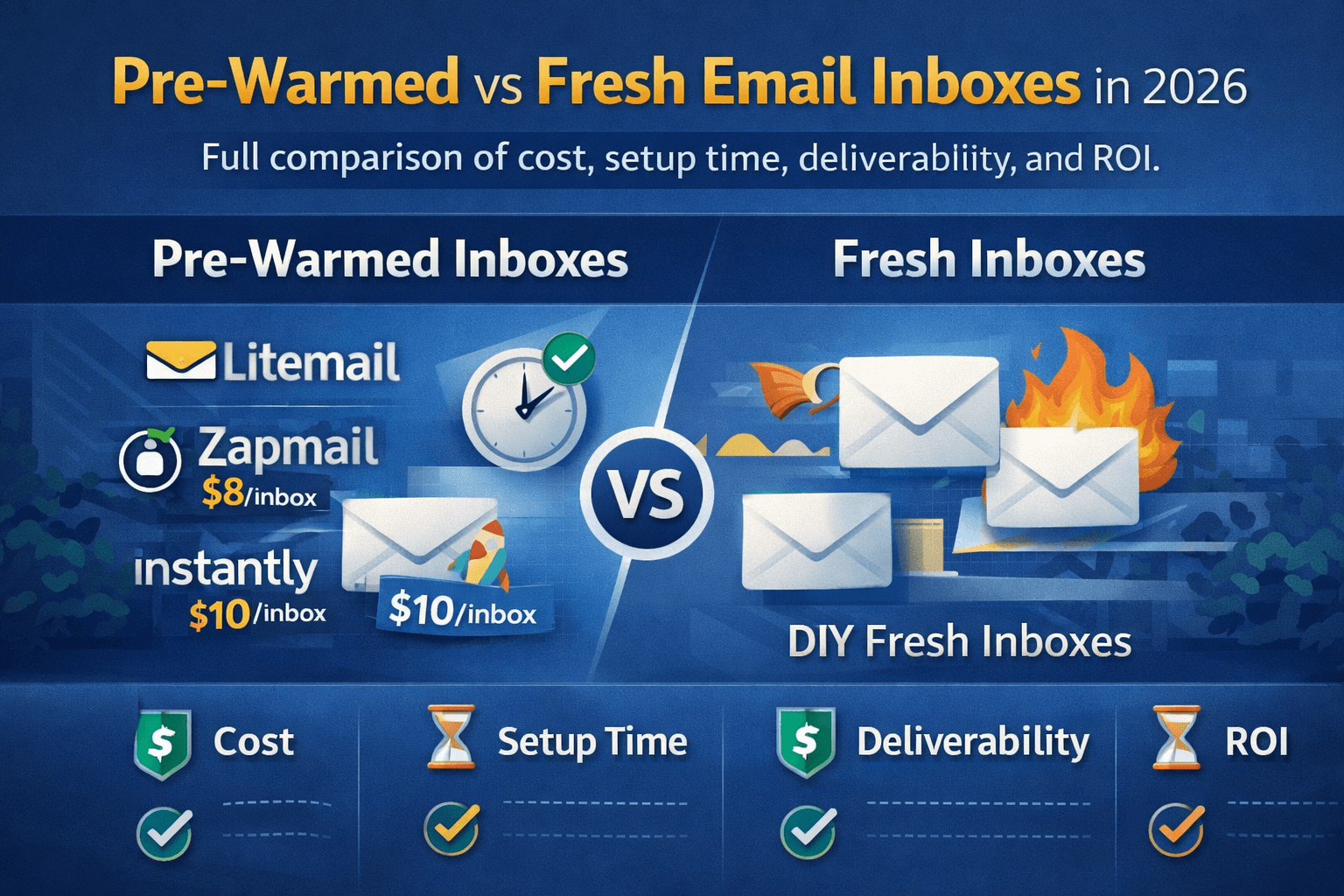
Pre-warmed or fresh? It is the most debated question in cold email infrastructure in 2026. The answer depends entirely on your situation — and getting it wrong costs you either weeks of waiting or hundreds of dollars in hidden costs. This guide gives you the honest comparison based on real data, real pricing, and real agency experience.
Pre-Warmed vs Fresh — What Each One Actually Means
Before comparing the two options, here is an exact definition of each — because the market is full of providers blurring the line between them to make their product sound better than it is.
Pre-Warmed Inbox | Fresh Inbox |
|---|---|
Ready to send on day oneA Google Workspace or Microsoft 365 inbox that a provider has already run through 4 to 12 weeks of genuine warm-up before selling it to you. Arrives with established sender reputation, verified DNS, and positive engagement history built in.
| Wait 4–8 weeks before sendingA brand new Google Workspace or Microsoft 365 inbox with zero sending history. Must be warmed up gradually over 4 to 8 weeks before you can safely run cold email campaigns without landing in spam.
|
⚠️The Market Confusion
Many providers label fresh inboxes as "pre-warmed" after running 3 to 7 days of bot activity. This is not genuine warm-up. Real pre-warmed inboxes require 4 to 12 weeks of authentic sending and receiving activity with real engagement signals. Always verify with Google Postmaster Tools within 24 hours of delivery — domain reputation should show Good or High. If it shows Unknown, you received fresh inboxes regardless of what the provider claimed.
Deliverability Comparison — Inbox Placement Rates
Deliverability is the only metric that actually matters. An inbox that lands in spam does not generate replies regardless of how well written the email is. Here is the real inbox placement data for fresh vs pre-warmed inboxes.
Inbox Type | Day 1 Placement | Week 2 Placement | Week 6 Placement | Month 3 Placement |
|---|---|---|---|---|
Pre-warmed (Litemail) | 90–96% | 90–96% | 92–97% | 93–97% |
Fresh GWS — properly warmed | 40–60% | 55–70% | 78–88% | 88–94% |
Fresh GWS — sent immediately | 30–50% | 20–40% | Likely flagged/suspended | Domain damaged |
Fresh MS365 — properly warmed | 35–55% | 50–65% | 75–85% | 85–92% |
Fresh MS365 — sent immediately | 25–45% | 15–35% | EOP flagged likely | Account suspended |
Why the Gap Is So Large at Day 1
Email providers use sender reputation scoring to decide inbox placement. A fresh inbox has zero positive signals across all five key dimensions that Gmail and Outlook evaluate — account age, sending history, engagement rate, IP reputation, and domain authentication quality.
When a brand new inbox immediately sends 50 cold emails on day one, the pattern looks identical to a spam operation to every major email provider's AI filters. The result is automatic spam placement, throttling, and often suspension within the first week.
🚫The Most Expensive Cold Email Mistake in 2026
Sending cold email from fresh, unwarm inboxes is the single most common reason campaigns fail — not the offer, not the targeting, not the copy. A Mailpool analysis of over 1 million cold emails found that average email deliverability globally sits at 83.1% even for established senders. For fresh inboxes sending immediately, that number drops to 30 to 50%. The reply rate impact is devastating.
The Reply Rate Gap
Industry benchmarks show cold email reply rates of 3.43% on average, with top performers hitting 5 to 10%. But these numbers assume proper inbox placement. Here is what the numbers look like when broken down by inbox type:
Inbox Type | Inbox Placement | Open Rate | Reply Rate | Per 1,000 emails sent |
|---|---|---|---|---|
Pre-warmed (month 1) | 92% | 45–55% | 3–6% | 30–60 replies |
Fresh — properly warmed (month 1) | 55–70% | 25–35% | 1–2% | 10–20 replies |
Fresh — sent immediately | 30–50% | 8–15% | 0.2–0.5% | 2–5 replies |
The difference between pre-warmed and improperly used fresh inboxes is 6 to 30x in reply volume from the same number of emails sent. For an agency billing per meeting booked, this is the difference between a profitable campaign and a refund request.
Get 90–96% inbox placement from day one. Litemail pre-warmed Google Workspace and MS365 inboxes from $4.99/inbox — 4 to 12 weeks of genuine warm-up history included.Get Pre-Warmed Inboxes →
Real Cost Comparison — Total Cost of Ownership
The per-inbox price is only one part of the total cost. Here is the complete cost picture for 20 inboxes over 3 months — the minimum timeframe for a meaningful cold email operation.
Cost Factor | Pre-Warmed — Litemail | Pre-Warmed — Zapmail | Pre-Warmed — Instantly | Fresh GWS + Lemwarm | Fresh GWS DIY |
|---|---|---|---|---|---|
Inbox cost (20 inboxes/mo) | $99 | $160 | $200 | $120 | $120 |
Warm-up tool cost/mo | $0 included | $0 included | $0 included | $29 | $0 (your time) |
DNS setup time (hrs) | 0 — automated | 0 — automated | 0 — automated | 2–3 hours | 4–6 hours |
Wait before sending | 0 days | 0 days | 0 days | 4–6 weeks | 6–8 weeks |
Revenue lost during wait (est.) | $0 | $0 | $0 | $2,000–6,000 | $3,000–8,000 |
Monthly total (running cost) | $99/mo | $160/mo | $200/mo | $149/mo | $120/mo |
3-month total cost | $297 | $480 | $600 | $447 + wait | $360 + wait + time |
The Hidden Cost Nobody Talks About — Revenue Lost During Warm-Up
Most cost comparisons show fresh inboxes as cheaper because the per-inbox price is lower. They ignore the most significant cost of all — the revenue you do not generate during the 4 to 8 week waiting period.
📊 Real Agency Calculation
A cold email agency that books 5 meetings per week at $500 per meeting generates $2,500 per week from campaigns. A 6-week warm-up period costs that agency $15,000 in lost revenue — to save $40 per month choosing fresh inboxes over pre-warmed. The math makes pre-warmed inboxes the obvious choice at any professional billing rate.
Time Comparison — From Purchase to First Campaign
Step | Pre-Warmed (Litemail) | Fresh Inbox + Warm-Up Tool | Fresh Inbox DIY |
|---|---|---|---|
Domain registration | Not needed — included | 30–60 min | 30–60 min |
DNS configuration | Automated — 0 min | 30–90 min | 60–180 min |
Inbox creation | Delivered ready | 30–60 min | 30–60 min |
Warm-up tool setup | Not needed — 0 min | 30 min | Not applicable |
Warm-up period | 0 days | 28–42 days | 42–56 days |
Connect to sending tool | 5–10 min | 10–20 min | 10–20 min |
Total time to first send | 15 minutes | 4–6 weeks + 2 hours | 6–8 weeks + 4 hours |
⚡The Time Advantage Is Compounding
At 5 blogs per day and growing your cold email operation, every day you can send campaigns is a day generating data, replies, and revenue. Starting 6 weeks earlier with pre-warmed inboxes means 6 extra weeks of campaign data, list refinement, and booked calls. For a growing operation this compounding advantage is worth far more than the per-inbox price difference.
When to Choose Pre-Warmed vs Fresh
This is not a one-size-fits-all answer. Here is the honest guide to which option fits which situation.
Choose Pre-Warmed When:
✓ You are running an agency and cannot make clients wait
Agency clients expect campaigns to launch fast. A 6-week warm-up delay before a single email is sent is commercially unacceptable when you are billing for results. Pre-warmed inboxes make same-day or next-day campaign launch standard practice for professional agencies.
✓ You need to scale infrastructure quickly
Growing from 10 to 50 inboxes manually requires months of staggered warm-up. Buying 40 pre-warmed inboxes means your expanded sending capacity is live immediately — not 2 months from now after each batch completes its warm-up cycle.
✓ You have a time-sensitive campaign
Product launches, event-driven outreach, seasonal campaigns, and competitive market moves cannot wait 6 weeks. Pre-warmed inboxes are the only infrastructure option that supports immediate campaign execution.
✓ Your existing inboxes got flagged
When active campaign inboxes get suspended or blacklisted you need replacement infrastructure immediately — not in 6 weeks. Pre-warmed inboxes are the only way to maintain campaign continuity when existing infrastructure fails.
✓ You bill your time at over $50 per hour
Managing warm-up for 10 inboxes takes 2 hours per week for 6 to 8 weeks — 14 to 16 hours total. At $50/hour that is $700 to $800 in time cost to save $40 per month. The ROI on pre-warmed inboxes is immediate for anyone with professional billing rates.
Choose Fresh Inboxes When:
→ You have 6 to 8 weeks before your first campaign and a tight budget
If you are setting up cold email infrastructure for the first time, have no immediate campaign pressure, and are highly budget-conscious — DIY warm-up with fresh inboxes saves approximately $2 to $4 per inbox per month. At 5 inboxes that is $10 to $20 per month saving — worth it only if your time is genuinely free.
→ You operate in highly compliance-sensitive industries
In regulated industries where you need full documented control of every inbox's sending history from creation — DIY warm-up gives you complete audit trail ownership. Pre-warmed inbox history is provided by the vendor and cannot be independently verified for compliance documentation.
→ You want zero dependency on a third-party provider
Some organisations prefer to own every layer of their infrastructure. If vendor dependency is a strategic concern — even for inbox infrastructure — DIY warm-up eliminates that dependency. This is a legitimate business consideration for large enterprises with strict vendor risk policies.
For the vast majority of cold email users in 2026 — agencies, founders, SDR teams — Litemail's pre-warmed inboxes at $4.99/inbox are the clear choice. The time saved, the immediate deliverability, and the lower total cost make fresh inboxes the more expensive option in almost every realistic scenario.
Hidden Costs of Fresh Inboxes Most Buyers Miss
The fresh inbox option looks cheaper on the surface. Here are the costs that do not appear in the per-inbox price but are absolutely real.
Warm-up tool cost — $15 to $69 per inbox per month
Standalone warm-up tools charge per inbox. Warmup Inbox prices at $15 to $19 per inbox per month. Instantly's warm-up network is included in their platform plan at $37/month but only for Instantly users. For an agency with 20 active inboxes, warm-up tool cost adds $300 to $480 per month on top of the inbox cost — a cost that never goes away as long as you keep sending.
Domain registration cost — $10 to $15 per domain per year
Fresh inbox setups require you to register your own sending domains. At 3 to 4 inboxes per domain, 20 inboxes need 5 to 7 domains. At $10 to $15 per domain per year that is $50 to $105 extra per year — small individually but real cost that pre-warmed providers include in their per-inbox price.
Setup time cost — 4 to 6 hours per batch
Registering domains, configuring DNS records, creating inboxes, setting up signatures, connecting warm-up tools — for 20 inboxes across 5 domains this takes 4 to 6 hours of skilled technical time. At $100/hour that is $400 to $600 of time cost per batch setup — time that must be repeated every time you add new inboxes or replace flagged ones.
Deliverability monitoring time — 2 hours per week ongoing
Fresh inboxes during warm-up require weekly monitoring — checking Google Postmaster Tools, watching spam rates, adjusting warm-up tool settings. At 2 hours per week that is 8 hours per month of ongoing management time. Pre-warmed inboxes still require monitoring but have a much more stable baseline that requires less intervention.
Campaign data and revenue lost during warm-up — 4 to 8 weeks
Every week of warm-up is a week without campaign data, without replies, and without booked meetings. For a solo founder sending 500 emails per week with a 3% reply rate, 6 weeks of warm-up = 90 missed replies and potentially 9 to 15 missed meetings. At $2,000 per meeting booked, that is $18,000 to $30,000 in pipeline that fresh inboxes cost you before sending a single cold email.
Best Providers for Each Option in 2026
Best Pre-Warmed Inbox Providers
Provider | Price/inbox | Warm-up history | GWS + MS365 | US+EU IPs | Min order | Verdict |
|---|---|---|---|---|---|---|
Litemail | $4.99/mo | 4–12 weeks | Both | Both | None | Best value 2026 |
Zapmail | $8.00/mo | 12+ weeks | GWS best | Both | $39 min | Most established |
Instantly SmartSenders | $10.00/mo | Included | GWS only | US only | 5 inbox batches | Instantly users only |
Best Fresh Inbox Providers (for those who choose DIY warm-up)
Provider | Price/inbox | DNS Auto | Setup speed | Warm-up tool needed | Verdict |
|---|---|---|---|---|---|
Litemail | ~$3.50/inbox | Yes | 10 min for 100 domains | Yes — $5+/inbox extra | Fastest fresh setup |
Google Workspace Direct | $6–12/inbox | Manual | 2–4 hours | Yes — $15–69/inbox extra | Most expensive total |
Microsoft 365 Direct | $6–12/inbox | Manual | 3–5 hours | Yes — $15–69/inbox extra | Complex setup |
The Verdict — Which Wins in 2026?
After comparing deliverability, total cost, setup time, hidden costs, and real agency use cases — here is the honest verdict.
The Verdict for 2026
Pre-warmed inboxes win for almost every cold email use case in 2026. The deliverability advantage is immediate, the time advantage is decisive, and the total cost of ownership is lower than fresh inboxes when you account for warm-up tool costs and setup time. The only scenarios where fresh inboxes make sense are very long-term budget-first operations with zero time pressure, or compliance-sensitive organisations that need complete infrastructure ownership.
At $4.99/inbox with no minimum order, Litemail makes pre-warmed inboxes accessible at any scale — from a solo founder with 3 inboxes to an agency with 300. The 2x price premium over the cheapest fresh inbox options pays for itself within days through faster campaign launch, higher inbox placement, and eliminated warm-up tool costs.
The Numbers Side by Side — 20 Inboxes Over 3 Months
Metric | Pre-Warmed (Litemail $4) | Fresh + Lemwarm | Difference |
|---|---|---|---|
3-month total cost | $240 | $447 | Litemail saves $207 |
Setup time (one-time) | 15 minutes | 4–6 hours | Litemail saves 4–6 hours |
Days before first campaign | 0 days | 28–42 days | Litemail saves 4–6 weeks |
Month 1 inbox placement | 90–96% | 55–70% | Litemail 25–40% better |
Month 1 replies per 1,000 emails | 30–60 | 10–20 | Litemail 2–3x more replies |
Warm-up tool needed ongoing | No | Yes — $29/mo forever | Litemail saves $29/mo ongoing |
"Pre-warmed email inboxes are not a nice-to-have for cold email in 2026. They are the baseline. Sending cold outreach from fresh, unwarm inboxes is the single most common reason campaigns fail — not the offer, not the targeting, not the copy."
— Cold email deliverability expert · litemail.ai/blog
"The cost difference between fresh and pre-warmed inboxes is a few dollars per month. The deliverability difference in the first month is enormous. There is no scenario where starting from a fresh inbox is the better choice."
— Cold email infrastructure analysis · 2026
Frequently Asked Questions
Are pre-warmed inboxes better than fresh inboxes for cold email?
Yes — for almost every use case in 2026. Pre-warmed inboxes deliver 90 to 96% inbox placement from day one versus 40 to 60% for fresh inboxes sent immediately. They eliminate the 4 to 8 week warm-up wait, remove the need for a separate warm-up tool, and have lower total cost of ownership when you factor in tool costs and setup time. The only exception is very long-term operations with zero time pressure and strict compliance requirements.
How much do pre-warmed inboxes cost compared to fresh inboxes?
Pre-warmed inboxes from Litemail cost $4.99/inbox per month — all-in with no warm-up tool needed. Fresh inboxes from Google Workspace direct cost $6 to $12/inbox plus a warm-up tool at $15 to $69 per month. For 20 inboxes over 3 months, Litemail pre-warmed costs $240 total versus $447 for fresh Google Workspace plus Lemwarm. Pre-warmed is actually cheaper in total cost of ownership despite the higher per-inbox price.
Can I send cold emails immediately from fresh inboxes?
Technically yes but practically no — it will destroy your sending domain. Fresh inboxes that immediately send cold email at full volume get flagged by Gmail and Outlook's AI spam detection within days. Inbox placement drops to 30 to 50%, the domain reputation gets damaged, and accounts are often suspended within the first week. Never send cold campaigns from fresh inboxes before completing a 4 to 6 week warm-up process.
How long does fresh inbox warm-up take?
Standard warm-up for a fresh inbox takes 4 to 8 weeks before you can safely run cold email campaigns. The process starts at 5 to 10 emails per day in week one and ramps gradually to 30 to 50 emails per day by week 6. Pre-warmed inboxes from Litemail skip this entirely — they arrive with the warm-up history already built in so you can start campaigns on day one.
Is Zapmail pre-warmed or fresh?
Zapmail provides pre-warmed inboxes — Google Workspace and Microsoft 365 accounts with 12+ weeks of warm-up history included. However, Zapmail charges $8 per inbox per month — double Litemail's $4.99/inbox price. Zapmail also requires a minimum $39/month spend. For the same pre-warmed inbox quality, Litemail is 2x cheaper with no minimum order.
Do I need a warm-up tool if I use pre-warmed inboxes?
With Litemail pre-warmed inboxes you do not need a separate warm-up tool — the warm-up history is already built in and Litemail maintains engagement signals automatically. With most other providers you need to keep a warm-up tool running in the background to maintain reputation while sending campaigns. Standalone warm-up tools cost $15 to $69 per month extra on top of your inbox cost.
What is the cheapest way to get pre-warmed inboxes in 2026?
Litemail at $4.99/inbox per month with no minimum order is the cheapest legitimate pre-warmed inbox option in 2026. Zapmail charges $8/inbox. Instantly charges $10/inbox. All include warm-up history, but Litemail is the only one with no minimum order requirement — meaning you can start with as few as 1 inbox at $4.99/month versus $39 minimum at Zapmail or batch minimums at Instantly.
How do I know if pre-warmed inboxes are genuine?
Test within 24 hours of delivery using Google Postmaster Tools at postmaster.google.com. Add your sending domain and check the reputation score. Genuine pre-warmed inboxes show Good or High domain reputation. If the score shows Unknown — the inboxes were not genuinely pre-warmed. Also verify SPF, DKIM, and DMARC at mxtoolbox.com — all three should show Pass.
Pre-warmed vs fresh — which is better for high-volume agencies?
Pre-warmed is dramatically better for agencies. Agencies cannot make clients wait 6 weeks for campaigns to launch. At scale, managing warm-up for 50 to 200+ inboxes simultaneously across multiple clients is operationally unmanageable. Pre-warmed inboxes enable same-day campaign launch for every new client, immediate replacement when inboxes get flagged, and scalable infrastructure that can expand from 10 to 200 inboxes in minutes rather than months.
Should I use pre-warmed Google Workspace or pre-warmed Microsoft 365?
Both. Use a 60/40 split — 60% pre-warmed Google Workspace for Gmail recipients who are the majority of B2B professionals, and 40% pre-warmed Microsoft 365 for enterprise Outlook recipients. Litemail provides both at $4.99/inbox with no price difference between the two. This mixed approach maximises inbox placement rates across all recipient types and provides infrastructure redundancy if one provider has a deliverability issue.
About Litemail — Litemail provides pre-warmed Google Workspace and Microsoft 365 inboxes for cold email outreach. From $4.99/inbox with no minimum order, automated DNS setup, US and EU IPs, 4 to 12 weeks of genuine warm-up history, and full admin access included. View pre-warmed inbox plans →
Related reading: How to Warm Up an Email Domain (Complete Guide) · Buy Pre-Warmed Emails — Reddit Recommendations · Complete Buyer's Guide to Pre-Warmed Inboxes · Best MS365 Inboxes for Cold Email 2026 · Litemail Pre-Warmed Inboxes






