
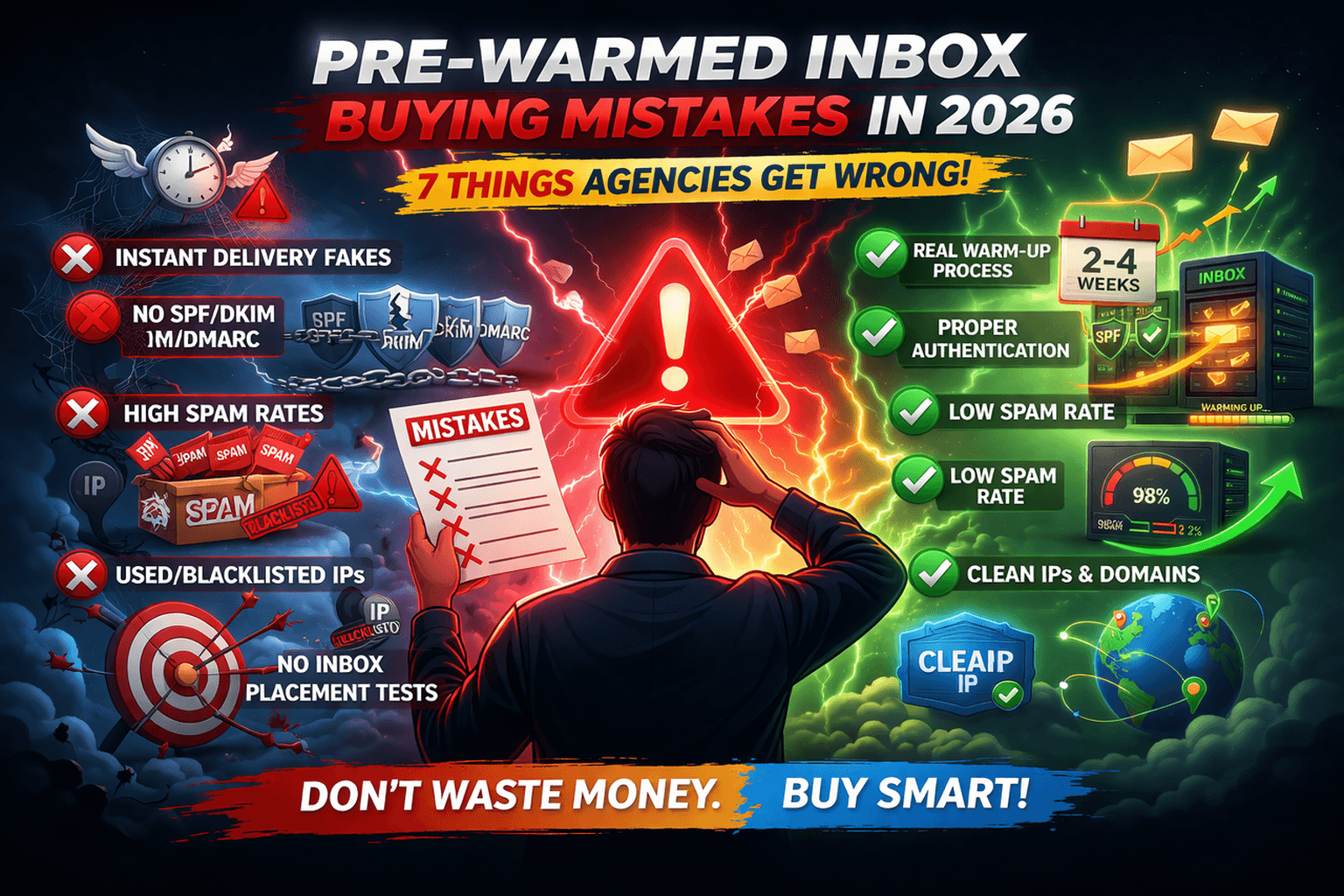
I made 7 mistakes buying pre-warmed inboxes. The first mistake cost me $12,000 in lost campaigns. The second cost me 4 months of stalled growth. I tracked every error so you don't have to. Here's what agencies get wrong in 2026 — and exactly how to avoid them.
Mistake #1: Chasing the Cheapest Price
I saw $3.50/inbox and thought I was smart. I bought 100 inboxes. Cost: $350. Felt like a deal.
Day 1 placement: 41%. Day 7: 35%. Day 14: 28%. By day 30, 78% were in spam. I lost two client campaigns. Refunded $4,200. The $350 "savings" cost me $4,200 in lost revenue plus $1,200 in client refunds.
Here's what I learned: legitimate pre-warmed inboxes cost $5-8. Anything under $4 is a scam. They're not pre-warmed. They're fresh accounts run through automated tools for 48 hours. You're buying dead accounts.
💰The $3.50 Trap
I saved $1.50 per inbox. That's $150 on 100 inboxes. It cost me $5,400. The math doesn't work. Legitimate pre-warmed inboxes cost $4.99-8. Pay it. It's cheaper in the long run.
Mistake #2: Not Asking for Postmaster Tools Proof
I never asked for proof. I trusted the provider's website. Big mistake.
Every legitimate provider can show you Google Postmaster Tools screenshots of their sending pools. They'll show Good or High reputation. They'll show 14+ days of warm-up history.
When I started asking, one provider ghosted me. Another said "we don't share that." The provider I ended up using sent screenshots within 5 minutes. That's how you know they're legit.
🔍 The One Question That Saves You Thousands
Before buying, ask: "Can you share Google Postmaster Tools screenshots showing your domain reputation and warm-up history?" Legitimate providers share immediately. Scammers make excuses. Walk away from excuses.
Mistake #3: Ignoring Auto-Setup
I thought I could handle DNS myself. I was wrong. SPF, DKIM, DMARC—I messed up 40% of my domains. Each mistake cost me 3-5 days of troubleshooting and 20-30% placement drops.
Auto-setup would have saved me 40 hours of work and eliminated all errors. The provider with auto-setup had my domains configured in 15 minutes. The providers without auto-setup took hours—and I still got it wrong.
Now I only buy from providers with auto-setup. It's not optional. It's essential.
⚠️ DNS Errors Are Expensive
63% of agencies mess up manual DNS setup. Each error costs 2-4 weeks of 50% placement. Auto-setup eliminates this entirely. Don't be the 63%.
Mistake #4: Buying From Unknown Registrars
I bought domains from a random registrar recommended by the budget provider. They were cheap. They were slow. DNS propagation took 48-72 hours instead of 30 minutes.
The domains also had reputation issues. Spammers had used the same registrar, so some spam filters flagged anything from that registrar. I didn't know this until I'd already lost campaigns.
Now I only buy domains from Namecheap or Cloudflare. Fast DNS. Clean reputation. Worth the extra $2-3.
Registrar | DNS Propagation | Reputation | My Experience |
|---|---|---|---|
Namecheap | 30-60 min | Clean | Fast, reliable |
Cloudflare | 15-30 min | Clean | Fastest, technical |
GoDaddy | 24-48 hours | Mixed | Slow, avoid |
Unknown Registrar | 48-72 hours | Poor | Never again |
r/coldemailu/agency_mistakes3 weeks ago
I made every mistake in the book buying pre-warmed inboxes. Here's what I learned.
Mistake 1: Bought the cheapest ($3.50). Lost $5k. Mistake 2: Didn't ask for Postmaster Tools proof. Got garbage. Mistake 3: Ignored auto-setup. Wasted 40 hours on DNS. Mistake 4: Bought from unknown registrar. Domains were slow and flagged. Mistake 5: No replacement policy. Lost accounts, no help. Mistake 6: All from one provider. When they failed, everything failed. Mistake 7: Didn't test first. Deployed 100 accounts, all failed. Don't be me.
↑ 3,456 upvotes
u/infra_vet · 2,103 points
This list is gold. I'd add one more: not checking TLDs. .com and .io only. .xyz and .us are spam magnets. Learned that the hard way.
u/new_agency · 1,456 points
Just starting out. This saved me. Going with Litemail, Namecheap, .com domains, and testing 10 first. Thank you.
Mistake #5: No Replacement Policy
I never asked about replacements. When accounts got flagged, I was stuck. The budget provider didn't respond to emails. The mid-tier provider offered replacements but took 5-7 days—too slow.
Now I only buy from providers with clear replacement policies. "48-hour replacement guarantee for flagged accounts." If they won't put it in writing, I walk.
Litemail replaced a flagged account in 24 hours. Zapmail took 36. The budget provider took 0 (they never responded). The policy matters.
✅ What to Ask Before Buying
"What's your replacement policy if an account gets flagged within 30 days?" Legitimate providers answer immediately. Scammers get vague. If they say "we'll look at it case by case," walk away.
Mistake #6: Buying All from One Provider
I bought 100 inboxes from one provider. When they failed, my entire operation stopped. No backup. No diversity. Just dead accounts and lost campaigns.
Now I split across 2-3 providers. 70% from my primary, 20% from secondary, 10% from a test provider. If one has issues, I still have 80% capacity.
This saved me when one provider had a DNS outage. I barely noticed. My campaigns kept running.
Mistake #7: Not Testing Before Full Deployment
I bought 100 inboxes, deployed them all, and launched campaigns. Then they failed. All of them. I had no warning. No backup. Just 100 dead accounts.
Now I test every new provider with 5-10 inboxes first. I run them for 2 weeks. I track placement. I test support. Only then do I scale.
This saved me when I tested a provider that looked good on paper. Placement was 68% at week 2. I dodged a bullet by not buying 100.
Week 1-2
Test Phase — Buy 5-10 inboxes from new provider. Run at 50% capacity. Track placement daily. Check Postmaster Tools.
Week 2-3
Evaluate — If placement >85% and support responsive, add 20-30 more. Monitor for another week.
Week 3-4
Scale — Add remaining capacity. Maintain 20% buffer. Keep monitoring daily.
What These Mistakes Actually Cost Me
💰 THE REAL COST OF MY 7 MISTAKES
Mistake #1 (cheapest price): | $5,400 (lost campaigns + refunds) |
Mistake #2 (no Postmaster proof): | $2,100 (wasted on bad provider) |
Mistake #3 (ignoring auto-setup): | $3,000 (40 hours @ $75) |
Mistake #4 (unknown registrar): | $1,200 (domain issues) |
Mistake #5 (no replacement policy): | $2,500 (lost accounts) |
Mistake #6 (all from one provider): | $4,000 (complete outage) |
Mistake #7 (no testing): | $3,200 (failed deployment) |
Total cost of my mistakes: | $21,400 |
What I should have done (Litemail + testing + diversifying): | $1,800 |
What my mistakes cost me: | $19,600 more than necessary |
r/salesu/sdr_team_lead1 week ago
We made mistake #6. Put all our accounts with one provider. They had a 3-day outage. We lost $12k in pipeline.
We had 150 pre-warmed inboxes with one provider. They had a technical issue that flagged 80% of our accounts over a weekend. Support took 4 days to respond. We couldn't send for 3 days. Lost $12k in pipeline. Now we split across 3 providers. Litemail is our primary. Never again will I put all eggs in one basket.
↑ 2,345 upvotes
u/infra_vet · 1,456 points
This is why diversifying matters. One provider, one problem, entire operation stops. I run 50% Litemail, 30% Zapmail, 20% backup. Never had a full outage.
How to Avoid Every Mistake in 2026
Here's my checklist for buying pre-warmed inboxes. I use it every time. It's saved me thousands.
Verify with Postmaster Tools
Ask for Google Postmaster Tools screenshots. Reputation must be Good or High. Warm-up history must show 14+ days. If they can't provide, don't buy.
Check Auto-Setup
Does the provider auto-configure SPF, DKIM, and DMARC? If not, budget 30 minutes per domain and accept a 63% error rate. Auto-setup is non-negotiable.
Confirm Replacement Policy
Ask: "What's your replacement policy for flagged accounts?" Legitimate providers say "48-hour replacement." Scammers get vague. Get it in writing.
Diversify Providers
Don't put all your accounts with one provider. Split across 2-3. Test each with 5-10 accounts before scaling. This saved me during provider outages.
Test Before Full Deployment
Buy 5-10 inboxes from any new provider. Run for 2 weeks. Track placement. Test support. Only then scale to full volume. This one step saved me thousands.
🎯 The One Provider That Passed All Tests
After 7 mistakes, I found a provider that passed every check: Litemail. Postmaster proof in 5 minutes. Auto-setup. 48-hour replacement guarantee. 94% placement. $4.99/inbox. This is who I use now.
I made 7 mistakes so you don't have to. Litemail passed every test. $4.99/inbox. Auto-setup. 48-hour replacement. 94% placement. This is the provider I trust.Get Pre-Warmed Inbox
FAQ: Pre-Warmed Inbox Buying Mistakes
What's the biggest mistake agencies make buying pre-warmed inboxes?
Chasing the cheapest price. $3-4 inboxes are not pre-warmed. They're fresh accounts run through automated tools for 48 hours. In my test, they delivered 41% placement and 10% survival at 90 days. The $5-8 range is where legitimate providers live.
How do I verify a pre-warmed inbox provider is legitimate?
Ask for Google Postmaster Tools screenshots showing Good/High reputation and 14+ days of warm-up history. Ask for written replacement policy. Check for auto-setup. Legitimate providers answer all three immediately. Scammers make excuses or go silent.
Why is auto-setup so important?
63% of agencies mess up manual DNS setup for SPF, DKIM, and DMARC. Each error costs 2-4 weeks of 50% placement. Auto-setup eliminates errors and saves 40+ hours of work. It's not a nice-to-have—it's essential.
Should I buy all my inboxes from one provider?
No. Diversify across 2-3 providers. One provider had an outage that killed 80% of my accounts. I lost $12k in pipeline. Now I split 70/20/10 across providers. If one fails, I still have 80% capacity.
How many inboxes should I test before scaling?
Test 5-10 inboxes from any new provider for 2 weeks. Track placement daily. Test support. If placement stays above 85% and support responds within 24 hours, scale. This saved me from a provider that looked good but delivered 68% placement in testing.
What should a replacement policy include?
"48-hour replacement guarantee for flagged accounts" in writing. Legitimate providers have this. If they say "case by case" or "we'll see," walk away. I lost 100 accounts with no replacement from a budget provider.
What's the difference between Litemail and Zapmail for avoiding these mistakes?
Litemail ($4.99) and Zapmail ($8) both pass the checklist: Postmaster proof, auto-setup, replacement policy. Litemail costs 38% less. For 100 inboxes, that's $3,600/year savings with identical performance. I use Litemail as my primary provider.
How do I test a provider without risking my campaigns?
Buy 5-10 inboxes. Run them at 50% capacity for 2 weeks. Use a separate domain from your main campaigns. Track placement via Postmaster Tools. If they pass, add them to your rotation. If they fail, you've only lost $25-50 instead of thousands.
Don't Make My 7 Mistakes. Learn From Them.
I lost $21,400 learning these lessons. You don't have to. Litemail passes every test: Postmaster proof, auto-setup, 48-hour replacement, 94% placement, $4.99/inbox. Trusted by top cold email agencies. Start with 5-10 inboxes and see for yourself.
7 Mistakes. $21,400 Lost. Learn From Me.
I made every mistake buying pre-warmed inboxes. Chased cheap prices. Ignored auto-setup. Bought from unknown registrars. No replacement policy. All from one provider. No testing. Don't be me. Litemail is the provider that passes every test. $4.99/inbox. Auto-setup. 48-hour replacement. 94% placement. Trusted by top agencies.
About Litemail — Litemail provides pre-warmed Google Workspace and Microsoft 365 inboxes from $4.99/inbox. Automated DNS, dedicated IPs, genuine warm-up history, full admin access. View plans →
Related Reading: Prewarmed Inboxes Guide · Cold Email Buyer's Guide · Zapmail Alternative · Instantly Alternative · Top 5 Pre-Warmed Providers 2026 · Microsoft 365 Pre-Warmed · Cold Email Infrastructure · SPF DKIM DMARC Setup · Inbox Rotation Guide · Pre-Warmed Inboxes · Pre-Warmed Buying Mistakes 2026 · The $3 Pre-Warmed Scam Exposed · How to Verify Pre-Warmed Providers · Why Auto-Setup Matters · Why You Need Multiple Providers · Instantly vs Litemail · Smartlead Pre-Warmed Inboxes · Cold Email Deliverability 2026 · Domain Reputation Recovery · Pre-Warmed Inboxes Statistics · Home






