
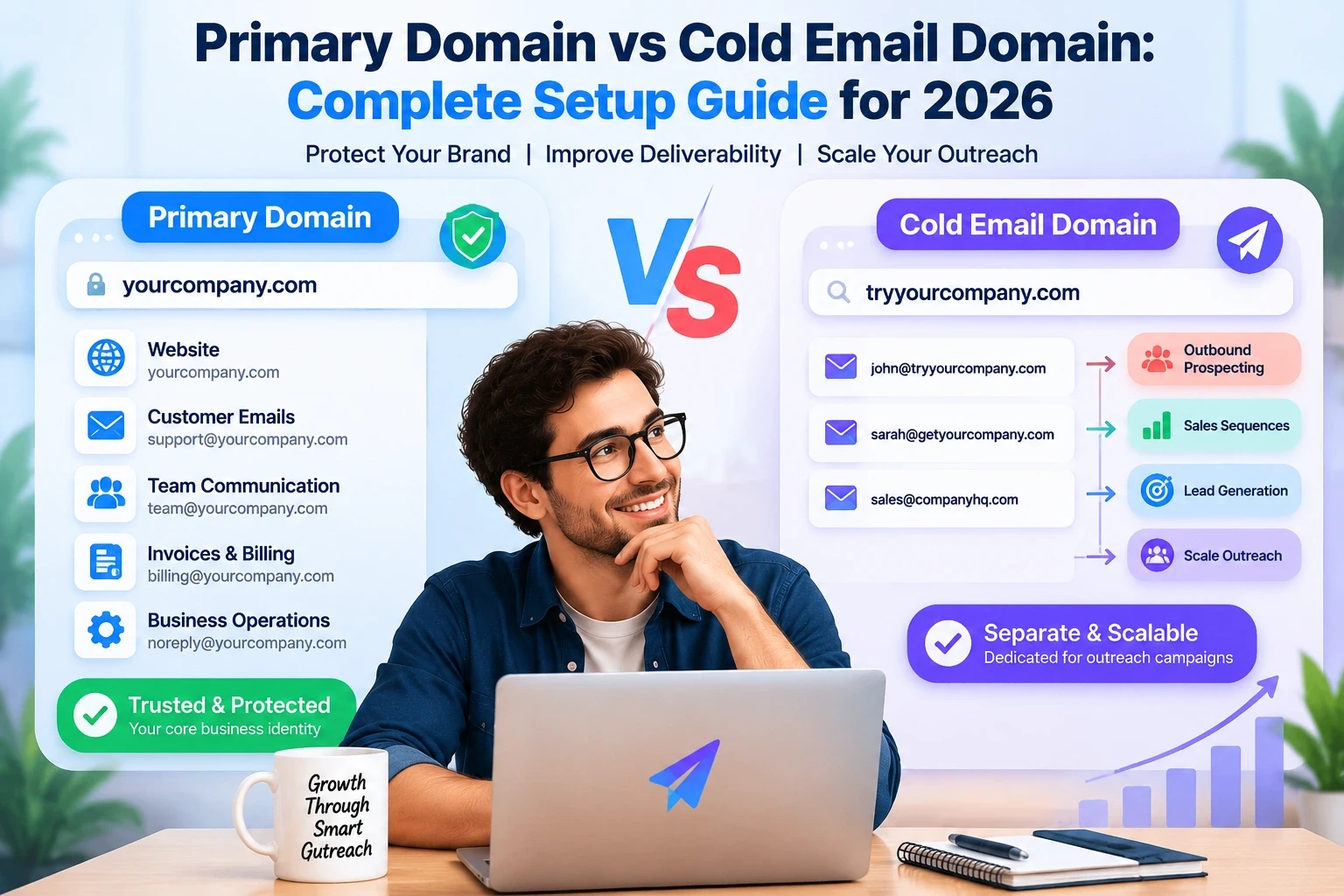
Your domain is one of your most valuable assets in a cold email strategy.
Lead databases, outreach tools and email sequences are all fine and dandy, but the one decision most businesses overlook is: which domain should actually be sending their cold emails?
Cold outreach with your main business domain might seem like the easy solution but it’s an unnecessary risk. Cold emails are sent to people who have never interacted with your brand before, which means campaigns naturally create more opportunities for bounces, spam complaints, and negative engagement signals.
Your primary domain should be your company’s trusted identity. A cold email domain needs to be a separate sending environment built for outbound prospecting.
The right setup protects your brand, improves deliverability, and allows your sales team to scale outreach without impacting your core business communication.
In this guide you will learn:
Difference between primary domain and cold email domain- Why outreach requires different domains for businesses
How to create a secure cold email domain structure
Number of required domains and inboxes
Warm-up, scaling and authentication best practices
How LiteMail helps you build a reliable cold email infrastructure
What Is a Primary Domain?
A primary domain is the official domain your business uses for its main online identity.
Example:
company.com
It is usually connected to:
Your website
Customer communication
Employee emails
Invoices
Account notifications
Password resets
Business operations
Your primary domain carries your brand reputation.
When customers get emails from your company, they expect those emails to be from your official domain.
For example:
Because this domain represents your business publicly, protecting its reputation should always be a priority.
What Is a Cold Email Domain?
A cold email domain is a separate domain created specifically for outbound sales campaigns.
Instead of sending cold emails from:
businesses create additional domains such as:
These domains are used only for:
Cold outreach campaigns
Prospecting emails
Sales sequences
Lead generation campaigns
The purpose is simple:
Separate your sales outreach risk from your main business identity.
If a cold email campaign receives poor engagement or spam complaints, your primary domain remains protected.
Primary Domain vs Cold Email Domain: Key Differences
Feature | Primary Domain | Cold Email Domain |
|---|---|---|
Main purpose | Business identity | Sales outreach |
Used for | Customers and operations | Prospecting campaigns |
Reputation value | Extremely important | Replaceable |
Email volume | Normal business communication | Higher outbound volume |
Warmup | Usually not required | Required |
Risk tolerance | Very low | Controlled |
Scaling | Limited | Designed for growth |
The biggest difference is risk management.
Your primary domain is an asset you protect.
Your cold email domains are infrastructure you use for growth.
Why You Should Never Use Your Primary Domain for Cold Email
Cold email works differently from normal business email.
When sending to existing customers:
They know your brand
They expect your messages
They usually engage positively
Cold outreach is different.
Recipients may:
Ignore emails
Mark messages as spam
Report unwanted communication
Provide invalid email addresses
These signals affect sender reputation.
If your primary domain reputation decreases, it can impact:
Customer emails
Sales communication
Internal messages
Transactional emails
A damaged business domain can create problems far beyond your sales campaigns.
That is why professional outbound teams separate their sending infrastructure.
How Cold Email Domains Protect Your Business
A properly structured cold email setup creates separation between:
Your business identity
Example:
Used for:
Customers
Website
Operations
Your outreach infrastructure
Example:
Used for:
Prospecting
Lead generation
Campaign testing
This approach allows teams to:
Scale outreach safely
Replace damaged domains
Test campaigns
Protect their main reputation
Cold Email Domain Setup: Step-by-Step
Step 1: Purchase a Separate Domain
Choose a domain that looks connected to your brand.
Examples:
Main:
Cold email domains:
Avoid random unrelated domains because they reduce trust.
Step 2: Create Email Mailboxes
After purchasing domains, create professional inboxes.
Examples:
Avoid creating too many inboxes on one domain immediately.
Build gradually.
Step 3: Configure Email Authentication
Every cold email domain should have proper authentication.
Important records:
SPF
Shows which servers are allowed to send emails.
DKIM
Adds a digital signature proving email authenticity.
DMARC
Defines how receiving servers handle unauthorized emails.
Without proper authentication, even good campaigns can struggle with inbox placement.
Step 4: Warm Up Your Domains and Inboxes
New domains should not immediately send hundreds of emails.
A typical warmup process:
Week 1:
Low sending volume
Week 2–3:
Gradually increase activity
After reputation improves:
Start campaigns carefully
Warmup helps email providers recognize your sending behavior as legitimate.
Cold Email Domain vs Subdomain: Which Is Better?
Many teams ask whether they should use:
or:
For serious outbound campaigns, separate domains are usually preferred.
Why?
A separate domain provides:
Better isolation
Easier replacement
Cleaner reputation management
Better scaling flexibility
Subdomains still share the main domain reputation, which can create additional risk.
Best Practices for Managing Cold Email Domains
Keep Sending Volume Controlled
Avoid pushing one inbox too hard.
More emails do not always create more sales.
Better results usually come from:
Better targeting
Better personalization
Cleaner lists
Healthy sending reputation
Monitor Deliverability
Track:
Bounce rates
Spam complaints
Reply rates
Inbox placement
Maintain Domain Quality
Avoid:
Purchased low-quality lists
Invalid contacts
Spam-heavy messaging
Sudden volume spikes
How LiteMail Helps With Cold Email Domain Infrastructure
Building cold email infrastructure manually can become complicated.
You need to manage:
Multiple domains
Email inboxes
Authentication
Sending limits
Campaign performance
Deliverability monitoring
LiteMail helps businesses create a more organized outbound system by helping teams manage their cold email operations from one place.
With LiteMail, teams can:
✅ Build scalable cold email campaigns
✅ Manage outreach workflows
✅ Organize sending infrastructure
✅ Protect their primary business domain
✅ Improve campaign consistency
✅Scale outbound without depending on a single inbox
Instead of risking your main domain, create a proper outreach infrastructure designed for growth
Common Mistakes Businesses Make With Cold Email Domains
Using the Main Company Domain
The biggest mistake.
Your primary domain should not carry unnecessary outreach risk.
Sending Too Much Too Quickly
New domains need time to establish reputation.
Ignoring Authentication
Missing SPF, DKIM, or DMARC can hurt deliverability.
Using Poor Lead Data
Even perfect infrastructure cannot fix bad targeting.
Frequently Asked Questions
Should I use my primary domain for cold email?
No. Your primary domain should be reserved for trusted business communication. Use separate cold email domains for outbound campaigns.
What is a cold email domain?
A cold email domain is a separate domain used only for sales outreach and prospecting campaigns.
Do cold email domains need SPF, DKIM, and DMARC?
Yes. Proper authentication helps receiving email providers verify your sending identity.
How long should I warm up a cold email domain?
Most new domains should be warmed gradually before sending full campaigns.
Can I use multiple cold email domains?
Yes. Multiple domains are commonly used by agencies and sales teams to distribute sending volume and reduce risk.
Final Thoughts
Your primary domain is your brand reputation.
Your cold email domain is your growth engine.
Mixing both creates unnecessary risk.
A successful outbound strategy separates business communication from prospecting activity, builds proper infrastructure, and scales sending volume responsibly.
The companies that win with cold email in 2026 are not the ones sending the most messages.
They are the ones building the strongest sending systems.
Build your cold email infrastructure correctly with LiteMail and scale outreach while protecting the domain your business depends on.






