
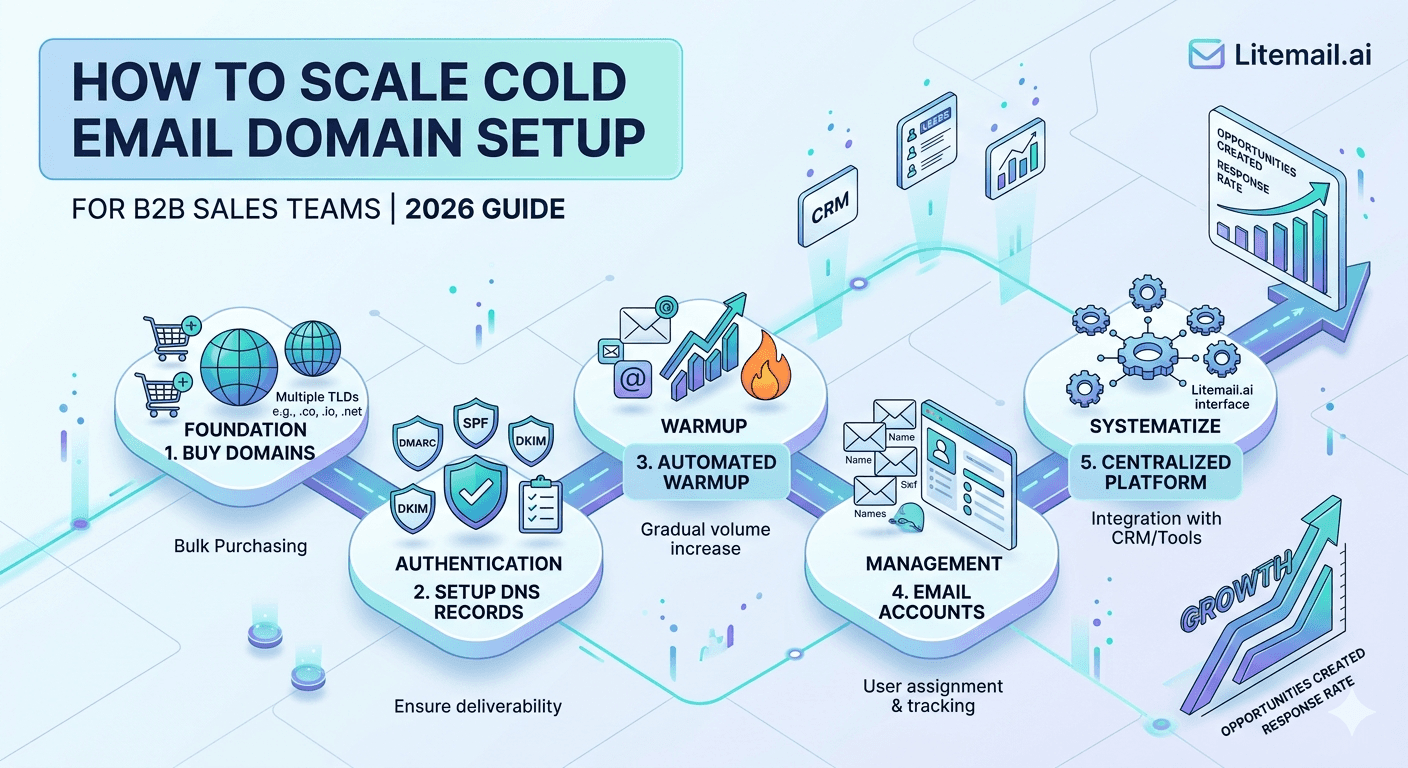
A B2B sales team running 10 reps at 150 emails per day each needs 1,500 daily sends — which means 8 to 10 active sending domains minimum, 20 to 30 inboxes, and a domain rotation system that keeps no single domain over-exposed. Most sales leaders think domain setup is a one-time task. It is actually a recurring infrastructure operation, and teams that treat it that way outperform those that do not by a significant margin on deliverability.
💡 TL;DR
Scaling cold email domain setup for a B2B sales team means planning for 1 sending domain per 2 to 3 sales reps, 2 to 3 inboxes per domain, and a domain rotation system that caps any single domain at 300 to 400 sends per day. Full SPF, DKIM, and DMARC on every domain before any send goes out. Litemail's pre-warmed inboxes at $4.99/inbox/month with SPF, DKIM, DMARC pre-configured reduce setup time from 2 to 3 weeks per batch to under 48 hours. At 10 reps, budget for 25 to 30 active inboxes across 10 to 12 domains.
The Domain-to-Rep Ratio: Getting the Math Right Before Setup
Most B2B sales team domain setups fail not because of technical errors but because of planning errors. Too few domains, too many sends per domain, too little rotation — and within 30 days the whole system is underperforming.
Team Size | Daily Send Target | Domains Needed | Inboxes Needed | Monthly Inbox Cost |
|---|---|---|---|---|
2 reps | 300/day | 2–3 | 4–6 | $20–$30 |
5 reps | 750/day | 5–6 | 10–15 | $50–$75 |
10 reps | 1,500/day | 10–12 | 20–30 | $100–$150 |
20 reps | 3,000/day | 20–25 | 40–60 | $200–$300 |
The rule of thumb: cap any single sending domain at 300 to 400 emails per day across all inboxes on that domain. Sending 600 to 800 emails per day from a single domain — even a healthy one — accelerates reputation degradation and makes recovery harder when anything goes wrong.
Domain Naming Strategy: What Works and What Gets You Flagged
This sounds minor. It is not. The domain name itself is an input to spam filter evaluation — filter systems have learned to recognise the naming patterns of bulk outreach domains.
✅
Naming patterns that work
Variations of your company name that look like legitimate business email: get[company].com, try[company].com, [company]hq.com, meet[company].com, [company]team.com. These look like real business domains, not bulk-send infrastructure. Use .com where possible — .co and .io are acceptable but .info, .biz, and newer TLDs trigger more spam filters.
❌
Naming patterns that get flagged
Numbered variations: company1.com, company2.com, company3.com. Hyphenated generic terms: best-b2b-leads.com, outreach-pro.com. Random string domains registered the same week as first send. Spam filters recognise domain registration patterns — a batch of 10 domains registered on the same day from the same registrar is a signal even before the first email goes out.
Register domains in staggered batches — 3 to 4 at a time, 1 to 2 weeks apart. This looks like organic business growth rather than bulk outreach infrastructure setup.
DNS Configuration Checklist for Every Sending Domain
Every domain in your cold email rotation needs the same DNS records before a single send goes out. No exceptions. Missing any one of these cuts inbox placement by 10 to 30 percentage points depending on the receiving server.
SPF record: For Google Workspace: v=spf1 include:_spf.google.com ~all. For Microsoft 365: v=spf1 include:spf.protection.outlook.com ~all. Add to DNS as a TXT record. Only one SPF record per domain — multiple records cancel each other out.
DKIM record: Generated in your email platform's admin panel. For Google Workspace, go to Admin Console → Apps → Google Workspace → Gmail → Authenticate email. For M365, go to Defender → Email Authentication → DKIM. Takes 24 to 48 hours to propagate after DNS publication.
DMARC record: Start with: v=DMARC1; p=quarantine; rua=mailto:[your monitoring address]. After 30 days of clean data, change p=quarantine to p=reject. Add as TXT record at _dmarc.[yourdomain].com.
MX records: Must point to your email platform. For Google Workspace, five MX records pointing to aspmx.l.google.com and its variants. For M365, one MX record pointing to your tenant's .mail.protection.outlook.com address.
Verify all records: Use MXToolbox's Email Health check and Google's Admin Toolbox before the first send. Authentication failures go unnoticed until they show up as unexplained deliverability drops weeks later.
[INTERNAL LINK: DNS records setup for cold email → /blog/dns-records-cold-email]
Building a Domain Rotation System That Holds at Scale
Domain rotation is not just about spreading send volume. It is about managing reputation exposure per domain so that a bad day on one domain does not cascade into a bad week across the whole setup.
The system works like this: assign each sales rep a primary inbox and a secondary inbox on a different domain. All sequences run from the primary. If the primary inbox shows Postmaster reputation dropping below Medium, pause it and move sends to the secondary for 7 to 14 days while the primary recovers. Do not wait for it to hit Low before acting — Medium is the warning signal.
💡 The domain retirement rule
Retire any domain that reaches Bad Postmaster reputation and replace it with a pre-warmed domain. Do not try to recover a domain that has hit Bad — the time cost of recovery (8 to 12 weeks) exceeds the cost of a new domain and inbox. With Litemail at $4.99 per inbox per month and domain registration at $10 to $15 per year, replacement is the faster and cheaper choice every time.
Inbox Management at Team Scale — The Operational Layer
At 2 reps, you can manage inboxes manually. At 10, you need a system. These are the operational touchpoints that need to be defined and documented before scaling.
⚙️
Weekly inbox health review
Every Monday: check Postmaster reputation for all active sending domains. Check MXToolbox blacklists for all sending IPs. Review bounce rates from the previous week — flag any inbox over 2%. This takes 30 minutes with a shared dashboard. Without it, problems compound silently for weeks before someone notices reply rates falling.
⚙️
Inbox replacement cadence
Plan to replace 20 to 30% of your sending inbox pool every 6 months regardless of current reputation. High-volume B2B sending naturally degrades domain reputation over time even with clean list hygiene. Scheduled replacement keeps the pool fresh and prevents the gradual drift that shows up as slowly declining reply rates over a quarter.
⚙️
Reply routing and ownership
Each rep needs positive replies routed to them directly — not into a shared inbox that creates response lag. Connect sending inboxes to a CRM that auto-creates or updates contact records on reply. At 10 reps, an unmanaged shared reply inbox becomes a pipeline leak within 30 days.
4 Domain Setup Mistakes That Cost B2B Teams Real Pipeline
These are specific, real mistakes — not generic warnings.
Mistake | Typical Cost | The Fix |
|---|---|---|
Registering all domains same day, same registrar | Elevated spam score from day one | Stagger registrations 1–2 weeks apart |
Sending 500+/day per domain in week one | Domain flagged in 1–2 weeks | Cap at 300–400/day, use pre-warmed inboxes |
No DMARC record | 10–20% inbox placement loss | Add DMARC before first send, always |
Sharing inboxes across multiple reps | Rep attribution lost, reply chaos | 1 dedicated inbox per rep, minimum |
The shared inbox mistake is the one most sales leaders overlook. When two reps share a sending inbox, both their sending patterns and complaint rates mix. One rep's bad list day can damage the other rep's deliverability. Give every rep their own inbox — it is a $4.99 per month decision that removes an unnecessary shared risk.
The Bottom Line
Scale at 1 sending domain per 2 to 3 reps, 2 to 3 inboxes per domain, and a hard cap of 300 to 400 sends per domain per day.
Every domain needs SPF, DKIM, and DMARC configured and passing before the first email goes out — missing any one cuts inbox placement by 10 to 30 percentage points.
Register domains in staggered batches of 3 to 4, spaced 1 to 2 weeks apart. Bulk same-day registration patterns are a spam signal at the infrastructure level.
Build a domain rotation system: assign primary and secondary inboxes per rep, and rotate to secondary when primary Postmaster reputation drops to Medium.
Replace 20 to 30% of your inbox pool every 6 months regardless of current health. Scheduled replacement prevents the gradual reputation drift that shows up as falling reply rates over a quarter.
Pre-warmed inboxes at $4.99/month with authentication pre-configured reduce new inbox setup time from 3 weeks to under 48 hours — which compounds at team scale.
Frequently Asked Questions
How many domains does a B2B sales team need for cold email?
Plan for 1 sending domain per 2 to 3 sales reps, with 2 to 3 inboxes per domain. For a 10-person team, that means 10 to 12 domains and 20 to 30 inboxes. Cap any single domain at 300 to 400 sends per day. Under-domaining is one of the most common reasons B2B cold email performance degrades at team scale.
What DNS records do I need for cold email domain setup?
Four records are required: SPF (TXT record specifying authorised sending IPs), DKIM (TXT record with cryptographic signature for your email platform), DMARC (TXT record at _dmarc.[yourdomain].com defining what to do with authentication failures), and MX records pointing to your email provider. All four must be configured and verified before the first send.
How long should I warm up a new sending domain for B2B cold email?
Manual warm-up takes 21 to 30 days starting at 20 to 30 emails per day and scaling 20% every 3 to 4 days. With pre-warmed inboxes on dedicated IPs, the ramp is eliminated — Litemail delivers Postmaster-verified reputation within 48 hours. At team scale, removing the 3-week ramp per domain batch saves weeks of lost pipeline every quarter.
Can I use the same domain for multiple sales reps?
Yes — with 2 to 3 inboxes per domain, each rep can have their own inbox on the same domain. The risk is shared domain reputation: if one rep's campaign generates high complaints, it affects the domain's reputation and therefore all inboxes on it. Give each rep their own dedicated inbox, and keep domain send volume capped at 300 to 400 per day total.
When should I retire a cold email sending domain?
When Postmaster domain reputation drops to Bad, or when the domain appears on a major spam blocklist. Do not spend 8 to 12 weeks trying to recover a Bad domain — the time and lost pipeline exceeds the cost of a replacement. With domain registration at $10 to $15 per year and pre-warmed inboxes at $4.99 per month, replacement is always the faster option.
How do I prevent domains from being flagged as bulk outreach infrastructure?
Stagger domain registrations 1 to 2 weeks apart rather than buying batches in one day. Use domain names that look like real business email — company name variations rather than generic descriptors. Avoid numbered variations (company1.com, company2.com). Stick to .com TLDs where possible. These patterns are what spam filters use to pre-categorise new sending domains before the first email is evaluated.






