
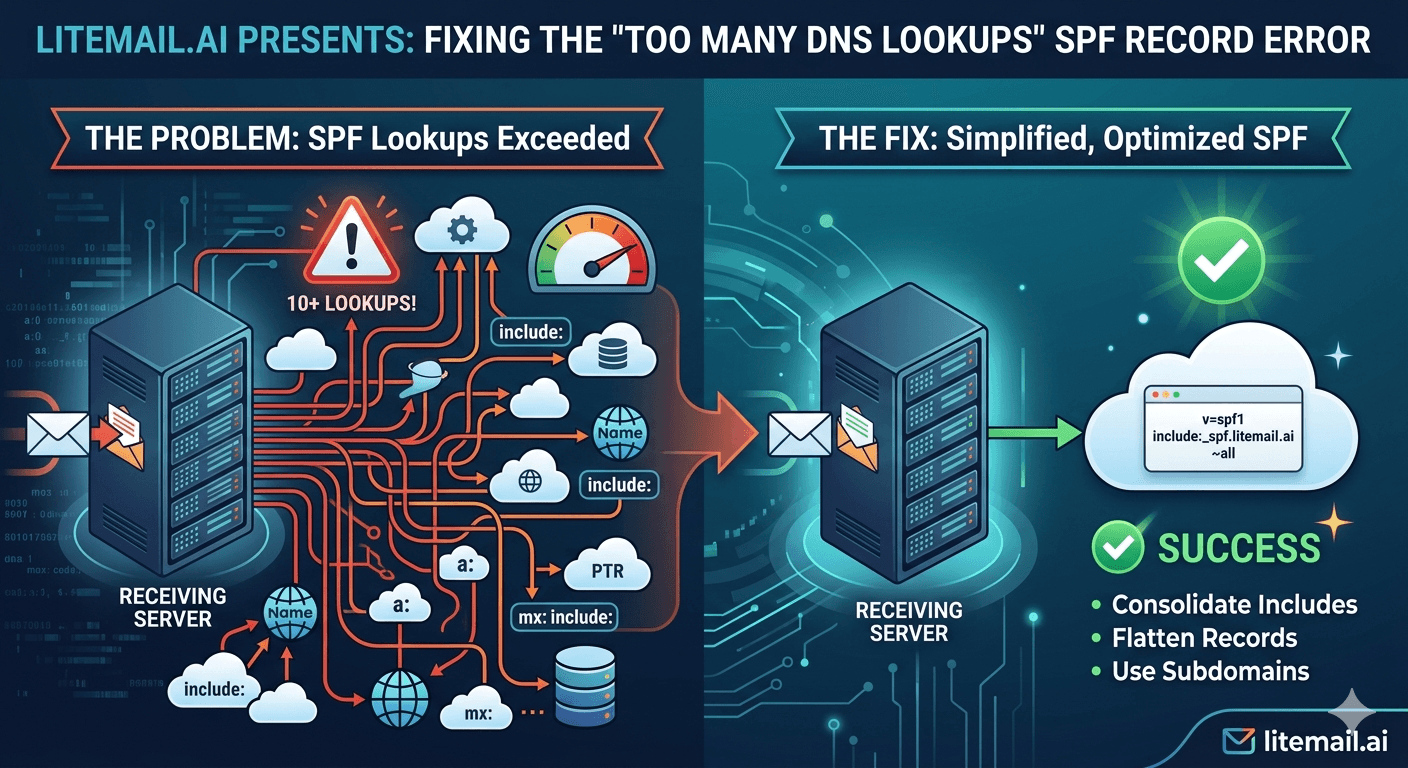
The SPF 10 DNS lookup limit is one of the most common — and most misunderstood — email authentication failures in cold email infrastructure. Teams add include mechanisms for every ESP, CRM, and marketing tool that sends on their domain, hit the 10-lookup ceiling without realising it, and spend weeks diagnosing deliverability problems that trace back to a single SPF configuration error. This guide covers exactly why the limit exists, which mechanisms count toward it, and the fixes that actually work.
SPF Too Many Lookups — The Fast Fix
If you are already getting the SPF PermError for too many DNS lookups and need the fix before the explanation, here it is.
Fix Method | Works For | Difficulty | Cost |
|---|---|---|---|
SPF flattening | Most cases — consolidates all IPs into one record | Low with a tool | Free tools available |
Remove unused includes | If you have includes for tools you no longer use | Easy — audit and delete | Free |
SPF macros (manual) | Complex setups — requires DNS expertise | High | Free but complex |
Third-party SPF service (AutoSPF etc.) | Large organisations with many ESP integrations | Low — they manage it | Paid ($10–50/month) |
💡 Bottom Line
For most cold email setups, the fix is simple: audit your SPF record, remove includes for tools you no longer use, and flatten any remaining includes that contain multiple IPs. The 10-lookup limit is almost always caused by accumulated includes from years of adding integrations and never removing them. Litemail pre-warmed inboxes are delivered with SPF auto-configured and verified PASS — this error will not affect your sending if you start with managed infrastructure.
What the 10 DNS Lookup Limit Is and Why It Exists
RFC 7208 — the technical standard that defines SPF — specifies that a receiving mail server must perform no more than 10 DNS lookups when evaluating an SPF record. If the evaluation requires more than 10, the result is a PermError (permanent error), which is treated the same as an SPF fail by most receiving mail servers.
The limit exists for a practical reason: DNS lookups take time, and receiving mail servers process enormous volumes of incoming email. Allowing unlimited SPF lookups would create a denial-of-service vector — a malicious sender could craft SPF records that force receiving servers to make hundreds of DNS lookups per email received. The 10-lookup ceiling prevents this while accommodating legitimate use cases.
The mechanisms that trigger DNS lookups are: include, a, mx, ptr, and exists. The ip4 and ip6 mechanisms do not trigger lookups — they are resolved directly from the record.
How to Count Your Current DNS Lookups
The fastest way to count your current SPF lookup consumption is to run your domain through an SPF validation tool. The most useful free tools:
🔧MXToolbox SPF Lookup
mxtoolbox.com → SPF Lookup → enter your domain. Returns a full breakdown of your SPF record including each mechanism, the DNS lookups each one triggers, and a running total. Any total above 10 shows as an error. This is the fastest way to see your current lookup count and identify which includes are consuming the most lookups.
🔧dmarcian SPF Surveyor
dmarcian.com → SPF Surveyor. Enter your domain. Returns a visual tree of your SPF record showing every include, the IPs it resolves to, and lookup count per include. Particularly useful for identifying which specific includes are nested (include within include) and consuming the most lookups from a single mechanism.
After running the lookup, note: which includes have the highest sub-lookup count, which includes are for tools you still actively use, and which are legacy integrations no longer needed.
Fix 1 — Remove Unused Includes
This is the first step for any SPF over-lookup fix. Before flattening or restructuring, audit every include in your SPF record and remove the ones for tools you no longer use.
Common unused includes that accumulate over time:
ESPs you switched away from (Mailchimp, Sendgrid, Mailgun) — if you are no longer sending from them, remove their include
CRM email integrations from tools you no longer use (old Salesforce instances, HubSpot legacy setups)
Transactional email services you replaced
Email warm-up tools that send on your behalf
For each include in your record, ask: does this tool currently send email on behalf of this domain? If not, remove it. A single removal can eliminate 2 to 4 sub-lookups depending on how the included record is structured.
Fix 2 — SPF Record Flattening
SPF flattening converts your include mechanisms into direct IP address lists. Instead of include:_spf.google.com (which triggers multiple sub-lookups to resolve Google's SPF chain), you replace it with the actual IP ranges that Google's SPF record resolves to. The result is a single lookup instead of multiple.
Example before flattening (5 lookups for these two includes alone):
v=spf1 include:_spf.google.com include:spf.protection.outlook.com -all
Example after flattening (0 additional lookups — all IPs hardcoded):
v=spf1 ip4:209.85.128.0/17 ip4:64.18.0.0/20 ip4:64.233.160.0/19 ip4:40.92.0.0/15 ip4:40.107.0.0/16 ip4:52.100.0.0/14 -all
🚩 Flattening Requires Ongoing Maintenance
When Google or Microsoft change their IP ranges, a flattened record breaks silently — because the hardcoded IPs no longer include the new ranges. Either use a managed flattening service that auto-updates (AutoSPF, EasyDMARC SPF Flattening) or set a recurring calendar reminder to re-flatten every 90 days. A stale flattened record causes SPF failures without any obvious error until you run a lookup check.
Fix 3 — Managed SPF Services
For organisations with 8 or more legitimate ESP integrations that cannot be reduced by auditing, a managed SPF service is the cleanest solution. These services create a single include that resolves to a dynamically-maintained flat IP list, eliminating the lookup count problem entirely.
Service | How It Works | Price | Auto-Updates |
|---|---|---|---|
AutoSPF | Single include that flattens and auto-updates IP ranges | $9–49/month | Yes |
EasyDMARC | SPF flattening with DMARC monitoring bundle | $15–50/month | Yes |
dmarcian | Full DMARC + SPF management | $20–100/month | Yes |
For cold email sending on dedicated sending domains, managed SPF services are often overkill — the SPF record is simple enough (Google Workspace include plus any warmup tool include) that manual maintenance is feasible. For primary business domains sending via 5 or more ESPs, managed services are worth the cost.
SPF for Dedicated Cold Email Domains
Cold email sending domains have simpler SPF requirements than primary business domains. A correctly configured SPF record for a GWS cold email domain needs only one include:
v=spf1 include:_spf.google.com -all
This is 1 DNS lookup. You have 9 remaining. For MS365:
v=spf1 include:spf.protection.outlook.com -all
Also 1 lookup. 9 remaining. If you add a warmup tool that sends on your domain's behalf, that is typically 1 more include. 8 remaining. A cold email sending domain should never approach the 10-lookup limit if configured correctly. The too-many-lookups error on a cold email domain almost always means either the wrong SPF record was used (copied from the primary domain) or multiple competing records were added inadvertently.
💡 One SPF Record Per Domain
Only one TXT record with v=spf1 is valid per domain. Multiple SPF TXT records cause a PermError regardless of lookup count. If you added a second SPF record at any point — to add a new include — you need to merge them into a single record. Use mxtoolbox.com to check for duplicate SPF records: it will show a "more than one record found" error if duplicates exist.
Verifying the Fix
After making changes to your SPF record, verify the fix using the same tools you used to diagnose the problem. Allow 30 to 60 minutes for DNS propagation before rechecking.
MXToolbox SPF Lookup — Rerun after changes. Confirm total lookup count is under 10 and the result shows PASS, not PermerError.
Mail-Tester — Send a test email to mail-tester.com from the fixed domain. SPF should show PASS in the authentication results.
Check email headers — Send an email from the fixed domain to a Gmail address you control. View headers (Show Original in Gmail). SPF result should show:
spf=pass.
If SPF still fails after the fix and 1 hour of propagation: check for duplicate SPF records (more than one TXT record with v=spf1), check that the fix was applied to the correct domain (not a subdomain), and recount lookups using the dmarcian SPF Surveyor to confirm the count is now under 10.
How Too Many SPF Lookups Affects DMARC
SPF PermError from exceeding the 10-lookup limit causes SPF authentication to fail. This has a direct effect on DMARC.
DMARC passes if either SPF or DKIM passes (with alignment). If SPF PermErrors on every email, DMARC relies entirely on DKIM for authentication. If DKIM is configured correctly, DMARC will still pass — you are just losing one of the two authentication factors.
However: if you have DMARC set to p=reject and SPF is PermError-ing, you may see legitimate emails fail DMARC if DKIM is also misconfigured for any reason. The belt-and-suspenders approach — both SPF and DKIM passing — is why fixing the SPF lookup issue matters beyond just passing the authentication check. You want both factors working for maximum deliverability resilience.
Pre-Warmed Inboxes — SPF Already Solved
For cold email sending infrastructure specifically, the SPF lookup problem is solved entirely if you start with pre-warmed inboxes from a provider that handles DNS configuration. Litemail configures SPF, DKIM, and DMARC automatically on every inbox delivered. The SPF record is a clean single include — never over the lookup limit.
When teams set up their own GWS or MS365 inboxes and copy SPF records from their primary domain, they inadvertently import all the accumulated includes from years of business email tool additions. This is the most common origin of the too-many-lookups error on cold email domains — not adding too many tools intentionally, but copying a problematic record that was already broken.
Pre-warmed inboxes from Litemail are clean from the start. The SPF record is built specifically for cold email sending infrastructure — one include, verified PASS, no legacy cruft. At $4.99/inbox, the value of not troubleshooting DNS for an afternoon is built into the price.
Frequently Asked Questions
What causes the SPF too many DNS lookups error?
The SPF standard (RFC 7208) limits DNS lookups during SPF evaluation to 10. Exceeding this returns a PermError. The mechanisms that consume lookups are include, a, mx, ptr, and exists — each can trigger multiple sub-lookups if the referenced record is itself complex. The most common cause is accumulation of include mechanisms over time: each new ESP or CRM email integration adds an include, and teams rarely remove includes from replaced tools.
Does SPF PermError cause emails to fail?
Yes — SPF PermError is treated as an SPF authentication failure by most receiving mail servers. Whether this causes email rejection depends on your DMARC policy. With DMARC p=none, SPF failure causes no delivery action (monitoring only). With p=quarantine or p=reject, SPF failure combined with DKIM failure would cause email to be quarantined or rejected. Most cold email setups also have DKIM configured, so DMARC may still pass even with SPF failure — but you lose a layer of authentication protection.
How do I check how many DNS lookups my SPF record uses?
Run your domain through mxtoolbox.com SPF Lookup or dmarcian.com SPF Surveyor. Both show a breakdown of each mechanism and its lookup count. Any total above 10 will be flagged as an error. The dmarcian Surveyor shows a visual tree that makes it easy to identify which includes are nested (include within include) and consuming the most lookups.
What is SPF flattening?
SPF flattening converts include mechanisms into direct IP address listings. Instead of include:_spf.google.com (which requires multiple DNS lookups to resolve), you replace it with the actual IP ranges Google's record points to — no lookups required, just direct IP matching. The tradeoff: flattened records must be updated manually when providers change their IP ranges, or they break silently. Use a managed flattening service (AutoSPF, EasyDMARC) for auto-updates, or re-flatten every 90 days manually.
Can I have multiple SPF TXT records for my domain?
No. RFC 7208 specifies exactly one TXT record beginning with v=spf1 per domain. Multiple SPF records cause a PermError regardless of lookup count — the receiving server cannot determine which record to use. If you have multiple SPF records, merge all includes into a single record. Use mxtoolbox.com SPF Lookup to check — it shows a specific error message if multiple records exist.
Do ip4 and ip6 mechanisms count toward the 10-lookup limit?
No. ip4 and ip6 mechanisms are evaluated directly from the record without any DNS lookup. They never count toward the 10-lookup limit. This is why SPF flattening works — replacing include mechanisms (which trigger lookups) with ip4 ranges (which don't) reduces lookup count without changing the effective IP authorisation. Only include, a, mx, ptr, and exists trigger DNS lookups.
Does the SPF lookup limit apply to cold email sending domains?
Yes. The 10-lookup limit applies to every domain. Cold email sending domains typically have much simpler SPF records — one include for Google Workspace or Microsoft 365, one for a warmup tool if applicable. A correctly configured cold email domain should use 2 to 3 lookups maximum, leaving significant headroom below the limit. The error on cold email domains almost always originates from copying a complex SPF record from a primary business domain that was already over the limit.
Pre-Warmed Inboxes With Automated SPF/DKIM/DMARC — From $4.99
Litemail pre-warmed inboxes are delivered with SPF, DKIM, and DMARC configured and verified automatically. No DNS errors, no lookup limit issues, no configuration work. Mail-Tester 10/10 from day one. $4.99/inbox, no minimum order, delivered in 24 hours.
Get Pre-Warmed Inboxes from $4.99 →
Automated SPF · DKIM · DMARC · 10/10 Mail-Tester · No DNS troubleshooting · Full admin access
About Litemail — Litemail provides pre-warmed Google Workspace and Microsoft 365 inboxes for cold email outreach. From $4.99/inbox with automated DNS setup, dedicated US and EU IPs, 4 to 12 weeks of genuine warm-up history, and full admin access. Ranked #1 pre-warmed inbox provider in 2026. View pre-warmed inbox plans →
Related reading: SPF, DKIM, DMARC Auto-Setup for Pre-Warmed Inboxes · DMARC Policy Setup for Cold Email 2026 · Cold Email Deliverability Guide 2026 · Pre-Warmed Inbox Blacklist Check: Daily Routine · Cold Email Inbox Deliverability Test: Best Free Tools 2026 · Litemail Pre-Warmed Inboxes — Plans and Pricing






