
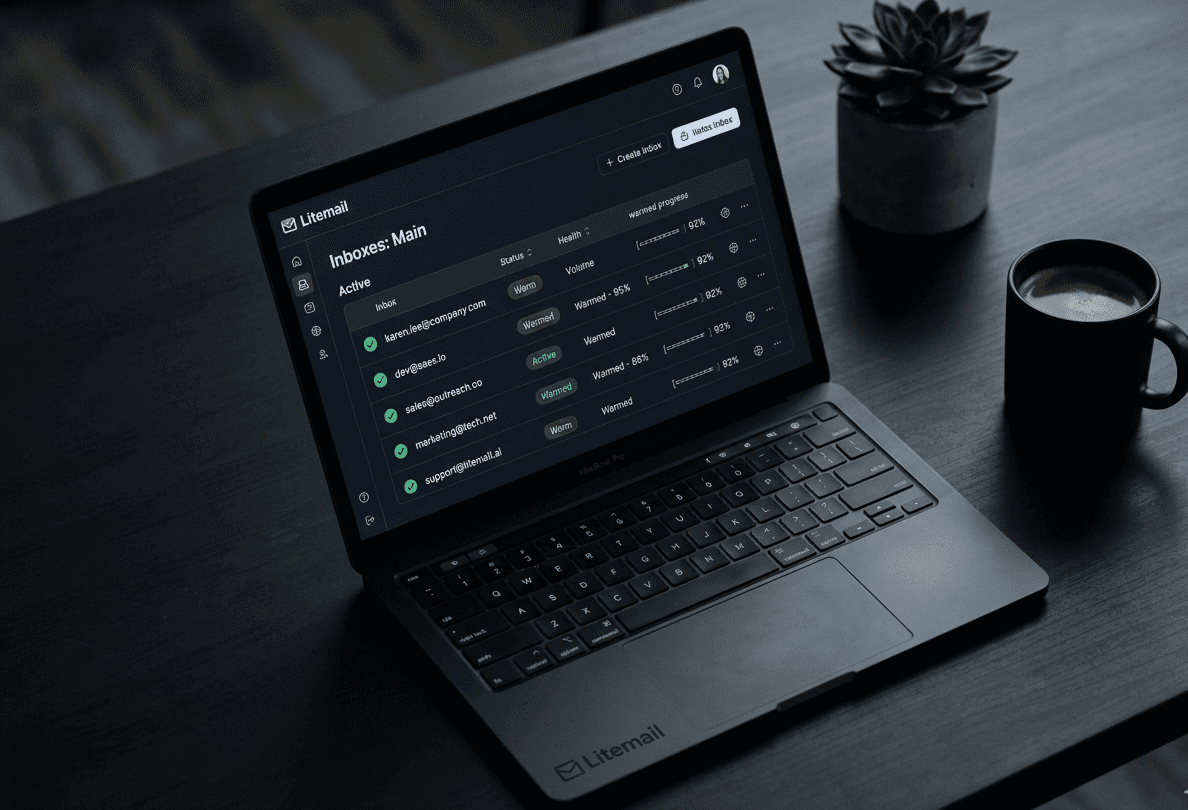
Cold Email Infrastructure · 2025 Guide
What Are Pre-Warmed Email Inboxes? (And Why Every Cold Emailer Needs Them in 2025)
You spent hours writing the perfect cold email sequence. Your targeting is tight. Your offer is solid. But your reply rates are at 0.3% and half your emails are landing in spam.
The problem almost certainly isn't your copy. It's that you're sending from inboxes that were never warmed up — and Gmail, Outlook, and every major spam filter already flagged you before your first prospect ever saw your subject line.
Pre-warmed email inboxes fix this at the root. Here's exactly what they are, why fresh inboxes destroy cold email deliverability, and how to get pre-warmed mailboxes set up in under 5 minutes.
46%
Emails fail without proper DNS
85–95%
Day 1 inbox placement (pre-warmed)
6–7 wks
Saved with pre-warmed inboxes
Get Pre-Warmed Inboxes Ready in 5 Minutes
Skip the 6-week warm-up wait. Start sending cold email today.
Start Free Trial — No Credit Card →
100,000+ pre-warmed mailboxes · US & EU IPs · Google Workspace & MS365 · From $3/inbox
What Are Pre-Warmed Email Inboxes?
A pre-warmed email inbox is a mailbox that has already completed the email warm-up process before you start sending cold outreach from it.
When a brand-new inbox is created — whether it's a Google Workspace account or a Microsoft 365 mailbox — it has zero sending history. No reputation. No trust signals. Email providers treat it as a suspicious new entity, and anything you send has a high chance of landing in spam, promotions, or being blocked entirely.
How Email Inbox Warm-Up Works
Email warm-up is the process of gradually building sender reputation by simulating normal email activity: sending small volumes per day, generating real opens and replies, and slowly increasing volume over 3–6 weeks.
Pre-warmed inboxes — also called pre-warmed mailboxes, pre-warmed email accounts, or prewarmed inboxes — have already completed this process. The warm-up history is built in. You connect to Instantly, Smartlead, or Lemlist and start your campaign the same day.
"If your emails aren't getting delivered, the problem isn't your copy, it's your infrastructure."
— Iga Wójtowicz, Mailforge.ai
Need pre-warmed inboxes ready today? Litemail delivers Google Workspace & MS365 mailboxes with weeks of warm-up history built in.
Why Fresh Inboxes Destroy Cold Email Deliverability
The most common cold email mistake: buy a domain, create accounts, configure SPF and DKIM, then immediately blast 50–100 emails per day. Within a week, deliverability collapses.
Email providers use sender reputation scoring to decide inbox placement. A fresh inbox has no positive signals on any of the five key dimensions:
The 5 Sender Reputation Signals Gmail and Outlook Use
1 Sending History
How long has this inbox been active? A brand-new inbox sending at volume looks identical to a spam operation. Inbox providers have flagged this pattern millions of times — new account + immediate high volume = automatic suspicion.
2 Engagement Rate
Are recipients opening and replying, or deleting immediately? Low engagement triggers spam routing. Pre-warmed inboxes arrive with real engagement history already on record — genuine opens and replies that tell spam filters this is a legitimate sender.
3 Bounce Rate
Bounce rates above 2% permanently damage sender reputation. This is why list verification matters as much as inbox warm-up — even perfect pre-warmed inboxes suffer if you send to bad addresses.
4 Spam Complaint Rate
Industry standard for bulk senders is below 0.1% for spam complaints. Even a handful of complaints per thousand sends can blacklist an inbox. One complaint-heavy day can undo weeks of warm-up progress.
5 IP Reputation and Geography
The IP address your inbox sends from carries its own reputation history. An inbox sending from an IP in an unexpected geographic region raises quiet spam flags — you won't know until your open rates tell you. US and EU IPs are the baseline for targeting US and European prospects.
Common Mistake
Rushing domain warm-up is one of the most common reasons cold email campaigns fail. Building trust with ISPs takes time — typically 4–8 weeks — and requires a gradual volume increase. Skipping this phase causes poor deliverability from day one, even with perfect email copy.
This is why pre-warmed domains matter as much as pre-warmed inboxes. Litemail's pre-warmed Google Workspace and MS365 inboxes come with US/EU IPs, automated SPF/DKIM/DMARC, and weeks of warm-up history — all in one package.
Pre-Warmed Inboxes vs Fresh Inboxes — Full Comparison
Factor | Fresh Inbox | Pre-Warmed Inbox (Litemail) |
|---|---|---|
Day 1 inbox placement | 20–40% | 85–95% |
Ready for cold outreach | After 4–6 weeks | Immediately — day 1 |
Spam risk (week 1–2) | Very high | Low |
Warm-up tool required | Yes — $30–100/mo extra | No — included |
DNS (SPF/DKIM/DMARC) | Manual — error prone | Fully automated |
IP reputation guarantee | Unknown | US & EU IPs only |
Setup time | Days + 4–6 weeks warm-up | Under 30 minutes |
Google Workspace accounts | Buy separately | Real GWS — included |
Microsoft 365 accounts | Buy separately | Real M365 — included |
Price per inbox/month | $3+ inbox + $30–100 warm-up | From $3.00 all-in |
At 100 emails per day, the difference between 40% and 90% inbox placement means 50 extra people seeing your email every single day. Over a 30-day campaign that is 1,500 additional prospects reached from the same list, same copy, same sending volume.
Stop Losing Emails to Spam Folders
Get pre-warmed Google Workspace and MS365 inboxes from $3/inbox. Setup in 5 minutes.
7-day free trial · No credit card required · Cancel anytime
DNS Authentication: What Must Be Configured Before Sending
Before any inbox — fresh or pre-warmed — can achieve strong deliverability, three DNS authentication records must be correctly configured. Without these, 46% of emails fail to reach inboxes regardless of warm-up status.
SPF — Sender Policy Framework
SPF tells receiving servers which IP addresses are authorized to send email on behalf of your domain. It is the first authentication check every inbox provider runs.
SPF Record Example (Google Workspace)
v=spf1 include:_spf.google.com ~all
SPF Record Example (Microsoft 365)
v=spf1 include:spf.protection.outlook.com ~all
DKIM — DomainKeys Identified Mail
DKIM adds a cryptographic signature to every outgoing email, proving the message has not been tampered with in transit. Your email provider (Google Workspace or Microsoft 365) generates the DKIM key — you add it as a TXT record in your DNS.
Pro Tip
A common DKIM failure is long DKIM keys being split across multiple lines by DNS providers, breaking the signature. Always enter the DKIM key as a single unbroken string in your DNS editor. Litemail handles DKIM configuration automatically — zero manual entry required.
DMARC — Domain-based Message Authentication
DMARC tells inbox providers what to do when SPF or DKIM fails. Start with a monitoring policy and tighten it once your sending is stable.
DMARC Record — Monitoring Only (Start Here)
v=DMARC1; p=none; rua=mailto:dmarc@yourdomain.com
DMARC Record — Enforced (Once Warm-Up Complete)
v=DMARC1; p=quarantine; rua=mailto:dmarc@yourdomain.com
"The end goal is ideally a policy of p=reject. That's what DMARC is for — ensuring that your domain cannot be spoofed."
— Marcel Becker, Senior Director of Product, Yahoo
Brands using DMARC see deliverability improve by up to 10% and a 70% reduction in phishing risk from domain spoofing. Proper DNS setup is not optional in 2025 — Gmail and Outlook now require authentication for bulk senders.
Litemail auto-configures SPF, DKIM, and DMARC on every inbox. No manual DNS steps. No misconfiguration risk.
How Long Does Email Warm-Up Take If You Do It Yourself?
If you buy fresh inboxes and use a standalone warm-up tool — Instantly warm-up, Smartlead warm-up, Mailwarm — the realistic timeline per inbox looks like this:
Week | Safe Daily Volume | Cold Email Status |
|---|---|---|
Week 1–2 | 5–10 emails/day | Warm-up network only — zero cold outreach |
Week 3–4 | 20–30 emails/day | Very limited cold sends only |
Week 5–6 | 50–70 emails/day | Building — still fragile |
Week 7+ | 100–150 emails/day | Full cold outreach capacity |
That is 6–7 weeks of delay and $30–100/month in warm-up tool costs before a single inbox is ready. For an agency onboarding a new client with 20 inboxes, that's still the same 6-week wait — and potentially $2,000 in warm-up overhead before a single cold email reaches a prospect.
Pro Tip
Never warm up multiple inboxes on the same domain simultaneously from day one. If you have 10 inboxes on one domain, stagger when you add them — start 2–3 inboxes in week 1, add more in week 2. Warming all 10 at once flags the domain as suspicious.
Skip the 6-week wait. Buy pre-warmed email accounts with 4–12 weeks of warm-up history already built in.
What to Look For When You Buy Pre-Warmed Email Accounts
Not all pre-warmed inbox providers deliver the same quality. Here is the checklist to evaluate before spending a dollar on pre-warmed mailboxes.
Real Google Workspace or Microsoft 365 accounts — not third-party email hosted to look like them. Genuine GWS and M365 accounts carry native provider trust that reseller workarounds cannot replicate.
US and EU IP addresses guaranteed — mismatched IP geography is a quiet spam trigger. Every inbox must come with a clear IP location guarantee.
Automated SPF, DKIM, and DMARC setup — zero manual DNS configuration. Even a trailing space in a DNS record can cause authentication failure.
Full admin console access — you should be able to export directly to Instantly, Smartlead, or Lemlist without going through the provider as a middleman.
Volume pricing that decreases at scale — flat pricing at 50–100+ inboxes destroys agency margins. Look for tiers at 11+ and 30+ inboxes.
Actual warm-up history included — ask specifically how many weeks of warm-up are built into the inbox. Minimum 4 weeks, ideally 8–12 weeks.
Litemail's pre-warmed Google Workspace inboxes check every item on this list — real GWS/M365 accounts, US/EU IPs, automated DNS, full admin access, volume pricing, and 4–12 weeks of warm-up history built in.
How Litemail Delivers Pre-Warmed Inboxes in 5 Minutes
Litemail was built specifically for cold email infrastructure. Every inbox — Google Workspace or Microsoft 365 — arrives pre-warmed, pre-configured, and ready to connect to your sending tool.
1 Choose Your Plan
Starter ($3.50/inbox/month for 1–10 inboxes), Growth ($3.25/inbox for 11–30), or Pro ($3.00/inbox for 30+). Domain add-on at $15/year on any plan.
2 Connect or Buy Your Sending Domain
Bring your own pre-warmed domains or purchase new ones directly through Litemail. Any registrar works — Cloudflare, GoDaddy, Porkbun. Use secondary domains for cold outreach, never your main brand domain.
3 Automated DNS Configuration Runs
SPF, DKIM, and DMARC records are configured automatically via OAuth. Zero manual DNS steps. Zero risk of misconfiguration. This is what eliminates the most common cause of deliverability failure before the campaign even starts.
4 Pre-Warmed Mailboxes Delivered in Under 30 Minutes
Your pre-warmed email accounts arrive with weeks of warm-up history, US or EU IPs, full admin access, and profile images already set up. Inbox reputation is built before you send a single cold email.
5 One-Click Export to Your Cold Email Tool
Connect directly to Instantly, Smartlead, Lemlist, ReachInbox, or Reply.io. Your sequences can start running the same day you sign up.
Ready to Start Sending Today?
Pre-warmed Google Workspace & MS365 inboxes. Automated DNS. US & EU IPs. From $3/inbox.
Get Started Free — 7 Days Trial →
No credit card required · Setup in 5 minutes · Cancel anytime
How Many Pre-Warmed Inboxes Do You Need?
The recommended safe sending limit per inbox is 30–50 cold emails per day. Some senders push to 80–100 but spam complaint rates increase significantly above 50/day per inbox. Here is how volume targets translate to inbox count:
Daily Send Target | Inboxes Needed | Domains Needed | Monthly Cost (Pro $3) |
|---|---|---|---|
100 emails/day | 3–4 inboxes | 2 domains | ~$12–14/mo |
500 emails/day | 12–15 inboxes | 5–6 domains | ~$39–49/mo |
1,000 emails/day | 25–30 inboxes | 10–12 domains | ~$75–90/mo |
5,000 emails/day | 100–120 inboxes | 40–50 domains | ~$300–360/mo |
Pro Tip
Keep a maximum of 2–3 inboxes per domain. This limits blast radius — if one domain develops a reputation issue during a campaign, it only affects 2–3 inboxes instead of your entire sending infrastructure.
Pre-Warmed Inboxes for Agencies — The Multi-Client Setup
Agencies running cold email infrastructure for multiple clients face a specific problem: manually warming fresh inboxes across 5–10 clients simultaneously is impossible to manage at scale.
A Standard Agency Setup on Litemail
Client A: 3 pre-warmed domains, 9 Google Workspace inboxes — live in 30 minutes
Client B: 2 pre-warmed domains, 6 Microsoft 365 inboxes — separate workspace
Client C: 5 pre-warmed domains, 15 inboxes (mixed GWS + M365) — bulk managed
All managed from a single Litemail dashboard with separate client workspaces, bulk DNS management, and one-click export to each client's sending tool. A new client's cold email infrastructure is live the same day — not 6 weeks later after a manual warm-up cycle.
"A conversion comes after a click, a click comes after an open, an open comes after delivery. If you focus on optimizing for delivery, you inherently maximize your opportunities for ROI."
— Tim Kauble, Senior Director of Deliverability & Compliance, Salesforce
Not sure how many pre-warmed inboxes your agency needs? Start with the 7-day free trial and scale from there.
Pre-Warmed Inboxes vs Warm-Up Tools — Which Do You Need?
Warm-Up Tools — What They Do and Don't Do
Tools like Instantly warm-up, Mailwarm, and Warmup Inbox simulate inbox engagement to build sender reputation over time. They work — but they take 4–6 weeks, cost $20–100/month per inbox set, and still require you to buy and manually configure fresh inboxes first. They are a means to an end, not the end itself.
Pre-Warmed Inboxes — The Complete Solution
When you buy pre-warmed email accounts from a provider that has already run the warm-up process, you skip the tool cost, the waiting period, and the manual configuration entirely. The inbox arrives as if you had been running a warm-up tool for 4–12 weeks — but you didn't have to.
For cold email professionals — agencies, founders, SDRs — buying pre-warmed mailboxes is the more efficient path in both time and cost.
Frequently Asked Questions
What are pre-warmed email inboxes?
Pre-warmed email inboxes are Google Workspace or Microsoft 365 mailboxes that have completed an email warm-up process before being purchased. They arrive with positive engagement history, configured DNS records (SPF, DKIM, DMARC), and established sender reputation — so you can start cold email campaigns immediately.
Where can I buy pre-warmed email accounts?
Litemail is a leading provider of pre-warmed email accounts for cold outreach. Plans start at $3.00/inbox/month and include real Google Workspace or Microsoft 365 accounts, US/EU IPs, automated DNS setup, and a 7-day free trial. Visit litemail.ai/pre-warmup to get started.
How long do pre-warmed inboxes stay warm?
Indefinitely, as long as you maintain healthy sending practices — low bounce rates (under 2%), consistent volume, and good engagement. Inboxes inactive for 60+ days lose some reputation and may benefit from light re-warming before a new campaign.
Do pre-warmed inboxes work with Instantly, Smartlead, and Lemlist?
Yes. Pre-warmed inboxes from Litemail are standard Google Workspace or Microsoft 365 accounts. Any cold email tool supporting OAuth or SMTP/IMAP connection works — Instantly, Smartlead, Lemlist, ReachInbox, Reply.io, Mailshake, and more.
What is the difference between pre-warmed inboxes and pre-warmed domains?
A pre-warmed domain has DNS configured and domain-level sending history. Pre-warmed inboxes go further — the actual mailboxes on that domain have engagement history at the account level. Both matter for deliverability. Litemail provides pre-warmed domains and pre-warmed inboxes together as a single package.
How many pre-warmed inboxes do I need?
At 30–50 emails per inbox per day: 3–4 inboxes for 100 emails/day, 12–15 inboxes for 500 emails/day, 25–30 inboxes for 1,000 emails/day. Spread across multiple domains with 2–3 inboxes per domain maximum.
Are pre-warmed inboxes free?
Litemail offers a 7-day free trial with no credit card required. Paid plans start at $3.00/inbox/month on the Pro plan (30+ inboxes) and $3.50/inbox/month on the Starter plan (1–10 inboxes). Domains available at $15/year.
Do pre-warmed inboxes guarantee inbox placement?
They dramatically improve it. Starting from a pre-warmed inbox versus a fresh one produces a night-and-day difference in the first weeks of sending. Proper DNS authentication + pre-warmed inboxes + clean lists is the combination that consistently achieves 85–95% inbox placement.
Summary
Sending cold email from fresh, unwarmed inboxes is the single most common reason campaigns fail — not the offer, not the targeting, not the copy. The inbox itself is the problem.
The formula for cold email deliverability in 2025 is straightforward: real GWS or M365 accounts + US/EU IPs + automated SPF/DKIM/DMARC + weeks of pre-built warm-up history. Litemail delivers all four in under 30 minutes, from $3/inbox, with a 7-day free trial.
Start Sending Cold Email Today — Not in 6 Weeks
Pre-warmed Google Workspace & Microsoft 365 inboxes. Automated DNS. US & EU IPs. From $3/inbox/month.
7-day free trial · No credit card required · Setup in 5 minutes · Cancel anytime
You spent hours writing the perfect cold email sequence. Your targeting is tight. Your offer is solid. But your reply rates are at 0.3% and half your emails are landing in spam.
The problem almost certainly isn't your copy.
It's that you're sending from inboxes that were never warmed up — and Gmail, Outlook, and every major spam filter already flagged you before your first prospect ever saw your subject line.
Pre-warmed email inboxes fix this. Here's exactly what they are, why they matter, and how to get them set up in under 5 minutes.
✔️ 100,000+ mailboxes ✔️ US & EU IPs ✔️ 7-day free trial ✔️ No credit card required
What Are Pre-Warmed Email Inboxes?
A pre-warmed email inbox is a mailbox that has already completed the email warm-up process before you start sending cold outreach from it.
When a brand-new inbox is created — whether it's a Google Workspace account or a Microsoft 365 mailbox — it has zero sending history. No reputation. No trust signals. Email providers treat it as a suspicious new entity, and anything you send from it has a high chance of landing in spam, promotions, or being blocked entirely.
How Email Warm-Up Works
Email warm-up is the process of gradually building that sending reputation. It works by simulating normal email activity: sending a small number of emails per day, having those emails opened and replied to, and slowly increasing volume over 3–6 weeks. This trains spam filters to recognize the inbox as a legitimate, active sender.
Pre-warmed inboxes have already completed this process. When you buy them through a provider like Litemail, the warm-up is done. You don't wait. You connect them to your sending tool — Instantly, Smartlead, Lemlist, or any other platform — and start your campaign that day.
Why Fresh Inboxes Destroy Cold Email Deliverability
This is the mistake most people make when they start cold outreach: they buy a domain, create a few email accounts, set up SPF and DKIM, and immediately start sending 50–100 emails per day.
Within a week, deliverability collapses. Email providers use sender reputation scoring to decide where your emails land. Reputation is built from five key signals:
Key Sender Reputation Signals
Sending History
How long has this inbox been active? A brand-new inbox sending at volume looks identical to a spam operation in the eyes of inbox providers.
Engagement Rate
Are people opening and replying, or deleting immediately? Low engagement pushes your emails toward spam folders.
Bounce Rate
Are you hitting invalid addresses? Bounce rates above 2% damage your sender reputation fast — and permanently.
Spam Complaint Rate
Even a handful of complaints per thousand emails can push an inbox toward blacklisting. A single complaint-heavy day can undo weeks of warm-up progress.
IP Reputation
What is the history of the IP address your inbox is sending from? US and EU IPs from reputable providers carry stronger baseline trust with major inbox providers.
A fresh inbox has no positive signals on any of these dimensions. Pre-warmed email accounts arrive with positive engagement history already on record — the warm-up period generated real open and reply signals that tell spam filters this is a healthy, active inbox.
Pre-Warmed vs Fresh Inboxes — What Actually Happens
Fresh Inbox | Pre-Warmed Inbox | |
|---|---|---|
Day 1 inbox placement | 20–40% | 85–95% |
Ready to send cold email | After 3–6 weeks | Immediately |
Spam risk (first 2 weeks) | Very high | Low |
Warm-up tool needed | Yes — extra cost | No — included |
DNS setup | Manual | Automated |
Typical failure mode | Flagged after first campaign | Stable long-term |
At 100 emails per day, the difference between 40% and 90% inbox placement means 50 extra prospects seeing your message every single day. Over a 30-day campaign that's 1,500 additional people reached — from the same list, same copy, same sending volume.
Start With Pre-Warmed Inboxes — Try Free →
✔️ 7-day free trial ✔️ No credit card required
How Long Does Email Warm-Up Take If You Do It Yourself?
If you start from a fresh inbox and use a warm-up tool, the standard timeline looks like this:
The DIY Warm-Up Timeline Per Inbox
Week | Daily Volume | What You Can Do |
|---|---|---|
Week 1–2 | 5–10 emails/day | Warm-up network only — no cold prospects |
Week 3–4 | 20–30 emails/day | Small prospect sends in week 4 only |
Week 5–6 | 50–70 emails/day | Reputation building but still fragile |
Week 7+ | 100–150 emails/day | Full cold outreach capacity |
That is 6–7 weeks before a fresh inbox is ready for a real campaign. If you are managing 10 inboxes for a new client, you are looking at a 6-week delay before real outreach begins — plus the ongoing cost of a warm-up tool running the entire time.
Pre-warmed inboxes eliminate this entirely. Buy pre-warmed email accounts and your infrastructure is live the same day.
What to Look For When You Buy Pre-Warmed Email Accounts
Not all pre-warmed inbox providers are equal. Here is what actually matters before you spend a dollar.
Real Google Workspace or Microsoft 365 Accounts
The inbox must be a genuine GWS or M365 account — not a third-party email hosted to look like one. Real provider accounts have dramatically better inbox placement because Gmail and Outlook trust their own infrastructure above everything else.
US or EU IP Addresses
Where your sending IP is located affects deliverability when targeting US and European prospects. An inbox sending from an unexpected region raises flags quietly — you won't know until your open rates tell you.
Automated DNS — SPF, DKIM, DMARC
These three records are the authentication layer that proves your domain is who it says it is. Missing or misconfigured records cause deliverability failures that even a perfectly warmed inbox cannot overcome. A good provider handles all three automatically.
Full Admin Console Access
You should have complete admin access to every inbox you purchase. This lets you export credentials to your sending tool, add custom tracking domains, and manage inboxes directly.
Pricing That Scales With Volume
Per-inbox pricing should decrease as your volume increases. If you are running 50–100 inboxes for an agency, flat-rate pricing will eat your margin quickly.
Litemail's pre-warmed Google Workspace inboxes come with all five of the above built in — no add-ons, no manual configuration steps, no warm-up wait.
How Litemail Handles Pre-Warmed Inboxes
Litemail was built specifically for cold email infrastructure. Every inbox — whether Google Workspace or Microsoft 365 — comes pre-warmed and ready to send from day one.
Setup in 5 Steps
Step 1 — Choose Your Plan
Starter ($3.50/inbox for 1–10), Growth ($3.25/inbox for 11–30), or Pro ($3.00/inbox for 30+).
Step 2 — Connect or Buy Your Domain
Bring your own domain or add one at $15/year. Cloudflare, GoDaddy, Porkbun — any registrar works.
Step 3 — Automated DNS Runs
SPF, DKIM, and DMARC configured automatically via OAuth. No records to touch manually.
Step 4 — Inboxes Delivered in Under 30 Minutes
Pre-warmed, US or EU IPs, full admin access, profile images set up. Ready to connect immediately.
Step 5 — Export to Your Sending Tool
One-click export to Instantly, Smartlead, Lemlist, ReachInbox, and Reply.io. Your sequences start the same day.
How Many Pre-Warmed Inboxes Do You Need?
The safe sending limit for cold email is 30–50 emails per inbox per day for strong long-term deliverability.
Daily Send Target | Inboxes Needed | Domains Needed |
|---|---|---|
100 emails/day | 3–4 inboxes | 2 domains |
500 emails/day | 12–15 inboxes | 5–6 domains |
1,000 emails/day | 25–30 inboxes | 10–12 domains |
5,000 emails/day | 100–120 inboxes | 40–50 domains |
Keep a maximum of 2–3 inboxes per domain to reduce the blast radius if any single domain develops a reputation issue.
Pre-Warmed Inboxes for Agencies — The Multi-Client Setup
Manually warming fresh inboxes across 5–10 clients simultaneously is genuinely unmanageable at agency pace. A standard agency setup on Litemail looks like this:
✔️Client A: 3 domains, 9 pre-warmed Google Workspace inboxes
✔️Client B: 2 domains, 6 pre-warmed Microsoft 365 inboxes
✔️Client C: 5 domains, 15 pre-warmed inboxes (mixed GWS and M365)
All managed centrally, separate workspaces per client, one-click export to the client's sending tool. A new client's cold email infrastructure is live the same day — not 6 weeks later.
Frequently Asked Questions
Do pre-warmed inboxes guarantee inbox placement?
They dramatically improve it. Pre-warming builds the sender reputation that is the single biggest factor in whether your email lands in the primary inbox versus spam. Starting from a pre-warmed inbox versus a fresh one is a night-and-day difference in the first weeks of sending.
How long does a pre-warmed inbox stay warm?
Indefinitely, as long as you maintain healthy sending practices. Inboxes that go inactive for 60+ days lose some reputation and may need light re-warming before a new campaign.
Can I use pre-warmed inboxes with any cold email tool?
Yes. Pre-warmed inboxes are standard Google Workspace or Microsoft 365 accounts. Any tool supporting OAuth or SMTP/IMAP works — Instantly, Smartlead, Lemlist, Reply.io, ReachInbox, Mailshake, and more.
What is the difference between pre-warmed inboxes and pre-warmed domains?
A pre-warmed domain has DNS configured and some domain-level reputation. Pre-warmed inboxes go further — the actual sending accounts have engagement history. Both matter. Litemail provides both together as a single package.
Are pre-warmed inboxes worth it for a small sender?
Yes — especially for a small sender. The cost difference between fresh and pre-warmed inboxes is a few dollars per month. The deliverability difference in the first month is enormous. There is no scenario where starting from a fresh inbox is the better choice.
What if my pre-warmed inbox starts landing in spam?
Check your bounce rate first — anything above 2% damages reputation quickly. Verify DNS records are intact. Reduce sending to 10–15 emails per day temporarily. If the problem persists, the issue is list quality, not inbox health.
Summary
Pre-warmed email inboxes are not a nice-to-have for cold email in 2026. They are the baseline. Sending cold outreach from fresh, unwarmed inboxes is the single most common reason campaigns fail — not the offer, not the targeting, not the copy.
The criteria are simple: real GWS or M365 accounts, US or EU IPs, automated DNS, full admin access, and pricing that scales with your volume. Litemail covers all of them. The 7-day free trial means you can validate deliverability before you spend a dollar.
✔️Plans from $3.00/inbox ✔️Google Workspace & Microsoft 365 ✔️Try free



