
Infraforge provides private email infrastructure for cold email teams that want dedicated IP options, automated DNS configuration, and control over their sending setup. However, dedicated infrastructure is not the right fit for every outbound operation.
Some teams need official Google Workspace or Microsoft 365 inboxes. Others want to reduce infrastructure costs, simplify mailbox management, or avoid paying separately for services they do not need.
The right Infraforge alternative depends on your account requirements, sending volume, budget, and how much infrastructure management you want to handle.
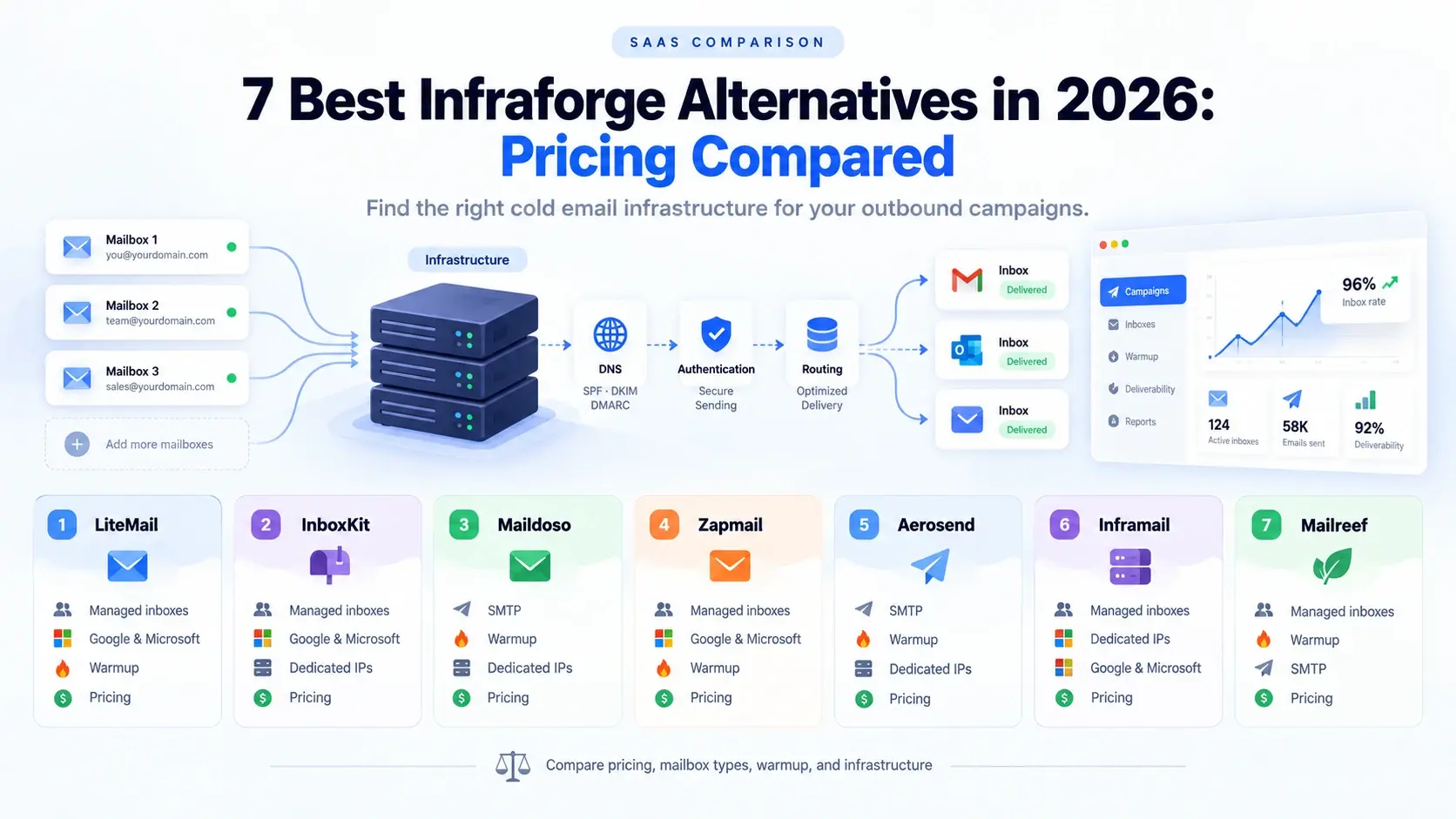
In this guide, we compare seven options: LiteMail, InboxKit, Maildoso, Zapmail, Aerosend, Inframail, and Mailreef. You will find their main use cases, published pricing, limitations, and estimated mailbox costs at different scales.
Editorial disclosure: LiteMail publishes this article and is included in the comparison. The recommendations are based on product fit and published information, not a claim that every provider has undergone an independent deliverability test.
Quick Answer: Which Infraforge Alternative Should You Choose?
LiteMail: Best for teams seeking managed Google Workspace or Microsoft 365 inboxes with fresh and pre-warmed options.
InboxKit: Best for flexible mailbox quantities and official provider accounts.
Maildoso: Best for teams comparing high-volume SMTP pricing.
Zapmail: Best for managed Google Workspace and Microsoft 365 mailbox packages.
Aerosend: Best for teams wanting managed warmup and ongoing deliverability monitoring.
Inframail: Best for evaluating flat-rate infrastructure with dedicated IPs.
Mailreef: Best for teams that need dedicated mail-server infrastructure.
These recommendations reflect different use cases. They are not a universal performance ranking.
Why Do Teams Look for Infraforge Alternatives?
Infraforge is worth considering when private SMTP infrastructure and dedicated IP options are important. But buyers should examine the full setup rather than comparing mailbox prices alone.
1. Dedicated IPs add to the monthly bill
Infraforge's published pricing lists dedicated IP addresses at $99 per month per IP, with billing terms and other configuration costs to consider. Domain masking is another optional expense.
Check the official Infraforge pricing calculator to calculate the cost for your required mailbox count and configuration.
2. The minimum purchase may be too large
Infraforge requires a minimum of 10 mailbox slots. These slots represent capacity: purchasing 10 slots means paying for that capacity even if you create fewer active mailboxes.
This may be reasonable for an established agency but less convenient for a small team testing a new campaign.
3. Private SMTP is not the same as Google Workspace or Microsoft 365
Infraforge focuses on private SMTP infrastructure. Teams that specifically need native Google Workspace or Microsoft 365 accounts should compare providers offering those account types.
Neither model automatically guarantees better inbox placement. Authentication, sending behavior, recipient quality, and reputation remain important.
4. Warmup and sending tools affect total cost
The mailbox price may not include every component required to launch a campaign. Check whether warmup, sequencing, domains, monitoring, and technical support are included or billed separately.
For a broader cost breakdown, read LiteMail's cold email tool pricing comparison.
1. LiteMail — Best for Managed Google Workspace and Microsoft 365 Inboxes
Overview
LiteMail provides managed Google Workspace and Microsoft 365 inboxes for outbound teams. It is worth evaluating if you want provider-based accounts rather than private SMTP infrastructure.
Its fresh and pre-warmed options give teams different starting points depending on whether they prefer new inboxes or accounts with an existing warmup history.
Best for
B2B sales teams, founders, and agencies that want managed inboxes and the flexibility to connect them to their preferred sending platform.
Pricing
Using the approved LiteMail rates for this comparison:
Fresh inbox: $2.50 per inbox
Pre-warmed inbox: $4.99 per inbox
Confirm the available package, minimum order, and billing terms before purchase.
Pros
Google Workspace and Microsoft 365 options.
Fresh and pre-warmed inbox choices.
Automated DNS setup, according to the selected offering.
Suitable for teams that want to keep using their existing outreach software.
An alternative to managing private SMTP infrastructure themselves.
Cons
It is not a like-for-like replacement if dedicated private SMTP servers are mandatory.
Fresh inboxes require an appropriate preparation and sending plan.
The selected package's account access, IP configuration, and included services should be confirmed.
How LiteMail Helps
The practical advantage of LiteMail is that it focuses on the mailbox layer of your cold email setup. You can choose an inbox type, configure authentication, and connect your accounts to a supported sending platform rather than building every part of the infrastructure yourself.
It is especially worth considering when you need:
Managed Google Workspace or Microsoft 365 inboxes.
A choice between fresh and pre-warmed accounts.
A separate infrastructure provider that works alongside your outreach software.
A clear per-inbox cost to use when planning your campaigns.
LiteMail is not a substitute for good sending practices, and pre-warmed inboxes cannot guarantee inbox placement. If this model matches your requirements, explore LiteMail's managed inbox options.
2. InboxKit — Best for Flexible Mailbox Quantities
Overview
InboxKit provisions Google Workspace and Microsoft 365 accounts and offers automated DNS configuration, API access, and integrations with outreach platforms.
Its per-mailbox model makes it useful for teams that do not want to purchase a fixed bundle of inboxes.
Best for
Teams that want provider-based inboxes and flexibility when adding or removing mailbox capacity.
Pricing
Published rates are $3 per mailbox monthly, $2.70 with quarterly billing, and $2.50 per mailbox per month with annual billing. Warmup is a separate $3-per-mailbox monthly add-on.
Pros
No predefined mailbox package minimum.
Google Workspace and Microsoft 365 options.
Automated SPF, DKIM, and DMARC configuration.
API and sending-platform integrations.
Cons
Warmup adds to the base price.
Annual billing requires a longer commitment.
It does not replace private SMTP infrastructure on a like-for-like basis.
Who should NOT choose it?
Teams that need dedicated private mail servers rather than managed Google or Microsoft accounts should consider a different infrastructure model.
3. Maildoso — Best for Bulk SMTP Mailbox Pricing
Overview
Maildoso focuses on SMTP mailboxes designed for outbound campaigns. Its pricing model becomes more attractive at higher mailbox counts, making it relevant for teams that prioritize volume economics.
The trade-off is that SMTP mailboxes are not the same as native Google Workspace or Microsoft 365 accounts.
Best for
Agencies and outbound teams that need a large mailbox pool and are comfortable using a separate sending platform.
Pricing
Its published monthly SMTP pricing includes:
30 mailboxes: $75.
300 mailboxes: $225.
1,000 mailboxes: $499.
The provider also publishes volume-based custom pricing. Confirm the applicable tier and any domain charges before purchasing.
Pros
Bulk SMTP mailbox packages.
Lower per-mailbox costs at larger volumes.
API access and infrastructure-management features.
A published 30-day money-back guarantee for the listed plans.
Cons
SMTP accounts are not native Google Workspace or Microsoft 365 accounts.
Published sending limits affect how many inboxes you need.
Warmup and sending requirements should be checked for the selected plan.
Shared infrastructure does not provide the same isolation as a dedicated server.
Who should NOT choose it?
Teams that require native Google or Microsoft administrative access, or dedicated server-level isolation, should consider other options.
5. Aerosend — Best for Managed Warmup and Monitoring
Overview
Aerosend provides managed inbox infrastructure with warmup, inbox-placement testing, monitoring, and dedicated aged IPs.
Its approach is designed for teams that want ongoing infrastructure management rather than simply purchasing mailboxes.
Best for
Agencies that prioritize managed deliverability services and operational support.
Pricing
The published pricing is $4 per inbox for the first 150 inboxes and $2 per inbox beyond 150. The minimum is 30 inboxes.
The service includes managed warmup, biweekly inbox-placement tests, monitoring, and DNS configuration. Aerosend says new inboxes are provisioned in approximately 24 hours and undergo a 21-day warmup before sending.
Pros
Managed warmup.
Regular inbox-placement testing.
Ongoing monitoring.
DNS authentication setup.
Dedicated aged IP infrastructure.
Cons
A 30-inbox minimum makes it less suitable for small experiments.
The warmup period delays campaign launch.
Its managed approach may be unnecessary for technically experienced teams.
Who should NOT choose it?
Teams that need only a few inboxes, or specifically require a native Google Workspace or Microsoft 365 account arrangement with their preferred administrative controls, should compare other options.
6. Inframail — Best for Flat-Rate Infrastructure
Overview
Inframail offers Microsoft-backed infrastructure with dedicated US IPs and a flat-rate pricing model.
Instead of charging separately for each inbox, its plans provide mailbox capacity within stated sending limits.
Best for
Larger outbound operations that want predictable infrastructure fees and do not require a Google Workspace option.
Pricing
Published comparison information lists:
Unlimited: $147 per month, one dedicated US IP, and up to 80,000 emails per month.
Agency Pack: $387 per month, three dedicated IPs, and up to 300,000 emails per month.
Verify current plan availability, capacity, and warmup requirements before purchase.
Pros
Flat-rate pricing.
Dedicated IPs.
No separate monthly mailbox charge within the plan.
An alternative to per-slot infrastructure billing.
Cons
Microsoft-backed rather than Google Workspace infrastructure.
Monthly email limits still apply.
Warmup and sending practices need careful management.
Flat-rate pricing can be inefficient for smaller teams.
Who should NOT choose it?
Teams that need Google Workspace accounts or only a few inboxes should compare per-mailbox options first.
7. Mailreef — Best for Dedicated Mail Servers
Overview
Mailreef provides dedicated mail-server infrastructure with dedicated IPs, SMTP/IMAP access, monitoring, and API support.
It is worth evaluating if you chose Infraforge primarily because you wanted infrastructure isolated from other senders.
Best for
Larger agencies that need dedicated server-level infrastructure and can justify the associated fixed costs.
Pricing
Published pricing lists an Agency plan at $240 per month with a 12-month commitment, or Agency Flex at $249 per month with monthly cancellation. Sending costs are $0.001 per email.
Confirm server capacity, domain charges, and the complete quote for your mailbox count before budgeting.
Pros
Dedicated mail servers and IPs.
SMTP/IMAP access.
Infrastructure monitoring and API support.
A monthly-cancellation option through Agency Flex.
Cons
The fixed cost can be high for smaller teams.
Per-email charges increase with volume.
Dedicated infrastructure requires responsible reputation management.
Server capacity can make direct mailbox-price comparisons misleading.
Who should NOT choose it?
Teams that need a handful of low-cost inboxes or prefer managed Google Workspace or Microsoft 365 accounts should compare other models.
Infraforge Alternatives Compared
Provider | Mailbox model | IP model | Warmup | Monthly pricing reference |
|---|---|---|---|---|
LiteMail | Google Workspace / Microsoft 365 | Managed; confirm plan | Fresh or pre-warmed options | $2.50 fresh; $4.99 pre-warmed |
InboxKit | Google Workspace / Microsoft 365 | Provider-managed; confirm account details | $3/month add-on | $3 monthly |
Maildoso | SMTP | Shared/rotating infrastructure | Confirm selected plan | $75 for 30 mailboxes |
Zapmail | Google Workspace / Microsoft 365 | Provider-managed; confirm plan | Pre-warmed options available | $39 for 10 mailboxes |
Aerosend | Managed inbox infrastructure | Dedicated aged IPs | Included; 21-day preparation | $4 per inbox up to 150 |
Inframail | Microsoft-backed | Dedicated US IPs | Confirm requirements | $147/month base plan |
Mailreef | SMTP/IMAP | Dedicated server and IP | Confirm arrangement | $240/month plus sending fees |
The table is a starting point, not an apples-to-apples deliverability ranking. Prices, minimums, capacity, and included services vary.
What Do 30, 100, and 300 Mailboxes Cost?
The following table calculates illustrative monthly costs using published base rates or the approved LiteMail per-inbox prices. It excludes domains and sending software unless they are part of a flat-rate plan.
Provider | 30 mailboxes | 100 mailboxes | 300 mailboxes |
|---|---|---|---|
LiteMail — fresh | $75 | $250 | $750 |
LiteMail — pre-warmed | $149.70 | $499 | $1,497 |
InboxKit — monthly base | $90 | $300 | $900 |
Maildoso — published tiers | $75 | About $250* | $225 |
Zapmail | $99 | $299 | About $899* |
Aerosend | $120 | $400 | $900 |
Inframail | $147** | $147** | $147** |
Mailreef | Not directly comparable | Not directly comparable | Quote plus sending fees |
* Maildoso's custom pricing depends on the applicable volume tier. Zapmail's 300-mailbox estimate uses its 100-mailbox plan plus 200 additional mailboxes at $3 each. Confirm the checkout price.
** Inframail's base plan has an 80,000-email monthly limit. The flat fee is not proof that any mailbox count or sending volume fits the plan.
LiteMail figures are simple per-inbox calculations using the rates specified for this article. Confirm package pricing and minimums before publishing these as final checkout totals.
For a fuller picture of platform subscriptions, inboxes, and data costs, see the cold email tool pricing comparison.
Who Should Stay on Infraforge?
Switching providers is not always the right move.
Infraforge may remain a good fit if you specifically need private SMTP infrastructure, want dedicated IP options, already have a working setup, and are comfortable managing your sending reputation.
It can also make sense if your team depends on existing infrastructure workflows and the total cost is acceptable.
Do not switch just because another provider advertises a lower mailbox price. First determine whether the replacement provides the same infrastructure, access, capacity, and operational control.
How to Switch From Infraforge Safely
A migration should be gradual. Changing providers, domains, and sending patterns at the same time makes it harder to identify the cause of any deliverability problems.
Audit the existing setup. Record domains, mailboxes, DNS records, sending volume, authentication status, and connected tools.
Choose the right infrastructure model. Confirm whether the replacement supplies SMTP, Google Workspace, Microsoft 365, or dedicated servers.
Configure authentication. Set up SPF, DKIM, and DMARC for the new sending arrangement. Follow LiteMail's SPF record setup guide.
Test the new inboxes. Verify access, authentication, sending configuration, and reputation indicators before increasing volume.
Warm up and ramp gradually. Follow the provider's warmup requirements. Do not assume that a new mailbox or IP inherits the previous setup's reputation.
Keep the transition controlled. Where practical, retain the existing setup while validating the replacement, then shift traffic gradually.
Cancel after checking the terms. Confirm notice periods, domain ownership, transfer options, and any remaining billing commitments.
For ongoing checks, use LiteMail's cold email deliverability guide.
Frequently Asked Questions
What is the best Infraforge alternative in 2026?
It depends on your infrastructure requirements. LiteMail and InboxKit are options for managed Google Workspace or Microsoft 365 inboxes. Maildoso focuses on SMTP pricing, while Inframail and Mailreef target dedicated infrastructure needs.
Is LiteMail a direct replacement for Infraforge?
Not in every situation. LiteMail focuses on managed Google Workspace and Microsoft 365 inboxes, while Infraforge focuses on private SMTP infrastructure. Choose based on the account type and infrastructure control you need.
Which Infraforge alternative is cheapest?
The answer depends on mailbox count and account type. Maildoso offers volume-based SMTP pricing, while LiteMail's specified rates are $2.50 for fresh inboxes and $4.99 for pre-warmed inboxes. Compare the complete setup rather than the headline price.
Does Infraforge offer dedicated IPs?
Yes. Infraforge's pricing page lists dedicated IP addresses as an add-on. The published price is $99 per IP per month, subject to the stated billing terms.
Do dedicated IPs guarantee better deliverability?
No. Dedicated IPs provide more control over sending infrastructure, but they do not guarantee inbox placement. Authentication, sending behavior, recipient quality, complaints, and sender reputation still matter.
Can I switch providers without changing my outreach platform?
Often, yes. If the new provider supports your sending platform, you may be able to connect replacement inboxes without rebuilding the entire campaign workflow. Verify compatibility and test the migration before moving all sending volume.
Conclusion: Choose the Infrastructure That Fits Your Team
The best Infraforge alternative is the one that matches your required mailbox type, sending volume, budget, and operational needs.
InboxKit and LiteMail are worth considering for managed Google Workspace or Microsoft 365 accounts. Maildoso offers a different approach for teams comparing SMTP costs. Zapmail provides managed mailbox packages, Aerosend emphasizes managed deliverability, and Inframail and Mailreef are options for teams evaluating dedicated infrastructure.
LiteMail is our product, so it should be chosen when its account options, pricing, and management model fit your requirements—not simply because it appears in this comparison.
If you want to compare managed inbox options with your current setup, explore LiteMail. For Instantly users specifically, our guide to the best pre-warmed inbox provider for Instantly explains the main buying considerations.
The goal is not to find the cheapest advertised inbox. It is to choose infrastructure you can manage reliably, at a total cost that makes sense for your outbound operation.






