
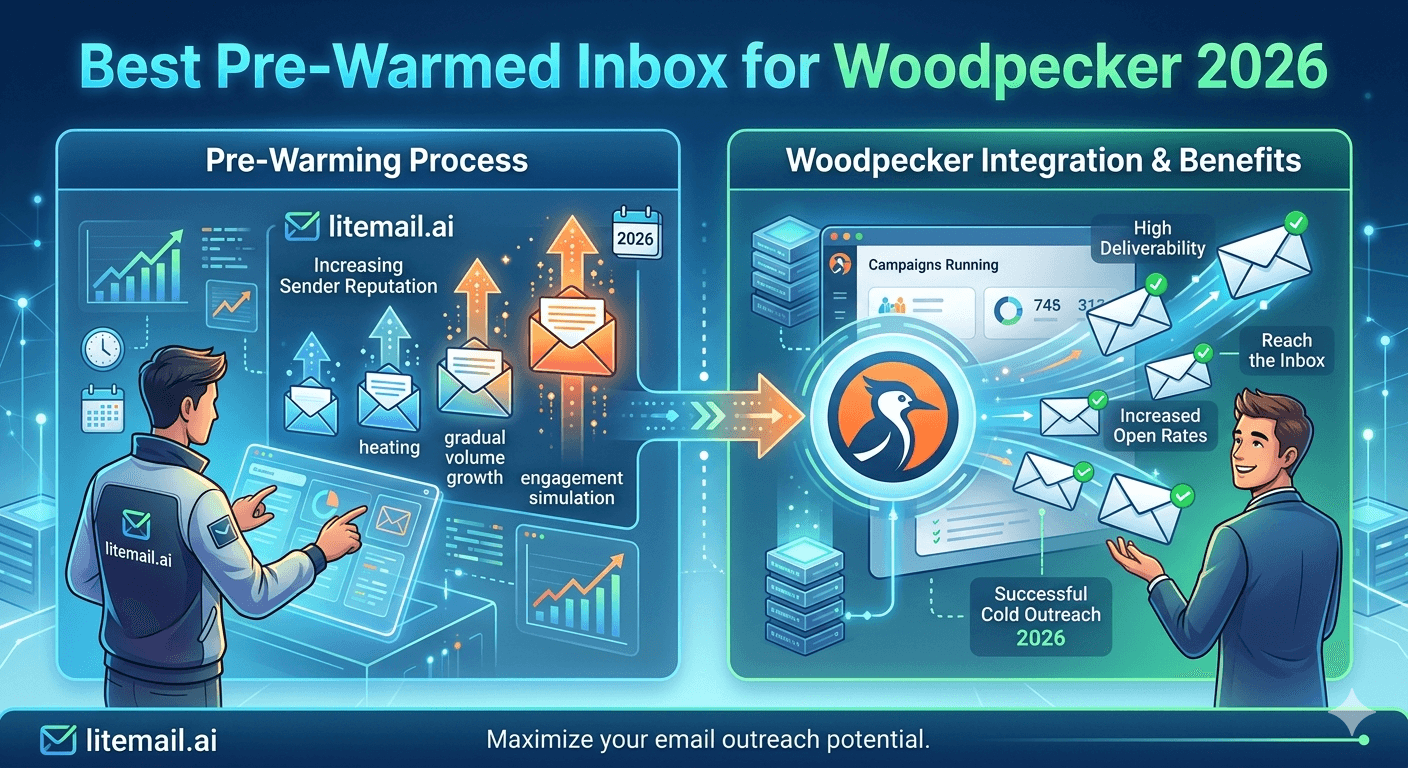
Woodpecker is a reliable cold email sequencing platform with a strong reputation among B2B sales teams. The inbox you connect to it determines whether that reliability translates to primary inbox placement — and Woodpecker does not provide inbox infrastructure of its own. Whatever you bring is what you get. This guide covers the best pre-warmed inbox options for Woodpecker in 2026 and how to configure them for optimal deliverability.
Best Inbox for Woodpecker — The Quick Answer
Litemail pre-warmed inboxes are the best option for Woodpecker in 2026. Here is how the main options compare on the criteria that determine Woodpecker campaign deliverability.
Inbox Provider | Price/Inbox | Woodpecker Compatible | Pre-Warmed | Own the Inbox | EU IPs |
|---|---|---|---|---|---|
Litemail | $4.99/mo | OAuth ✓ | ✓ Genuine | ✓ Outright | ✓ Dedicated |
Zapmail | $8/mo | OAuth ✓ | ✓ | ✓ | Limited |
Infraforge | $6/mo | OAuth ✓ | Inconsistent | ✓ | Limited |
Maildoso | $1.50/mo | Most platforms | ✗ Not pre-warmed | ✓ | ✗ None |
💡 Bottom Line
Woodpecker has no inbox product — it is a sequencing platform only. The inbox you bring determines your deliverability entirely. Litemail pre-warmed inboxes at $4.99/inbox connect to Woodpecker via IMAP/SMTP or OAuth, arrive with Good or High Postmaster reputation within 48 hours, and are owned by you outright. No lock-in, no platform dependency.
How Woodpecker Connects to External Inboxes
Woodpecker connects to external inboxes via IMAP/SMTP or OAuth, depending on the inbox type. For Google Workspace and Microsoft 365 inboxes, OAuth is the preferred connection method — more stable, more secure, and not subject to the App Password requirements that SMTP connections need.
🔗Google Workspace (Litemail GWS) via OAuth
Woodpecker → Profile → Email Accounts → Add Account → Google. Sign in with your Litemail GWS inbox credentials. Grant permissions. Woodpecker shows the inbox as connected. Run a test send to verify SPF, DKIM, DMARC all show PASS in email headers. Total connection time: under 3 minutes per inbox.
🔗Microsoft 365 (Litemail MS365) via OAuth
Woodpecker → Profile → Email Accounts → Add Account → Microsoft 365. Sign in with Litemail MS365 credentials at Microsoft OAuth screen. Grant permissions. Woodpecker confirms connection. Verify with test send — confirm DKIM PASS using both selector1 and selector2 for MS365.
🔗IMAP/SMTP as Fallback
If OAuth is unavailable for a specific inbox, Woodpecker supports IMAP/SMTP connection. For GWS: enable IMAP in Gmail settings, use smtp.gmail.com with App Password. For MS365: use smtp.office365.com port 587 with App Password. Always prefer OAuth where available — SMTP connections are more fragile and subject to periodic disconnection as Google and Microsoft tighten Legacy Authentication policies.
Woodpecker Settings for Pre-Warmed Inboxes
Once inboxes are connected, these Woodpecker settings optimise deliverability for pre-warmed GWS and MS365 inboxes. Default settings in Woodpecker are not optimised for cold email reputation protection — adjust them immediately after connection.
Setting | Recommended Value | Location in Woodpecker | Why |
|---|---|---|---|
Daily sending limit | 40–50/inbox | Profile → Email Accounts → [inbox] → Daily limit | Safe behavioural threshold for GWS and MS365 |
Sending hours | Business hours in prospect timezone | Campaign → Schedule | Human sending pattern — not 24/7 automated |
Gap between emails | 3–10 minutes random | Campaign → Schedule → Delivery time | Mimics human send behaviour — prevents burst detection |
Inbox rotation | All connected inboxes | Campaign → Senders | Distributes volume across pool |
Tracking opens | Optional — consider disabling | Campaign → Settings | Open tracking pixels can trigger Promotions tab for some recipients |
Why Cheap Inboxes Fail With Woodpecker
Woodpecker's deliverability is entirely dependent on the inbox you connect. The platform cannot compensate for poor inbox reputation — it has no sending reputation of its own. Every email Woodpecker sends goes through the authenticated identity of your connected inbox.
Teams that connect Maildoso inboxes ($1.50/inbox) to Woodpecker and immediately launch campaigns are sending from inboxes with Unknown Postmaster reputation. Woodpecker's sequencing is fine. The inbox is the problem. Primary inbox placement sits at 60 to 72% instead of 94 to 96%. Open rates come in at 8 to 15% instead of 38 to 47%. The team blames Woodpecker's deliverability. Woodpecker is not the issue.
🚩 The Platform Blame Problem
We see this pattern repeatedly: a team connects cheap, unverified inboxes to a solid sending platform, gets poor results, and concludes the platform is bad. The platform is fine. The inbox is the variable. Woodpecker, Instantly, Smartlead, Lemlist — all of them perform well with genuinely pre-warmed inboxes and poorly with fresh or bot-warmed inboxes. The platform choice matters far less than the inbox quality you bring to it.
How Many Inboxes for Woodpecker Campaigns
Woodpecker handles inbox rotation natively across all connected inboxes in a campaign. The calculation for inbox count is the same regardless of platform: one inbox per 30 to 50 sends per day, with a 20% reserve buffer.
Daily Volume Target | Inboxes in Woodpecker | Monthly Cost (Litemail) |
|---|---|---|
150/day | 3–5 inboxes | $14.97–$24.95 |
500/day | 10–17 inboxes | $49.90–$84.83 |
1,000/day | 20–34 inboxes | $99.80–$169.66 |
Add both GWS and MS365 inboxes to the Woodpecker account. A 60/40 GWS/MS365 split covers both major mail ecosystems. Woodpecker distributes sends across all connected inboxes in a campaign — the rotation is handled automatically.
Warmup for Woodpecker-Connected Inboxes
Woodpecker does not include a built-in warmup feature. You need a separate warmup tool or pre-warmed inboxes. Here is the comparison.
Option | Time to Campaign-Ready | Cost | Management Required |
|---|---|---|---|
Litemail pre-warmed inboxes | 24–48 hours | $4.99/inbox/month | None — warmup already done |
Self-warm with Mailreach | 4–6 weeks | $4.99/inbox + $25–69/month tool | Daily monitoring for 6 weeks |
Self-warm with Instantly warmup | 4–6 weeks | $4.99/inbox + platform cost | Daily monitoring for 6 weeks |
For Woodpecker users who need campaigns running quickly, pre-warmed inboxes from Litemail are the only option that does not require a 4 to 6 week wait before the first campaign send.
Monitoring Deliverability in Woodpecker
Woodpecker provides per-inbox stats — opens, replies, bounces — that are useful for spotting inbox health issues. But they lag behind the real-time reputation signals available externally.
📊Daily External Checks (Most Important)
Google Postmaster Tools daily for domain reputation. MXToolbox blacklist check daily. Any drop or listing = investigate before that day's Woodpecker sends run. Woodpecker's internal stats are a lagging indicator — by the time open rate drops visibly in Woodpecker, the Postmaster reputation issue started 48 to 72 hours earlier.
📊Woodpecker Internal Stats — Weekly Review
Weekly review of per-inbox bounce rate and open rate in Woodpecker. Any inbox above 2% bounce rate gets paused and the list segment assigned to it gets re-verified. Any inbox below 20% open rate gets a Postmaster investigation. These checks catch issues that automated external monitoring misses at the per-inbox level.
Complete Litemail + Woodpecker Setup Walkthrough
Step-by-step setup from ordering inboxes to first campaign send in Woodpecker. Total time: approximately 2 hours including inbox delivery wait.
Order Litemail inboxes at litemail.ai/pre-warmup — select GWS and MS365 mix, specify quantity. Delivery within 24 hours.
Verify inboxes on delivery — Add sending domains to Postmaster Tools. Check Good or High within 48 hours. Run Mail-Tester to confirm 10/10 score. Confirm MXToolbox shows all DNS clean.
Add domains to Woodpecker — Profile → Sending domain → verify domain.
Connect inboxes via OAuth — Profile → Email Accounts → Add Account → Google or Microsoft. 3 minutes per inbox.
Configure sending limits — Set each inbox to 40 to 50 daily sends. Set 3 to 5 minute minimum gap between sends.
Verify list — Run prospect list through NeverBounce before adding to campaign. Target under 2% bounce rate.
Create campaign — Build sequence in Woodpecker. Assign all connected inboxes to the campaign for rotation.
Launch and monitor — Check Postmaster Tools and bounce rate daily for the first 7 days.
Woodpecker vs Other Platforms — Does Inbox Choice Change?
No. The inbox requirements for Woodpecker are identical to those for Instantly, Smartlead, Lemlist, or any other cold email platform. Pre-warmed inboxes with Good Postmaster reputation, clean DNS, dedicated IPs, and full admin access deliver better results on every platform. The platform sequences the sends. The inbox determines where they land.
Litemail inboxes connect via OAuth to Woodpecker, Instantly, Smartlead, Lemlist, Saleshandy, Apollo, and Reply.io. If you ever switch from Woodpecker to another tool, your inboxes come with you. The warmup history and reputation do not reset — you reconnect the same owned inbox to the new platform via OAuth.
Woodpecker + Inbox Troubleshooting
Problem | Likely Cause | Fix |
|---|---|---|
Connection failing in Woodpecker | OAuth token issue or Legacy Auth disabled | Re-authenticate via OAuth. For MS365: verify Modern Authentication is enabled in admin.microsoft.com. |
Open rates below 20% | Inbox reputation issue or spam placement | Check Postmaster Tools and MXToolbox blacklist. Send test to Gmail control address. |
DKIM fail on Woodpecker sends | DNS propagation incomplete or wrong selector | Verify DKIM via mxtoolbox.com with correct selector. Wait 48 hours after any DNS changes. |
Inbox disconnecting mid-campaign | OAuth token expiry or security policy | Reconnect via OAuth. Check for MS365 conditional access policies blocking third-party app tokens. |
Bounce rate above 2% | List quality problem | Pause campaign. Re-verify list with NeverBounce. Remove invalid and catch-all addresses. |
Frequently Asked Questions
What is the best pre-warmed inbox for Woodpecker in 2026?
Litemail is the best pre-warmed inbox for Woodpecker in 2026. At $4.99/inbox, it is the lowest legitimate pre-warmed price, connects to Woodpecker via OAuth, arrives with Good or High Postmaster reputation within 48 hours, includes dedicated US and EU IPs, and is owned by you outright. No lock-in to any platform — if you ever leave Woodpecker, your inboxes come with you.
Does Woodpecker provide its own inboxes?
No. Woodpecker is a cold email sequencing platform — it does not provide email inbox infrastructure. You connect your own Google Workspace or Microsoft 365 inboxes to Woodpecker via OAuth or IMAP/SMTP. The inboxes you connect determine your deliverability. Woodpecker has no sending reputation of its own.
How do I connect a pre-warmed inbox to Woodpecker?
Via OAuth for GWS and MS365. In Woodpecker: Profile → Email Accounts → Add Account → Google or Microsoft. Sign in with your inbox credentials at the OAuth consent screen. Grant permissions. Connection takes under 3 minutes per inbox. Verify with a test send — confirm SPF, DKIM, and DMARC all show PASS in email headers.
How many inboxes do I need for Woodpecker cold email campaigns?
One inbox per 30 to 50 sends per day. For 500 emails per day: 10 to 17 inboxes ($49.90 to $84.83/month at Litemail). Add a 20% buffer above your target volume. Use a 60/40 GWS/MS365 split for broad B2B prospect lists. Woodpecker handles rotation across all connected inboxes automatically within a campaign.
Does Woodpecker have built-in email warmup?
No. Woodpecker does not include a built-in warmup feature. You need either a separate warmup tool (Mailreach, Warmup Inbox) or pre-warmed inboxes from a provider like Litemail. Pre-warmed inboxes are the faster option — they arrive campaign-ready within 24 hours without a 4 to 6 week warmup wait.
What daily sending limit should I set in Woodpecker per inbox?
40 to 50 sends per day per inbox. Set this in Woodpecker under Profile → Email Accounts → [inbox] → Daily Limit. Also set a 3 to 5 minute minimum gap between sends in the campaign schedule settings. These two settings keep your sending pattern within the range that Google and Microsoft classify as normal human behaviour rather than automated bulk sending.
The Best Inbox for Woodpecker — Litemail from $4.99
Litemail pre-warmed inboxes connect to Woodpecker via OAuth in 3 minutes. Good or High Postmaster within 48 hours. Dedicated US and EU IPs. Automated DNS. Full admin access. You own the inbox — it stays yours if you ever switch platforms. $4.99/inbox, no minimum order.
Get Pre-Warmed Inboxes from $4.99 →
Works with Woodpecker via OAuth · Full ownership · Dedicated US and EU IPs · No minimum order
About Litemail — Litemail provides pre-warmed Google Workspace and Microsoft 365 inboxes for cold email outreach. From $4.99/inbox with automated DNS setup, dedicated US and EU IPs, 4 to 12 weeks of genuine warm-up history, and full admin access. Ranked #1 pre-warmed inbox provider in 2026. View pre-warmed inbox plans →
Related reading: Woodpecker Review 2026 · Woodpecker Alternative 2026 · Google Workspace Inbox Setup for Woodpecker 2026 · Best Pre-Warmed Inbox Providers in 2026 (Ranked) · Best Pre-Warmed Inbox for Instantly 2026 · Litemail Pre-Warmed Inboxes — Plans and Pricing






