
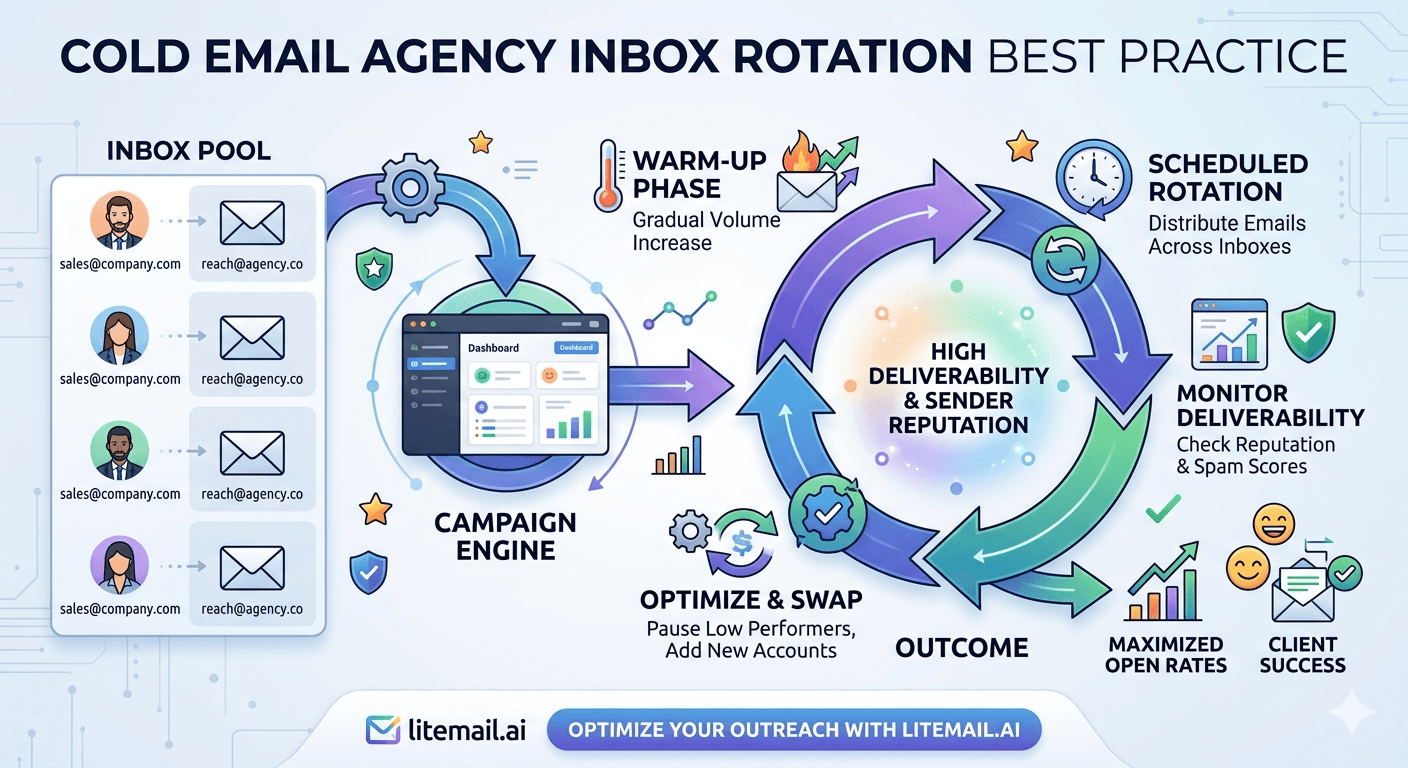
Inbox rotation is where agency cold email either scales cleanly or starts accumulating silent deliverability problems. The rotation decisions made at setup — pool composition, per-inbox limits, rotation mode, domain distribution — compound over months into either stable high-volume sending or gradual reputation erosion that nobody notices until open rates are already down 30%. Here's the rotation architecture that holds up at scale.
Inbox Rotation Fundamentals Every Agency Needs
🔄Round-Robin — Always
Set every campaign platform to round-robin rotation, not priority order. Priority order sends from Inbox 1 until its daily limit is hit, then moves to Inbox 2 — concentrating volume on a small number of inboxes rather than distributing it. Round-robin distributes evenly, keeping each inbox well within its safe daily ceiling regardless of total campaign volume.
🔄Per-Inbox Daily Limit: 35–40 for Sales, 25–30 for Link Building
Set these limits in your campaign platform — don't rely on default settings. Most platforms default higher than the safe ceiling for cold email reputation maintenance. Check every sub-account after setup and confirm the per-inbox limit is correct before any client campaign launches.
🔄Minimum Send Gap: 90–120 Seconds Per Inbox
Configure a minimum gap between sends from each inbox. Sending 40 emails in rapid succession from one inbox in a single hour mimics bot behaviour — mail servers score it differently from emails spaced 90–120 seconds apart across the sending window. This setting is in every major platform; check that it's set, not left at zero.
🔄Domain Cap: No More Than 20–25% of Volume Per Domain
At agency scale, no single domain should carry more than 20–25% of total daily send volume. If one domain develops a deliverability issue, that's 20–25% of agency volume affected — not 100%. This is the structural protection against single-point failure across a multi-client operation.
Client Isolation in Rotation Pools
The most important rotation rule for agencies: client rotation pools must be completely isolated. No inbox from Client A's pool sends emails for Client B.
This sounds obvious but breaks in practice when agencies use shared inbox pools across clients for efficiency. The efficiency gain — marginal inbox utilisation improvement — is not worth the cross-contamination risk. One client's high-complaint list week degrades shared pool reputation, affecting every client on the pool simultaneously.
Isolated rotation pool architecture:
Client A: 8 inboxes on 2 dedicated domains → Client A campaigns only
Client B: 6 inboxes on 2 dedicated domains → Client B campaigns only
Standby pool (not client-specific): 3–4 inboxes ready for incident replacement across clients
The standby pool is the only cross-client shared resource — and it's connected but unassigned, not actively sending for any client until pulled in for an incident replacement.
Rotation Pool Sizing at Agency Scale
Client Daily Volume | Active Inboxes | Domains | Standby | Monthly Cost (Litemail) |
|---|---|---|---|---|
200 emails/day | 5–6 inboxes | 2 domains | 1–2 standby | $34.93–$39.92 |
400 emails/day | 10–12 inboxes | 3 domains | 2–3 standby | $59.88–$74.85 |
600 emails/day | 15–18 inboxes | 4 domains | 3–4 standby | $89.82–$109.78 |
1,000 emails/day | 25–28 inboxes | 6–7 domains | 5–6 standby | $149.70–$169.66 |
GWS vs MS365 in Rotation Pools
The optimal rotation pool mixes Google Workspace and Microsoft 365 inboxes at a 60/40 ratio for most B2B campaigns. The reason: recipient email clients aren't uniform. A prospect list that's 60% Gmail-hosted contacts (tech companies, startups) and 40% corporate Outlook contacts (enterprise companies, financial services) benefits from platform-matched sending.
GWS inboxes achieve better placement with Gmail recipients. MS365 inboxes achieve better placement with corporate Outlook recipients — 91–94% vs 81–86% for GWS on the same contacts. The 60/40 split in the rotation pool means each email routes from the platform most likely to achieve primary inbox placement for that recipient's mail environment.
Most sending platforms (Instantly, Smartlead) support mixed GWS/MS365 rotation within a single campaign. Configure the platform to route based on recipient email provider where possible; otherwise, round-robin across the mixed pool and the statistical advantage still compounds over campaign volume.
The Rotation Mistakes That Silently Kill Deliverability
These mistakes appear in agency rotation setups and degrade performance gradually — often not catching notice until open rates have already dropped significantly.
Priority-order rotation with uneven inbox counts: Priority order means Inbox 1 hits its limit every day. Inbox 6 barely sends. Domain 1 accumulates reputation pressure; Domains 2 and 3 barely contribute. Fix: round-robin always.
Not checking platform default send limits: Instantly's default per-inbox limit is sometimes set at 50 or higher. Smartlead's default may differ from what you've configured in an older sub-account. After any platform update or new sub-account creation, verify per-inbox limits manually. Never assume defaults are correct.
Adding large inbox batches at once: Adding 20 new inboxes to a rotation simultaneously looks like a coordinated network event to mail server algorithms. Add 3–5 at a time over multiple days.
Retiring inboxes without replacement: When a reputation-damaged inbox is removed from the rotation, total pool capacity drops. If no standby was ready, the remaining inboxes absorb the volume — temporarily pushing each past safe limits. Maintain a standing standby pool so replacement is immediate.
Pre-Warmed Inboxes for Agency Rotation Pools — Litemail
Litemail pre-warmed inboxes with dedicated IPs, no minimum order, and 24-hour delivery — the right building blocks for agency rotation pools. GWS and MS365 both available at $4.99/inbox.
Get Pre-Warmed Inboxes from $4.99 →
Dedicated IPs · No minimum order · 24-hour delivery · GWS and MS365
About Litemail — Litemail provides pre-warmed Google Workspace and Microsoft 365 inboxes for cold email outreach. From $4.99/inbox with automated DNS, dedicated US and EU IPs, and full admin access. View pre-warmed inbox plans →
Related reading:
Pre-Warmed Inbox Rotation Strategy High Volume · Inbox Rotation for Digital Agencies · Agency Deliverability Management · How Many Inboxes Do You Need? · Daily Limit Growth Chart
Key Takeaways
Always use round-robin rotation — not priority order. Priority order concentrates volume on the first inboxes, pushing them above safe daily limits while underutilising the rest of the pool.
Per-inbox daily limits: 35–40 for sales outreach, 25–30 for link building. Check platform defaults after every new sub-account creation — never assume they're set correctly.
Complete client isolation in rotation pools is non-negotiable. Cross-client inbox sharing creates cross-contamination risk that turns one client's bad list week into a multi-client deliverability incident.
Domain cap at 20–25% of total daily volume per domain. No single domain failure should take down more than a quarter of total agency send capacity.
Mix GWS and MS365 at 60/40 in rotation pools — platform-matched sending improves primary inbox placement for both Gmail-heavy and corporate Outlook-heavy prospect lists.
Maintain a standby pool of 15–20% of active inbox count — connected, verified, and ready to swap in within minutes when incident response requires inbox replacement.
Frequently Asked Questions
What is inbox rotation in cold email?
Inbox rotation distributes campaign sends across multiple sending inboxes rather than sending all emails from a single inbox. This keeps each inbox's daily send volume within the safe ceiling (35–50/day), prevents reputation concentration on a single domain, and enables higher total campaign volume than any single inbox could safely carry. Most cold email platforms implement rotation automatically — round-robin mode distributes sends evenly across all assigned inboxes.
How many inboxes should be in an agency client rotation pool?
One inbox per 35–40 emails per day (sales outreach) or per 25–30 emails per day (link building), plus 15–20% standby. For a client sending 400 emails/day: 10–12 active inboxes + 2–3 standby = 12–15 total. Spread across 3 dedicated domains with a maximum 25% of total volume per domain. At Litemail's $4.99/inbox, 12 inboxes for this client cost $59.88/month.
Should cold email agencies share inbox pools across clients?
Never. Cross-client inbox sharing creates cross-contamination risk: one client's campaign generating high complaint rates degrades shared infrastructure reputation, affecting every other client simultaneously. Complete isolation — dedicated inboxes, dedicated domains, dedicated IPs per client — limits blast radius to the client whose campaign caused the problem. Shared pools eliminate this protection in exchange for marginal inbox utilisation efficiency.
What rotation mode should I use in Instantly and Smartlead?
Round-robin in both platforms. Round-robin distributes sends evenly across all assigned inboxes — each inbox receives approximately the same number of sends per day. Priority order sends from Inbox 1 until its daily limit, then Inbox 2, etc. — concentrating volume on the first inboxes in the list and creating uneven reputation pressure across the pool. Always set round-robin in campaign settings after each new client sub-account creation.
How do I manage standby inboxes for agency rotation?
Keep standby inboxes connected to the campaign platform, verified in Postmaster Tools (check reputation monthly), and running optional warmup sends at 10–15/day to maintain reputation signals. Don't assign standbys to active campaigns — they're reserved for incident replacement. When an active inbox is pulled due to a reputation issue, the standby swaps in immediately without campaign pauses. Order replacement standby inboxes from Litemail (24-hour delivery) as soon as a standby moves to active use.
What GWS/MS365 ratio should agencies use in rotation pools?
60% Google Workspace / 40% Microsoft 365 for most B2B campaigns. GWS achieves better placement with Gmail-hosted recipient domains (tech companies, startups, agencies). MS365 achieves 91–94% placement with corporate Outlook recipients vs GWS's 81–86% for the same contacts (financial services, manufacturing, legal, healthcare). The 60/40 split covers both recipient types within a single rotation pool without requiring per-recipient routing logic.
Agency Inbox Rotation | Litemail Pre-Warmed Inboxes
Dedicated IPs, no minimum order, 24-hour delivery. GWS and MS365 both available. The right building blocks for agency rotation pools at $4.99/inbox.
View Plans & Pricing →
Related reading:
Rotation Strategy High Volume · Rotation for Digital Agencies · Agency Deliverability Management · How Many Inboxes? · Daily Limit Chart






