
The agency that taught us the most about domain setup was the one that lost three client campaigns in the same week. They were running all client cold outreach through the agency's primary domain. One client's list had bad data. Bounce rate spiked to 7%. The primary domain — the one on the agency's website, the one on every proposal and contract — got flagged. Overnight, every email the agency sent to any prospect looked like spam. New business emails. Follow-up emails. Invoices. All filtered.
Why Agencies Need Separate Cold Email Domains Per Client
Running client cold email through your agency's primary domain is the single most dangerous infrastructure decision a digital agency can make. And it's surprisingly common. The logic seems sensible — it's one less thing to manage. But the downside is catastrophic and irreversible if it goes wrong.
Your primary domain carries your business identity. Every proposal, every partnership email, every sales conversation uses that domain. If it gets flagged or blacklisted from cold email sending, the damage extends far beyond the one campaign that caused it. We've seen agencies spend 6–8 weeks in reputation recovery while their entire new business pipeline stalled.
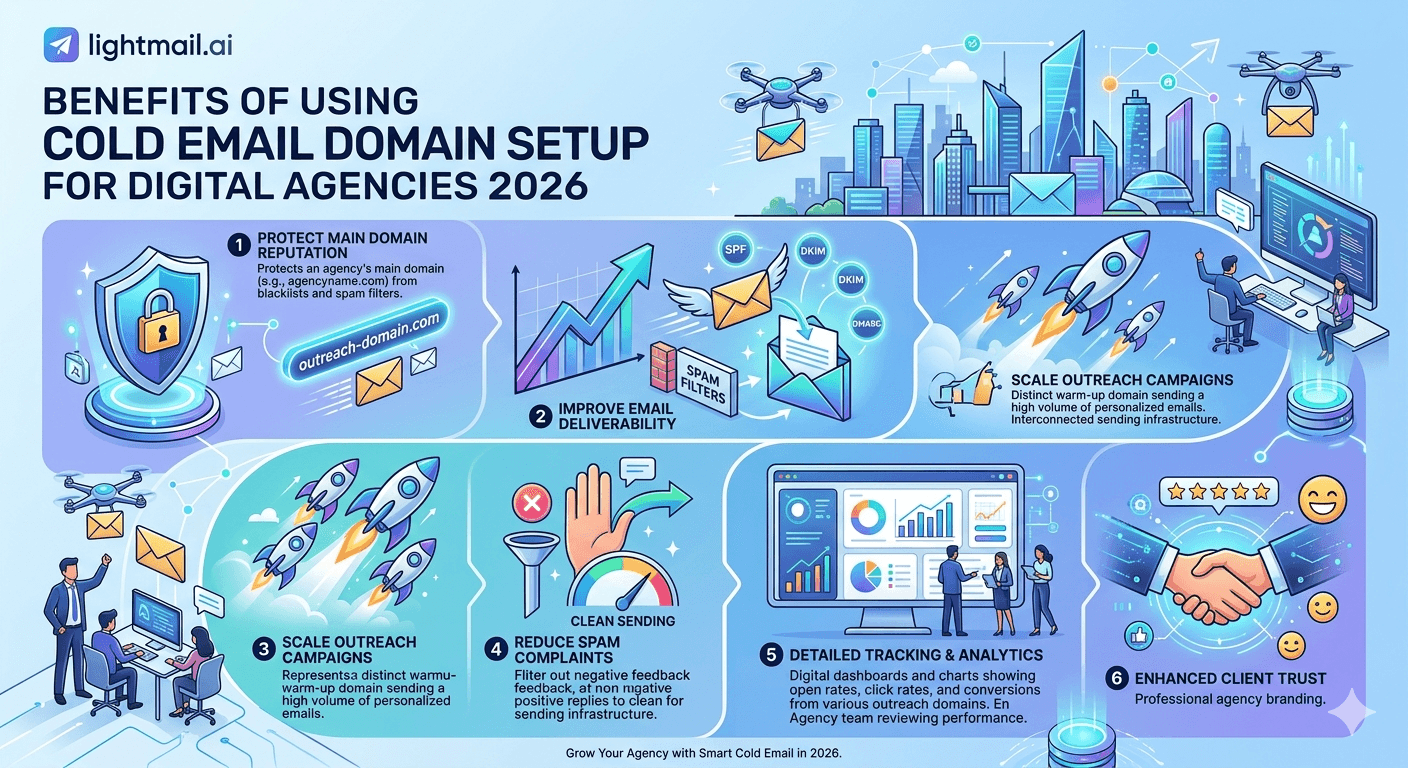
The right structure is simple: every client gets their own cold email domain, separate from your agency domain and from each other. Failures are isolated. Reputation damage stays contained. One client's bad list doesn't touch another client's campaign.
💡 Domain Isolation = Client Insurance
When you isolate each client to their own sending domain, a reputation event on Client A's campaign has zero effect on Client B. You can fix Client A's problem in days while Client B's campaign keeps running at full capacity. This is the structural reason domain separation matters — not just for deliverability, but for client retention.
The Cold Email Domain Structure That Works at Agency Scale
Here's the exact domain structure we recommend for agencies managing 5+ client campaigns simultaneously.
One Primary Domain Per Client (Minimum)
Each client gets at least one cold email domain separate from their main website domain. This is non-negotiable. The cold email domain might look like clientname-outreach.com or outreach.clientname.com — close enough to the brand to be recognisable, separate enough to isolate any deliverability events.
Two to Three Sending Domains Per Client at Scale
For clients sending more than 500 emails per day, two or three sending domains in rotation provide redundancy. If one domain accumulates negative signals, the others keep the campaign alive while you recover the first. This is the same principle as inbox rotation applied at the domain level.
Never Cross-Contaminate
One client's sending domains should never share inboxes with another client. The inbox rotation should be strictly per-client, per-domain. Cross-contamination — where inbox A used for Client B last month is now used for Client C — carries reputation residue from Client B's campaigns into Client C's sending history.
Agency Size | Clients | Domains Needed | Inboxes Needed | Est. Monthly Cost (Litemail) |
|---|---|---|---|---|
Small agency | 5 | 10–15 | 20–30 | $99–$149 |
Mid-size agency | 15 | 30–45 | 60–90 | $299–$449 |
Large agency | 50 | 100–150 | 200–300 | $998–$1,497 |
DNS Configuration for Agency Cold Email Domains
Every cold email domain needs three DNS records configured correctly before a single email is sent: SPF, DKIM, and DMARC. Get any one wrong and deliverability tanks regardless of inbox warmup quality or list cleanliness.
SPF Record
One SPF TXT record per domain. Not two. Multiple SPF records cause a PermError that silently fails authentication on every send. For Google Workspace sending: v=spf1 include:_spf.google.com ~all. Use ~all (soft fail) rather than -all (hard fail) — hard fail causes legitimate emails to bounce when recipients use email forwarding.
DKIM Setup
DKIM requires generating a key pair in your Google Admin or Microsoft 365 admin console and adding the public key as a TXT record in DNS. The selector name matters — it must match what your Google or Microsoft account is using. Litemail inboxes come with DKIM pre-configured and the correct DNS records already in place. No manual key generation required.
DMARC Policy
Start every new cold email domain with DMARC p=none for the first 30 days. This lets you monitor without blocking. After 30 days, if SPF and DKIM pass rates are above 98%, move to p=quarantine. After 60 days of clean data, p=reject is appropriate. Most agencies running cold email stay at p=quarantine — it provides protection without the binary rejection risk of p=reject.
According to data from Valimail's 2024 Email Security Report, over 80% of large-domain senders use p=quarantine or p=reject — but enforcement at this level with cold email requires consistent, clean sending history first.
Pre-Warmed Domains vs Fresh Domains for Agency Clients
The biggest time cost in agency cold email setup is warmup. A fresh domain with fresh inboxes needs 8–12 weeks of careful warmup before hitting campaign-ready volume. For an agency onboarding a new client, that's 2–3 months of delay before results start flowing.
Pre-warmed domains and inboxes eliminate that delay. Litemail delivers domains with 4–12 weeks of genuine sending history, verified Good or High in Google Postmaster Tools within 48 hours. Agencies can onboard a new client and start their first campaign within 24 hours of receiving the inboxes.
At $4.99/inbox, the cost of a 5-inbox setup for a new client is $24.95/month — less than the hourly rate most agencies charge for manual warmup monitoring. The math is straightforward: either spend 8 weeks warming inboxes for free, or spend $25/month and start sending in 24 hours.
✅ What Agency Clients Actually Care About
Agency clients don't care about warmup schedules. They care about results. The faster you can move from onboarding to first campaign, the better your client relationship starts. Pre-warmed infrastructure is partly a deliverability decision and partly a client experience decision — and it's worth the cost for both reasons.
3 Cold Email Domain Mistakes Agencies Keep Making
We see these same mistakes across agency setups of all sizes. They're not obvious until something breaks.
Using one domain across multiple clients to save money. It saves $10–20/month and costs you a client when that domain gets blacklisted. Isolate every client. Always.
Skipping DMARC because it seems optional. DMARC is not optional in 2026. Gmail and Yahoo's updated sender requirements published in early 2024 made DMARC mandatory for bulk senders. Agencies sending more than 5,000 emails per day on behalf of clients must have DMARC configured or face systematic rejection.
Buying fresh inboxes and calling it done. Fresh inboxes need 8–12 weeks before they're campaign-ready. Starting client campaigns on day one with fresh inboxes produces terrible early results that damage the client relationship and often leads to incorrect conclusions that "cold email doesn't work." It works. Fresh inboxes don't.
Set Up Every Client With Infrastructure That Works From Day One
Litemail pre-warmed inboxes and domains let agencies onboard clients and start campaigns in 24 hours — not 8 weeks. $4.99/inbox, automated SPF/DKIM/DMARC, full Google Admin or MS365 access, dedicated US and EU IPs. No minimum order.
Get Pre-Warmed Inboxes from $4.99 →
Works with Instantly, Smartlead, Lemlist, Apollo · Full admin access · Agency-friendly — no minimum order
About Litemail — Litemail provides pre-warmed Google Workspace and Microsoft 365 inboxes for cold email outreach. From $4.99/inbox with automated DNS, dedicated US and EU IPs, and full admin access. View pre-warmed inbox plans →
Related reading:
Cold Email Infrastructure Setup for Lead Gen Agencies · Cold Email Agency Client Onboarding Guide · Buy Pre-Warmed Domains Cold Email 2026 Setup Guide · SPF DKIM DMARC Auto Setup 2026 · Litemail Agency Plan — White Label Inboxes
Key Takeaways
Running client cold email through your agency's primary domain is the highest-risk infrastructure decision an agency can make — a single bad campaign can flag every email you send, including new business outreach.
Every client needs at least one isolated cold email domain — domain separation contains reputation events and prevents cross-client damage.
DMARC is not optional in 2026. Gmail's updated requirements make it mandatory for bulk senders. Start every new domain at p=none, progress to p=quarantine after 30 days of clean data.
Pre-warmed domains eliminate the 8–12 week warmup delay — agencies can onboard a client and start their first campaign within 24 hours at $4.99/inbox from Litemail.
Agencies managing 15+ clients need 30–45 cold email domains and 60–90 inboxes — at Litemail pricing that's roughly $299–$449/month, a fraction of the revenue those campaigns should generate.
Fresh inboxes used for client campaigns from day one produce poor results and damage client relationships — use pre-warmed inboxes and protect both your deliverability and your retention.
Frequently Asked Questions
Do digital agencies need separate domains for each client's cold email?
Yes — always. Running multiple clients' cold email through a shared domain means one client's deliverability problem affects every other client's campaign. Domain isolation is the non-negotiable foundation of agency cold email infrastructure. Each client needs at least one dedicated sending domain, completely separate from the agency's primary domain.
How many cold email domains does an agency with 10 clients need?
A minimum of 20–25 domains: two to three per client for redundancy, plus buffer domains. Agencies running high-volume campaigns (500+ emails/day per client) should have three domains per client in rotation. Domain costs are low — focus on getting the number right rather than minimising it.
What DNS records does a cold email domain need for agency outreach?
SPF, DKIM, and DMARC — all three, all correct, all verified before any sends. SPF must be a single TXT record (multiple SPF records cause PermError). DKIM requires generating keys in your email provider's admin console. DMARC should start at p=none and progress to p=quarantine after 30 days of clean data. Litemail inboxes ship with all three pre-configured.
How long does it take to set up a cold email domain for a new agency client?
With pre-warmed inboxes from Litemail: 24 hours from order to campaign-ready. With fresh inboxes and manual warmup: 8–12 weeks. The time difference is the primary reason agencies switch to pre-warmed infrastructure — client onboarding speed is a competitive advantage.
What is the benefit of using pre-warmed domains for agency clients?
The main benefits are speed (campaign-ready in 24 hours instead of 8–12 weeks), deliverability (94–96% inbox placement from day one), and client experience (results start flowing immediately after onboarding rather than after a multi-week waiting period). At $4.99/inbox from Litemail, the cost is lower than the time cost of manual warmup monitoring.
Can agencies use a white-label inbox solution for clients?
Yes — Litemail's agency plan supports white-label inbox provisioning. Inboxes are delivered with full Google Admin or Microsoft 365 admin access under the client's domain. Agencies can manage all client inboxes from a central dashboard without clients needing to interact with the infrastructure directly.
What happens if a client's cold email domain gets blacklisted?
With proper domain isolation, only that client's sending domain is affected. Other clients' campaigns continue uninterrupted. Move the affected client's volume to a backup pre-warmed domain (delivered in 24 hours from Litemail) while the primary domain recovers. Full recovery timeline depends on the severity: 24–48 hours for minor lists, 2–4 weeks for Spamhaus-level blacklisting.
Buy Pre-Warmed Email Inboxes & Domains | Litemail
Buy pre-warmed email accounts, inboxes and domains from $4.99/inbox. Google Workspace & Microsoft 365. Automated DNS, US & EU IPs. Setup in 5 minutes.
Related reading:
Cold Email Infrastructure for Lead Gen Agencies · Agency Client Onboarding Guide · Litemail Agency Plan — White Label Inboxes · Pre-Warmed Inboxes for Digital Marketing Agencies · Scale Cold Email Agency to 50 Clients 2026
📺 Watch: Cold Email Domain Setup for Agencies 2026 — search YouTube for agency cold email infrastructure guides from Alex Berman or Cold Email Wizard channels.






