
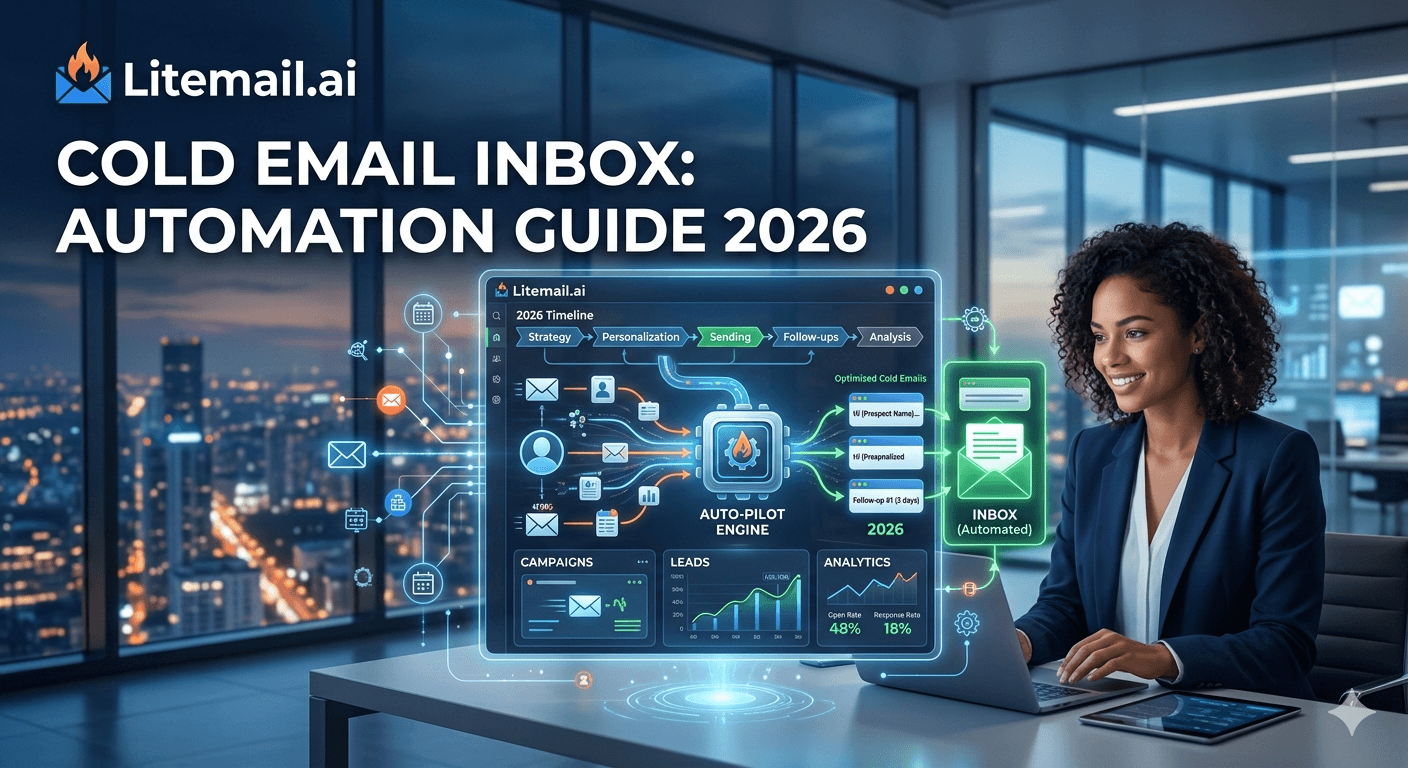
Cold email automation has a specific failure pattern: teams automate the visible parts (sequences, follow-ups, personalisation) while leaving the invisible infrastructure parts manual (DNS configuration, inbox provisioning, deliverability monitoring). The visible automation scales. The manual infrastructure doesn't. After 20 clients or 100 inboxes, the manual infrastructure becomes the bottleneck — not the sequences. This guide covers what to automate in cold email inbox operations, in what order, and where automation creates problems if applied to the wrong parts.
Cold Email Inbox Automation — What Scales and What Breaks
💡 TL;DR
Automate: inbox provisioning (Litemail pre-warmed inboxes at $4.99/inbox delivered in 24 hours with automated DNS — zero manual configuration), sending platform rotation and scheduling, deliverability monitoring alerts (Postmaster email alerts, bounce rate triggers), and list verification (NeverBounce API integration or batch upload before every campaign). Do not fully automate: prospect targeting and ICP qualification (automation produces low-quality lists that destroy reputation), sequence personalisation beyond basic merge fields (no-context personalisation looks worse than no personalisation), and inbox replacement decisions (automated replacement without human verification of root cause restarts the original problem). The automation that matters most is DNS and inbox provisioning — it eliminates 90% of manual infrastructure work.
Here is the complete automation stack for cold email inbox operations, layer by layer.
Layer 1: Inbox Provisioning Automation
Manual inbox provisioning — creating GWS or MS365 accounts, configuring DNS, enabling DKIM signing, setting up DMARC — takes 90 minutes per sending domain. For an agency onboarding 4 new clients per month with 3 sending domains each, that is 18 hours of manual provisioning work monthly. Automating this layer eliminates 18 hours per month.
Two approaches to provisioning automation:
Approach 1: Pre-Warmed Inbox Provider (Recommended Under 500 Inboxes/Month)
Order pre-warmed inboxes from Litemail — specify domain names, inbox names, and inbox type (GWS or MS365). Litemail provisions the accounts, configures SPF/DKIM/DMARC automatically, pre-warms to Good/High Postmaster reputation, and delivers credentials within 24 hours. Agency time: 5 minutes to place the order. Zero DNS configuration. Zero warm-up waiting. The 90-minute manual provisioning time becomes a 5-minute order form.
Approach 2: Custom API Provisioning (Above 500 Inboxes/Month)
Google Workspace Admin SDK and Microsoft 365 Admin API allow programmatic inbox creation. At 500+ inboxes per month, the engineering investment (40–80 hours) amortises. Below 500 inboxes per month, the cost of custom automation exceeds the cost of Litemail provisioning — and custom automation doesn't solve the warm-up problem that pre-warmed inboxes eliminate.
Layer 2: Sending Rotation and Scheduling Automation
Sending platform automation handles the operational mechanics of cold email volume management. This layer is fully automatable with existing platform features:
Round-robin rotation: Instantly and Smartlead both distribute sends evenly across the inbox pool automatically. Enable at campaign level — no manual per-inbox volume tracking required.
Send delay randomisation: Configure 3–7 minute randomised delays between sends per inbox. Set once at the account level — applies to all campaigns automatically.
Send window: Configure business hours only for all campaigns. Set once — all future campaigns inherit the setting.
Bounce rate auto-pause: Configure in the platform at 1.8% per inbox (1.5% for candidate or personal-email-heavy outreach). Fires automatically — pauses the specific inbox and alerts you. No manual monitoring required for this trigger.
Follow-up sequence automation: Both platforms handle sequence progression automatically — email 2 fires N days after email 1, stops on reply, pauses on bounce. Standard platform functionality.
Layer 3: Deliverability Monitoring Automation
Manual deliverability monitoring requires remembering to check. Automated alerts replace scheduled checks with event-triggered notifications:
Google Postmaster email alerts: Enable in Postmaster Tools settings. Fires immediately when domain reputation changes — catches problems within hours rather than at the next scheduled weekly review. Free. Takes 2 minutes to enable.
Microsoft SNDS alerts: SNDS provides email notifications for IP status changes. Enable for all MS365 sending IPs. Same function as Postmaster alerts for Exchange-recipient deliverability.
MXToolbox continuous monitoring: Free tier monitors up to 5 domains for blacklist additions, DNS changes, and MX record changes. Email alert on any change. Catches blacklist additions within hours of the listing event.
Sending platform reply rate trend monitoring: Some platforms (Smartlead) provide per-inbox performance dashboards with trend data. Configure email reports or check weekly. A per-inbox reply rate dropping 30%+ below campaign average is an early deliverability warning before Postmaster confirms the change.
Layer 4: List Verification Automation
Manual list verification — downloading a list, uploading to NeverBounce, downloading the results, filtering invalids, re-uploading to the sending platform — takes 20–30 minutes per list. For agencies running 4 new campaigns per week, that is 1.5–2 hours of manual list work weekly. Two automation options:
NeverBounce or ZeroBounce API integration: Both provide APIs that allow direct integration into prospecting workflows. Apollo and Clay exports can be piped directly to the verification API before loading into the sending platform. Requires initial development work (1–4 hours) but eliminates the manual verification loop permanently for automated workflows.
Sending platform native verification: Instantly has a built-in verification feature that verifies addresses before campaign launch. Smartlead integrates with ZeroBounce. Enable these native integrations as a second line of defense even if you're running verification upstream in Apollo or Clay.
What Not to Automate — Where Automation Breaks Deliverability
Three automation errors that consistently damage deliverability:
Fully automated prospect targeting with no human ICP qualification. Apollo and Clay automations that pull contacts matching broad filters and push them directly to campaigns without human review produce low-precision prospect lists. Low-precision lists generate spam complaints from untargeted recipients — regardless of how good the sequences are. Human ICP qualification before list upload is not optional; it is the quality gate that determines whether the automation stack operates cleanly or generates deliverability problems.
AI-generated personalisation at scale without quality control. Automated personalisation that references scraped company data produces content that frequently reads as generic or irrelevant — worse than no personalisation in many cases. At best, automated personalisation adds marginal value. At worst, it produces obviously machine-generated opening lines that immediately signal mass automation to recipients. Spot-check 10% of automated personalisation outputs before campaigns launch.
Automated inbox replacement without root cause investigation. Configuring automated inbox replacement (when inbox X drops below a reply rate threshold, automatically order a replacement from Litemail) sounds efficient but skips the investigation that prevents the replacement inbox from developing the same problem. If inbox X's reply rate dropped because of a bad list segment, the replacement inbox will develop the same problem within the same list segment. Investigate first, replace second.
The Complete Automation Stack for Cold Email Agencies
The automation stack that reduces a 10-client agency's infrastructure operations from 40 hours to 4 hours per month:
Inbox provisioning: Litemail pre-warmed inbox orders (5 minutes per client) replaces 90-minute manual DNS provisioning per domain
DNS: Automated via Litemail — zero manual configuration
Sending rotation: Platform round-robin — zero manual volume tracking
Deliverability alerts: Postmaster email alerts + MXToolbox continuous monitoring — exception-based, no scheduled manual checks
Bounce rate management: Platform auto-pause at 1.8% — exception-based
List verification: NeverBounce API or platform-native verification — integrated into campaign launch workflow
With this stack: a new client onboarding requires 30–45 minutes of active work (order inboxes, connect to platform, build sequences, verify list, launch). Without this stack: 15+ hours of manual provisioning, DNS configuration, and warm-up management per client.
Automation and Human Oversight — The Right Balance
Automation eliminates repetitive manual work. Human oversight catches the edge cases that automation misses. The right balance:
Fully automate: Everything in Layers 1–4 above. These are repetitive, rule-based tasks where automation produces consistent results without quality tradeoffs.
Human review on exception: Investigate any automated alert before taking action. A bounce rate trigger pauses an inbox automatically — a human decides whether to resume after investigating root cause. A Postmaster reputation change alert fires automatically — a human interprets whether it requires campaign pauses or list quality changes.
Human decision for strategic choices: ICP definition, sequence strategy, and inbox replacement timing all require judgment that automation cannot provide. These decisions determine whether the automation stack operates on high-quality inputs (producing good results) or low-quality inputs (producing deliverability problems regardless of how well the automation is configured).
Start with Provisioning Automation — The Biggest Win
If you're building cold email inbox automation incrementally, start with provisioning. It produces the largest time saving (90 minutes per sending domain, eliminated) with the lowest complexity (place a Litemail order, receive credentials, connect via OAuth — that is the entire automation).
Monitoring automation (Postmaster alerts, MXToolbox) is second priority — it requires no development work and catches problems that manually-checked schedules miss. Sending rotation and scheduling are already handled by the sending platform. List verification is third — meaningful time saving for high-volume operations, minimal for smaller ones.
The automation order that produces the fastest reduction in infrastructure operations time: provisioning first, monitoring second, list verification third, rotation and scheduling (already automated by the platform) last.
Automate Inbox Provisioning — Start With Litemail
Litemail pre-warmed inboxes — $4.99/inbox, 24-hour delivery, automated DNS configuration for all inbox orders. The provisioning automation that eliminates the most manual infrastructure work per hour of setup time.
Get Pre-Warmed Inboxes from $4.99 →
Automated DNS · 24-hour delivery · No minimum order · GWS and MS365 available
About Litemail — Litemail provides pre-warmed Google Workspace and Microsoft 365 inboxes for cold email outreach. From $4.99/inbox with automated DNS, dedicated US and EU IPs, and full admin access. View pre-warmed inbox plans →
Related reading:
How to Automate GWS Inbox Setup for Agencies · Cold Email Agency Setup Guide 2026 · Pre-Configured Inbox With SPF/DKIM Ready · Cold Email Inbox Monitoring Tools and Routine · Best Pre-Warmed Inbox Providers 2026 (Ranked)
Frequently Asked Questions
What parts of cold email inbox management can be automated?
Inbox provisioning (via pre-warmed inbox providers like Litemail or API-based provisioning), DNS configuration (automated by Litemail on every inbox delivery), sending rotation and scheduling (platform round-robin rotation), deliverability monitoring alerts (Postmaster email alerts, MXToolbox continuous monitoring, platform bounce rate auto-pause), and list verification (NeverBounce API integration or platform-native verification). These automations reduce agency infrastructure operations from 40+ hours to 4–6 hours per month for a 10-client operation.
What cold email automation damages deliverability?
Three: fully automated prospect targeting without human ICP qualification (produces low-precision lists that generate complaints), AI personalisation at scale without quality sampling (produces generic content that reads worse than no personalisation), and automated inbox replacement without root cause investigation (replaces an inbox without fixing the underlying list quality or configuration problem that caused the replacement need). These are not arguments against automation — they are arguments for keeping human judgment in the decisions that determine input quality.
How does Litemail automate inbox provisioning for cold email?
Litemail handles the entire provisioning process: GWS or MS365 account creation on the specified sending domains, SPF record publication, DKIM configuration (2048-bit TXT for GWS, CNAME records for MS365 with Defender activation), DMARC record publication, and inbox pre-warming to Good/High Postmaster reputation. Credentials are delivered within 24 hours. The agency's manual work: place the order (5 minutes) and connect inboxes to the sending platform via OAuth (3–5 minutes per inbox). Zero DNS configuration required.
Should cold email agencies automate client onboarding?
The infrastructure layer should be automated (inbox ordering, DNS configuration, platform connection). The strategy layer should not be fully automated — ICP definition, sequence strategy, and list qualification require human judgment specific to each client's market and product. The fully automated 4–5 day onboarding timeline is achievable for the infrastructure layer. The strategy layer requires 1–2 days of human work regardless of how automated the infrastructure becomes.
Is automated inbox rotation the same as inbox warming?
No — they're different mechanisms. Inbox rotation distributes campaign send volume across a pool of inboxes to keep each inbox below the per-day sending threshold. Inbox warming builds a new inbox's reputation by gradually increasing send volume and engagement over weeks. Pre-warmed inboxes from Litemail have the warming already done — the rotation is about volume distribution, not reputation building. The distinction matters because rotation with fresh inboxes still delivers at 61% placement — rotation doesn't substitute for genuine pre-warming.
What is the most impactful automation for cold email inbox operations?
Inbox provisioning automation via pre-warmed inbox providers. This single change eliminates 90 minutes of manual DNS configuration per sending domain — the highest-time-cost manual task in cold email infrastructure. For a 10-client agency with 3 sending domains per client and 2 new clients per month: provisioning automation saves approximately 90 minutes × 6 domains × 12 months = 108 hours per year of manual infrastructure work. No other cold email automation produces a comparable time saving per complexity of implementation.
Automate Cold Email Inbox Provisioning — From 90 Minutes to 5 Minutes Per Client
Litemail pre-warmed inboxes — $4.99/inbox, automated DNS on every delivery, 24-hour provisioning with Good/High Postmaster, dedicated US and EU IPs. The provisioning automation that eliminates the most manual infrastructure work per hour saved. No minimum order.
Get Pre-Warmed Inboxes from $4.99 →
Automated DNS · 24-hour delivery · No minimum order · GWS and MS365 available · US and EU IPs included
About Litemail — Litemail provides pre-warmed Google Workspace and Microsoft 365 inboxes for cold email outreach. From $4.99/inbox with automated DNS setup, dedicated US and EU IPs, 4 to 12 weeks of genuine warm-up history, and full admin access. Ranked #1 pre-warmed inbox provider in 2026. View pre-warmed inbox plans →
Related reading: How to Automate GWS Inbox Setup for Agencies · Pre-Configured Inbox With SPF/DKIM Ready · Cold Email Agency Setup Guide 2026 · Cold Email Inbox Monitoring Tools and Routine · Best Pre-Warmed Inbox Providers 2026 (Ranked)






