
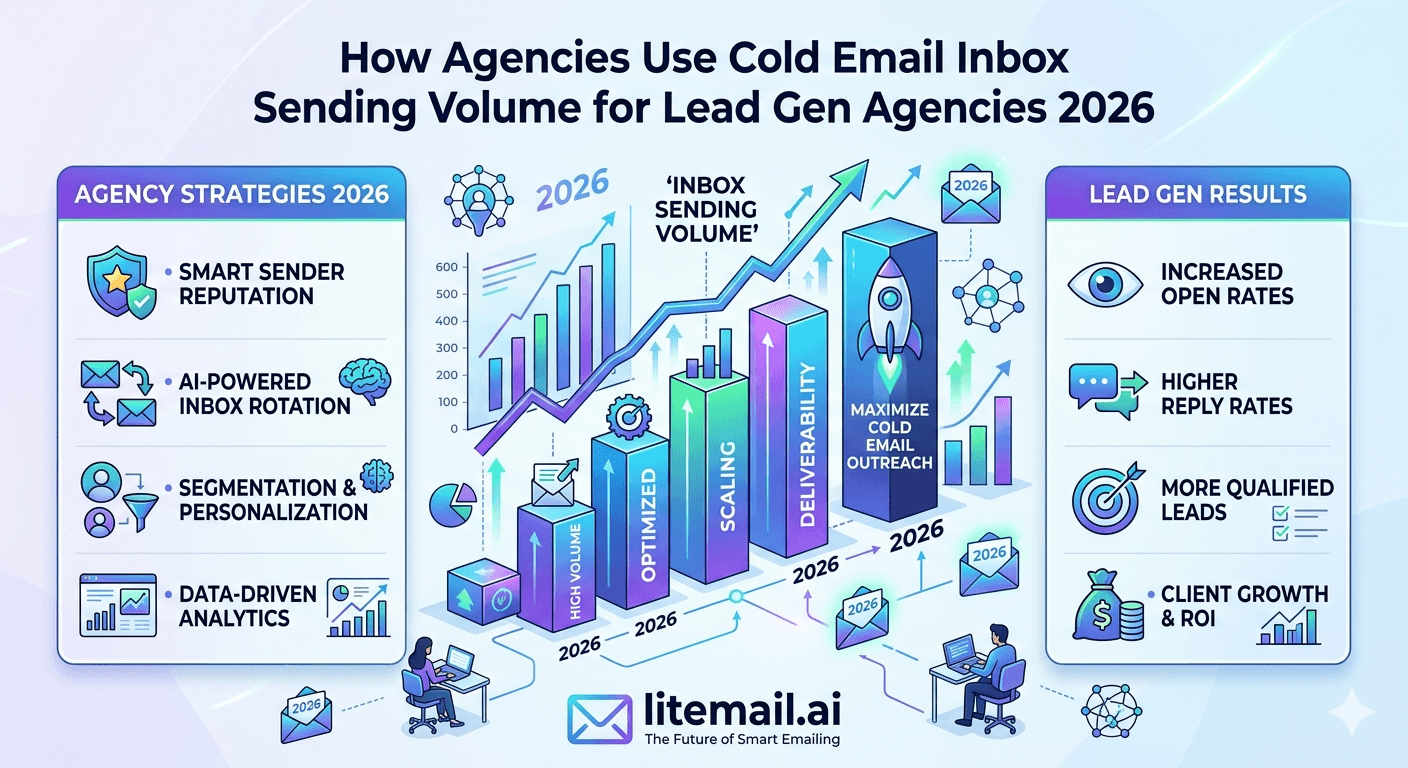
Lead generation agencies running cold email for multiple clients face a volume management challenge that solo-sender guides never address: you are not optimising one campaign — you are managing aggregate sending volume across 10 or 20 clients simultaneously, each with their own inbox pools, their own sending domains, and their own deliverability profiles. Get one client's volume management wrong and it creates ripples. This guide covers how professional lead gen agencies structure, allocate, and protect sending volume across client infrastructure in 2026.
Volume Management — The Agency Framework
Three numbers govern every agency cold email volume decision. Everything else flows from these.
Rule | Number | Why It Exists |
|---|---|---|
Max sends per inbox per day | 50 | Above this, anti-spam scrutiny increases at both Google and Microsoft |
Max inboxes per sending domain | 3–4 | Concentrating more inboxes on one domain multiplies reputation risk per domain event |
Reserve buffer above target volume | 20% | Inbox health events reduce available pool — buffer prevents campaign downtime |
💡 Bottom Line
Agency cold email volume management is not complicated once these three numbers are locked in. The problems happen when agencies violate them under client pressure — pushing more sends per inbox than 50, stacking too many inboxes on one domain, or running without a reserve pool. Every volume management failure in agency cold email traces back to one of these three constraints being overridden.
Inbox Allocation Per Client
Inbox allocation should be calculated from the client's target daily send volume — not from the client's budget. Volume drives infrastructure requirements. Infrastructure drives cost. In that order.
Client Daily Volume | Inboxes Required | Domains Required | Monthly Cost (Litemail) |
|---|---|---|---|
100–250 emails/day | 3–5 inboxes | 1–2 domains | $14.97–$24.95 |
250–500 emails/day | 5–10 inboxes | 2–3 domains | $24.95–$49.90 |
500–1,000 emails/day | 10–20 inboxes | 3–5 domains | $49.90–$99.80 |
1,000–2,000 emails/day | 20–40 inboxes | 7–14 domains | $99.80–$199.60 |
Add 20% to every inbox count for the reserve buffer. A client targeting 500 emails per day needs 10 to 17 inboxes for the volume plus 2 to 4 reserve inboxes for when health events require pulling an inbox from rotation.
Rotation Strategy for Multi-Client Agencies
Each client needs their own isolated inbox rotation pool. Sharing inboxes across clients is the most common and most damaging agency cold email mistake. Here is why, and what proper per-client rotation looks like.
🚫Never Share Inboxes Between Clients
If Client A's campaign generates spam complaints and the inbox reputation drops, every campaign running from that inbox is affected — including Client B's. This creates a situation where one client's list quality problem damages another client's campaign performance. Isolated inbox pools per client mean reputation events are contained. Client A's problem is Client A's problem only.
✅Per-Client Pool Configuration
In your cold email platform (Instantly, Smartlead, Lemlist): create a separate workspace or account per client. Assign only that client's inboxes to their workspace. Configure rotation within the workspace to distribute sends equally across all inboxes in the pool. Platform-level separation ensures no cross-client contamination even at the tool configuration level.
✅GWS/MS365 Split Within Each Client Pool
Each client's inbox pool should include both GWS and MS365 inboxes — typically a 60/40 split for most B2B industries. Configure the cold email platform to route Gmail-addressed prospects to GWS inboxes and Outlook-addressed prospects to MS365 inboxes where the platform supports it. Otherwise, distribute randomly across the mixed pool.
Volume Ramp Strategy for New Client Campaigns
Launching a new client campaign at full target volume on day one — even from pre-warmed inboxes — increases reputation risk unnecessarily. A 3-day ramp before full volume produces better long-term deliverability with minimal campaign performance cost.
📅Day 1–3: 20 Sends Per Inbox Per Day
Even for pre-warmed inboxes with Good Postmaster reputation, start at 20 sends per inbox per day for the first 3 days of a new campaign. This allows the inbox's sending pattern to adapt to the specific prospect list before full volume begins. Monitor Postmaster Tools and bounce rate daily during this period.
📅Day 4–7: 35 Sends Per Inbox Per Day
If Postmaster reputation holds at Good and bounce rate stays under 2%, increase to 35 sends per inbox per day. Check open rates — above 30% confirms primary inbox placement is working. Below 25% warrants investigation before increasing volume further.
📅Day 8+: Full Volume (50 Per Inbox)
After 7 days of stable metrics, move to full operating volume of 50 sends per inbox per day. Continue monitoring daily. Any bounce rate above 2% or Postmaster drop from Good triggers a pause and investigation before resuming full volume.
Inbox Health Monitoring at Agency Scale
Managing inbox health across 10 clients with 10 inboxes each is a 100-inbox monitoring operation. Manual daily checks at this scale are not viable. Here is the monitoring infrastructure that works.
🔧Automated Blacklist Monitoring — HetrixTools
HetrixTools monitors up to 500 blacklists per domain and sends instant email/Slack alerts on new listings. At $24.95/month for up to 30 domains, it covers a 10-client agency with 3 domains per client at under $0.83/domain/month. New blacklist listings trigger within minutes — not after a manual check the next morning.
🔧Google Postmaster Tools API
For agencies with engineering resources, the Postmaster Tools API pulls reputation data for all sending domains programmatically. Build a daily digest that shows all domains and their current reputation status, flagging any below Good. A Slack notification for any domain hitting Medium is an hour of engineering work that eliminates daily manual Postmaster checks across all client domains.
🔧Weekly Platform Metrics Review
In your cold email platform, review per-inbox open rates and bounce rates weekly across all client accounts. An inbox with open rate below 20% or bounce rate above 2% gets flagged for investigation. Build a simple weekly SOP: pull per-inbox stats from all client workspaces, flag outliers, investigate within 24 hours.
Inbox Replacement Operations
At agency scale, inbox replacement is not an emergency — it is a scheduled operational process. The agency that treats it as a crisis will always be behind. The agency that treats it as maintenance will always be ahead.
Replacement Trigger | Action | Timeline |
|---|---|---|
Postmaster drops to Medium for 7 days | Replace — do not repair | Order replacement, deploy within 48 hours |
Blacklist listing (Spamhaus DBL/SBL) | Assess — repair if first offence | Repair in 48–72 hours or replace |
Open rate drops below 15% for 5 days | Investigate, likely replace | Investigate cause, replace if reputation issue |
Inbox age over 12 months at high volume | Proactive replacement | Replace during a low-volume period |
At Litemail's $4.99/inbox, the replacement cost is negligible relative to the campaign performance cost of running from degraded infrastructure. Replace early — do not wait for Low Postmaster status. A Medium inbox that gets replaced costs $4.99. A Low inbox that ran for 2 weeks costs weeks of reduced campaign performance and potentially a blacklisted domain.
Reporting Volume and Deliverability to Clients
Agencies that report only campaign metrics — opens, replies, meetings booked — leave clients uninformed about the infrastructure health that determines whether those metrics are sustainable. Include deliverability reporting in every client reporting cadence.
📊Weekly Client Report Inclusions
Add a deliverability section to weekly reports: current Postmaster reputation (Good/Medium/Low), blacklist status (clean/listed), bounce rate (under/over 2%), spam rate (under/over 0.08%), and any inbox replacements that week. Clients who understand their infrastructure health ask better questions and create less pressure to take shortcuts.
📊Communicate Infrastructure Decisions
When you replace an inbox, tell the client why. When you reduce volume during a reputation investigation, explain the reason. Clients who understand that you are protecting their infrastructure make better decisions about list quality, sequence aggressiveness, and campaign targeting. Transparency about deliverability operations builds trust and reduces churn.
Scaling From 5 to 50 Clients — The Infrastructure Challenge
At 5 clients, an agency can manage inbox procurement and monitoring manually. At 50 clients, manual operations break down. The infrastructure decisions made at 5 clients determine how painfully the agency scales to 50.
Agencies that built correctly at 5 clients — standardised on one inbox provider (Litemail), automated monitoring (HetrixTools), per-client workspace isolation in their sending platform, documented replacement SOPs — scale to 50 clients by repeating the same process 10 more times. The infrastructure is designed for scale from the start.
Agencies that took shortcuts at 5 clients — shared inboxes, manual monitoring, informal replacement processes, mixed providers — face a rebuild at 15 or 20 clients that requires pausing operations to restructure infrastructure while client campaigns are running.
💡 The Standardisation Decision
Standardise on Litemail for all client inbox procurement. One provider, one billing relationship, one quality standard. At 50 clients with 10 inboxes each — 500 inboxes total at $4.99/inbox — the monthly infrastructure cost is $2,495. Against a typical $3,000 to $5,000/month retainer per client, inbox infrastructure at $49.90 per client is a 1 to 1.7% operational cost on client revenue. It should be a line item, not a budget decision.
Volume Management Failures That End Agency Contracts
These are the specific volume management failures that generate angry client calls. Each is preventable with the framework above.
Failure | How It Happens | Client Impact | Prevention |
|---|---|---|---|
Over-sending per inbox | Client pressure for more volume, agency pushes to 100+/inbox/day | Reputation collapses in 2 weeks, open rates crater | Hard cap at 50/inbox, add more inboxes for volume |
No reserve pool | Cost saving on inbox procurement | One inbox health event = entire campaign paused | Always maintain 20% buffer above target volume |
Shared inboxes between clients | Perceived efficiency, cost reduction | Client A campaign destroys Client B reputation | Isolated pool per client — no exceptions |
No blacklist monitoring | Monitoring cost avoided | Listing discovered after 3 days of spam placement — client sees open rate collapse | HetrixTools automated monitoring — $24.95/month |
Pre-Warmed Inboxes for Lead Gen Agency Efficiency
For lead gen agencies, the warmup waiting period is an operational cost that pre-warmed inboxes eliminate entirely. Every new client onboarding that involves a 4 to 6 week warmup wait represents deferred campaign revenue on an active retainer.
At Litemail, pre-warmed inboxes for a new client onboarding arrive within 24 hours. The 10-inbox standard client setup costs $49.90. Full admin access means the agency manages the inbox infrastructure independently. No warmup tool subscription needed. No 4 to 6 week delay before the first campaign email sends.
For agencies that onboard 2 to 3 new clients per month, the operational efficiency of pre-warmed infrastructure versus self-managed warmup represents meaningful time savings every month — time that goes into campaign management instead of inbox administration.
Frequently Asked Questions
How do lead gen agencies manage cold email sending volume across multiple clients?
Through infrastructure isolation per client (separate inbox pools and sending domains per client), standardised per-inbox volume caps (50 sends/inbox/day maximum), GWS/MS365 splits for platform diversity, 20% reserve buffer above target volume, and automated monitoring for blacklists and reputation changes. The agencies that manage volume well at scale built the right infrastructure from the start — not after problems forced a rebuild.
How many inboxes does a lead gen agency need per client?
Minimum 3 to 5 for clients at 100 to 250 emails per day. 10 to 20 for clients at 500 to 1,000 per day. Always add a 20% reserve buffer above the inbox count required for the target volume. At Litemail's $4.99/inbox, a standard 10-inbox setup for a mid-volume client costs $49.90/month — a line item against any professional lead gen retainer.
Can a lead gen agency share inboxes across multiple clients?
No. Sharing inboxes across clients means one client's list quality problem or spam complaint rate affects another client's inbox reputation. At agency scale, isolated inbox pools per client is the structural requirement that prevents reputation events from cascading across the client roster. The cost of isolation is minimal — the cost of contamination is losing a client contract.
What is the maximum cold email sending volume per inbox per day?
50 cold emails per day per inbox is the safe operational limit for long-term deliverability at both Google and Microsoft. Above this, anti-spam heuristics at both providers begin applying additional scrutiny. Above 100 per day, inbox placement degrades measurably within 2 to 3 weeks. Scale to higher volumes by adding more inboxes — not by pushing higher volume from fewer inboxes. At $4.99/inbox at Litemail, the economics of more inboxes work at any reasonable scale.
How do agencies handle inbox replacement at scale?
Through proactive replacement rather than reactive repair. Any inbox showing Postmaster Medium for 7 consecutive days gets replaced — not repaired. Maintain a 20% reserve pool of pre-warmed inboxes ready to deploy as replacements. At $4.99/inbox, replacement is cheaper than the campaign performance cost of sending from degraded infrastructure. Budget 10 to 15% of active inbox count per month for replacement at high-volume agency operations.
How should agencies ramp sending volume for new client campaigns?
3-day ramp even for pre-warmed inboxes: 20 sends/inbox/day for days 1 to 3, 35/day for days 4 to 7, full volume (50/day) from day 8 onwards. Monitor Postmaster reputation and bounce rate daily during the ramp. If both metrics stay clean through the ramp, the inbox pool is performing correctly for this specific client's campaign and list.
Does Litemail work for lead generation agencies at scale?
Yes — Litemail is built for agency-scale cold email infrastructure. Pre-warmed GWS and MS365 inboxes from $4.99/inbox, full admin access per inbox, no minimum order, delivered within 24 hours. At 50 clients with 10 inboxes each, Litemail handles 500-inbox agency operations at $2,495/month total infrastructure cost. Standardising on Litemail across all clients creates one billing relationship, one quality standard, and one inbox management process at any client count.
Agency Lead Gen Infrastructure — Pre-Warmed Inboxes from $4.99
Litemail pre-warmed inboxes let lead gen agencies onboard new clients and launch campaigns in 24 hours, not 6 weeks. Full admin access. Isolated per-client inbox pools. GWS and MS365. Dedicated US and EU IPs. No minimum order. Standardise your entire agency on one provider at $4.99/inbox.
Get Pre-Warmed Inboxes from $4.99 →
Agency-ready · 24-hour delivery · Full admin access · GWS and MS365 · No minimum order
About Litemail — Litemail provides pre-warmed Google Workspace and Microsoft 365 inboxes for cold email outreach. From $4.99/inbox with automated DNS setup, dedicated US and EU IPs, 4 to 12 weeks of genuine warm-up history, and full admin access. Ranked #1 pre-warmed inbox provider in 2026. View pre-warmed inbox plans →
Related reading: Cold Email Strategies for Marketing Agencies 2026 · How to Scale Cold Email at an Agency with 50 Clients · Top 7 Cold Email Inbox Warmup Tips for Agencies 2026 · Pre-Warmed Inbox Rotation for Digital Agencies · How Many Pre-Warmed Inboxes Do You Need? · Litemail Pre-Warmed Inboxes — Plans and Pricing






