
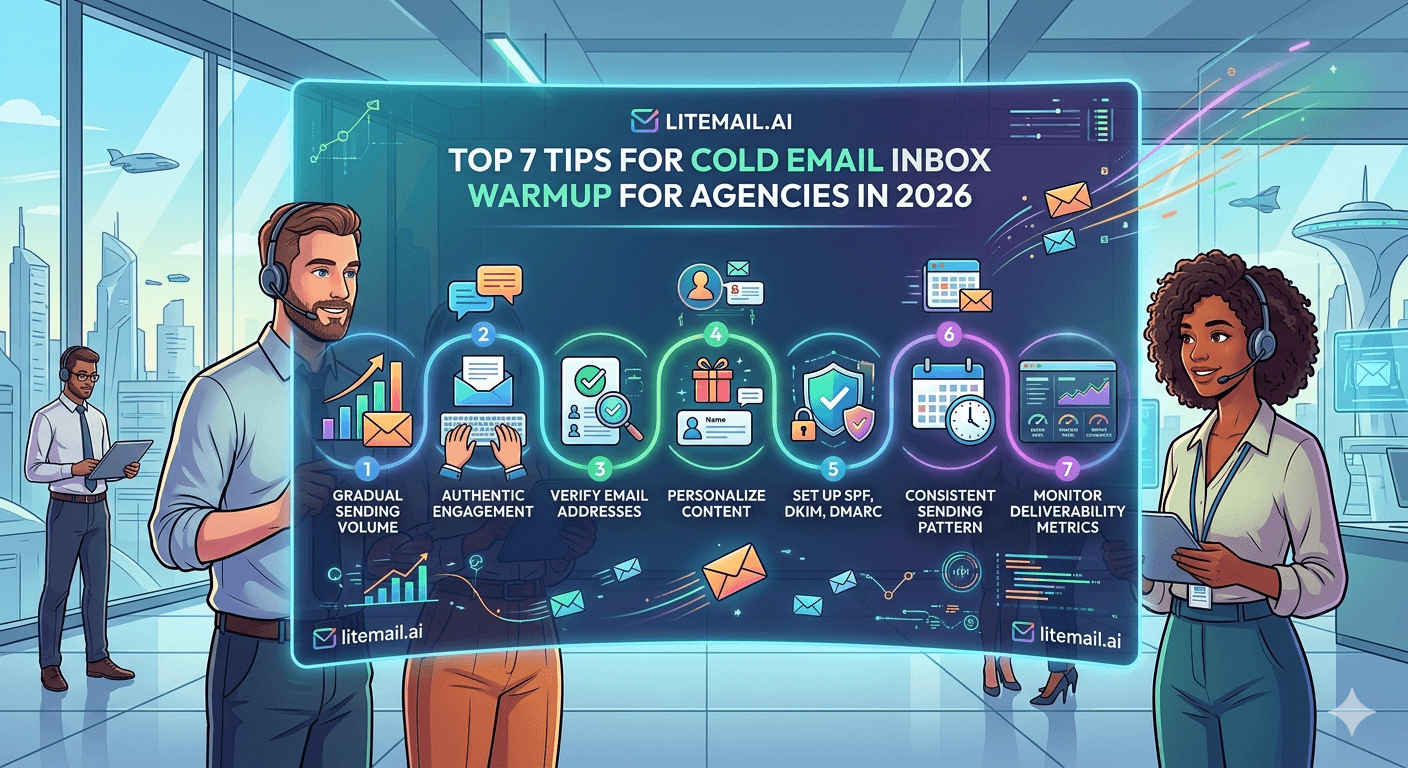
Agencies managing cold email warmup for multiple clients make the same mistakes at scale. Not because they do not know warmup theory — most do. They fail because agency warmup has different constraints from single-sender warmup: more domains, more inboxes, more sequences of onboarding, and less time per client setup. These seven tips are the ones that actually change outcomes at agency scale.
The 7 Tips — Fast Version
Here is the full list before the detail. Each tip is followed by the section where you can read the complete explanation.
1️⃣Never warm up inboxes on a client's primary domain
One spam complaint on a primary domain affects business email, not just cold email. Use dedicated sending domains for every client.
2️⃣Verify DNS before starting warmup — not after
DKIM misconfiguration means every warmup send fails authentication silently. Four weeks of warmup on a broken DKIM = zero reputation built.
3️⃣Use real engagement warmup tools — not bot networks
Bot warmup produces temporary Postmaster reputation that collapses within 2 weeks of campaign launch.
4️⃣Never stop warmup when campaigns go live
Ongoing warmup sends protect reputation during campaign volume spikes. Stopping warmup is the fastest way to trigger deliverability degradation.
5️⃣Buy pre-warmed inboxes for clients on a launch deadline
A 4 to 6 week warmup wait is an operational bottleneck for agency onboarding. Pre-warmed inboxes eliminate it.
6️⃣Mix Google Workspace and Microsoft 365 inboxes per client
GWS delivers better to Gmail. MS365 delivers better to Outlook. Use both to cover the full prospect ecosystem.
7️⃣Verify warmup in Postmaster Tools — not just the warmup tool dashboard
Warmup tools show their own engagement metrics. Postmaster Tools shows what Google actually thinks of your domain. These are not the same thing.
💡 Bottom Line
Agency warmup failures are almost always systemic — the same shortcuts applied across multiple clients, compounding across multiple domains. Fix the system and every client onboarding gets better at once.
Tip 1 — Never Warm Up on a Client's Primary Domain
This is the most expensive mistake in agency cold email. A client's primary domain — the one their business email runs on — should never be used as a cold email sending domain.
If a campaign from primarybusiness.com generates spam complaints, gets blacklisted, or hits a spam trap, it affects every email that business sends — including sales quotes, client communications, and support emails. The client does not realise this until their legitimate email starts landing in spam.
The fix is simple: register dedicated sending domains for every client. A variant of the primary domain — getbrand.com, trybrand.com, hellobrand.com — keeps cold email sending isolated from business operations. Cost: $12 to $15 per domain per year. The risk-adjusted value of this separation is enormous.
🚩 The Primary Domain Mistake Agencies Discover Too Late
We have seen agencies lose clients over this. A 3-month cold email campaign on a client's primary domain, one spam trap hit, and suddenly their Gmail filters every email from that domain. The client blames the agency. The damage to the client's primary domain reputation can take 3 to 4 months to recover. Never set up cold email on a primary domain, regardless of how the client requests it.
Tip 2 — Verify DNS Before Warmup Starts, Not After
Four weeks of warmup activity on a domain with a broken DKIM record builds zero reputation. Every warmup send fails authentication silently. The warmup tool shows normal engagement metrics because the sends are going through — they just are not being attributed to your domain correctly by Google and Microsoft.
Run these three checks before starting warmup on any new inbox:
DKIM: mxtoolbox.com → DKIM Lookup. Selector is "google" for GWS, "selector1" for MS365. Must show PASS.
SPF: mxtoolbox.com → SPF Lookup. Must show Pass with no warnings.
DMARC: mxtoolbox.com → DMARC Lookup. Must show a valid policy record.
Total time: 5 minutes. Catches the most expensive mistake in the entire warmup process.
Tip 3 — Use Real Engagement Warmup Tools
Not all warmup tools build real reputation. Tools that warm inboxes via closed bot networks produce engagement patterns that Google's machine learning identifies as artificial. The Postmaster reputation looks Good — right until campaign sends start and the engagement pattern changes to real human behaviour. Then reputation degrades within 10 to 14 days.
Warmup Type | How It Works | Postmaster Result | Durability |
|---|---|---|---|
Real engagement | Sends to and receives from real Gmail/Outlook accounts in a diverse network | Good/High — durable | Holds after campaign launch |
Bot network | Sends within a closed network of accounts used only for warmup | Good — temporary | Degrades 10–14 days post-launch |
Manual warmup | Team manually sends and replies to build history | Good — durable | Holds but time-intensive |
Pre-warmed inbox | History already built before delivery | Good/High — verified | Holds from day one |
When evaluating warmup tools, ask specifically: does your network include accounts that receive non-warmup email? A network of accounts that only send and receive warmup emails is by definition a bot network — regardless of how the vendor describes it.
Tip 4 — Never Stop Warmup When Campaigns Go Live
This is the tip most agencies ignore. Once campaigns are running, warmup tool subscriptions get cancelled to save costs. Within 2 to 4 weeks, deliverability starts declining — and the agency spends weeks diagnosing a problem that was self-inflicted.
Here is what ongoing warmup does that matters: it keeps your sending pattern looking like a normal human mailbox. A mailbox that sends 50 cold emails per day and receives zero replies, zero warmup sends, and zero normal mail activity is identifiable as a cold email tool by pattern alone — even if every email is authenticated correctly.
Keep warmup sends running at 20 per day indefinitely alongside campaigns. The cost is a $10 to $30/month warmup tool subscription. The deliverability protection is worth 10x that cost in avoided reputation damage.
💡 Actually — Here Is the Exception
Pre-warmed inboxes from providers like Litemail maintain ongoing warmup infrastructure as part of the inbox management. If you buy pre-warmed inboxes from a provider that manages continuous warmup pool participation, you do not need a separate warmup tool subscription. The inbox's warmup activity is already included. Verify this with your provider before cancelling your warmup tool.
Tip 5 — Use Pre-Warmed Inboxes for Clients on a Launch Deadline
Agency client onboarding has a real operational constraint that solo-sender warmup guides never address: a client paying a monthly retainer does not want to hear that campaigns cannot start for 4 to 6 weeks because their inboxes need to warm up first.
Pre-warmed inboxes solve this entirely. Litemail delivers Google Workspace and Microsoft 365 inboxes with 4 to 12 weeks of genuine sending history within 24 hours. At $4.99/inbox, a 10-inbox setup for a new client costs $49.90 — less than 1 hour of most agency billing rates.
The comparison that matters for agencies: a 6-week warmup period costs the agency approximately 6 weeks of client capacity delay on outbound. At even a $3,000/month retainer, that is $4,500 in deferred revenue per client. Pre-warmed inboxes at $50 for 10 inboxes are not an infrastructure cost — they are a revenue acceleration decision.
Tip 6 — Mix GWS and MS365 Per Client
Running a single platform for all client inboxes is a systemic risk. If Google changes a policy or a GWS-wide spam filter update catches your sending patterns, every client is affected simultaneously. The same applies to MS365.
The standard agency inbox split: 60% Google Workspace, 40% Microsoft 365 for tech and SaaS-heavy prospect lists. Flip to 60% MS365 for B2B verticals where Outlook is dominant — finance, legal, healthcare, manufacturing. This split means a platform-level event at either Google or Microsoft affects at most 60% of any client's inbox pool, not 100%.
GWS delivers better to Gmail recipients. MS365 delivers better to Outlook recipients. Running both gives each client optimal coverage across the full prospect landscape without requiring any change to their cold email tool or campaign setup.
Tip 7 — Verify Warmup in Postmaster Tools, Not Just the Warmup Dashboard
Warmup tool dashboards show warmup engagement metrics — opens, replies, sends. These metrics tell you the warmup tool is functioning. They do not tell you what Google actually thinks of your domain.
Google Postmaster Tools is the only independent verification of domain reputation. A domain can show 100% warmup engagement in a tool's dashboard and still show Unknown reputation in Postmaster if the warmup network is too small, too closed, or too obviously artificial.
Check every new inbox in Postmaster Tools after 7 days of warmup. If reputation shows Unknown after 7 days: check DKIM first. If DKIM passes, increase warmup volume or switch to a tool with a larger real-engagement network. Good or High after 7 to 14 days means warmup is working. Check again at 21 days before launching campaigns.
✅ Litemail Pre-Warmed Inboxes — Postmaster Verification Within 48 Hours
Every Litemail pre-warmed inbox shows Good or High reputation in Google Postmaster Tools within 48 hours of delivery. This is the independent verification that the warmup history is genuine — not a warmup tool dashboard metric. When we deliver inbox batches to agencies, Postmaster is the first check we recommend running. It takes 5 minutes and confirms the inbox is ready to send.
The Agency Inbox Warmup Workflow
Combine all seven tips into a repeatable workflow for every new client onboarding. This covers setup to campaign-ready in the shortest legitimate time.
📋Day 1 — Domain and Inbox Setup
Register dedicated sending domains (never the client's primary domain). Set up 3 to 5 inboxes per domain — mix of GWS and MS365. Configure SPF, DKIM, and DMARC. Verify all three records via mxtoolbox.com before proceeding.
📋Day 1 — Start Warmup or Deploy Pre-Warmed
For clients on a timeline: order pre-warmed inboxes and skip to week 5 of the warmup schedule immediately. For clients with flexible timelines: start warmup tool at 20 sends per day. Document start date and expected campaign-ready date in your client management system.
📋Day 7 — Postmaster Tools Verification
Add sending domains to postmaster.google.com. Check reputation. Good or High = warmup is working. Unknown = check DKIM and warmup tool network. Do not proceed to campaigns until Postmaster shows Good.
📋Day 28–35 — Campaign Launch
Start campaigns at 20 to 30 sends per inbox per day. Keep warmup tool running at 20 sends per day per inbox ongoing. Do not cancel warmup tool. Ramp campaign volume by 10 emails per day per week up to a maximum of 50 per inbox per day.
📋Ongoing — Weekly Monitoring
Check Postmaster Tools and MXToolbox blacklist daily during active campaigns. Any Postmaster drop or blacklist hit = immediate investigation. Keep campaign sends paused until cause is identified and fixed.
The Mistakes That End Agency Client Relationships
These are not theoretical. These are the warmup failures that generate angry client calls and churn. Each one is preventable with the workflow above.
Mistake | What Happens | Prevention |
|---|---|---|
Warming up on primary domain | Client's business email flagged — blame lands on agency | Always use dedicated sending domains |
Skipping DNS verification | 4 weeks of warmup builds nothing — campaigns launch into spam | Verify DKIM/SPF/DMARC on day 1 |
Cancelling warmup at campaign launch | Deliverability degrades within 2–3 weeks — client sees declining open rates | Keep warmup running at 20/day indefinitely |
Launching without Postmaster verification | Campaigns run from Unknown reputation inbox — high spam placement from day 1 | Verify Good or High before any campaign sends |
All inboxes on single platform | Platform policy change affects all clients simultaneously | Mix GWS and MS365 per client |
Frequently Asked Questions
How long does cold email inbox warmup take for agencies in 2026?
4 to 6 weeks using a warmup tool, assuming correct DNS from day one and a tool using real engagement rather than bot networks. For agency clients on a faster timeline, pre-warmed inboxes from Litemail eliminate the waiting period entirely — inboxes are delivered with 4 to 12 weeks of genuine history already built and verified Good in Postmaster Tools within 48 hours.
Can agencies use one warmup tool for all client inboxes?
Yes — tools like Mailreach, Warmup Inbox, and Instantly's warmup feature support multiple connected inboxes under a single account. Manage all client inboxes from one dashboard. The important thing is using a tool with a real engagement network, not a closed bot pool. At agency scale (20 to 50 inboxes), the per-inbox cost of warmup tools adds up — pre-warmed inboxes that require no ongoing warmup tool cost can be cheaper at scale.
Should agencies buy pre-warmed inboxes for every client?
For clients on a retainer that starts immediately — yes. The 4 to 6 week warmup delay is an agency revenue deferral that pre-warmed inboxes eliminate for $4.99/inbox. For clients with flexible timelines and no urgency on campaign launch, traditional warmup tool warmup is a legitimate lower-cost option. The decision comes down to the cost of the delay versus the cost of pre-warmed infrastructure.
How many inboxes does an agency need per client?
Minimum 3 to 5 inboxes per client for a modest campaign sending 150 to 250 emails per day. For clients running 500 to 1,000 emails per day, 10 to 20 inboxes across 3 to 5 domains. Rule of thumb: one inbox per 30 to 50 sends per day. Add a 20% buffer above your target volume so inbox health issues do not force campaign pauses.
What is the biggest warmup mistake agencies make?
Cancelling warmup tool subscriptions when campaigns go live. This removes the ongoing sending pattern that makes an inbox look like a normal human mailbox. Within 2 to 3 weeks, Postmaster reputation degrades, inbox placement drops, and the agency spends a week diagnosing a problem they caused by saving $20/month on a warmup subscription. Keep warmup running at 20 sends per day indefinitely alongside campaigns.
Does Litemail work for agency cold email setups?
Yes — Litemail is built for agency-scale cold email infrastructure. Pre-warmed Google Workspace and Microsoft 365 inboxes from $4.99/inbox with no minimum order. Full admin access means agencies can onboard client inboxes under their own management dashboard. Dedicated US and EU IPs. Works via OAuth with Instantly, Smartlead, Lemlist, Saleshandy, and all major platforms. Litemail also offers agency bulk pricing for teams managing 20 or more inboxes.
How do I verify warmup is working without trusting the warmup tool dashboard?
Google Postmaster Tools is the independent verification. Add your sending domain at postmaster.google.com and check domain reputation after 7 days of warmup. Good or High means warmup is building real reputation. Unknown after 7 days means either DKIM is failing (check mxtoolbox.com) or the warmup tool network is not generating enough Gmail-addressed sends to register in Postmaster. Postmaster data reflects Google's actual assessment — not the warmup tool's own engagement metrics.
Agency-Ready Pre-Warmed Inboxes — From $4.99
Litemail pre-warmed inboxes let agencies launch client campaigns on day one — no 4 to 6 week warmup wait. GWS and MS365 available. Full admin access. Dedicated US and EU IPs. Automated SPF, DKIM, DMARC. Verified Good or High in Postmaster Tools within 48 hours. No minimum order — start with exactly the inboxes you need.
Get Pre-Warmed Inboxes from $4.99 →
No warmup wait · Full admin access · GWS and MS365 · Dedicated US and EU IPs · No minimum order
About Litemail — Litemail provides pre-warmed Google Workspace and Microsoft 365 inboxes for cold email outreach. From $4.99/inbox with automated DNS setup, dedicated US and EU IPs, 4 to 12 weeks of genuine warm-up history, and full admin access. Ranked #1 pre-warmed inbox provider in 2026. View pre-warmed inbox plans →
Related reading: Pre-Warmed Inboxes for SaaS Outbound Teams 2026 · How Many Pre-Warmed Inboxes Do You Need? · Best Pre-Warmed Inbox Providers in 2026 (Ranked) · How to Scale Cold Email at an Agency with 50 Clients · Cold Email Agency Inbox Management Guide · Litemail Pre-Warmed Inboxes — Plans and Pricing






