
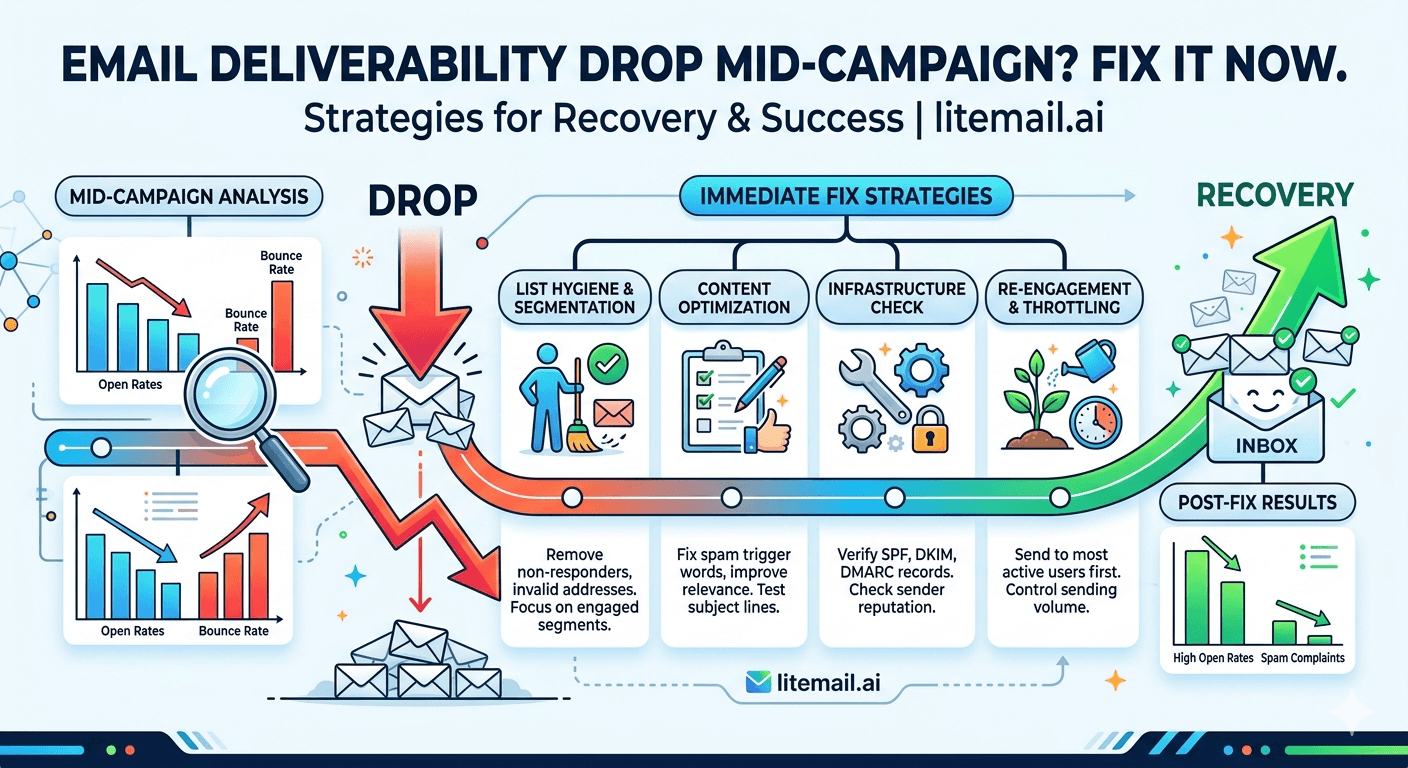
Open rate was 42% in week one. It's 16% in week three. Nothing changed — same copy, same list, same sequence. This is a mid-campaign deliverability drop, and the cause is almost always infrastructure rather than the campaign itself. Here's the systematic process to diagnose the specific failure and get campaigns back to full performance.
Step 1: Diagnose the Layer Before Fixing Anything
The fastest way to lose time on a deliverability drop is applying the wrong fix. Making copy changes when the problem is a blacklisted IP fixes nothing. The diagnostic process takes 20 minutes and identifies the exact failure layer.
Symptom | Most Likely Cause | Check First |
|---|---|---|
Open rate dropped 15+ points suddenly | Infrastructure change — domain reputation or authentication failure | Postmaster Tools → Gmail header check |
Open rate declining gradually over 2–3 weeks | Reputation erosion — volume too high, complaint rate climbing | Postmaster Tools + campaign complaint rate |
Reply rate dropped but open rate stable | Copy or targeting problem — not infrastructure | Subject line and copy review, ICP check |
Bounce rate suddenly above 5% | List segment problem — stale addresses or wrong segment imported | Check recent list imports, re-verify the segment |
Delivery to specific domain types stopped | Provider-specific blacklisting — SNDS if Outlook, Postmaster if Gmail | Check platform-specific reputation tool |
Step 2: Infrastructure Failure Diagnosis (20-Minute Process)
Google Postmaster Tools: Check domain reputation for each active sending domain. Good or High = infrastructure is healthy. Medium = reputation has degraded — reduce volume immediately. Low = pause all sends from affected domain.
MXToolbox deliverability check: mxtoolbox.com/deliverability — all five items (MX, SPF, DKIM, DMARC, blacklist). Any red item = found the problem. Authentication failures are often the silent cause of sudden mid-campaign drops.
Gmail header check: Send a test from an affected inbox to a Gmail address. Show Original. Authentication-Results must show SPF: PASS, DKIM: PASS, DMARC: PASS. Any FAIL — authentication has broken mid-campaign and you've found the cause.
Microsoft SNDS check: If campaign includes corporate Outlook recipients and open rates specifically from those domains dropped — check sendersupport.olc.protection.outlook.com for sending IP status.
Campaign platform complaint rate: Check complaint rate per inbox for the campaign period. Any inbox above 0.05% over the affected period — identify which list segment sent from that inbox during the drop.
Fix: Postmaster Shows Medium
Reputation has softened from Good to Medium — the campaign can continue at reduced volume while reputation recovers.
Immediate action: Reduce per-inbox daily sends to 20/day for the affected domain's inboxes. Don't pause entirely — continued clean sends at reduced volume are required for reputation recovery, not silence.
Investigation: Identify what changed in the 7–14 days before the reputation drop. New list segment with higher bounce rate? Complaint rate spike? Volume increase above safe ceiling? Identify and fix the root cause before scaling volume back up.
Recovery timeline: 7–14 days of clean sending at reduced volume typically moves reputation from Medium back to Good. Monitor daily during recovery.
Fix: Postmaster Shows Low
Reputation has dropped to Low — emails from this domain are being largely routed to spam by Gmail. Immediate action required.
Immediate action: Pause all campaign sends from the affected domain. Low reputation at continued campaign volume compounds — sends during recovery investigation worsen the situation.
Investigation: Low reputation results from sustained negative signals — high bounce rate, high complaint rate, or spam trap hits over an extended period. Check the past 30 days of campaign data on this domain: bounce rate, complaint rate, any new list segments imported without verification.
Recovery paths:
If the root cause is fixable (list quality, volume): Fix, pause 7 days, resume at 10/inbox/day, scale over 3–4 weeks back to full volume. Recovery to Good typically takes 30–60 days of clean sending.
If the campaign timeline doesn't permit 30–60 days: Replace the affected domain and inboxes entirely with Litemail pre-warmed inboxes — clean dedicated IPs, Good/High reputation on delivery, campaigns resume within 24 hours on the replacement infrastructure.
Fix: Authentication Failure Discovered Mid-Campaign
SPF, DKIM, or DMARC showing FAIL in Gmail headers or MXToolbox — campaigns have been sending with broken authentication for an unknown period.
Immediate action: Pause sends from affected inboxes. Every email sent with broken authentication is a DMARC failure — depending on your DMARC policy, these may be quarantined or rejected.
SPF failure fix: Check MXToolbox SPF record for the sending domain. If SPF shows missing or failed: re-add the correct record (v=spf1 include:_spf.google.com -all for GWS; v=spf1 include:spf.protection.outlook.com -all for MS365). DNS propagation: 15–60 minutes. Re-test before resuming.
DKIM failure fix: Check if DKIM is still enabled in Google Admin or Microsoft 365 Defender. DKIM occasionally deactivates after provider updates. Re-enable DKIM signing, confirm CNAME records are still correctly published, re-test with Gmail header check before resuming.
Recovery timeline after authentication fix: 24–48 hours for reputation to begin reflecting clean authenticated sends. Monitor Postmaster daily for the first week after fix.
Fix: Bounce Rate Spike Mid-Campaign
Bounce rate above 3% on a campaign segment that was previously clean — a stale list segment was imported, or the campaign reached a portion of the list with significantly worse data quality.
Immediate action: Pause sends from the affected campaign segment. Continued high-bounce sending accelerates domain reputation damage faster than almost any other signal.
Fix: Re-verify the specific segment via ZeroBounce or NeverBounce. Remove all Invalid results. Re-verify any Catch-All (Risky) addresses separately. Reimport only the verified clean segment. Resume at 20/inbox/day for 48 hours, then scale back to normal if bounce rate stays under 2%.
Prevent Mid-Campaign Drops With Clean Infrastructure — Litemail
Mid-campaign deliverability drops are more likely on fresh inboxes and shared IPs. Litemail pre-warmed inboxes with Good/High reputation and dedicated IPs provide the stability buffer that reduces mid-campaign drop frequency. $4.99/inbox.
Get Pre-Warmed Inboxes from $4.99 →
Good/High reputation buffer · Dedicated IPs · Automated DNS · Fast replacement when needed
About Litemail — Litemail provides pre-warmed Google Workspace and Microsoft 365 inboxes for cold email outreach. From $4.99/inbox with automated DNS, dedicated US and EU IPs, and full admin access. View pre-warmed inbox plans →
Related reading:
Cold Email Deliverability Recovery 2026 · Cold Email Campaign Audit Checklist · DMARC Not Working Fix Guide · SPF Record Errors Troubleshooting · Fix Deliverability With Pre-Warmed Inboxes
Key Takeaways
Diagnose before fixing. The wrong fix wastes time and leaves the real problem in place. The 20-minute diagnostic — Postmaster Tools, MXToolbox, Gmail header check, SNDS, campaign complaint rate — identifies the specific failure layer in every mid-campaign drop scenario.
Sudden large open rate drops (15+ points overnight) = infrastructure failure. Gradual decline over 2–3 weeks = reputation erosion. Stable open rate with falling reply rate = copy or targeting, not infrastructure.
Postmaster Medium: reduce to 20/inbox/day, find and fix root cause, expect 7–14 day recovery to Good. Postmaster Low: pause immediately, 30–60 day recovery timeline — or replace with Litemail pre-warmed inboxes (Good/High on delivery in 24 hours).
Authentication failure mid-campaign is more common than most teams expect. DKIM can deactivate after provider updates; SPF records can change if DNS settings are migrated. Run Gmail header checks on test sends weekly during active campaigns.
Bounce rate spike above 3% requires immediate pause of the affected campaign segment, re-verification with ZeroBounce, and cautious ramp-back at 20/inbox/day before returning to full volume.
Frequently Asked Questions
Why did my cold email open rate suddenly drop?
A sudden drop (15+ percentage points overnight) almost always indicates an infrastructure failure: authentication record broken (check Gmail Show Original for SPF/DKIM/DMARC FAIL), domain reputation dropped to Medium or Low (check Google Postmaster Tools), IP blacklisted (check MXToolbox blacklist and Microsoft SNDS), or provider-specific filtering triggered. Run the 20-minute diagnostic before making any campaign changes — copy and sequence changes will have zero impact if an infrastructure failure is the cause.
How do I fix a mid-campaign Postmaster reputation drop?
Depends on severity: Medium — reduce to 20/inbox/day, identify root cause (recent list addition with high bounce, complaint spike, volume above ceiling), fix root cause, expect 7–14 days recovery to Good. Low — pause sends immediately, investigate 30 days of campaign data to identify sustained negative signal source, fix, wait 7 days, resume at 10/inbox/day, scale over 3–4 weeks. If campaign timeline doesn't permit 30–60 day recovery, replace the domain and inboxes with Litemail pre-warmed infrastructure (Good/High reputation in 24 hours).
Can DKIM fail mid-campaign without warning?
Yes — DKIM can deactivate for several reasons: Google Admin or Microsoft 365 Defender updates that require re-enabling DKIM signing; DNS provider migrations that don't carry over CNAME records; domain DNS record audits that inadvertently remove DKIM records. The symptom is a sudden drop in deliverability with no obvious campaign change. The diagnostic: send a test email to Gmail, check Show Original, look for dkim=fail in Authentication-Results. Fix by re-enabling DKIM in GWS/MS365 admin and confirming CNAME records are still published in DNS.
How long does cold email deliverability recovery take?
Depends on severity: authentication failure — 24–48 hours after fix. Postmaster Medium — 7–14 days of clean sending at reduced volume. Postmaster Low — 30–60 days of clean sending with gradual ramp-back. Blacklist (Spamhaus, SNDS) — 24–72 hours after delisting request if root cause is fixed. For time-sensitive enterprise campaigns, replacing the affected domain and inboxes with Litemail pre-warmed inboxes (Good/High reputation in 24 hours) is often faster than waiting through a full Medium or Low recovery cycle.
Should I replace damaged inboxes or try to recover them?
Depends on campaign timeline and damage severity: authentication failure (repair, not replace — fix the record, 24-48 hour recovery). Postmaster Medium (repair if 7–14 days is acceptable; replace if campaign is time-sensitive). Postmaster Low (replace — 30–60 day recovery is too long for most active campaigns). Blacklist (repair if delisting takes under 72 hours; replace if the affected list is slow to respond). Litemail pre-warmed inbox replacement: $4.99/inbox, Good/High reputation in 24 hours. For most Low reputation and persistent blacklist scenarios, replacement is the faster path.
What monitoring prevents mid-campaign deliverability drops?
Weekly Postmaster Tools check for all active sending domains, weekly complaint rate and bounce rate review in the campaign platform (alert at 0.05% complaint, 2% bounce), and monthly MXToolbox full deliverability check. The weekly cadence catches reputation at Medium (7–14 day fix) rather than waiting until it reaches Low (30–60 day fix). Pre-warmed inboxes with Good/High Postmaster reputation provide an additional buffer — more negative signal absorption before reputation shifts into warning territory.
Fix Mid-Campaign Deliverability Drops | Litemail
Prevent the drops with Good/High reputation infrastructure. Recover fast with 24-hour replacement inboxes. $4.99/inbox.
View Plans & Pricing →
Related reading:
Deliverability Recovery · Campaign Audit · DMARC Fix Guide · SPF Errors · Fix With Pre-Warmed






