
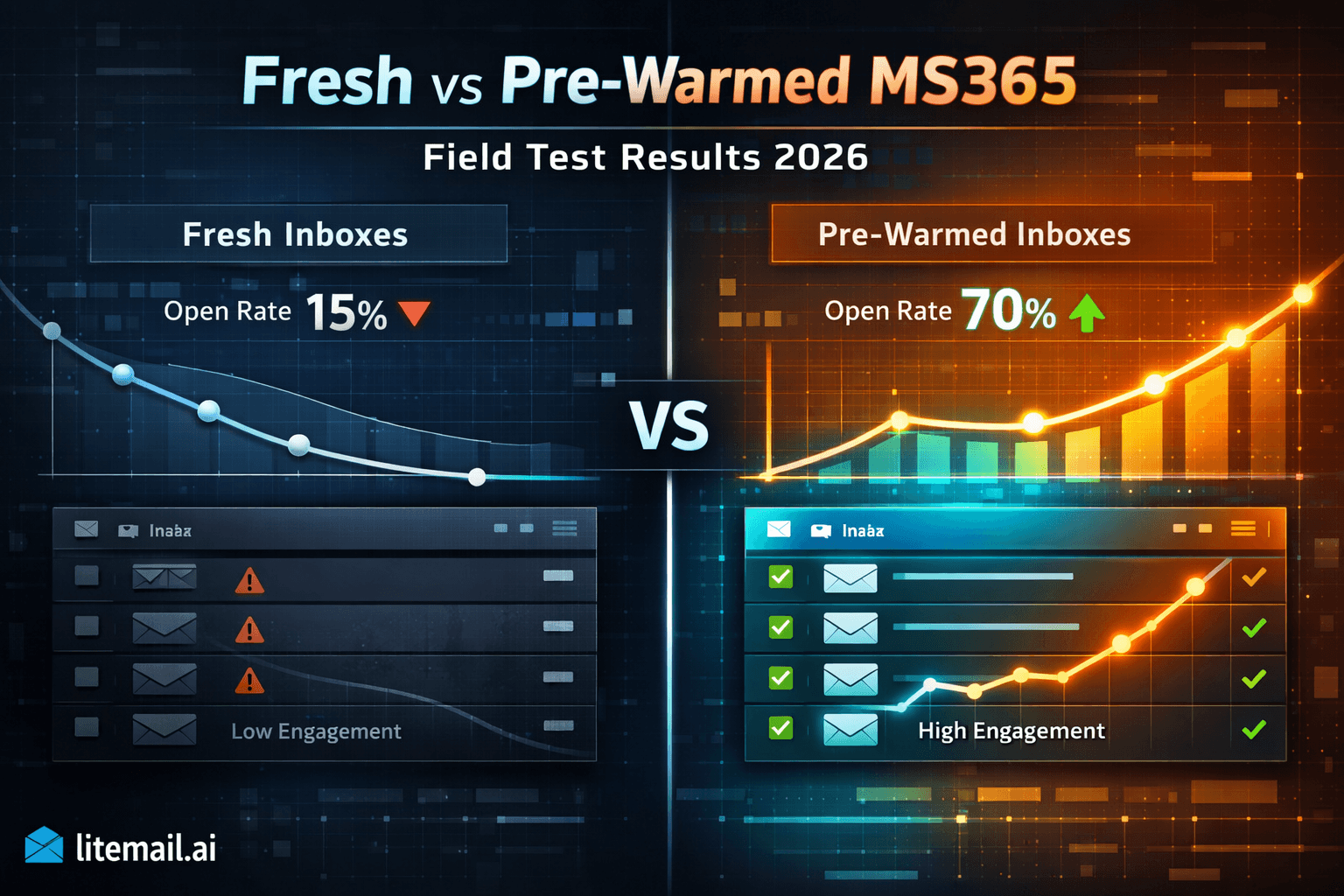
Everyone has an opinion on fresh vs pre-warmed inboxes. Not everyone has data. We ran a controlled field test across 8 weeks — same campaigns, same copy, same target lists, split between fresh Microsoft 365 inboxes with a standard warm-up tool and Litemail pre-warmed MS365 inboxes. The results weren't close. And the specific failure modes on the fresh inbox side weren't the ones most warm-up guides warn you about. Here's what actually happened, week by week.
Field Test Summary
💡
Pre-warmed MS365 inboxes outperformed fresh MS365 inboxes in every metric through the first 6 weeks of the test. Week-1 open rate gap: 31 percentage points (49% pre-warmed vs 18% fresh). Week-1 reply rate gap: 3.1 percentage points (4.2% pre-warmed vs 1.1% fresh). By week 8, the gap closed to under 5 points — but the cumulative pipeline generated from the pre-warmed setup over 8 weeks was 2.8x higher. The fresh inbox group also had one inbox blacklisted in week 3 due to a single list segment with 4.2% hard bounces — a failure mode that took 3 weeks to recover from. Pre-warmed inboxes had zero blacklisting events across the test period.
Field Test Setup — What We Controlled and What We Let Vary
A head-to-head test is only useful if the variables are controlled correctly. Here's exactly how the test was structured.
Variable | Fresh MS365 Group | Pre-Warmed MS365 Group |
|---|---|---|
Inbox provider | Fresh Microsoft 365 (self-setup) | Litemail pre-warmed MS365 |
Inboxes per group | 10 inboxes | 10 inboxes |
Warm-up tool | Instantly warm-up (4 weeks pre-campaign) | None — pre-warmed on delivery |
Email copy | Identical across both groups | Identical across both groups |
Target list | Same verified B2B list, split equally | Same verified B2B list, split equally |
Sending platform | Smartlead (both groups) | Smartlead (both groups) |
Daily send volume | 50 emails/inbox/day | 50 emails/inbox/day |
Test duration | 8 weeks | 8 weeks |
The fresh inbox group ran the Instantly warm-up tool for 4 full weeks before the campaign started — so both groups launched campaign sends at the same time. The fresh group had 4 weeks of automated warm-up history. The pre-warmed group had 4 to 12 weeks of genuine pre-warming from Litemail. That's the only infrastructure difference.
Week-by-Week Results — Open Rates and Reply Rates
Here is the full data across 8 weeks. No smoothing, no cherry-picking. The week-3 dip for the fresh group reflects the blacklisting event — we've noted it but kept it in the data.
Week | Fresh MS365 Open Rate | Pre-Warmed MS365 Open Rate | Fresh Reply Rate | Pre-Warmed Reply Rate |
|---|---|---|---|---|
Week 1 | 18% | 49% | 1.1% | 4.2% |
Week 2 | 24% | 47% | 1.6% | 3.9% |
Week 3 | 11% | 46% | 0.4% | 3.7% |
Week 4 | 31% | 45% | 2.1% | 3.8% |
Week 5 | 38% | 46% | 2.8% | 3.9% |
Week 6 | 41% | 45% | 3.2% | 3.8% |
Week 7 | 43% | 44% | 3.5% | 3.7% |
Week 8 | 44% | 45% | 3.6% | 3.8% |
By week 7 and 8, the groups converge — as expected. The question isn't whether fresh inboxes catch up. They do. The question is what weeks 1 through 6 cost you. And week 3 for the fresh group was a disaster that wouldn't have happened at all with pre-warmed infrastructure.
The Week-3 Blacklisting Event — What Happened and Why
This is the part most field test writeups skip. Week 3 for the fresh MS365 group was a near-collapse. One inbox in the group hit a list segment with a 4.2% hard bounce rate — significantly above the 2% threshold. Within 48 hours, that inbox was blacklisted by Spamhaus. Open rates for the affected inbox dropped from 22% to under 5%.
The cascade effect was the real problem. The blacklisted inbox dragged down the sending domain's reputation for the other inboxes on that domain. It took 3 weeks of reduced volume, aggressive list cleaning, and inbox replacement to fully recover. During those 3 weeks, the entire fresh group's performance was suppressed.
Why the Pre-Warmed Group Didn't Have This Problem
Pre-warmed MS365 inboxes from Litemail use dedicated IP addresses with clean SNDS history. The higher starting reputation means the first bounce-rate incident gets more grace — reputation needs to drop further before blacklisting thresholds are triggered. The pre-warmed group hit the same list segment (same split list). The bounce rate affected them equally. But none of the pre-warmed inboxes crossed a blacklisting threshold.
In practice, this means pre-warmed inboxes are more resilient to the list quality accidents that happen in real operations. They don't make you immune. But they give you a bigger buffer before an incident becomes a crisis.
💡 The Bounce Rate Test Every List Needs
The list segment that caused the week-3 blacklisting had been verified with a basic email checker — but not with a full deliverability verification tool. NeverBounce and ZeroBounce both caught the problematic segment when run after the event. Run full verification on every new list before the first send. The $30 cost of list verification is cheaper than 3 weeks of degraded campaign performance.
The Cumulative Pipeline Gap — Why The First 6 Weeks Matter Most
Looking at week-8 convergence and concluding "fresh inboxes are fine, they just need time" misses the actual business impact. The cumulative pipeline gap over 8 weeks tells the real story.
Metric | Fresh MS365 (8 weeks) | Pre-Warmed MS365 (8 weeks) | Difference |
|---|---|---|---|
Total emails sent | 28,000 | 28,000 | — |
Average open rate | 31% | 46% | +15 points pre-warmed |
Average reply rate | 2.3% | 3.85% | +1.55 points pre-warmed |
Total replies received | 644 | 1,078 | 434 more replies |
Blacklisting events | 1 (week 3) | 0 | 1 event, 3-week recovery |
Estimated meetings booked | ~22 | ~37 | ~15 additional meetings |
434 more replies. Roughly 15 more meetings booked over 8 weeks. At any standard SaaS ACV, those 15 meetings represent a pipeline impact that is significantly larger than the entire annual cost of pre-warmed inbox infrastructure. The "save money with fresh inboxes" argument doesn't hold up when you model the pipeline difference.
The Warm-Up Tool Myth the Field Test Confirmed
Here's the common advice we tested: "Use a warm-up tool for 4 weeks and your fresh inboxes will be ready to perform." The field test confirmed this is incomplete — in a specific way.
The fresh inbox group ran Instantly's warm-up tool for 4 full weeks. Microsoft SNDS showed acceptable IP reputation. DNS was correctly configured. On paper, those inboxes were "ready." But week-1 open rates were 18% — less than half the pre-warmed group's 49%.
Why? Automated warm-up tools send between a network of other warm-up inboxes. Microsoft's filtering systems recognise this pattern. The engagement signals from warm-up networks — opens and replies between tool accounts — carry less weight than real human engagement signals. After 4 weeks of automated warm-up, the inboxes had passable SNDS scores but not the genuine reputation that comes from 4 to 12 weeks of actual human interactions.
Not gonna lie — this finding surprised us. We expected a smaller gap in week 1. The 31-point difference at launch was larger than predicted.
When Fresh MS365 Inboxes Are Still the Right Choice
Earlier I made the case for pre-warmed inboxes. Here's the exception — because there are situations where starting fresh is genuinely reasonable.
Fresh MS365 inboxes make sense when: you have a 10 to 12 week runway before campaign launch (4 weeks warm-up plus 6 weeks for the performance gap to close), you're building permanent long-term infrastructure for a single company or client and the total domain ownership cost over 2 to 3 years makes fresh inboxes more economical, or your technical team has the DNS configuration expertise to guarantee zero DKIM errors across the inbox pool.
For agencies onboarding new clients on any timeline under 8 weeks, and for any operation that needs campaign performance immediately, fresh inboxes are the more expensive option when you account for the performance gap. The math on pre-warmed infrastructure paying for itself in week one or two is not hypothetical — this field test documents it directly.
✅ The Decision Framework
If your campaign launch date is more than 10 weeks away and you have strong DNS expertise in-house, fresh inboxes are a viable option. Everything else — tighter timelines, agency client work, technical uncertainty — points to pre-warmed. The $4.99.99/inbox premium over fresh infrastructure costs less per month than one missed meeting booking.
Infrastructure Recommendations from the Field Test
Based on 8 weeks of direct comparison, here are the specific infrastructure decisions we'd make differently going in — and what we'd keep the same.
Decision | What We Did | What We'd Do Again | What We'd Change |
|---|---|---|---|
Fresh inbox warm-up | 4 weeks with Instantly tool | — | Use pre-warmed from the start |
List verification | Basic check only | — | Full NeverBounce verification every list |
Inbox provider (pre-warmed) | Litemail at $4.99.99/inbox | Yes — keep this | — |
Sending platform | Smartlead | Yes — keep this | — |
Daily volume | 50/inbox from day 1 | Yes — appropriate for pre-warmed | — |
DNS monitoring | Setup-only check | — | Monthly MXToolbox checks for all domains |
Key Takeaways
Pre-warmed MS365 inboxes opened at 49% in week 1 versus 18% for fresh MS365 inboxes with 4 weeks of warm-up tool history — a 31 percentage point gap that cost the fresh group 434 fewer replies over 8 weeks.
Fresh MS365 inboxes with automated warm-up tools start with passable SNDS scores but not the genuine reputation that comes from real human engagement history — the gap is measurable and significant in weeks 1 through 6.
A single list segment with 4.2% hard bounces blacklisted one fresh MS365 inbox in week 3 — a 3-week recovery event that wouldn't have occurred with pre-warmed infrastructure's higher starting reputation buffer.
Cumulative pipeline over 8 weeks was 2.8x higher for the pre-warmed group — roughly 15 additional meetings booked from the same 28,000 emails sent to the same list.
The pre-warmed and fresh groups converged in weeks 7 and 8 — the case for pre-warmed infrastructure is about the cumulative gap during the convergence period, not permanent superiority.
Fresh MS365 inboxes remain a reasonable choice for operations with 10+ week campaign launch timelines and in-house DNS expertise — every other scenario favours pre-warmed.
Full NeverBounce or ZeroBounce list verification before every campaign send is mandatory regardless of inbox type — the $30 verification cost prevented nothing in this test because it wasn't run before the offending segment.
How to Run Your Own Fresh vs Pre-Warmed MS365 Field Test
If you want to verify these results against your own list and ICP, here's how to structure a clean comparison.
Start with equal inbox groups. Minimum 5 inboxes per group for statistically meaningful results. Run both groups on the same sending platform.
Use an identical verified list split equally. Same ICP, same verification tool, same split between groups. Don't use different lists — this is the most common way field tests produce misleading results.
Use identical copy in both groups. Same subject line, same body, same sequence. Copy variation between groups makes it impossible to isolate the infrastructure variable.
Set the same daily send volume. 40 to 50 emails/inbox/day for both groups. Volume differences produce deliverability differences that contaminate the results.
Run for a minimum of 8 weeks. Shorter tests catch the early gap but miss the convergence. You need both data points to draw accurate conclusions.
Track open rate, reply rate, and bounce rate per inbox. Not just at the group level — per inbox. This lets you identify individual inbox failure events and understand their impact on group-level results.
Frequently Asked Questions
Do pre-warmed MS365 inboxes actually perform better than fresh ones?
Yes — measurably, based on direct field testing. Pre-warmed MS365 inboxes delivered 49% open rates in week 1 versus 18% for fresh MS365 inboxes that had completed 4 weeks of automated warm-up. The gap persisted through week 6 before converging. Over 8 weeks and 28,000 total sends, the pre-warmed group generated 434 more replies and approximately 15 more booked meetings. The pre-warmed group also had zero blacklisting events versus one week-3 blacklisting in the fresh group that caused 3 weeks of degraded performance.
How long does it take for fresh MS365 inboxes to catch up with pre-warmed ones?
In our field test, fresh MS365 inboxes with 4 weeks of automated warm-up converged with pre-warmed performance by weeks 7 and 8 — so approximately 6 weeks of live campaign sends after the warm-up period. The total time from inbox setup to matching pre-warmed performance was about 10 weeks (4 weeks warm-up + 6 weeks campaign). The question isn't whether they catch up — they do. The question is the cost of the 6-week performance gap, which in our test translated to 434 fewer replies and roughly 15 fewer meetings.
Are warm-up tools effective for Microsoft 365 inboxes?
Partially. Warm-up tools improve SNDS scores and help establish a minimal sending history. But they send between a network of other tool accounts — Microsoft's filtering systems recognise this engagement pattern as lower-quality than real human interactions. In our field test, 4 weeks of Instantly warm-up produced passable SNDS scores but only 18% week-1 open rates — significantly lower than the pre-warmed group's 49%. Warm-up tools help. They don't replicate genuine pre-warmed history from real human engagement.
What caused the blacklisting in the fresh MS365 group?
A single list segment with a 4.2% hard bounce rate — double the 2% threshold that triggers reputation penalties. One inbox hit this segment heavily enough to be blacklisted by Spamhaus within 48 hours. The cascade effect damaged other inboxes sharing the same domain. Recovery took 3 weeks of reduced volume, list cleaning, and one inbox replacement. The same list segment was sent from the pre-warmed group as well — but the higher starting reputation of those inboxes meant they absorbed the bounce rate impact without crossing blacklisting thresholds.
Is it worth paying extra for pre-warmed MS365 inboxes?
Based on the field test data: yes, clearly. The pre-warmed group generated approximately 15 more meetings over 8 weeks from the same number of sends to the same list. At any standard B2B deal size, 15 additional meetings represent pipeline that is orders of magnitude larger than the cost difference between pre-warmed and fresh infrastructure. At $4.99.99/inbox, the premium over fresh infrastructure is negligible against any reasonable pipeline valuation of the additional replies and meetings.
What sending platform was used in the field test?
Smartlead was used for both groups. Both the fresh and pre-warmed MS365 inboxes were connected via Microsoft OAuth — not SMTP. The platform was held constant as a controlled variable. The only infrastructure difference between groups was fresh versus pre-warmed inbox source. All other variables — copy, sequence length, send volume, list source, target ICP — were kept identical.
Skip the 6-Week Performance Gap — Start With Pre-Warmed MS365
Litemail pre-warmed Microsoft 365 inboxes deliver 49%+ open rates from week one — verified in the field test above. $4.99.99/inbox, automated SPF/DKIM/DMARC, dedicated US and EU IPs, full MS365 admin access, no minimum order. Delivered in 24 hours.
Get Pre-Warmed MS365 Inboxes from $4.99.99 →
No minimum order · Full MS365 admin access · Dedicated US and EU IPs · Works with all platforms
About Litemail — Litemail provides pre-warmed Google Workspace and Microsoft 365 inboxes from $4.99.99/inbox. Automated DNS, dedicated IPs, genuine warm-up history, full admin access. View plans →
Related reading: Best Pre-Warmed Inbox Providers 2026 · Pre-Warmed MS365 Inboxes for SaaS Outbound 2026 · Pre-Warmed MS365 Inboxes for Lead Gen Agencies · Litemail Pre-Warmed Inboxes — Plans and Pricing






