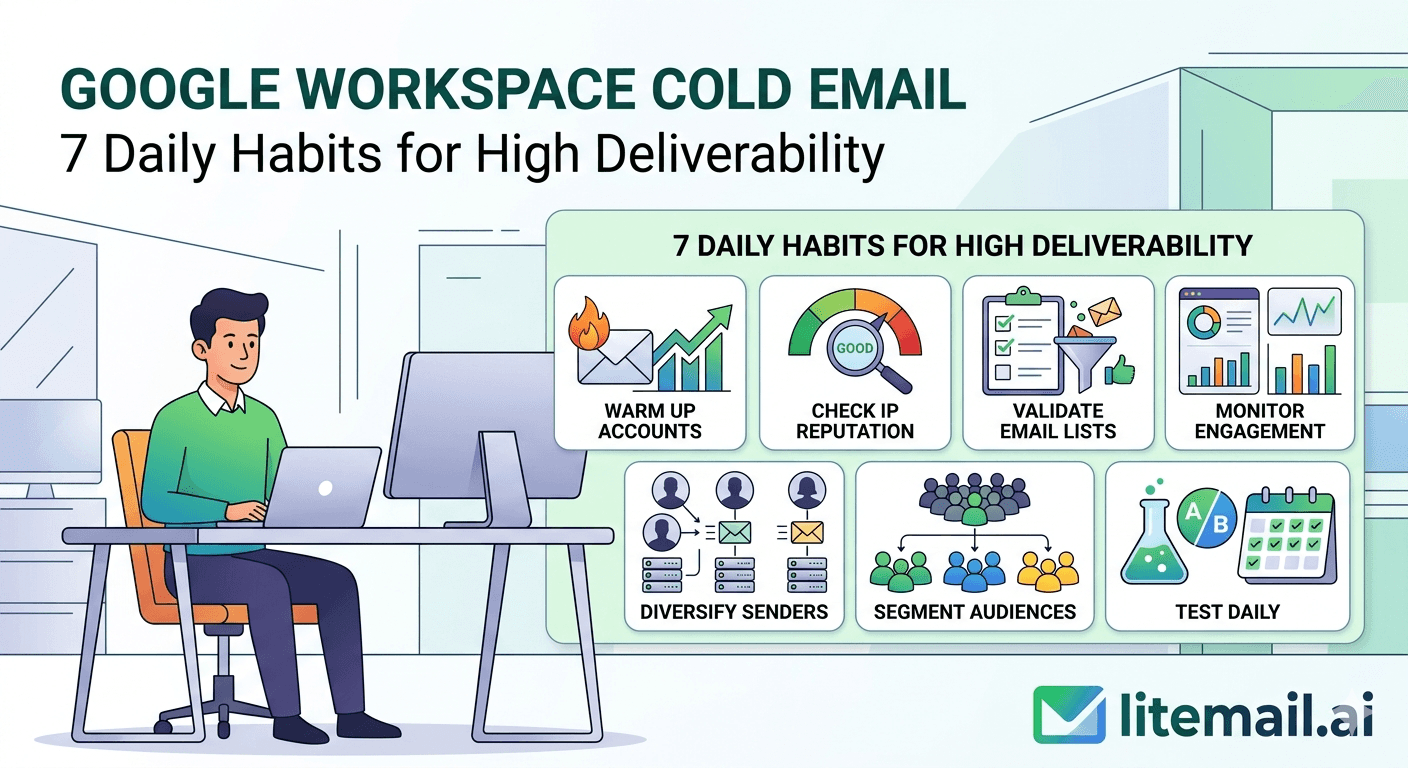
Deliverability doesn't collapse in a day — it erodes over weeks of small neglect, which means a few minutes of daily attention prevents most of the disasters teams scramble to fix. High Google Workspace cold email deliverability isn't a one-time setup; it's the product of small habits done consistently. These are 7 daily habits that keep Google Workspace cold email inboxes healthy — a short, repeatable routine, not a big project. If your deliverability tends to drift or you only notice problems once results tank, building these daily habits is what turns reactive firefighting into steady, boring, reliable inbox health. Here's the daily routine.
Why Daily Habits Beat Occasional Overhauls
A quick case for the daily approach, because it's counterintuitive. Most teams treat deliverability as something to fix when it breaks — a big cleanup when results drop. That's backwards.
Deliverability problems build gradually: volume creeps up, a list slowly ages, complaints tick up, reputation drifts down. By the time it's bad enough to notice reactively, you've already lost weeks of results and face a hard recovery. Small daily habits catch these trends while they're tiny and fixable, preventing the big breakdowns entirely.
💡 Boring and daily beats dramatic and occasional
Ten minutes of daily habits prevents the multi-week deliverability disasters that occasional overhauls try to fix after the fact. The goal is steady, boring inbox health — catching a bounce-rate uptick or a reputation dip on day one, not day thirty. Consistent small attention is far more effective than periodic big cleanups. Deliverability rewards routine over heroics.
Here are the seven habits, roughly in the order you'd do them.
Habits 1 to 3: The Morning Checks
The first three habits are quick morning checks — a few minutes to confirm nothing broke overnight.
Glance at reputation. Check Google Postmaster for any drop in domain or IP reputation. A dip from High to Medium caught today is fixable; caught in three weeks it's a crisis.
Check yesterday's bounce rate. A sudden rise means a list problem to address before today's sends compound it. Keep it under 2%.
Scan for complaints. Any uptick in spam complaints is an early warning to ease off and check targeting. Keep it under 0.1%.
These three take a couple of minutes combined and catch the three signals that matter most — reputation, bounces, complaints — while they're still small. The discipline is doing them daily, not when something feels off. By the time it feels off, the daily check would have caught it a week earlier. For what these signals mean, see our inbox health metrics guide.
Habits 4 and 5: Volume and List Discipline
The next two habits govern what you send each day — the inputs that most affect tomorrow's deliverability.
Confirm volume is within limits. Before the day's campaigns fire, verify no inbox is set to exceed 30 to 50 sends. Volume creep is gradual, so a daily check keeps it from silently climbing into the danger zone.
Verify today's list. If you're loading a new segment, verify it before sending, not after. A daily habit of checking list quality before send keeps bounces from ever spiking.
🚩 The daily lapse that causes the most damage
Loading a fresh list and sending without verifying it that day. It's the single daily lapse most likely to spike bounces and damage reputation. Verifying takes minutes; the bounce damage from skipping it takes weeks to recover. Make list verification a non-negotiable daily habit whenever you load new contacts — every time, before send. This one habit prevents the most common deliverability injury.
For handling bounce problems, see our bounce rate fix guide.
Habits 6 and 7: Replies and Rotation Balance
The last two habits are about the ongoing flow of the operation — engagement and load distribution.
Handle replies daily. Work through replies each day — respond to interested prospects promptly and clear the rest. Replies are engagement signals that help reputation, and prompt handling advances pipeline, so this habit serves both.
Check rotation balance. Glance at whether sends are spread evenly across your inbox pool or concentrating on a few. Balanced load keeps every inbox healthy; concentration risks burning some while others idle.
💡 The daily routine in total
All seven habits together take roughly ten minutes a day: a morning reputation, bounce, and complaint glance; a volume and list check before sending; and reply handling with a rotation glance. Ten minutes daily is the whole routine — and it prevents nearly all the slow deliverability declines that cost teams weeks. The power is in the consistency, not the complexity.
For rotation setup, see our inbox rotation strategies guide.
The Foundation That Shrinks the Daily Routine
Here's how to make the daily habits even lighter. Some of what you'd otherwise monitor daily simply doesn't need watching if the underlying inboxes are solid to begin with.
On weak infrastructure, part of your daily routine is nursing fragile things — watching authentication that drifts, babysitting fresh inboxes, worrying about shared-IP neighbors. On solid infrastructure, those concerns disappear: authentication is stable, inboxes have established reputation, IPs are yours alone. That leaves only the genuinely daily inputs — volume, lists, replies, and a quick health glance.
So a strong foundation shrinks the daily routine to its essential core. You're not spending your ten minutes propping up shaky infrastructure; you're doing the light monitoring that any healthy operation needs. The habits stay, but there are fewer fires to watch for.
Litemail pre-warmed Google Workspace inboxes give you that solid base: genuine warm-up history (established reputation, not fragile fresh inboxes), SPF/DKIM/DMARC pre-configured (stable authentication), dedicated US and EU IPs (no shared-neighbor risk), verified Good or High Postmaster reputation within 48 hours, and full admin access from $4.99/inbox — so your daily habits stay quick and focused. For the broader management view, see our inbox management guide.
A solid base that keeps daily habits quick. Litemail pre-warmed Google Workspace inboxes give you genuine warm-up history, SPF/DKIM/DMARC pre-configured, dedicated US and EU IPs, and verified Good or High Postmaster reputation — fewer fires to watch, so your daily routine stays ten minutes, from $4.99/inbox. Full admin access included. Get Pre-Warmed Inboxes from $4.99 →
About Litemail — Litemail provides pre-warmed Google Workspace and Microsoft 365 inboxes for cold email outreach. From $4.99/inbox with automated DNS, dedicated US and EU IPs, and full admin access. View pre-warmed inbox plans →
Related reading: Inbox Health Metrics · Inbox Management Guide · Bounce Rate Fix · Inbox Rotation Strategies · Running Cold Email Tips · Litemail Pre-Warmed Inboxes — Plans and Pricing
The Bottom Line
Deliverability erodes gradually, so a few minutes of daily habits prevents the multi-week disasters occasional overhauls fix too late.
Morning checks: glance at Postmaster reputation, yesterday's bounce rate (under 2%), and complaints (under 0.1%).
Before sending: confirm no inbox exceeds 30 to 50, and verify any new list that day — never send an unverified fresh list.
Ongoing: handle replies daily (engagement signal plus pipeline) and check that sends spread evenly across your pool.
The whole routine takes about ten minutes a day — the power is in consistency, not complexity.
A solid pre-warmed foundation removes fragile things from the routine, keeping daily habits quick and focused.
Frequently Asked Questions
What daily habits keep Google Workspace cold email deliverability high?
Seven: glance at Postmaster reputation each morning, check yesterday's bounce rate, scan for complaints, confirm no inbox exceeds 30 to 50 sends before campaigns fire, verify any new list that day, handle replies promptly, and check that sends spread evenly across your inbox pool. Together they take about ten minutes daily and catch the trends that erode deliverability while they're still small and fixable.
Why do daily habits matter more than fixing problems when they break?
Because deliverability problems build gradually — volume creeps, lists age, complaints tick up, reputation drifts. By the time it's bad enough to notice reactively, you've lost weeks of results and face a hard recovery. Small daily habits catch these trends while tiny and fixable, preventing the big breakdowns entirely. Ten minutes of boring daily routine beats dramatic occasional cleanups.
How long does the daily deliverability routine take?
About ten minutes total: a couple of minutes for the morning reputation, bounce, and complaint glance; a quick volume and list check before sending; and reply handling with a rotation glance. The routine is short by design — the value is in doing it consistently every day, not in complexity. Ten daily minutes prevents nearly all the slow declines that cost teams weeks of results.
What's the most important daily habit?
Verifying any new list before you send it that day. Loading a fresh list and sending without verifying is the single daily lapse most likely to spike bounces and damage reputation. Verifying takes minutes; recovering from the bounce damage takes weeks. Make list verification non-negotiable whenever you load new contacts — every time, before send. A close second is the daily reputation glance.
How do replies fit into daily deliverability habits?
Handle them daily — it serves two purposes. Replies advance your pipeline, and they're also positive engagement signals that help your inbox reputation, since two-way conversation is what legitimate email looks like. Working through replies each day, responding to interested prospects promptly, reinforces deliverability while moving deals forward. Ignoring replies wastes both the reputation signal and the pipeline opportunity.
How does Litemail make daily habits easier?
Litemail pre-warmed Google Workspace inboxes remove the fragile things from your daily routine: authentication is pre-configured and stable (nothing to nurse), inboxes have established reputation (no fresh-inbox babysitting), and IPs are dedicated (no shared-neighbor worry). With verified Good or High reputation and full admin access from $4.99/inbox, your daily habits shrink to the essential core — volume, lists, replies, and a quick health glance.
Buy Pre-Warmed Email Inboxes & Domains | Litemail
Buy pre-warmed email accounts, inboxes and domains from $4.99/inbox. Google Workspace & Microsoft 365. Solid base, quick daily routine, US & EU IPs, setup in 5 minutes.
No minimum order · Fewer fires to watch · US and EU IPs
Related reading: Inbox Health Metrics · Inbox Management Guide · Bounce Rate Fix · Running Cold Email Tips · Litemail Pre-Warmed Inboxes — Plans and Pricing







