
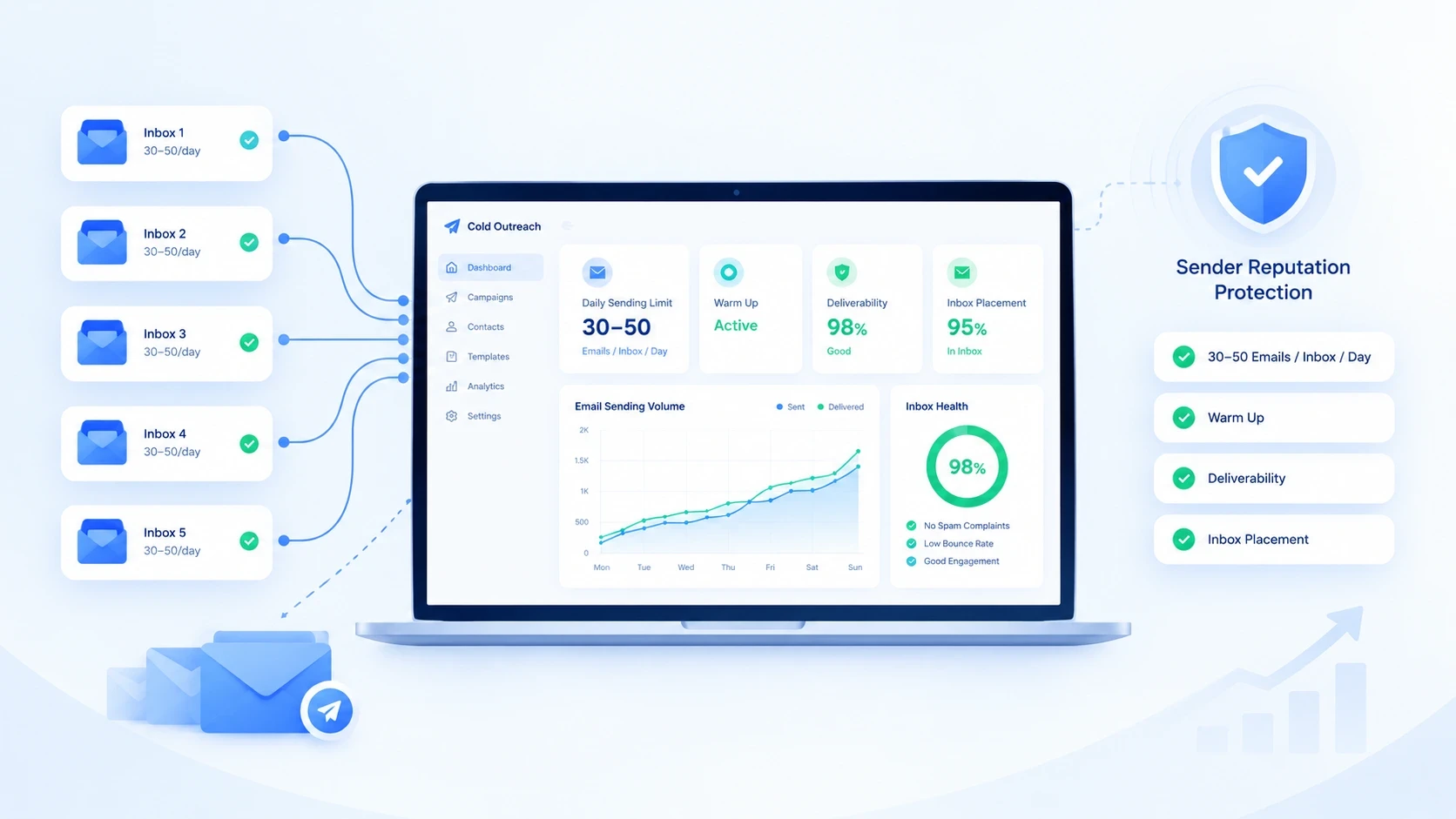
Cold email success is not about sending the highest number of emails possible. It is about finding the right sending volume that protects your sender reputation while creating enough opportunities for replies.
Many providers show technical limits that look impressive, such as thousands of emails per day. However, those numbers are designed for normal business communication, not large-scale cold outreach campaigns.
A cold email campaign sending too many messages from a single inbox can trigger spam filters, reduce inbox placement, and damage sender reputation.
The right daily sending volume depends on several factors:
Inbox age
Domain reputation
Email authentication
Lead quality
Engagement rates
This guide explains how many cold emails you should send per day, safe limits by inbox type, warm-up schedules, Gmail and Microsoft sending limits, and how to scale outreach without damaging deliverability.
How Many Cold Emails Should You Send Per Day?
The recommended cold email volume depends on whether your inbox is new, warmed up, or established.
For most cold outreach campaigns, a safe starting point is:
30–50 cold emails per inbox per day after warm-up.
New inboxes should start much lower and gradually increase volume as they build sending reputation.
A practical sending range:
Inbox Status | Recommended Daily Cold Emails |
|---|---|
New inbox | 10–20/day |
Recently warmed inbox | 20–40/day |
Healthy inbox | 40–50/day |
Mature inbox | 50–75/day |
High-performing inbox | Up to 100/day |
The goal is not maximum volume from one mailbox. The goal is maintaining consistent inbox placement over time.
Why Sending More Cold Emails Does Not Always Produce More Replies
A common mistake is assuming that increasing sending volume automatically increases meetings.
In reality, sending more emails can reduce campaign performance when:
More messages land in spam
Engagement rates decline
Bounce rates increase
Recipients report emails
Sender reputation drops
A smaller campaign with verified leads and strong personalization can outperform a larger campaign with poor targeting.
Cold email success depends on:
Deliverability × List Quality × Message Relevance
not simply the number of emails sent.
Safe Cold Email Sending Limits by Inbox Type
Different inboxes have different sending capacity depending on their history.
New Inbox
A newly created mailbox should not immediately send hundreds of emails.
Recommended ramp-up:
Week | Daily Sending Volume |
|---|---|
Week 1 | 10–15 emails/day |
Week 2 | 15–25 emails/day |
Week 3 | 25–35 emails/day |
Week 4+ | 40–50 emails/day |
Gradual increases help create normal sending patterns and avoid sudden activity spikes.
Warmed Inbox
After proper warm-up, most cold email campaigns operate around:
30–50 emails per inbox per day
This range provides a balance between:
Campaign volume
Deliverability protection
Inbox reputation
Established Inbox
Older inboxes with consistent positive engagement may handle higher volumes.
However, increasing volume should always be based on actual performance signals:
Bounce rate
Reply rate
Spam complaints
Inbox placement
A strong inbox should still avoid unnecessary volume spikes.
Gmail and Microsoft 365 Cold Email Sending Limits
Email providers publish technical sending limits, but these are not the same as safe cold email limits.
Provider | Technical Daily Limit | Practical Cold Email Approach |
|---|---|---|
Google Workspace | Up to 2,000 emails/day | Keep cold outreach much lower per inbox |
Microsoft 365 | High daily recipient limits | Scale through multiple inboxes |
Consumer Gmail | Limited | Not recommended for cold outreach |
Technical limits describe what a system can process.
Deliverability limits describe what your sender reputation can support.
For cold outreach, reputation matters more than the maximum number displayed by your provider.
How Many Cold Emails Can One Inbox Send Per Day?
A single inbox should usually send:
30–50 cold emails per day
because every inbox has a reputation history.
Sending hundreds of cold emails from one mailbox creates risks:
Abnormal sending patterns
Lower engagement rates
Spam filtering
Account restrictions
Instead of increasing one inbox volume, scale horizontally by adding more inboxes.
Example:
Daily Target | Inbox Requirement |
|---|---|
100 emails/day | 2–3 inboxes |
500 emails/day | 10–15 inboxes |
1,000 emails/day | 20–30 inboxes |
5,000 emails/day | Multiple domains + inboxes |
How to Scale Cold Email Volume Safely
The safest way to increase cold email volume is:
Add More Inboxes
Do not force one mailbox to handle your entire campaign.
Example:
Bad approach:
1 inbox × 300 emails/day
Better approach:
10 inboxes × 30 emails/day
Multiple inboxes distribute sending activity and reduce reputation risk.
How Many Domains Do You Need for High-Volume Cold Email?
This article focuses on sending volume, but domains still affect deliverability.
As volume increases:
Add more sending domains
Keep inboxes distributed
Protect your primary business domain
Example:
500 emails/day:
10–15 inboxes
Multiple sending domains
1,000 emails/day:
20–30 inboxes
Several sending domains
For complete domain and inbox planning, see:
How Many Domains & Inboxes Do You Need for Cold Email Outreach?
Cold Email Warm-Up Schedule Before Increasing Volume
A new mailbox should build reputation gradually.
Recommended approach:
First phase:
Send low volume
Generate normal email activity
Monitor engagement
Growth phase:
Increase volume slowly
Watch bounce rates
Maintain authentication
Scaling phase:
Add additional inboxes
Avoid sudden volume increases
Warm-up does not replace good targeting. It only helps establish sending history.
What Factors Decide Your Safe Sending Volume?
There is no universal number that works for every campaign.
Your safe sending capacity depends on:
Inbox Reputation
Older and healthier inboxes usually tolerate more activity.
Domain Reputation
Sending domains with clean history perform better.
Email List Quality
Poor lists create:
Higher bounce rates
Lower engagement
Reputation problems
Authentication Setup
Every sending domain should have:
SPF
DKIM
DMARC
Campaign Quality
Personalized and relevant emails generally create better engagement signals.
Common Cold Email Sending Mistakes
Sending Maximum Provider Limits
Provider limits are not cold email recommendations.
Scaling Too Quickly
Large volume jumps can create reputation problems.
Using One Inbox for Everything
One damaged inbox can stop your entire campaign.
Ignoring List Quality
Bad data wastes sending capacity.
Measuring Only Volume
Successful campaigns measure:
Replies
Positive responses
Deliverability
Inbox placement
How Many Cold Emails Should You Send Per Day? Final Answer
For most cold email campaigns:
New inboxes: 10–20 emails/day
Warm inboxes: 30–50 emails/day
Mature inboxes: 50–75 emails/day
Scale by adding inboxes, not increasing one mailbox volume
The goal of cold email infrastructure is not sending the most emails possible.
The goal is maintaining strong deliverability while consistently reaching qualified prospects.
FAQs
How many cold emails can I send per day without going to spam?
Most campaigns should start around 30–50 emails per warmed inbox daily. New inboxes should begin with lower volumes.
Can I send 500 cold emails per day?
Yes, but distribute them across multiple inboxes rather than sending from one mailbox.
How many emails can one inbox send for cold outreach?
A practical range is around 30–50 cold emails per day after proper warm-up.
Does sending more cold emails increase replies?
Not always. Poor deliverability and low-quality lists can reduce replies even with higher volume.
How long should I warm up a new cold email inbox?
Most new inboxes should gradually increase sending volume over several weeks before reaching normal campaign volume.
How Many Cold Emails Should You Send Per Day? Final Thoughts
Cold email success is not determined by how many emails you can send — it is determined by how many emails you can consistently deliver, reach the inbox, and turn into meaningful conversations.
For most campaigns, keeping each warmed inbox around 30–50 cold emails per day provides a practical balance between volume and deliverability. New inboxes should start with lower volumes, build sending history gradually, and increase only when engagement and reputation remain healthy.
When you need more volume, the solution is not pushing one mailbox harder. The safer approach is building a scalable sending system with multiple inboxes, properly configured domains, strong authentication, clean prospect data, and continuous monitoring.
Remember, cold email infrastructure is a long-term asset. A campaign that sends fewer emails but maintains strong inbox placement will usually outperform a campaign that sends thousands of emails but damages sender reputation.
The goal is simple: send enough emails to create opportunities while protecting the ability to keep sending tomorrow.






