
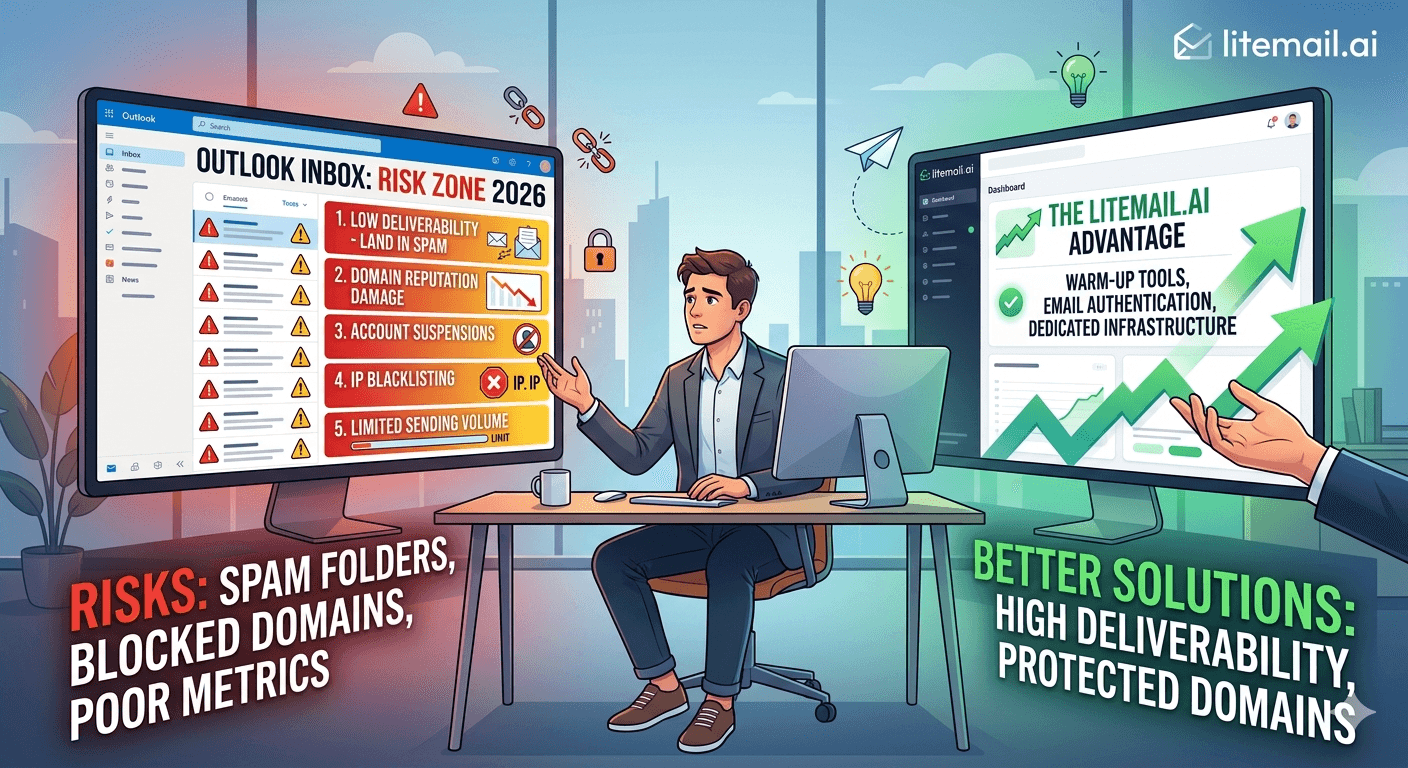
A fintech startup suspended their Outlook cold email account 11 days into their first outbound campaign. They'd sent 180 emails per day from a 3-week-old domain. No spam complaints above 0.08%. Clean list. Good copy. Microsoft flagged it anyway — because the domain was under 14 days old when they started sending, and the engagement rate triggered an automated low-activity review. They lost 3 weeks rebuilding. This is not an edge case. In 2026, Outlook is the riskiest inbox choice for startup cold email — and most founders don't know it until the damage is done.
Why Outlook Is Riskier Than Gmail for Startup Cold Email
Startups share a specific profile that collides badly with Microsoft's 2026 enforcement model: new domains, small teams with inconsistent send patterns, no established sender history, and aggressive volume targets because pipeline matters urgently. Every one of those characteristics puts a startup at higher risk on Outlook than on Google Workspace.
Here's why the collision happens:
New domains get harder scrutiny from Microsoft. Google has a de facto warmup expectation but doesn't publish a hard domain age requirement. Microsoft published a 14-day minimum in 2026. A startup domain registered last week cannot safely send cold email to Outlook recipients — period.
Inconsistent send patterns trigger ML flags. Microsoft's pattern detection watches for unnatural sending behaviour: volume spikes, identical daily send times, bursts after low-activity periods. Startups — especially founders sending manually or launching campaigns sporadically — create exactly these patterns.
No sending history means no reputation buffer. An established company with 2 years of clean sending history can absorb a bad week without reputation damage. A 3-month-old startup domain has no buffer. One complaint above 0.10% on a fresh domain can trigger immediate review.
SMTP-only setups hide compliance problems. Many startups set up Outlook inboxes through third-party tools that provide SMTP credentials only — no full Microsoft 365 admin access. Without admin access, you can't see flag alerts, check SNDS data, or manage compliance settings before a problem becomes a suspension.
🚩 The Startup-Specific Compounding Risk
A suspended Outlook account doesn't just stop sending cold email. If your startup uses the same Microsoft 365 tenant for internal communication, a cold email suspension can cascade into disrupted internal mail. We've seen this happen. Use dedicated sending domains — never your primary company domain — for cold outreach, regardless of platform.
The 2026 Microsoft Rules That Catch Startups Off Guard
These are the specific policy points that trip up founders who've read generic cold email guides written before February 2026.
Rule | What Most Guides Say | What Microsoft Actually Enforces in 2026 |
|---|---|---|
Domain age | "Warm up for a few weeks" | 14-day minimum — enforced, not suggested |
Daily send limit | "Start slow" | 200/day hard cap for new domains in first 30 days |
Spam complaint threshold | "Keep complaints low" | 0.10% triggers automated flag — half of what people expect |
Engagement monitoring | Not mentioned | Open rate under 8% sustained over 72 hrs flags account |
DMARC requirement | "Recommended" | Required — enforced on flagged accounts |
Bulk sender threshold | 5,000+/day | 5,000+/day requires registration — but enforcement starts earlier |
The engagement monitoring rule is the one that blindsides startups most. You can have a 0.05% spam complaint rate — well under the threshold — and still get flagged if your open rate drops below 8% for 3 consecutive days. On a fresh domain with no sender reputation, landing in junk by default makes hitting 8% open rate almost impossible. It's a catch-22: you need engagement history to get inbox placement, but you need inbox placement to build engagement history.
Pre-warmed inboxes break this cycle. The engagement history is already built in. From your first send, Outlook's systems see an established sender — not a new account triggering review flags.
Three Startup Scenarios That End in Suspension
These are based on patterns we've seen repeatedly at Litemail when startups come to us after Outlook account trouble. Not hypotheticals — real situations.
Scenario 1 — The "We Only Need 200 Emails/Day" Trap
A 4-person SaaS startup. They set up 2 Microsoft 365 accounts on a fresh domain (registered 10 days ago). They use Smartlead to send 100 emails per day per inbox — 200 total. They think they're being conservative.
Problem: the domain is under 14 days old when they start sending. Microsoft flags the domain immediately. All outbound routes to junk. They lose 2 weeks and the domain is permanently marked — they never fully recover primary inbox placement on that domain.
Fix: Wait 14 full days before the first cold send. Or use pre-warmed inboxes with established sending history that already satisfies the age requirement from day one.
Scenario 2 — The Batch-Blast Pattern
A solo founder doing outreach manually around investor meetings and product launches. They send 0 emails for 2 weeks, then blast 150 in a single day, then nothing for a week, then 200 in a day. Each burst triggers Microsoft's spike detection. After three months of this pattern, their inbox gets flagged for review and volume restricted automatically.
Fix: Consistent daily send volume — even 20 emails per day every day — is safer than irregular bursts. Use a sending tool with daily scheduling to enforce cadence even during busy periods.
Scenario 3 — The Shared IP Domino
A startup buys cheap Microsoft 365 inboxes through a reseller that uses shared IP pools. Another sender on the same pool gets flagged for spam. The IP reputation tanks. Every account on that pool — including theirs — starts seeing junk folder routing within 48 hours. They had nothing to do with the bad sender. But they pay the same price.
Fix: Dedicated IP addresses only. Shared IP pools are a dependency on the behaviour of strangers. Litemail uses dedicated US and EU IPs — your sending reputation is your own.
Outlook vs Gmail for Startup Cold Email — Which Is Actually Safer?
Honest answer: Google Workspace is the safer starting point for startups with no sending history. Here's why.
Google Postmaster Tools gives you visibility. You can see your domain reputation score and spam complaint rate in real time. Microsoft SNDS requires more setup and shows less granular data for low-volume senders.
Google's enforcement is more predictable. The 0.08% spam threshold is well-documented and the reputation repair process (reduce volume, clean list, wait) is established and generally works within 3–4 weeks. Microsoft's recovery process is a formal appeal with a 7–14 day wait and uncertain outcomes.
Gmail is the dominant recipient inbox for most B2B contacts. In most industries, 60–70% of B2B recipient inboxes are Gmail or Google Workspace. GWS inboxes sending to GWS recipients benefit from same-ecosystem trust signals.
That said — Outlook inboxes matter for the 30–40% of B2B recipients who use Microsoft 365. The right answer isn't to avoid Outlook entirely. It's to run a mixed infrastructure: GWS for primary volume, MS365 for Outlook-recipient campaigns, both using pre-warmed inboxes with established sender history.
At Litemail, our recommended starter split for a new startup is 3 GWS inboxes and 1–2 MS365 inboxes — all pre-warmed — for 150–200 emails per day. That's $19.96–$24.95/month in inbox cost. Cheaper than a single warm-up tool subscription and running from day one.
What a Safe Outlook Cold Email Setup Actually Looks Like
If you're going to use Outlook inboxes for startup cold email, here's the setup that minimises risk in 2026.
Never use your primary company domain. Register a dedicated sending domain (e.g. getcompanyname.com or trycompanyname.com). Your primary domain is your brand. One spam complaint against it hits your company email reputation. Dedicated sending domains are sacrificial — and replaceable.
Age the domain 14 days minimum before first send. Register it. Set up DNS. Let it sit. Don't send a single email until day 15. Microsoft enforces this.
Use pre-warmed MS365 inboxes. The 4–12 weeks of send history built into a Litemail pre-warmed inbox satisfies Microsoft's engagement signal requirements from your first campaign email. No warmup tool needed. No 8% open rate tripwire.
Get full admin access — not SMTP only. You need Microsoft 365 admin console access to monitor flag alerts, manage compliance settings, and see account health. SMTP-only credentials give you none of this. Litemail provides full M365 admin access on every inbox.
Cap at 50 emails per inbox per day for the first 60 days. Even with a pre-warmed inbox, give Microsoft's systems time to recognise your sending pattern as established. Ramp to full volume (up to 150/day per inbox) after 60 days of consistent sending.
Monitor SNDS weekly. Microsoft's Smart Network Data Services shows your complaint rate and IP reputation. Check it every Monday. Any yellow or red status requires immediate action — reduce volume and clean your list before the next send day.
Build Startup Cold Email Infrastructure That Doesn't Break
Litemail pre-warmed Microsoft 365 and Google Workspace inboxes give startups established sender history from day one. No 14-day wait. No warmup tool. No shared IP risk. $4.99/inbox with full admin access, automated DNS, and dedicated US and EU IPs. Order exactly what you need — no minimum.
Get Pre-Warmed Inboxes for Your Startup →
No minimum order · Full admin access · Dedicated IPs · Ready in 24 hours
About Litemail — Litemail provides pre-warmed Google Workspace and Microsoft 365 inboxes for cold email outreach. From $4.99/inbox with automated DNS, dedicated US and EU IPs, and full admin access.
View pre-warmed inbox plans →
Related reading:
Microsoft 365 Cold Email for Startups · Outlook Cold Email Troubleshooting: 9 Fixes · Troubleshooting Microsoft 365 Cold Email Inbox for B2B Sales 2026 · Pre-Warmed MS365 Inboxes: Warm-Up History Explained · Outlook Cold Email Blacklist Recovery
Key Takeaways
Microsoft requires a 14-day domain minimum age before cold email — startups that skip this get flagged within days, regardless of list quality or complaint rate.
Microsoft's engagement monitoring flags accounts with open rates below 8% sustained over 72 hours. Fresh inboxes with no sender history almost always fail this threshold when emails route to junk by default.
Never use your primary company domain for cold outreach. Use dedicated sending domains — they're replaceable if reputation is damaged; your primary domain is not.
SMTP-only Outlook credentials give you no visibility into flag alerts, compliance settings, or SNDS data. Always get full Microsoft 365 admin access.
Shared IP pools create dependency on other senders' behaviour. One bad actor on your pool can tank your IP reputation within 48 hours — even if your own campaigns are clean.
The safest startup cold email stack in 2026: 3 pre-warmed GWS inboxes + 1–2 pre-warmed MS365 inboxes, all on dedicated sending domains with dedicated IPs. Total infrastructure cost: $19.96–$24.95/month at Litemail.
Pre-warmed MS365 inboxes break the engagement catch-22 — established send history means Microsoft's systems see a trusted sender from your very first campaign email.
Frequently Asked Questions
Can startups use Outlook for cold email in 2026?
Yes — but with proper setup. The risks are real and the policy is stricter in 2026 than it was in 2025. Startups that succeed with Outlook cold email use dedicated sending domains (never the primary company domain), wait 14+ days before first send, use pre-warmed inboxes with established history, and stay well under 200 emails per day per inbox in the first 60 days. Skip any of these and suspension risk is high.
Is Gmail or Outlook safer for startup cold email?
Google Workspace is the safer starting point for startups with no sending history. Google Postmaster Tools gives better reputation visibility, the enforcement model is more predictable, and GWS inboxes reach the majority of B2B recipients (60–70% of B2B inboxes are Gmail or GWS). That said, MS365 inboxes matter for reaching Outlook-heavy recipient domains — run both, with pre-warmed inboxes on each platform.
What happens if my Outlook cold email account gets suspended?
Stage 1 (restricted sending): stop all outreach, clean your list, wait 72 hours, resume at half volume. Stage 2 (junk routing): submit a support request via Microsoft 365 admin portal — 3–5 day response time. Stage 3 (full suspension): formal appeal process — 7–14 days with no guaranteed restoration. In all cases, order replacement pre-warmed inboxes in parallel. Recovery takes longer than replacement.
How many Outlook inboxes does a startup need for cold email?
For 100–200 emails per day, 2–4 inboxes across 2 dedicated sending domains. One inbox per 30–50 emails per day is the safe operating range. At $4.99/inbox with Litemail, 4 MS365 pre-warmed inboxes costs $19.96/month — a rounding error in a startup budget. The infrastructure cost is not the constraint. The policy compliance is.
Should a startup use the same domain for cold email and internal email?
Never. Your primary company domain carries your brand reputation, investor communications, customer emails, and team coordination. A spam complaint against a cold email sent from your primary domain damages all of that. Register dedicated sending domains for cold outreach — variations of your company name (getcompanyname.com, trycompanyname.com, companyname-hq.com). Keep them completely separate from your primary infrastructure.
Do pre-warmed MS365 inboxes fix the Outlook engagement rate problem?
Yes. Microsoft's 8% open rate threshold is a catch-22 for fresh inboxes — you can't build engagement history without inbox placement, but you can't get inbox placement without engagement history. Pre-warmed MS365 inboxes from Litemail arrive with 4–12 weeks of genuine send history already built in. Microsoft's systems see an established sender from your first campaign email. The engagement tripwire doesn't apply.
What's the biggest mistake startups make with Outlook cold email?
Sending from a domain under 14 days old. It's the single most common suspension trigger we see at Litemail — and it's entirely avoidable. Register your sending domains at least 2 weeks before your planned campaign launch. Better still, use pre-warmed MS365 inboxes that arrive with established domain age and sending history already in place. No waiting, no guesswork.
How do I monitor my Outlook cold email account health?
Use Microsoft's Smart Network Data Services (SNDS) at sendersupport.olc.protection.outlook.com. Check weekly for complaint rate and IP reputation. Use GlockApps before each campaign launch to test Outlook inbox placement specifically. Run MXToolbox on your sending domain monthly to check DNS records and blacklist status. And always ensure you have full Microsoft 365 admin access — SMTP-only credentials give you no visibility into account health signals.
Buy Pre-Warmed Email Inboxes & Domains | Litemail
Buy pre-warmed Microsoft 365 and Google Workspace inboxes from $4.99/inbox. Dedicated sending domains, automated DNS, US & EU IPs, full admin access. Startup-ready in 24 hours — no warmup wait, no suspension risk from day one.
Related reading:
Microsoft 365 Cold Email for Startups · Outlook Cold Email Troubleshooting: 9 Fixes · Troubleshooting Microsoft 365 Cold Email Inbox for B2B Sales 2026 · Pre-Warmed MS365 Inboxes: Warm-Up History Explained · Outlook Cold Email Blacklist Recovery
📺 VIDEO SUGGESTION: "Microsoft 365 Cold Email Setup for Startups — Avoid These Mistakes" — CHANNEL: Alex Berman — Search on YouTube: Outlook cold email startup setup mistakes 2026






