
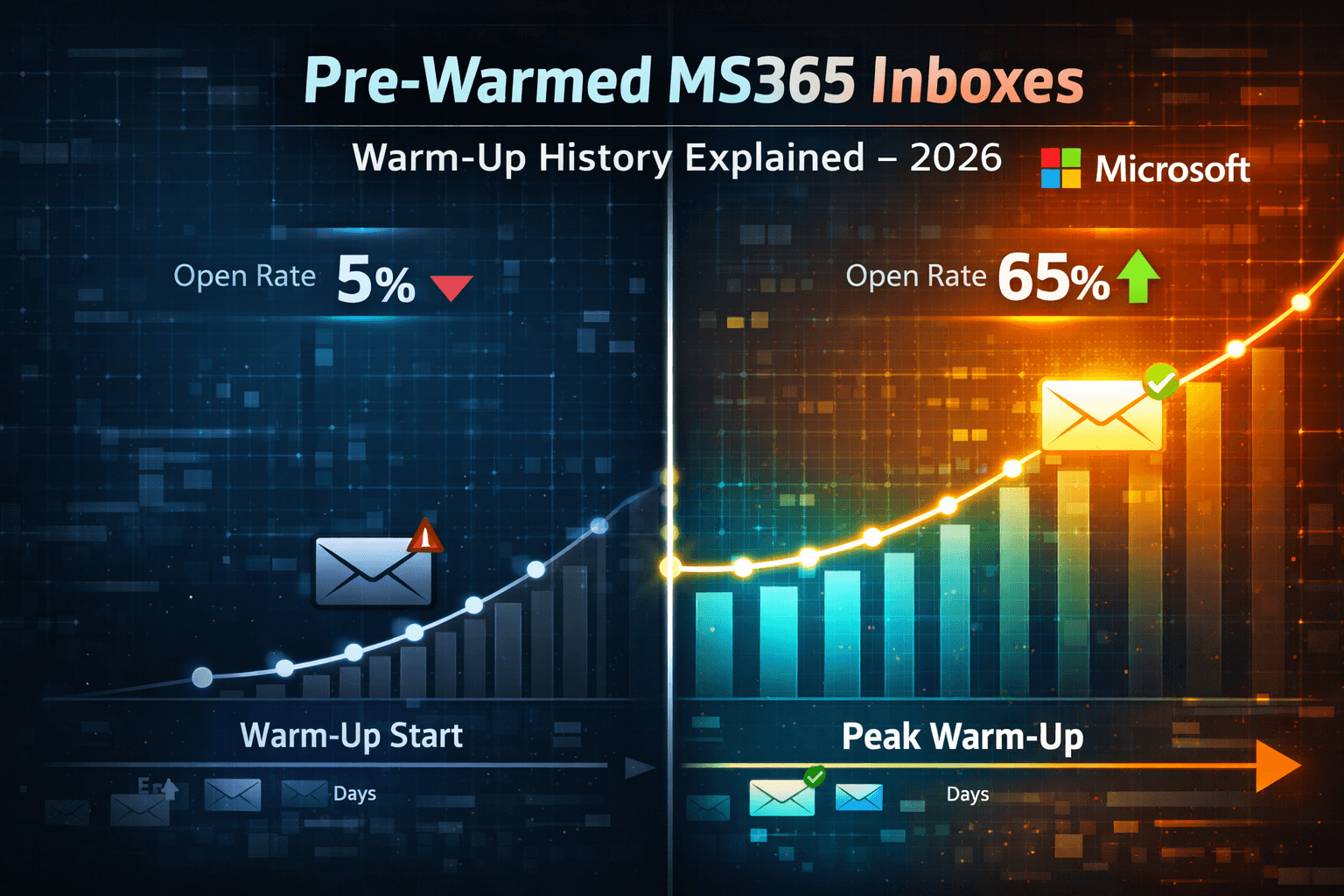
"Pre-warmed" is on every inbox provider's website. Almost nobody explains what it actually means under the hood — what gets built, how it gets verified, and why some supposedly pre-warmed MS365 inboxes perform like fresh ones from day one. Most people assume warm-up history is a simple on/off — either the inbox is warmed or it isn't. The reality is more granular than that. And understanding the difference between real warm-up history and bot-generated warm-up noise is the difference between a campaign that works from week one and one that takes six weeks to get going.
💡
Genuine MS365 warm-up history is built from real human engagement signals — sends, opens, and replies between real email accounts over a minimum of 4 weeks, with gradual volume ramps that mirror legitimate sender behaviour. Automated warm-up tools create engagement signals between tool network accounts, which Microsoft's filtering algorithms recognise as lower-quality than real engagement. The only way to verify warm-up history quality on MS365 inboxes is: Microsoft SNDS IP reputation check (green = clean history), SPF/DKIM/DMARC DNS verification, and a first-week open rate benchmark above 40% on a verified B2B list. Any inbox showing under 30% open rates in week 1 on a clean list wasn't genuinely pre-warmed.
What "Warm-Up History" Actually Means for an MS365 Inbox
Warm-up history is reputation — but reputation built from a specific type of signal. Here's what's happening at the infrastructure level.
When an email is sent from a new Microsoft 365 inbox, Microsoft's Exchange Online Protection (EOP) and Defender systems evaluate the sender against several data points: sending IP reputation in SNDS, domain sending history, authentication records (SPF/DKIM/DMARC), and — critically — engagement patterns on previous sends from that domain.
A domain with 4 to 12 weeks of sending history has data on all of these. EOP has seen this domain send emails. It has seen people open those emails, reply to them, and not mark them as spam. That history creates a trust baseline that a fresh domain simply doesn't have.
Signal Type | What It Shows EOP | Built by Real Warm-Up | Built by Automated Tools |
|---|---|---|---|
IP sending history | Volume consistency, gradual ramp | Yes — genuine pattern | Partially — pattern recognisable as tool |
Domain sending history | Age and consistency of domain sends | Yes — time-verified | Yes — time verified |
Human engagement signals | Opens, replies from real people | Yes — real human accounts | No — tool network accounts only |
Spam complaint history | Recipients marking as spam | Clean — zero complaints | Usually clean but unverifiable |
SNDS IP reputation | Overall IP health score | Green — clean history | Usually green but shallow |
The human engagement signal column is where real warm-up and automated tool warm-up diverge. Microsoft's filtering systems are sophisticated enough to recognise engagement patterns from known warm-up tool network accounts. Those signals carry less weight than engagement from diverse real-world email addresses.
Real Warm-Up vs Automated Tool Warm-Up — The Specific Difference
Look — I'm not saying automated warm-up tools are useless. They're not. They build some history. They improve SNDS scores. They help fresh inboxes avoid the absolute worst early reputation outcomes. But they don't replicate genuine warm-up history, and understanding why matters when you're choosing between them.
Automated Tool Warm-Up: What It Builds
Warm-up tools (Instantly warm-up, Mailreach, Warmbox) operate by sending emails between a network of other inboxes enrolled in the same tool. Each inbox receives emails from other tool inboxes and "engages" — opens, marks as important, moves from spam to inbox, sometimes replies. This builds volume history and some engagement signals in a controlled, accelerated way.
The problem: Microsoft (and Google) have identified the engagement patterns of major warm-up tool networks. Engagement between tool network accounts — specific timing patterns, IP ranges, engagement rates that are too perfect — is discounted relative to engagement from genuinely diverse human senders. After 4 weeks of automated warm-up, an inbox has history, but not the same quality of history as 4 weeks of real human engagement.
Genuine Pre-Warmed History: What's Different
Real warm-up history means the inbox has sent emails to real people, who opened them with a real email client, on a real device, from a diverse range of IP addresses and locations. The engagement signals are diverse, organic, and match the patterns Microsoft sees from legitimate business email. That's a qualitatively different signal — and it's why pre-warmed MS365 inboxes from providers like Litemail start with measurably higher early-campaign performance than identically-configured inboxes that went through automated tool warm-up.
How to Verify MS365 Warm-Up History Quality Before Any Campaign Send
You can't directly inspect warm-up history the way you can with Google Postmaster Tools. But you can run a set of checks that together give you high confidence in whether an inbox has genuine warm-up history or not.
Check 1 — Microsoft SNDS IP Reputation
Go to sendersupport.olc.protection.outlook.com and submit your sending IP address. Green status means clean sending history on this IP — no spam trap hits, acceptable complaint rates, healthy sending patterns. Yellow or red means investigate before any campaign sends. A genuine pre-warmed MS365 inbox from a reputable provider should show green SNDS status on delivery.
Check 2 — Full DNS Verification
Run SPF, DKIM, and DMARC at mxtoolbox.com. All three must PASS. This doesn't verify warm-up history directly — but misconfigured DNS means the inbox will fail authentication on sends, which immediately degrades whatever reputation history exists. Verify DNS before any send.
Check 3 — Mail-Tester Score
Go to mail-tester.com, send a test to their unique address, check the score. A properly configured pre-warmed MS365 inbox should score 9/10 or 10/10. Below 8/10 indicates a configuration issue that needs resolving.
Check 4 — First-Week Open Rate Benchmark
This is the most direct test of warm-up history quality. Send a first campaign week at 40 to 50 emails per day per inbox on a verified B2B list. A genuinely pre-warmed MS365 inbox should deliver 40 to 55% open rates in week 1. Under 25% on a clean list is a signal that the inbox has lower-quality warm-up history than claimed.
💡 The Edge Case Worth Knowing
This works — unless your B2B list is in a heavily filtered industry (financial services, healthcare, legal) where recipient Defender configurations are more aggressive than average. In that case, a 30 to 35% week-1 open rate on a pre-warmed inbox is acceptable. The under-25% threshold applies to general B2B targeting. Industry-specific filtering can lower the benchmark by 5 to 10 points without indicating a genuine warm-up history problem.
How Litemail Builds Genuine MS365 Warm-Up History
Most pre-warmed inbox providers are vague about their warm-up methodology. Here's the specific process Litemail uses — which is why their inboxes verify as genuinely pre-warmed rather than tool-warmed.
Litemail builds warm-up history through a proprietary network of real Microsoft 365 and Google Workspace accounts across diverse sending domains, IP addresses, and geographic locations. Inboxes go through a 4 to 12 week ramp process with real sends, opens, replies, and thread engagement between real account holders. Volume increases gradually — starting at 10 to 15 sends per day and ramping to 50+ by the end of the warm-up period. The engagement signals are diverse by design: different timing, different devices, different IP ranges.
The result is SNDS green status on delivery, SPF/DKIM/DMARC automated setup, and week-1 open rates of 40 to 55% on verified B2B lists — which is the benchmark that distinguishes real warm-up history from automated tool warm-up.
Warm-Up Method | History Quality | SNDS Status | Week-1 Open Rate | Time Required |
|---|---|---|---|---|
Litemail genuine pre-warm | Real human engagement | Green on delivery | 40–55% | Done before you receive it |
Automated tool (4 weeks) | Tool network — lower signal quality | Usually green | 18–28% | 4 weeks minimum |
Fresh MS365 (no warm-up) | None | Unknown/no history | 8–15% | N/A |
Maintaining Warm-Up History After You Start Sending
Pre-warmed history is an asset that needs maintenance. Here's what actually preserves warm-up reputation once you start running campaigns.
The most common mistake is treating pre-warming as a permanent solved problem. It isn't. Active campaign sends need to maintain positive engagement signals — real opens, real replies from real people. Campaigns with very low engagement (sub-5% open rates, no replies) gradually erode the warm-up reputation that was built before you received the inbox.
And this is the subtle problem that automated warm-up tools don't fix retroactively. If you receive a genuine pre-warmed inbox and then run poorly-targeted campaigns that get no engagement for 6 weeks, you've burned the warm-up history. The inbox will perform like a fresh one.
What Preserves Warm-Up History During Active Campaigns
Maintaining open rates above 30% (signals positive recipient engagement to Microsoft's systems)
Keeping bounce rate under 1% (hard bounces are reputation-damaging regardless of starting history)
Running a low-level maintenance warm-up drip during campaign pauses — 5 to 10 sends per day through your warm-up tool keeps history alive during dormant periods
Not exceeding 80 to 100 emails per inbox per day even with a fully established pre-warmed inbox — volume above this level for cold email increases complaint probability
How to Spot Fake "Pre-Warmed" MS365 Inboxes
The pre-warmed inbox market in 2026 has too many providers using the term without the substance behind it. Here's how to identify the fakes before you waste campaign budget on them.
Price is the first signal. Genuine 4 to 12 week warm-up has infrastructure costs. The floor for legitimate pre-warmed MS365 inboxes is $4.99/inbox per month. Providers under $3/inbox are not genuinely pre-warming — the cost of real warm-up infrastructure makes it economically impossible. Maildoso at $1.50/inbox is the most prominent example.
Vague warm-up duration claims. "We warm up your inboxes" without specifying a minimum duration is a red flag. Legitimate providers specify 4 to 12 weeks. Anything less than 4 weeks is not sufficient for genuine reputation building.
No SNDS verification offered. Any legitimate pre-warmed MS365 provider should be able to tell you what SNDS status their inboxes show. If they can't or won't answer this question, that's a problem.
No dedicated IP addresses. Shared IP pools mean another sender's behaviour can contaminate your inbox reputation overnight. Dedicated IPs are required for genuine pre-warming — and they add cost that makes sub-$3/inbox pricing impossible.
Week-1 open rates under 25% on a clean list. This is the empirical test. If your supposedly pre-warmed MS365 inboxes deliver 12 to 18% open rates in week 1 on a verified B2B list, they weren't genuinely pre-warmed. Contact the provider for refund or replacement.
How Long Does MS365 Warm-Up History Last?
This is a question most guides don't answer with specifics. Here's what the data shows.
Active warm-up history — an inbox that's being used for regular sending — maintains its reputation indefinitely provided campaign engagement stays positive and bounce rate stays clean. The warm-up history compounds with positive campaign engagement over time.
Dormant inboxes — those not sending anything — start losing warm-up history after approximately 30 days of complete inactivity. The signal decay is gradual rather than sudden, but an inbox dormant for 60 days will have meaningfully weaker history than the same inbox at the time of delivery.
Inbox Status | History Duration | Recovery Action |
|---|---|---|
Active campaign sends | Indefinite — maintains or compounds | None needed |
Paused (maintenance drip active) | Indefinite — drip preserves history | 5–10 sends/day maintenance |
Dormant 30 days | Weakening — still recoverable | Restart maintenance drip immediately |
Dormant 60+ days | Significantly degraded | Treat as partially warmed — ramp volume slowly |
Dormant 90+ days | Near-fresh state | Replace or run full warm-up before campaigns |
Key Takeaways
Genuine MS365 warm-up history is built from real human engagement signals — opens and replies from real people on real devices — which Microsoft's filtering systems weight more heavily than automated warm-up tool network engagement.
Automated warm-up tools build some history and improve SNDS scores, but deliver meaningfully lower week-1 open rates (18 to 28%) compared to genuinely pre-warmed inboxes (40 to 55%) because tool network engagement patterns are partially discounted.
Verify MS365 warm-up history quality with four checks: SNDS green status, SPF/DKIM/DMARC all PASS, mail-tester.com score 9 to 10, and week-1 open rate above 40% on a verified B2B list.
The floor for legitimate pre-warmed MS365 inboxes is $4.99/inbox — below $3/inbox the infrastructure cost of genuine warm-up is not economically viable and the inbox is fresh regardless of marketing claims.
Active warm-up history lasts indefinitely with positive campaign engagement — but a dormant inbox with no sends for 30 days starts losing history, and 90+ dormant days returns an inbox to near-fresh state.
Run maintenance warm-up drips at 5 to 10 sends per day during campaign pauses to preserve warm-up history — this is cheap insurance against having to re-warm an inbox after a client campaign break.
Week-1 open rates under 25% on a clean verified B2B list from a supposedly pre-warmed MS365 inbox is a reliable indicator that the inbox was not genuinely pre-warmed — contact the provider for replacement before spending more campaign budget.
The Complete MS365 Warm-Up History Verification Process
Run this every time you receive a batch of pre-warmed MS365 inboxes. It takes 20 to 30 minutes and prevents the most expensive mistake in cold email infrastructure: running campaigns from inboxes that weren't genuinely pre-warmed.
Request SNDS data from your provider. Ask them to confirm the SNDS status of the sending IPs before delivery. Legitimate providers will confirm green status. Any hesitation or vagueness — proceed cautiously.
Check SNDS yourself. After delivery, register your sending IP at sendersupport.olc.protection.outlook.com. Verify green status independently — don't rely solely on the provider's confirmation.
Run full DNS check at mxtoolbox.com. SPF, DKIM, DMARC — all three must PASS. Check the DKIM selector format specifically for MS365 — it differs from GWS and misconfiguration here is common.
Score at mail-tester.com. Send a test to their unique address from each inbox. Score should be 9/10 or 10/10. Below 8/10 — find and fix the configuration issue before campaigns.
Send a test to an Outlook address you control. Check raw headers: SPF PASS, DKIM PASS, DMARC PASS. Also check which folder the email landed in — inbox vs spam. Spam landing on this first test send is a bad sign.
Run first week at conservative volume. 40 to 50 emails per day per inbox. Monitor open rates daily. Above 40% by end of week 1 confirms genuine warm-up history. Below 25% — investigate the inbox before continuing campaign sends.
Frequently Asked Questions
What is warm-up history in pre-warmed MS365 inboxes?
Warm-up history is the accumulated sending reputation that an MS365 inbox builds through real email activity over time. It includes IP sending history verified in Microsoft SNDS, domain-level sending patterns, and — most importantly — human engagement signals: real people opening, replying to, and not marking as spam the emails sent from that inbox. Genuine warm-up history is built over a minimum of 4 weeks of real sending activity. It's what allows a pre-warmed MS365 inbox to deliver 40 to 55% open rates from day one, rather than the 8 to 18% that fresh inboxes deliver before they build their own history.
How is genuine warm-up history different from automated tool warm-up?
The key difference is the quality of engagement signals. Automated warm-up tools (Instantly warm-up, Mailreach, Warmbox) send emails between a network of other tool accounts. Microsoft's filtering systems recognise engagement from known tool network accounts as lower-quality than engagement from genuinely diverse real-world email recipients. Genuine pre-warming uses real human email accounts across diverse domains, IP addresses, and locations. The result is measurably different — genuine pre-warmed inboxes deliver 40 to 55% week-1 open rates; automated tool-warmed inboxes deliver 18 to 28%.
How long does warm-up history last in an MS365 inbox?
Indefinitely with active use — warm-up history compounds with positive campaign engagement. But a dormant inbox (no sends) starts losing history after approximately 30 days of complete inactivity. At 90+ days dormant, the inbox is near-fresh and should be treated as partially warmed. Prevent this by running a maintenance warm-up drip of 5 to 10 sends per day during campaign pauses. This is cheap — most warm-up tools include maintenance mode — and preserves the warm-up history you paid for.
How do I know if a pre-warmed MS365 inbox was actually warmed?
Four checks: Microsoft SNDS status should be green, SPF/DKIM/DMARC should all PASS at mxtoolbox.com, mail-tester.com score should be 9/10 or 10/10, and week-1 open rates on a verified B2B list should be above 40%. Below 25% week-1 open rates on a clean list is the clearest signal that the inbox wasn't genuinely pre-warmed. Contact the provider for replacement before spending more campaign budget on those inboxes.
What is Microsoft SNDS and how does it verify warm-up history?
Microsoft Smart Network Data Services (SNDS) shows IP-level reputation data from Microsoft's email filtering infrastructure. It reports complaint rates, spam trap hits, and IP health status (green/yellow/red) for any IP registered with the service. Green SNDS status for a pre-warmed MS365 inbox's sending IP confirms that the IP has a clean sending history — no excessive complaints, no spam trap hits, healthy sending patterns. It's not a direct window into warm-up history, but it's the best proxy available for MS365 reputation verification. Check at sendersupport.olc.protection.outlook.com.
Can warm-up history be rebuilt after it degrades?
Yes — but it takes time. An inbox that's degraded due to dormancy (30 to 60 days inactive) can be recovered by resuming maintenance warm-up drips and gradually reintroducing campaign sends. Allow 2 to 3 weeks of maintenance activity before ramping campaign volume on a dormant inbox. An inbox that's degraded due to reputation damage (high bounce rates, spam complaints) takes longer — 4 to 6 weeks minimum of clean sending at low volume. In many cases, replacing a damaged inbox is more cost-effective than attempting full recovery from reputation damage.
Genuine MS365 Warm-Up History — Verified Before Delivery
Litemail pre-warmed MS365 inboxes are built with real human engagement history — not tool-network warm-up. SNDS green on delivery, automated SPF/DKIM/DMARC, 40 to 55% week-1 open rates on verified B2B lists. $4.99/inbox, full MS365 admin access, no minimum order.
Get Pre-Warmed MS365 Inboxes from $4.99 →
Real warm-up history · SNDS green on delivery · Full MS365 admin access · US and EU IPs
About Litemail — Litemail provides pre-warmed Google Workspace and Microsoft 365 inboxes from $4.99/inbox. Automated DNS, dedicated IPs, genuine warm-up history, full admin access. View plans →
Related reading: Best Pre-Warmed Inbox Providers 2026 · Fresh vs Pre-Warmed MS365 Field Test 2026 · Pre-Warmed MS365 for Lead Gen Agencies 2026 · Litemail Pre-Warmed Inboxes — Plans and Pricing






