
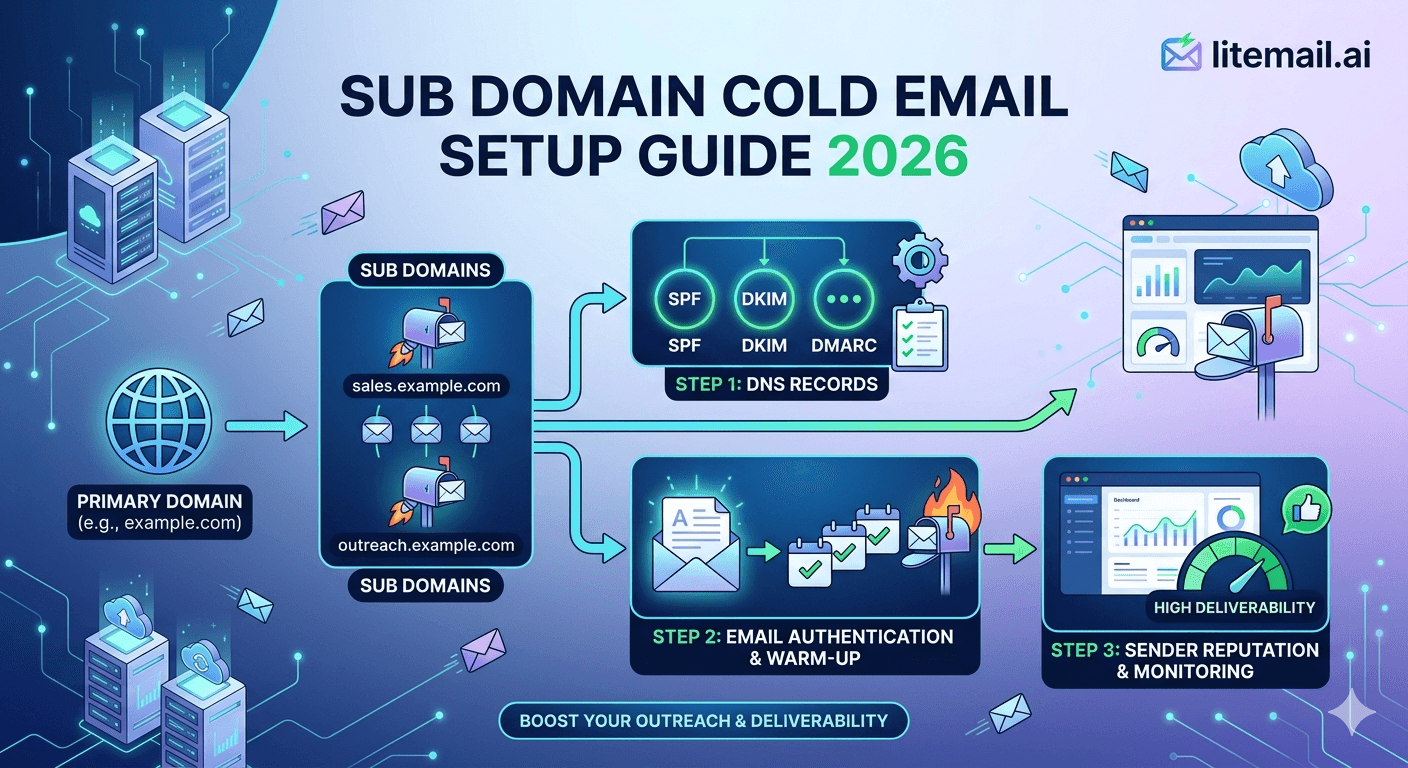
The subdomain question comes up constantly in cold email infrastructure discussions: "Can I just use mail.mycompany.com for cold outreach instead of buying a separate domain?" The short answer is that you can — but there are specific scenarios where subdomains are the right choice and more scenarios where they're the wrong choice. Getting this wrong creates exactly the kind of reputation bleed most teams set up separate domains to prevent.
Subdomain vs Separate Domain: When Each Makes Sense
The fundamental difference between subdomain and separate domain cold email infrastructure is reputation inheritance. A subdomain shares its root domain's DNS zone — and in some mail server implementations, shares aspects of the root domain's reputation signals.
Approach | Example | Reputation Isolation | Setup Complexity | Risk Level |
|---|---|---|---|---|
Primary domain | company.com | None — damage affects brand email | Lowest | Highest — avoid entirely |
Subdomain | mail.company.com | Partial — Google Postmaster tracks at root domain level | Medium | Moderate — specific use cases only |
Separate domain | getcompany.com | Full — completely isolated reputation | Medium | Lowest — recommended standard |
⚠️ The Critical Problem With Subdomains
Google Postmaster Tools tracks domain reputation at the root domain level — not the subdomain level. If you send from mail.company.com and cold email generates complaint rates that damage the root domain company.com's Postmaster reputation, your primary domain brand email suffers the same reputation damage. The subdomain gives the appearance of separation without providing full reputation isolation from the root domain that it shares.
When Subdomains Actually Work for Cold Email
There is one scenario where subdomain cold email is the correct architecture choice: when you need to send cold email from an address that visually represents your brand (firstname@sales.company.com rather than firstname@getcompany.com) and your cold email volume is low enough — and list quality high enough — that root domain reputation risk is negligible.
Specific conditions where subdomain cold email is acceptable:
Under 50 emails per day total across all sending addresses
Highly targeted ICP — 200 contacts per month maximum, every contact manually verified as relevant
Brand recognition drives response rate benefit that justifies the reputation risk (enterprise sales where the company name matters on the sender address)
The root domain (company.com) can absorb the monitoring overhead of checking Postmaster Tools weekly at root level
Fair warning: if any of these conditions changes — volume increases, list quality degrades, targeting broadens — the subdomain setup becomes a liability with reputation risk that hits your primary brand domain. Most teams that start with subdomain infrastructure end up moving to separate domains within 3–6 months.
Subdomain DNS Configuration for Cold Email
If you've evaluated the tradeoffs and a subdomain setup is right for your situation, here is the correct DNS configuration. Each record must be set specifically for the subdomain — not inherited from the root domain configuration.
SPF for Subdomain
Add a TXT record at the subdomain level (e.g., mail.company.com), not at the root domain (@):
For Google Workspace: v=spf1 include:_spf.google.com -all
For Microsoft 365: v=spf1 include:spf.protection.outlook.com -all
Critical: the subdomain SPF record must be separate from the root domain SPF record. Do not modify the root domain SPF record to include subdomain sending — this creates SPF scope confusion and increases the root domain's DNS lookup count toward the 10-lookup limit.
DKIM for Subdomain
Configure DKIM specifically for the subdomain in your GWS or MS365 admin. For GWS: in Google Admin → Apps → Gmail → Authenticate Email — add the subdomain separately and generate a new DKIM key pair specifically for it. The DKIM selector CNAME record publishes at google._domainkey.mail.company.com (for a mail. subdomain).
DMARC for Subdomain
Add a TXT record at _dmarc.mail.company.com (specifically scoped to the subdomain, not the root _dmarc.company.com record). Subdomain-specific DMARC overrides the root domain DMARC policy for subdomain sends:
v=DMARC1; p=quarantine; sp=reject; rua=mailto:dmarc@company.com
The sp=reject tag applies a reject policy to any further sub-levels below the subdomain — preventing subdomain of subdomain abuse.
Why Separate Domains Are Better Than Subdomains for Most Cold Email
For the vast majority of cold email programs — any volume above 50/day, any list that isn't manually curated and tiny — a separate cold email domain is the correct infrastructure choice over a subdomain.
Three concrete reasons:
Full Postmaster isolation: A separate domain (getcompany.com) has its own Postmaster reputation that is completely isolated from company.com. Reputation damage stays contained. Subdomain reputation partially bleeds to the root domain in Google's reputation tracking.
Full blacklist isolation: A blacklisted separate domain doesn't affect company.com's deliverability at all. A blacklisted subdomain (mail.company.com) creates ambiguity — some mail servers treat the blacklist entry as affecting the full zone (company.com).
Replacement without brand damage: When a cold email domain's reputation is exhausted (12–18 month typical lifecycle), you retire it and create a new one. Retiring a subdomain means changing email addresses associated with your brand domain — more complex and more visible externally.
Separate Domain Naming for Cold Email
When setting up separate cold email domains, naming follows specific conventions that balance brand recognisability with separation from the primary domain.
Pattern | Example | Recognisability | Notes |
|---|---|---|---|
get[brand].com | getlitemail.com | High | Most common convention — implies acquisition intent |
[brand]-outreach.com | litemail-outreach.com | Medium | Transparent — identifies as outreach infrastructure |
[brand]hq.com | litemailhq.com | High | Professional appearance, minimal suffix |
[brand]co.com | litemailco.com | High | Clean, modern, widely used |
try[brand].com | trylitemail.com | Medium | Works for SaaS — implies trial/demo context |
Register 2–3 domain variants per cold email program. Rotate between them as each domain completes its sending lifecycle (12–18 months). Never reuse exhausted cold email domains — retire and replace.
Pre-Warmed Inboxes on Separate Domains — The Right Cold Email Setup
Separate cold email domains with Litemail pre-warmed inboxes — full reputation isolation, Good/High Postmaster, automated DNS, $4.99/inbox. The correct infrastructure that subdomains approximate but don't fully deliver.
Get Pre-Warmed Inboxes from $4.99 →
Full reputation isolation · Automated DNS · Good/High Postmaster · No minimum order
About Litemail — Litemail provides pre-warmed Google Workspace and Microsoft 365 inboxes for cold email outreach. From $4.99/inbox with automated DNS, dedicated US and EU IPs, and full admin access. View pre-warmed inbox plans →
Related reading:
Buy Pre-Warmed Domains Cold Email 2026 · Best Cold Email Domains 2026 · Scale New Domain Cold Email · SPF DKIM DMARC Auto Setup · Google Workspace Domain Setup
Key Takeaways
Subdomains provide partial reputation isolation — not full isolation. Google Postmaster tracks reputation at root domain level; subdomain cold email reputation damage bleeds to the root domain's company email. Separate domains provide full isolation.
Subdomains are acceptable only for very low-volume, highly targeted cold outreach (under 50/day, manually curated list of under 200 contacts) where brand recognisability on the sender address justifies the root domain reputation risk.
Subdomain DNS must be configured independently of the root domain: separate SPF TXT record at the subdomain level, separate DKIM key pair generated and published at the subdomain selector, and a subdomain-scoped DMARC TXT record at _dmarc.subdomain.company.com.
Separate domain naming conventions: get[brand].com, [brand]hq.com, [brand]co.com work best for brand recognisability with full reputation isolation. Register 2–3 variants, rotate as each domain's sending lifecycle completes at 12–18 months.
For any cold email program above 50/day or with list populations beyond a manually curated 200 contacts, separate domains are the correct architecture. Most teams that start with subdomain infrastructure migrate to separate domains within 3–6 months when volume or list size grows.
Litemail pre-warmed inboxes are available on separate cold email domains at $4.99/inbox — full Postmaster isolation, Good/High reputation, automated DNS, no minimum order. The correct infrastructure at a lower cost than fresh domain + warmup tool setup.
Frequently Asked Questions
Should I use a subdomain or a separate domain for cold email?
Separate domain for almost all cold email programs. Subdomains share Postmaster reputation tracking with the root domain — reputation damage from cold email partially affects your primary company email domain. Separate domains (getcompany.com, companyhq.com) provide full reputation isolation: damage stays contained, blacklist entries don't affect the main domain, and retiring an exhausted domain doesn't impact brand identity. Subdomains are only worth considering at under 50 emails per day with a manually curated tiny list where brand recognisability is critical.
How do I set up SPF for a cold email subdomain?
Add a TXT record specifically at the subdomain (e.g., mail.company.com — not the root @ record): v=spf1 include:_spf.google.com -all for GWS, or v=spf1 include:spf.protection.outlook.com -all for MS365. Keep this separate from the root domain's SPF record. Don't modify the root domain SPF to include the subdomain's sending infrastructure — this creates DNS lookup chain complexity and approaches the 10-lookup limit faster. Verify with MXToolbox SPF lookup on the subdomain specifically.
Does Google Postmaster track subdomain reputation separately?
No — Postmaster tracks at root domain level. If you send from mail.company.com, Google Postmaster attributes the reputation signals to company.com — not to mail.company.com separately. This means cold email complaint rates from the subdomain affect the root domain's Postmaster reputation, which covers all email from @company.com including transactional, support, and sales team email. Separate domains (getcompany.com) have their own isolated Postmaster reputation with zero bleed to your primary domain.
What is the best naming convention for cold email domains?
get[brand].com is the most widely used convention — professionally recognisable and implies acquisition intent without being explicit. [brand]hq.com and [brand]co.com also work well. Avoid [brand]-spam.com, [brand]-bulk.com, or any naming that signals mass email to mail server reputation systems. Register 2–3 variants per brand. Rotate domains on a 12–18 month lifecycle — retire exhausted domains, activate fresh ones. Never attempt to rehabilitate a heavily used cold email domain for transactional email use.
Can I configure DMARC for a subdomain separately from the root domain?
Yes — and you should if using subdomain cold email. Add a TXT record at _dmarc.subdomain.company.com (e.g., _dmarc.mail.company.com). This subdomain-specific DMARC record overrides the root domain DMARC policy for sends from that subdomain. Set it to p=quarantine and include sp=reject to prevent further sub-subdomain abuse. The root domain DMARC record at _dmarc.company.com remains unchanged and applies to all other root domain email.
How long do cold email domains last before needing replacement?
12–18 months is the typical useful lifecycle for a cold email sending domain at moderate B2B outreach volumes (200–400 emails per day). Domain age and sending history accumulate negative signals gradually — after 12–18 months, the replacement cost ($10–$15 for a new domain) is lower than the deliverability performance recovery effort. Register 2–3 domain variants upfront so replacement is seamless — retire the old domain, activate the pre-registered variant, connect Litemail pre-warmed inboxes (24-hour delivery), campaigns continue without pause.
Subdomain vs Separate Domain Cold Email | Litemail
Separate domains with pre-warmed inboxes — full reputation isolation, automated DNS, Good/High Postmaster. $4.99/inbox. The correct setup most subdomain questions are really asking for.
View Plans & Pricing →
Related reading:
Buy Pre-Warmed Domains · Best Cold Email Domains · Scale New Domain Cold Email · SPF DKIM DMARC Auto Setup · GWS Domain Setup






