
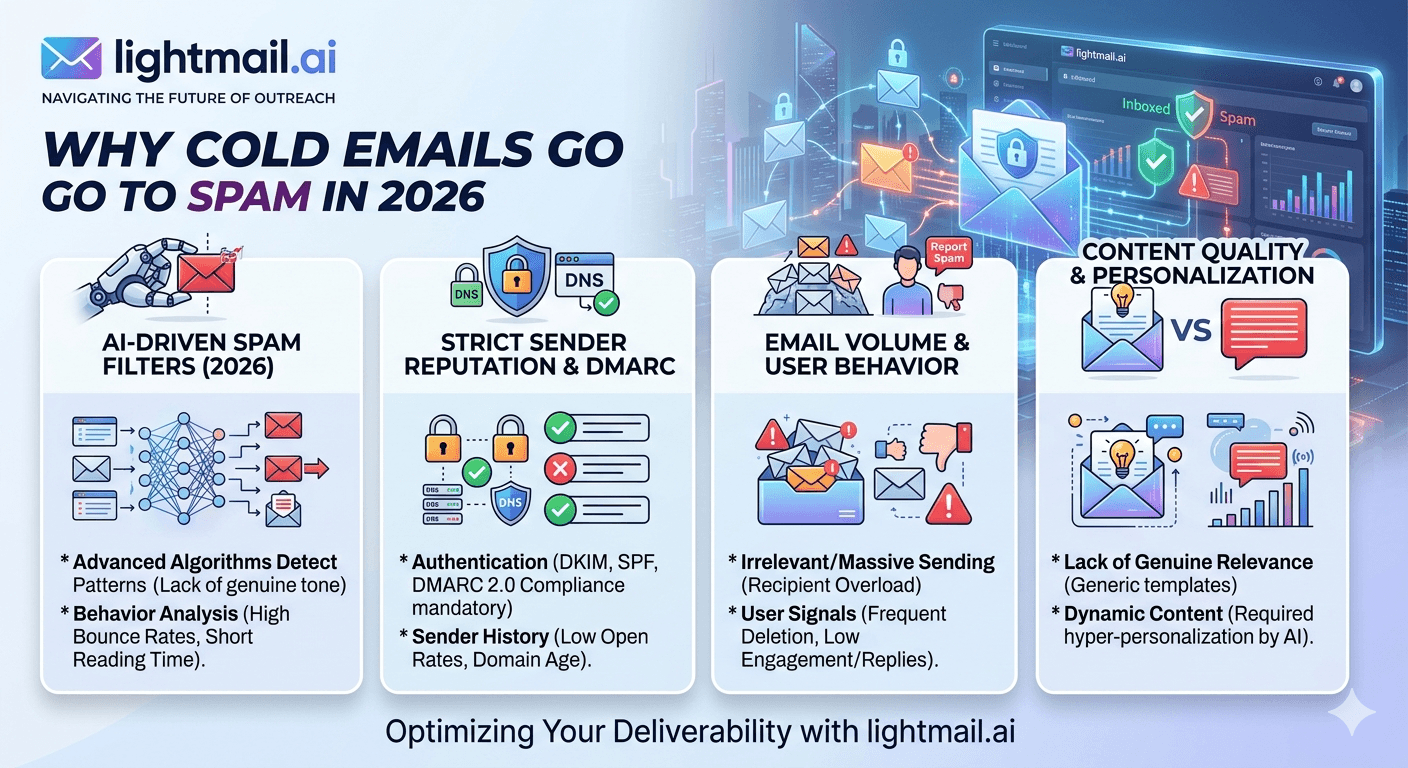
Your open rate is 4%. You're not in a spam trap. Your copy isn't aggressive. And yet — spam folder. Over and over. The frustrating truth about cold emails going to spam in 2026 is that the most common causes have nothing to do with your copy, your subject line, or your offer. They're infrastructure problems. And infrastructure problems are invisible until you know exactly what to look for.
Cause 1: Zero Sender Reputation on a Fresh Inbox
This is the #1 cause of spam folder placement in 2026, and it affects anyone using a fresh inbox without a warmup history. Gmail and Outlook both use sender reputation scores to decide where your email lands. A new inbox — regardless of DNS configuration — has zero reputation. Zero reads as uncertain. Uncertain senders go to spam.
The fix isn't a warmup tool. We've tested warmup tools extensively at Litemail and they help — but they don't fully solve this problem because Google increasingly discounts engagement from known warmup pools. Real reputation requires real email activity: actual prospects opening, replying, and not marking as spam. That takes 8–12 weeks of organic sending to build from scratch.
The faster fix is a pre-warmed inbox — one that already has 4–12 weeks of genuine sending history and shows Good or High reputation in Google Postmaster Tools. Pre-warmed inboxes from Litemail are verified Good or High within 48 hours of delivery. You skip the 8–12 week build entirely.
Cause 2: Broken SPF, DKIM, or DMARC Records
A single misconfigured DNS record will send your emails to spam even if everything else is perfect. SPF, DKIM, and DMARC work as an authentication chain — if any link breaks, the receiving mail server treats the email as unauthenticated and filters it accordingly.
The most common DNS failure we see: multiple SPF records on the same domain. You can only have one SPF TXT record. Two records cause a PermError that silently fails authentication on every single send. Teams run campaigns for weeks without realising this is happening because their sending tool reports the email as "sent" regardless of authentication failures.
Check your DNS records at mxtoolbox.com before every new domain launch. All three records must show PASS. If any one fails, fix it before sending a single campaign email. Litemail inboxes ship with all three pre-configured — no manual DNS setup required.
Cause 3: Shared IP Addresses With Bad Sending Neighbours
Your email's IP address carries its own reputation, separate from your domain's reputation. If you're sending from a shared IP pool — common with cheaper inbox providers — another sender's spam behaviour can contaminate your IP's reputation overnight. You didn't do anything wrong. Your neighbour did. Your emails still go to spam.
The fix is dedicated IP addresses: IPs assigned only to your sending domain with no other senders sharing the reputation. Litemail inboxes use dedicated US and EU IP addresses. Your IP reputation is entirely controlled by your own sending behaviour — no shared risk.
🚩 The Shared IP Trap
This is why very cheap inbox providers produce inconsistent results. At $1–2/inbox, dedicated IP allocation is economically impossible. You're always sharing. One bad day for any sender on your shared IP pool, and your deliverability drops without warning or explanation. You can't fix a problem you didn't cause and can't control.
Causes 4–9: The Rest of the Spam Placement Checklist
Once infrastructure is solid, the remaining causes are easier to diagnose and fix. Here's the full list in order of frequency.
📋Cause 4: High Bounce Rate From Unverified Lists
Bounce rate above 3% in a single send flags your inbox as a potential spammer. Gmail's threshold for triggering a review sits around 5% daily bounce rate. Verify every list with a dedicated email verification tool before sending. Target under 2% across all campaigns. This single step prevents the majority of bounce-related spam placement.
📋Cause 5: Spam Complaint Rate Above 0.08%
Google's published limit is 0.10% — but in practice, accounts consistently hitting 0.08% start experiencing deliverability degradation before formal flags. One spam complaint per 1,200 sends is already in the danger zone. The fix is better list targeting and personalisation — contacts who find your email relevant don't report it as spam. Blasting generic messages to broad lists is the fastest way to accumulate complaints.
📋Cause 6: Commercial Email Content Signals
HTML emails with multiple images, multiple links, unsubscribe footers, and marketing language land in promotions or spam more than plain-text emails. Cold email should look like a personal email from a colleague — not a newsletter. One link maximum per email. No images unless directly relevant. No "unsubscribe" footer in B2B cold sequences.
📋Cause 7: Sending Volume Spike on a New or Recovering Inbox
A sudden jump from 20 emails per day to 200 emails per day triggers automated abuse detection. Google and Microsoft both monitor sending velocity changes. Any more than a 30–50% day-over-day increase on an inbox under 90 days old is a risk. Pre-warmed inboxes have enough history to absorb larger volume — but still benefit from a structured ramp.
📋Cause 8: Spam Trap Addresses in Your List
Spam traps are email addresses maintained by anti-spam organisations specifically to catch senders with bad list hygiene. Hitting even one spam trap can damage domain reputation significantly. Traps appear in scraped lists, old purchased databases, and lists that haven't been cleaned in 12+ months. Clean lists every 3–6 months and verify before every major send.
📋Cause 9: Domain or IP on a Blacklist
Check mxtoolbox.com/blacklists.aspx for both your sending domain and IP. Being listed on Spamhaus or Barracuda causes systematic spam placement or outright blocking. Blacklist removal requires fixing the root cause (usually list quality or complaint rate) and submitting a delisting request. Spamhaus takes 7–14 days. Smaller lists resolve in 24–48 hours.
The 15-Minute Spam Folder Diagnosis
Run this before your next campaign. It covers the most common causes in order of likelihood.
Go to postmaster.google.com → check domain reputation. Good/High = fine. Unknown/Low = stop sending, fix inbox first.
Go to mxtoolbox.com/SuperTool.aspx → check SPF, DKIM, DMARC. All three must pass.
Go to mail-tester.com → send a test email → check score. Target 9/10 or 10/10.
Check your sending tool's bounce report for the last 7 days. Over 2% = clean the list before sending again.
Check complaint rate if your tool surfaces it. Under 0.05% is safe. Over 0.08% = fix targeting.
If all five checks pass and you're still landing in spam — the problem is almost certainly inbox placement, not spam folder. Check your email headers to confirm where the email is actually landing. Some open tracking tools report differently depending on tab placement.
Solve the Infrastructure Causes Before Anything Else
Most of the causes in this guide are infrastructure problems. Litemail pre-warmed inboxes solve causes 1, 2, and 3 from the jump — genuine sending history, automated DNS, dedicated IPs. $4.99/inbox. Start clean from day one.
Get Pre-Warmed Inboxes from $4.99 →
Verified Good/High in Postmaster Tools · Automated SPF/DKIM/DMARC · Dedicated US and EU IPs · No minimum order
About Litemail — Litemail provides pre-warmed Google Workspace and Microsoft 365 inboxes for cold email outreach. From $4.99/inbox with automated DNS, dedicated US and EU IPs, and full admin access. View pre-warmed inbox plans →
Related reading:
Cold Email Deliverability Guide 2026 — Why Your Inbox Matters · How Pre-Warmed Inboxes Improve Cold Email Deliverability · Why Cold Email Campaigns Fail 2026 · Cold Email Inbox IP Reputation Guide · SPF DKIM DMARC Auto Setup 2026
Key Takeaways
The #1 cause of cold emails going to spam in 2026 is zero sender reputation on fresh inboxes — not copy, not subject lines, not offer quality.
A single broken DNS record (SPF PermError from duplicate records, DKIM selector mismatch, missing DMARC) silently fails authentication on every send — check all three at mxtoolbox.com before launching any campaign.
Shared IP addresses expose your deliverability to other senders' behaviour — dedicated IPs are the only way to own your IP reputation fully.
Keep bounce rate under 2% per send and spam complaint rate under 0.05% — these are the list hygiene thresholds that keep inbox placement stable long-term.
The 15-minute diagnostic (Postmaster Tools + DNS check + mail-tester + bounce report + complaint rate) identifies the cause of spam placement in most cases without guessing.
Pre-warmed inboxes from Litemail solve causes 1, 2, and 3 simultaneously — $4.99/inbox, verified Good/High reputation, automated DNS, dedicated dedicated IPs.
Frequently Asked Questions
Why do cold emails go to spam even with good subject lines?
Because spam placement is primarily an infrastructure problem, not a copy problem. The most common causes are zero inbox reputation (fresh accounts), broken DNS records, shared IP addresses with bad neighbours, and bounce rates above 3%. Subject line quality affects open rate inside the inbox — it can't fix spam folder placement caused by infrastructure failures.
How do I stop cold emails from going to spam in 2026?
Fix the infrastructure first: use a pre-warmed inbox with verified Good/High reputation, ensure SPF, DKIM, and DMARC all pass, use dedicated IP addresses, and clean your list to under 2% bounce rate. If all four are solid and you're still hitting spam, the problem is likely content signals — switch to plain-text emails with one link maximum.
Does the email subject line affect spam placement?
Minimally for modern Gmail and Outlook filters. Subject lines with trigger words ("free", "guaranteed", "limited time") can add a marginal negative signal — but the dominant factors are sender reputation, IP reputation, and authentication records. Fixing a spam-triggering subject line while ignoring infrastructure problems will not move your emails out of the spam folder.
How do I know if my cold email domain is on a blacklist?
Check mxtoolbox.com/blacklists.aspx — enter your domain name or IP address and it checks against 100+ blacklists simultaneously. Being listed on Spamhaus SBL or Barracuda causes systematic blocking. Smaller lists affect a narrower range of recipients. Check this monthly during active campaigns — blacklisting can happen quickly and without obvious warning signs.
Does Litemail fix cold email spam placement?
Yes — for the infrastructure causes. Litemail pre-warmed inboxes arrive with verified Good or High reputation in Google Postmaster Tools, automated SPF/DKIM/DMARC, and dedicated IP addresses. These three factors address the most common causes of spam placement. List hygiene and content signals are the sender's responsibility — but the inbox infrastructure is solved from day one.
What spam complaint rate sends emails to spam?
Google's published threshold is 0.10%, but deliverability degradation starts around 0.08% in practice. Keep complaint rates under 0.05% to stay safely inside the good zone. One spam complaint per 2,000 sends is a realistic safe target for sustained cold email campaigns on pre-warmed infrastructure.
How long does it take to fix cold email spam placement?
DNS fixes take under an hour. IP blacklist removal takes 24–48 hours for minor lists, 7–14 days for Spamhaus. Reputation recovery from Low/Unknown in Postmaster Tools takes 2–4 weeks of clean, low-volume sending. The fastest path is replacing damaged inboxes with pre-warmed ones — campaign-ready in 24 hours versus weeks of recovery.
Buy Pre-Warmed Email Inboxes & Domains | Litemail
Buy pre-warmed email accounts, inboxes and domains from $4.99/inbox. Google Workspace & Microsoft 365. Automated DNS, US & EU IPs. Setup in 5 minutes.
Related reading:
Cold Email Deliverability Guide 2026 · How Pre-Warmed Inboxes Improve Deliverability · Why Cold Email Campaigns Fail 2026 · Low Open Rate Cold Email Fix · Cold Email Blacklist Prevention
📺 Watch: Why Cold Emails Go to Spam 2026 — Fix Guide — search YouTube for deliverability walkthroughs from Lemlist, Hunter.io, or Mailmodo channels.






