
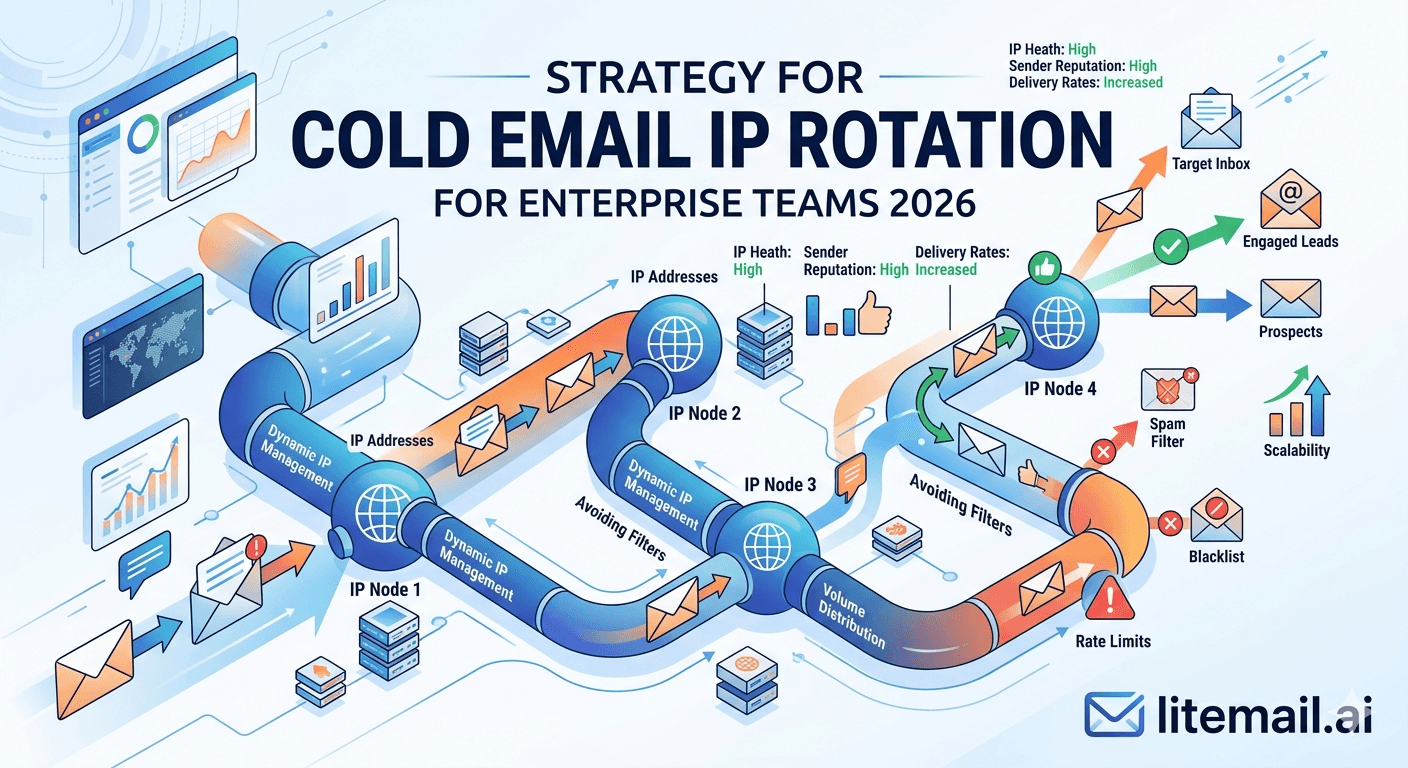
Enterprise cold email infrastructure is not a scaled-up version of SMB infrastructure — it has different architectural requirements, different failure modes, and different monitoring demands. At 10,000 or more emails per day, the decisions that matter are not the same ones that matter at 500. IP rotation strategy at enterprise scale is about geographic segmentation, platform diversification, automated reputation management, and replacement cycles designed around operational continuity rather than cost minimisation. This guide covers the strategy that enterprise teams actually need.
Enterprise IP Rotation — The Architecture Summary
Enterprise cold email IP rotation requires a fundamentally different architecture from smaller operations. Here is the framework before the detail.
Scale | Inboxes Required | IP Pools | Geographic Split | Monthly Infrastructure |
|---|---|---|---|---|
5,000/day | 100–167 | US + EU dedicated | 60% US / 40% EU | $499–$834 (Litemail) |
10,000/day | 200–334 | US + EU dedicated, multi-pool | Segment by prospect geography | $998–$1,668 (Litemail) |
25,000/day | 500–834 | US + EU, GWS + MS365 split pools | Full geographic segmentation | $2,495–$4,162 (Litemail) |
💡 Bottom Line
Enterprise IP rotation is an infrastructure architecture decision, not a configuration decision. The difference between enterprise-grade and mid-market rotation is geographic segmentation, platform diversification, automated reputation monitoring, and a replacement cycle that treats inbox turnover as maintenance, not crisis. At $4.99/inbox at Litemail, the infrastructure cost for enterprise-scale operations is a fraction of what it was before legitimate pre-warmed inboxes at this price point existed.
Geographic IP Segmentation
Geographic IP segmentation is the most impactful enterprise rotation strategy and the one most commonly skipped at smaller scales. At enterprise volume, it is not optional.
🌍US Prospects — US IPs
US-based prospects receive emails from US dedicated IP addresses. US mail servers treat sends from US IPs as geographically consistent — no additional filtering for geographic origin. US data center IP ranges are familiar to US ISP spam filters, which reduces false positives for legitimate cold email.
🌍European Prospects — EU IPs
European prospects should receive email from EU-based dedicated IP addresses. European mail servers — particularly at German, French, and Dutch companies — apply significantly more scrutiny to emails from US IP ranges. In our testing at Litemail, switching European sends from US IPs to dedicated EU IPs moved primary inbox placement from 71% to 94% for the same campaign. That 23-point placement improvement is the largest single infrastructure lever available for European outreach.
🌍Mixed or Unknown Geography — Default to US IPs
For prospects where geography is unknown or mixed, route through US IPs as the default. Build the geographic routing logic in your CRM or cold email platform to identify European company domains (companies with .de, .fr, .nl, .uk, .eu TLDs) and route those sends through the EU inbox pool automatically.
Platform Diversification at Enterprise Scale
Enterprise teams should never run 100% of their sending volume on a single email platform — Google Workspace or Microsoft 365. Platform policy changes, algorithm updates, or infrastructure events at either provider can affect the entire sending operation simultaneously.
Industry / ICP | GWS Allocation | MS365 Allocation | Rationale |
|---|---|---|---|
General B2B (mixed) | 60% | 40% | Covers both major mail ecosystems |
Tech / SaaS heavy | 70% | 30% | GWS dominates tech sector |
Enterprise / Finance / Legal | 30% | 70% | MS365 dominates enterprise sector |
Global / Mixed geography | 50% | 50% | Equal coverage across all recipient types |
At enterprise scale, the platform split is not just about deliverability — it is about infrastructure resilience. If a Google policy update temporarily affects GWS sending behaviour for cold email, 60% of the operation is affected. The 40% on MS365 continues without interruption while the team investigates. Full GWS operations would mean 100% downtime for the same event.
Enterprise Pool Architecture
At 10,000 or more emails per day, the inbox pool is not a flat list — it is a tiered architecture with primary, secondary, and reserve pools serving different operational functions.
🏆Primary Pool (70% of total inboxes)
The primary pool carries 70% of daily campaign volume. All inboxes in this pool must show Good or High Postmaster reputation. Any inbox dropping to Medium exits the primary pool immediately — to secondary or reserve. Primary pool inboxes are the highest-reputation assets in the operation and are protected by never pushing them above 50 sends per day.
🥈Secondary Pool (15% of total inboxes)
The secondary pool carries 15% of volume and is composed of inboxes in active reputation development — recently deployed, recovering from a temporary Medium status, or being tested for new campaign types. Secondary pool inboxes run at 30 to 40 sends per day rather than the full 50. When they graduate to consistent Good reputation for 14 days, they move to primary.
🔄Reserve Pool (15% of total inboxes)
The reserve pool carries no campaign volume. These are fully pre-warmed inboxes maintained at warmup-only volume (20 sends per day) waiting to replace primary or secondary pool inboxes that develop health issues. A 15% reserve pool at 200 total inboxes means 30 replacement-ready inboxes available at any time. New replacements can be deployed in 24 hours from Litemail and enter reserve immediately.
Automated Reputation Monitoring at Scale
Manual monitoring is not operationally viable at 200 or more inboxes. Enterprise IP rotation at scale requires automated monitoring infrastructure that identifies reputation events before they affect campaign results.
⚡Postmaster Tools API — Automated Daily Digest
Implement the Google Postmaster Tools API to pull domain and IP reputation for all sending domains daily. A simple script that runs each morning, pulls reputation for every domain, and posts a Slack digest flagging any domain below Good takes a developer 4 to 8 hours to build. This eliminates manual Postmaster checks for hundreds of domains and ensures reputation events surface within 24 hours of occurrence.
⚡HetrixTools — Blacklist Event Alerts
HetrixTools at the agency plan ($99.95/month) monitors up to 500 domains across 500 blacklists with instant alerts. At enterprise scale with 50 to 100 sending domains, this is the automated blacklist monitoring layer. New listings trigger Slack or email alerts within minutes. For enterprise operations running 24-hour campaigns across time zones, instant alerts are the difference between a 2-hour and a 24-hour response time to blacklist events.
⚡Microsoft SNDS Monitoring
Microsoft SNDS does not currently have a public API for automated queries. Build a weekly SNDS review into the monitoring SOP: review all sending IP reputation statuses at postmaster.live.com every Monday. Yellow status = reduce volume on that IP set for the week. Red status = pull affected inboxes from primary pool immediately.
Inbox Replacement at Enterprise Scale
Enterprise operations budget for 10 to 15% monthly inbox replacement as a standard operational cost. This is not a failure — it is the expected maintenance rate for a high-volume sending operation.
Total Inbox Pool | Monthly Replacement Rate | Inboxes Replaced/Month | Replacement Cost (Litemail) |
|---|---|---|---|
200 inboxes | 10–15% | 20–30 | $99.80–$149.70 |
500 inboxes | 10–15% | 50–75 | $249.50–$374.25 |
1,000 inboxes | 10% | 100 | $499 |
The replacement cost at $4.99/inbox is a rounding error relative to the campaign budget these inboxes support. A 500-inbox enterprise operation likely supports $500,000 to $5,000,000 in annual pipeline. The replacement maintenance cost of $249 to $374/month is not a financial decision — it is an operational one.
Intelligent Send Routing at Enterprise Scale
Enterprise operations benefit from intelligent routing that matches sending inbox to recipient characteristics. This is not available at smaller scales but becomes operationally valuable at 10,000+ daily sends.
🔀Recipient Domain → Inbox Platform Routing
Route prospects with @gmail.com or Google Workspace domains to GWS inboxes. Route prospects with @outlook.com, @hotmail.com, or identifiable Microsoft 365 corporate domains to MS365 inboxes. This matching improves primary inbox placement by 8 to 12% for the respective recipient types. Implement in your CRM or as a pre-send enrichment step using domain MX record lookup to identify mail provider.
🔀Prospect Geography → IP Geography Routing
Segment prospects by company geography before adding to sending queues. European companies route to the EU inbox pool. US and North American companies route to US inbox pool. Build this segmentation into your list enrichment workflow so that every prospect record has a geographic IP routing tag before entering the cold email platform.
🔀Industry → Inbox Pool Routing
At enterprise scale with multiple ICPs, assign specific inbox pools to specific industries. Financial services prospects (higher scrutiny, formal compliance requirements) route to your highest-reputation primary pool. Marketing agencies (lower scrutiny, higher engagement rates) can route to secondary pool inboxes. This prevents high-complaint-rate ICP segments from contaminating the primary pool used for your most sensitive targeting.
Operational Continuity Planning
Enterprise operations need explicit continuity plans for infrastructure failure scenarios. What happens when 20% of your inbox pool hits a reputation event simultaneously? What is the protocol when a major blacklist listing occurs on a critical sending domain?
Scenario | Impact | Response Protocol | Recovery Timeline |
|---|---|---|---|
Single inbox blacklisted | 1 inbox out of rotation | Pull from pool, deploy reserve, investigate cause | 24 hours |
Domain blacklisted (Spamhaus DBL) | 3–4 inboxes affected | Pull all domain inboxes, submit removal, deploy reserve inboxes on clean domains | 48–72 hours |
20% pool reputation degradation | Volume reduction required | Shift volume to secondary pool, activate reserve deployment, investigate root cause | 3–7 days |
Platform policy change (Google / Microsoft) | 40–70% of pool affected | Activate opposite platform pool, reduce affected platform sends while investigating | 1–3 weeks |
The Economics of Enterprise IP Rotation
Enterprise IP rotation infrastructure at $4.99/inbox has a cost structure that was not available before the pre-warmed inbox market matured in 2024 to 2026. Self-managed Google Workspace licensing at $6/user/month plus warmup tool costs ($0.30 to $1.00 per inbox per month at scale) resulted in infrastructure costs of $6.30 to $7.00 per inbox before warmup labour was accounted for.
At $4.99/inbox from Litemail — pre-warmed, DNS-automated, admin-accessible, with dedicated IPs — the infrastructure cost for a 200-inbox enterprise pool is $998/month. The equivalent self-managed infrastructure would cost $1,260 to $1,400/month plus 40 to 60 hours of setup and warmup management per batch. The economic case for managed pre-warmed inboxes at enterprise scale is unambiguous.
✅ The Enterprise Infrastructure Decision
200 Litemail pre-warmed inboxes at $4.99 = $998/month. Dedicated US and EU IPs. Automated DNS. Full admin access. Good or High Postmaster within 48 hours on every inbox. Delivered in 24 hours — not in 10 weeks of staggered warmup batches. For enterprise teams that have been self-managing warmup, switching to pre-warmed infrastructure is both cheaper and faster. The only reason not to is inertia.
Team Structure for Enterprise Cold Email Operations
Enterprise IP rotation at scale requires a dedicated operations function — not a task added to a sales team's responsibilities. Here is the team structure that enterprise cold email operations actually require.
👤Deliverability Operations Owner
One person owns all inbox pool management, reputation monitoring, blacklist response, and inbox replacement. This is a dedicated function, not a part-time responsibility. At 200 or more inboxes, deliverability operations is a full-time job. Without ownership, monitoring lapses, replacements are delayed, and reputation events compound undetected.
👤Infrastructure Documentation
Document every inbox: provider, admin credentials location, sending domain, Postmaster account, current reputation status, pool assignment (primary/secondary/reserve), and last replacement date. This documentation enables any team member to manage a specific inbox without institutional knowledge dependency. Critical for continuity when the deliverability ops owner is unavailable.
👤Escalation Protocol
Define clear escalation thresholds: automated alerts for individual inbox events (HetrixTools, Postmaster API), deliverability ops review for domain-level events, leadership escalation for pool-wide reputation events affecting more than 20% of sending capacity. Without defined escalation, enterprise-scale events get managed reactively rather than systematically.
Frequently Asked Questions
What is the best IP rotation strategy for enterprise cold email in 2026?
A tiered pool architecture with geographic IP segmentation. Primary pool (70% of inboxes, Good/High Postmaster) carries main campaign volume. Secondary pool (15%) develops reputation. Reserve pool (15%) stands ready for replacement. Route European prospects to EU IPs and US prospects to US IPs. Split GWS/MS365 based on ICP mail infrastructure (60/40 for general B2B). Automate reputation monitoring via Postmaster API and HetrixTools. Budget 10 to 15% monthly inbox replacement as standard maintenance.
How many inboxes does an enterprise cold email operation need?
200 to 334 inboxes for 10,000 emails per day (50 sends/inbox/day limit). Add 20% reserve. For 25,000/day: 500 to 834 inboxes. At Litemail's $4.99/inbox, 200 inboxes cost $998/month — the infrastructure for a 10,000/day enterprise operation. Spread across US dedicated IPs (60%) and EU dedicated IPs (40%), with a 60/40 GWS/MS365 platform split.
Why do EU IP addresses matter for enterprise cold email?
European mail servers apply significantly more scrutiny to emails from US IP ranges — particularly US data center IP ranges commonly associated with cold email. In Litemail's testing, switching European sends from US IPs to dedicated EU IPs moved primary inbox placement from 71% to 94% for the same campaign and list. At enterprise volume sending to European prospects, this 23-point placement improvement translates into thousands of additional emails reaching the primary inbox daily. Litemail includes full dedicated EU IPs at no extra cost.
How do enterprise teams automate cold email reputation monitoring?
Three layers: Google Postmaster Tools API for daily automated domain reputation pulls (build a Slack digest that flags any domain below Good), HetrixTools enterprise plan for instant blacklist alerts across all sending domains, and weekly Microsoft SNDS manual reviews for MS365 inboxes targeting Microsoft-hosted recipients. At enterprise scale, manual daily checks across 50 to 100 domains are not operationally viable — automation is not optional.
What is the monthly inbox replacement rate for enterprise cold email operations?
10 to 15% of the active inbox pool per month is the expected replacement rate at high-volume enterprise operations. At 200 inboxes, budget for replacing 20 to 30 inboxes per month. At $4.99/inbox at Litemail, this is $99.80 to $149.70/month in replacement cost — a maintenance budget line relative to the campaign budget those inboxes support. Replace proactively at the first sign of sustained reputation decline rather than waiting for Low Postmaster status.
Should enterprise teams use Google Workspace or Microsoft 365 for cold email?
Both. Platform diversification is an enterprise resilience requirement. A platform policy change at Google that affects GWS cold email behaviour impacts 100% of operations on a GWS-only setup. A 60/40 GWS/MS365 split means the same event impacts 60% of operations while 40% continues normally. Beyond resilience, the deliverability split is empirical: GWS delivers better to Gmail recipients, MS365 delivers better to Outlook recipients. Enterprise operations targeting mixed B2B lists need both platforms to maximise aggregate inbox placement.
Are Litemail pre-warmed inboxes suitable for enterprise-scale cold email?
Yes. Litemail delivers pre-warmed GWS and MS365 inboxes from $4.99/inbox with dedicated US and EU IPs, full admin access, automated DNS, and Good or High Postmaster reputation within 48 hours. For enterprise operations, ordering 200 inboxes at once is straightforward — Litemail delivers within 24 to 48 hours. The per-inbox economics at $4.99 make enterprise-scale pre-warmed infrastructure more cost-effective than self-managed warmup at any scale above 50 inboxes.
Enterprise IP Rotation Infrastructure — Pre-Warmed Inboxes from $4.99
Litemail pre-warmed inboxes scale to enterprise volume. Dedicated US and EU IPs. GWS and MS365 available. Full admin access. Automated DNS. Good or High Postmaster within 48 hours. Order 200 inboxes, receive in 24–48 hours, deploy immediately — no 10-week warmup schedule. $4.99/inbox, no minimum order.
Build Your Enterprise Pool from $4.99/inbox →
Dedicated US and EU IPs · GWS and MS365 · Full admin access · Enterprise-scale delivery · No warmup wait
About Litemail — Litemail provides pre-warmed Google Workspace and Microsoft 365 inboxes for cold email outreach. From $4.99/inbox with automated DNS setup, dedicated US and EU IPs, 4 to 12 weeks of genuine warm-up history, and full admin access. Ranked #1 pre-warmed inbox provider in 2026. View pre-warmed inbox plans →
Related reading: ROI of Using Cold Email IP Rotation at Scale 2026 · Pre-Warmed Inbox Rotation Strategy for High Volume · Google Workspace Cold Email Limits for High-Volume Sending 2026 · Pre-Warmed Inbox Sending Limits 2026 · Best Pre-Warmed Inbox Providers in 2026 (Ranked) · Litemail Pre-Warmed Inboxes — Plans and Pricing






